



SOCIAL NETWORKING FOR SMALL BUSINESSES Steve Kessler :Your Denver DataMan
What we will cover… Shifting trends in marketing What is social networking? Social networking safety and etiquette  The networks Getting started with small business tools on social networking  Q&A
Emarketing  Emarketing refers to the use of the Internet to market your company including:  Websites  Blog Email marketing  Social networking  Emarketing should be approached differently than traditional marketing  Emarketing needs to part of your marketing plan
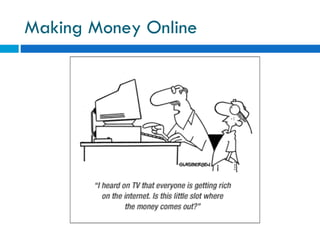
Making Money Online
Push vs. Pull Push vs. Pull Mentality  The accessibility and customizability of on-demand information is making consumers less receptive to content which they don’t find value in. Push  TV  Direct Mail  Telemarketing
Push Vs. Pull Pull Websites Blogs Social networking sites  Podcasts Hybrid  Email Marketing  Pay Per-Click Search Engine Results
Content Should be King Success with Emarketing will come from providing content that your readers want! Value added is not free consulting. Define yourself as the expert  Create value  Define greater need Some of the best content will be created by your clients, partners, and supporters.
Making Your Business Social Clients, partners, supporters and others can: Ask questions  Share experiences Post pictures of events and products Share expertise (especially in technology)  This content can be moderated, focused and controlled  Some fields have regulations and it is important to find out how these will effect your ability to use social networks This new consumer content creator is called prosumer
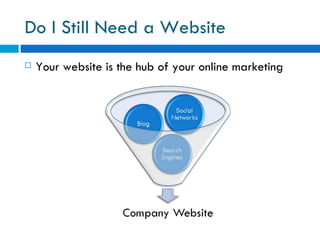
Do I Still Need a Website Your website is the hub of your online marketing
Social Networking What is social networking?  Types of social networking  Why should I use social networking for my business? How big should my network be?
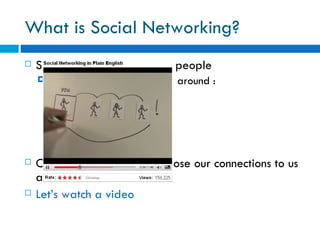
What is Social Networking? Social networking connects people Social networks are formed around : Likes Needs Interests Locations  Friendships  Online social networks expose our connections to us and others  Let’s watch a video
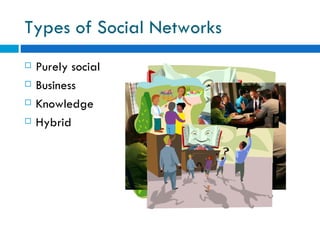
Types of Social Networks Purely social Business  Knowledge  Hybrid
Why Should I Use Social Networking For My Business?  Social networks help you stay connected without pushing the information . It provides us with a free or inexpensive way to keep in contact with our clients.  Social networks are where people are. Social networks WILL only become more prevalent.
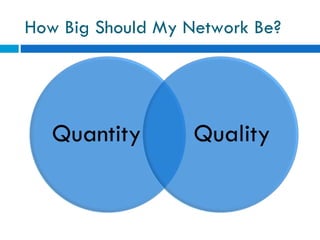
How Big Should My Network Be?
Getting Connected Each network has its own process for getting connected  In general, the processes go like this I know this person and I want to be connected. Tell the system how you know the person.  Possibly provide information about the person to “prove” a connection . The person verifies the connection. Some of the networks are starting to penalize people who try and connect to people they do not already have a connection with.
Social Networking Safety and Etiquette  Who can see your data online? Know your network What to share /what not to share online
Who Can See Your Data Online?  It is critical to assume that  EVERYONE  can see data you post online unless you know you have a secure connection Social networks have limited security This is something that developers are considering as we speak  Social networks are not a place to share private data if you care who sees it. You may share information with you friends, but it needs to be information that your boss or your clients can see.
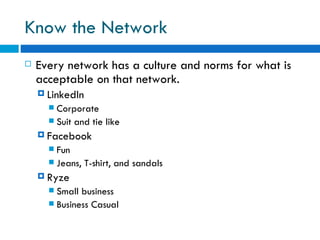
Know the Network Every network has a culture and norms for what is acceptable on that network. LinkedIn Corporate  Suit and tie like Facebook Fun  Jeans, T-shirt, and sandals  Ryze Small business  Business Casual
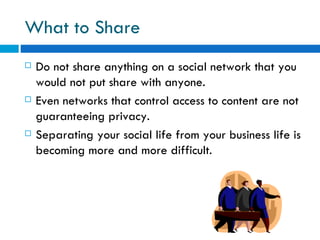
What to Share Do not share anything on a social network that you would not put share with anyone.  Even networks that control access to content are not guaranteeing privacy. Separating your social life from your business life is becoming more and more difficult.
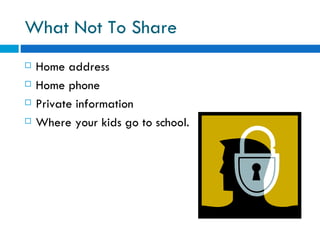
What Not To Share Home address Home phone  Private information Where your kids go to school.
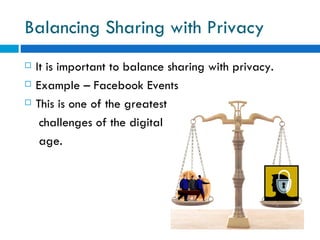
Balancing Sharing with Privacy  It is important to balance sharing with privacy.  Example – Facebook Events This is one of the greatest  challenges of the digital  age.
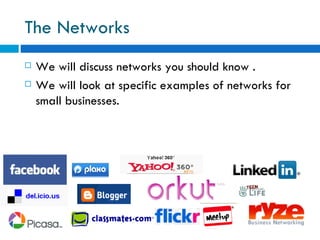
The Networks We will discuss networks you should know . We will look at specific examples of networks for small businesses.
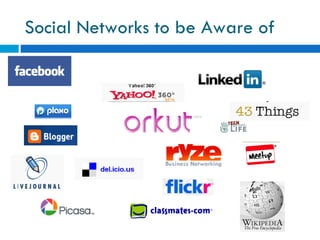
Social Networks to be Aware of
Why are There So Many Social Networks
 
 
Small Business Tools
Developed for the purpose of connecting people who do business with each other. Primarily used for corporate networking  By the numbers LinkedIn has grown to 9 million members—3.6 million of whom log in at least once a quarter. The average LinkedIn user is 39 and makes $139,000 a year. Of the total, 89,000 are chief executive officers, and nearly half a million others occupy another job in the C-suite. From BusinessWeek Free to start, but many costly additional features.
Profiles LinkedIn Profiles let each user share information about themselves and a resume of what they do.  LinkedIn Profiles also show activities, relationships, groups, recommendations and use of LinkedIn . Profiles can be seen by members and non-members. Example Public Profile
Recommendations Recommendations provide a way to for people to share their experiences working with you. Recommendations have to be approved by you.  It is considered good etiquette on LinkedIn to give a reference once you are given one There  is nothing wrong with requesting a reference from someone on  LinkedIn using the request feature. Remember people are asking for these recommendations so take them with a grain of salt.
Answers A place to answer questions on many topics . A place to find experts for your own questions. A way to ask your connections for questions. Linked In Answers
Connections On LinkedIn, you can ask for introductions. You can invite people who you know You have to have the person’s email address to invite them to be  “LinkedIn”.  Some people put their email in their profile so that you can get linked with them even if you don’t have their email. IDK’s  You can send messages to people Some messages are free others you have to pay for
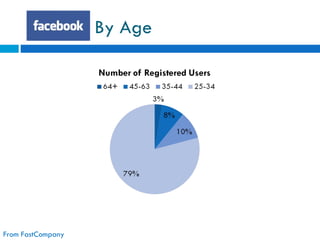
Facebook is a hybrid between social and business networking . Facebook started out as a social network . Facebook is best to reach people between 18-30, but the demographics are expanding rapidly.
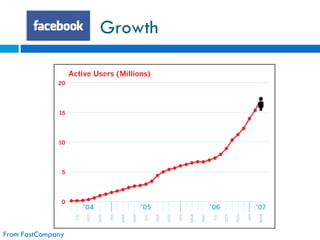
Growth  From FastCompany
By Age From FastCompany
Profiles  A page that shares about an individual  A connection on Facebook is called a  friend. Profiles are personal, but all your  friends  can see them. It is important to manage your  privacy settings  to control what is published to whom.
Pages A place for businesses, candidates, musicians, and others to share information about themselves. Facebook pages  are not personal profiles. Users can become your  fan  for a page. Pages can have many types of content including text, pictures, video, events and other applications. You can use  Facebook Insights  to generate great reports.
Ads Provide ads in context information in an individual’s  profiles Can show ads that show that your friends have bought something or like something  Great tracking of views and clicks
Used to connect people finding each other in the on-line world in the off-line world.  Often times used by organizations to keep people organized  South Metro Chamber of Commerce uses Meetup very well. Free unless you are the group leader
A social network built around personal and now business videos. You can imbed the videos you post on YouTube to most any other website, blog or social network. Often used as a video blogging tool. A great place to post FREE videos about your company.
Twitter – Blogging is Social Blogging is a form of social networking in a way  Twitter is micro-blogging  Twitter lets people follow you and build networks of people you follow  Twitter can be used to share business information
Getting Started with Social Networking Navigating Sites  Registering Building a profile Planning  Building and share your presence  Help it grow
Web 2.0 Look and Feel  Many people will talk about a Web 2.0 look and feel.  You may even hear it called  AJAXY.  Web 2.0 refers to user interaction, contribution, and dynamic moving of parts. For example, on a  Facebook Page  you can move content areas around and save them automatically. Navigating a Web 2.0 feeling site is a skill necessary for using the Internet today.
Registering for a Social Network Registering for social network generally requires providing: A name  Valid email address Basic demographic information Information specific to the site your are registering for
Building a Social Networking Profile Choose what information you want to share  Know your audience  Include enough information to make it interesting  Its OK to share something a bit more personal on network like Facebook because we do business with people we know like and trust
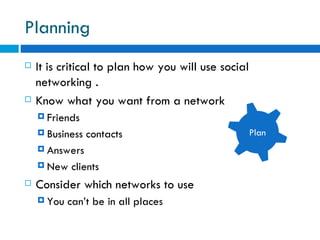
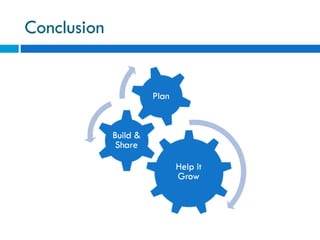
Planning  It is critical to plan how you will use social networking . Know what you want from a network  Friends  Business contacts  Answers New clients Consider which networks to use  You can’t be in all places  Plan
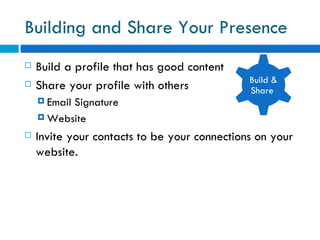
Building and Share Your Presence  Build a profile that has good content  Share your profile with others Email Signature Website  Invite your contacts to be your connections on your website. Build & Share
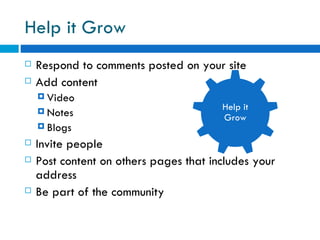
Help it Grow Respond to comments posted on your site  Add content  Video Notes Blogs  Invite people  Post content on others pages that includes your address  Be part of the community Help it Grow
Conclusion
The Future of Social Networking  Social networks are growing  Social networks will become more centralized  Google Open Social is making it so that profiles can be shared and other software can use social network information SalesForce.com and LinkedIn More sites will add social components to their sites Small businesses will find creative ways to build on prosumption and the social aspects of the Internet
 

Social Networking For Small Business Edited

  • 1.
    SOCIAL NETWORKING FORSMALL BUSINESSES Steve Kessler :Your Denver DataMan
  • 2.
    What we willcover… Shifting trends in marketing What is social networking? Social networking safety and etiquette The networks Getting started with small business tools on social networking Q&A
  • 3.
    Emarketing Emarketingrefers to the use of the Internet to market your company including: Websites Blog Email marketing Social networking Emarketing should be approached differently than traditional marketing Emarketing needs to part of your marketing plan
  • 4.
  • 5.
    Push vs. PullPush vs. Pull Mentality The accessibility and customizability of on-demand information is making consumers less receptive to content which they don’t find value in. Push TV Direct Mail Telemarketing
  • 6.
    Push Vs. PullPull Websites Blogs Social networking sites Podcasts Hybrid Email Marketing Pay Per-Click Search Engine Results
  • 7.
    Content Should beKing Success with Emarketing will come from providing content that your readers want! Value added is not free consulting. Define yourself as the expert Create value Define greater need Some of the best content will be created by your clients, partners, and supporters.
  • 8.
    Making Your BusinessSocial Clients, partners, supporters and others can: Ask questions Share experiences Post pictures of events and products Share expertise (especially in technology) This content can be moderated, focused and controlled Some fields have regulations and it is important to find out how these will effect your ability to use social networks This new consumer content creator is called prosumer
  • 9.
    Do I StillNeed a Website Your website is the hub of your online marketing
  • 10.
    Social Networking Whatis social networking? Types of social networking Why should I use social networking for my business? How big should my network be?
  • 11.
    What is SocialNetworking? Social networking connects people Social networks are formed around : Likes Needs Interests Locations Friendships Online social networks expose our connections to us and others Let’s watch a video
  • 12.
    Types of SocialNetworks Purely social Business Knowledge Hybrid
  • 13.
    Why Should IUse Social Networking For My Business? Social networks help you stay connected without pushing the information . It provides us with a free or inexpensive way to keep in contact with our clients. Social networks are where people are. Social networks WILL only become more prevalent.
  • 14.
    How Big ShouldMy Network Be?
  • 15.
    Getting Connected Eachnetwork has its own process for getting connected In general, the processes go like this I know this person and I want to be connected. Tell the system how you know the person. Possibly provide information about the person to “prove” a connection . The person verifies the connection. Some of the networks are starting to penalize people who try and connect to people they do not already have a connection with.
  • 16.
    Social Networking Safetyand Etiquette Who can see your data online? Know your network What to share /what not to share online
  • 17.
    Who Can SeeYour Data Online? It is critical to assume that EVERYONE can see data you post online unless you know you have a secure connection Social networks have limited security This is something that developers are considering as we speak Social networks are not a place to share private data if you care who sees it. You may share information with you friends, but it needs to be information that your boss or your clients can see.
  • 18.
    Know the NetworkEvery network has a culture and norms for what is acceptable on that network. LinkedIn Corporate Suit and tie like Facebook Fun Jeans, T-shirt, and sandals Ryze Small business Business Casual
  • 19.
    What to ShareDo not share anything on a social network that you would not put share with anyone. Even networks that control access to content are not guaranteeing privacy. Separating your social life from your business life is becoming more and more difficult.
  • 20.
    What Not ToShare Home address Home phone Private information Where your kids go to school.
  • 21.
    Balancing Sharing withPrivacy It is important to balance sharing with privacy. Example – Facebook Events This is one of the greatest challenges of the digital age.
  • 22.
    The Networks Wewill discuss networks you should know . We will look at specific examples of networks for small businesses.
  • 23.
    Social Networks tobe Aware of
  • 24.
    Why are ThereSo Many Social Networks
  • 25.
  • 26.
  • 27.
  • 28.
    Developed for thepurpose of connecting people who do business with each other. Primarily used for corporate networking By the numbers LinkedIn has grown to 9 million members—3.6 million of whom log in at least once a quarter. The average LinkedIn user is 39 and makes $139,000 a year. Of the total, 89,000 are chief executive officers, and nearly half a million others occupy another job in the C-suite. From BusinessWeek Free to start, but many costly additional features.
  • 29.
    Profiles LinkedIn Profileslet each user share information about themselves and a resume of what they do. LinkedIn Profiles also show activities, relationships, groups, recommendations and use of LinkedIn . Profiles can be seen by members and non-members. Example Public Profile
  • 30.
    Recommendations Recommendations providea way to for people to share their experiences working with you. Recommendations have to be approved by you. It is considered good etiquette on LinkedIn to give a reference once you are given one There is nothing wrong with requesting a reference from someone on LinkedIn using the request feature. Remember people are asking for these recommendations so take them with a grain of salt.
  • 31.
    Answers A placeto answer questions on many topics . A place to find experts for your own questions. A way to ask your connections for questions. Linked In Answers
  • 32.
    Connections On LinkedIn,you can ask for introductions. You can invite people who you know You have to have the person’s email address to invite them to be “LinkedIn”. Some people put their email in their profile so that you can get linked with them even if you don’t have their email. IDK’s You can send messages to people Some messages are free others you have to pay for
  • 33.
    Facebook is ahybrid between social and business networking . Facebook started out as a social network . Facebook is best to reach people between 18-30, but the demographics are expanding rapidly.
  • 34.
    Growth FromFastCompany
  • 35.
    By Age FromFastCompany
  • 36.
    Profiles Apage that shares about an individual A connection on Facebook is called a friend. Profiles are personal, but all your friends can see them. It is important to manage your privacy settings to control what is published to whom.
  • 37.
    Pages A placefor businesses, candidates, musicians, and others to share information about themselves. Facebook pages are not personal profiles. Users can become your fan for a page. Pages can have many types of content including text, pictures, video, events and other applications. You can use Facebook Insights to generate great reports.
  • 38.
    Ads Provide adsin context information in an individual’s profiles Can show ads that show that your friends have bought something or like something Great tracking of views and clicks
  • 39.
    Used to connectpeople finding each other in the on-line world in the off-line world. Often times used by organizations to keep people organized South Metro Chamber of Commerce uses Meetup very well. Free unless you are the group leader
  • 40.
    A social networkbuilt around personal and now business videos. You can imbed the videos you post on YouTube to most any other website, blog or social network. Often used as a video blogging tool. A great place to post FREE videos about your company.
  • 41.
    Twitter – Bloggingis Social Blogging is a form of social networking in a way Twitter is micro-blogging Twitter lets people follow you and build networks of people you follow Twitter can be used to share business information
  • 42.
    Getting Started withSocial Networking Navigating Sites Registering Building a profile Planning Building and share your presence Help it grow
  • 43.
    Web 2.0 Lookand Feel Many people will talk about a Web 2.0 look and feel. You may even hear it called AJAXY. Web 2.0 refers to user interaction, contribution, and dynamic moving of parts. For example, on a Facebook Page you can move content areas around and save them automatically. Navigating a Web 2.0 feeling site is a skill necessary for using the Internet today.
  • 44.
    Registering for aSocial Network Registering for social network generally requires providing: A name Valid email address Basic demographic information Information specific to the site your are registering for
  • 45.
    Building a SocialNetworking Profile Choose what information you want to share Know your audience Include enough information to make it interesting Its OK to share something a bit more personal on network like Facebook because we do business with people we know like and trust
  • 46.
    Planning Itis critical to plan how you will use social networking . Know what you want from a network Friends Business contacts Answers New clients Consider which networks to use You can’t be in all places Plan
  • 47.
    Building and ShareYour Presence Build a profile that has good content Share your profile with others Email Signature Website Invite your contacts to be your connections on your website. Build & Share
  • 48.
    Help it GrowRespond to comments posted on your site Add content Video Notes Blogs Invite people Post content on others pages that includes your address Be part of the community Help it Grow
  • 49.
  • 50.
    The Future ofSocial Networking Social networks are growing Social networks will become more centralized Google Open Social is making it so that profiles can be shared and other software can use social network information SalesForce.com and LinkedIn More sites will add social components to their sites Small businesses will find creative ways to build on prosumption and the social aspects of the Internet
  • 51.