


Social Media for PhotographersErin Blaskie - www.erinblaskie.com@ErinBlaskie (Twitter)
What We’re Going to CoverThree Myths About Social MediaHow You, as a Photographer, Can Directly Benefit From Social MediaThree Must-Use ServicesFive Ways to Find Your “Tribe”Ways to Enhance Your Experience on Each Social Media Site
Myths About Social Media: The MySpace Phenomenon
Myths About Social MediaMyth #1: Social Media is Tweens Chatting with Friends on MySpaceMyth #2: Social Media is Time ConsumingMyth #3: Social Media is a Waste of Time – People Want to Be Sold To!
Myths About Social MediaMyth #1: Social Media is Tweens Chatting with Friends on MySpaceYes, MySpace is popular for that target market but there are professional social media sitesTwitter, Facebook and LinkedIn are just three of the sites that target professionalsReal networking and business development opportunities exist on the sites targeted to your industry / target market
Myths About Social MediaMyth #2: Social Media is Time ConsumingYou get back whatever you put into itCan be controlled in your time management planYou can outsource some of the activities associated with social media (not the engagement and relationship building however)You can choose which sites get your attention – fewer sites, more engagement equals success
Myths About Social MediaMyth #3: Social Media is a Waste of Time – People Want to Be Sold To!People want to buy from people and social media shortens the know, like and trust timelineYou don’t want to waste your efforts on consistently expanding into new markets – focus on a targeted groupSocial media is less about selling and more about relationship building and engagement
Benefits to a PhotographerReach a highly targeted audienceSearch tools allow you to find the people on social media you need to connect withConsistently update your target marketYou can broadcast out tips, advice, photographs, opportunities and whatever else is going to make them look at you as their go-to-photographerExample: Here are a few of our favourite wedding photography poses - <link>
Benefits to a PhotographerBeing a photographer relies heavily on building relationshipsSocial media allows you to connect and communicate with your target market without jumping to the saleFind partners to collaborate withDiversify your portfolio / offeringsComplimentary services and products expand convenience for your clients
Four Must-Use Social Media Sites
Four Must-Use Social Media SitesTwitterhttp://www.twitter.comLinkedInhttp://www.linkedin.comFacebookhttp://www.facebook.comFlickrhttp://www.flickr.com
Goals of Using TwitterEducate our followers with valuable contentCheerlead and publicly praise other colleagues on in their endeavoursShare valuable links, blog posts and other links from other social media colleaguesGently promote some of the things we are doing as well as a marketing approach
Goals of Using FacebookThink about who will be coming to your fan page - what do they want? Provide it to them in easily consumable ways.Provide unique, exciting and valuable content either manually or automatically via RSS.Engage, engage, engage.  A community does not want to be solely marketed at / broadcasted to.
Goals of Using LinkedInUse it to find jobs, people and business opportunities.Employers can list jobs and search for potential candidates.Job seekers can review the profile of hiring managers.Users can post their own photos and view other photos to aid in identification.
Goals of Using FlickrFlickr is an excellent, pre-built community for photographers as it allows for people to connect and comment on your work.Upload photos often and include links back to your primary website.Connect with media buyers who may purchase your photos for magazines, books and other sources.
Three Ways to Enhance YourExperience on Each Site
Three Ways to Enhance Your Experience on Each SiteTwitterSetup your account making sure to make use of the profile area, website address area and photoBegin / continue following people in your industry, people using keywords of your industry and people you’d just like to knowBe sure to follow people back, engage with them through @ replies and direct messages and start conversations
Twitter ToolsThreadsyAllows you to track your Twitter accounts using a web-based applicationHootsuiteAllows you to setup pre-programmed TweetsBit.lyShortens long URLs / web links for use on TwitterTwitter Lingo Explained Blog Post (Free)http://www.erinblaskie.com
Three Ways to Enhance Your Experience on Each SiteLinkedInSetup your account and ensure the entire profile is filled out, invite your friends and hook up with people you know through the friend finderParticipate actively in the LinkedIn Answers area – post questions for your target market and answer questions for free to gain visibilityJoin Groups on LinkedIn that might contain fellow industry professionals or possible clients
LinkedIn ToolsPing.fmAllows you to update LinkedIn and many other social media sites all at onceOutlook Toolbar / Browser ToolbarDownload the toolbar to make the most out of LinkedIn while inside of other programs
Three Ways to Enhance Your Experience on Each SiteFacebookSetup your account, fill out your profile in full detail and setup a Fan Page for your businessFind Groups on Facebook that contain relevant individuals or potential clients using your keywords to search them outUtilize the tools that are available including: events, photos, blog feed import, etc. to really enhance your profile’s automation
Facebook ToolsPing.fm
Allows you to update LinkedIn and many other social media sites all at once
Facebook Notes
Bring in your blog’s RSS feed via the Facebook notes to keep people up-to-date
HTML Box
Add the HTML application box to your profile to collect names/e-mail addresses on your profileThree Ways to Enhance Your Experience on Each SiteFlickrSetup your profile in its entirety – the Flickr profile process will help you ensure completionPost new photos to Flickr often and make use of the tags – this is how the majority of connections are madeJoin groups on Flickr and post your photos to those groups - ie: wedding photography group
Flickr ToolsFlickr UploadrAllows you to easily upload photos from your desktopUpload via E-mailYou can also upload your photos via e-mail (great for cell phones too!)Flickr SlideshowsYou can create slideshows that you can embed onto your websites.
Where to Find Your “Tribe”
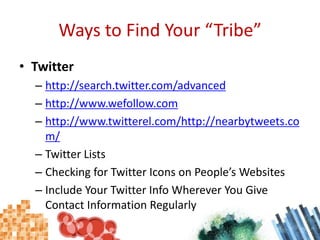
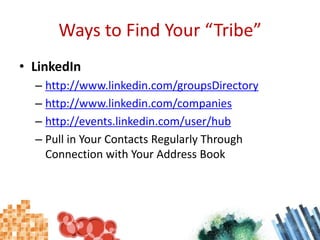
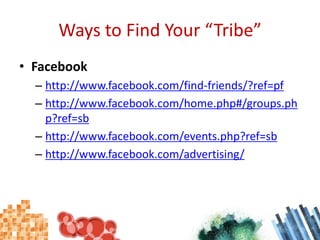
Ways to Find Your “Tribe”Twitter http://search.twitter.com/advancedhttp://www.wefollow.comhttp://www.twitterel.com/http://nearbytweets.com/Twitter ListsChecking for Twitter Icons on People’s WebsitesInclude Your Twitter Info Wherever You Give Contact Information Regularly

Social Media for Photographers

  • 1.
    Social Media forPhotographersErin Blaskie - www.erinblaskie.com@ErinBlaskie (Twitter)
  • 2.
    What We’re Goingto CoverThree Myths About Social MediaHow You, as a Photographer, Can Directly Benefit From Social MediaThree Must-Use ServicesFive Ways to Find Your “Tribe”Ways to Enhance Your Experience on Each Social Media Site
  • 3.
    Myths About SocialMedia: The MySpace Phenomenon
  • 4.
    Myths About SocialMediaMyth #1: Social Media is Tweens Chatting with Friends on MySpaceMyth #2: Social Media is Time ConsumingMyth #3: Social Media is a Waste of Time – People Want to Be Sold To!
  • 5.
    Myths About SocialMediaMyth #1: Social Media is Tweens Chatting with Friends on MySpaceYes, MySpace is popular for that target market but there are professional social media sitesTwitter, Facebook and LinkedIn are just three of the sites that target professionalsReal networking and business development opportunities exist on the sites targeted to your industry / target market
  • 6.
    Myths About SocialMediaMyth #2: Social Media is Time ConsumingYou get back whatever you put into itCan be controlled in your time management planYou can outsource some of the activities associated with social media (not the engagement and relationship building however)You can choose which sites get your attention – fewer sites, more engagement equals success
  • 7.
    Myths About SocialMediaMyth #3: Social Media is a Waste of Time – People Want to Be Sold To!People want to buy from people and social media shortens the know, like and trust timelineYou don’t want to waste your efforts on consistently expanding into new markets – focus on a targeted groupSocial media is less about selling and more about relationship building and engagement
  • 8.
    Benefits to aPhotographerReach a highly targeted audienceSearch tools allow you to find the people on social media you need to connect withConsistently update your target marketYou can broadcast out tips, advice, photographs, opportunities and whatever else is going to make them look at you as their go-to-photographerExample: Here are a few of our favourite wedding photography poses - <link>
  • 9.
    Benefits to aPhotographerBeing a photographer relies heavily on building relationshipsSocial media allows you to connect and communicate with your target market without jumping to the saleFind partners to collaborate withDiversify your portfolio / offeringsComplimentary services and products expand convenience for your clients
  • 10.
  • 11.
    Four Must-Use SocialMedia SitesTwitterhttp://www.twitter.comLinkedInhttp://www.linkedin.comFacebookhttp://www.facebook.comFlickrhttp://www.flickr.com
  • 12.
    Goals of UsingTwitterEducate our followers with valuable contentCheerlead and publicly praise other colleagues on in their endeavoursShare valuable links, blog posts and other links from other social media colleaguesGently promote some of the things we are doing as well as a marketing approach
  • 13.
    Goals of UsingFacebookThink about who will be coming to your fan page - what do they want? Provide it to them in easily consumable ways.Provide unique, exciting and valuable content either manually or automatically via RSS.Engage, engage, engage. A community does not want to be solely marketed at / broadcasted to.
  • 14.
    Goals of UsingLinkedInUse it to find jobs, people and business opportunities.Employers can list jobs and search for potential candidates.Job seekers can review the profile of hiring managers.Users can post their own photos and view other photos to aid in identification.
  • 15.
    Goals of UsingFlickrFlickr is an excellent, pre-built community for photographers as it allows for people to connect and comment on your work.Upload photos often and include links back to your primary website.Connect with media buyers who may purchase your photos for magazines, books and other sources.
  • 16.
    Three Ways toEnhance YourExperience on Each Site
  • 17.
    Three Ways toEnhance Your Experience on Each SiteTwitterSetup your account making sure to make use of the profile area, website address area and photoBegin / continue following people in your industry, people using keywords of your industry and people you’d just like to knowBe sure to follow people back, engage with them through @ replies and direct messages and start conversations
  • 18.
    Twitter ToolsThreadsyAllows youto track your Twitter accounts using a web-based applicationHootsuiteAllows you to setup pre-programmed TweetsBit.lyShortens long URLs / web links for use on TwitterTwitter Lingo Explained Blog Post (Free)http://www.erinblaskie.com
  • 19.
    Three Ways toEnhance Your Experience on Each SiteLinkedInSetup your account and ensure the entire profile is filled out, invite your friends and hook up with people you know through the friend finderParticipate actively in the LinkedIn Answers area – post questions for your target market and answer questions for free to gain visibilityJoin Groups on LinkedIn that might contain fellow industry professionals or possible clients
  • 20.
    LinkedIn ToolsPing.fmAllows youto update LinkedIn and many other social media sites all at onceOutlook Toolbar / Browser ToolbarDownload the toolbar to make the most out of LinkedIn while inside of other programs
  • 21.
    Three Ways toEnhance Your Experience on Each SiteFacebookSetup your account, fill out your profile in full detail and setup a Fan Page for your businessFind Groups on Facebook that contain relevant individuals or potential clients using your keywords to search them outUtilize the tools that are available including: events, photos, blog feed import, etc. to really enhance your profile’s automation
  • 22.
  • 23.
    Allows you toupdate LinkedIn and many other social media sites all at once
  • 24.
  • 25.
    Bring in yourblog’s RSS feed via the Facebook notes to keep people up-to-date
  • 26.
  • 27.
    Add the HTMLapplication box to your profile to collect names/e-mail addresses on your profileThree Ways to Enhance Your Experience on Each SiteFlickrSetup your profile in its entirety – the Flickr profile process will help you ensure completionPost new photos to Flickr often and make use of the tags – this is how the majority of connections are madeJoin groups on Flickr and post your photos to those groups - ie: wedding photography group
  • 28.
    Flickr ToolsFlickr UploadrAllowsyou to easily upload photos from your desktopUpload via E-mailYou can also upload your photos via e-mail (great for cell phones too!)Flickr SlideshowsYou can create slideshows that you can embed onto your websites.
  • 29.
    Where to FindYour “Tribe”
  • 30.
    Ways to FindYour “Tribe”Twitter http://search.twitter.com/advancedhttp://www.wefollow.comhttp://www.twitterel.com/http://nearbytweets.com/Twitter ListsChecking for Twitter Icons on People’s WebsitesInclude Your Twitter Info Wherever You Give Contact Information Regularly