Dreaming of being a social networking pro…
Be a Social Networking Pro: Using the power of  Facebook & Twitter
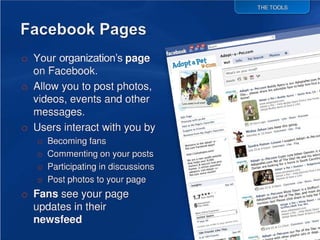
What are Facebook Pages
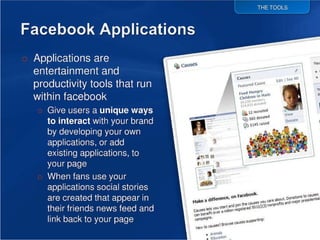
What are Facebook Applications
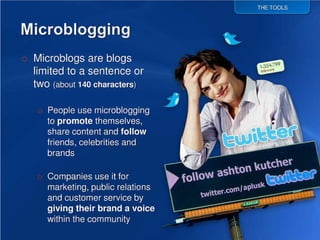
What is Twitter
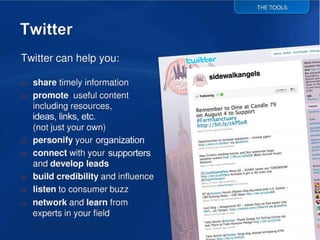
Twitter can help you…
Social Networking:  Why you should… and How
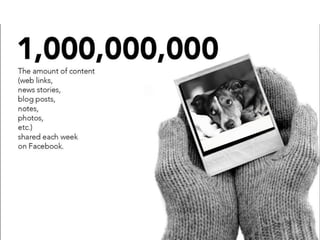
Each week on facebook
REASON #3
REASON #2 over 400 million active users in 2010   (had 20 million in 2007, 100 million in 2009) 50% of log on in any given day Average user has 130 friends People spend 500 billion minutes on Facebook every month
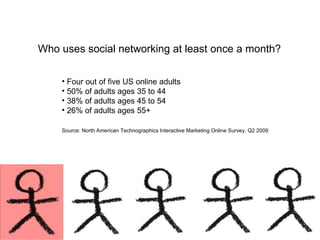
Reason #1 Four out of five US online adults  50% of adults ages 35 to 44 38% of adults ages 45 to 54 26% of adults ages 55+ Source: North American Technographics Interactive Marketing Online Survey, Q2 2009   Who uses social networking at least once a month?
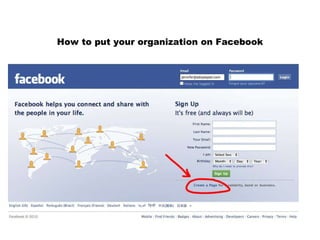
How to put your organization on Facebook
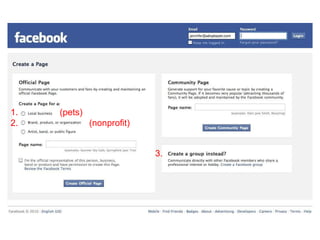
3. 1.  (pets) 2.  (nonprofit)
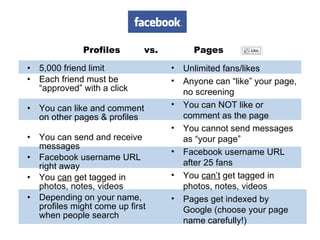
Profiles  vs.  Pages 5,000 friend limit Each friend must be “approved” with a click  You can like and comment on other pages & profiles You can send and receive messages  Facebook username URL right away You  can  get tagged in photos, notes, videos Depending on your name, profiles might come up first when people search Unlimited fans/likes Anyone can “like” your page, no screening  You can NOT like or comment as the page You cannot send messages as “your page” Facebook username URL after 25 fans You  can’t  get tagged in photos, notes, videos Pages get indexed by Google (choose your page name carefully!)
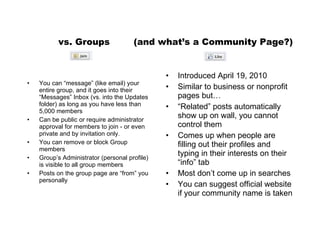
vs. Groups  (and what’s a Community Page?) You can “message” (like email) your entire group, and it goes into their “Messages” Inbox (vs. into the Updates folder) as long as you have less than 5,000 members Can be public or require administrator approval for members to join - or even private and by invitation only.  You can remove or block Group members Group’s Administrator (personal profile) is visible to all group members Posts on the group page are “from” you personally Introduced April 19, 2010 Similar to business or nonprofit pages but… “ Related” posts automatically show up on wall, you cannot control them Comes up when people are filling out their profiles and typing in their interests on their “info” tab Most don’t come up in searches You can suggest official website if your community name is taken
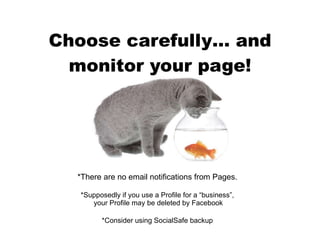
Choose carefully… and monitor your page! *There are no email notifications from Pages. *Supposedly if you use a Profile for a “business”,  your Profile may be deleted by Facebook *Consider using SocialSafe backup
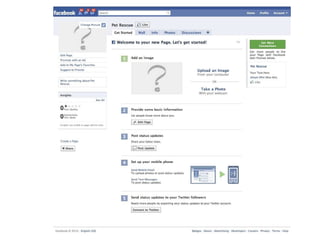
Page Start
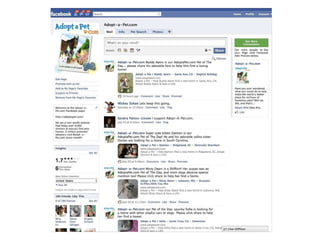
Page done
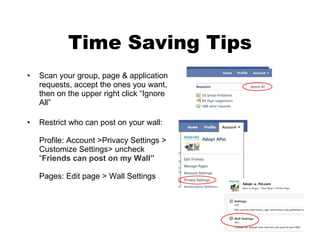
Time Saving Tips Scan your group, page & application requests, accept the ones you want, then on the upper right click “Ignore All” Restrict who can post on your wall: Profile: Account >Privacy Settings > Customize Settings> uncheck “ Friends can post on my Wall” Pages: Edit page > Wall Settings
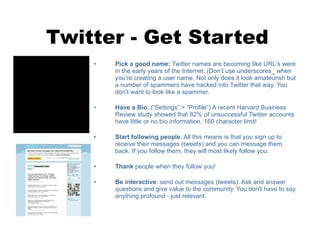
Twitter - Get Started Pick a good name:  Twitter names are becoming like URL ’s  were in the early years of the Internet. (Don ’t  use underscores_ when you ’r e creating a user name. Not only does it look amateurish but a number of spammers have hacked into Twitter that way. You don ’t  want to look like a spammer. Have a Bio.  (“Settings” > “Profile”) A recent Harvard Business Review study showed that 82% of unsuccessful Twitter accounts have little or no bio information. 160 character limit! Start following people.  All this means is that you sign up to receive their messages (tweets) and you can message them back. If you follow them, they will most likely follow you.  Thank  people when they follow you! Be interactive : send out messages (tweets). Ask and answer questions and give value to the community. You don't have to say anything profound - just relevant.
Tweeting Tips Update more than once a day, but less than 15 times a day.  Always reply to the @reply responses on Twitter. It is someone talking directly to you, your replies to them @username  will show up in their sidebar. If you don’t have the time to post on both Twitter and Facebook, you can link the two… Have all your Facebook updates appear on Twitter  facebook.com/twitter/   Have all your Twitter updates appear on Facebook http://apps.facebook.com/smarttwitterpages/   Use Twitter a Critter for one-click Tweeting of any pet on AdoptaPet.com! Follow Abbie the Executive Director of AdoptaPet.com at  twitter.com/TweetACritter
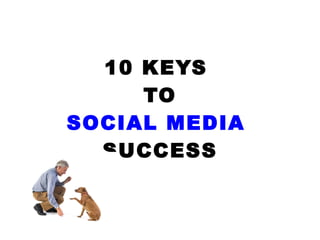
10 KEYS  TO SOCIAL MEDIA   SUCCESS
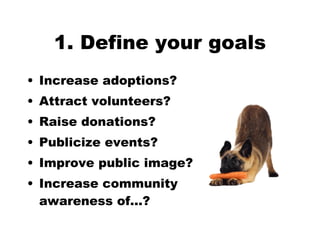
1. Define your goals Increase adoptions?  Attract volunteers?  Raise donations?  Publicize events? Improve public image? Increase community  awareness of…?
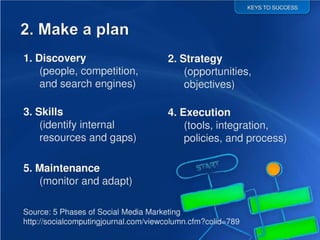
2. Make a plan
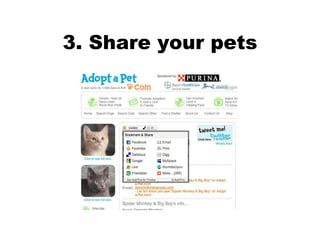
3. Share your pets
4. Public Relations 4. Post photos of your location, staff, events, volunteers Share success stories: fundraising, adoptions, press Monthly or yearly summary reports/updates
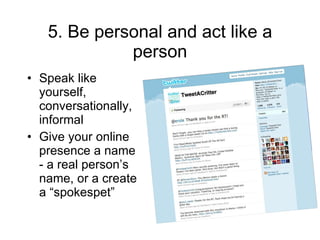
5. Be personal and act like a person Speak like yourself, conversationally, informal Give your online presence a name - a real person’s name, or a create a “spokespet”
6. Contribute in a meaningful way Don’t promote yourself in every post Consider what is relevant to your community Win friends by promoting other people’s content if it interests you
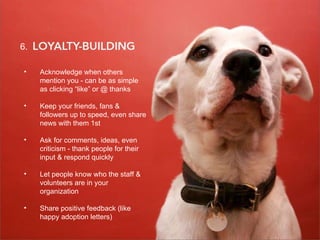
7. Loyalty Building Acknowledge when others mention you - can be as simple as clicking “like” or @ thanks Keep your friends, fans & followers up to speed, even share news with them 1st  Ask for comments, ideas, even criticism - thank people for their input & respond quickly Let people know who the staff & volunteers are in your organization Share positive feedback (like happy adoption letters) 6.
8. Cusomter Service 8. ALWAYS be helpful & courteous.   See criticism as an opportunity - don’t delete, it will just make it worse.  Address complaints by offering to talk to them on the phone or in person.    Tone is often misunderstood online. Be honest, and polite. Every friend & follower is a potential adopter, donor, volunteer. Word of mouth is the most effective publicity,    be it positive or negative.
9. Collaborate 9.
10. start small
Summary of 10 Keys to Success Define your goals Make a plan Share your content Public Relations Act like a person Contribute in a meaningful way  Loyalty Building Customer Service Collaborate Start small
Ask for help if you need it
Social Media is  not  free Resources required may include  time  and funding for: Training staff or volunteers Creating content Monitoring content
Thank you! Jennifer Warner Director of Shelter Outreach [email_address] www.facebook.com/adoptapetcom

Social media

  • 1.
    Dreaming of beinga social networking pro…
  • 2.
    Be a SocialNetworking Pro: Using the power of Facebook & Twitter
  • 3.
  • 4.
    What are FacebookApplications
  • 5.
  • 6.
  • 7.
    Social Networking: Why you should… and How
  • 8.
    Each week onfacebook
  • 9.
  • 10.
    REASON #2 over400 million active users in 2010 (had 20 million in 2007, 100 million in 2009) 50% of log on in any given day Average user has 130 friends People spend 500 billion minutes on Facebook every month
  • 11.
    Reason #1 Fourout of five US online adults 50% of adults ages 35 to 44 38% of adults ages 45 to 54 26% of adults ages 55+ Source: North American Technographics Interactive Marketing Online Survey, Q2 2009 Who uses social networking at least once a month?
  • 12.
    How to putyour organization on Facebook
  • 13.
    3. 1. (pets) 2. (nonprofit)
  • 14.
    Profiles vs. Pages 5,000 friend limit Each friend must be “approved” with a click You can like and comment on other pages & profiles You can send and receive messages Facebook username URL right away You can get tagged in photos, notes, videos Depending on your name, profiles might come up first when people search Unlimited fans/likes Anyone can “like” your page, no screening You can NOT like or comment as the page You cannot send messages as “your page” Facebook username URL after 25 fans You can’t get tagged in photos, notes, videos Pages get indexed by Google (choose your page name carefully!)
  • 15.
    vs. Groups (and what’s a Community Page?) You can “message” (like email) your entire group, and it goes into their “Messages” Inbox (vs. into the Updates folder) as long as you have less than 5,000 members Can be public or require administrator approval for members to join - or even private and by invitation only. You can remove or block Group members Group’s Administrator (personal profile) is visible to all group members Posts on the group page are “from” you personally Introduced April 19, 2010 Similar to business or nonprofit pages but… “ Related” posts automatically show up on wall, you cannot control them Comes up when people are filling out their profiles and typing in their interests on their “info” tab Most don’t come up in searches You can suggest official website if your community name is taken
  • 16.
    Choose carefully… andmonitor your page! *There are no email notifications from Pages. *Supposedly if you use a Profile for a “business”, your Profile may be deleted by Facebook *Consider using SocialSafe backup
  • 17.
  • 18.
  • 19.
    Time Saving TipsScan your group, page & application requests, accept the ones you want, then on the upper right click “Ignore All” Restrict who can post on your wall: Profile: Account >Privacy Settings > Customize Settings> uncheck “ Friends can post on my Wall” Pages: Edit page > Wall Settings
  • 20.
    Twitter - GetStarted Pick a good name: Twitter names are becoming like URL ’s were in the early years of the Internet. (Don ’t use underscores_ when you ’r e creating a user name. Not only does it look amateurish but a number of spammers have hacked into Twitter that way. You don ’t want to look like a spammer. Have a Bio. (“Settings” > “Profile”) A recent Harvard Business Review study showed that 82% of unsuccessful Twitter accounts have little or no bio information. 160 character limit! Start following people. All this means is that you sign up to receive their messages (tweets) and you can message them back. If you follow them, they will most likely follow you. Thank people when they follow you! Be interactive : send out messages (tweets). Ask and answer questions and give value to the community. You don't have to say anything profound - just relevant.
  • 21.
    Tweeting Tips Updatemore than once a day, but less than 15 times a day. Always reply to the @reply responses on Twitter. It is someone talking directly to you, your replies to them @username will show up in their sidebar. If you don’t have the time to post on both Twitter and Facebook, you can link the two… Have all your Facebook updates appear on Twitter facebook.com/twitter/ Have all your Twitter updates appear on Facebook http://apps.facebook.com/smarttwitterpages/ Use Twitter a Critter for one-click Tweeting of any pet on AdoptaPet.com! Follow Abbie the Executive Director of AdoptaPet.com at twitter.com/TweetACritter
  • 22.
    10 KEYS TO SOCIAL MEDIA SUCCESS
  • 23.
    1. Define yourgoals Increase adoptions? Attract volunteers? Raise donations? Publicize events? Improve public image? Increase community awareness of…?
  • 24.
  • 25.
  • 26.
    4. Public Relations4. Post photos of your location, staff, events, volunteers Share success stories: fundraising, adoptions, press Monthly or yearly summary reports/updates
  • 27.
    5. Be personaland act like a person Speak like yourself, conversationally, informal Give your online presence a name - a real person’s name, or a create a “spokespet”
  • 28.
    6. Contribute ina meaningful way Don’t promote yourself in every post Consider what is relevant to your community Win friends by promoting other people’s content if it interests you
  • 29.
    7. Loyalty BuildingAcknowledge when others mention you - can be as simple as clicking “like” or @ thanks Keep your friends, fans & followers up to speed, even share news with them 1st Ask for comments, ideas, even criticism - thank people for their input & respond quickly Let people know who the staff & volunteers are in your organization Share positive feedback (like happy adoption letters) 6.
  • 30.
    8. Cusomter Service8. ALWAYS be helpful & courteous. See criticism as an opportunity - don’t delete, it will just make it worse. Address complaints by offering to talk to them on the phone or in person. Tone is often misunderstood online. Be honest, and polite. Every friend & follower is a potential adopter, donor, volunteer. Word of mouth is the most effective publicity, be it positive or negative.
  • 31.
  • 32.
  • 33.
    Summary of 10Keys to Success Define your goals Make a plan Share your content Public Relations Act like a person Contribute in a meaningful way Loyalty Building Customer Service Collaborate Start small
  • 34.
    Ask for helpif you need it
  • 35.
    Social Media is not free Resources required may include time and funding for: Training staff or volunteers Creating content Monitoring content
  • 36.
    Thank you! JenniferWarner Director of Shelter Outreach [email_address] www.facebook.com/adoptapetcom