Social Media for
Educators
My Experience
Most Useful-Diigo
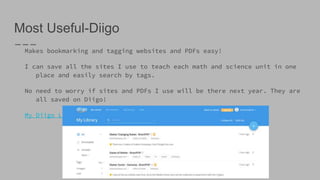
Makes bookmarking and tagging websites and PDFs easy!
I can save all the sites I use to teach each math and science unit in one
place and easily search by tags.
No need to worry if sites and PDFs I use will be there next year. They are
all saved on Diigo!
My Diigo Link
Most Useful- Diigo!
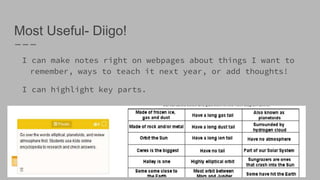
I can make notes right on webpages about things I want to
remember, ways to teach it next year, or add thoughts!
I can highlight key parts.
Successes
Making my Pinterest more education centered with 5
boards that organize educational ideas.
I had a LinkedIn account from a long time ago, but had
never used it. I was able to create a profile and
connect with many professionals.
Joining Twitter and connecting with education tools and
companies I use all the time!
On Animoto I learned to easily create great videos for my
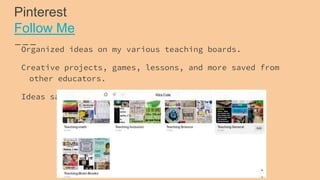
Pinterest
Follow Me
Organized ideas on my various teaching boards.
Creative projects, games, lessons, and more saved from
other educators.
Ideas saved to reuse next year.
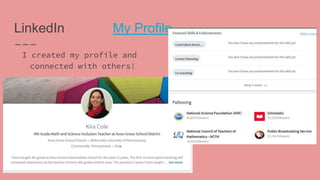
LinkedIn My Profile
I created my profile and
connected with others!
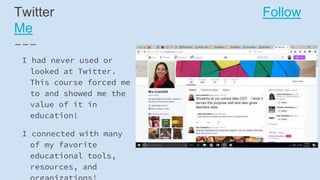
Twitter Follow
Me
I had never used or
looked at Twitter.
This course forced me
to and showed me the
value of it in
education!
I connected with many
of my favorite
educational tools,
resources, and
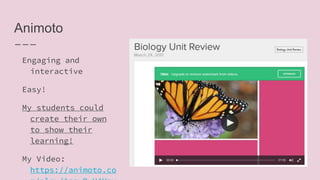
Animoto
Engaging and
interactive
Easy!
My students could
create their own
to show their
learning!
My Video:
https://animoto.co
ChallengesDiigo...The tool I found most useful was also
my biggest challenge.
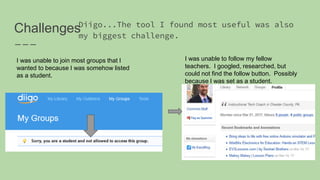
I was unable to join most groups that I
wanted to because I was somehow listed
as a student.
I was unable to follow my fellow
teachers. I googled, researched, but
could not find the follow button. Possibly
because I was set as a student.
Moodle
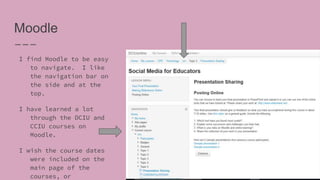
I find Moodle to be easy
to navigate. I like
the navigation bar on
the side and at the
top.
I have learned a lot
through the DCIU and
CCIU courses on
Moodle.
I wish the course dates
were included on the
main page of the
courses, or

Social media for educators

  • 1.
  • 2.
    Most Useful-Diigo Makes bookmarkingand tagging websites and PDFs easy! I can save all the sites I use to teach each math and science unit in one place and easily search by tags. No need to worry if sites and PDFs I use will be there next year. They are all saved on Diigo! My Diigo Link
  • 3.
    Most Useful- Diigo! Ican make notes right on webpages about things I want to remember, ways to teach it next year, or add thoughts! I can highlight key parts.
  • 4.
    Successes Making my Pinterestmore education centered with 5 boards that organize educational ideas. I had a LinkedIn account from a long time ago, but had never used it. I was able to create a profile and connect with many professionals. Joining Twitter and connecting with education tools and companies I use all the time! On Animoto I learned to easily create great videos for my
  • 5.
    Pinterest Follow Me Organized ideason my various teaching boards. Creative projects, games, lessons, and more saved from other educators. Ideas saved to reuse next year.
  • 6.
    LinkedIn My Profile Icreated my profile and connected with others!
  • 7.
    Twitter Follow Me I hadnever used or looked at Twitter. This course forced me to and showed me the value of it in education! I connected with many of my favorite educational tools, resources, and
  • 8.
    Animoto Engaging and interactive Easy! My studentscould create their own to show their learning! My Video: https://animoto.co
  • 9.
    ChallengesDiigo...The tool Ifound most useful was also my biggest challenge. I was unable to join most groups that I wanted to because I was somehow listed as a student. I was unable to follow my fellow teachers. I googled, researched, but could not find the follow button. Possibly because I was set as a student.
  • 10.
    Moodle I find Moodleto be easy to navigate. I like the navigation bar on the side and at the top. I have learned a lot through the DCIU and CCIU courses on Moodle. I wish the course dates were included on the main page of the courses, or