Social Media For Educators Final Project Teresa Penczak April 2011
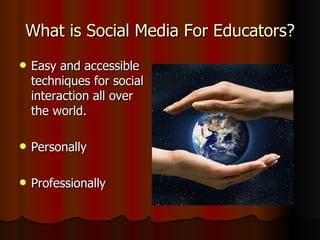
What is Social Media For Educators? Easy and accessible techniques for social interaction all over the world. Personally Professionally
Social Media is- being heard without being seen! It is an opportunity for educators to strengthen their PLN’s using all aspects of social media. Facebook Twitter  www.twitter.com/TPenczak You Tube LinkedIn Classroom 2.0 Wikispaces
Why Moodle? In school, at home, or on the go, I can Moodle with an entire community. I can work at my own pace and I can make my own mistakes and find ways of fixing them on my own. Viewing the video links for help with the different types of media was useful I have received feedback and ideas from others.
Social Bookmarking DYNAMITE DIIGO! A website to post your favorite bookmarks- so EASY to use.  Saving pages is simple, the Diigo toolbar is the way to go. Easy to comment about a page. You can converse about a specific bookmark with someone. Sharing favorite bookmarks on Facebook and Twitter!  www.Diigo.com/TPenczak
Personal Learning Networks I have used different web tools to become more confident with my technology skills. I connect with other educators I am building upon my Wikispace (SaintMarkFirstGrade.wikispace.com) for student interaction to “Grammar Junction”.
Successes I am much more confident with using the various forms of social media. Love my Facebook! Diigo has become one of my favorites. It is easy to use and keeps everything in order for easy finding and sharing. I feel proud that I was able to navigate a lot of information and not feel overwhelmed.
Challenges So many online resources for social media for teachers….which ones are the best to choose? Producing more tweets and gaining more followers is something I need to build upon. Keeping track of all my different accounts, usernames and passwords.
My re-cap of learning  Microblogging- Twitter- short messages, instant feedback, 140 characters. #edchat and #edtech. PLN’s- connecting with educators all over the world. TeachHUB.com- be a follower! Share resources- Del.cio.us and Diigo. Students can be up to date with all the latest technology trends- for free!

Social media for educators

  • 1.
    Social Media ForEducators Final Project Teresa Penczak April 2011
  • 2.
    What is SocialMedia For Educators? Easy and accessible techniques for social interaction all over the world. Personally Professionally
  • 3.
    Social Media is-being heard without being seen! It is an opportunity for educators to strengthen their PLN’s using all aspects of social media. Facebook Twitter www.twitter.com/TPenczak You Tube LinkedIn Classroom 2.0 Wikispaces
  • 4.
    Why Moodle? Inschool, at home, or on the go, I can Moodle with an entire community. I can work at my own pace and I can make my own mistakes and find ways of fixing them on my own. Viewing the video links for help with the different types of media was useful I have received feedback and ideas from others.
  • 5.
    Social Bookmarking DYNAMITEDIIGO! A website to post your favorite bookmarks- so EASY to use. Saving pages is simple, the Diigo toolbar is the way to go. Easy to comment about a page. You can converse about a specific bookmark with someone. Sharing favorite bookmarks on Facebook and Twitter! www.Diigo.com/TPenczak
  • 6.
    Personal Learning NetworksI have used different web tools to become more confident with my technology skills. I connect with other educators I am building upon my Wikispace (SaintMarkFirstGrade.wikispace.com) for student interaction to “Grammar Junction”.
  • 7.
    Successes I ammuch more confident with using the various forms of social media. Love my Facebook! Diigo has become one of my favorites. It is easy to use and keeps everything in order for easy finding and sharing. I feel proud that I was able to navigate a lot of information and not feel overwhelmed.
  • 8.
    Challenges So manyonline resources for social media for teachers….which ones are the best to choose? Producing more tweets and gaining more followers is something I need to build upon. Keeping track of all my different accounts, usernames and passwords.
  • 9.
    My re-cap oflearning Microblogging- Twitter- short messages, instant feedback, 140 characters. #edchat and #edtech. PLN’s- connecting with educators all over the world. TeachHUB.com- be a follower! Share resources- Del.cio.us and Diigo. Students can be up to date with all the latest technology trends- for free!