Social Media for Educators
by Kyla Strenchock
Linkedin
- Extremely quick way to connect with educators
- Immediate interactions with groups of professionals
with similar interests
- Very beneficial for keeping up with current topics in
your area of study and gaining professional insight
The Tools...
Twitter
- Surprised by the number of educators that tweet!
- Found lists to be extremely helpful in keeping up with
educators in specific disciplines
- Easy way to connect with students, parents, educators,
professionals
- Absolutely will use this to keep students/parents updated on
courses and assignments
The Tools...
HootSuite
- Dashboard for social media management
- Used to edit, organize, and retweet tweets
- Free way to manage multiple networks and profiles
- Easy setup for new users
- Highly recommended!
The Tools...
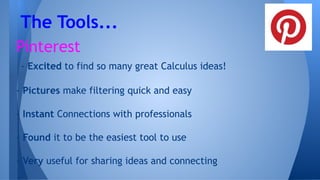
Pinterest
- Excited to find so many great Calculus ideas!
- Pictures make filtering quick and easy
- Instant Connections with professionals
- Found it to be the easiest tool to use
- Very useful for sharing ideas and connecting
The Tools...
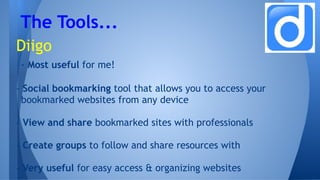
Diigo
- Most useful for me!
- Social bookmarking tool that allows you to access your
bookmarked websites from any device
- View and share bookmarked sites with professionals
- Create groups to follow and share resources with
- Very useful for easy access & organizing websites
The Tools...
- Linkedin: Am I sharing too much? One of my major initial concerns was how much
professional information to include in my profile. I quickly found the privacy/sharing
options to be easy to follow and allow me to control what information is public and
what can be viewed by my network only.
- Twitter: Do I have enough relevant information to share? Having just made brand
new connections, I struggled with adding depth to twitter conversations. I’m hoping
as I build more connections and relationships, I will have more insightful tweets to
add!
- Diigo: Initially it can be a little time consuming to add, organize, and add tags to
your bookmarks, but in the end it is worth it. The sharing of resources with other
educators is extremely helpful and having all of your sites organized saves so much
time when you need them! I use this daily!
The Challenges...
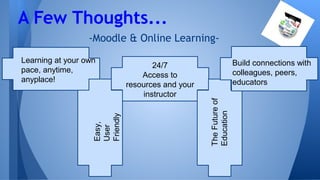
-Moodle & Online Learning-
A Few Thoughts...
Learning at your own
pace, anytime,
anyplace!
24/7
Access to
resources and your
instructorEasy,
User
Friendly
TheFutureof
Education
Build connections with
colleagues, peers,
educators
Linkedin
Twitter
Pinterest
Diigo
WiX
My Collection of Work
Thank you for the opportunity to take this
course!
Everything that I learned will help me improve
as an educator!
I’m looking forward to the future of technology
in education and all of the exciting possibilities!
Thank you!

Final Presentation SME

  • 1.
    Social Media forEducators by Kyla Strenchock
  • 2.
    Linkedin - Extremely quickway to connect with educators - Immediate interactions with groups of professionals with similar interests - Very beneficial for keeping up with current topics in your area of study and gaining professional insight The Tools...
  • 3.
    Twitter - Surprised bythe number of educators that tweet! - Found lists to be extremely helpful in keeping up with educators in specific disciplines - Easy way to connect with students, parents, educators, professionals - Absolutely will use this to keep students/parents updated on courses and assignments The Tools...
  • 4.
    HootSuite - Dashboard forsocial media management - Used to edit, organize, and retweet tweets - Free way to manage multiple networks and profiles - Easy setup for new users - Highly recommended! The Tools...
  • 5.
    Pinterest - Excited tofind so many great Calculus ideas! - Pictures make filtering quick and easy - Instant Connections with professionals - Found it to be the easiest tool to use - Very useful for sharing ideas and connecting The Tools...
  • 6.
    Diigo - Most usefulfor me! - Social bookmarking tool that allows you to access your bookmarked websites from any device - View and share bookmarked sites with professionals - Create groups to follow and share resources with - Very useful for easy access & organizing websites The Tools...
  • 7.
    - Linkedin: AmI sharing too much? One of my major initial concerns was how much professional information to include in my profile. I quickly found the privacy/sharing options to be easy to follow and allow me to control what information is public and what can be viewed by my network only. - Twitter: Do I have enough relevant information to share? Having just made brand new connections, I struggled with adding depth to twitter conversations. I’m hoping as I build more connections and relationships, I will have more insightful tweets to add! - Diigo: Initially it can be a little time consuming to add, organize, and add tags to your bookmarks, but in the end it is worth it. The sharing of resources with other educators is extremely helpful and having all of your sites organized saves so much time when you need them! I use this daily! The Challenges...
  • 8.
    -Moodle & OnlineLearning- A Few Thoughts... Learning at your own pace, anytime, anyplace! 24/7 Access to resources and your instructorEasy, User Friendly TheFutureof Education Build connections with colleagues, peers, educators
  • 9.
  • 10.
    Thank you forthe opportunity to take this course! Everything that I learned will help me improve as an educator! I’m looking forward to the future of technology in education and all of the exciting possibilities! Thank you!