Social Media for Educators
Created By: Kristen Mascitelli
Most Useful Tools
● Twitter
○ I am still learning how to most effectively use this tool in my professional life. My goal is
to keep my account more focused on education, instead of personal interest.
● Glogster
○ I am most excited to try this online resource in my classroom in the next couple of weeks.
I think it is a great tool for students to create online posters through the use of
multimedia resources.
● Pinterest
○ This is one of my favorite and most used social media networks. Since I have been on
Pinterest, I have become more creative with my lesson delivery and expectations.
Biggest Successes
● Glogster
○ By creating online posters, I can include videos and visuals to present new information to
students. It can also be used as a culminating activity for our science units in which
students need to sum up the information they learned through a virtual poster.
● Pinterest
○ I have cleaned up my boards related to education so that they are focused on a particular
topic. I am also starting to follow friends in the teaching community to collaborate
additional ideas and engage resources we have made or found to better our classroom
instruction.
Challenges
● Social Bookmarking
○ I chose to explore Diigo for social bookmarking. While I do see the benefits of having a
platform for organizing and managing information I have found and read online, I am still
experimenting with how I will best utilize this resource in the future.
○ I did like how it is cloud-based. Also, highlighting and sticky note tools are added to your
web-browser to utilize when you are scanning a text.
Moodle and Online Learning
● Can access resources online anytime of the day on any device
● Allows students to work at their own pace
● Creates a platform for online learning - geared more towards
middle or high school students and up
Twitter
● Social network that allows users to send
and post “tweets” or short messages and links
about a topic
○ Encourages collaboration, conversation and networking among
individuals and other organizations
○ Allows teachers to remind students of what was, is or will be covered
in class
○ Creates opportunities for students to think outside of the box by
limiting how many characters a tweet can be when posting or
responding to a tweet
Diigo
● Social bookmarking website
○ Cloud-based personal management system
○ Adds tool to your web-browser, such as highlighters and sticky notes to
mark important information on a webpage
○ Information becomes accessible from anywhere on any device
○ Allows sharing and collaboration among personal learning networks
Glogster
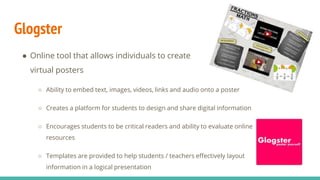
● Online tool that allows individuals to create
virtual posters
○ Ability to embed text, images, videos, links and audio onto a poster
○ Creates a platform for students to design and share digital information
○ Encourages students to be critical readers and ability to evaluate online
resources
○ Templates are provided to help students / teachers effectively layout
information in a logical presentation
Pinterest
● Social network that allows users to share
information visually and post (“pin”) ideas to their own
boards that are of interest to them
○ Provides inspiration for the classroom, such as organization,
management, lesson plans and activities
○ Posts can lead to blogs or other sites with additional information
and resources
○ Creates collaboration and conversation among educators about
topics related to their area of teaching
Google +
● A social network within Google Apps
○ Circles allow users to group other members with similar interests or
profession for sharing purposes
○ Photo and video storage and sharing
○ Hangouts allow members within a circle to discuss topics face-to-
face and engage in meaningful conversation
○ Users can share links, images and videos with a select circle, instead
of having this information visible for everyone to see
Conclusion
● Social Media is the new revolution in our society and education. As
an educator, it is important to stay current with all of these
available resources and learn how to effectively use them in our
classroom. Integrating social media in education can help boost
student engagement and ownership for learning.
● As I move forward in my teaching career, I will continue to learn
and try new online resources as they become available. Since
technology is constantly changing and evolving, we too, as
educators, must join this revolution to create the productive
learning environment for our students.

Social Media for Educators

  • 1.
    Social Media forEducators Created By: Kristen Mascitelli
  • 2.
    Most Useful Tools ●Twitter ○ I am still learning how to most effectively use this tool in my professional life. My goal is to keep my account more focused on education, instead of personal interest. ● Glogster ○ I am most excited to try this online resource in my classroom in the next couple of weeks. I think it is a great tool for students to create online posters through the use of multimedia resources. ● Pinterest ○ This is one of my favorite and most used social media networks. Since I have been on Pinterest, I have become more creative with my lesson delivery and expectations.
  • 3.
    Biggest Successes ● Glogster ○By creating online posters, I can include videos and visuals to present new information to students. It can also be used as a culminating activity for our science units in which students need to sum up the information they learned through a virtual poster. ● Pinterest ○ I have cleaned up my boards related to education so that they are focused on a particular topic. I am also starting to follow friends in the teaching community to collaborate additional ideas and engage resources we have made or found to better our classroom instruction.
  • 4.
    Challenges ● Social Bookmarking ○I chose to explore Diigo for social bookmarking. While I do see the benefits of having a platform for organizing and managing information I have found and read online, I am still experimenting with how I will best utilize this resource in the future. ○ I did like how it is cloud-based. Also, highlighting and sticky note tools are added to your web-browser to utilize when you are scanning a text.
  • 5.
    Moodle and OnlineLearning ● Can access resources online anytime of the day on any device ● Allows students to work at their own pace ● Creates a platform for online learning - geared more towards middle or high school students and up
  • 6.
    Twitter ● Social networkthat allows users to send and post “tweets” or short messages and links about a topic ○ Encourages collaboration, conversation and networking among individuals and other organizations ○ Allows teachers to remind students of what was, is or will be covered in class ○ Creates opportunities for students to think outside of the box by limiting how many characters a tweet can be when posting or responding to a tweet
  • 7.
    Diigo ● Social bookmarkingwebsite ○ Cloud-based personal management system ○ Adds tool to your web-browser, such as highlighters and sticky notes to mark important information on a webpage ○ Information becomes accessible from anywhere on any device ○ Allows sharing and collaboration among personal learning networks
  • 8.
    Glogster ● Online toolthat allows individuals to create virtual posters ○ Ability to embed text, images, videos, links and audio onto a poster ○ Creates a platform for students to design and share digital information ○ Encourages students to be critical readers and ability to evaluate online resources ○ Templates are provided to help students / teachers effectively layout information in a logical presentation
  • 9.
    Pinterest ● Social networkthat allows users to share information visually and post (“pin”) ideas to their own boards that are of interest to them ○ Provides inspiration for the classroom, such as organization, management, lesson plans and activities ○ Posts can lead to blogs or other sites with additional information and resources ○ Creates collaboration and conversation among educators about topics related to their area of teaching
  • 10.
    Google + ● Asocial network within Google Apps ○ Circles allow users to group other members with similar interests or profession for sharing purposes ○ Photo and video storage and sharing ○ Hangouts allow members within a circle to discuss topics face-to- face and engage in meaningful conversation ○ Users can share links, images and videos with a select circle, instead of having this information visible for everyone to see
  • 11.
    Conclusion ● Social Mediais the new revolution in our society and education. As an educator, it is important to stay current with all of these available resources and learn how to effectively use them in our classroom. Integrating social media in education can help boost student engagement and ownership for learning. ● As I move forward in my teaching career, I will continue to learn and try new online resources as they become available. Since technology is constantly changing and evolving, we too, as educators, must join this revolution to create the productive learning environment for our students.