A Reflection onBuilding Social Mediafor EducatorsByJanie M. Partridge
ToolsTwitter (http://twitter.com/jmpartridge)LinkedIn (http://www.linkedin.com/home?trk=hb_tab_home)Delicious (http://www.delicious.com/1d864db861b318ab6d47b7cf3fc2b04b)Edublogs (http://partrij.edublogs.org/2011/03/26/get-the-news/)Glogster (http://partrij.edu.glogster.com/glog-339/)
TwitterSuccessesInstant way to share ideas, links, articles, videos and more…I like the short “tweets” with a simple link.Colleagues and classmates to share and participate in building my PLN’s.ChallengesFinding the time and worthy information to share.The vulnerable feeling of being “out there!”Finding interesting people to follow.
Linked InSuccessesConnecting with colleagues within my school district.Ability to search for contacts through email to make connections.Ability to join different groups and share information.ChallengesGetting around! The format was tough for me to maneuver.Trying to figure out the “privacy” settings.Trying to figure out what and how much to share.
DeliciousMy Favorite!My Favorite!SuccessesBookmarks are always right there for you!Easy to Bookmark and Tag wherever you are!Ability to share with colleagues.Love how Delicious puts Bookmarks and Tags into categories for you.ChallengesNONE! That’s why it is my favorite.
EdublogsSuccessesGreat ideas for Blogs, both for students in your class and as a communication tool for parents or colleagues. Easy to use once your learn where eveyrthing is located.Easy to “publish” and make additions.ChallengesStarting out… a bit hard to find things.Again, finding what to use this tool for was one of the biggest challenges.Whether or not I can continue to post my class Newsletter on a weekly basis.
GlogsterSuccessesAmazing graphics that are fairly easy to use.Endless Ideas.Created a cool poster that I can not only put into my “Blog” and  “eBoard” but can print out and post or send home to parents.ChallengesManeuvering the different applications was very difficult!Trying to figure out how to use this tool was hard. There are so many  different possibilities it was hard to decide how to use it.I really spent A LOT of time completely LOST!
Moodle and Online learning?This was my first Online class. That being said I really liked how the class was set up. It was easy to go into Moodle, click on the icons, listen to the information, try things out, set things up, and then respond to your experience and show what you created.I enjoyed seeing what my peers created and got some great ideas and support on the experience.I really liked being  able to complete the course requirements on my own schedule. This took a lot of pressure off being in the physical classroom. I could complete my assignments when I was available.I don’t know that I would have tried all the tools if I wasn’t in this type of learning environment. It was a very “hands-on” experience and I learned a lot!
Thank you andGood Luck!I want to thank you Rich for a great class! I was extremely nervous about taking my first online class and this was great. It was fun and I learned a lot. What I liked most is that I came out of the class with a Blog, Delicious account, I am LinkedIn, I can “tweet”, andI am now even “Glogging!”Good Luck to everyone. Thank you for sharing, your support, and your feedback. It is greatly appreciated.Have a great rest of the school year and I hope to keep in touch with you on one of these pieces of social media!

Buliding social media for educators

  • 1.
    A Reflection onBuildingSocial Mediafor EducatorsByJanie M. Partridge
  • 2.
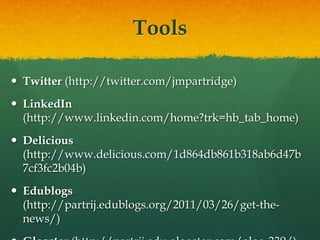
    ToolsTwitter (http://twitter.com/jmpartridge)LinkedIn (http://www.linkedin.com/home?trk=hb_tab_home)Delicious(http://www.delicious.com/1d864db861b318ab6d47b7cf3fc2b04b)Edublogs (http://partrij.edublogs.org/2011/03/26/get-the-news/)Glogster (http://partrij.edu.glogster.com/glog-339/)
  • 3.
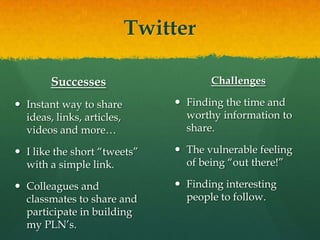
    TwitterSuccessesInstant way toshare ideas, links, articles, videos and more…I like the short “tweets” with a simple link.Colleagues and classmates to share and participate in building my PLN’s.ChallengesFinding the time and worthy information to share.The vulnerable feeling of being “out there!”Finding interesting people to follow.
  • 4.
    Linked InSuccessesConnecting withcolleagues within my school district.Ability to search for contacts through email to make connections.Ability to join different groups and share information.ChallengesGetting around! The format was tough for me to maneuver.Trying to figure out the “privacy” settings.Trying to figure out what and how much to share.
  • 5.
    DeliciousMy Favorite!My Favorite!SuccessesBookmarksare always right there for you!Easy to Bookmark and Tag wherever you are!Ability to share with colleagues.Love how Delicious puts Bookmarks and Tags into categories for you.ChallengesNONE! That’s why it is my favorite.
  • 6.
    EdublogsSuccessesGreat ideas forBlogs, both for students in your class and as a communication tool for parents or colleagues. Easy to use once your learn where eveyrthing is located.Easy to “publish” and make additions.ChallengesStarting out… a bit hard to find things.Again, finding what to use this tool for was one of the biggest challenges.Whether or not I can continue to post my class Newsletter on a weekly basis.
  • 7.
    GlogsterSuccessesAmazing graphics thatare fairly easy to use.Endless Ideas.Created a cool poster that I can not only put into my “Blog” and “eBoard” but can print out and post or send home to parents.ChallengesManeuvering the different applications was very difficult!Trying to figure out how to use this tool was hard. There are so many different possibilities it was hard to decide how to use it.I really spent A LOT of time completely LOST!
  • 8.
    Moodle and Onlinelearning?This was my first Online class. That being said I really liked how the class was set up. It was easy to go into Moodle, click on the icons, listen to the information, try things out, set things up, and then respond to your experience and show what you created.I enjoyed seeing what my peers created and got some great ideas and support on the experience.I really liked being able to complete the course requirements on my own schedule. This took a lot of pressure off being in the physical classroom. I could complete my assignments when I was available.I don’t know that I would have tried all the tools if I wasn’t in this type of learning environment. It was a very “hands-on” experience and I learned a lot!
  • 9.
    Thank you andGoodLuck!I want to thank you Rich for a great class! I was extremely nervous about taking my first online class and this was great. It was fun and I learned a lot. What I liked most is that I came out of the class with a Blog, Delicious account, I am LinkedIn, I can “tweet”, andI am now even “Glogging!”Good Luck to everyone. Thank you for sharing, your support, and your feedback. It is greatly appreciated.Have a great rest of the school year and I hope to keep in touch with you on one of these pieces of social media!