











Trafalgar School at Downton
Social Media for Schools Training
Who Am I?
Amanda Kennedy
www.twitter.com/Kennedy_PR
www.facebook.com/KPRMarketing
www.linkedin.com/in/amandakennedypr
www.youtube.com/user/amandakennedy100
0
www.pinterest.com/amandakennedyuk
www.slideshare.net/Kennedy_PR
What’s the plan today?
What is Social Media?
Facebook and Twitter
What is a blog
LinkedIn
Do’s and Don'ts for success
YouTube and Ideas
Social Media for Schools PR
Code of Conduct
Questions
Social Media is all over the
news it must be important….
Why is it important for your school?
At its most basic
• Communicate with the student body
• Encourage conversations
• Translate the experience of students
• Be aware of what interests Salisbury Community and
the surrounding areas
• Create a better school experience
• Speak to parents and children outside of school
• Send info out, as you do with texting and emails
• Create a school community
• Show off your school
• Show off your students and their achievements!
Which leads to:
O Attracting a high caliber of teachers
O Attracting more parents and students
O Streamlining communication channels
What is Social Media?
Social media refers to the means of
interactions among people in which they
create, share, and exchange information
and ideas online.
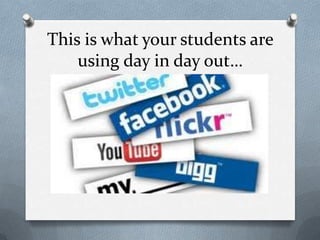
This is what your students are
using day in day out…
What do you need to think
about first?
If you fail to plan, you plan to fail
Twitter
Twitter is an online social networking
service and micro blogging service that
enables its users to send and receive text
based messages of 140 characters
Facebook
A social networking site, that allows you to
like, share, comment and network with
others online.
How to achieve success
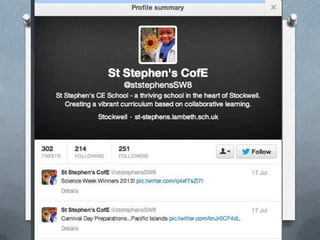
Complete Your Profile/Bio
O What picture/logo are you going to use
O Tell followers/likers what you do
O Use your voice, are you
friendly/informative
O Beware of Political Views and Religious
Views
O Have fun with it
Twitter Ideas
O Post supplimentary materials, links to
articles and videos so students can learn
outside of class
O Follow other educators tweets to keep up
to date, and get inspiration
O Connect with other classrooms, parents
and teachers to increase communication
and build community.
About:
O Awards
O Achievements
O What your school/department does
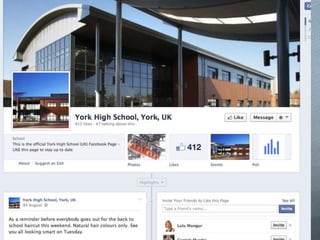
What should my Facebook page look like?
Recommendations:
① Start Small
② Keep number of people to a minimum in the
beginning
③ Commit to stay active, do not let content get
out of date
④ Use photos and visuals
⑤ Connect with others to build your audience
⑥ Celebrate the little things
⑦ Develop your school/department voice
Facebook ideas
O Improve communication by allowing
students to easily message students and
teachers with questions.
O Make a Facebook page for your class,
keep students updated.
O Intertwine projects with Facebook, post
book reviews etc...
O Follow relevant media leaders and display
on your Facebook
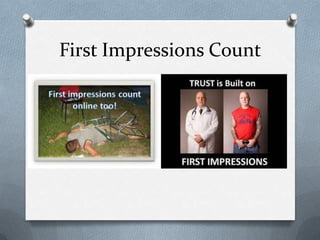
First Impressions Count
Be Positive and Happy
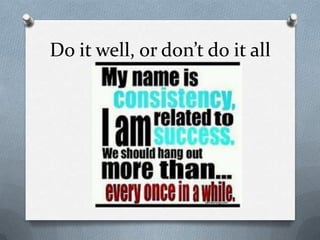
Do it well, or don’t do it all
Blogging! Why Blog?
www.wordpress.com
Blogging for your school
O School/department credibility
O Instant feedback
O Control the message of your school
O Come up in Google, great for school
visibility
O Solve problems, be the solution
O Praise students
O Provide opportunity to students to blog
First blogging steps…
O Think about the theme for your blog
O Choose a blogging tool – (Wordpress)
O Decide on a name for your blog
O Write a short bio
O Write your first post
O Publicise your blog (Social media)
But what do you write?
Insight Blogging
O Share insights
O Original Ideas
O Trends
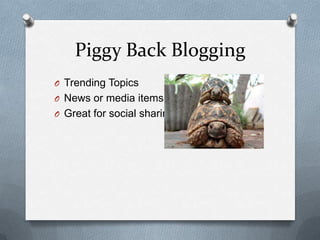
Piggy Back Blogging
O Trending Topics
O News or media items
O Great for social sharing
Announcement Blogging
Photo Blogging
O Use photos or pictures to tell a story
Review Blogging
O Books, services, products
Blogging Ideas
O Create a class blog so students can stay
up-to-date on upcoming projects, due
dates, events etc
O Post daily or weekly homework
assignments so absent students can know
what they missed.
O Post discussion topics on the blog; give
your students a few days to reflect.
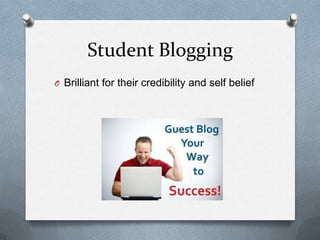
Student Blogging
O Brilliant for their credibility and self belief
Video Blogging
What can you use
YouTube for?
School videos
Shorter (30 secs to 3 mins)
Unpolished
Student Centered
YouTube Ideas
O Curate organised playlist for each
department and watch approved videos
on a topic
O Teach students how to produce and edit
video and upload to YouTube
O Search for on-topic videos to use for
classroom lessons
O Record your lessons and post to YouTube
Public Relations
O Monitor what is being said
O Create your school brand
O Have your say on opinions
O Create a tribe to do your PR for you
O Your On-Line CV
O Credibility
O Show off Your Achievements
O Become More Employable
O Communicate with other teachers
O Join Forums
O Research
Speak Human
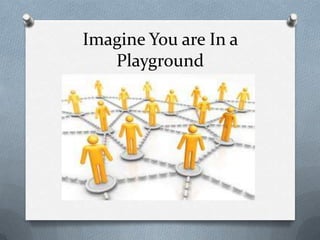
Imagine You are In a
Playground
Ideas for Using LinkedIn
O Update your status from within LinkedIn
O Comment on a group discussion or start a
group discussion
O Accept invitations
O Aim for connections every week
O Write a recommendation
O Request a recommendation
Questions?

Social Media For Schools

  • 1.
    Trafalgar School atDownton Social Media for Schools Training
  • 2.
    Who Am I? AmandaKennedy www.twitter.com/Kennedy_PR www.facebook.com/KPRMarketing www.linkedin.com/in/amandakennedypr www.youtube.com/user/amandakennedy100 0 www.pinterest.com/amandakennedyuk www.slideshare.net/Kennedy_PR
  • 3.
    What’s the plantoday? What is Social Media? Facebook and Twitter What is a blog LinkedIn Do’s and Don'ts for success YouTube and Ideas Social Media for Schools PR Code of Conduct Questions
  • 4.
    Social Media isall over the news it must be important…. Why is it important for your school?
  • 5.
    At its mostbasic • Communicate with the student body • Encourage conversations • Translate the experience of students • Be aware of what interests Salisbury Community and the surrounding areas • Create a better school experience • Speak to parents and children outside of school • Send info out, as you do with texting and emails • Create a school community • Show off your school • Show off your students and their achievements!
  • 6.
    Which leads to: OAttracting a high caliber of teachers O Attracting more parents and students O Streamlining communication channels
  • 7.
    What is SocialMedia? Social media refers to the means of interactions among people in which they create, share, and exchange information and ideas online.
  • 8.
    This is whatyour students are using day in day out…
  • 9.
    What do youneed to think about first? If you fail to plan, you plan to fail
  • 10.
    Twitter Twitter is anonline social networking service and micro blogging service that enables its users to send and receive text based messages of 140 characters
  • 11.
    Facebook A social networkingsite, that allows you to like, share, comment and network with others online.
  • 12.
  • 13.
    Complete Your Profile/Bio OWhat picture/logo are you going to use O Tell followers/likers what you do O Use your voice, are you friendly/informative O Beware of Political Views and Religious Views O Have fun with it
  • 15.
    Twitter Ideas O Postsupplimentary materials, links to articles and videos so students can learn outside of class O Follow other educators tweets to keep up to date, and get inspiration O Connect with other classrooms, parents and teachers to increase communication and build community.
  • 16.
    About: O Awards O Achievements OWhat your school/department does What should my Facebook page look like?
  • 18.
    Recommendations: ① Start Small ②Keep number of people to a minimum in the beginning ③ Commit to stay active, do not let content get out of date ④ Use photos and visuals ⑤ Connect with others to build your audience ⑥ Celebrate the little things ⑦ Develop your school/department voice
  • 19.
    Facebook ideas O Improvecommunication by allowing students to easily message students and teachers with questions. O Make a Facebook page for your class, keep students updated. O Intertwine projects with Facebook, post book reviews etc... O Follow relevant media leaders and display on your Facebook
  • 20.
  • 21.
  • 22.
    Do it well,or don’t do it all
  • 23.
  • 24.
    Blogging for yourschool O School/department credibility O Instant feedback O Control the message of your school O Come up in Google, great for school visibility O Solve problems, be the solution O Praise students O Provide opportunity to students to blog
  • 25.
    First blogging steps… OThink about the theme for your blog O Choose a blogging tool – (Wordpress) O Decide on a name for your blog O Write a short bio O Write your first post O Publicise your blog (Social media)
  • 26.
    But what doyou write?
  • 27.
    Insight Blogging O Shareinsights O Original Ideas O Trends
  • 28.
    Piggy Back Blogging OTrending Topics O News or media items O Great for social sharing
  • 29.
  • 30.
    Photo Blogging O Usephotos or pictures to tell a story
  • 31.
    Review Blogging O Books,services, products
  • 32.
    Blogging Ideas O Createa class blog so students can stay up-to-date on upcoming projects, due dates, events etc O Post daily or weekly homework assignments so absent students can know what they missed. O Post discussion topics on the blog; give your students a few days to reflect.
  • 33.
    Student Blogging O Brilliantfor their credibility and self belief
  • 34.
  • 35.
    What can youuse YouTube for?
  • 36.
    School videos Shorter (30secs to 3 mins) Unpolished Student Centered
  • 38.
    YouTube Ideas O Curateorganised playlist for each department and watch approved videos on a topic O Teach students how to produce and edit video and upload to YouTube O Search for on-topic videos to use for classroom lessons O Record your lessons and post to YouTube
  • 39.
    Public Relations O Monitorwhat is being said O Create your school brand O Have your say on opinions O Create a tribe to do your PR for you
  • 40.
    O Your On-LineCV O Credibility O Show off Your Achievements O Become More Employable O Communicate with other teachers O Join Forums O Research
  • 41.
  • 42.
    Imagine You areIn a Playground
  • 43.
    Ideas for UsingLinkedIn O Update your status from within LinkedIn O Comment on a group discussion or start a group discussion O Accept invitations O Aim for connections every week O Write a recommendation O Request a recommendation
  • 44.