EuroBSDCon 2014EuroBSDCon 2014
Snapshots, Replication, and Boot-EnvironmentsSnapshots, Replication, and Boot-Environments
--
How new ZFS utilities are changing FreeBSD & PC-BSD.How new ZFS utilities are changing FreeBSD & PC-BSD.
Kris MooreKris Moore
PC-BSD / iXsystemsPC-BSD / iXsystems
kris@pcbsd.orgkris@pcbsd.org
Why ZFS?Why ZFS?
Why ZFS?Why ZFS?
●
The benefits have begun to greatlyThe benefits have begun to greatly
outweigh the drawbacks for workstationoutweigh the drawbacks for workstation
usageusage
●
Since moving to only 64bit for PC-BSD 9.2Since moving to only 64bit for PC-BSD 9.2
and later, the last major hurdle has beenand later, the last major hurdle has been
overcomeovercome
●
A new class of utilities and methods haveA new class of utilities and methods have
been made possible by building on top ofbeen made possible by building on top of
ZFSZFS
A closer look at Boot-EnvironmentsA closer look at Boot-Environments
●
First originated in Solaris 10First originated in Solaris 10
●
Provides a method of using ZFSProvides a method of using ZFS
snapshots and clones to create instantsnapshots and clones to create instant
bootable backups of a systembootable backups of a system
●
Most commonly used before doingMost commonly used before doing
“dangerous” tasks, such as updating“dangerous” tasks, such as updating
kernels, world or critical packageskernels, world or critical packages
PC-BSD boot-environment implementationPC-BSD boot-environment implementation
●
GRUB used to perform the direct bootupGRUB used to perform the direct bootup
of FreeBSD kernel (using kfreebsd)of FreeBSD kernel (using kfreebsd)
●
Special ZFS dataset layoutSpecial ZFS dataset layout
●
““beadm” command and GUI utility forbeadm” command and GUI utility for
managementmanagement
So why GRUB?So why GRUB?
●
Ability to easily tie into “beadm”, provideAbility to easily tie into “beadm”, provide
menus and sub-menus for Boot-menus and sub-menus for Boot-
EnvironmentsEnvironments
●
It's what Solaris usesIt's what Solaris uses
●
In 2014 it is nice to have a graphical boot-In 2014 it is nice to have a graphical boot-
loaderloader
●
Fast loading of Kernel + ModulesFast loading of Kernel + Modules
●
Support for FDE using GELI and singleSupport for FDE using GELI and single
zpoolzpool
Can I still use the BSD loader?Can I still use the BSD loader?
●
Yes, in 10.0 the BSD loader can beYes, in 10.0 the BSD loader can be
selected during installationselected during installation
●
It doesIt does notnot have automatic integration withhave automatic integration with
“beadm”“beadm”
Will PC-BSD switch back to the BSD
loader?
Will PC-BSD switch back to the BSD
loader?
●
Possible, depending if the BSD loaderPossible, depending if the BSD loader
begins to gain the features that webegins to gain the features that we
currently use in GRUBcurrently use in GRUB
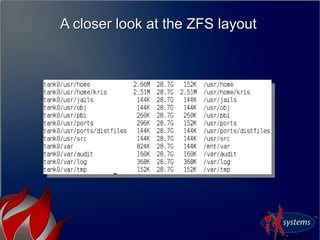
A closer look at the ZFS layoutA closer look at the ZFS layout
●
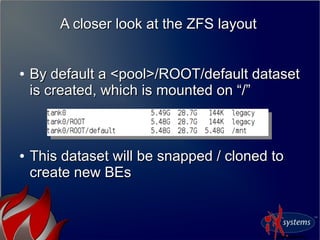
By default a <pool>/ROOT/default datasetBy default a <pool>/ROOT/default dataset
is created, which is mounted on “/”is created, which is mounted on “/”
●
This dataset will be snapped / cloned toThis dataset will be snapped / cloned to
create new BEscreate new BEs
A closer look at the ZFS layoutA closer look at the ZFS layout
●
Any additional ZFS datasets areAny additional ZFS datasets are notnot
included in the BEincluded in the BE
●
We create /usr and /var datasets with theWe create /usr and /var datasets with the
“canmount=off” flag“canmount=off” flag
A closer look at the ZFS layoutA closer look at the ZFS layout
So how do I manage these Boot-
Environments?
So how do I manage these Boot-
Environments?
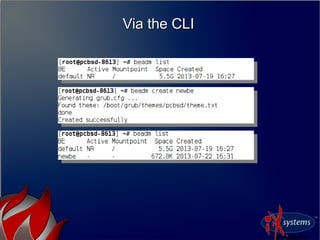
●
From the command-line, using theFrom the command-line, using the
“beadm” utility“beadm” utility
●
When creating / removing new BE's,When creating / removing new BE's,
GRUB configuration will be automaticallyGRUB configuration will be automatically
updated with new boot entriesupdated with new boot entries
●
During package updates, grub may be re-During package updates, grub may be re-
stamped as well.stamped as well.
Via the CLIVia the CLI
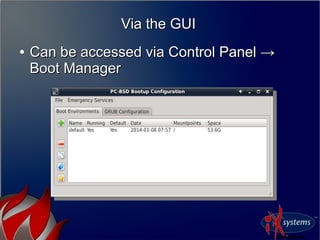
Via the GUIVia the GUI
●
Can be accessed via Control Panel →Can be accessed via Control Panel →
Boot ManagerBoot Manager
So how do I boot it?So how do I boot it?
●
When only a single BE exists, the menu isWhen only a single BE exists, the menu is
hidden unless Left-Shift is held downhidden unless Left-Shift is held down
●
Once BE's are created, the menu willOnce BE's are created, the menu will
appear, booting the first entry by defaultappear, booting the first entry by default
Customizing the GRUB menusCustomizing the GRUB menus
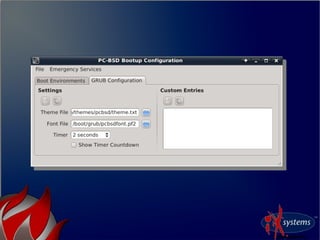
●
Most GRUB customization can be doneMost GRUB customization can be done
via knobs in /usr/local/etc/default/grubvia knobs in /usr/local/etc/default/grub
●
After making changes to this file, runAfter making changes to this file, run
“grub-mkconfig -o /boot/grub/grub.cfg”“grub-mkconfig -o /boot/grub/grub.cfg”
●
/boot/grub/grub.cfg contains the bootup/boot/grub/grub.cfg contains the bootup
script, written in mostly 'sh' syntaxscript, written in mostly 'sh' syntax
Common CustomizationsCommon Customizations
●
GRUB_HIDDEN_TIMEOUT_QUIET=true/falseGRUB_HIDDEN_TIMEOUT_QUIET=true/false
●
GRUB_HIDDEN_TIMEOUT=<number>GRUB_HIDDEN_TIMEOUT=<number>
●
GRUB_DEFAULT=<number>GRUB_DEFAULT=<number>
●
GRUB_TIMEOUT=<number>GRUB_TIMEOUT=<number>
●
GRUB_THEME=<theme path>GRUB_THEME=<theme path>
●
GRUB_FONT=<pf2 file>GRUB_FONT=<pf2 file>
Adding menu entries to GRUBAdding menu entries to GRUB
●
The grub-mkconfig command runs aThe grub-mkconfig command runs a
series of shell scripts located inseries of shell scripts located in
/usr/local/etc/grub.d/usr/local/etc/grub.d
●
Files in this directory are “ordered” byFiles in this directory are “ordered” by
number.number.
●
Existing files may be overwritten by pkgExisting files may be overwritten by pkg
upgrades, adding a new 50_* file isupgrades, adding a new 50_* file is
recommended.recommended.
●
Additionally a /boot/grub/custom.cfg fileAdditionally a /boot/grub/custom.cfg file
can be created, which will be sourced forcan be created, which will be sourced for
the end of grub.cfgthe end of grub.cfg
Adding menu entries to GRUBAdding menu entries to GRUB
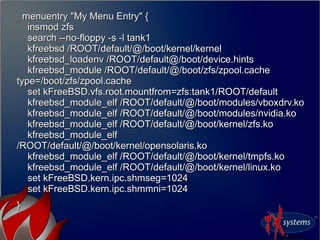
menuentry "My Menu Entry" {menuentry "My Menu Entry" {
insmod zfsinsmod zfs
search --no-floppy -s -l tank1search --no-floppy -s -l tank1
kfreebsd /ROOT/default/@/boot/kernel/kernelkfreebsd /ROOT/default/@/boot/kernel/kernel
kfreebsd_loadenv /ROOT/default@/boot/device.hintskfreebsd_loadenv /ROOT/default@/boot/device.hints
kfreebsd_module /ROOT/default/@/boot/zfs/zpool.cachekfreebsd_module /ROOT/default/@/boot/zfs/zpool.cache
type=/boot/zfs/zpool.cachetype=/boot/zfs/zpool.cache
set kFreeBSD.vfs.root.mountfrom=zfs:tank1/ROOT/defaultset kFreeBSD.vfs.root.mountfrom=zfs:tank1/ROOT/default
kfreebsd_module_elf /ROOT/default/@/boot/modules/vboxdrv.kokfreebsd_module_elf /ROOT/default/@/boot/modules/vboxdrv.ko
kfreebsd_module_elf /ROOT/default/@/boot/modules/nvidia.kokfreebsd_module_elf /ROOT/default/@/boot/modules/nvidia.ko
kfreebsd_module_elf /ROOT/default/@/boot/kernel/zfs.kokfreebsd_module_elf /ROOT/default/@/boot/kernel/zfs.ko
kfreebsd_module_elfkfreebsd_module_elf
/ROOT/default/@/boot/kernel/opensolaris.ko/ROOT/default/@/boot/kernel/opensolaris.ko
kfreebsd_module_elf /ROOT/default/@/boot/kernel/tmpfs.kokfreebsd_module_elf /ROOT/default/@/boot/kernel/tmpfs.ko
kfreebsd_module_elf /ROOT/default/@/boot/kernel/linux.kokfreebsd_module_elf /ROOT/default/@/boot/kernel/linux.ko
set kFreeBSD.kern.ipc.shmseg=1024set kFreeBSD.kern.ipc.shmseg=1024
set kFreeBSD.kern.ipc.shmmni=1024set kFreeBSD.kern.ipc.shmmni=1024
}}
A closer look at Life-PreserverA closer look at Life-Preserver
What is this Life-Preserver utility?What is this Life-Preserver utility?
●
A command-line and graphical front-endA command-line and graphical front-end
to:to:
●
Scheduled ZFS snapshots / pruningScheduled ZFS snapshots / pruning
●
Scheduled ZFS send/recv replicationScheduled ZFS send/recv replication
●
Zpool monitoringZpool monitoring
●
Bare-Metal restore using PC-BSD mediaBare-Metal restore using PC-BSD media
How do I get this utility?How do I get this utility?
●
Included out of box on PC-BSD 10.x andIncluded out of box on PC-BSD 10.x and
laterlater
●
Via FreeBSD ports / packages:Via FreeBSD ports / packages:
●
sysutils/pcbsd-utils (Command-line)sysutils/pcbsd-utils (Command-line)
●
sysutils/pcbsd-utils-qt4 (GUI front-ends)sysutils/pcbsd-utils-qt4 (GUI front-ends)
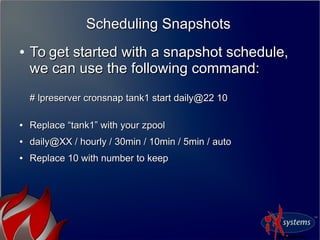
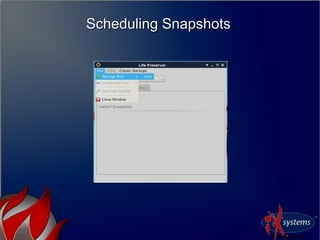
Scheduling SnapshotsScheduling Snapshots
●
To get started with a snapshot schedule,To get started with a snapshot schedule,
we can use the following command:we can use the following command:
# lpreserver cronsnap tank1 start daily@22 10# lpreserver cronsnap tank1 start daily@22 10
●
Replace “tank1” with your zpoolReplace “tank1” with your zpool
●
daily@XX / hourly / 30min / 10min / 5min / autodaily@XX / hourly / 30min / 10min / 5min / auto
●
Replace 10 with number to keepReplace 10 with number to keep
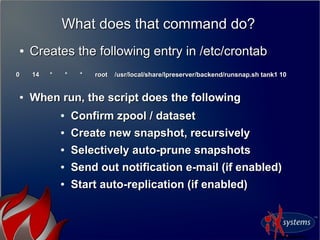
What does that command do?What does that command do?
●
Creates the following entry in /etc/crontabCreates the following entry in /etc/crontab
0 14 * * * root /usr/local/share/lpreserver/backend/runsnap.sh tank1 100 14 * * * root /usr/local/share/lpreserver/backend/runsnap.sh tank1 10
●
When run, the script does the followingWhen run, the script does the following
●
Confirm zpool / datasetConfirm zpool / dataset
●
Create new snapshot, recursivelyCreate new snapshot, recursively
●
Selectively auto-prune snapshotsSelectively auto-prune snapshots
●
Send out notification e-mail (if enabled)Send out notification e-mail (if enabled)
●
Start auto-replication (if enabled)Start auto-replication (if enabled)
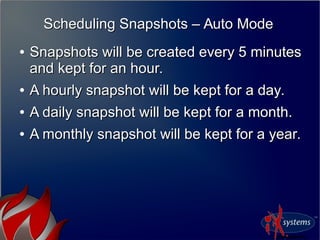
Scheduling Snapshots – Auto ModeScheduling Snapshots – Auto Mode
●
Snapshots will be created every 5 minutesSnapshots will be created every 5 minutes
and kept for an hour.and kept for an hour.
●
A hourly snapshot will be kept for a day.A hourly snapshot will be kept for a day.
●
A daily snapshot will be kept for a month.A daily snapshot will be kept for a month.
●
A monthly snapshot will be kept for a year.A monthly snapshot will be kept for a year.
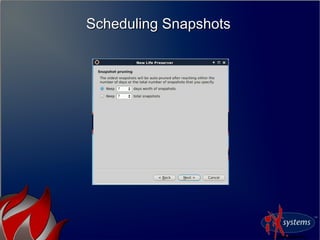
Scheduling SnapshotsScheduling Snapshots
●
The life-preserver daemon will also keepThe life-preserver daemon will also keep
track of the zpool disk spacetrack of the zpool disk space
●
If the capacity falls below 75%, the oldestIf the capacity falls below 75%, the oldest
snapshot will be auto-pruned.snapshot will be auto-pruned.
How do I enable e-mail notifications?How do I enable e-mail notifications?
●
Using the command:Using the command:
# lpreserver set <email> (Uses the “mail” command)# lpreserver set <email> (Uses the “mail” command)
●
Additional commands:Additional commands:
●
# lpreserver set duwarn <percent># lpreserver set duwarn <percent>
●
Will send warning when disk free falls below %Will send warning when disk free falls below %
●
Additional commands (continued):Additional commands (continued):
●
# lpreserver set emailopts ALL/WARN/ERROR# lpreserver set emailopts ALL/WARN/ERROR
●
Send mail for all actions, warnings + errors, or errors onlySend mail for all actions, warnings + errors, or errors only
Scheduling ScrubsScheduling Scrubs
* Recent Update ** Recent Update *
●
Support for scheduling ZFS scrubs hasSupport for scheduling ZFS scrubs has
recently been added.recently been added.
●
Will be included in 10.1 this fallWill be included in 10.1 this fall
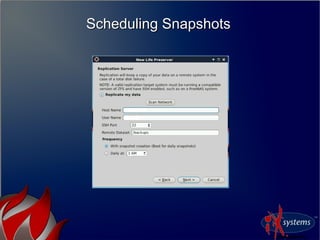
What about replication?What about replication?
●
Once snapshots are enabled, replication can beOnce snapshots are enabled, replication can be
setup to run automatically, or at a specificsetup to run automatically, or at a specific
intervalinterval
●
Replication by default runs over SSHReplication by default runs over SSH
●
Uses ZFS send/recv (Requires that target haveUses ZFS send/recv (Requires that target have
supported ZFS version)supported ZFS version)
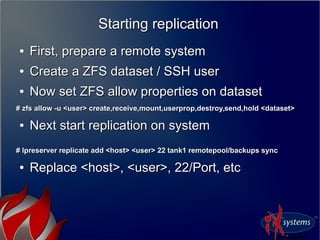
Starting replicationStarting replication
●
First, prepare a remote systemFirst, prepare a remote system
●
Create a ZFS dataset / SSH userCreate a ZFS dataset / SSH user
●
Now set ZFS allow properties on datasetNow set ZFS allow properties on dataset
# zfs allow -u <user> create,receive,mount,userprop,destroy,send,hold <dataset># zfs allow -u <user> create,receive,mount,userprop,destroy,send,hold <dataset>
●
Next start replication on systemNext start replication on system
# lpreserver replicate add <host> <user> 22 tank1 remotepool/backups sync# lpreserver replicate add <host> <user> 22 tank1 remotepool/backups sync
●
Replace <host>, <user>, 22/Port, etcReplace <host>, <user>, 22/Port, etc
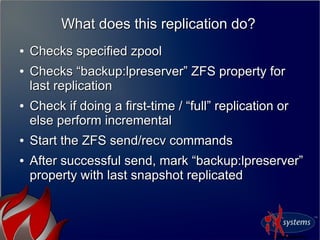
What does this replication do?What does this replication do?
●
Checks specified zpoolChecks specified zpool
●
Checks “backup:lpreserver” ZFS property forChecks “backup:lpreserver” ZFS property for
last replicationlast replication
●
Check if doing a first-time / “full” replication orCheck if doing a first-time / “full” replication or
else perform incrementalelse perform incremental
●
Start the ZFS send/recv commandsStart the ZFS send/recv commands
●
After successful send, mark “backup:lpreserver”After successful send, mark “backup:lpreserver”
property with last snapshot replicatedproperty with last snapshot replicated
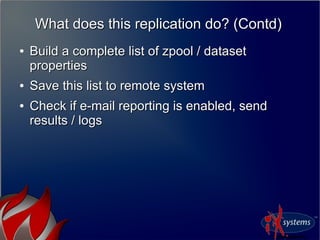
What does this replication do? (Contd)What does this replication do? (Contd)
●
Build a complete list of zpool / datasetBuild a complete list of zpool / dataset
propertiesproperties
●
Save this list to remote systemSave this list to remote system
●
Check if e-mail reporting is enabled, sendCheck if e-mail reporting is enabled, send
results / logsresults / logs
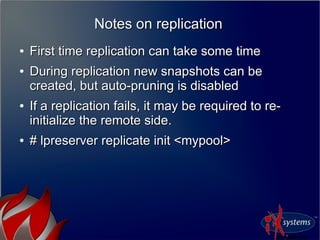
Notes on replicationNotes on replication
●
First time replication can take some timeFirst time replication can take some time
●
During replication new snapshots can beDuring replication new snapshots can be
created, but auto-pruning is disabledcreated, but auto-pruning is disabled
●
If a replication fails, it may be required to re-If a replication fails, it may be required to re-
initialize the remote side.initialize the remote side.
●
# lpreserver replicate init <mypool># lpreserver replicate init <mypool>
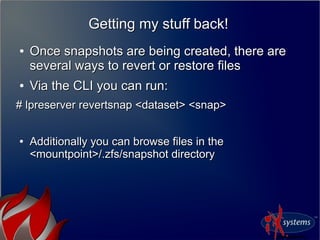
Getting my stuff back!Getting my stuff back!
●
Once snapshots are being created, there areOnce snapshots are being created, there are
several ways to revert or restore filesseveral ways to revert or restore files
●
Via the CLI you can run:Via the CLI you can run:
# lpreserver revertsnap <dataset> <snap># lpreserver revertsnap <dataset> <snap>
●
Additionally you can browse files in theAdditionally you can browse files in the
<mountpoint>/.zfs/snapshot directory<mountpoint>/.zfs/snapshot directory
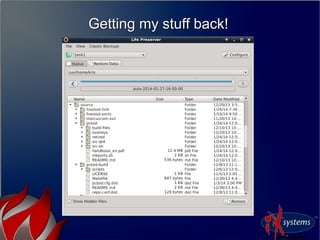
Getting my stuff back!Getting my stuff back!
●
Via the GUI utility, it is possible toVia the GUI utility, it is possible to
“browse” snapshot data, as well as scroll“browse” snapshot data, as well as scroll
backwards in time.backwards in time.
Getting my stuff back!Getting my stuff back!
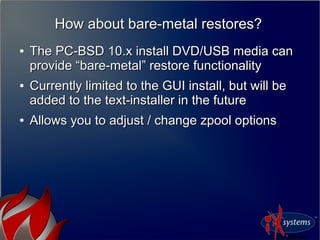
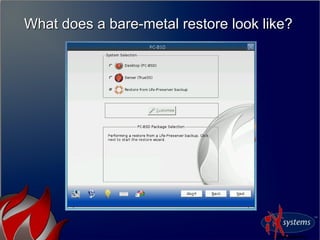
How about bare-metal restores?How about bare-metal restores?
●
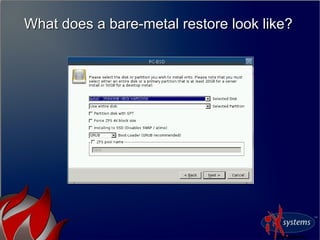
The PC-BSD 10.x install DVD/USB media canThe PC-BSD 10.x install DVD/USB media can
provide “bare-metal” restore functionalityprovide “bare-metal” restore functionality
●
Currently limited to the GUI install, but will beCurrently limited to the GUI install, but will be
added to the text-installer in the futureadded to the text-installer in the future
●
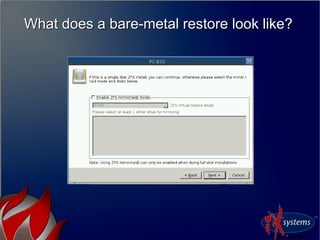
Allows you to adjust / change zpool optionsAllows you to adjust / change zpool options
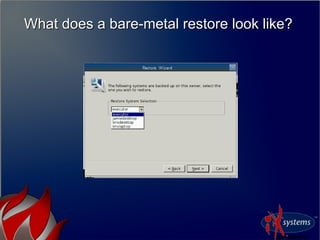
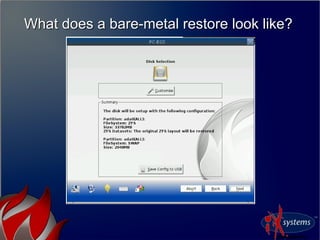
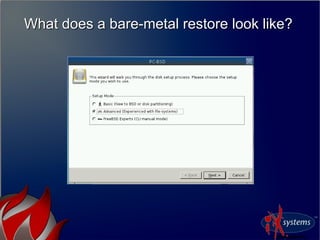
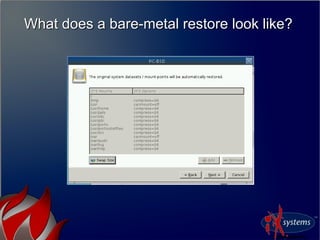
What does a bare-metal restore look like?What does a bare-metal restore look like?
The bare-metal nitty grittyThe bare-metal nitty gritty
●
PC-BSD uses the pc-sysinstall installationPC-BSD uses the pc-sysinstall installation
backendbackend
●
Supports the “zfsrestore” installMode,Supports the “zfsrestore” installMode,
allowing installs from a ZFS replicationallowing installs from a ZFS replication
●
Uses SSH as the transfer agentUses SSH as the transfer agent
●
Uses normal pc-sysinstall disk-setupUses normal pc-sysinstall disk-setup
The bare-metal nitty gritty (contd)The bare-metal nitty gritty (contd)
●
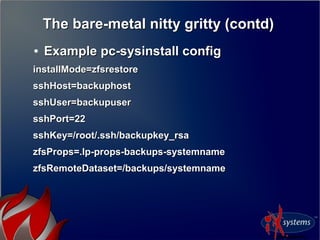
Example pc-sysinstall configExample pc-sysinstall config
installMode=zfsrestoreinstallMode=zfsrestore
sshHost=backuphostsshHost=backuphost
sshUser=backupusersshUser=backupuser
sshPort=22sshPort=22
sshKey=/root/.ssh/backupkey_rsasshKey=/root/.ssh/backupkey_rsa
zfsProps=.lp-props-backups-systemnamezfsProps=.lp-props-backups-systemname
zfsRemoteDataset=/backups/systemnamezfsRemoteDataset=/backups/systemname
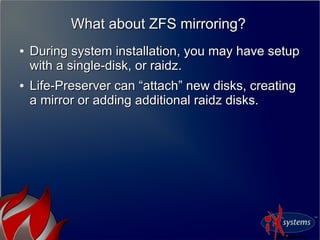
What about ZFS mirroring?What about ZFS mirroring?
●
During system installation, you may have setupDuring system installation, you may have setup
with a single-disk, or raidz.with a single-disk, or raidz.
●
Life-Preserver can “attach” new disks, creatingLife-Preserver can “attach” new disks, creating
a mirror or adding additional raidz disks.a mirror or adding additional raidz disks.
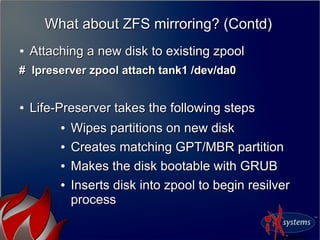
What about ZFS mirroring? (Contd)What about ZFS mirroring? (Contd)
●
Attaching a new disk to existing zpoolAttaching a new disk to existing zpool
# lpreserver zpool attach tank1 /dev/da0# lpreserver zpool attach tank1 /dev/da0
●
Life-Preserver takes the following stepsLife-Preserver takes the following steps
●
Wipes partitions on new diskWipes partitions on new disk
●
Creates matching GPT/MBR partitionCreates matching GPT/MBR partition
●
Makes the disk bootable with GRUBMakes the disk bootable with GRUB
●
Inserts disk into zpool to begin resilverInserts disk into zpool to begin resilver
processprocess
Questions?Questions?
ReferencesReferences
http://www.slideshare.net/krispcbsd/lpreservereurobsd2014http://www.slideshare.net/krispcbsd/lpreservereurobsd2014
BSDCan pc-sysinstall talk 2010BSDCan pc-sysinstall talk 2010
http://www.bsdcan.org/2010/schedule/events/173.en.htmlhttp://www.bsdcan.org/2010/schedule/events/173.en.html

Snapshots, Replication, and Boot-Environments by Kris Moore

  • 1.
    EuroBSDCon 2014EuroBSDCon 2014 Snapshots,Replication, and Boot-EnvironmentsSnapshots, Replication, and Boot-Environments -- How new ZFS utilities are changing FreeBSD & PC-BSD.How new ZFS utilities are changing FreeBSD & PC-BSD. Kris MooreKris Moore PC-BSD / iXsystemsPC-BSD / iXsystems kris@pcbsd.orgkris@pcbsd.org
  • 2.
  • 3.
    Why ZFS?Why ZFS? ● Thebenefits have begun to greatlyThe benefits have begun to greatly outweigh the drawbacks for workstationoutweigh the drawbacks for workstation usageusage ● Since moving to only 64bit for PC-BSD 9.2Since moving to only 64bit for PC-BSD 9.2 and later, the last major hurdle has beenand later, the last major hurdle has been overcomeovercome ● A new class of utilities and methods haveA new class of utilities and methods have been made possible by building on top ofbeen made possible by building on top of ZFSZFS
  • 4.
    A closer lookat Boot-EnvironmentsA closer look at Boot-Environments
  • 5.
    A closer lookat Boot-EnvironmentsA closer look at Boot-Environments ● First originated in Solaris 10First originated in Solaris 10 ● Provides a method of using ZFSProvides a method of using ZFS snapshots and clones to create instantsnapshots and clones to create instant bootable backups of a systembootable backups of a system ● Most commonly used before doingMost commonly used before doing “dangerous” tasks, such as updating“dangerous” tasks, such as updating kernels, world or critical packageskernels, world or critical packages
  • 6.
    PC-BSD boot-environment implementationPC-BSDboot-environment implementation ● GRUB used to perform the direct bootupGRUB used to perform the direct bootup of FreeBSD kernel (using kfreebsd)of FreeBSD kernel (using kfreebsd) ● Special ZFS dataset layoutSpecial ZFS dataset layout ● ““beadm” command and GUI utility forbeadm” command and GUI utility for managementmanagement
  • 7.
    So why GRUB?Sowhy GRUB? ● Ability to easily tie into “beadm”, provideAbility to easily tie into “beadm”, provide menus and sub-menus for Boot-menus and sub-menus for Boot- EnvironmentsEnvironments ● It's what Solaris usesIt's what Solaris uses ● In 2014 it is nice to have a graphical boot-In 2014 it is nice to have a graphical boot- loaderloader ● Fast loading of Kernel + ModulesFast loading of Kernel + Modules ● Support for FDE using GELI and singleSupport for FDE using GELI and single zpoolzpool
  • 8.
    Can I stilluse the BSD loader?Can I still use the BSD loader? ● Yes, in 10.0 the BSD loader can beYes, in 10.0 the BSD loader can be selected during installationselected during installation ● It doesIt does notnot have automatic integration withhave automatic integration with “beadm”“beadm”
  • 9.
    Will PC-BSD switchback to the BSD loader? Will PC-BSD switch back to the BSD loader? ● Possible, depending if the BSD loaderPossible, depending if the BSD loader begins to gain the features that webegins to gain the features that we currently use in GRUBcurrently use in GRUB
  • 10.
    A closer lookat the ZFS layoutA closer look at the ZFS layout ● By default a <pool>/ROOT/default datasetBy default a <pool>/ROOT/default dataset is created, which is mounted on “/”is created, which is mounted on “/” ● This dataset will be snapped / cloned toThis dataset will be snapped / cloned to create new BEscreate new BEs
  • 11.
    A closer lookat the ZFS layoutA closer look at the ZFS layout ● Any additional ZFS datasets areAny additional ZFS datasets are notnot included in the BEincluded in the BE ● We create /usr and /var datasets with theWe create /usr and /var datasets with the “canmount=off” flag“canmount=off” flag
  • 12.
    A closer lookat the ZFS layoutA closer look at the ZFS layout
  • 13.
    So how doI manage these Boot- Environments? So how do I manage these Boot- Environments? ● From the command-line, using theFrom the command-line, using the “beadm” utility“beadm” utility ● When creating / removing new BE's,When creating / removing new BE's, GRUB configuration will be automaticallyGRUB configuration will be automatically updated with new boot entriesupdated with new boot entries ● During package updates, grub may be re-During package updates, grub may be re- stamped as well.stamped as well.
  • 14.
  • 15.
    Via the GUIViathe GUI ● Can be accessed via Control Panel →Can be accessed via Control Panel → Boot ManagerBoot Manager
  • 17.
    So how doI boot it?So how do I boot it? ● When only a single BE exists, the menu isWhen only a single BE exists, the menu is hidden unless Left-Shift is held downhidden unless Left-Shift is held down ● Once BE's are created, the menu willOnce BE's are created, the menu will appear, booting the first entry by defaultappear, booting the first entry by default
  • 19.
    Customizing the GRUBmenusCustomizing the GRUB menus ● Most GRUB customization can be doneMost GRUB customization can be done via knobs in /usr/local/etc/default/grubvia knobs in /usr/local/etc/default/grub ● After making changes to this file, runAfter making changes to this file, run “grub-mkconfig -o /boot/grub/grub.cfg”“grub-mkconfig -o /boot/grub/grub.cfg” ● /boot/grub/grub.cfg contains the bootup/boot/grub/grub.cfg contains the bootup script, written in mostly 'sh' syntaxscript, written in mostly 'sh' syntax
  • 20.
  • 21.
    Adding menu entriesto GRUBAdding menu entries to GRUB ● The grub-mkconfig command runs aThe grub-mkconfig command runs a series of shell scripts located inseries of shell scripts located in /usr/local/etc/grub.d/usr/local/etc/grub.d ● Files in this directory are “ordered” byFiles in this directory are “ordered” by number.number. ● Existing files may be overwritten by pkgExisting files may be overwritten by pkg upgrades, adding a new 50_* file isupgrades, adding a new 50_* file is recommended.recommended.
  • 22.
    ● Additionally a /boot/grub/custom.cfgfileAdditionally a /boot/grub/custom.cfg file can be created, which will be sourced forcan be created, which will be sourced for the end of grub.cfgthe end of grub.cfg Adding menu entries to GRUBAdding menu entries to GRUB
  • 23.
    menuentry "My MenuEntry" {menuentry "My Menu Entry" { insmod zfsinsmod zfs search --no-floppy -s -l tank1search --no-floppy -s -l tank1 kfreebsd /ROOT/default/@/boot/kernel/kernelkfreebsd /ROOT/default/@/boot/kernel/kernel kfreebsd_loadenv /ROOT/default@/boot/device.hintskfreebsd_loadenv /ROOT/default@/boot/device.hints kfreebsd_module /ROOT/default/@/boot/zfs/zpool.cachekfreebsd_module /ROOT/default/@/boot/zfs/zpool.cache type=/boot/zfs/zpool.cachetype=/boot/zfs/zpool.cache set kFreeBSD.vfs.root.mountfrom=zfs:tank1/ROOT/defaultset kFreeBSD.vfs.root.mountfrom=zfs:tank1/ROOT/default kfreebsd_module_elf /ROOT/default/@/boot/modules/vboxdrv.kokfreebsd_module_elf /ROOT/default/@/boot/modules/vboxdrv.ko kfreebsd_module_elf /ROOT/default/@/boot/modules/nvidia.kokfreebsd_module_elf /ROOT/default/@/boot/modules/nvidia.ko kfreebsd_module_elf /ROOT/default/@/boot/kernel/zfs.kokfreebsd_module_elf /ROOT/default/@/boot/kernel/zfs.ko kfreebsd_module_elfkfreebsd_module_elf /ROOT/default/@/boot/kernel/opensolaris.ko/ROOT/default/@/boot/kernel/opensolaris.ko kfreebsd_module_elf /ROOT/default/@/boot/kernel/tmpfs.kokfreebsd_module_elf /ROOT/default/@/boot/kernel/tmpfs.ko kfreebsd_module_elf /ROOT/default/@/boot/kernel/linux.kokfreebsd_module_elf /ROOT/default/@/boot/kernel/linux.ko set kFreeBSD.kern.ipc.shmseg=1024set kFreeBSD.kern.ipc.shmseg=1024 set kFreeBSD.kern.ipc.shmmni=1024set kFreeBSD.kern.ipc.shmmni=1024 }}
  • 24.
    A closer lookat Life-PreserverA closer look at Life-Preserver
  • 25.
    What is thisLife-Preserver utility?What is this Life-Preserver utility? ● A command-line and graphical front-endA command-line and graphical front-end to:to: ● Scheduled ZFS snapshots / pruningScheduled ZFS snapshots / pruning ● Scheduled ZFS send/recv replicationScheduled ZFS send/recv replication ● Zpool monitoringZpool monitoring ● Bare-Metal restore using PC-BSD mediaBare-Metal restore using PC-BSD media
  • 26.
    How do Iget this utility?How do I get this utility? ● Included out of box on PC-BSD 10.x andIncluded out of box on PC-BSD 10.x and laterlater ● Via FreeBSD ports / packages:Via FreeBSD ports / packages: ● sysutils/pcbsd-utils (Command-line)sysutils/pcbsd-utils (Command-line) ● sysutils/pcbsd-utils-qt4 (GUI front-ends)sysutils/pcbsd-utils-qt4 (GUI front-ends)
  • 27.
    Scheduling SnapshotsScheduling Snapshots ● Toget started with a snapshot schedule,To get started with a snapshot schedule, we can use the following command:we can use the following command: # lpreserver cronsnap tank1 start daily@22 10# lpreserver cronsnap tank1 start daily@22 10 ● Replace “tank1” with your zpoolReplace “tank1” with your zpool ● daily@XX / hourly / 30min / 10min / 5min / autodaily@XX / hourly / 30min / 10min / 5min / auto ● Replace 10 with number to keepReplace 10 with number to keep
  • 28.
    What does thatcommand do?What does that command do? ● Creates the following entry in /etc/crontabCreates the following entry in /etc/crontab 0 14 * * * root /usr/local/share/lpreserver/backend/runsnap.sh tank1 100 14 * * * root /usr/local/share/lpreserver/backend/runsnap.sh tank1 10 ● When run, the script does the followingWhen run, the script does the following ● Confirm zpool / datasetConfirm zpool / dataset ● Create new snapshot, recursivelyCreate new snapshot, recursively ● Selectively auto-prune snapshotsSelectively auto-prune snapshots ● Send out notification e-mail (if enabled)Send out notification e-mail (if enabled) ● Start auto-replication (if enabled)Start auto-replication (if enabled)
  • 29.
    Scheduling Snapshots –Auto ModeScheduling Snapshots – Auto Mode ● Snapshots will be created every 5 minutesSnapshots will be created every 5 minutes and kept for an hour.and kept for an hour. ● A hourly snapshot will be kept for a day.A hourly snapshot will be kept for a day. ● A daily snapshot will be kept for a month.A daily snapshot will be kept for a month. ● A monthly snapshot will be kept for a year.A monthly snapshot will be kept for a year.
  • 30.
  • 31.
  • 32.
  • 33.
  • 34.
  • 35.
    Scheduling SnapshotsScheduling Snapshots ● Thelife-preserver daemon will also keepThe life-preserver daemon will also keep track of the zpool disk spacetrack of the zpool disk space ● If the capacity falls below 75%, the oldestIf the capacity falls below 75%, the oldest snapshot will be auto-pruned.snapshot will be auto-pruned.
  • 36.
    How do Ienable e-mail notifications?How do I enable e-mail notifications? ● Using the command:Using the command: # lpreserver set <email> (Uses the “mail” command)# lpreserver set <email> (Uses the “mail” command) ● Additional commands:Additional commands: ● # lpreserver set duwarn <percent># lpreserver set duwarn <percent> ● Will send warning when disk free falls below %Will send warning when disk free falls below %
  • 37.
    ● Additional commands (continued):Additionalcommands (continued): ● # lpreserver set emailopts ALL/WARN/ERROR# lpreserver set emailopts ALL/WARN/ERROR ● Send mail for all actions, warnings + errors, or errors onlySend mail for all actions, warnings + errors, or errors only
  • 38.
    Scheduling ScrubsScheduling Scrubs *Recent Update ** Recent Update * ● Support for scheduling ZFS scrubs hasSupport for scheduling ZFS scrubs has recently been added.recently been added. ● Will be included in 10.1 this fallWill be included in 10.1 this fall
  • 39.
    What about replication?Whatabout replication? ● Once snapshots are enabled, replication can beOnce snapshots are enabled, replication can be setup to run automatically, or at a specificsetup to run automatically, or at a specific intervalinterval ● Replication by default runs over SSHReplication by default runs over SSH ● Uses ZFS send/recv (Requires that target haveUses ZFS send/recv (Requires that target have supported ZFS version)supported ZFS version)
  • 40.
    Starting replicationStarting replication ● First,prepare a remote systemFirst, prepare a remote system ● Create a ZFS dataset / SSH userCreate a ZFS dataset / SSH user ● Now set ZFS allow properties on datasetNow set ZFS allow properties on dataset # zfs allow -u <user> create,receive,mount,userprop,destroy,send,hold <dataset># zfs allow -u <user> create,receive,mount,userprop,destroy,send,hold <dataset> ● Next start replication on systemNext start replication on system # lpreserver replicate add <host> <user> 22 tank1 remotepool/backups sync# lpreserver replicate add <host> <user> 22 tank1 remotepool/backups sync ● Replace <host>, <user>, 22/Port, etcReplace <host>, <user>, 22/Port, etc
  • 41.
    What does thisreplication do?What does this replication do? ● Checks specified zpoolChecks specified zpool ● Checks “backup:lpreserver” ZFS property forChecks “backup:lpreserver” ZFS property for last replicationlast replication ● Check if doing a first-time / “full” replication orCheck if doing a first-time / “full” replication or else perform incrementalelse perform incremental ● Start the ZFS send/recv commandsStart the ZFS send/recv commands ● After successful send, mark “backup:lpreserver”After successful send, mark “backup:lpreserver” property with last snapshot replicatedproperty with last snapshot replicated
  • 42.
    What does thisreplication do? (Contd)What does this replication do? (Contd) ● Build a complete list of zpool / datasetBuild a complete list of zpool / dataset propertiesproperties ● Save this list to remote systemSave this list to remote system ● Check if e-mail reporting is enabled, sendCheck if e-mail reporting is enabled, send results / logsresults / logs
  • 43.
    Notes on replicationNoteson replication ● First time replication can take some timeFirst time replication can take some time ● During replication new snapshots can beDuring replication new snapshots can be created, but auto-pruning is disabledcreated, but auto-pruning is disabled ● If a replication fails, it may be required to re-If a replication fails, it may be required to re- initialize the remote side.initialize the remote side. ● # lpreserver replicate init <mypool># lpreserver replicate init <mypool>
  • 44.
    Getting my stuffback!Getting my stuff back! ● Once snapshots are being created, there areOnce snapshots are being created, there are several ways to revert or restore filesseveral ways to revert or restore files ● Via the CLI you can run:Via the CLI you can run: # lpreserver revertsnap <dataset> <snap># lpreserver revertsnap <dataset> <snap> ● Additionally you can browse files in theAdditionally you can browse files in the <mountpoint>/.zfs/snapshot directory<mountpoint>/.zfs/snapshot directory
  • 45.
    Getting my stuffback!Getting my stuff back! ● Via the GUI utility, it is possible toVia the GUI utility, it is possible to “browse” snapshot data, as well as scroll“browse” snapshot data, as well as scroll backwards in time.backwards in time.
  • 46.
    Getting my stuffback!Getting my stuff back!
  • 47.
    Getting my stuffback!Getting my stuff back!
  • 48.
    How about bare-metalrestores?How about bare-metal restores? ● The PC-BSD 10.x install DVD/USB media canThe PC-BSD 10.x install DVD/USB media can provide “bare-metal” restore functionalityprovide “bare-metal” restore functionality ● Currently limited to the GUI install, but will beCurrently limited to the GUI install, but will be added to the text-installer in the futureadded to the text-installer in the future ● Allows you to adjust / change zpool optionsAllows you to adjust / change zpool options
  • 49.
    What does abare-metal restore look like?What does a bare-metal restore look like?
  • 50.
    What does abare-metal restore look like?What does a bare-metal restore look like?
  • 51.
    What does abare-metal restore look like?What does a bare-metal restore look like?
  • 52.
    What does abare-metal restore look like?What does a bare-metal restore look like?
  • 53.
    What does abare-metal restore look like?What does a bare-metal restore look like?
  • 54.
    What does abare-metal restore look like?What does a bare-metal restore look like?
  • 55.
    What does abare-metal restore look like?What does a bare-metal restore look like?
  • 56.
    What does abare-metal restore look like?What does a bare-metal restore look like?
  • 57.
    The bare-metal nittygrittyThe bare-metal nitty gritty ● PC-BSD uses the pc-sysinstall installationPC-BSD uses the pc-sysinstall installation backendbackend ● Supports the “zfsrestore” installMode,Supports the “zfsrestore” installMode, allowing installs from a ZFS replicationallowing installs from a ZFS replication ● Uses SSH as the transfer agentUses SSH as the transfer agent ● Uses normal pc-sysinstall disk-setupUses normal pc-sysinstall disk-setup
  • 58.
    The bare-metal nittygritty (contd)The bare-metal nitty gritty (contd) ● Example pc-sysinstall configExample pc-sysinstall config installMode=zfsrestoreinstallMode=zfsrestore sshHost=backuphostsshHost=backuphost sshUser=backupusersshUser=backupuser sshPort=22sshPort=22 sshKey=/root/.ssh/backupkey_rsasshKey=/root/.ssh/backupkey_rsa zfsProps=.lp-props-backups-systemnamezfsProps=.lp-props-backups-systemname zfsRemoteDataset=/backups/systemnamezfsRemoteDataset=/backups/systemname
  • 59.
    What about ZFSmirroring?What about ZFS mirroring? ● During system installation, you may have setupDuring system installation, you may have setup with a single-disk, or raidz.with a single-disk, or raidz. ● Life-Preserver can “attach” new disks, creatingLife-Preserver can “attach” new disks, creating a mirror or adding additional raidz disks.a mirror or adding additional raidz disks.
  • 60.
    What about ZFSmirroring? (Contd)What about ZFS mirroring? (Contd) ● Attaching a new disk to existing zpoolAttaching a new disk to existing zpool # lpreserver zpool attach tank1 /dev/da0# lpreserver zpool attach tank1 /dev/da0 ● Life-Preserver takes the following stepsLife-Preserver takes the following steps ● Wipes partitions on new diskWipes partitions on new disk ● Creates matching GPT/MBR partitionCreates matching GPT/MBR partition ● Makes the disk bootable with GRUBMakes the disk bootable with GRUB ● Inserts disk into zpool to begin resilverInserts disk into zpool to begin resilver processprocess
  • 61.
    Questions?Questions? ReferencesReferences http://www.slideshare.net/krispcbsd/lpreservereurobsd2014http://www.slideshare.net/krispcbsd/lpreservereurobsd2014 BSDCan pc-sysinstall talk2010BSDCan pc-sysinstall talk 2010 http://www.bsdcan.org/2010/schedule/events/173.en.htmlhttp://www.bsdcan.org/2010/schedule/events/173.en.html