How to setup the perfect
development environment
Roel De Meester
How to setup the perfect
                   development environment


    Towards some drupal
    development environment


07/02/10   Fosdem 2010 : Drupal Dev Machine
Poll

●   Want to see installation process ?
●   Want to discuss the result ?


07/02/10         Fosdem 2010 : Drupal Dev Machine
LAMP Server

●   Start from a freshly installed UBUNTU
●   Needs
       ●   xAMP Stack
       ●   Ready for drupal
       ●   Ready for drush
       ●   Ready to code


07/02/10           Fosdem 2010 : Drupal Dev Machine
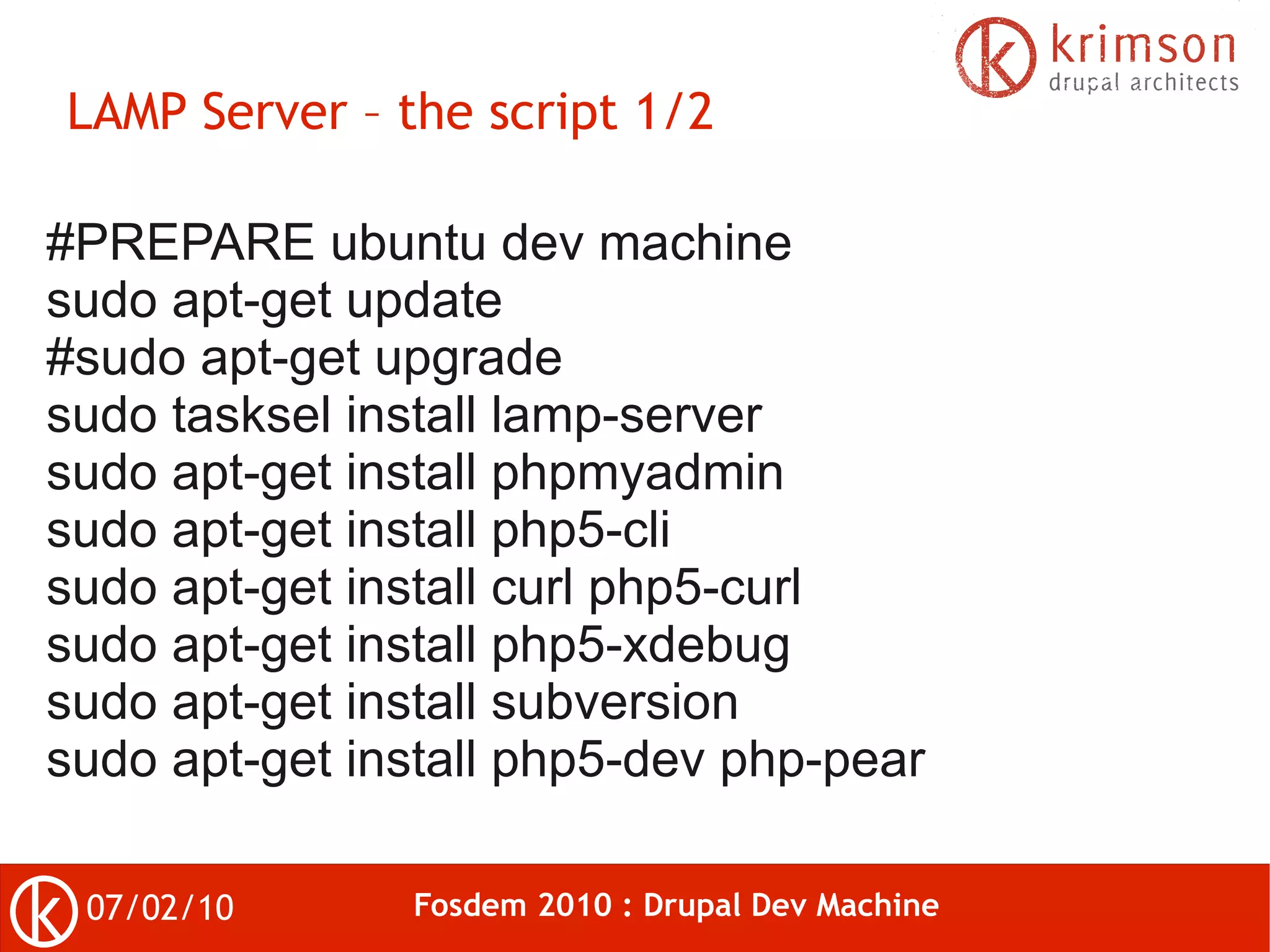
LAMP Server – the script 1/2

#PREPARE ubuntu dev machine
sudo apt-get update
#sudo apt-get upgrade
sudo tasksel install lamp-server
sudo apt-get install phpmyadmin
sudo apt-get install php5-cli
sudo apt-get install curl php5-curl
sudo apt-get install php5-xdebug
sudo apt-get install subversion
sudo apt-get install php5-dev php-pear

 07/02/10      Fosdem 2010 : Drupal Dev Machine
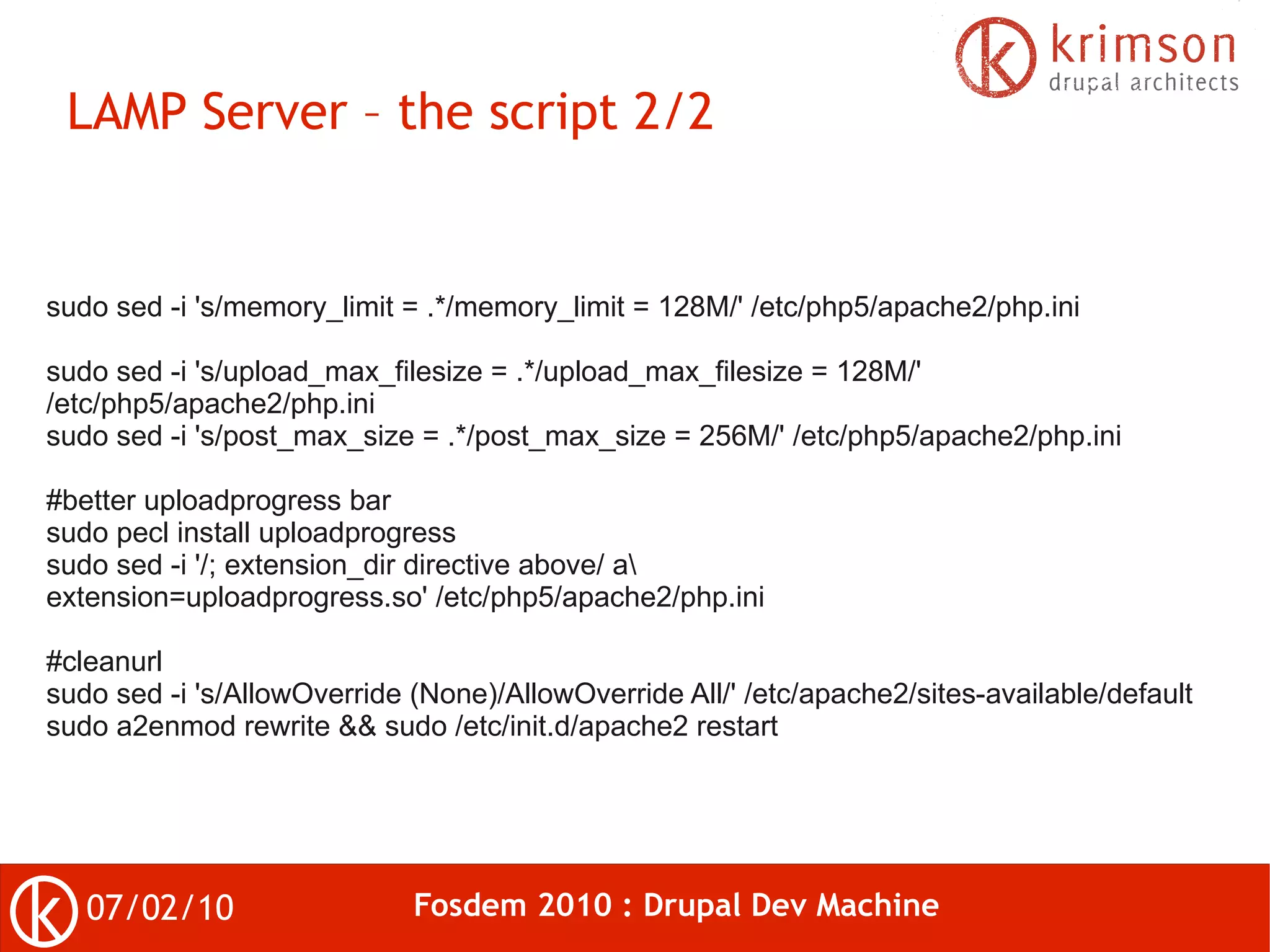
LAMP Server – the script 2/2


sudo sed -i 's/memory_limit = .*/memory_limit = 128M/' /etc/php5/apache2/php.ini

sudo sed -i 's/upload_max_filesize = .*/upload_max_filesize = 128M/'
/etc/php5/apache2/php.ini
sudo sed -i 's/post_max_size = .*/post_max_size = 256M/' /etc/php5/apache2/php.ini

#better uploadprogress bar
sudo pecl install uploadprogress
sudo sed -i '/; extension_dir directive above/ a
extension=uploadprogress.so' /etc/php5/apache2/php.ini

#cleanurl
sudo sed -i 's/AllowOverride (None)/AllowOverride All/' /etc/apache2/sites-available/default
sudo a2enmod rewrite && sudo /etc/init.d/apache2 restart


   07/02/10                  Fosdem 2010 : Drupal Dev Machine
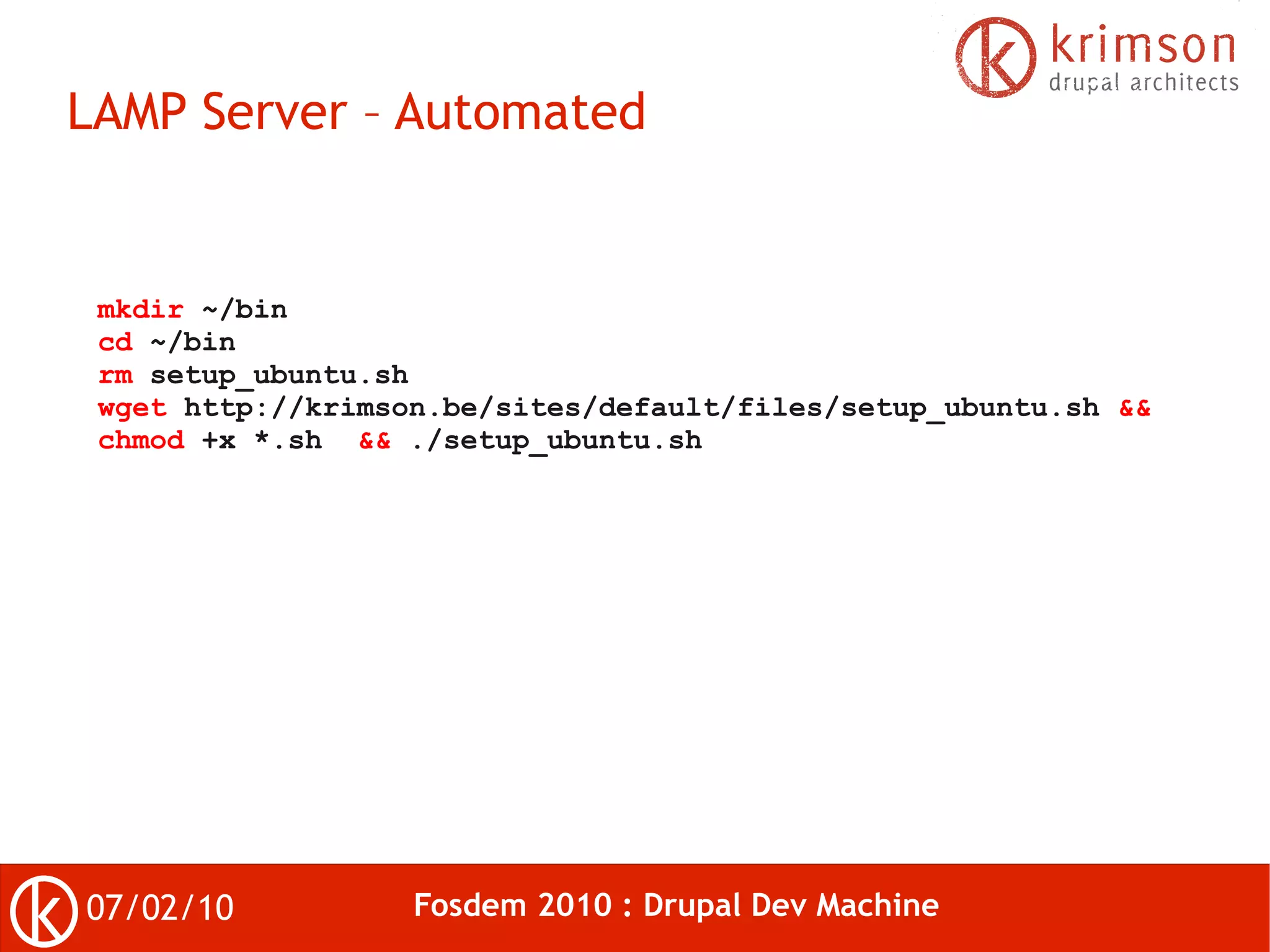
LAMP Server – Automated


 mkdir ~/bin
 cd ~/bin
 rm setup_ubuntu.sh
 wget http://krimson.be/sites/default/files/setup_ubuntu.sh &&
 chmod +x *.sh && ./setup_ubuntu.sh


07/02/10           Fosdem 2010 : Drupal Dev Machine
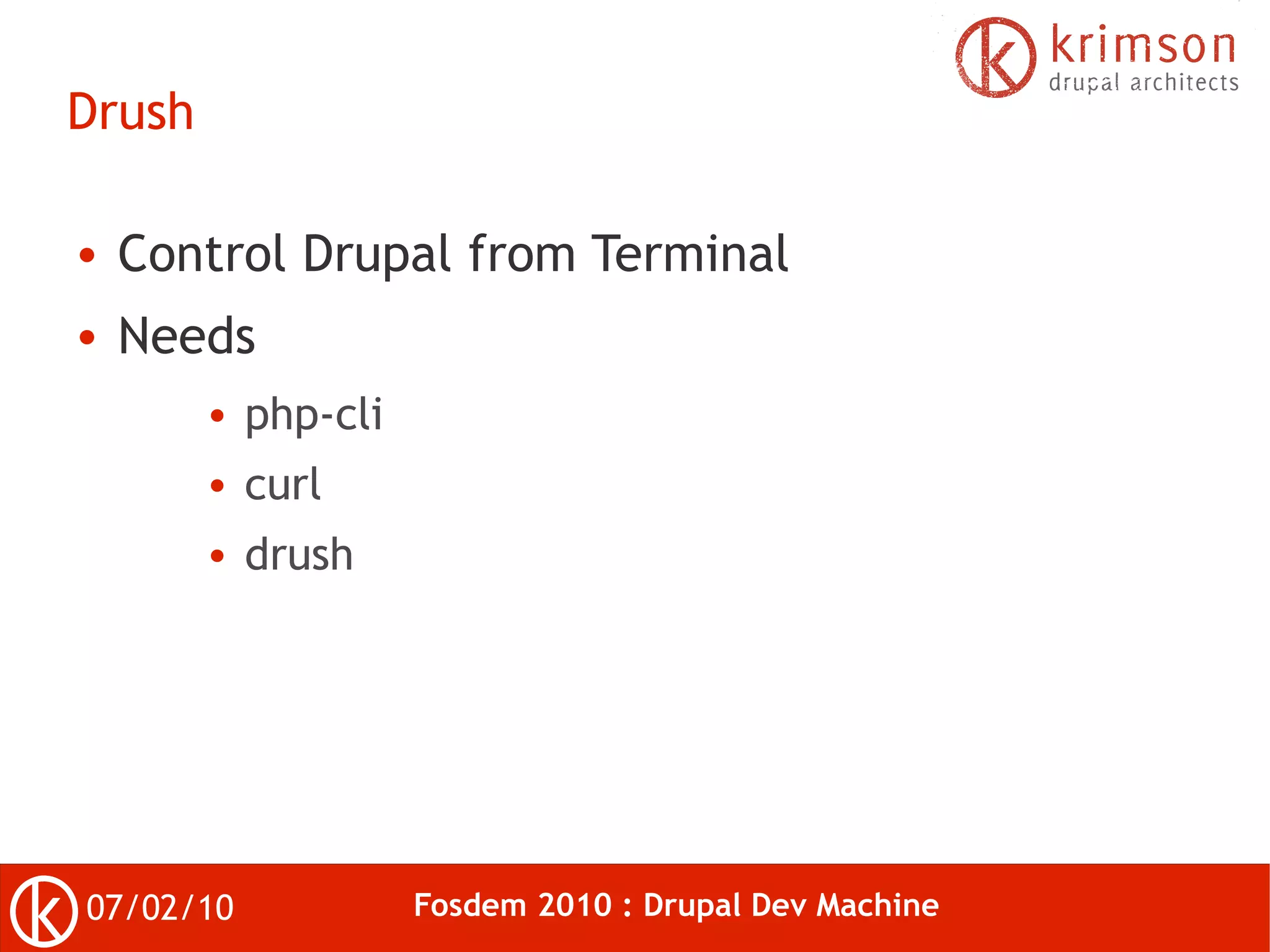
Drush

●   Control Drupal from Terminal
●   Needs
        ●   php-cli
        ●   curl
        ●   drush


07/02/10              Fosdem 2010 : Drupal Dev Machine
Drush – the script 1/3
#default directory structure
DEFAULT_WORKSPACE=$HOME/workspace
if [ ! -d "$DEFAULT_WORKSPACE" ];then
   echo "create workspace folder"
   mkdir $DEFAULT_WORKSPACE
fi
cd $DEFAULT_WORKSPACE

#install drush
#NOTE : WHEN changing the drush folder, also update the
$PROFILE_PATH
DRUSH_ROOT=$DEFAULT_WORKSPACE/drush
PROFILE_PATH='n # set PATH so it includes drush if it exists n
if [ -d "$HOME/workspace/drush" ] ; then n
t PATH="$HOME/workspace/drush:$PATH" n
fi n'

  07/02/10           Fosdem 2010 : Drupal Dev Machine
DRUSH – the script 2/3

DRUSH_VERSION=2.1
DRUSH_TGZ=drush-All-Versions-$DRUSH_VERSION.tar.gz
if [ ! -d "$DRUSH_ROOT" ];then
   echo "grabbing drush"
   wget http://ftp.drupal.org/files/projects/$DRUSH_TGZ
   if [ -a "$DRUSH_TGZ" ];then
      tar -zxvf $DRUSH_TGZ
      rm $DRUSH_TGZ
   else
      echo "ERROR : unable to download $DRUSH_TGZ"
   fi
fi

#add drush to path


  07/02/10           Fosdem 2010 : Drupal Dev Machine
DRUSH – the script 3/3
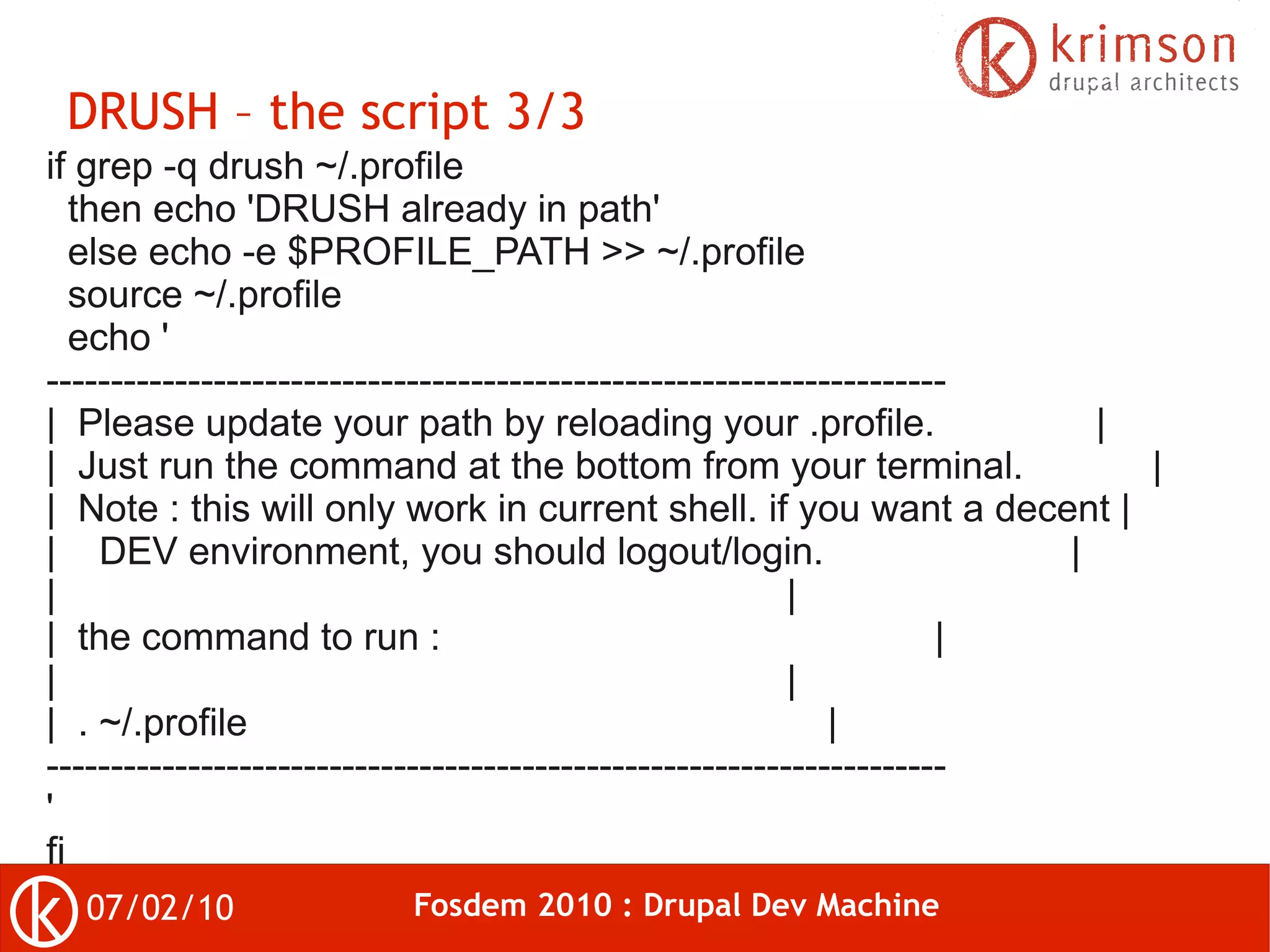
if grep -q drush ~/.profile
   then echo 'DRUSH already in path'
   else echo -e $PROFILE_PATH >> ~/.profile
   source ~/.profile
   echo '
----------------------------------------------------------------------
| Please update your path by reloading your .profile.                    |
| Just run the command at the bottom from your terminal.                   |
| Note : this will only work in current shell. if you want a decent |
| DEV environment, you should logout/login.                            |
|                                                         |
| the command to run :                                               |
|                                                         |
| . ~/.profile                                               |
----------------------------------------------------------------------
'
fi
  07/02/10               Fosdem 2010 : Drupal Dev Machine
DRUSH – Automated


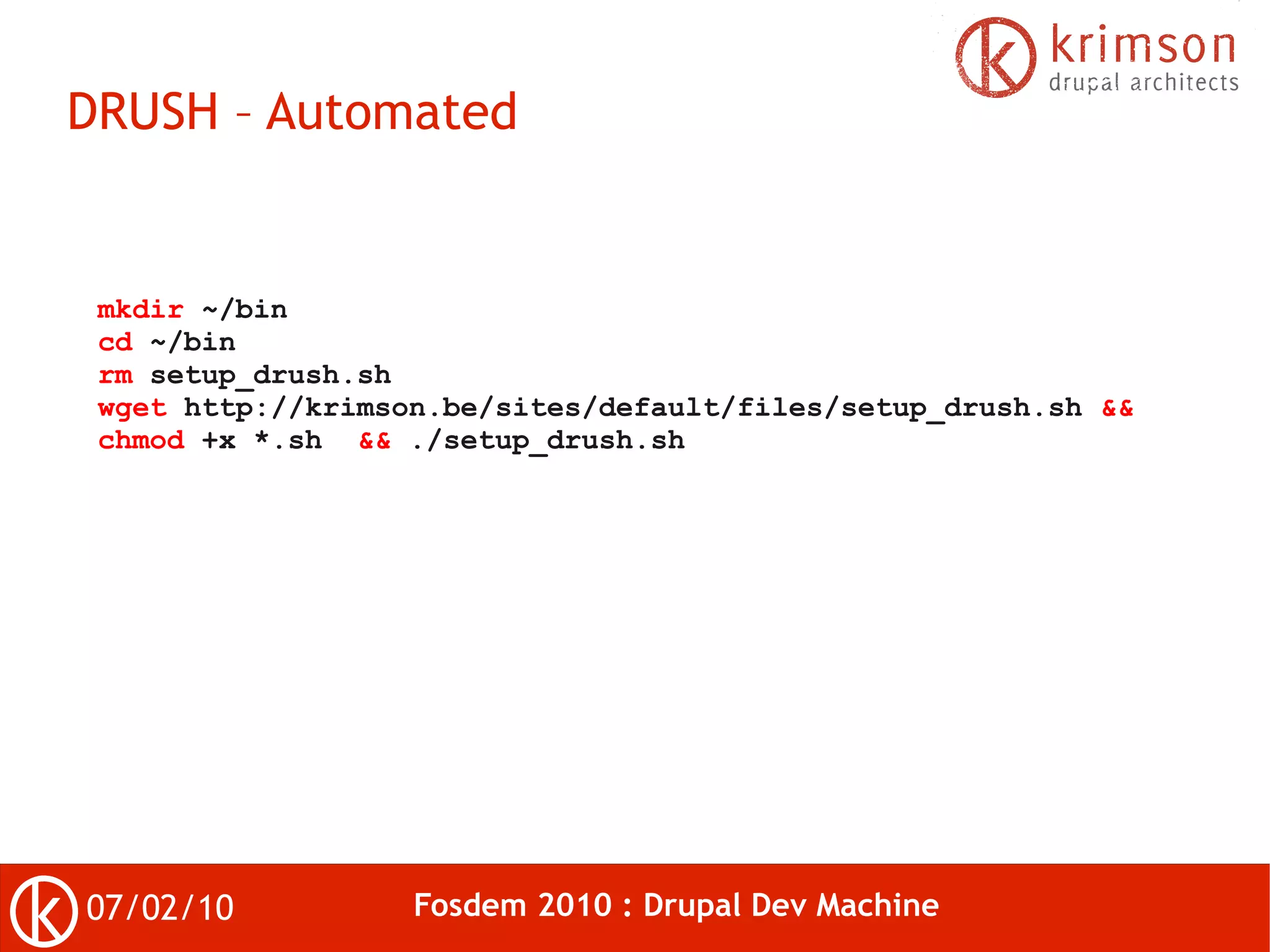
 mkdir ~/bin
 cd ~/bin
 rm setup_drush.sh
 wget http://krimson.be/sites/default/files/setup_drush.sh &&
 chmod +x *.sh && ./setup_drush.sh


07/02/10           Fosdem 2010 : Drupal Dev Machine
An IDE

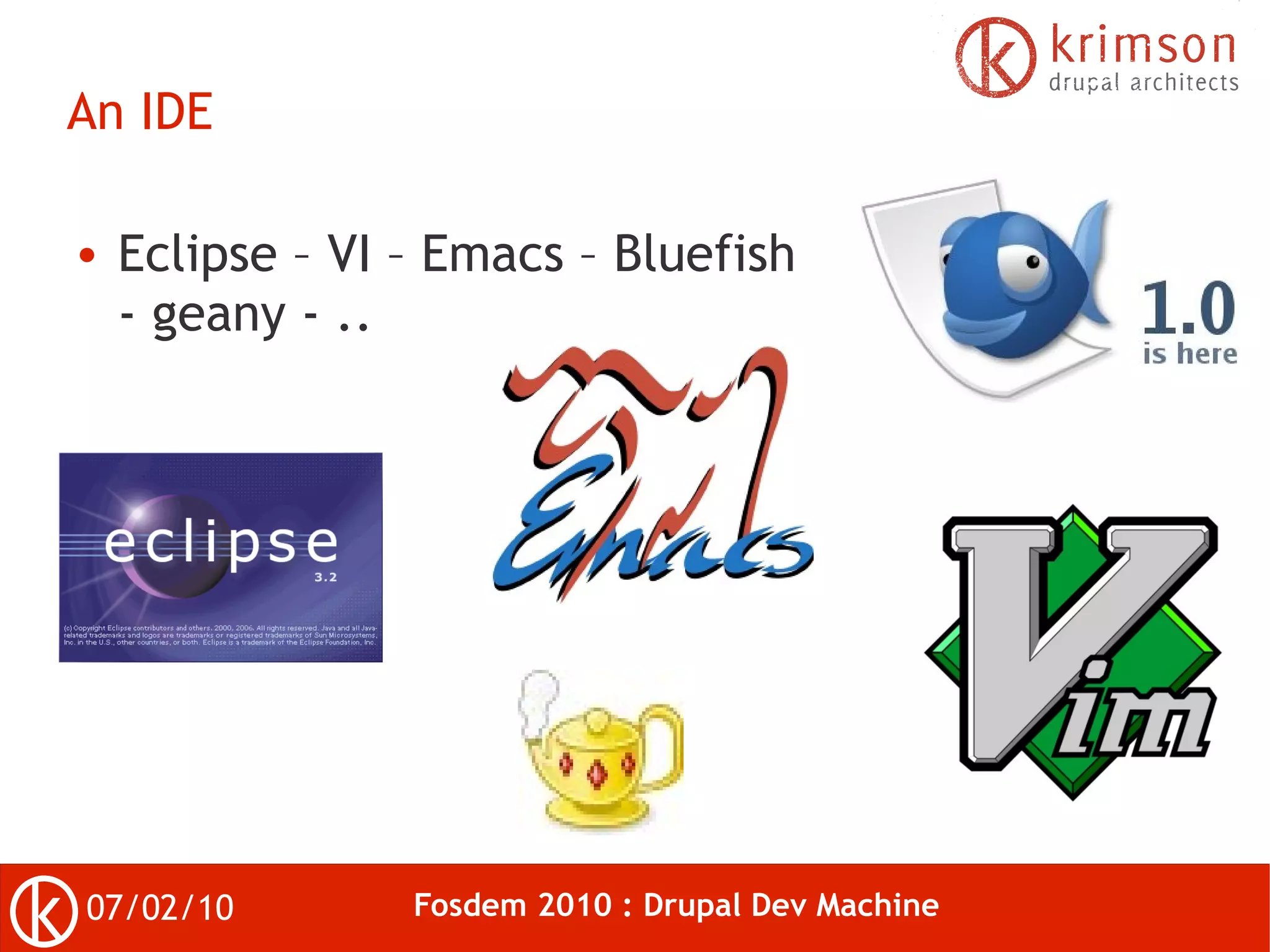
●   Eclipse – VI – Emacs – Bluefish
    - geany - ..


07/02/10         Fosdem 2010 : Drupal Dev Machine
Install Eclipse – the steps

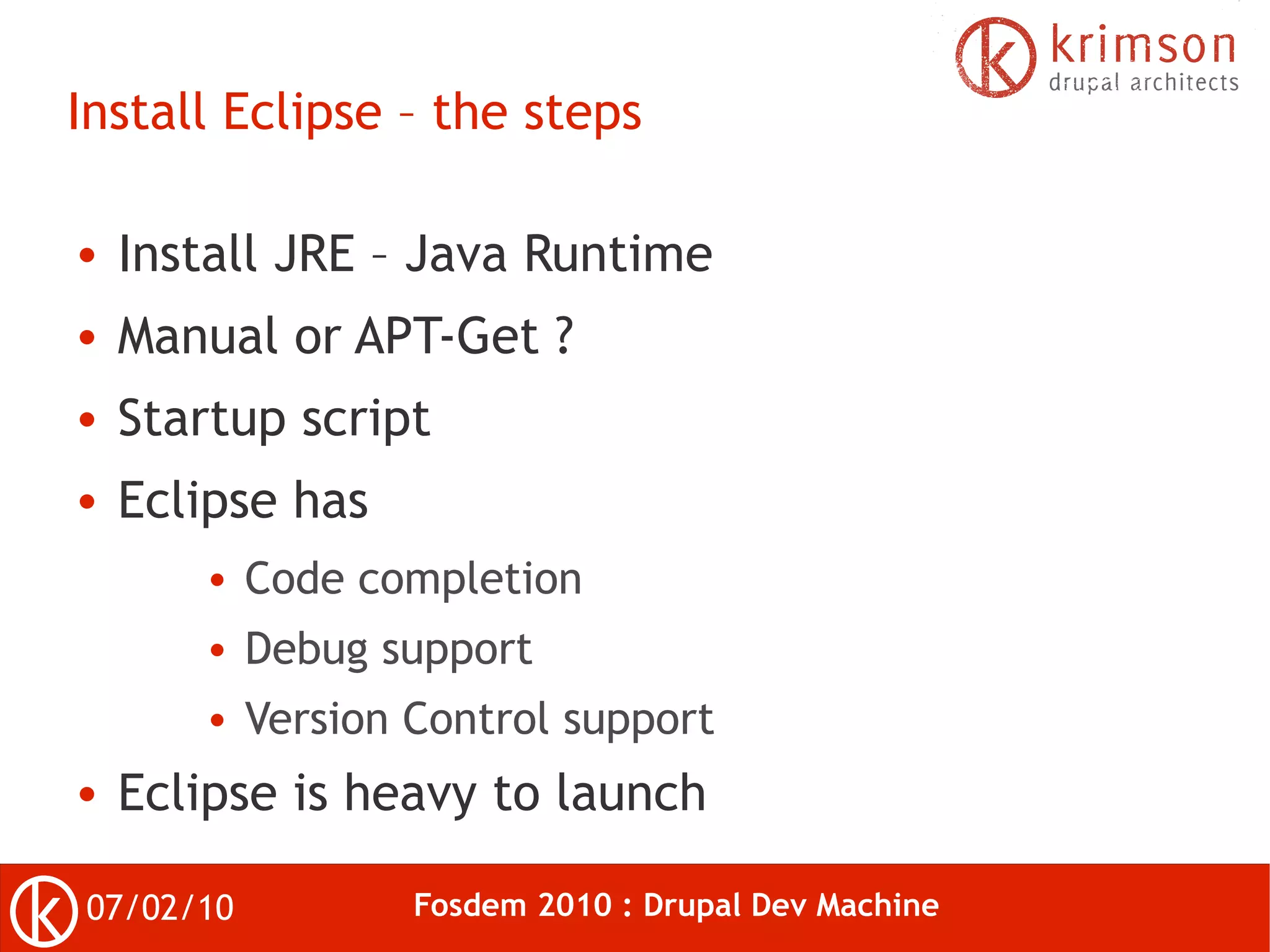
●   Install JRE – Java Runtime
●   Manual or APT-Get ?
●   Startup script
●   Eclipse has
        ●   Code completion
        ●   Debug support
        ●   Version Control support
●   Eclipse is heavy to launch

07/02/10            Fosdem 2010 : Drupal Dev Machine
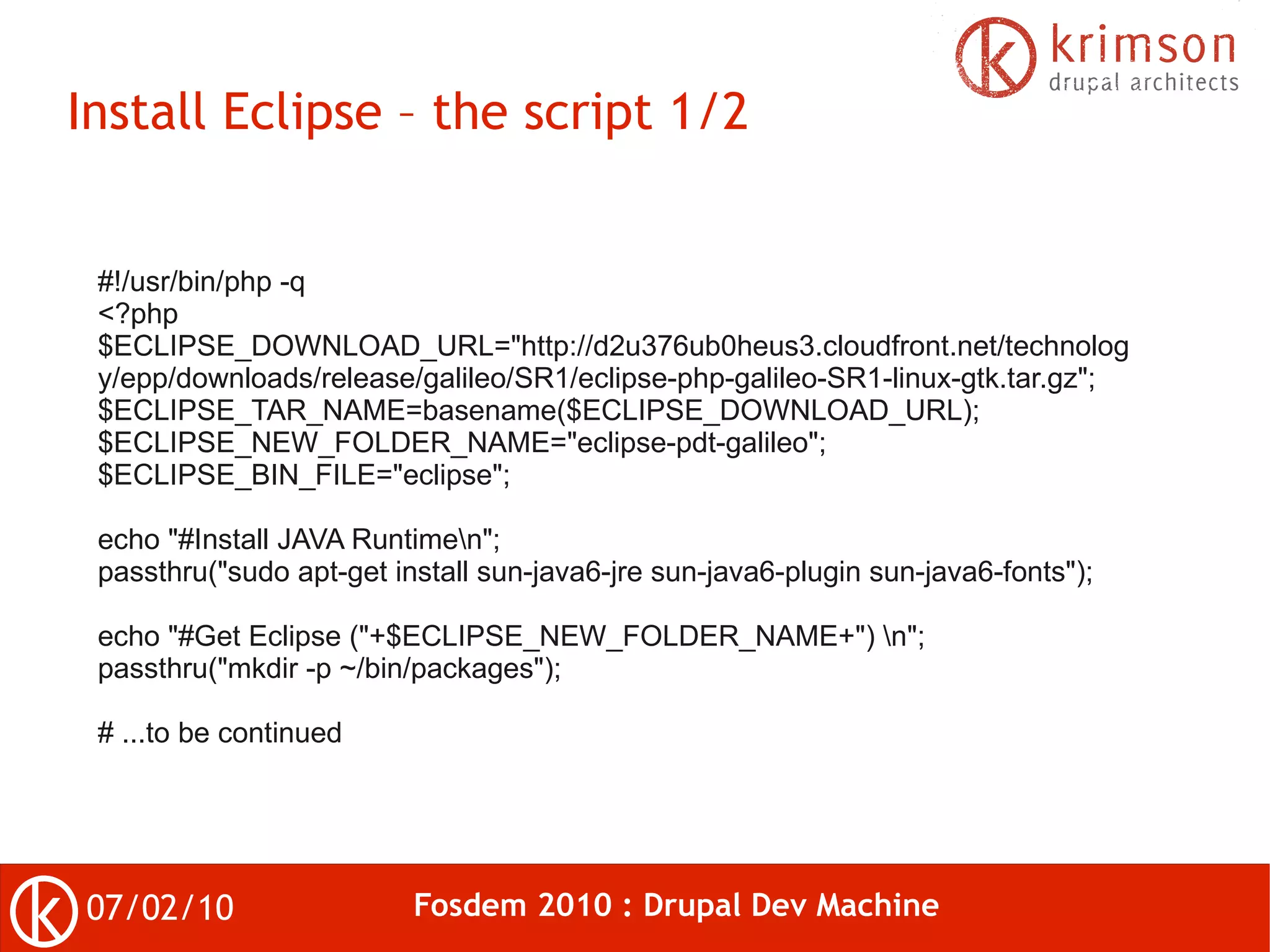
Install Eclipse – the script 1/2


 #!/usr/bin/php -q
 <?php
 $ECLIPSE_DOWNLOAD_URL="http://d2u376ub0heus3.cloudfront.net/technolog
 y/epp/downloads/release/galileo/SR1/eclipse-php-galileo-SR1-linux-gtk.tar.gz";
 $ECLIPSE_TAR_NAME=basename($ECLIPSE_DOWNLOAD_URL);
 $ECLIPSE_NEW_FOLDER_NAME="eclipse-pdt-galileo";
 $ECLIPSE_BIN_FILE="eclipse";

 echo "#Install JAVA Runtimen";
 passthru("sudo apt-get install sun-java6-jre sun-java6-plugin sun-java6-fonts");

 echo "#Get Eclipse ("+$ECLIPSE_NEW_FOLDER_NAME+") n";
 passthru("mkdir -p ~/bin/packages");

 # ...to be continued


07/02/10                  Fosdem 2010 : Drupal Dev Machine
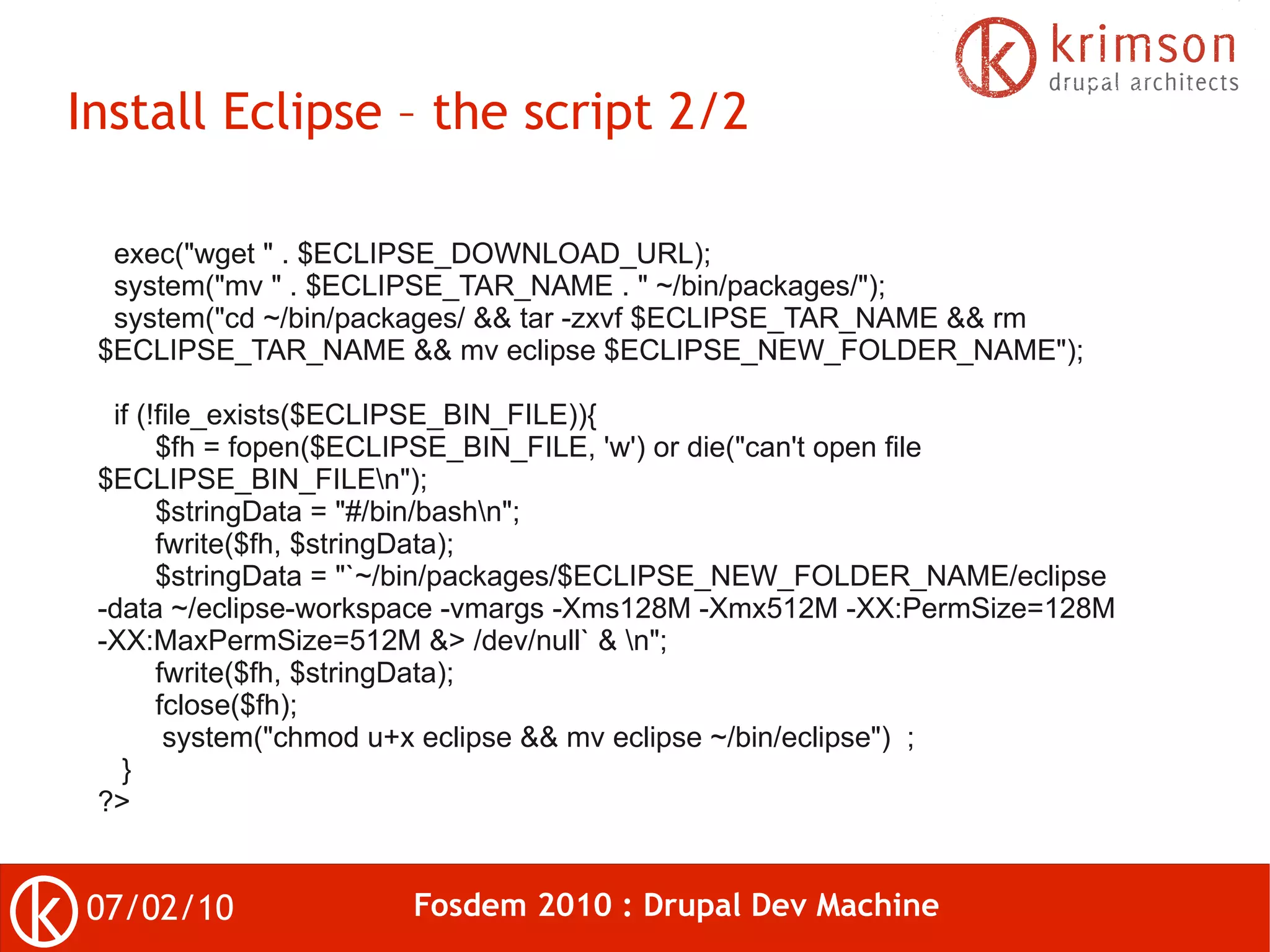
Install Eclipse – the script 2/2

  exec("wget " . $ECLIPSE_DOWNLOAD_URL);
  system("mv " . $ECLIPSE_TAR_NAME . " ~/bin/packages/");
  system("cd ~/bin/packages/ && tar -zxvf $ECLIPSE_TAR_NAME && rm
 $ECLIPSE_TAR_NAME && mv eclipse $ECLIPSE_NEW_FOLDER_NAME");

  if (!file_exists($ECLIPSE_BIN_FILE)){
       $fh = fopen($ECLIPSE_BIN_FILE, 'w') or die("can't open file
 $ECLIPSE_BIN_FILEn");
       $stringData = "#/bin/bashn";
       fwrite($fh, $stringData);
       $stringData = "`~/bin/packages/$ECLIPSE_NEW_FOLDER_NAME/eclipse
 -data ~/eclipse-workspace -vmargs -Xms128M -Xmx512M -XX:PermSize=128M
 -XX:MaxPermSize=512M &> /dev/null` & n";
       fwrite($fh, $stringData);
       fclose($fh);
        system("chmod u+x eclipse && mv eclipse ~/bin/eclipse") ;
   }
 ?>


07/02/10              Fosdem 2010 : Drupal Dev Machine
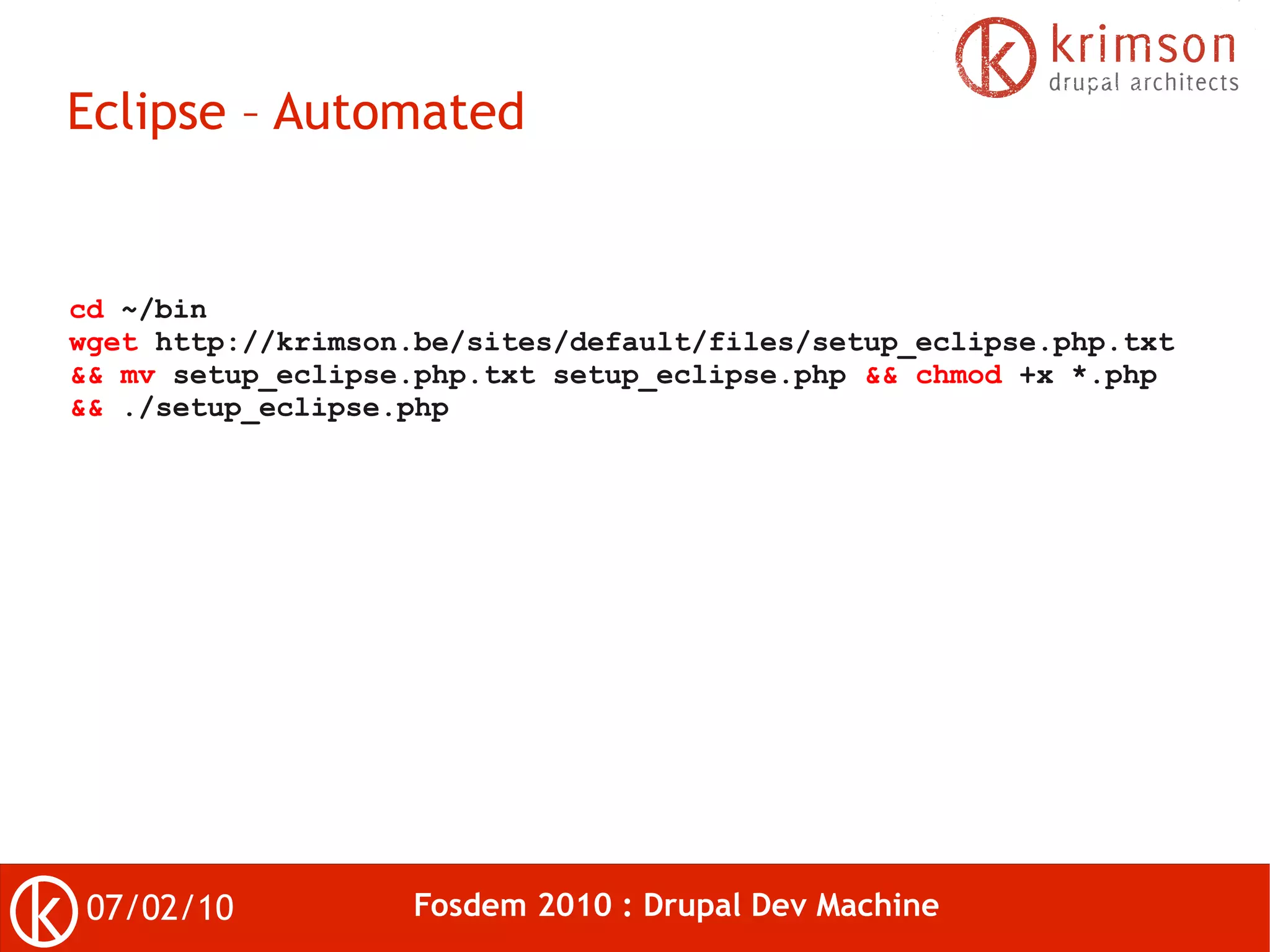
Eclipse – Automated


cd ~/bin
wget http://krimson.be/sites/default/files/setup_eclipse.php.txt
&& mv setup_eclipse.php.txt setup_eclipse.php && chmod +x *.php
&& ./setup_eclipse.php


 07/02/10          Fosdem 2010 : Drupal Dev Machine
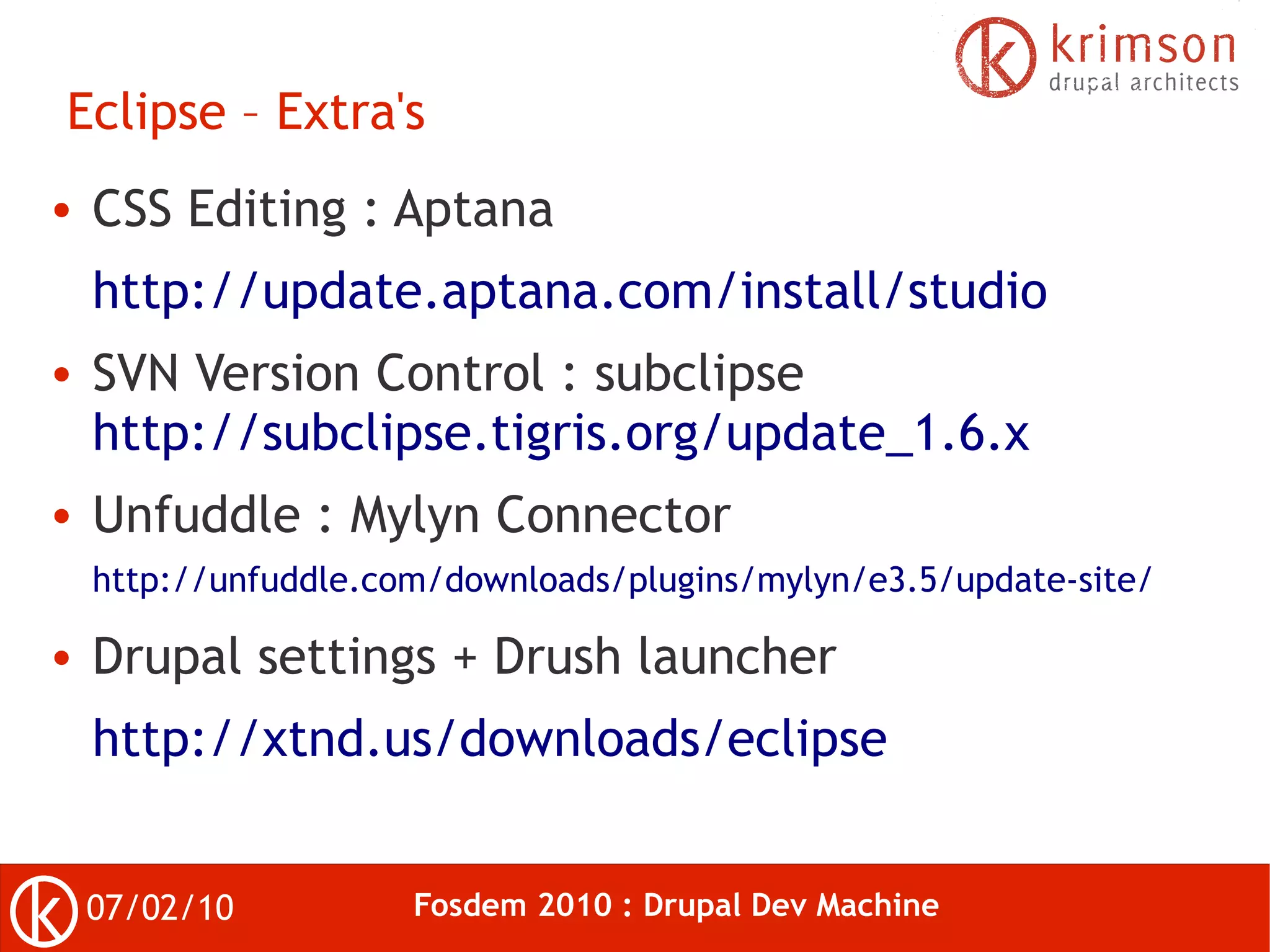
Eclipse – Extra's
●   CSS Editing : Aptana
    http://update.aptana.com/install/studio
●   SVN Version Control : subclipse
    http://subclipse.tigris.org/update_1.6.x
●   Unfuddle : Mylyn Connector
    http://unfuddle.com/downloads/plugins/mylyn/e3.5/update-site/

●   Drupal settings + Drush launcher
    http://xtnd.us/downloads/eclipse


    07/02/10          Fosdem 2010 : Drupal Dev Machine
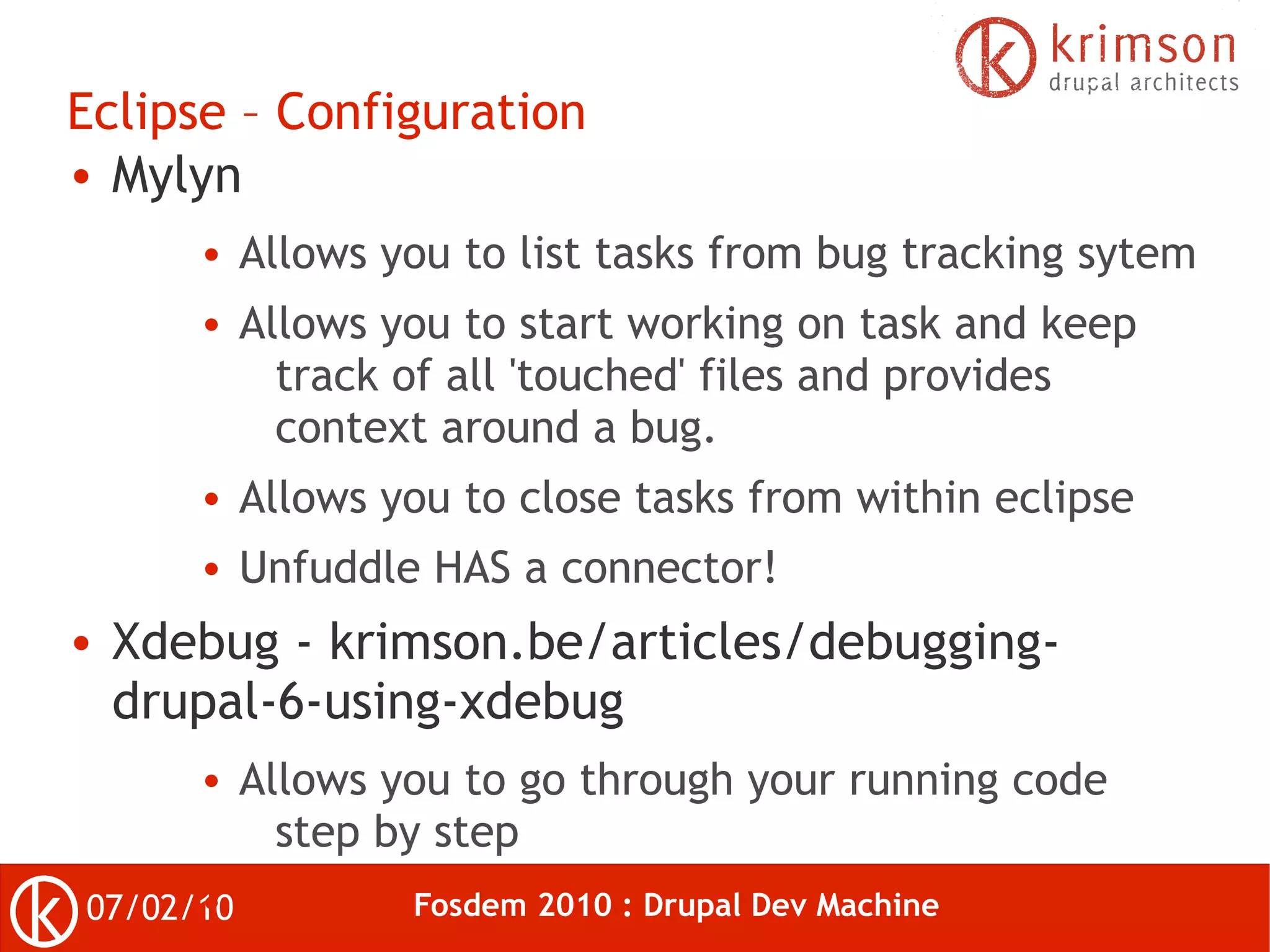
Eclipse – Configuration
● Mylyn

       ●   Allows you to list tasks from bug tracking sytem
       ●   Allows you to start working on task and keep
             track of all 'touched' files and provides
             context around a bug.
       ●   Allows you to close tasks from within eclipse
       ●   Unfuddle HAS a connector!
●   Xdebug - krimson.be/articles/debugging-
    drupal-6-using-xdebug
       ●   Allows you to go through your running code
             step by step
      ●
07/02/10           Fosdem 2010 : Drupal Dev Machine
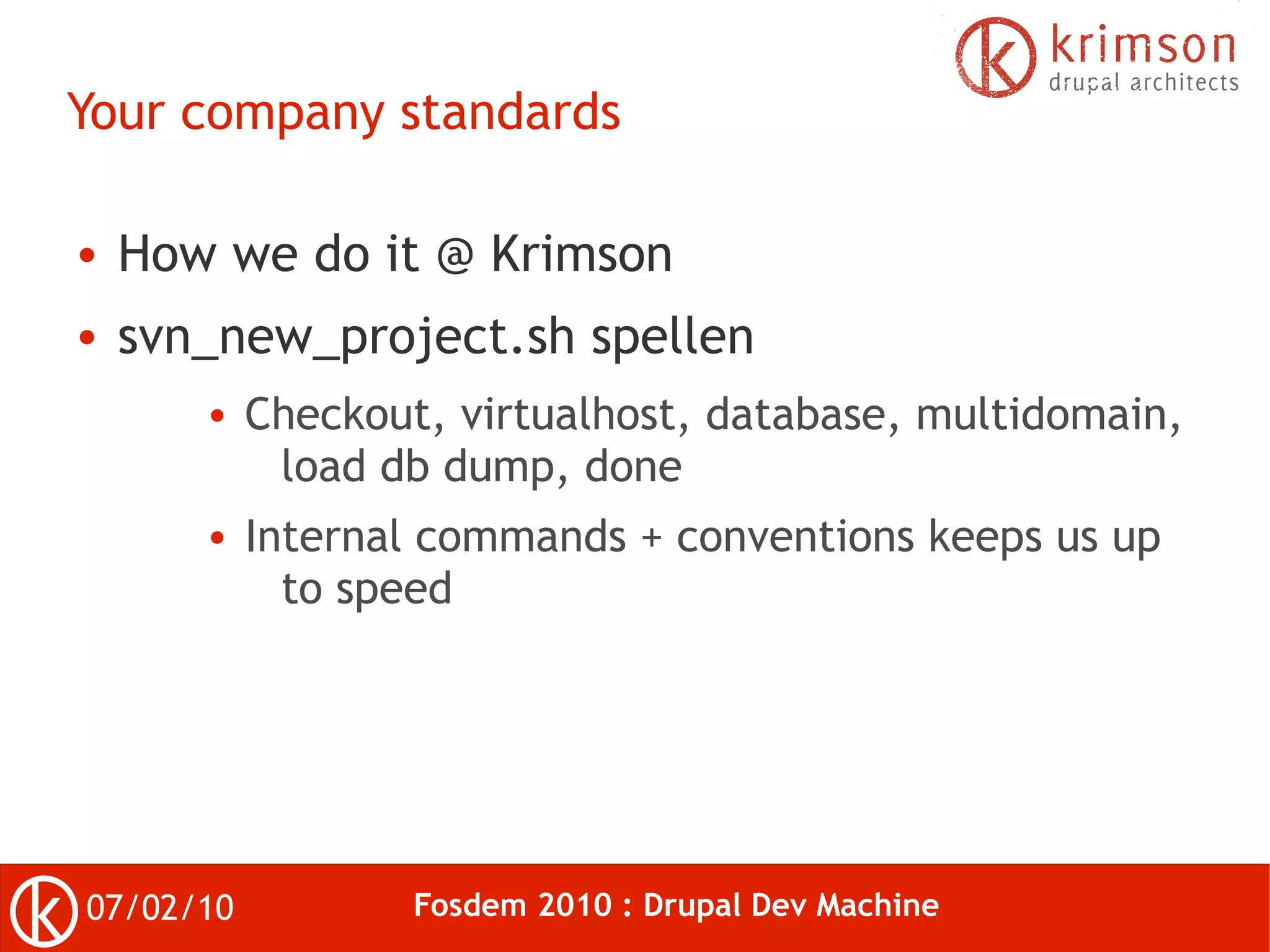
Your company standards

●   How we do it @ Krimson
●   svn_new_project.sh spellen
       ●   Checkout, virtualhost, database, multidomain,
            load db dump, done
       ●   Internal commands + conventions keeps us up
             to speed


07/02/10           Fosdem 2010 : Drupal Dev Machine
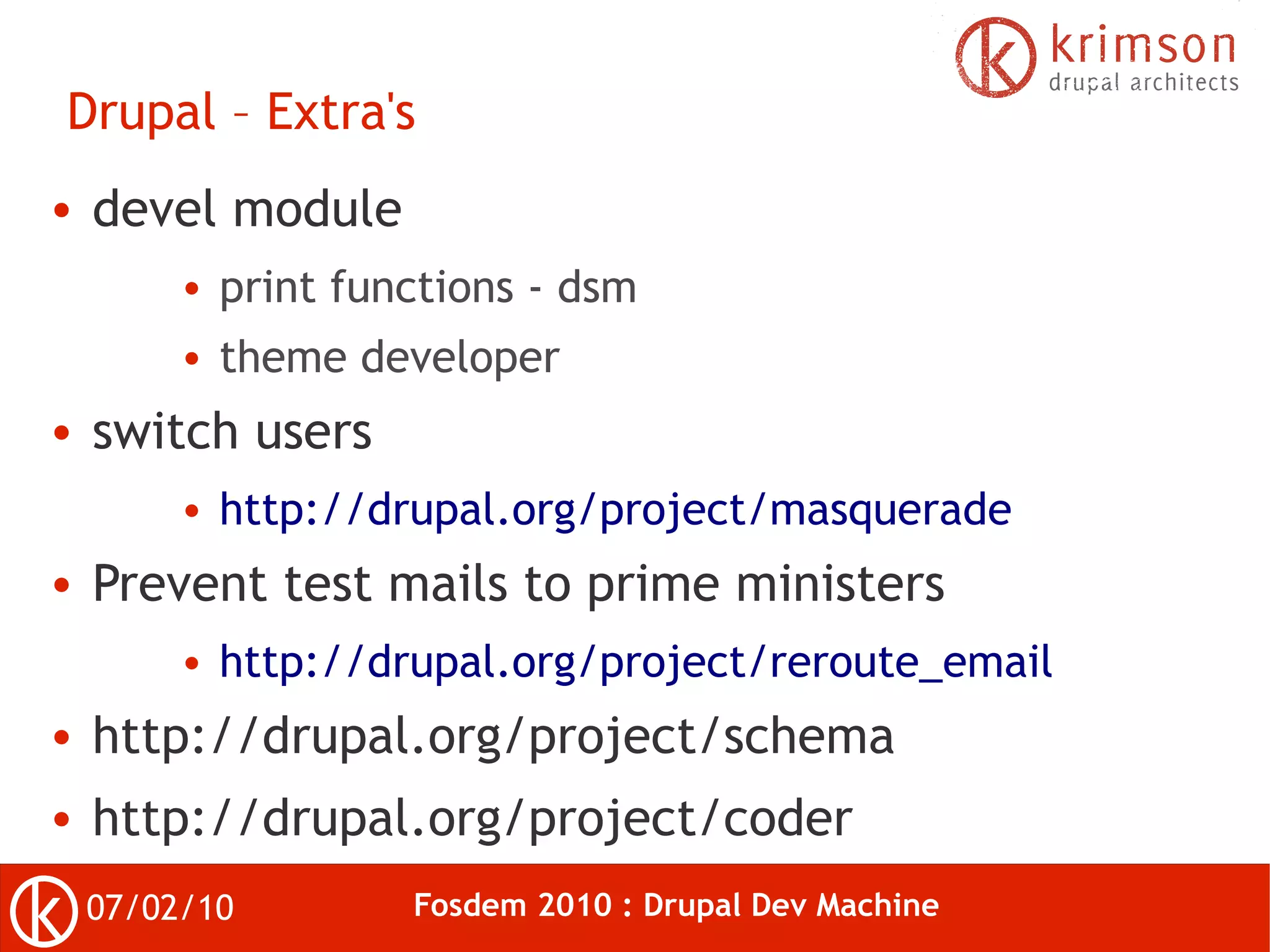
Drupal – Extra's
●   devel module
         ●   print functions - dsm
         ●   theme developer
●   switch users
         ●   http://drupal.org/project/masquerade
●   Prevent test mails to prime ministers
         ●   http://drupal.org/project/reroute_email
●   http://drupal.org/project/schema
●   http://drupal.org/project/coder
    07/02/10          Fosdem 2010 : Drupal Dev Machine
Firefox – Extra's
●   Firebug
●   Webdeveloper toolbar


    07/02/10    Fosdem 2010 : Drupal Dev Machine

Towards the perfect Drupal Dev Machine

  • 1.
    How to setupthe perfect development environment Roel De Meester
  • 2.
    How to setupthe perfect development environment Towards some drupal development environment 07/02/10 Fosdem 2010 : Drupal Dev Machine
  • 3.
    Poll ● Want to see installation process ? ● Want to discuss the result ? 07/02/10 Fosdem 2010 : Drupal Dev Machine
  • 4.
    LAMP Server ● Start from a freshly installed UBUNTU ● Needs ● xAMP Stack ● Ready for drupal ● Ready for drush ● Ready to code 07/02/10 Fosdem 2010 : Drupal Dev Machine
  • 5.
    LAMP Server –the script 1/2 #PREPARE ubuntu dev machine sudo apt-get update #sudo apt-get upgrade sudo tasksel install lamp-server sudo apt-get install phpmyadmin sudo apt-get install php5-cli sudo apt-get install curl php5-curl sudo apt-get install php5-xdebug sudo apt-get install subversion sudo apt-get install php5-dev php-pear 07/02/10 Fosdem 2010 : Drupal Dev Machine
  • 6.
    LAMP Server –the script 2/2 sudo sed -i 's/memory_limit = .*/memory_limit = 128M/' /etc/php5/apache2/php.ini sudo sed -i 's/upload_max_filesize = .*/upload_max_filesize = 128M/' /etc/php5/apache2/php.ini sudo sed -i 's/post_max_size = .*/post_max_size = 256M/' /etc/php5/apache2/php.ini #better uploadprogress bar sudo pecl install uploadprogress sudo sed -i '/; extension_dir directive above/ a extension=uploadprogress.so' /etc/php5/apache2/php.ini #cleanurl sudo sed -i 's/AllowOverride (None)/AllowOverride All/' /etc/apache2/sites-available/default sudo a2enmod rewrite && sudo /etc/init.d/apache2 restart 07/02/10 Fosdem 2010 : Drupal Dev Machine
  • 7.
    LAMP Server –Automated mkdir ~/bin cd ~/bin rm setup_ubuntu.sh wget http://krimson.be/sites/default/files/setup_ubuntu.sh && chmod +x *.sh && ./setup_ubuntu.sh 07/02/10 Fosdem 2010 : Drupal Dev Machine
  • 8.
    Drush ● Control Drupal from Terminal ● Needs ● php-cli ● curl ● drush 07/02/10 Fosdem 2010 : Drupal Dev Machine
  • 9.
    Drush – thescript 1/3 #default directory structure DEFAULT_WORKSPACE=$HOME/workspace if [ ! -d "$DEFAULT_WORKSPACE" ];then echo "create workspace folder" mkdir $DEFAULT_WORKSPACE fi cd $DEFAULT_WORKSPACE #install drush #NOTE : WHEN changing the drush folder, also update the $PROFILE_PATH DRUSH_ROOT=$DEFAULT_WORKSPACE/drush PROFILE_PATH='n # set PATH so it includes drush if it exists n if [ -d "$HOME/workspace/drush" ] ; then n t PATH="$HOME/workspace/drush:$PATH" n fi n' 07/02/10 Fosdem 2010 : Drupal Dev Machine
  • 10.
    DRUSH – thescript 2/3 DRUSH_VERSION=2.1 DRUSH_TGZ=drush-All-Versions-$DRUSH_VERSION.tar.gz if [ ! -d "$DRUSH_ROOT" ];then echo "grabbing drush" wget http://ftp.drupal.org/files/projects/$DRUSH_TGZ if [ -a "$DRUSH_TGZ" ];then tar -zxvf $DRUSH_TGZ rm $DRUSH_TGZ else echo "ERROR : unable to download $DRUSH_TGZ" fi fi #add drush to path 07/02/10 Fosdem 2010 : Drupal Dev Machine
  • 11.
    DRUSH – thescript 3/3 if grep -q drush ~/.profile then echo 'DRUSH already in path' else echo -e $PROFILE_PATH >> ~/.profile source ~/.profile echo ' ---------------------------------------------------------------------- | Please update your path by reloading your .profile. | | Just run the command at the bottom from your terminal. | | Note : this will only work in current shell. if you want a decent | | DEV environment, you should logout/login. | | | | the command to run : | | | | . ~/.profile | ---------------------------------------------------------------------- ' fi 07/02/10 Fosdem 2010 : Drupal Dev Machine
  • 12.
    DRUSH – Automated mkdir ~/bin cd ~/bin rm setup_drush.sh wget http://krimson.be/sites/default/files/setup_drush.sh && chmod +x *.sh && ./setup_drush.sh 07/02/10 Fosdem 2010 : Drupal Dev Machine
  • 13.
    An IDE ● Eclipse – VI – Emacs – Bluefish - geany - .. 07/02/10 Fosdem 2010 : Drupal Dev Machine
  • 14.
    Install Eclipse –the steps ● Install JRE – Java Runtime ● Manual or APT-Get ? ● Startup script ● Eclipse has ● Code completion ● Debug support ● Version Control support ● Eclipse is heavy to launch 07/02/10 Fosdem 2010 : Drupal Dev Machine
  • 15.
    Install Eclipse –the script 1/2 #!/usr/bin/php -q <?php $ECLIPSE_DOWNLOAD_URL="http://d2u376ub0heus3.cloudfront.net/technolog y/epp/downloads/release/galileo/SR1/eclipse-php-galileo-SR1-linux-gtk.tar.gz"; $ECLIPSE_TAR_NAME=basename($ECLIPSE_DOWNLOAD_URL); $ECLIPSE_NEW_FOLDER_NAME="eclipse-pdt-galileo"; $ECLIPSE_BIN_FILE="eclipse"; echo "#Install JAVA Runtimen"; passthru("sudo apt-get install sun-java6-jre sun-java6-plugin sun-java6-fonts"); echo "#Get Eclipse ("+$ECLIPSE_NEW_FOLDER_NAME+") n"; passthru("mkdir -p ~/bin/packages"); # ...to be continued 07/02/10 Fosdem 2010 : Drupal Dev Machine
  • 16.
    Install Eclipse –the script 2/2 exec("wget " . $ECLIPSE_DOWNLOAD_URL); system("mv " . $ECLIPSE_TAR_NAME . " ~/bin/packages/"); system("cd ~/bin/packages/ && tar -zxvf $ECLIPSE_TAR_NAME && rm $ECLIPSE_TAR_NAME && mv eclipse $ECLIPSE_NEW_FOLDER_NAME"); if (!file_exists($ECLIPSE_BIN_FILE)){ $fh = fopen($ECLIPSE_BIN_FILE, 'w') or die("can't open file $ECLIPSE_BIN_FILEn"); $stringData = "#/bin/bashn"; fwrite($fh, $stringData); $stringData = "`~/bin/packages/$ECLIPSE_NEW_FOLDER_NAME/eclipse -data ~/eclipse-workspace -vmargs -Xms128M -Xmx512M -XX:PermSize=128M -XX:MaxPermSize=512M &> /dev/null` & n"; fwrite($fh, $stringData); fclose($fh); system("chmod u+x eclipse && mv eclipse ~/bin/eclipse") ; } ?> 07/02/10 Fosdem 2010 : Drupal Dev Machine
  • 17.
    Eclipse – Automated cd~/bin wget http://krimson.be/sites/default/files/setup_eclipse.php.txt && mv setup_eclipse.php.txt setup_eclipse.php && chmod +x *.php && ./setup_eclipse.php 07/02/10 Fosdem 2010 : Drupal Dev Machine
  • 18.
    Eclipse – Extra's ● CSS Editing : Aptana http://update.aptana.com/install/studio ● SVN Version Control : subclipse http://subclipse.tigris.org/update_1.6.x ● Unfuddle : Mylyn Connector http://unfuddle.com/downloads/plugins/mylyn/e3.5/update-site/ ● Drupal settings + Drush launcher http://xtnd.us/downloads/eclipse 07/02/10 Fosdem 2010 : Drupal Dev Machine
  • 19.
    Eclipse – Configuration ●Mylyn ● Allows you to list tasks from bug tracking sytem ● Allows you to start working on task and keep track of all 'touched' files and provides context around a bug. ● Allows you to close tasks from within eclipse ● Unfuddle HAS a connector! ● Xdebug - krimson.be/articles/debugging- drupal-6-using-xdebug ● Allows you to go through your running code step by step ● 07/02/10 Fosdem 2010 : Drupal Dev Machine
  • 20.
    Your company standards ● How we do it @ Krimson ● svn_new_project.sh spellen ● Checkout, virtualhost, database, multidomain, load db dump, done ● Internal commands + conventions keeps us up to speed 07/02/10 Fosdem 2010 : Drupal Dev Machine
  • 21.
    Drupal – Extra's ● devel module ● print functions - dsm ● theme developer ● switch users ● http://drupal.org/project/masquerade ● Prevent test mails to prime ministers ● http://drupal.org/project/reroute_email ● http://drupal.org/project/schema ● http://drupal.org/project/coder 07/02/10 Fosdem 2010 : Drupal Dev Machine
  • 22.
    Firefox – Extra's ● Firebug ● Webdeveloper toolbar 07/02/10 Fosdem 2010 : Drupal Dev Machine