Automating the deployment of FreeBSD & PC-BSD® systemsAutomating the deployment of FreeBSD & PC-BSD® systems
Texas Linux Fest 2013Texas Linux Fest 2013
Kris MooreKris Moore
PC-BSD / iXsystemsPC-BSD / iXsystems
kris@pcbsd.orgkris@pcbsd.org
The problem:The problem:
You want to (quickly) deploy multipleYou want to (quickly) deploy multiple
FreeBSD or PC-BSD systems.FreeBSD or PC-BSD systems.
You like what you hear about this wholeYou like what you hear about this whole
“ZFS” thing“ZFS” thing
There are currently two ways to accomplishThere are currently two ways to accomplish
this:this:
Solution #1Solution #1
●
Write your own installation scriptsWrite your own installation scripts
●
Configure network booting by handConfigure network booting by hand
●
Maintain as necessaryMaintain as necessary
When to consider Solution #1:When to consider Solution #1:
●
You have a very unique installationYou have a very unique installation
●
You are a FreeBSD God – Congrats!You are a FreeBSD God – Congrats!
When to not consider Solution #1:When to not consider Solution #1:
●
Manual disk partitioning isn't your thingManual disk partitioning isn't your thing
●
You work for a livingYou work for a living
Solution #2Solution #2
●
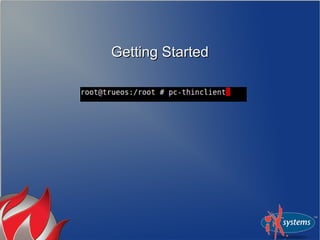
Use theUse the pc-thinclientpc-thinclient utility included withutility included with
PC-BSD & TrueOSPC-BSD & TrueOS
When to consider Solution #2:When to consider Solution #2:
●
You don't enjoy disk partitioningYou don't enjoy disk partitioning
●
You want to have a weekendYou want to have a weekend
What you will need:What you will need:
●
A system with a network interface (2)?A system with a network interface (2)?
●
Running PC-BSD 9.1 / TrueOS 9.1Running PC-BSD 9.1 / TrueOS 9.1
●
A few GB of disk spaceA few GB of disk space
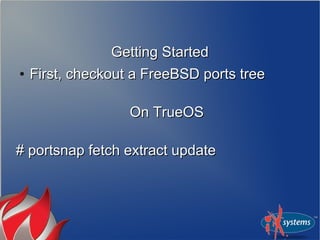
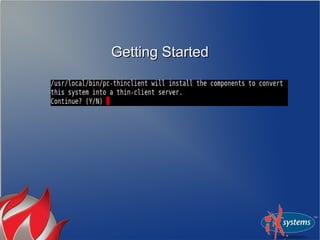
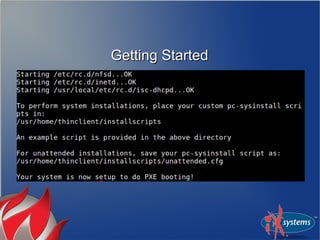
Getting StartedGetting Started
●
First, checkout a FreeBSD ports treeFirst, checkout a FreeBSD ports tree
On TrueOSOn TrueOS
# portsnap fetch extract update# portsnap fetch extract update
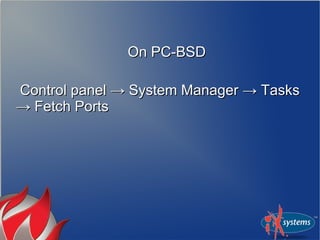
On PC-BSDOn PC-BSD
Control panel → System Manager → TasksControl panel → System Manager → Tasks
→ Fetch Ports→ Fetch Ports
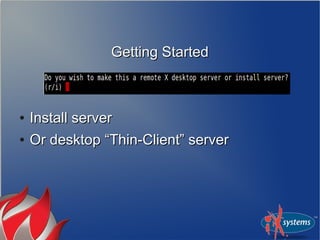
Getting StartedGetting Started
●
Install serverInstall server
●
Or desktop “Thin-Client” serverOr desktop “Thin-Client” server
Short DetourShort Detour
What is Remote Desktop?What is Remote Desktop?
●
The thin-client utility can operate bothThe thin-client utility can operate both
install server or desktop serverinstall server or desktop server
●
Allows diskless clients to boot via PXEAllows diskless clients to boot via PXE
●
Brings up GDM login on clientBrings up GDM login on client
Why would you run Remote Desktop?Why would you run Remote Desktop?
●
You have a bunch of low-end clientsYou have a bunch of low-end clients
●
You want to simplify backup, security andYou want to simplify backup, security and
managementmanagement
Why should you not run Remote Desktop?Why should you not run Remote Desktop?
●
You don't have a server with horsepowerYou don't have a server with horsepower
●
You need sound support on the clientsYou need sound support on the clients
Back to your previously scheduledBack to your previously scheduled
presentationpresentation
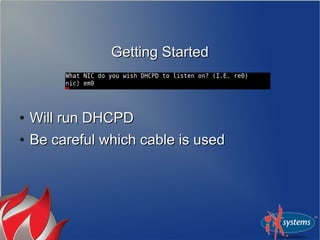
Getting StartedGetting Started
●
Will run DHCPDWill run DHCPD
●
Be careful which cable is usedBe careful which cable is used
Getting StartedGetting Started
Getting startedGetting started
●
You may now connect a client systemYou may now connect a client system
●
To PXE boot, you may need to checkTo PXE boot, you may need to check
BIOS on client firstBIOS on client first
Its Demo time!Its Demo time!
Customizing the installCustomizing the install
●
Of course you will want your ownOf course you will want your own
installation options / archives, etcinstallation options / archives, etc
●
It is possible to adjust entirely on serverIt is possible to adjust entirely on server
sideside
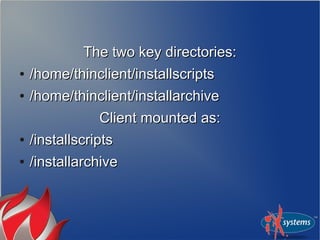
The two key directories:The two key directories:
●
/home/thinclient/installscripts/home/thinclient/installscripts
●
/home/thinclient/installarchive/home/thinclient/installarchive
Client mounted as:Client mounted as:
●
/installscripts/installscripts
●
/installarchive/installarchive
●
pc-sysinstall.example can be used as apc-sysinstall.example can be used as a
template for other installationstemplate for other installations
Example #1Example #1
Changing to ZFSChanging to ZFS
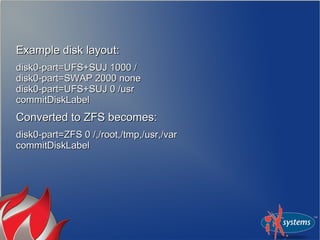
Example disk layout:Example disk layout:
disk0-part=UFS+SUJ 1000 /disk0-part=UFS+SUJ 1000 /
disk0-part=SWAP 2000 nonedisk0-part=SWAP 2000 none
disk0-part=UFS+SUJ 0 /usrdisk0-part=UFS+SUJ 0 /usr
commitDiskLabelcommitDiskLabel
Converted to ZFS becomes:Converted to ZFS becomes:
disk0-part=ZFS 0 /,/root,/tmp,/usr,/vardisk0-part=ZFS 0 /,/root,/tmp,/usr,/var
commitDiskLabelcommitDiskLabel
Example #2Example #2
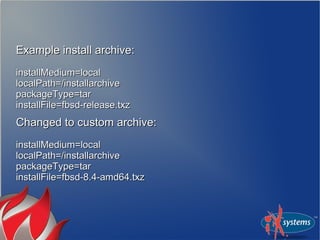
Changing installation archiveChanging installation archive
Example install archive:Example install archive:
installMedium=localinstallMedium=local
localPath=/installarchivelocalPath=/installarchive
packageType=tarpackageType=tar
installFile=fbsd-release.txzinstallFile=fbsd-release.txz
Changed to custom archive:Changed to custom archive:
installMedium=localinstallMedium=local
localPath=/installarchivelocalPath=/installarchive
packageType=tarpackageType=tar
installFile=fbsd-8.4-amd64.txzinstallFile=fbsd-8.4-amd64.txz
Example #3Example #3
User ManagementUser Management
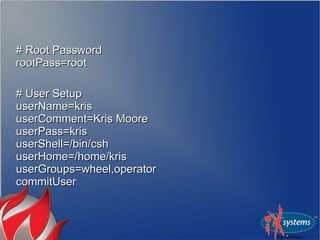
# Root Password# Root Password
rootPass=rootrootPass=root
# User Setup# User Setup
userName=krisuserName=kris
userComment=Kris MooreuserComment=Kris Moore
userPass=krisuserPass=kris
userShell=/bin/cshuserShell=/bin/csh
userHome=/home/krisuserHome=/home/kris
userGroups=wheel,operatoruserGroups=wheel,operator
commitUsercommitUser
Example #4Example #4
Advanced CommandsAdvanced Commands
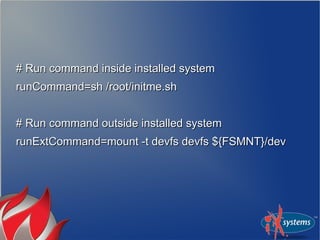
# Run command inside installed system# Run command inside installed system
runCommand=sh /root/initme.shrunCommand=sh /root/initme.sh
# Run command outside installed system# Run command outside installed system
runExtCommand=mount -t devfs devfs ${FSMNT}/devrunExtCommand=mount -t devfs devfs ${FSMNT}/dev
Example #5Example #5
Packages, oh my!Packages, oh my!
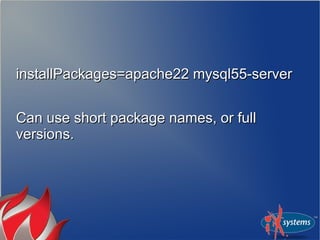
installPackages=apache22 mysql55-serverinstallPackages=apache22 mysql55-server
Can use short package names, or fullCan use short package names, or full
versions.versions.
PKGNG supportPKGNG support
●
Checks package format before installChecks package format before install
●
Will “boot-strap” PKGNG if necessaryWill “boot-strap” PKGNG if necessary
Example #6Example #6
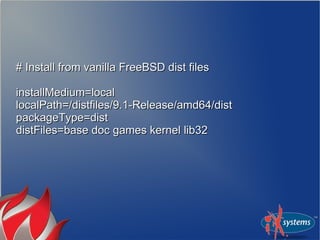
FreeBSD dist filesFreeBSD dist files
# Install from vanilla FreeBSD dist files# Install from vanilla FreeBSD dist files
installMedium=localinstallMedium=local
localPath=/distfiles/9.1-Release/amd64/distlocalPath=/distfiles/9.1-Release/amd64/dist
packageType=distpackageType=dist
distFiles=base doc games kernel lib32distFiles=base doc games kernel lib32
Putting the Automated in “Fully Automated”Putting the Automated in “Fully Automated”
File: /home/thinclient/installscripts/unattended.cfgFile: /home/thinclient/installscripts/unattended.cfg
●
If config exists, the client will boot andIf config exists, the client will boot and
begin installation after 30 seconds.begin installation after 30 seconds.
●
System will shutdown when finishedSystem will shutdown when finished
●
USE WITH CAUTION!!USE WITH CAUTION!!
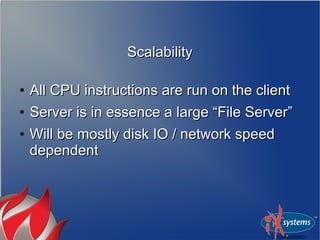
ScalabilityScalability
●
All CPU instructions are run on the clientAll CPU instructions are run on the client
●
Server is in essence a large “File Server”Server is in essence a large “File Server”
●
Will be mostly disk IO / network speedWill be mostly disk IO / network speed
dependentdependent
ScalabilityScalability
●
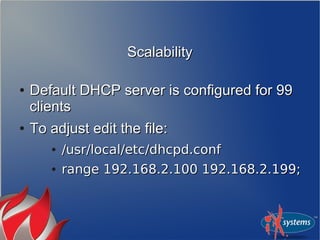
Default DHCP server is configured for 99Default DHCP server is configured for 99
clientsclients
●
To adjust edit the file:To adjust edit the file:
●
/usr/local/etc/dhcpd.conf/usr/local/etc/dhcpd.conf
●
range 192.168.2.100 192.168.2.199;range 192.168.2.100 192.168.2.199;
Tips and TricksTips and Tricks
●
To greatly speed up installations, use ZFSTo greatly speed up installations, use ZFS
mirrored drives, SSD, or even TMPFSmirrored drives, SSD, or even TMPFS
Tips and TricksTips and Tricks
●
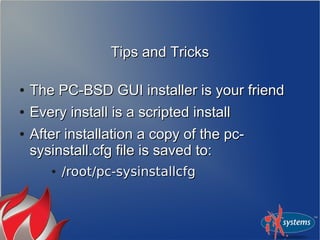
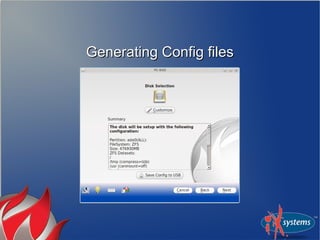
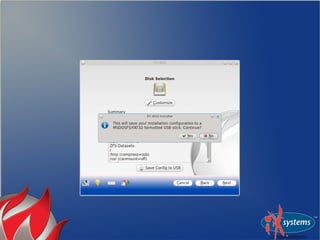
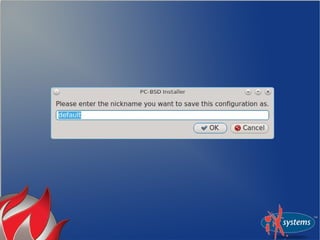
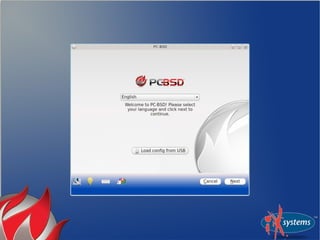
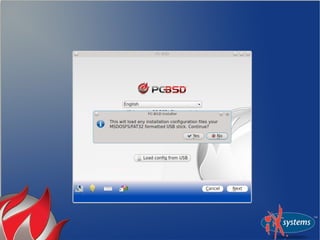
The PC-BSD GUI installer is your friendThe PC-BSD GUI installer is your friend
●
Every install is a scripted installEvery install is a scripted install
●
After installation a copy of the pc-After installation a copy of the pc-
sysinstall.cfg file is saved to:sysinstall.cfg file is saved to:
●
/root/pc-sysinstallcfg/root/pc-sysinstallcfg
Generating Config filesGenerating Config files
What's next?What's next?
●
Improvements to pc-sysinstallImprovements to pc-sysinstall
●
Faster setup of initial thin-clientFaster setup of initial thin-client
environmentenvironment
Questions? Comments?Questions? Comments?
wiki.pcbsd.orgwiki.pcbsd.org
lists.pcbsd.orglists.pcbsd.org
forums.pcbsd.orgforums.pcbsd.org
Thank you!Thank you!
www.slideshare.net/krispcbsd/texas2013www.slideshare.net/krispcbsd/texas2013

Texas 2013

  • 1.
    Automating the deploymentof FreeBSD & PC-BSD® systemsAutomating the deployment of FreeBSD & PC-BSD® systems Texas Linux Fest 2013Texas Linux Fest 2013 Kris MooreKris Moore PC-BSD / iXsystemsPC-BSD / iXsystems kris@pcbsd.orgkris@pcbsd.org
  • 2.
    The problem:The problem: Youwant to (quickly) deploy multipleYou want to (quickly) deploy multiple FreeBSD or PC-BSD systems.FreeBSD or PC-BSD systems. You like what you hear about this wholeYou like what you hear about this whole “ZFS” thing“ZFS” thing
  • 3.
    There are currentlytwo ways to accomplishThere are currently two ways to accomplish this:this:
  • 4.
    Solution #1Solution #1 ● Writeyour own installation scriptsWrite your own installation scripts ● Configure network booting by handConfigure network booting by hand ● Maintain as necessaryMaintain as necessary
  • 5.
    When to considerSolution #1:When to consider Solution #1: ● You have a very unique installationYou have a very unique installation ● You are a FreeBSD God – Congrats!You are a FreeBSD God – Congrats!
  • 6.
    When to notconsider Solution #1:When to not consider Solution #1: ● Manual disk partitioning isn't your thingManual disk partitioning isn't your thing ● You work for a livingYou work for a living
  • 7.
    Solution #2Solution #2 ● UsetheUse the pc-thinclientpc-thinclient utility included withutility included with PC-BSD & TrueOSPC-BSD & TrueOS
  • 8.
    When to considerSolution #2:When to consider Solution #2: ● You don't enjoy disk partitioningYou don't enjoy disk partitioning ● You want to have a weekendYou want to have a weekend
  • 9.
    What you willneed:What you will need: ● A system with a network interface (2)?A system with a network interface (2)? ● Running PC-BSD 9.1 / TrueOS 9.1Running PC-BSD 9.1 / TrueOS 9.1 ● A few GB of disk spaceA few GB of disk space
  • 10.
    Getting StartedGetting Started ● First,checkout a FreeBSD ports treeFirst, checkout a FreeBSD ports tree On TrueOSOn TrueOS # portsnap fetch extract update# portsnap fetch extract update
  • 11.
    On PC-BSDOn PC-BSD Controlpanel → System Manager → TasksControl panel → System Manager → Tasks → Fetch Ports→ Fetch Ports
  • 12.
  • 13.
  • 14.
    Getting StartedGetting Started ● InstallserverInstall server ● Or desktop “Thin-Client” serverOr desktop “Thin-Client” server
  • 15.
  • 16.
    What is RemoteDesktop?What is Remote Desktop? ● The thin-client utility can operate bothThe thin-client utility can operate both install server or desktop serverinstall server or desktop server ● Allows diskless clients to boot via PXEAllows diskless clients to boot via PXE ● Brings up GDM login on clientBrings up GDM login on client
  • 17.
    Why would yourun Remote Desktop?Why would you run Remote Desktop? ● You have a bunch of low-end clientsYou have a bunch of low-end clients ● You want to simplify backup, security andYou want to simplify backup, security and managementmanagement
  • 18.
    Why should younot run Remote Desktop?Why should you not run Remote Desktop? ● You don't have a server with horsepowerYou don't have a server with horsepower ● You need sound support on the clientsYou need sound support on the clients
  • 19.
    Back to yourpreviously scheduledBack to your previously scheduled presentationpresentation
  • 20.
    Getting StartedGetting Started ● Willrun DHCPDWill run DHCPD ● Be careful which cable is usedBe careful which cable is used
  • 21.
  • 22.
    Getting startedGetting started ● Youmay now connect a client systemYou may now connect a client system ● To PXE boot, you may need to checkTo PXE boot, you may need to check BIOS on client firstBIOS on client first
  • 23.
  • 24.
    Customizing the installCustomizingthe install ● Of course you will want your ownOf course you will want your own installation options / archives, etcinstallation options / archives, etc ● It is possible to adjust entirely on serverIt is possible to adjust entirely on server sideside
  • 25.
    The two keydirectories:The two key directories: ● /home/thinclient/installscripts/home/thinclient/installscripts ● /home/thinclient/installarchive/home/thinclient/installarchive Client mounted as:Client mounted as: ● /installscripts/installscripts ● /installarchive/installarchive
  • 26.
    ● pc-sysinstall.example can beused as apc-sysinstall.example can be used as a template for other installationstemplate for other installations Example #1Example #1 Changing to ZFSChanging to ZFS
  • 27.
    Example disk layout:Exampledisk layout: disk0-part=UFS+SUJ 1000 /disk0-part=UFS+SUJ 1000 / disk0-part=SWAP 2000 nonedisk0-part=SWAP 2000 none disk0-part=UFS+SUJ 0 /usrdisk0-part=UFS+SUJ 0 /usr commitDiskLabelcommitDiskLabel Converted to ZFS becomes:Converted to ZFS becomes: disk0-part=ZFS 0 /,/root,/tmp,/usr,/vardisk0-part=ZFS 0 /,/root,/tmp,/usr,/var commitDiskLabelcommitDiskLabel
  • 28.
    Example #2Example #2 Changinginstallation archiveChanging installation archive
  • 29.
    Example install archive:Exampleinstall archive: installMedium=localinstallMedium=local localPath=/installarchivelocalPath=/installarchive packageType=tarpackageType=tar installFile=fbsd-release.txzinstallFile=fbsd-release.txz Changed to custom archive:Changed to custom archive: installMedium=localinstallMedium=local localPath=/installarchivelocalPath=/installarchive packageType=tarpackageType=tar installFile=fbsd-8.4-amd64.txzinstallFile=fbsd-8.4-amd64.txz
  • 30.
    Example #3Example #3 UserManagementUser Management
  • 31.
    # Root Password#Root Password rootPass=rootrootPass=root # User Setup# User Setup userName=krisuserName=kris userComment=Kris MooreuserComment=Kris Moore userPass=krisuserPass=kris userShell=/bin/cshuserShell=/bin/csh userHome=/home/krisuserHome=/home/kris userGroups=wheel,operatoruserGroups=wheel,operator commitUsercommitUser
  • 32.
    Example #4Example #4 AdvancedCommandsAdvanced Commands
  • 33.
    # Run commandinside installed system# Run command inside installed system runCommand=sh /root/initme.shrunCommand=sh /root/initme.sh # Run command outside installed system# Run command outside installed system runExtCommand=mount -t devfs devfs ${FSMNT}/devrunExtCommand=mount -t devfs devfs ${FSMNT}/dev
  • 34.
    Example #5Example #5 Packages,oh my!Packages, oh my!
  • 35.
    installPackages=apache22 mysql55-serverinstallPackages=apache22 mysql55-server Canuse short package names, or fullCan use short package names, or full versions.versions.
  • 36.
    PKGNG supportPKGNG support ● Checkspackage format before installChecks package format before install ● Will “boot-strap” PKGNG if necessaryWill “boot-strap” PKGNG if necessary
  • 37.
    Example #6Example #6 FreeBSDdist filesFreeBSD dist files
  • 38.
    # Install fromvanilla FreeBSD dist files# Install from vanilla FreeBSD dist files installMedium=localinstallMedium=local localPath=/distfiles/9.1-Release/amd64/distlocalPath=/distfiles/9.1-Release/amd64/dist packageType=distpackageType=dist distFiles=base doc games kernel lib32distFiles=base doc games kernel lib32
  • 39.
    Putting the Automatedin “Fully Automated”Putting the Automated in “Fully Automated” File: /home/thinclient/installscripts/unattended.cfgFile: /home/thinclient/installscripts/unattended.cfg ● If config exists, the client will boot andIf config exists, the client will boot and begin installation after 30 seconds.begin installation after 30 seconds. ● System will shutdown when finishedSystem will shutdown when finished ● USE WITH CAUTION!!USE WITH CAUTION!!
  • 40.
    ScalabilityScalability ● All CPU instructionsare run on the clientAll CPU instructions are run on the client ● Server is in essence a large “File Server”Server is in essence a large “File Server” ● Will be mostly disk IO / network speedWill be mostly disk IO / network speed dependentdependent
  • 41.
    ScalabilityScalability ● Default DHCP serveris configured for 99Default DHCP server is configured for 99 clientsclients ● To adjust edit the file:To adjust edit the file: ● /usr/local/etc/dhcpd.conf/usr/local/etc/dhcpd.conf ● range 192.168.2.100 192.168.2.199;range 192.168.2.100 192.168.2.199;
  • 42.
    Tips and TricksTipsand Tricks ● To greatly speed up installations, use ZFSTo greatly speed up installations, use ZFS mirrored drives, SSD, or even TMPFSmirrored drives, SSD, or even TMPFS
  • 43.
    Tips and TricksTipsand Tricks ● The PC-BSD GUI installer is your friendThe PC-BSD GUI installer is your friend ● Every install is a scripted installEvery install is a scripted install ● After installation a copy of the pc-After installation a copy of the pc- sysinstall.cfg file is saved to:sysinstall.cfg file is saved to: ● /root/pc-sysinstallcfg/root/pc-sysinstallcfg
  • 44.
  • 49.
    What's next?What's next? ● Improvementsto pc-sysinstallImprovements to pc-sysinstall ● Faster setup of initial thin-clientFaster setup of initial thin-client environmentenvironment
  • 50.
  • 51.