About Security Innovation
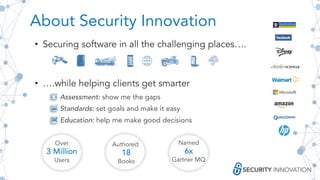
• Securing software in all the challenging places….
• ….while helping clients get smarter
Assessment: show me the gaps
Standards: set goals and make it easy
Education: help me make good decisions
Over
3 Million
Users
Authored
18
Books
Named
6x
Gartner MQ
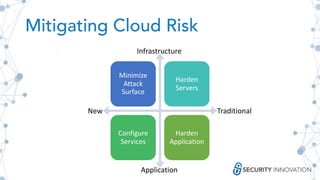
Mitigating Cloud Risk
Minimize
Attack
Surface
Harden
Servers
Configure
Services
Harden
Application
New Traditional
Application
Infrastructure
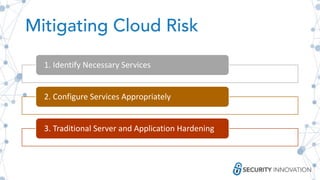
Mitigating Cloud Risk
1. Identify Necessary Services
2. Configure Services Appropriately
3. Traditional Server and Application Hardening
Identify Necessary
Services
Minimize Attack Surface
ID Necessary Services
• Only enable what is necessary
• Use what is necessary in its intended way and configuration
• Configure existing services properly
• Understand security configurations
Only enable what is necessary
• Can be attractive to enable services pre-emptively
• Only enable services that you need to use or that you
understand
• There’s no need to go “all in” on the cloud
• Migrate from traditional infrastructure piecemeal
• Plan your migration carefully and securely
• SI can help plan your migration to the cloud
Use in the way it was intended
• It might be easy to migrate whole servers to EC2
• RDS, S3, SES, etc. can be more cost effective, faster and
more resilient
• Using services as intended can also give you better
configuration, authentication management, and visibility
Configure existing services properly
Azure Resource Manager
• Define & Codify Standards
• Implement them as Infrastructure as Code (IaC)
• Improves repeatability, reliability, enables scalability
• Reduces mistakes
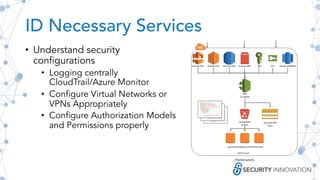
ID Necessary Services
• Understand security
configurations
• Logging centrally
CloudTrail/Azure Monitor
• Configure Virtual Networks or
VPNs Appropriately
• Configure Authorization Models
and Permissions properly
(TechCrunch)
Minimize Attack
Surface
• Turn off unnecessary services
• Ensure services don’t restart
automatically due to a script or
config
• Double check firewalls or security
groups
Turn off unnecessary services
• AWS has more than 100 services,
you don’t need to try them all
• If you try a new service out be sure
to disable it if it’s not necessary
• Some services have different
configurations
• S3 vs S3 Infrequent Access
• Some services are only to be used
infrequently
• DB Migration Services
• Application Migration Services
• Turn them off when finished
Limit Access to Services
• Provide service access through an internal tool
• Only give access to services that have been reviewed
• Only give access to configurations known to be good
• Scan out of compliant services and configurations and
disable them before they can be used
• Public S3 bucket, disable before data can be uploaded
• Notify user of their mistake with a solution
Configure Services
Appropriately
Perform Assessments Frequently
Double Check Firewalls and Security
Groups
• Same as internet connected traditional
infrastructure
• Minimize open ports (80, 443, 3306)
• Consider disabling direct access
• Require an additional hop for critical
infrastructure
• Do both!
• Security Groups and Azure Firewall rules are
great Infra Level protection
• Manage your own server level firewalls for a
belt and suspenders approach
Authentication
• AWS/Azure/GCP tie AuthN/AuthZ
together
• It’s good to keep them separate in
your mind, threats are different
• AuthN is identity, AuthZ is access
• Authentication to your Cloud Provider is critical
• Imagine what somebody could do if they had direct access to
your infrastructure from anywhere in the world
• MFA/2FA is well supported on all platforms
• Don’t discout SIM cloning attacks for critical infrastructure
Authorization
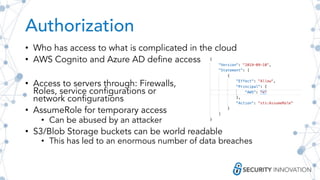
• Who has access to what is complicated in the cloud
• AWS Cognito and Azure AD define access
• Access to servers through: Firewalls,
Roles, service configurations or
network configurations
• AssumeRole for temporary access
• Can be abused by an attacker
• S3/Blob Storage buckets can be world readable
• This has led to an enormous number of data breaches
Real World Misconfiguration
The Upguard RNC Breach
• Accidentally exposed 200 million registered voters due to an
open S3 bucket
• Lesson learned:
• Need to understand the underpinnings of the cloud infrastructure
• Had Upguard configured their AWS S3 bucket to not allow
download or access privileges, this could have been avoided
• Why attack simulations and red teaming are necessary
• Would have likely found the dra-dw amazon subdomain, realized it
was an attack vector, and secured it
Misconfigurations, both obvious and obscure, happen frequently
with cloud operations; thus, regular expert scrutiny is necessary
Encryption
• Can be offloaded to cloud services
• Configuration and use can be
challenging
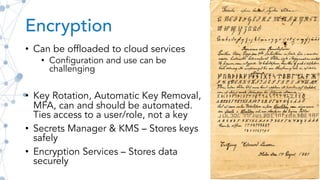
• Key Rotation, Automatic Key Removal,
MFA, can and should be automated.
Ties access to a user/role, not a key
• Secrets Manager & KMS – Stores keys
safely
• Encryption Services – Stores data
securely
Scaling a two sided sword
• Scaling is one of the great benefits of the cloud
• Allows you to meet demand as necessary
• But you pay for it
• Attackers can see both sides
• DDoS Attack without scaling leads to a true DoS
• DDoS Attack with scaling may rack up costs
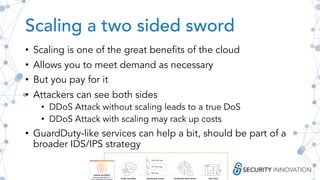
• GuardDuty-like services can help a bit, should be part of a
broader IDS/IPS strategy
Perform Regular Assessments
• Mistakes happen, automate as much as possible
• The security landscape changes
• Keep up with best practices as they change
• Perform frequent scans with automation
• Perform in depth manual security assessments
• SI can help perform cloud configuration reviews
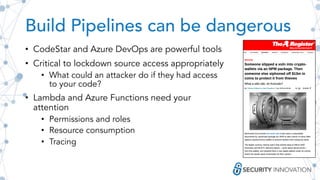
Build Pipelines can be dangerous
• CodeStar and Azure DevOps are powerful tools
• Critical to lockdown source access appropriately
• What could an attacker do if they had access
to your code?
• Lambda and Azure Functions need your
attention
• Permissions and roles
• Resource consumption
• Tracing
Traditional Server and
Application Hardening
Standard Server Hardening
• Cloud Providers have enabled a lot of services
that can help you with this
• Virtual Servers in the Cloud, though, don’t take
advantage
• Logging & Monitoring & Alerting
• Patching & Docker Build Pipelines may inherit
backdoors
• Configuration Management
• Backup & Restore
• Disaster Recovery
Application Hardening
• Most vulnerabilities are still at the application level
• Won’t protecting you from a SQLi based data breach
• Make sure you get regular assessments on your application
• Follow security best practices for development, testing,
deployment
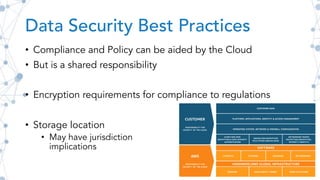
Data Security Best Practices
• Compliance and Policy can be aided by the Cloud
• But is a shared responsibility
• Encryption requirements for compliance to regulations
• Storage location
• May have jurisdiction
implications
Cloud Supported Application
Hardening
• Web Application Firewall (WAF) –
• Cloud providers can help scan for malicious behavior
• Can be a powerful first line of defense
• Absolutely not sufficient
• TLS Configuration and Rotation
• Cloud Providers can take the guesswork
out of TLS
• Automate it with Let’s Encrypt for free!
Thank you! Any questions?
• Identify Necessary Services &
Minimize Attack Surface
• Only Enable what is necessary
• Configure each service properly
• Understand and deploy central logging
and monitoring
• Use IaC to minimize mistakes and improve
repeatability
• Configure Services Appropriately
• Deploy firewall and security group services
• Understand AuthN/AuthZ best practices
• Take care with assume role
• Enable 2FA
• Disable world readable S3 buckets
• Leverage Cloud encryption Services
• Take care with scaling
• Perform regular security assessments
• Traditional Server and Application
Hardening
• Follow standard server hardening best
practices
• Don’t forget Application security best
practices
• Compliance and Regulation are your
responsibility
• Deploy a WAF and TLS
Joe Basirico
SVP of Engineering
jbasirico@securityinnovation.com

Slashing Your Cloud Risk: 3 Must-Do's

  • 2.
    About Security Innovation •Securing software in all the challenging places…. • ….while helping clients get smarter Assessment: show me the gaps Standards: set goals and make it easy Education: help me make good decisions Over 3 Million Users Authored 18 Books Named 6x Gartner MQ
  • 3.
  • 4.
    Mitigating Cloud Risk 1.Identify Necessary Services 2. Configure Services Appropriately 3. Traditional Server and Application Hardening
  • 5.
  • 6.
    ID Necessary Services •Only enable what is necessary • Use what is necessary in its intended way and configuration • Configure existing services properly • Understand security configurations
  • 7.
    Only enable whatis necessary • Can be attractive to enable services pre-emptively • Only enable services that you need to use or that you understand • There’s no need to go “all in” on the cloud • Migrate from traditional infrastructure piecemeal • Plan your migration carefully and securely • SI can help plan your migration to the cloud
  • 8.
    Use in theway it was intended • It might be easy to migrate whole servers to EC2 • RDS, S3, SES, etc. can be more cost effective, faster and more resilient • Using services as intended can also give you better configuration, authentication management, and visibility
  • 9.
    Configure existing servicesproperly Azure Resource Manager • Define & Codify Standards • Implement them as Infrastructure as Code (IaC) • Improves repeatability, reliability, enables scalability • Reduces mistakes
  • 10.
    ID Necessary Services •Understand security configurations • Logging centrally CloudTrail/Azure Monitor • Configure Virtual Networks or VPNs Appropriately • Configure Authorization Models and Permissions properly (TechCrunch)
  • 11.
    Minimize Attack Surface • Turnoff unnecessary services • Ensure services don’t restart automatically due to a script or config • Double check firewalls or security groups
  • 12.
    Turn off unnecessaryservices • AWS has more than 100 services, you don’t need to try them all • If you try a new service out be sure to disable it if it’s not necessary • Some services have different configurations • S3 vs S3 Infrequent Access • Some services are only to be used infrequently • DB Migration Services • Application Migration Services • Turn them off when finished
  • 13.
    Limit Access toServices • Provide service access through an internal tool • Only give access to services that have been reviewed • Only give access to configurations known to be good • Scan out of compliant services and configurations and disable them before they can be used • Public S3 bucket, disable before data can be uploaded • Notify user of their mistake with a solution
  • 14.
  • 15.
    Double Check Firewallsand Security Groups • Same as internet connected traditional infrastructure • Minimize open ports (80, 443, 3306) • Consider disabling direct access • Require an additional hop for critical infrastructure • Do both! • Security Groups and Azure Firewall rules are great Infra Level protection • Manage your own server level firewalls for a belt and suspenders approach
  • 16.
    Authentication • AWS/Azure/GCP tieAuthN/AuthZ together • It’s good to keep them separate in your mind, threats are different • AuthN is identity, AuthZ is access • Authentication to your Cloud Provider is critical • Imagine what somebody could do if they had direct access to your infrastructure from anywhere in the world • MFA/2FA is well supported on all platforms • Don’t discout SIM cloning attacks for critical infrastructure
  • 17.
    Authorization • Who hasaccess to what is complicated in the cloud • AWS Cognito and Azure AD define access • Access to servers through: Firewalls, Roles, service configurations or network configurations • AssumeRole for temporary access • Can be abused by an attacker • S3/Blob Storage buckets can be world readable • This has led to an enormous number of data breaches
  • 18.
    Real World Misconfiguration TheUpguard RNC Breach • Accidentally exposed 200 million registered voters due to an open S3 bucket • Lesson learned: • Need to understand the underpinnings of the cloud infrastructure • Had Upguard configured their AWS S3 bucket to not allow download or access privileges, this could have been avoided • Why attack simulations and red teaming are necessary • Would have likely found the dra-dw amazon subdomain, realized it was an attack vector, and secured it Misconfigurations, both obvious and obscure, happen frequently with cloud operations; thus, regular expert scrutiny is necessary
  • 19.
    Encryption • Can beoffloaded to cloud services • Configuration and use can be challenging • Key Rotation, Automatic Key Removal, MFA, can and should be automated. Ties access to a user/role, not a key • Secrets Manager & KMS – Stores keys safely • Encryption Services – Stores data securely
  • 20.
    Scaling a twosided sword • Scaling is one of the great benefits of the cloud • Allows you to meet demand as necessary • But you pay for it • Attackers can see both sides • DDoS Attack without scaling leads to a true DoS • DDoS Attack with scaling may rack up costs • GuardDuty-like services can help a bit, should be part of a broader IDS/IPS strategy
  • 21.
    Perform Regular Assessments •Mistakes happen, automate as much as possible • The security landscape changes • Keep up with best practices as they change • Perform frequent scans with automation • Perform in depth manual security assessments • SI can help perform cloud configuration reviews
  • 22.
    Build Pipelines canbe dangerous • CodeStar and Azure DevOps are powerful tools • Critical to lockdown source access appropriately • What could an attacker do if they had access to your code? • Lambda and Azure Functions need your attention • Permissions and roles • Resource consumption • Tracing
  • 23.
  • 24.
    Standard Server Hardening •Cloud Providers have enabled a lot of services that can help you with this • Virtual Servers in the Cloud, though, don’t take advantage • Logging & Monitoring & Alerting • Patching & Docker Build Pipelines may inherit backdoors • Configuration Management • Backup & Restore • Disaster Recovery
  • 25.
    Application Hardening • Mostvulnerabilities are still at the application level • Won’t protecting you from a SQLi based data breach • Make sure you get regular assessments on your application • Follow security best practices for development, testing, deployment
  • 26.
    Data Security BestPractices • Compliance and Policy can be aided by the Cloud • But is a shared responsibility • Encryption requirements for compliance to regulations • Storage location • May have jurisdiction implications
  • 27.
    Cloud Supported Application Hardening •Web Application Firewall (WAF) – • Cloud providers can help scan for malicious behavior • Can be a powerful first line of defense • Absolutely not sufficient • TLS Configuration and Rotation • Cloud Providers can take the guesswork out of TLS • Automate it with Let’s Encrypt for free!
  • 28.
    Thank you! Anyquestions? • Identify Necessary Services & Minimize Attack Surface • Only Enable what is necessary • Configure each service properly • Understand and deploy central logging and monitoring • Use IaC to minimize mistakes and improve repeatability • Configure Services Appropriately • Deploy firewall and security group services • Understand AuthN/AuthZ best practices • Take care with assume role • Enable 2FA • Disable world readable S3 buckets • Leverage Cloud encryption Services • Take care with scaling • Perform regular security assessments • Traditional Server and Application Hardening • Follow standard server hardening best practices • Don’t forget Application security best practices • Compliance and Regulation are your responsibility • Deploy a WAF and TLS Joe Basirico SVP of Engineering jbasirico@securityinnovation.com