Simulation


        A.Kathirvel, AP/CSE,
B.S. Abdur Rahman University, Chennai
Outline

    Introduction to Simulation

    Discrete Event Simulation

    Simulator
    −   NS - 2
    −   GloMoSim
    −   QualNet 5.0

    Conclusion
Introduction to Simulation

    What is simulation?

     A simulation is the imitation of the operation of
    a real-world process or system over time.
Introduction to Simulation

    System and System Environment

    To model a system, it is necessary to understand the
    concept of a system and the system boundary.

    A system is defined as a group of objects that are joined
    together in some regular interaction or interdependence
    toward the accomplishment of some purpose.

    A system is often affected by changes occurring outside the
    system. Such changes are said to occur in the system
    environment.

    In modeling a system, it is necessary to decide on the
    boundary between the system and its environment.
Introduction to Simulation

    Components of a System

     An entity is an object of interest in the system.

     An attribute is a property of an entity.

     An activity represents a time period of specified length.

     The state of a system is defined to be that collection of
    variables necessary to describe the system at any time.

     An event is defined as an instantaneous occurrence that
    may change the state of the system.

    Discrete System

     A discrete system is one in which the state variables
    change only at a discrete set of points in time.
Introduction to Simulation

    Model of a System

     A model is a representation of a system for the
    purpose of studying the system.

     For most studies, it is enough to consider only those
    aspects of the system that affects the problem under
    investigation.

     Therefore, in most cases, a model is a simplification
    of the system.

     On the other hand, the model should be sufficiently
    detailed to permit valid conclusions to be drawn about
    the real system.
Introduction to Simulation

    Types of Models

    Static/Dynamic

    A static simulation model, sometimes called a Monte Carlo
    simulation, represent a system at a particular point in time.

    A dynamic simulation model represents a system as it changes
    over time.

    Deterministic/Stochastic

    Simulation models that contain no random variables are
    classified as deterministic

    Deterministic models have a known set of inputs that will result
    in a unique set of outputs.

    On the other hand, a stochastic simulation model has one or
    more random variables as inputs. (e.g., random backoff timers)
Introduction to Simulation

    Discrete/Continuous

    Like the definitions for discrete and continuous systems,
    discrete and continuous models are defined similarly.

    However, a discrete simulation model is not always used to
    model a discrete system, nor is a continuous model always
    used to model a continuous system.

    Discrete-Event System Simulation

    Discrete-event system simulation is widely used and is the
    focus of this course.

    Discrete-event system simulation is the modeling of the
    systems in which the state variables change only at a discrete
    set of points in time.
Discrete Event Simulation

    Strategies of discrete event simulation

     Activity-oriented simulation

     Event-oriented simulation

     Process-oriented simulation
Discrete Event Simulation

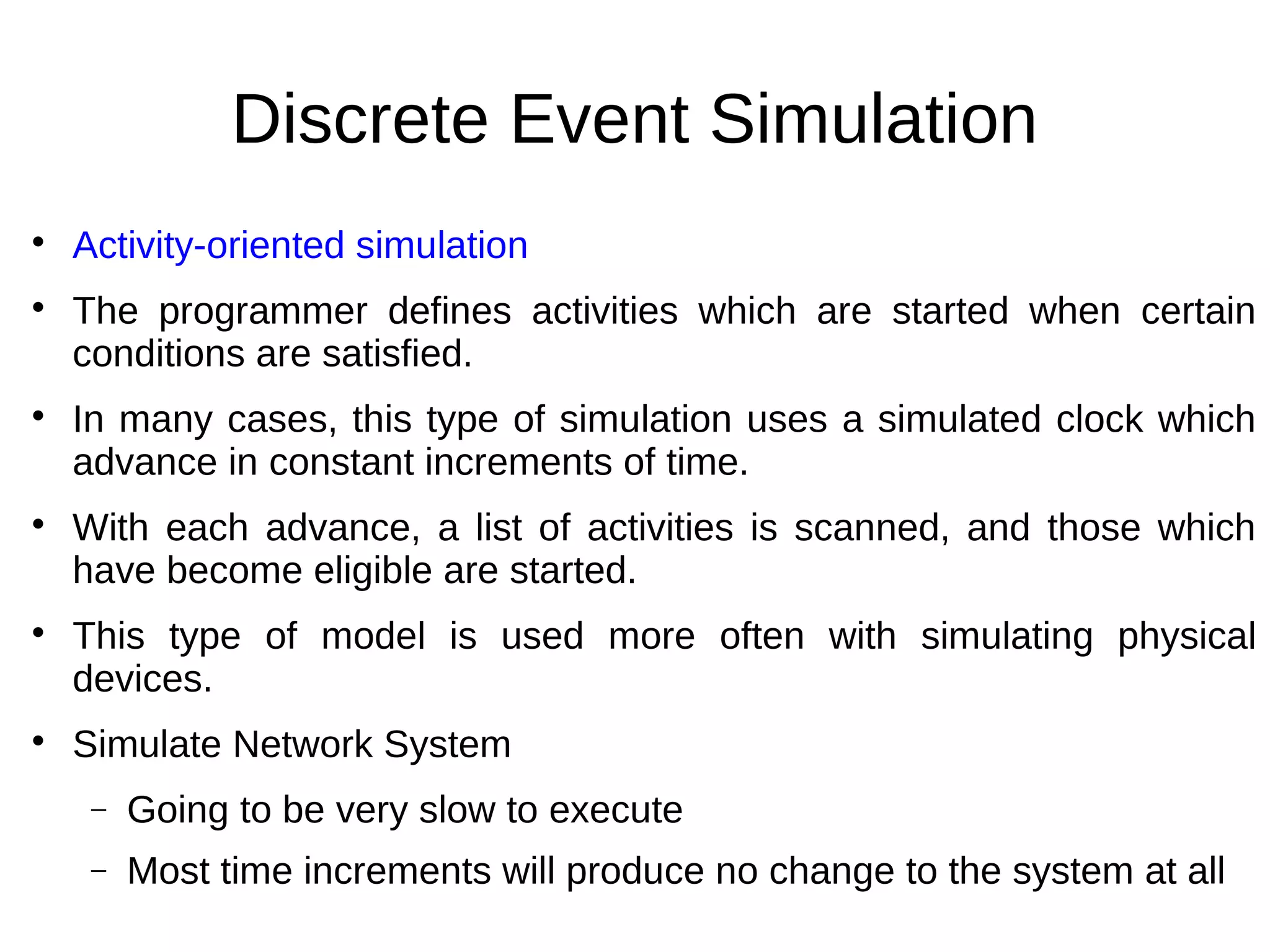
    Activity-oriented simulation

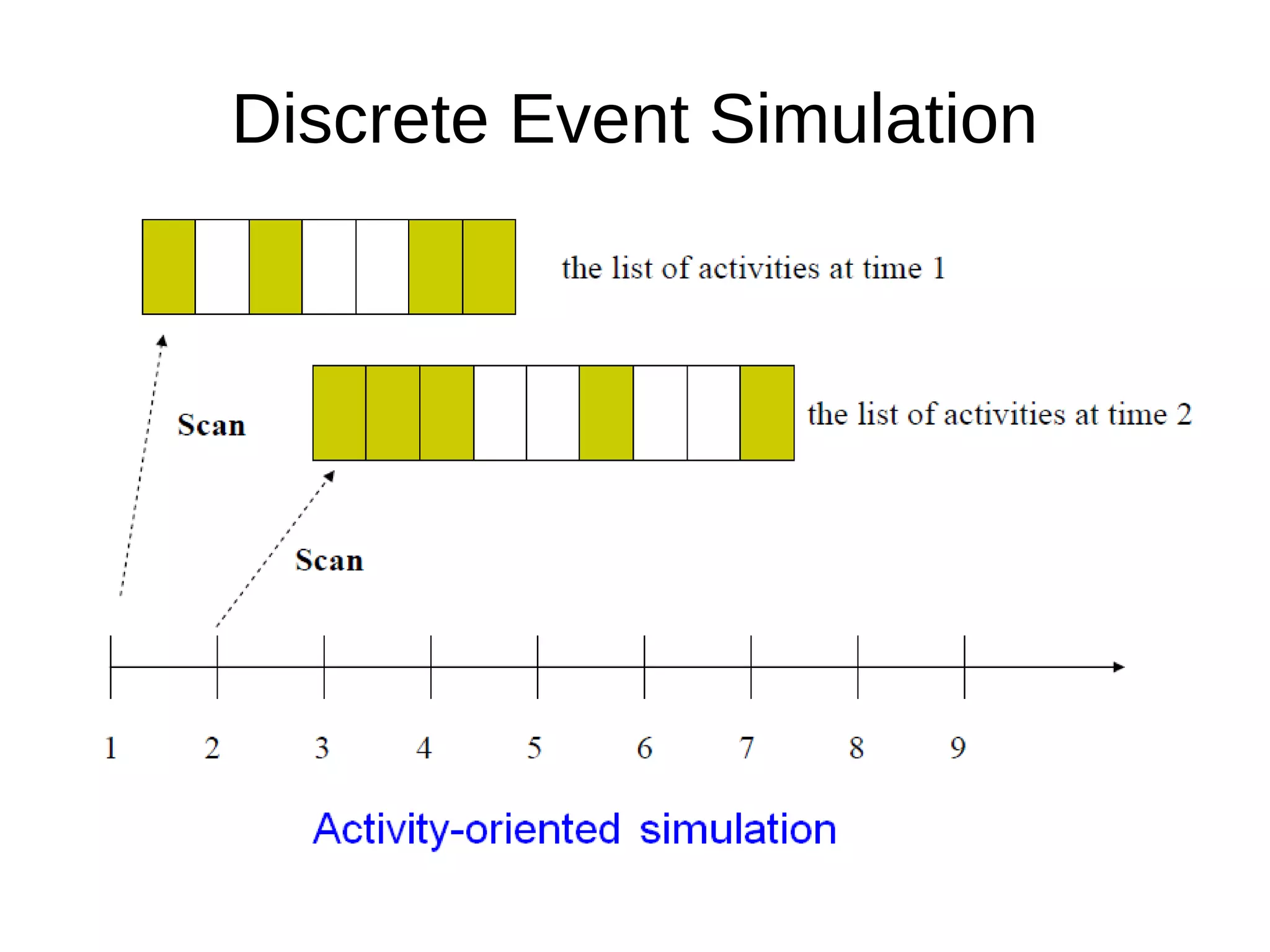
    The programmer defines activities which are started when certain
    conditions are satisfied.

    In many cases, this type of simulation uses a simulated clock which
    advance in constant increments of time.

    With each advance, a list of activities is scanned, and those which
    have become eligible are started.

    This type of model is used more often with simulating physical
    devices.

    Simulate Network System
     −   Going to be very slow to execute
     −   Most time increments will produce no change to the system at all
Discrete Event Simulation
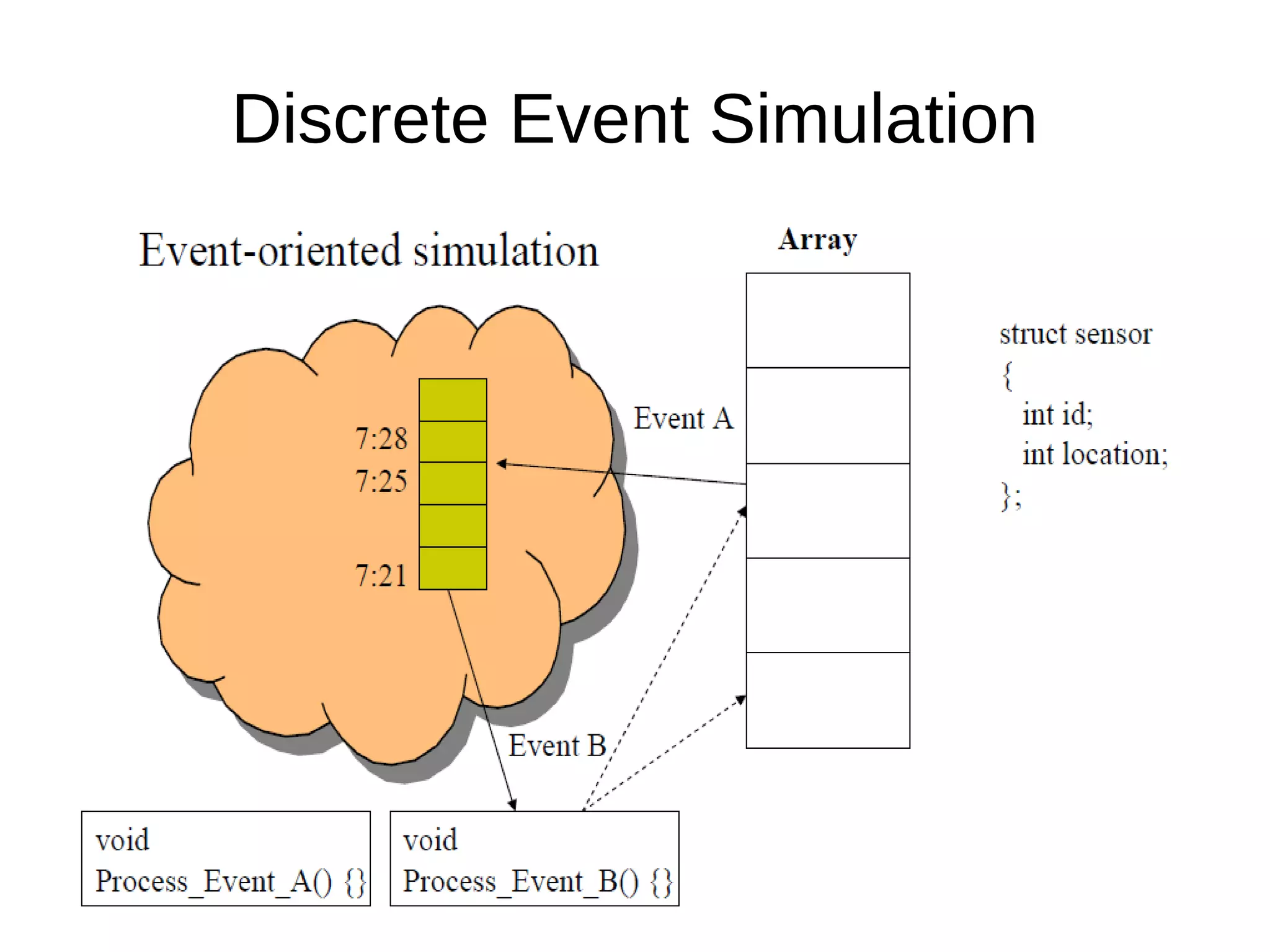
   Event-oriented simulation
   The simulation programmer defines events and
    then writes routines which are invoked as each
    kind of event occurs
   Simulated time may pass between the events
   Usually, a priority queue will be used
Discrete Event Simulation
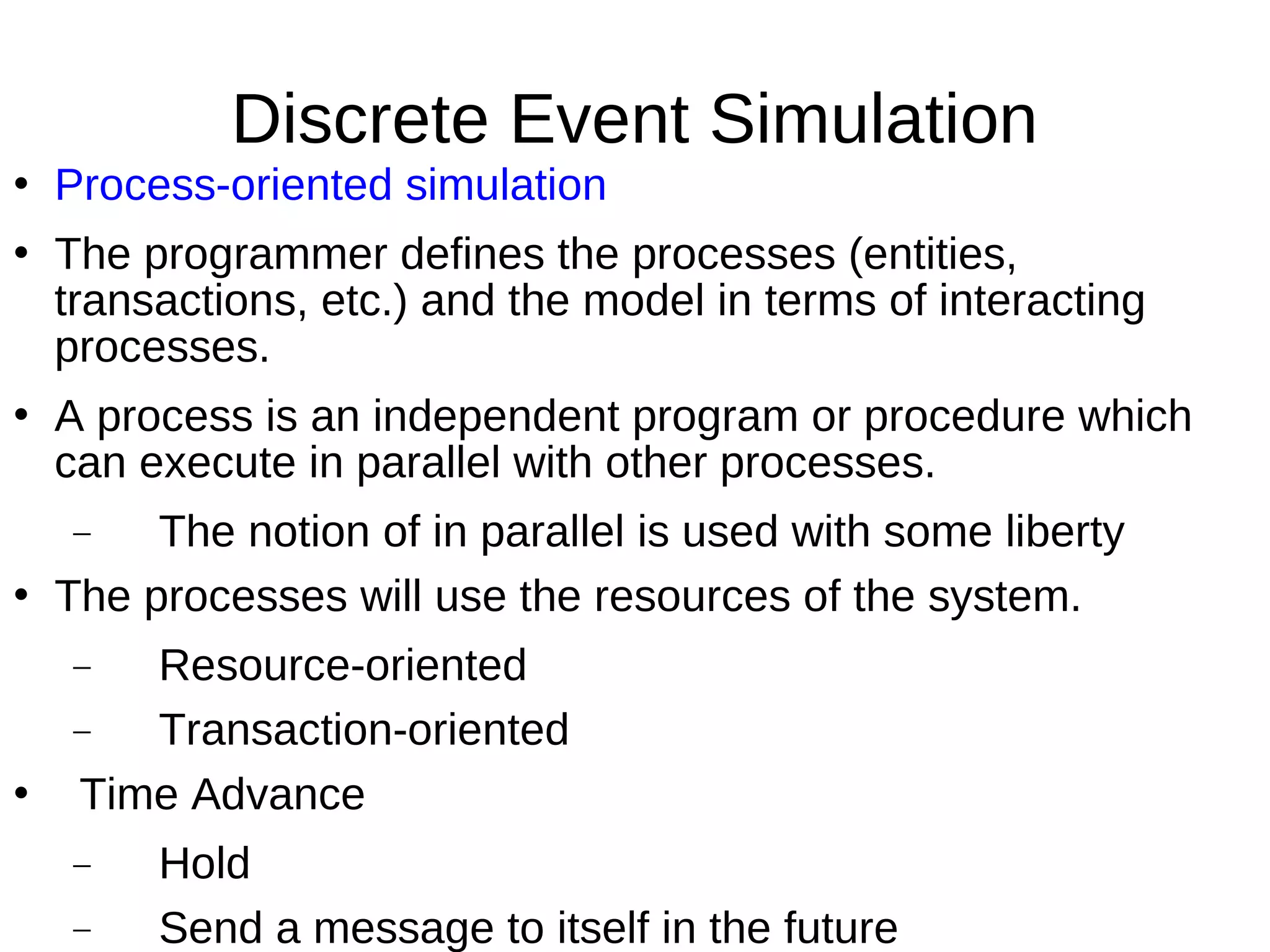
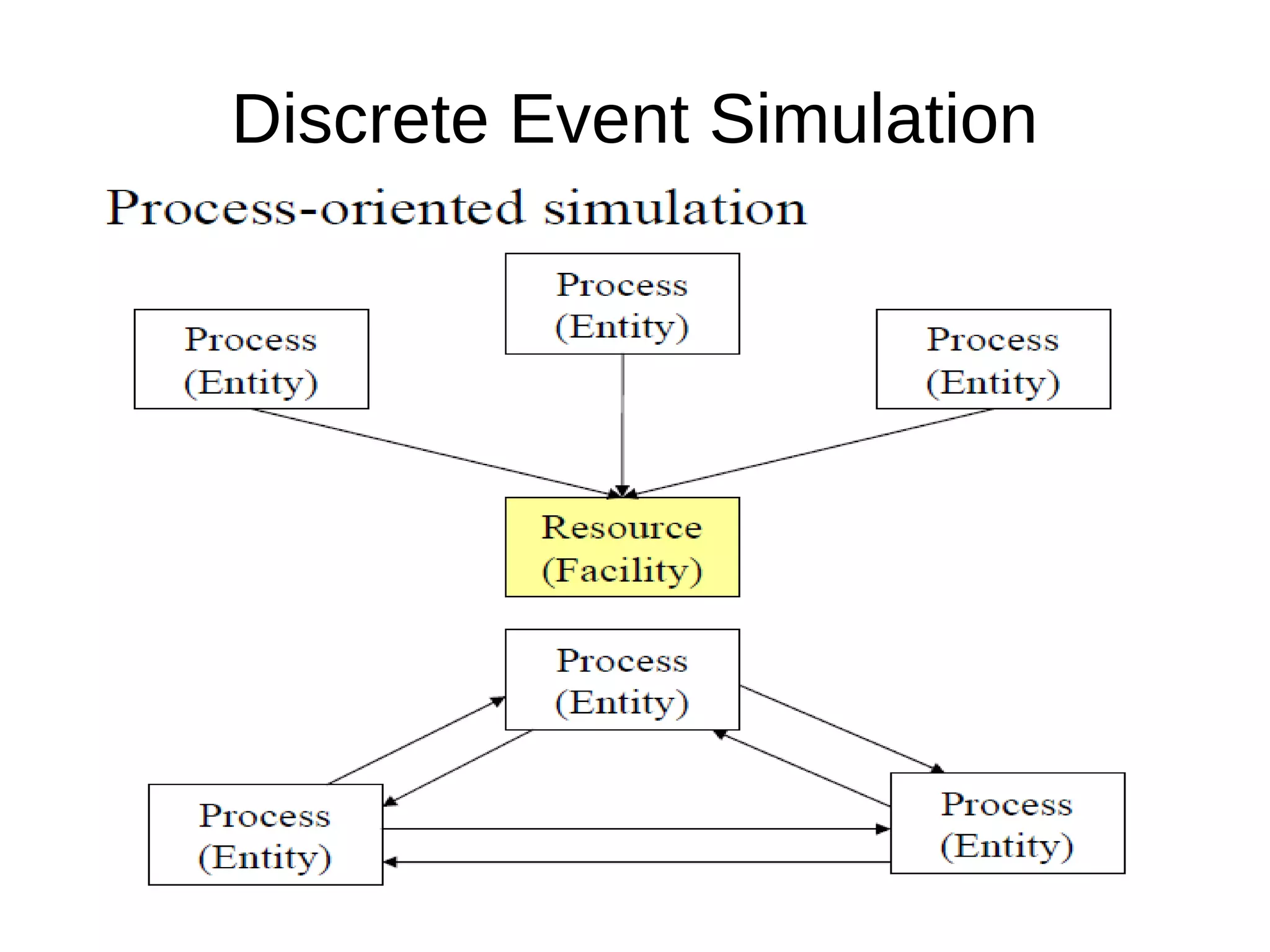
   Process-oriented simulation
   The programmer defines the processes (entities,
    transactions, etc.) and the model in terms of interacting
    processes.
   A process is an independent program or procedure which
    can execute in parallel with other processes.
    −    The notion of in parallel is used with some liberty
   The processes will use the resources of the system.
    −  Resource-oriented
    −  Transaction-oriented
   Time Advance
    −    Hold
    −    Send a message to itself in the future
Discrete Event Simulation
Simulator
   UCLA Parallel Computing Laboratory http://pcl.cs.ucla.edu/
   GloMoSim (Global Mobile system Simulator) is a library-
    based simulator for wireless networks.
   It is designed as a set of library modules, each of which
    simulates a specific wireless communication protocol in the
    protocol stack.
   The communication protocol stack for wireless networks is
    divided into a set of layers, each with its own API.
   The library has been developed using PARSEC, a C-based
    parallel simulation language
   New protocols and modules can be programmed and
    added to the library using PARSEC.
Simulators
   An object-oriented, discrete event network simulator
    developed at UC Berkely ( NS-2)
   Mainly used for simulating local and wide area
    networks
   It is written in C++ and OTcl (Object-oriented Tcl) and
    primarily uses OTcl as command and configuration
    language.
     OTcl: Network Topology
     C++: Network Component
Simulators
   Rapid prototyping of protocols
   Comparative performance evaluation of alternative
    protocols at each layer
   Built-in measurements on each layer
   Modular, layered stack design
   Standard API for composition of protocols across
   different layers
   Scalability via support for parallel execution
   GUI Tools for system/protocol modeling
Questions

   ?

Simulator

  • 1.
    Simulation A.Kathirvel, AP/CSE, B.S. Abdur Rahman University, Chennai
  • 2.
    Outline  Introduction to Simulation  Discrete Event Simulation  Simulator − NS - 2 − GloMoSim − QualNet 5.0  Conclusion
  • 3.
    Introduction to Simulation  What is simulation?  A simulation is the imitation of the operation of a real-world process or system over time.
  • 4.
    Introduction to Simulation  System and System Environment  To model a system, it is necessary to understand the concept of a system and the system boundary.  A system is defined as a group of objects that are joined together in some regular interaction or interdependence toward the accomplishment of some purpose.  A system is often affected by changes occurring outside the system. Such changes are said to occur in the system environment.  In modeling a system, it is necessary to decide on the boundary between the system and its environment.
  • 5.
    Introduction to Simulation  Components of a System  An entity is an object of interest in the system.  An attribute is a property of an entity.  An activity represents a time period of specified length.  The state of a system is defined to be that collection of variables necessary to describe the system at any time.  An event is defined as an instantaneous occurrence that may change the state of the system.  Discrete System  A discrete system is one in which the state variables change only at a discrete set of points in time.
  • 6.
    Introduction to Simulation  Model of a System  A model is a representation of a system for the purpose of studying the system.  For most studies, it is enough to consider only those aspects of the system that affects the problem under investigation.  Therefore, in most cases, a model is a simplification of the system.  On the other hand, the model should be sufficiently detailed to permit valid conclusions to be drawn about the real system.
  • 7.
    Introduction to Simulation  Types of Models  Static/Dynamic  A static simulation model, sometimes called a Monte Carlo simulation, represent a system at a particular point in time.  A dynamic simulation model represents a system as it changes over time.  Deterministic/Stochastic  Simulation models that contain no random variables are classified as deterministic  Deterministic models have a known set of inputs that will result in a unique set of outputs.  On the other hand, a stochastic simulation model has one or more random variables as inputs. (e.g., random backoff timers)
  • 8.
    Introduction to Simulation  Discrete/Continuous  Like the definitions for discrete and continuous systems, discrete and continuous models are defined similarly.  However, a discrete simulation model is not always used to model a discrete system, nor is a continuous model always used to model a continuous system.  Discrete-Event System Simulation  Discrete-event system simulation is widely used and is the focus of this course.  Discrete-event system simulation is the modeling of the systems in which the state variables change only at a discrete set of points in time.
  • 9.
    Discrete Event Simulation  Strategies of discrete event simulation  Activity-oriented simulation  Event-oriented simulation  Process-oriented simulation
  • 10.
    Discrete Event Simulation  Activity-oriented simulation  The programmer defines activities which are started when certain conditions are satisfied.  In many cases, this type of simulation uses a simulated clock which advance in constant increments of time.  With each advance, a list of activities is scanned, and those which have become eligible are started.  This type of model is used more often with simulating physical devices.  Simulate Network System − Going to be very slow to execute − Most time increments will produce no change to the system at all
  • 11.
  • 12.
    Discrete Event Simulation  Event-oriented simulation  The simulation programmer defines events and then writes routines which are invoked as each kind of event occurs  Simulated time may pass between the events  Usually, a priority queue will be used
  • 13.
  • 14.
    Discrete Event Simulation  Process-oriented simulation  The programmer defines the processes (entities, transactions, etc.) and the model in terms of interacting processes.  A process is an independent program or procedure which can execute in parallel with other processes. − The notion of in parallel is used with some liberty  The processes will use the resources of the system. − Resource-oriented − Transaction-oriented  Time Advance − Hold − Send a message to itself in the future
  • 15.
  • 16.
    Simulator  UCLA Parallel Computing Laboratory http://pcl.cs.ucla.edu/  GloMoSim (Global Mobile system Simulator) is a library- based simulator for wireless networks.  It is designed as a set of library modules, each of which simulates a specific wireless communication protocol in the protocol stack.  The communication protocol stack for wireless networks is divided into a set of layers, each with its own API.  The library has been developed using PARSEC, a C-based parallel simulation language  New protocols and modules can be programmed and added to the library using PARSEC.
  • 17.
    Simulators  An object-oriented, discrete event network simulator developed at UC Berkely ( NS-2)  Mainly used for simulating local and wide area networks  It is written in C++ and OTcl (Object-oriented Tcl) and primarily uses OTcl as command and configuration language.  OTcl: Network Topology  C++: Network Component
  • 18.
    Simulators  Rapid prototyping of protocols  Comparative performance evaluation of alternative protocols at each layer  Built-in measurements on each layer  Modular, layered stack design  Standard API for composition of protocols across  different layers  Scalability via support for parallel execution  GUI Tools for system/protocol modeling
  • 19.