Invisible Technology?
Simplifying Lecture Recording
Sally Hanford
Audio Visual Media Development Officer
Information services
The University of Nottingham
sally.hanford@nottingham.ac.uk
1st
law of simplicity: Reduce
How simple can
you make it?
How complex does
it have to be?
TED talk: ‘On simplicity’
John Maeda (MIT Media Lab)
Book: “The Laws of Simplicity”
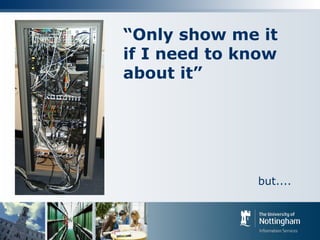
“Only show me it
if I need to know
about it”
but....
“Don’t leave me powerless”
“What designer presumes to know enough about
my experience to administer choices in what is
assumed to be my favour?”
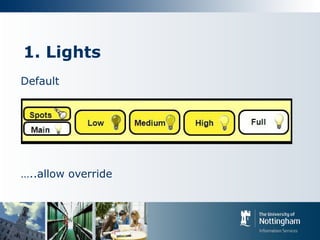
1. Lights
Default
…..allow override
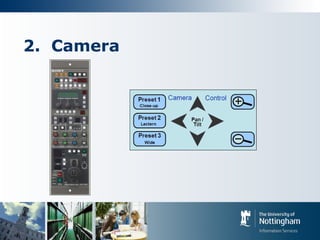
2. Camera
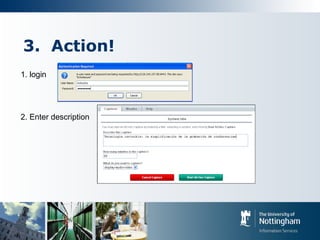
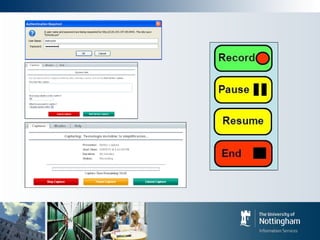
3. Action!
1. login
2. Enter description
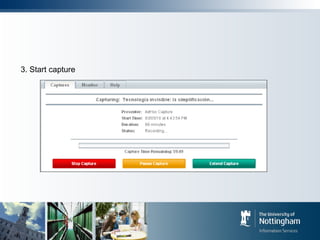
3. Start capture
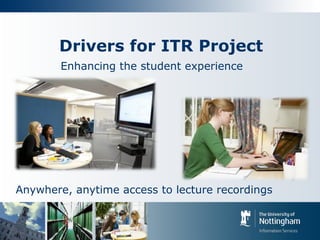
Drivers for ITR Project
Enhancing the student experience
Anywhere, anytime access to lecture recordings
Drivers for ITR Project
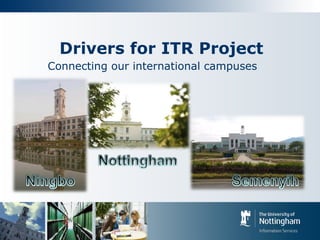
Connecting our international campuses
Drivers for ITR Project
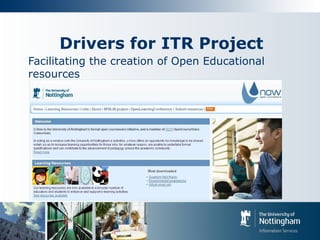
Facilitating the creation of Open Educational
resources
ITR Requirements gathering
 Focus groups
 Questionnaires
 Meetings with faculty representatives
 Consultation with:
 Academic staff,
 Teaching support staff (AV),
 Television and video production (rich media) group,
 IT staff (network and systems),
 Timetabling office
->P.O.C trials -> PILOT ongoing consultations....
Some of our requirements
 Allow lecturers to operate the system with
minimal support
 Control of the recording in the hands of the
lecturer
 Room environment automatically synchronised
 Room occupants automatically made aware
when recording.
 Minimal manual intervention required
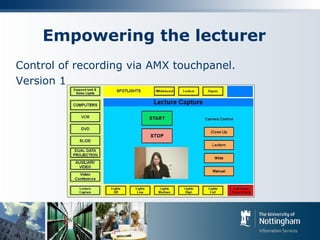
Empowering the lecturer
Control of recording via AMX touchpanel.
Version 1
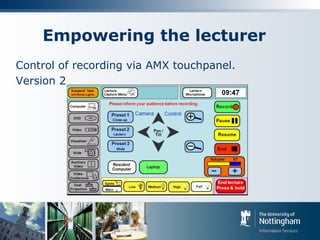
Empowering the lecturer
Control of recording via AMX touchpanel.
Version 2
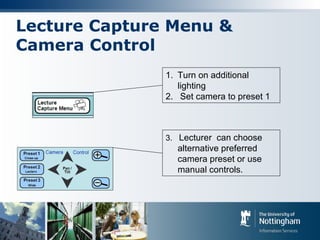
Lecture Capture Menu &
Camera Control
1. Turn on additional
lighting
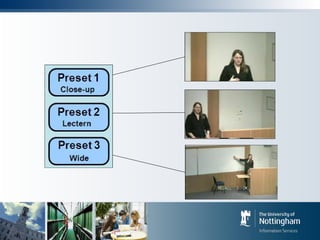
2. Set camera to preset 1
3. Lecturer can choose
alternative preferred
camera preset or use
manual controls.
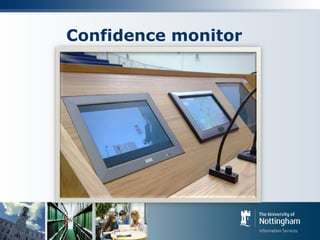
Confidence monitor
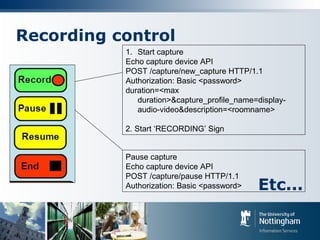
Recording control
1. Start capture
Echo capture device API
POST /capture/new_capture HTTP/1.1
Authorization: Basic <password>
duration=<max
duration>&capture_profile_name=display-
audio-video&description=<roomname>
2. Start ‘RECORDING’ Sign
Pause capture
Echo capture device API
POST /capture/pause HTTP/1.1
Authorization: Basic <password> Etc...
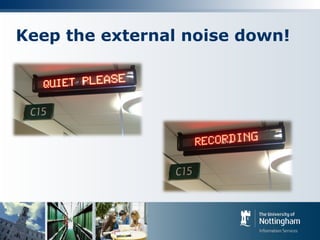
Keep the external noise down!
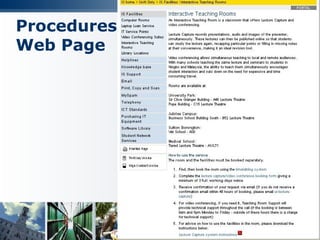
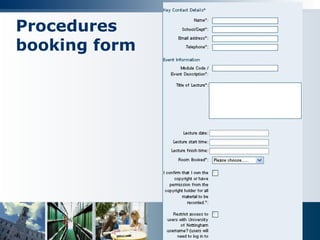
Procedures
Web Page
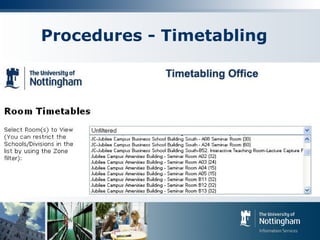
Procedures - Timetabling
Procedures
booking form
Promoting the service
Internal communications
Newsletters
E-learning community sessions
Teaching and learning newsletter
Launch events
Message from the Director of Teaching and
Learning (Video)
Word of mouth
Overwhelmingly positive response
Student Feedback
“especially good for mathematics”
“Makes the lectures feel more interactive and
retains attention when watching the video”
“When lecturers talk too fast I can replay them
slower and listen over and over again at home
to ensure I understand. Sometimes it is easy to
zone out of lectures and miss a key point. With
recordings I can check when I get home and
note down everything. “
Student Feedback
“Useful to be able to pause the lecture when you
don’t quite understand before it moves onto the
next concept.“
“I can watch it again and again for understanding
difficult bits. It's a great idea”
“Ability to build on lecture notes, help with
revision.”
Staff Feedback
“The system is nondisruptive during the delivery of the lecture both for
the lecturer and the student and gives an extremely valuable learning
resource afterwards.” - Geography
“These are going on our website – all of them are great” –
International Office
“Please record everything until the end of term. I am already a fan!“ –
Genetics
"The lecture capture video is BRILLIANT! Academic staff were all really
impressed“ - Pharmacy
“The greatest single development in teaching aids since the data
projector“ - Maths

INVISIBLE TECHNOLOGY? SIMPLIFYING LECTURE RECORDING

  • 1.
    Invisible Technology? Simplifying LectureRecording Sally Hanford Audio Visual Media Development Officer Information services The University of Nottingham sally.hanford@nottingham.ac.uk
  • 2.
    1st law of simplicity:Reduce How simple can you make it? How complex does it have to be? TED talk: ‘On simplicity’ John Maeda (MIT Media Lab) Book: “The Laws of Simplicity”
  • 3.
    “Only show meit if I need to know about it” but....
  • 4.
    “Don’t leave mepowerless” “What designer presumes to know enough about my experience to administer choices in what is assumed to be my favour?”
  • 5.
  • 6.
  • 8.
    3. Action! 1. login 2.Enter description
  • 9.
  • 11.
    Drivers for ITRProject Enhancing the student experience Anywhere, anytime access to lecture recordings
  • 12.
    Drivers for ITRProject Connecting our international campuses
  • 13.
    Drivers for ITRProject Facilitating the creation of Open Educational resources
  • 14.
    ITR Requirements gathering Focus groups  Questionnaires  Meetings with faculty representatives  Consultation with:  Academic staff,  Teaching support staff (AV),  Television and video production (rich media) group,  IT staff (network and systems),  Timetabling office ->P.O.C trials -> PILOT ongoing consultations....
  • 15.
    Some of ourrequirements  Allow lecturers to operate the system with minimal support  Control of the recording in the hands of the lecturer  Room environment automatically synchronised  Room occupants automatically made aware when recording.  Minimal manual intervention required
  • 16.
    Empowering the lecturer Controlof recording via AMX touchpanel. Version 1
  • 17.
    Empowering the lecturer Controlof recording via AMX touchpanel. Version 2
  • 18.
    Lecture Capture Menu& Camera Control 1. Turn on additional lighting 2. Set camera to preset 1 3. Lecturer can choose alternative preferred camera preset or use manual controls.
  • 19.
  • 20.
    Recording control 1. Startcapture Echo capture device API POST /capture/new_capture HTTP/1.1 Authorization: Basic <password> duration=<max duration>&capture_profile_name=display- audio-video&description=<roomname> 2. Start ‘RECORDING’ Sign Pause capture Echo capture device API POST /capture/pause HTTP/1.1 Authorization: Basic <password> Etc...
  • 21.
    Keep the externalnoise down!
  • 22.
  • 23.
  • 24.
  • 25.
    Promoting the service Internalcommunications Newsletters E-learning community sessions Teaching and learning newsletter Launch events Message from the Director of Teaching and Learning (Video) Word of mouth Overwhelmingly positive response
  • 26.
    Student Feedback “especially goodfor mathematics” “Makes the lectures feel more interactive and retains attention when watching the video” “When lecturers talk too fast I can replay them slower and listen over and over again at home to ensure I understand. Sometimes it is easy to zone out of lectures and miss a key point. With recordings I can check when I get home and note down everything. “
  • 27.
    Student Feedback “Useful tobe able to pause the lecture when you don’t quite understand before it moves onto the next concept.“ “I can watch it again and again for understanding difficult bits. It's a great idea” “Ability to build on lecture notes, help with revision.”
  • 28.
    Staff Feedback “The systemis nondisruptive during the delivery of the lecture both for the lecturer and the student and gives an extremely valuable learning resource afterwards.” - Geography “These are going on our website – all of them are great” – International Office “Please record everything until the end of term. I am already a fan!“ – Genetics "The lecture capture video is BRILLIANT! Academic staff were all really impressed“ - Pharmacy “The greatest single development in teaching aids since the data projector“ - Maths

Editor's Notes

  • #20 Confidence monitor allows lecturer to see how the recorded video will look.
  • #22 Electronic sign outside room automatically triggered when capture in progress……
  • #29 Feedback from staff has been positive.