Synchronous Communication Tools in the Classroom By Richard Turnbull January 2008
Synchronous vs. Asynchronous Synchronous Users connected at the same time Real time conversation Limited participants Text chat Voice chat Video conferencing Virtual worlds (e.g. Second Life) Asynchronous Users not on line at the same time “ Delayed” conversation Unlimited participants Discussion groups Notice boards Social Networking (e.g. Facebook, MySpace)
Synchronicity – Considerations Users must be connected to the Internet Potential bandwidth/latency issues particularly with video conferencing Most programmes require signing up with a user name and password Activities must be clear and focussed to ensure students stay “on task” Ideally used as one stage of a lesson to blend with other offline activities (e.g. as a final practice activity)
Text Chat – Background Programmes include MSN Messenger, Yahoo Messenger, ICQ, Jabber, AIM etc.  Text chat is also appearing built in to many websites (e.g. in a sales assistant role) Can be between 2 or more participants Could be seen as “written speech” – Ss need to respond immediately but have more time to check their language reducing pressure Conversations are automatically saved or can be copied to a word processor
So let’s do it...! Log in to MSN Messenger Chat with a partner and discuss: How text chat can be used in a lesson The advantages and disadvantages of using text chat in the classroom Be ready to feed back to the class with your findings!  ( Watch out – it may be your conversation that’s used as an example on the board! )
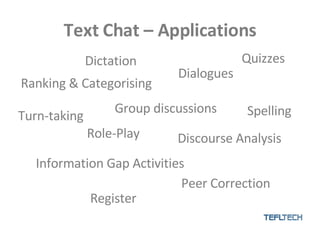
Text Chat – Applications Ranking & Categorising Discourse Analysis Register Group discussions Dictation Turn-taking Role-Play Dialogues Spelling Information Gap Activities Peer Correction Quizzes
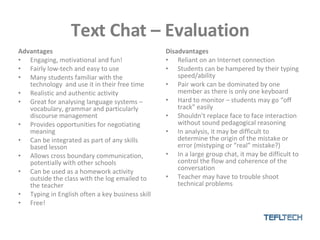
Text Chat – Evaluation Advantages Engaging, motivational and fun! Fairly low-tech and easy to use Many students familiar with the technology  and use it in their free time Realistic and authentic activity Great for analysing language systems – vocabulary, grammar and particularly discourse management Provides opportunities for negotiating meaning Can be integrated as part of any skills based lesson Allows cross boundary communication, potentially with other schools  Can be used as a homework activity outside the class with the log emailed to the teacher Typing in English often a key business skill Free! Disadvantages Reliant on an Internet connection Students can be hampered by their typing speed/ability Pair work can be dominated by one member as there is only one keyboard Hard to monitor – students may go “off track” easily Shouldn’t replace face to face interaction without sound pedagogical reasoning In analysis, it may be difficult to determine the origin of the mistake or error (mistyping or “real” mistake?) In a large group chat, it may be difficult to control the flow and coherence of the conversation Teacher may have to trouble shoot technical problems
Voice Chat – Background Programmes include Skype, Google Talk, Windows Net Meeting etc Requires headset with a microphone A lot of cross over with chat programmes Audio quality higher with Skype plus the ability to phone out to real numbers Skype can be used with 2 to 10 participants  Disables paralinguistic communication – very realistic telephone exchanges Conversations can be recorded with additional free software
So let’s do it...! Log in to Skype Chat with a partner and discuss: How voice chat can be used in a lesson The advantages and disadvantages of using text chat in the classroom Be ready to feed back to the class with your findings! ( Watch out – calls may be recorded for training or quality purposes! )
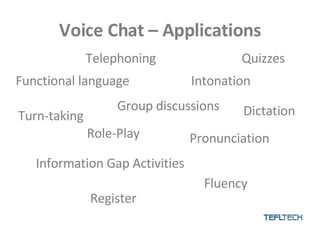
Voice Chat – Applications Functional language Pronunciation Register Group discussions Telephoning Turn-taking Role-Play Intonation Dictation Information Gap Activities Fluency Quizzes
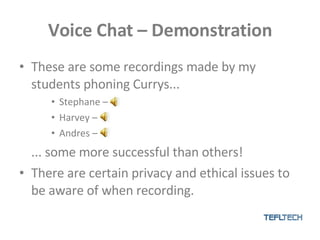
Voice Chat – Demonstration These are some recordings made by my students phoning Currys... Stephane – Harvey –  Andres – ... some more successful than others! There are certain privacy and ethical issues to be aware of when recording.
Voice Chat – Evaluation Advantages Engaging, motivational and fun! Fairly low-tech and easy to use Many students familiar with the technology  and use it in their free time Realistic and authentic activity Great for disabling paralinguistic communication to allow Ss to focus on speaking and listening skills Provides opportunities for negotiating meaning Can be integrated as part of any skills or systems  based lesson Allows cross boundary communication, potentially with other schools  Can be used as a homework activity outside the class with the recording emailed to the teacher Telephoning in English is a key business skill Free! Disadvantages Reliant on an Internet connection Computers ideally need two headphones connected to allow for pair work Hard to monitor – students may go “off track” easily Shouldn’t replace face to face interaction without sound pedagogical reasoning In a large group call, it may be difficult to control the flow and coherence of the conversation Students are often shy of speaking on the telephone, particularly native speakers – consideration must be given to the learner’s style and level Students often don’t like to be recorded or to have their voice broadcast publicly Teacher may have to trouble shoot technical problems Recordings calls can sometimes prove complex
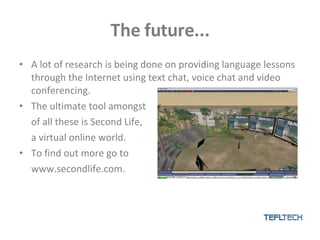
The future... A lot of research is being done on providing language lessons through the Internet using text chat, voice chat and video conferencing. The ultimate tool amongst of all these is Second Life, a virtual online world. To find out more go to www.secondlife.com.
Conclusions There are a variety of synchronous tools available for teachers to use. They can allow a variety of activities to take place to aid learners’ systems and skills. There are certain considerations that have to be remembered when planning and teaching. It is very difficult to “break” a computer – experiment to see what happens! But – as with any lesson, always have a contingency plan!
Any questions? [email_address] Www.tefltech.com

Synchronous Communication

  • 1.
    Synchronous Communication Toolsin the Classroom By Richard Turnbull January 2008
  • 2.
    Synchronous vs. AsynchronousSynchronous Users connected at the same time Real time conversation Limited participants Text chat Voice chat Video conferencing Virtual worlds (e.g. Second Life) Asynchronous Users not on line at the same time “ Delayed” conversation Unlimited participants Discussion groups Notice boards Social Networking (e.g. Facebook, MySpace)
  • 3.
    Synchronicity – ConsiderationsUsers must be connected to the Internet Potential bandwidth/latency issues particularly with video conferencing Most programmes require signing up with a user name and password Activities must be clear and focussed to ensure students stay “on task” Ideally used as one stage of a lesson to blend with other offline activities (e.g. as a final practice activity)
  • 4.
    Text Chat –Background Programmes include MSN Messenger, Yahoo Messenger, ICQ, Jabber, AIM etc. Text chat is also appearing built in to many websites (e.g. in a sales assistant role) Can be between 2 or more participants Could be seen as “written speech” – Ss need to respond immediately but have more time to check their language reducing pressure Conversations are automatically saved or can be copied to a word processor
  • 5.
    So let’s doit...! Log in to MSN Messenger Chat with a partner and discuss: How text chat can be used in a lesson The advantages and disadvantages of using text chat in the classroom Be ready to feed back to the class with your findings! ( Watch out – it may be your conversation that’s used as an example on the board! )
  • 6.
    Text Chat –Applications Ranking & Categorising Discourse Analysis Register Group discussions Dictation Turn-taking Role-Play Dialogues Spelling Information Gap Activities Peer Correction Quizzes
  • 7.
    Text Chat –Evaluation Advantages Engaging, motivational and fun! Fairly low-tech and easy to use Many students familiar with the technology and use it in their free time Realistic and authentic activity Great for analysing language systems – vocabulary, grammar and particularly discourse management Provides opportunities for negotiating meaning Can be integrated as part of any skills based lesson Allows cross boundary communication, potentially with other schools Can be used as a homework activity outside the class with the log emailed to the teacher Typing in English often a key business skill Free! Disadvantages Reliant on an Internet connection Students can be hampered by their typing speed/ability Pair work can be dominated by one member as there is only one keyboard Hard to monitor – students may go “off track” easily Shouldn’t replace face to face interaction without sound pedagogical reasoning In analysis, it may be difficult to determine the origin of the mistake or error (mistyping or “real” mistake?) In a large group chat, it may be difficult to control the flow and coherence of the conversation Teacher may have to trouble shoot technical problems
  • 8.
    Voice Chat –Background Programmes include Skype, Google Talk, Windows Net Meeting etc Requires headset with a microphone A lot of cross over with chat programmes Audio quality higher with Skype plus the ability to phone out to real numbers Skype can be used with 2 to 10 participants Disables paralinguistic communication – very realistic telephone exchanges Conversations can be recorded with additional free software
  • 9.
    So let’s doit...! Log in to Skype Chat with a partner and discuss: How voice chat can be used in a lesson The advantages and disadvantages of using text chat in the classroom Be ready to feed back to the class with your findings! ( Watch out – calls may be recorded for training or quality purposes! )
  • 10.
    Voice Chat –Applications Functional language Pronunciation Register Group discussions Telephoning Turn-taking Role-Play Intonation Dictation Information Gap Activities Fluency Quizzes
  • 11.
    Voice Chat –Demonstration These are some recordings made by my students phoning Currys... Stephane – Harvey – Andres – ... some more successful than others! There are certain privacy and ethical issues to be aware of when recording.
  • 12.
    Voice Chat –Evaluation Advantages Engaging, motivational and fun! Fairly low-tech and easy to use Many students familiar with the technology and use it in their free time Realistic and authentic activity Great for disabling paralinguistic communication to allow Ss to focus on speaking and listening skills Provides opportunities for negotiating meaning Can be integrated as part of any skills or systems based lesson Allows cross boundary communication, potentially with other schools Can be used as a homework activity outside the class with the recording emailed to the teacher Telephoning in English is a key business skill Free! Disadvantages Reliant on an Internet connection Computers ideally need two headphones connected to allow for pair work Hard to monitor – students may go “off track” easily Shouldn’t replace face to face interaction without sound pedagogical reasoning In a large group call, it may be difficult to control the flow and coherence of the conversation Students are often shy of speaking on the telephone, particularly native speakers – consideration must be given to the learner’s style and level Students often don’t like to be recorded or to have their voice broadcast publicly Teacher may have to trouble shoot technical problems Recordings calls can sometimes prove complex
  • 13.
    The future... Alot of research is being done on providing language lessons through the Internet using text chat, voice chat and video conferencing. The ultimate tool amongst of all these is Second Life, a virtual online world. To find out more go to www.secondlife.com.
  • 14.
    Conclusions There area variety of synchronous tools available for teachers to use. They can allow a variety of activities to take place to aid learners’ systems and skills. There are certain considerations that have to be remembered when planning and teaching. It is very difficult to “break” a computer – experiment to see what happens! But – as with any lesson, always have a contingency plan!
  • 15.