SHOTS AND
ANGLES
KGV Media
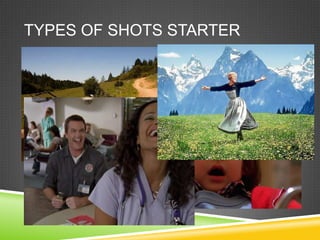
TYPES OF SHOTS STARTER
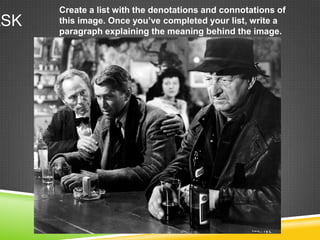
Create a list with the denotations and connotations of
ASK   this image. Once you’ve completed your list, write a
      paragraph explaining the meaning behind the image.
AUDIENCE POSITIONING
 Audiences enjoy texts when they feel involved in them.
 We will learn to analyse the techniques used to ‘sew’ the
  audience into the text.
    Plot (the story)
    Narrative ( how the story is told)
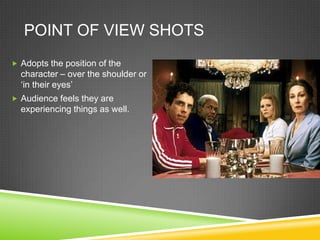
POINT OF VIEW SHOTS
 Adopts the position of the
  character – over the shoulder or
  ‘in their eyes’
 Audience feels they are
  experiencing things as well.
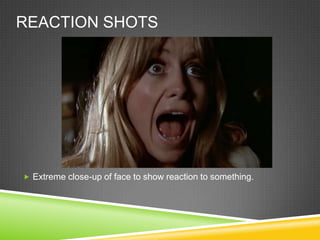
REACTION SHOTS


 Extreme close-up of face to show reaction to something.
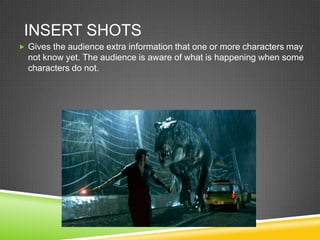
INSERT SHOTS
 Gives the audience extra information that one or more characters may
  not know yet. The audience is aware of what is happening when some
  characters do not.
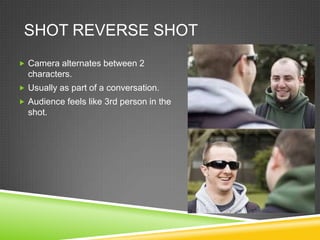
SHOT REVERSE SHOT
 Camera alternates between 2
  characters.
 Usually as part of a conversation.
 Audience feels like 3rd person in the
  shot.
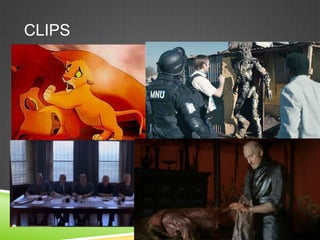
TASK

We will watch a series of different film
 clips.
Consider the shot types used
Consider the audience positioning
 techniques used
Comment on why you think the director
 chose each shot type. What was the
 desired effect? Do you feel this effect was
 achieved?
CLIPS
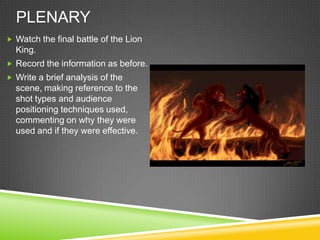
PLENARY
 Watch the final battle of the Lion
  King.
 Record the information as before.
 Write a brief analysis of the
  scene, making reference to the
  shot types and audience
  positioning techniques used,
  commenting on why they were
  used and if they were effective.
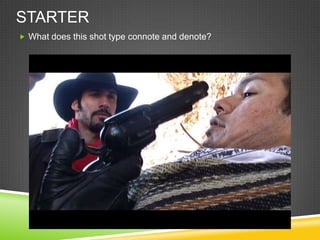
STARTER
 What does this shot type connote and denote?
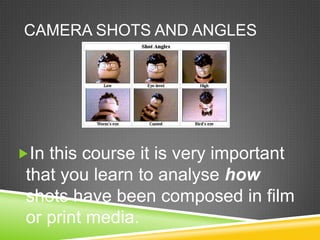
CAMERA SHOTS AND ANGLES


In this course it is very important
 that you learn to analyse how
 shots have been composed in film
 or print media.
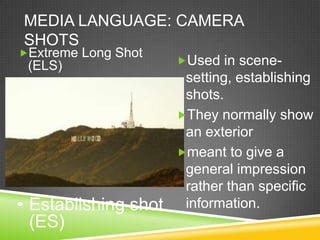
MEDIA LANGUAGE: CAMERA
SHOTS
Extreme Long Shot
 (ELS)                Used in scene-
                       setting, establishing
                       shots.
                      They normally show
                       an exterior
                      meant to give a
                       general impression
                       rather than specific
• Establishing shot    information.
  (ES)
MEDIA LANGUAGE: CAMERA
SHOTS
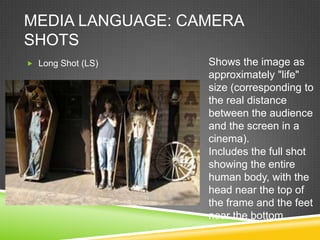
 Long Shot (LS)   Shows the image as
                   approximately "life"
                   size (corresponding to
                   the real distance
                   between the audience
                   and the screen in a
                   cinema).
                   Includes the full shot
                   showing the entire
                   human body, with the
                   head near the top of
                   the frame and the feet
                   near the bottom.
MEDIA LANGUAGE: CAMERA
SHOTS
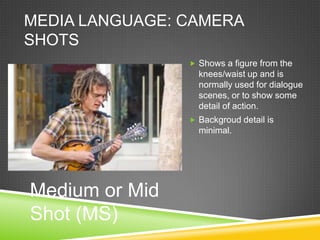
                 Shows a figure from the
                  knees/waist up and is
                  normally used for dialogue
                  scenes, or to show some
                  detail of action.
                 Backgroud detail is
                  minimal.


Medium or Mid
Shot (MS)
MEDIA LANGUAGE: CAMERA
     SHOTS
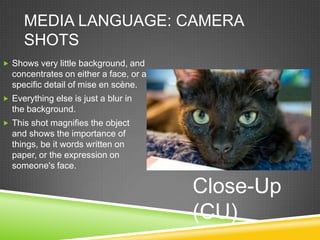
 Shows very little background, and
  concentrates on either a face, or a
  specific detail of mise en scène.
 Everything else is just a blur in
  the background.
 This shot magnifies the object
  and shows the importance of
  things, be it words written on
  paper, or the expression on
  someone's face.

                                        Close-Up
                                        (CU)
MEDIA LANGUAGE: CAMERA SHOTS
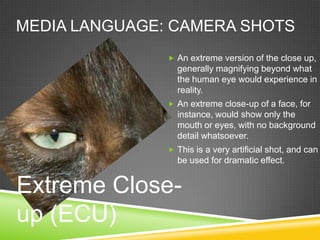
                An extreme version of the close up,
                 generally magnifying beyond what
                 the human eye would experience in
                 reality.
                An extreme close-up of a face, for
                 instance, would show only the
                 mouth or eyes, with no background
                 detail whatsoever.
                This is a very artificial shot, and can
                 be used for dramatic effect.


Extreme Close-
up (ECU)
MEDIA LANGUAGE: CAMERA
 SHOTS
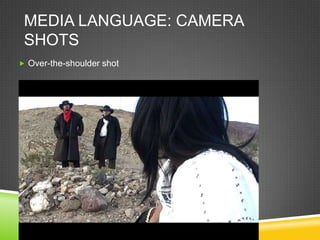
 Over-the-shoulder shot
MEDIA LANGUAGE: CAMERA
ANGLES
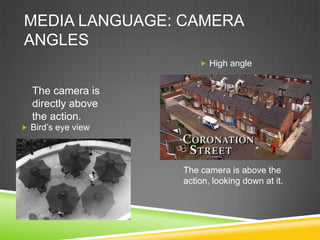
                         High angle


  The camera is
  directly above
  the action.
 Bird’s eye view


                    The camera is above the
                    action, looking down at it.
MEDIA LANGUAGE: CAMERA
 ANGLES
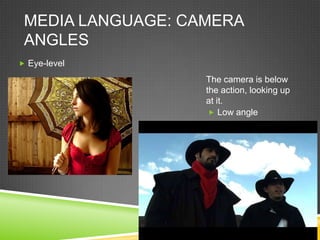
 Eye-level

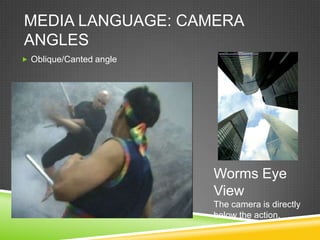
                   The camera is below
                   the action, looking up
                   at it.
                     Low angle
MEDIA LANGUAGE: CAMERA
ANGLES
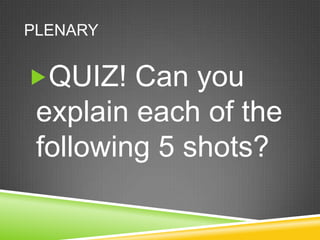
 Oblique/Canted angle


                         Worms Eye
                         View
                         The camera is directly
                         below the action.
PLENARY


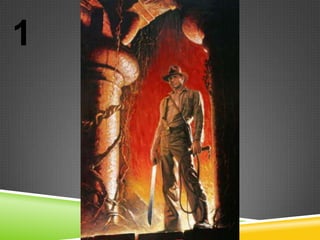
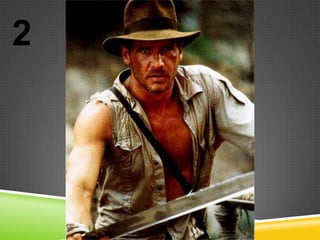
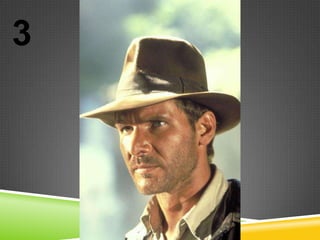
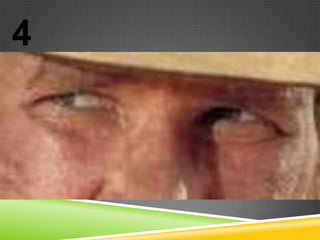
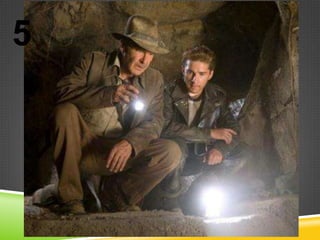
QUIZ! Can you
 explain each of the
 following 5 shots?
1
2
3
4
5

Shots and angles

  • 1.
  • 2.
  • 3.
    Create a listwith the denotations and connotations of ASK this image. Once you’ve completed your list, write a paragraph explaining the meaning behind the image.
  • 4.
    AUDIENCE POSITIONING  Audiencesenjoy texts when they feel involved in them.  We will learn to analyse the techniques used to ‘sew’ the audience into the text.  Plot (the story)  Narrative ( how the story is told)
  • 5.
    POINT OF VIEWSHOTS  Adopts the position of the character – over the shoulder or ‘in their eyes’  Audience feels they are experiencing things as well.
  • 6.
    REACTION SHOTS  Extremeclose-up of face to show reaction to something.
  • 7.
    INSERT SHOTS  Givesthe audience extra information that one or more characters may not know yet. The audience is aware of what is happening when some characters do not.
  • 8.
    SHOT REVERSE SHOT Camera alternates between 2 characters.  Usually as part of a conversation.  Audience feels like 3rd person in the shot.
  • 9.
    TASK We will watcha series of different film clips. Consider the shot types used Consider the audience positioning techniques used Comment on why you think the director chose each shot type. What was the desired effect? Do you feel this effect was achieved?
  • 10.
  • 11.
    PLENARY  Watch thefinal battle of the Lion King.  Record the information as before.  Write a brief analysis of the scene, making reference to the shot types and audience positioning techniques used, commenting on why they were used and if they were effective.
  • 12.
    STARTER  What doesthis shot type connote and denote?
  • 13.
    CAMERA SHOTS ANDANGLES In this course it is very important that you learn to analyse how shots have been composed in film or print media.
  • 14.
    MEDIA LANGUAGE: CAMERA SHOTS ExtremeLong Shot (ELS) Used in scene- setting, establishing shots. They normally show an exterior meant to give a general impression rather than specific • Establishing shot information. (ES)
  • 15.
    MEDIA LANGUAGE: CAMERA SHOTS Long Shot (LS) Shows the image as approximately "life" size (corresponding to the real distance between the audience and the screen in a cinema). Includes the full shot showing the entire human body, with the head near the top of the frame and the feet near the bottom.
  • 16.
    MEDIA LANGUAGE: CAMERA SHOTS  Shows a figure from the knees/waist up and is normally used for dialogue scenes, or to show some detail of action.  Backgroud detail is minimal. Medium or Mid Shot (MS)
  • 17.
    MEDIA LANGUAGE: CAMERA SHOTS  Shows very little background, and concentrates on either a face, or a specific detail of mise en scène.  Everything else is just a blur in the background.  This shot magnifies the object and shows the importance of things, be it words written on paper, or the expression on someone's face. Close-Up (CU)
  • 18.
    MEDIA LANGUAGE: CAMERASHOTS  An extreme version of the close up, generally magnifying beyond what the human eye would experience in reality.  An extreme close-up of a face, for instance, would show only the mouth or eyes, with no background detail whatsoever.  This is a very artificial shot, and can be used for dramatic effect. Extreme Close- up (ECU)
  • 19.
    MEDIA LANGUAGE: CAMERA SHOTS  Over-the-shoulder shot
  • 20.
    MEDIA LANGUAGE: CAMERA ANGLES  High angle The camera is directly above the action.  Bird’s eye view The camera is above the action, looking down at it.
  • 21.
    MEDIA LANGUAGE: CAMERA ANGLES  Eye-level The camera is below the action, looking up at it.  Low angle
  • 22.
    MEDIA LANGUAGE: CAMERA ANGLES Oblique/Canted angle Worms Eye View The camera is directly below the action.
  • 23.
    PLENARY QUIZ! Can you explain each of the following 5 shots?
  • 24.
  • 25.
  • 26.
  • 27.
  • 28.