Mobile Learning

Technology has undoubtedly shaped the way we
now learn. But I think the changing patterns of
learning reflect more profound changes in society.
Across many aspects of public services and private
activities, people are demanding a more personal
approach. One that puts them in charge. One that
gives them more say in what, how, where and
when.

John Denham, Secretary of State for Innovation,
Mobile Learning

At its simplest level, mobile learning often shortened
to m-learning refers to learning activities made
possible by lightweight handheld devices that are
easily transported from place to place. Although not
designed primarily for educational use, there is
growing evidence that handheld devices can be
harnessed to maximise learning potential. Such
devices are at the forefront of technological
development and influenced by market forces.
Examples of Mobile Learning tools
                             Tablets
• Tablets can be expensive gadgets but can also prove to be
  useful in the classroom. Their ebook facility is a benefit with
  reduced budgets in schools and with audio and video
  facilities it suits the digital reader. The ebooks can be
  highlighted and access to a dictionary to help understand
  new terms or words is a beneficial plus. Relevant
  information can be stored and printed. Other similar features
  are ebrary that can be accessed on more traditional pcs and
  book marked and stored for future referencing.
Mobile Learning Tools
                         Tablets
• Students like the gadget as it is portable and wireless.
  The tablets also work with cloud technology which allows
  them to become collaborative devices. The tablets can
  be used for individual use or indeed linked to
  whiteboards for group work.
• There are numerous apps for the tablets to enhance
  learning
Mobile Learning Tools
                         Phone
• The basic use of phones has been to use sms and
  notify students about attendance or results. The
  development of the phone has allowed for
  engagement in online polls or surveys in the classroom
  to engage the student and visualise information via the
  interactive whiteboard. Links to vle systems and
  introduction of blended learning has pushed the mobile
  into the forum of education and the devopment of
  mobile apps has presented an influx in how the phone
  can be used along with internet facilities.
Mobile Learning tools
                         Phones
Phones are a personal device that can be used to
retain and engage the student;

Polls and surveys can use the technology to allow
students to participate in the classroom e.g.
http://www.polleverywhere.com/ classroom with their
phone in an educational format;

Links to VLE can allow learning in an anytime
anywhere environment for adult learners or those on work
placement;
Mobile Learning Tools
                          Phones
Collaboration through phones is another feature and with
software such as skype communication is a growing
interface between lecturer and student;

They are cheaper and more portable than laptops;

They have cameras and video that can be used in lessons
or interview or research;

They have internet facilities and collaboration features;

Mobilicious allows bookmarking on your mobile like
del.icio.us on the pc.
Mobile Learning
                             Phones
Web site for other uses for the mobile phone below
http://olliebray.typepad.com/olliebraycom/2006/10/fifty_ideas_in__2.
html

Mobiles are also an extension of e-learning that enables
digital learning resources to be accessible outside the
college or institution.

However mobile technology can put up barriers for disabled
users who may struggle with touch screen devices, small
screens and buttons and complex menu systems.
ml
Mobile Learning
                       Mobile Apps
The growth of mobile apps has seen an explosion in the
field of education and collaboration and social networking.
In the past 5 years the phone has turned into a
camera, video, internet browser, social network .In the
area of educating this can be turned into a vital link
between adult learners and remote learners as a bridge
to learning where the requirement of sitting in a class room
wasn’t viable.

Lesson examples with Mobile apps.:
http://www.google.com/apps/intl/en/edu/lesson_plans.html
Mobile Learning
                     PDA’s Palms etc
• PDAs, Palms, Mobile phones – many have the facilities
  for note-taking and speech recognition. Issues related to
  these devices include small screens and excessive on-
  screen scrolling both horizontally and vertically.
  However, for organisational and time management skills
  they can help certain students and allow for successful
  data transfer to computers. Portable scanning pens are
  also useful for this. These devices can enhance
  communication links and develop time management
  skills through shared diaries and calendars in adult
  classes.
Mobile Learning
                             iPad
The iPad is clearly being promoted as a media device with
what appear to be elegant interfaces to save and review
media including books, magazines, newspapers, and
downloaded audio and video content.

Users will easily be able to view or listen to that material to
their hearts content. Naturally, they'll be able to engage
others with social networking tools and sites in a relatively
portable platform, compared to a laptop or desktop. Not so
portable compared to a Smartphone though.
Mobile Learning
                            iPad
As well, for eLearning purposes, clearly, based upon
screen size alone the iPad appears to be a better choice
than the iPhone or other smartphones such as Google's
Android .Another missing feature is an integrated camera.
Naturally this would be important for asynchronous
classroom discussions / meetings. However, another is the
lack of built in USB or an SD card slot. You'll need one of a
few adapters or the dock connector to use these features
or attach devices like a webcam via USB.

Full report
http://www.utechtips.com/2009/11/03/50-educational-apps-
for-the-ipod-touch/
Mobile Learning
                          Camera
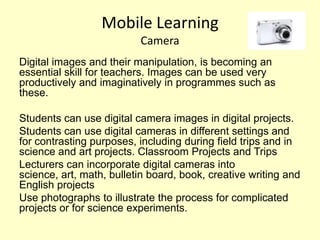
Digital images and their manipulation, is becoming an
essential skill for teachers. Images can be used very
productively and imaginatively in programmes such as
these.

Students can use digital camera images in digital projects.
Students can use digital cameras in different settings and
for contrasting purposes, including during field trips and in
science and art projects. Classroom Projects and Trips
Lecturers can incorporate digital cameras into
science, art, math, bulletin board, book, creative writing and
English projects
Use photographs to illustrate the process for complicated
projects or for science experiments.
Mobile Learning
                   Camera
Take lots of pictures while on visits or trip and build a
webpage
Record tasks on work placement or procedures carried out
and upload to a vle
Open source software offers a wide range of manipulating
packages for free that can create innovative ideas and
engage creativity in groups or individuals.

Videos listed show how cameras can be used in education

• http://edutechie.com/2007/06/06/8-ways-to-use-camera-phones-
  in-education/
• http://drscavanaugh.org/digitalcamera/
• http://terpconnect.umd.edu/~toh/image/DigitalCameraUses.htm
• http://drscavanaugh.org/digitalcamera/whatdo.htm
Mobile Learning


Thank you for watching

Sharon presentation1

  • 1.
    Mobile Learning Technology hasundoubtedly shaped the way we now learn. But I think the changing patterns of learning reflect more profound changes in society. Across many aspects of public services and private activities, people are demanding a more personal approach. One that puts them in charge. One that gives them more say in what, how, where and when. John Denham, Secretary of State for Innovation,
  • 2.
    Mobile Learning At itssimplest level, mobile learning often shortened to m-learning refers to learning activities made possible by lightweight handheld devices that are easily transported from place to place. Although not designed primarily for educational use, there is growing evidence that handheld devices can be harnessed to maximise learning potential. Such devices are at the forefront of technological development and influenced by market forces.
  • 3.
    Examples of MobileLearning tools Tablets • Tablets can be expensive gadgets but can also prove to be useful in the classroom. Their ebook facility is a benefit with reduced budgets in schools and with audio and video facilities it suits the digital reader. The ebooks can be highlighted and access to a dictionary to help understand new terms or words is a beneficial plus. Relevant information can be stored and printed. Other similar features are ebrary that can be accessed on more traditional pcs and book marked and stored for future referencing.
  • 4.
    Mobile Learning Tools Tablets • Students like the gadget as it is portable and wireless. The tablets also work with cloud technology which allows them to become collaborative devices. The tablets can be used for individual use or indeed linked to whiteboards for group work. • There are numerous apps for the tablets to enhance learning
  • 5.
    Mobile Learning Tools Phone • The basic use of phones has been to use sms and notify students about attendance or results. The development of the phone has allowed for engagement in online polls or surveys in the classroom to engage the student and visualise information via the interactive whiteboard. Links to vle systems and introduction of blended learning has pushed the mobile into the forum of education and the devopment of mobile apps has presented an influx in how the phone can be used along with internet facilities.
  • 6.
    Mobile Learning tools Phones Phones are a personal device that can be used to retain and engage the student; Polls and surveys can use the technology to allow students to participate in the classroom e.g. http://www.polleverywhere.com/ classroom with their phone in an educational format; Links to VLE can allow learning in an anytime anywhere environment for adult learners or those on work placement;
  • 7.
    Mobile Learning Tools Phones Collaboration through phones is another feature and with software such as skype communication is a growing interface between lecturer and student; They are cheaper and more portable than laptops; They have cameras and video that can be used in lessons or interview or research; They have internet facilities and collaboration features; Mobilicious allows bookmarking on your mobile like del.icio.us on the pc.
  • 8.
    Mobile Learning Phones Web site for other uses for the mobile phone below http://olliebray.typepad.com/olliebraycom/2006/10/fifty_ideas_in__2. html Mobiles are also an extension of e-learning that enables digital learning resources to be accessible outside the college or institution. However mobile technology can put up barriers for disabled users who may struggle with touch screen devices, small screens and buttons and complex menu systems. ml
  • 9.
    Mobile Learning Mobile Apps The growth of mobile apps has seen an explosion in the field of education and collaboration and social networking. In the past 5 years the phone has turned into a camera, video, internet browser, social network .In the area of educating this can be turned into a vital link between adult learners and remote learners as a bridge to learning where the requirement of sitting in a class room wasn’t viable. Lesson examples with Mobile apps.: http://www.google.com/apps/intl/en/edu/lesson_plans.html
  • 10.
    Mobile Learning PDA’s Palms etc • PDAs, Palms, Mobile phones – many have the facilities for note-taking and speech recognition. Issues related to these devices include small screens and excessive on- screen scrolling both horizontally and vertically. However, for organisational and time management skills they can help certain students and allow for successful data transfer to computers. Portable scanning pens are also useful for this. These devices can enhance communication links and develop time management skills through shared diaries and calendars in adult classes.
  • 11.
    Mobile Learning iPad The iPad is clearly being promoted as a media device with what appear to be elegant interfaces to save and review media including books, magazines, newspapers, and downloaded audio and video content. Users will easily be able to view or listen to that material to their hearts content. Naturally, they'll be able to engage others with social networking tools and sites in a relatively portable platform, compared to a laptop or desktop. Not so portable compared to a Smartphone though.
  • 12.
    Mobile Learning iPad As well, for eLearning purposes, clearly, based upon screen size alone the iPad appears to be a better choice than the iPhone or other smartphones such as Google's Android .Another missing feature is an integrated camera. Naturally this would be important for asynchronous classroom discussions / meetings. However, another is the lack of built in USB or an SD card slot. You'll need one of a few adapters or the dock connector to use these features or attach devices like a webcam via USB. Full report http://www.utechtips.com/2009/11/03/50-educational-apps- for-the-ipod-touch/
  • 13.
    Mobile Learning Camera Digital images and their manipulation, is becoming an essential skill for teachers. Images can be used very productively and imaginatively in programmes such as these. Students can use digital camera images in digital projects. Students can use digital cameras in different settings and for contrasting purposes, including during field trips and in science and art projects. Classroom Projects and Trips Lecturers can incorporate digital cameras into science, art, math, bulletin board, book, creative writing and English projects Use photographs to illustrate the process for complicated projects or for science experiments.
  • 14.
    Mobile Learning Camera Take lots of pictures while on visits or trip and build a webpage Record tasks on work placement or procedures carried out and upload to a vle Open source software offers a wide range of manipulating packages for free that can create innovative ideas and engage creativity in groups or individuals. Videos listed show how cameras can be used in education • http://edutechie.com/2007/06/06/8-ways-to-use-camera-phones- in-education/ • http://drscavanaugh.org/digitalcamera/ • http://terpconnect.umd.edu/~toh/image/DigitalCameraUses.htm • http://drscavanaugh.org/digitalcamera/whatdo.htm
  • 15.