
Add Magic to Your ExtJS Apps with D3
Visualizations
Vitaly Kravchenko
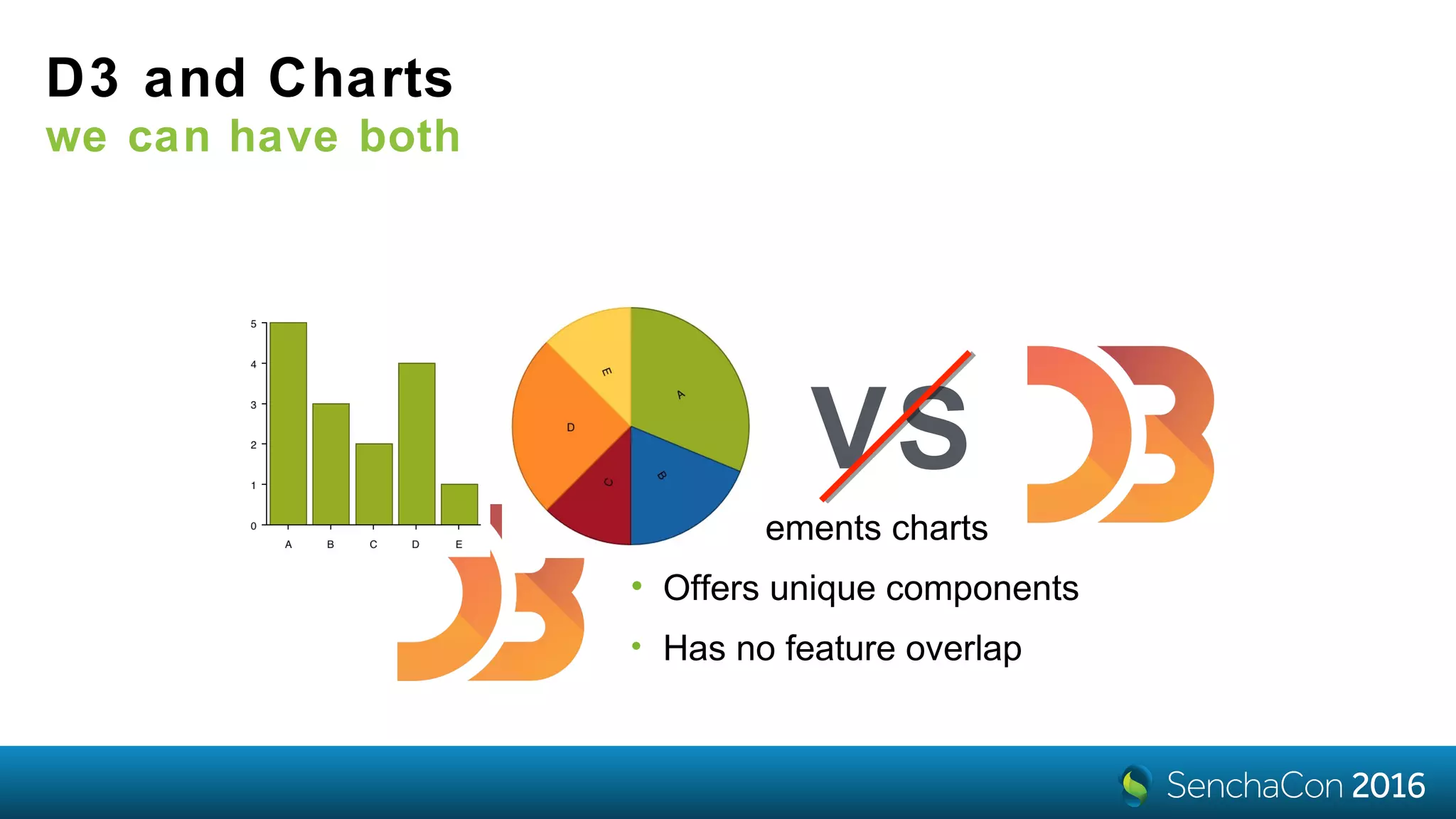
D3 and Charts
we can have both
• Complements charts
• Offers unique components
• Has no feature overlap
VS
D3 Components
visualized by themselves
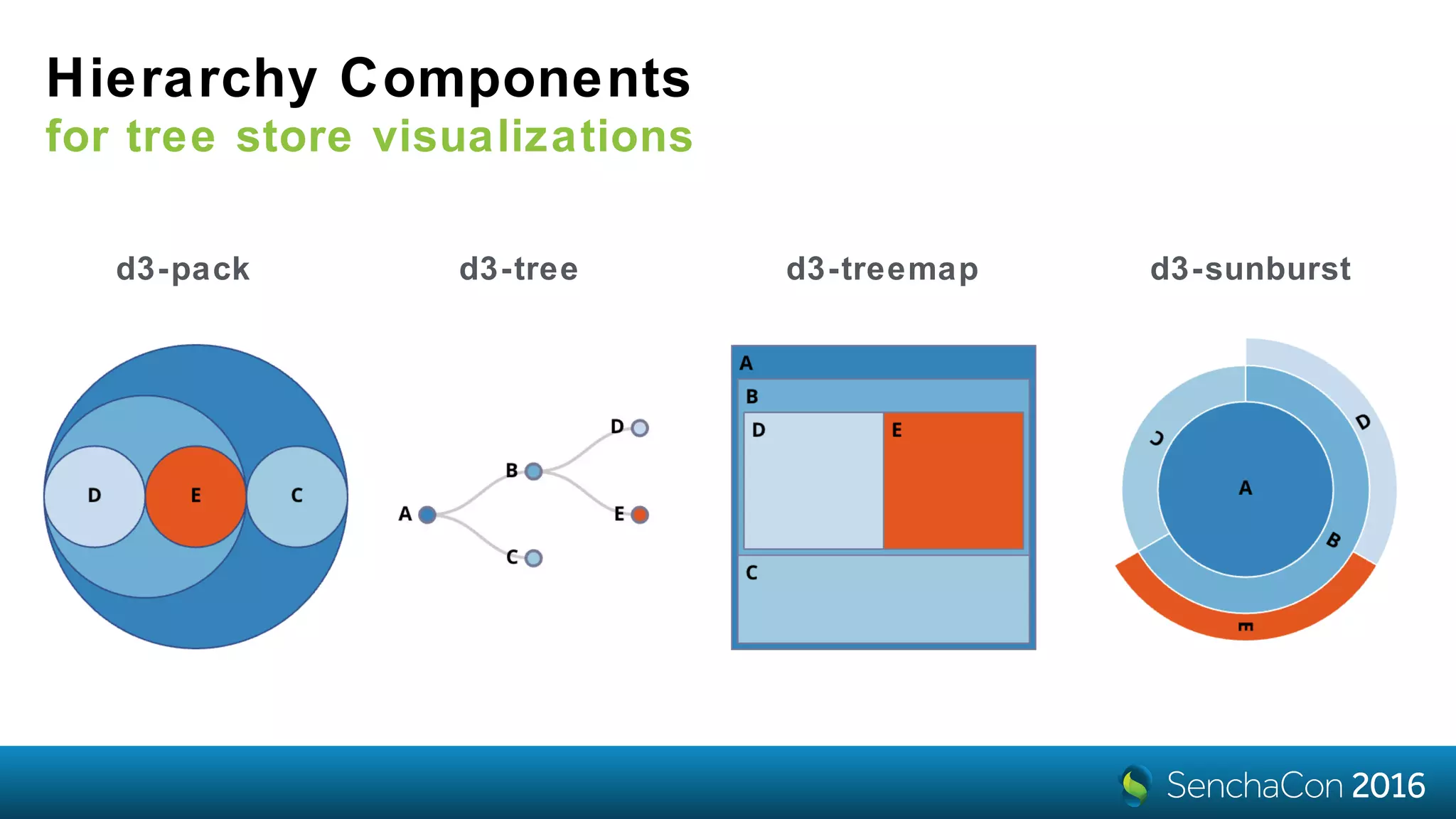
Hierarchy Components
for tree store visualizations
d3-pack d3-tree d3-treemap d3-sunburst
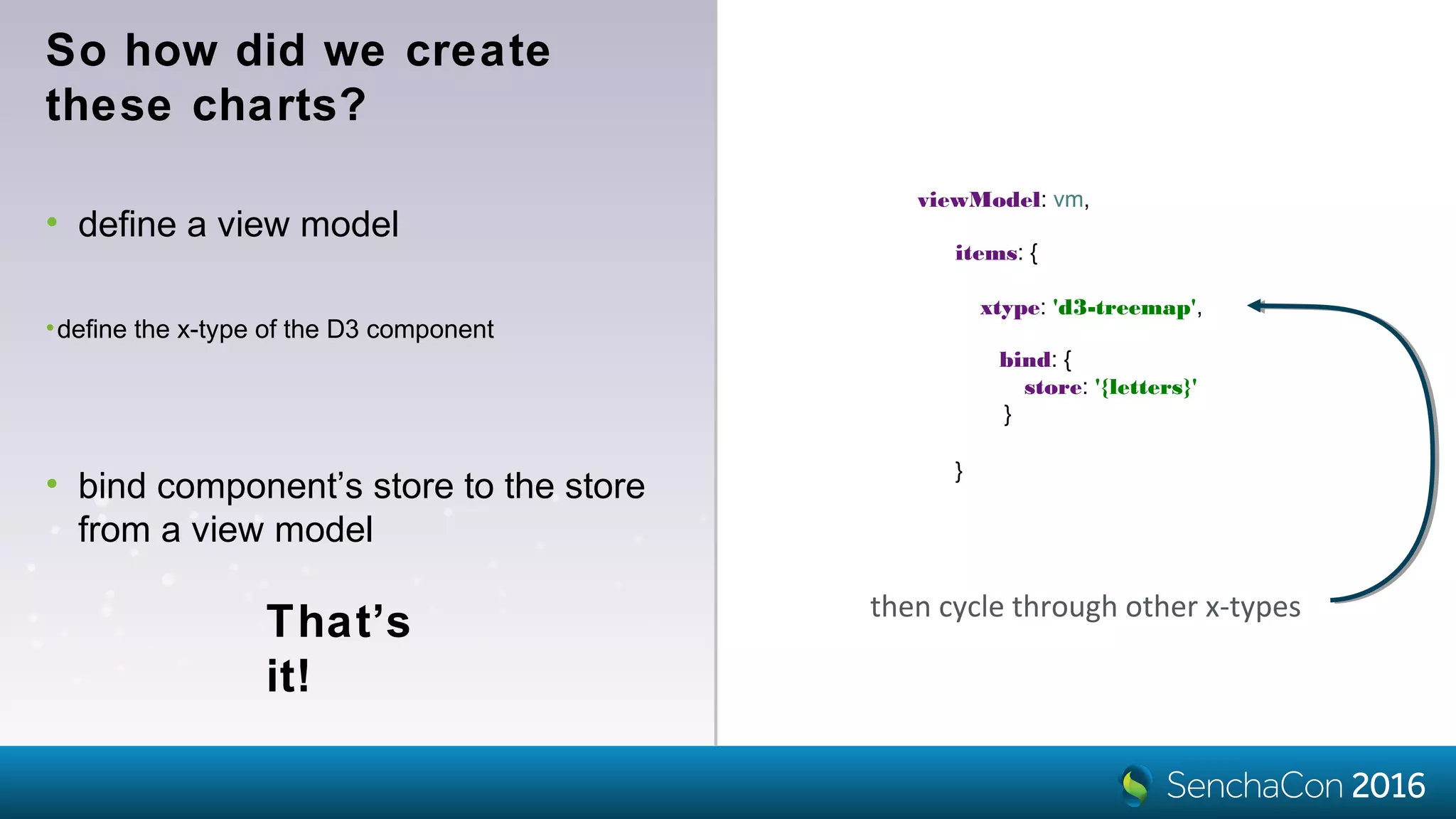
So how did we create
these charts?
That’s
it!
then cycle through other x-types
items: {
xtype: 'd3-treemap',
}
•define the x-type of the D3 component
viewModel: vm,
• define a view model
bind: {
store: '{letters}'
}
• bind component’s store to the store
from a view model
The data is a tree of
objects with
•the name field
•the children array
{
name: 'A',
expanded: true,
children: [
{
name: 'B',
expanded: true,
children: [
{
name: 'D'
},
{
name: 'E'
}
]
},
{
name: 'C'
}
]
}
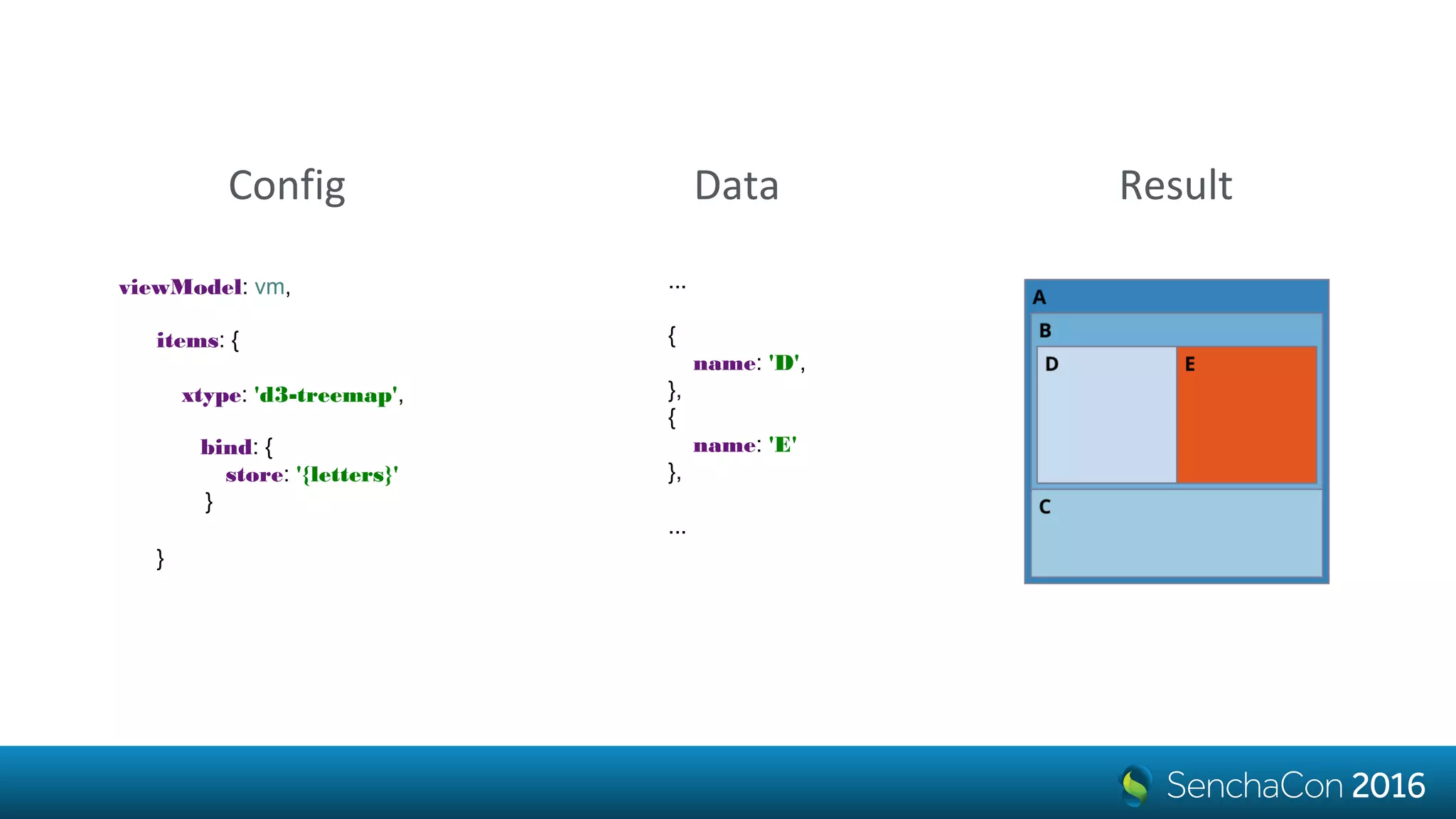
Data
items: {
xtype: 'd3-treemap',
}
viewModel: vm,
bind: {
store: '{letters}'
}
Config
...
{
name: 'D',
},
{
name: 'E'
},
...
Data Result
How do we know to fetch
the name?
• name and text are the defaults nodeText: ['name', 'text']
nodeText: 'foo'• but it can be anything
nodeText: function (component, node) {
var record = node.data;
return record.get('firstName')
+ ' '
+ record.get('lastName');
}
• including a calculated value
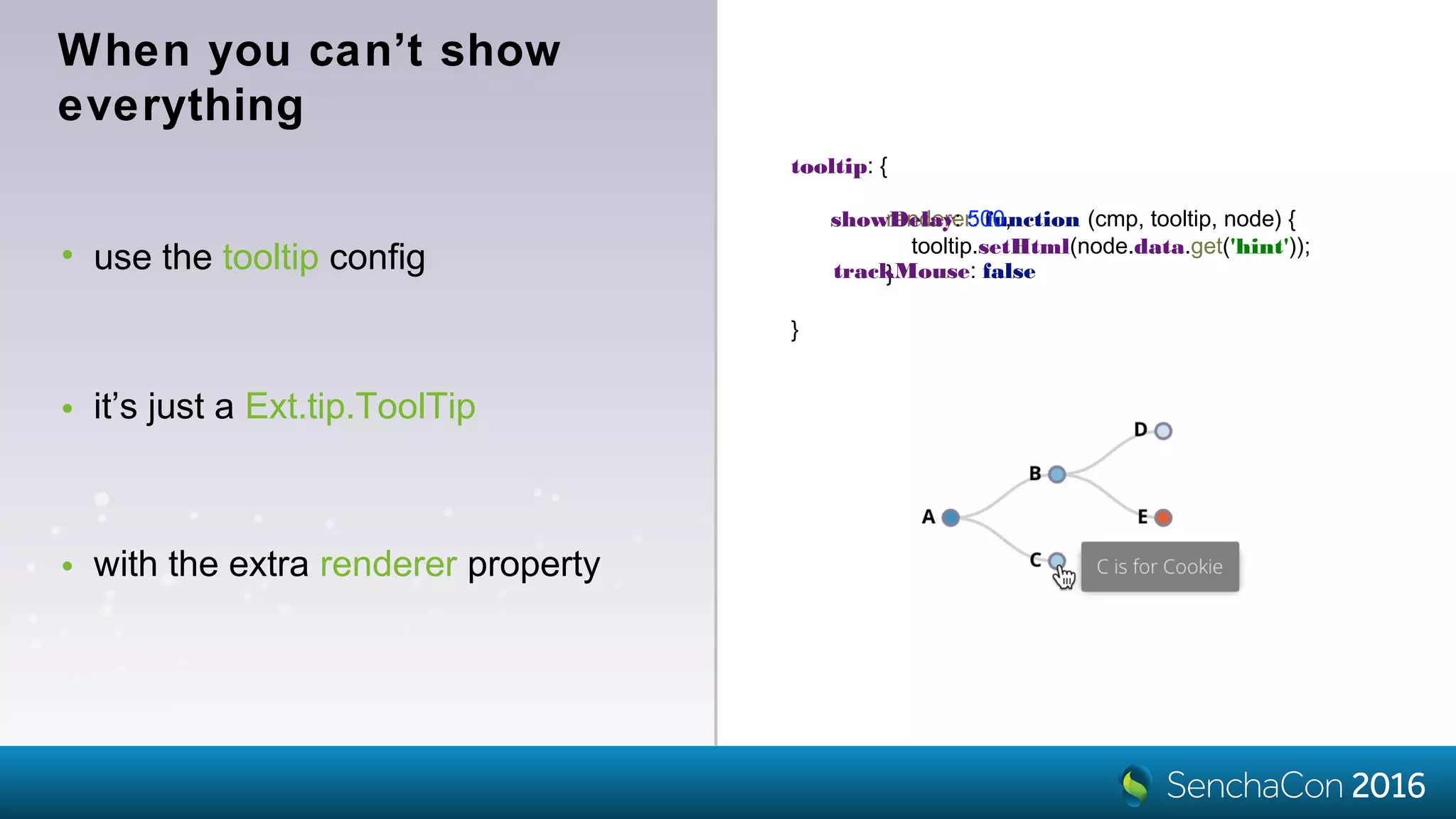
• use the tooltip config
tooltip: {
}
When you can’t show
everything
• it’s just a Ext.tip.ToolTip
• with the extra renderer property
renderer: function (cmp, tooltip, node) {
tooltip.setHtml(node.data.get('hint'));
}
showDelay: 500,
trackMouse: false
Data
Binding
viewModel: vm,
defaults: {
bind: {
store: '{letters}',
selection: '{selection}',
},
tooltip: {
renderer: function (component, tooltip, node, element) {
tooltip.setHtml(node.data.get('hint'));
}
}
},
items: [
{ xtype: 'd3-tree' },
{ xtype: 'd3-pack' },
{ xtype: 'd3-treemap' },
{ xtype: 'd3-sunburst' }
]
Live
Demo
Make the size
matter!
{
xtype: 'd3-treemap',
bind: {
store: '{letters}'
},
rootVisible: false,
nodeValue: 'frequency'
}
[{
name: 'A',
frequency: 8.167
}, {
name: 'B',
frequency: 1.492
}, {
name: 'C',
frequency: 2.782
}, {
name: 'D',
frequency: 4.253
}, {
name: 'E',
frequency: 12.702
}]
{
xtype: 'd3-treemap',
bind: {
store: '{letters}'
},
rootVisible: false,
nodeValue: 1 // default
}
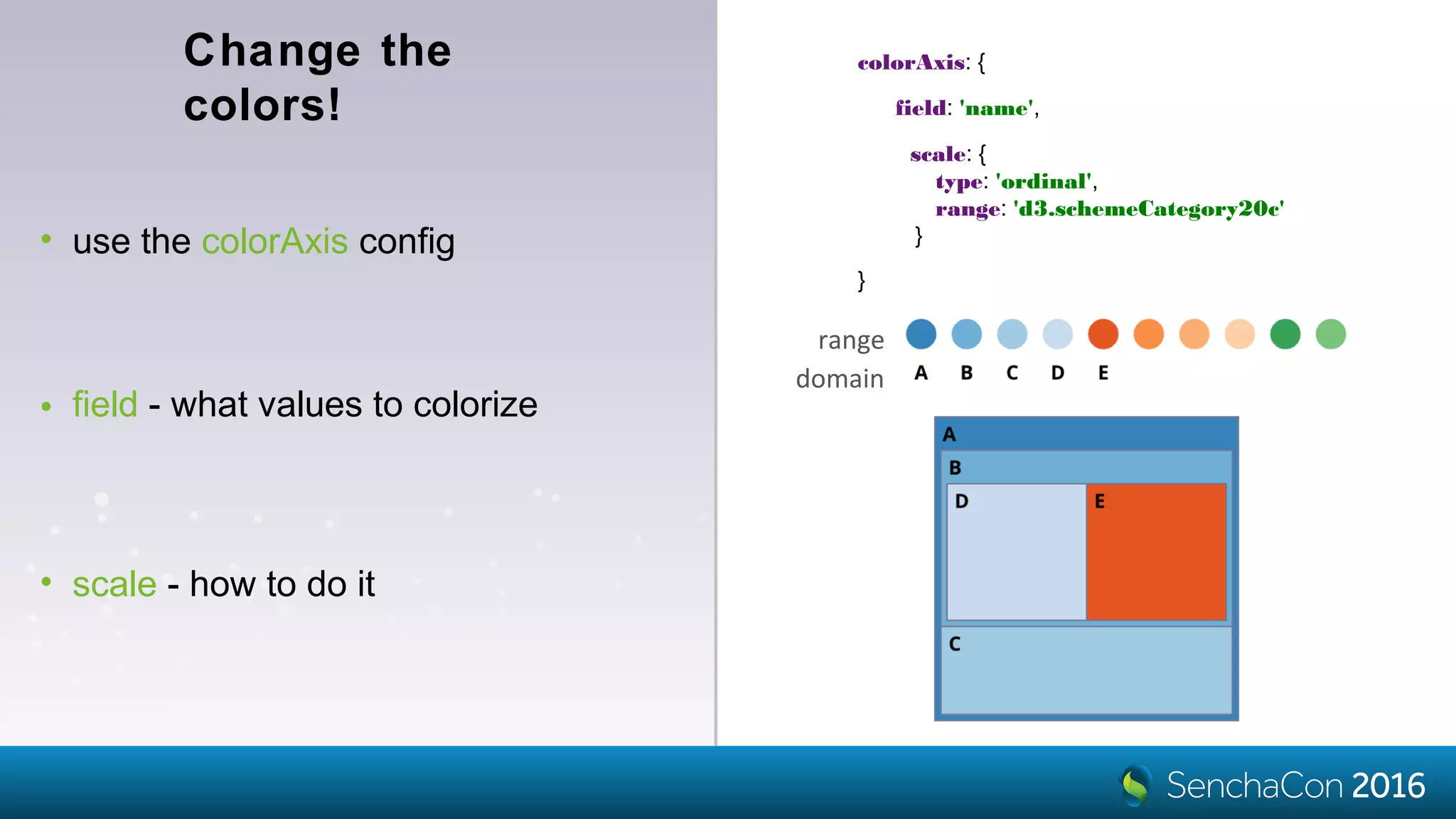
Change the
colors!
• use the colorAxis config
colorAxis: {
}
range
• field - what values to colorize
field: 'name',
• scale - how to do it
scale: {
type: 'ordinal',
range: 'd3.schemeCategory20c'
}
domain
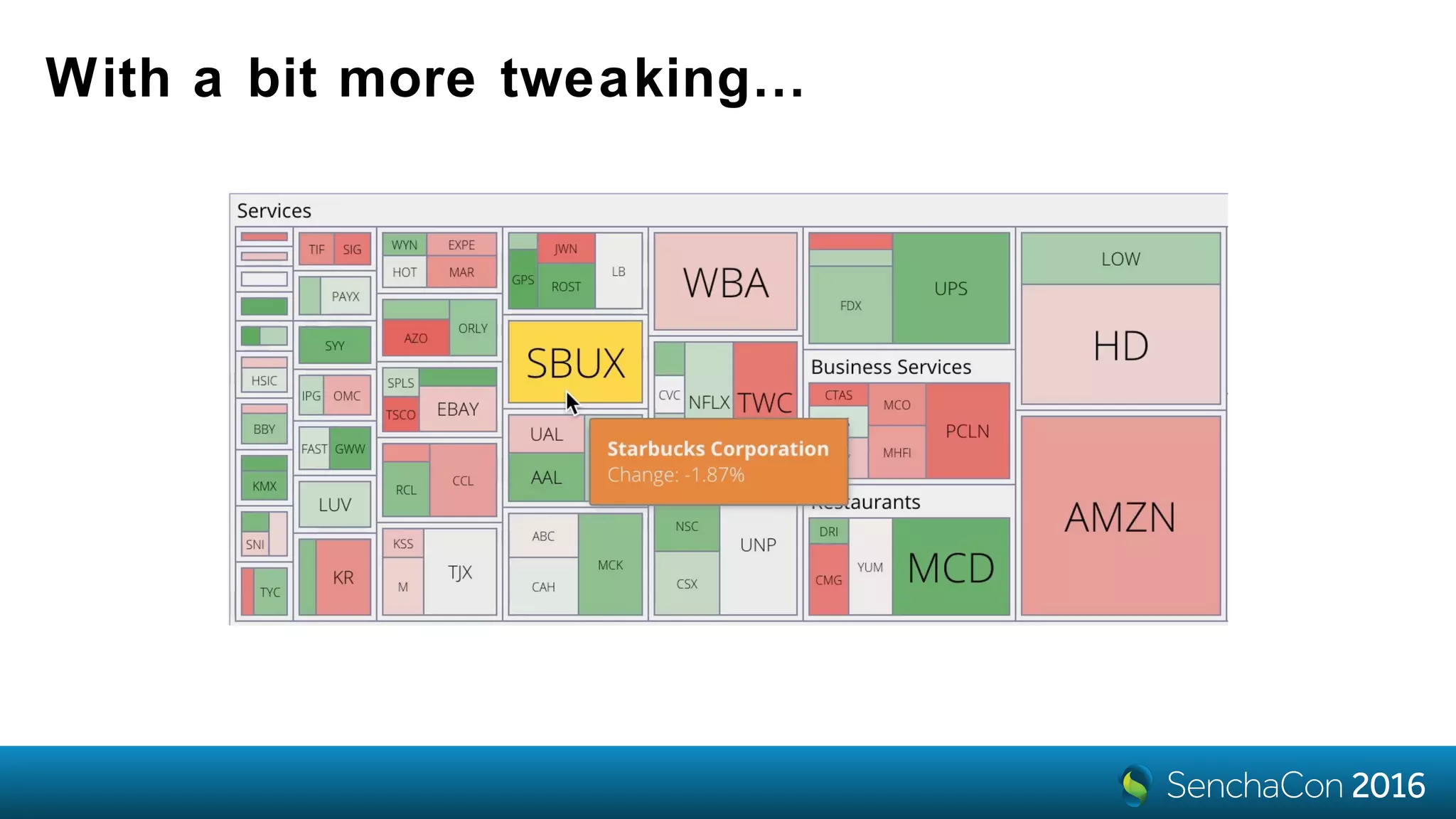
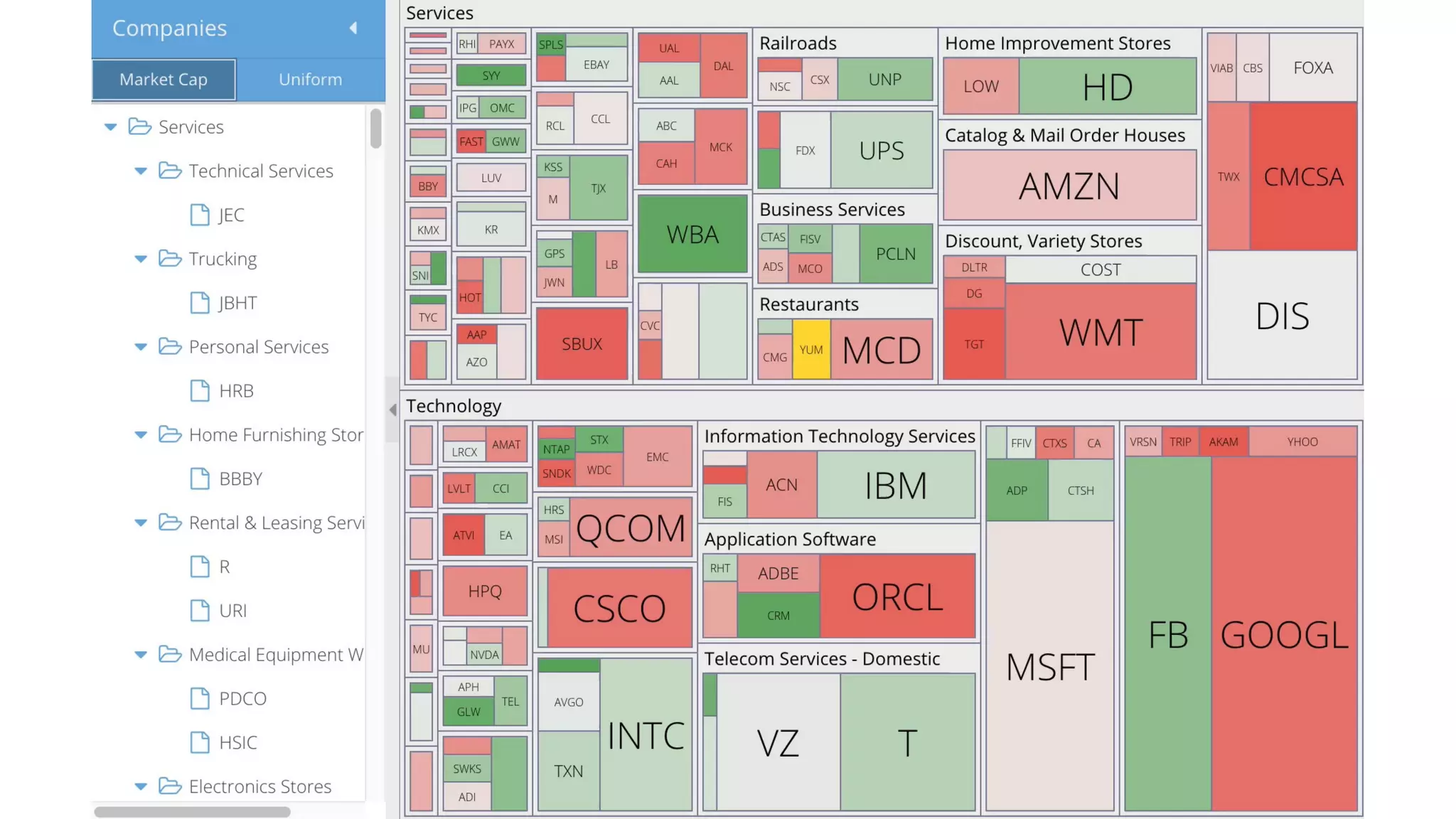
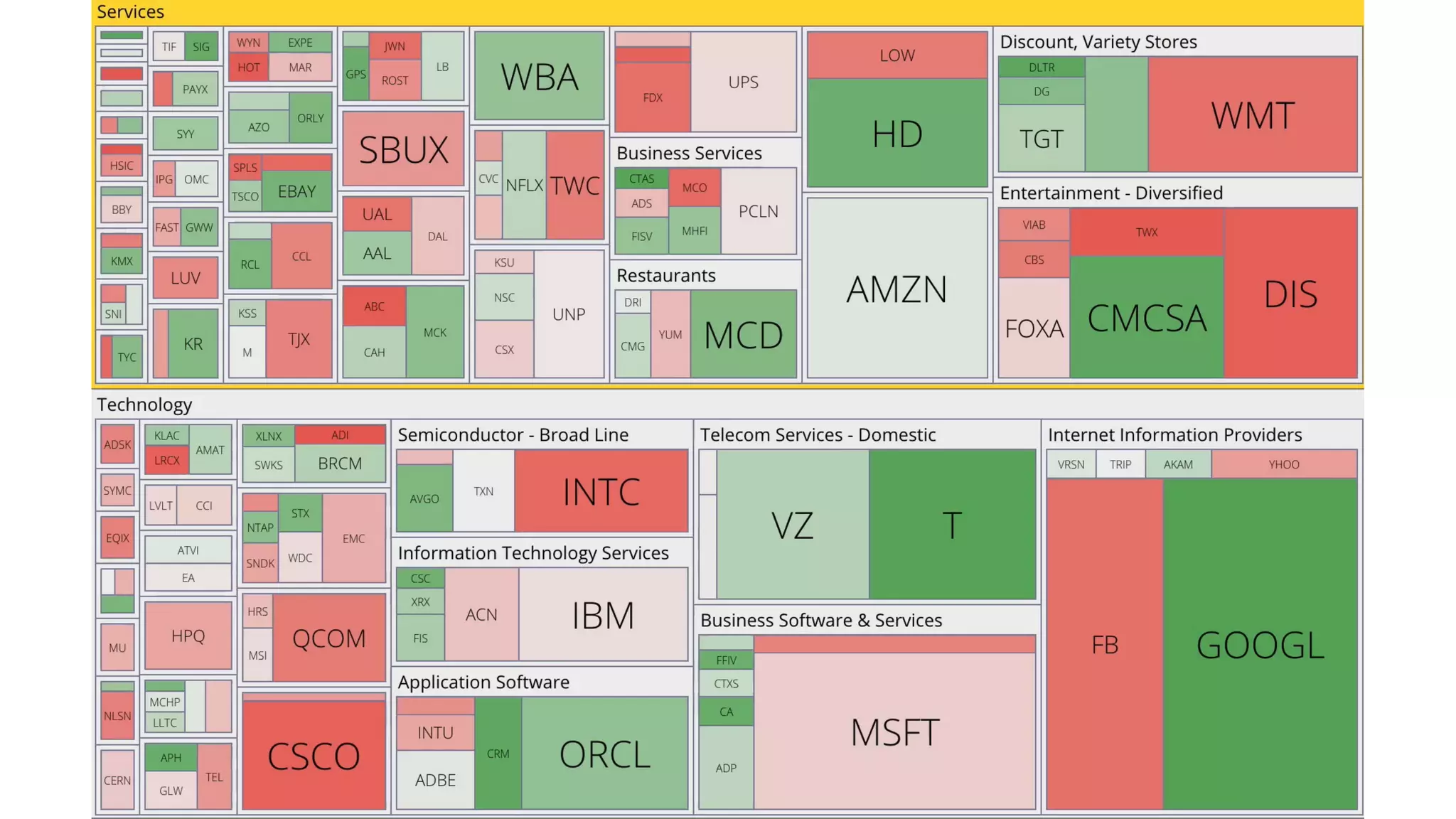
With a bit more tweaking…
Flexible coloring
options
• custom scales (e.g. polylinear)
• custom logic
colorAxis: {
field: 'change',
scale: {
type: 'linear',
domain: [ -5, 0, 5 ],
range: ['red', 'lightgray', 'green']
},
processor: function (axis, scale, node, field) {
var record = node.data;
return record.isLeaf()
? scale(record.get(field))
: 'lightgray'; // sector color
}
}
Live
Demo
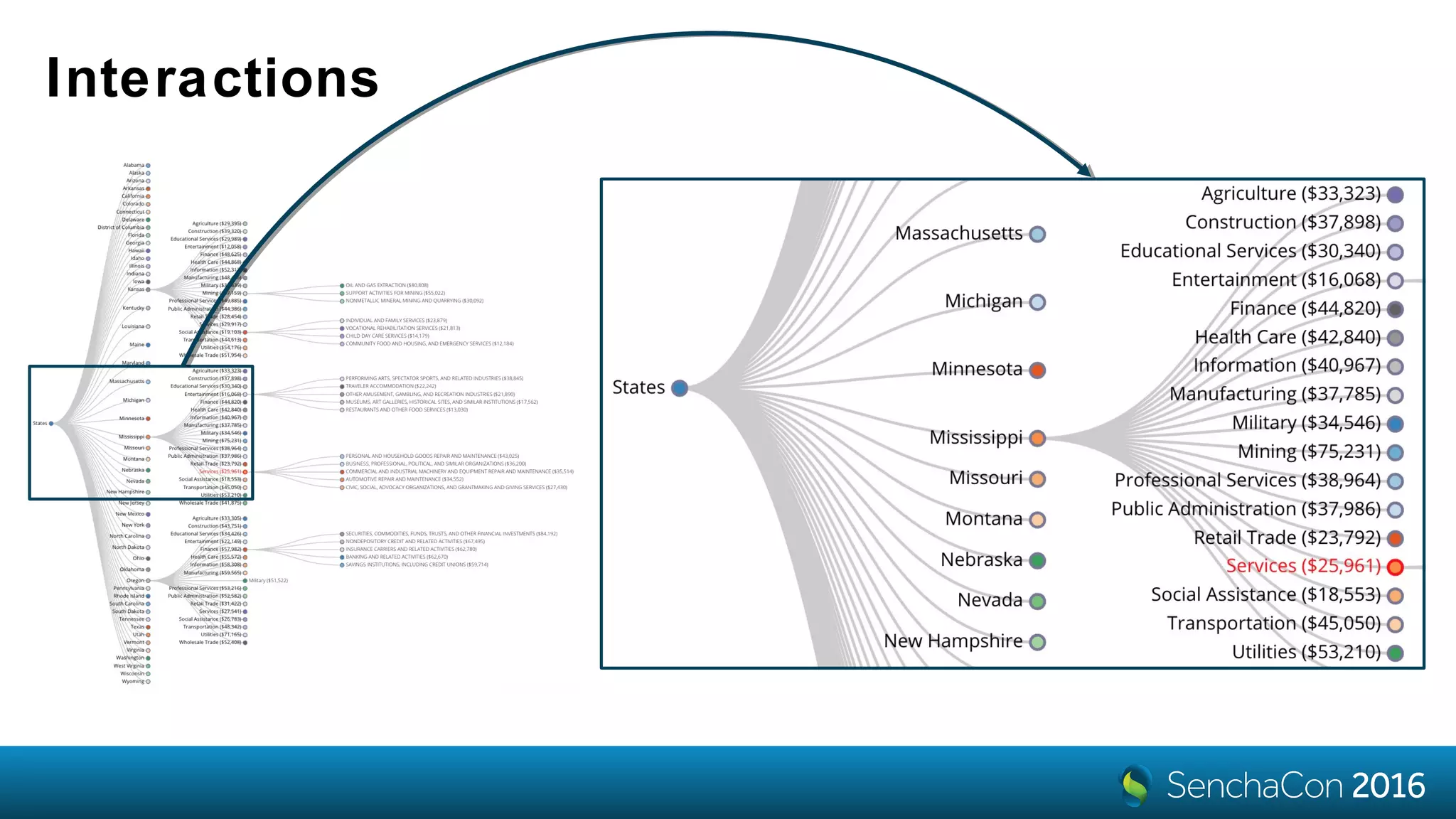
Interactions
panzoom
interaction
• it’s like zoom behavior with extras
• plays nice with Ext event/gesture
system
• kinetic scrolling
• constraints, elastic borders
• scroll indicators
interactions: {
type: 'panzoom'
}
pan: {
gesture: 'drag',
constrain: true,
momentum: {
friction: 1,
spring: 0.2
}
},
zoom: {
gesture: 'pinch',
extent: [1, 3],
uniform: true,
mouseWheel: {
factor: 1.02
},
doubleTap: {
factor: 1.1
}
}
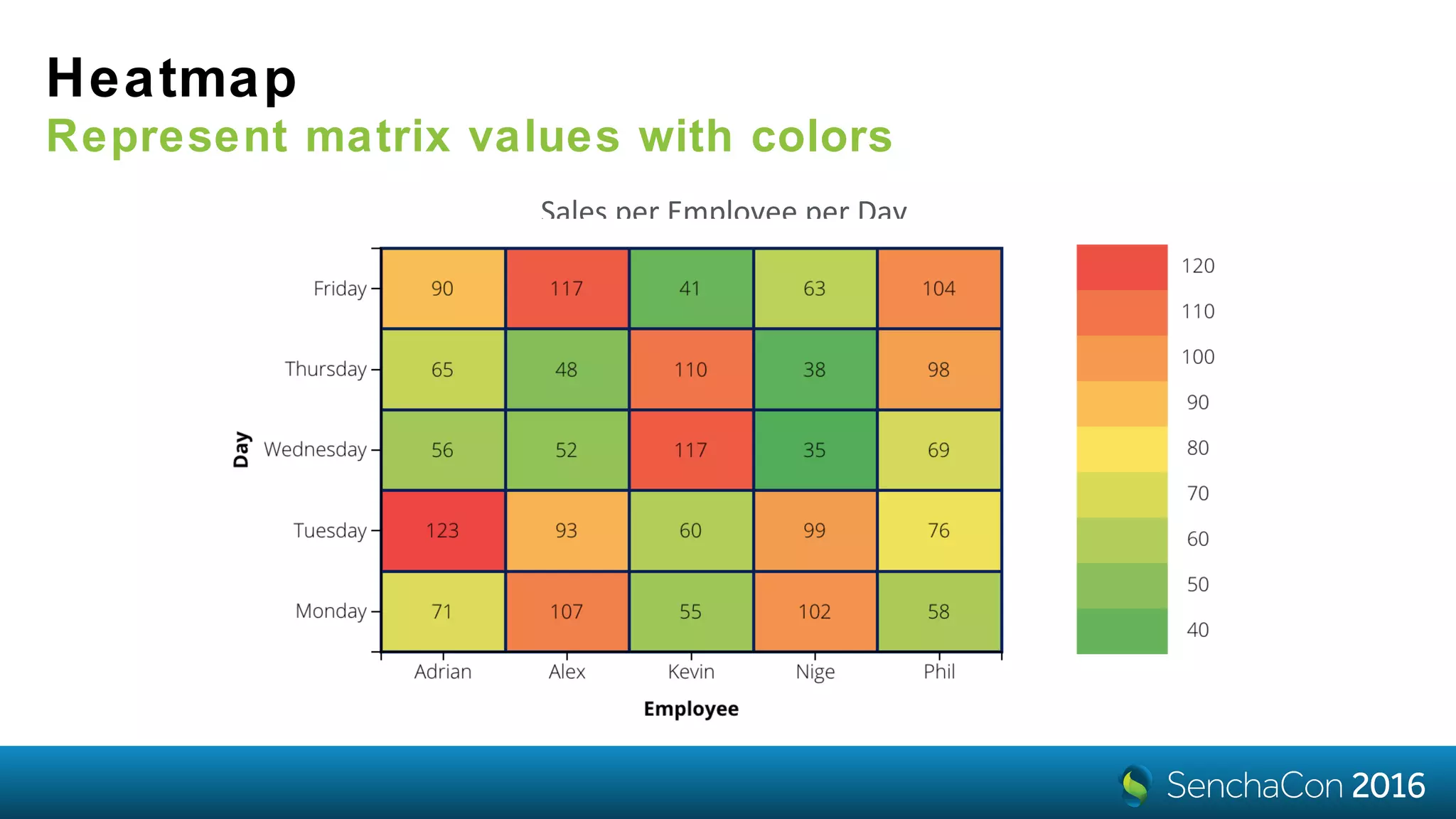
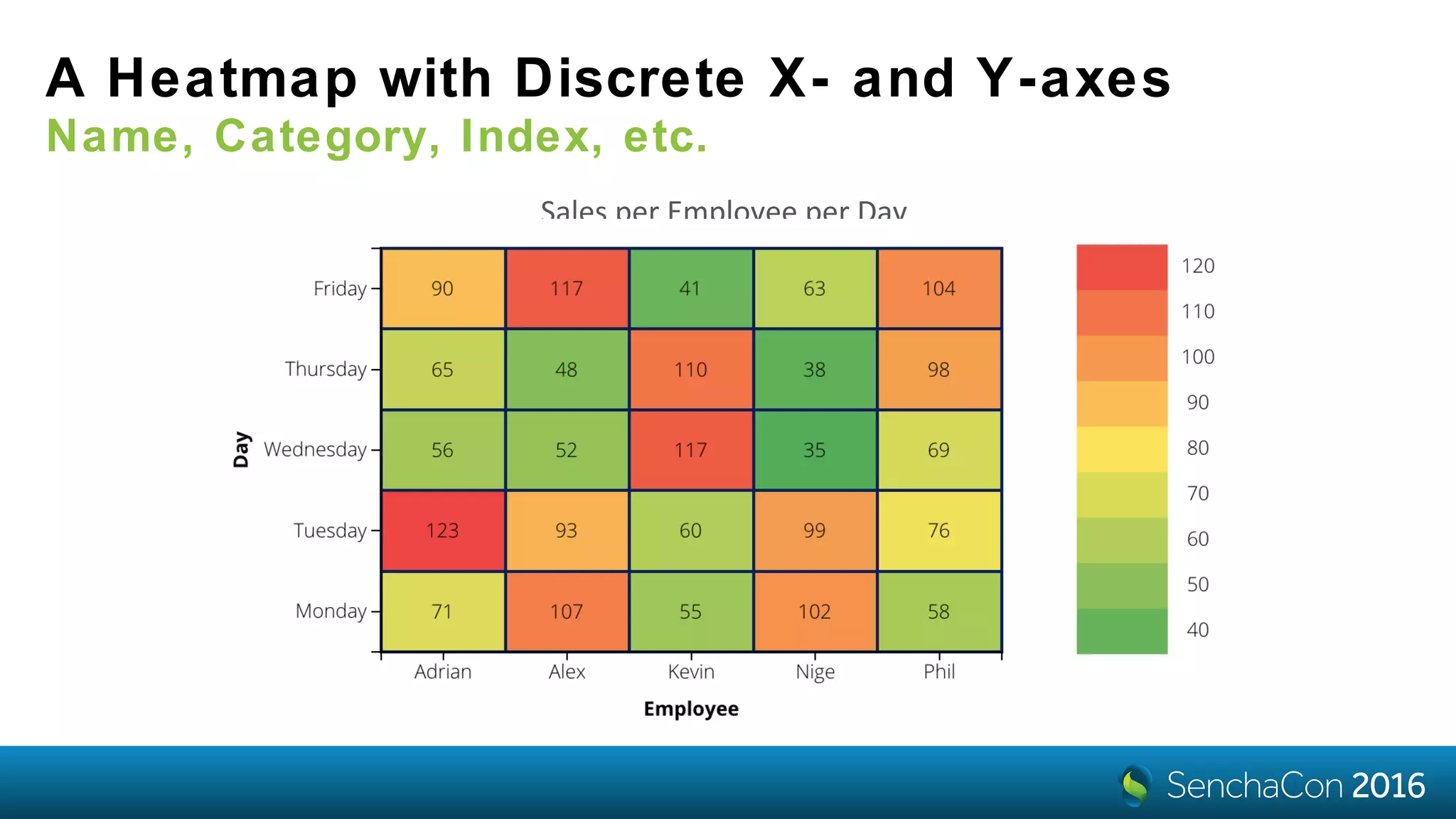
Heatmap
Represent matrix values with colors
Sales per Employee per Day
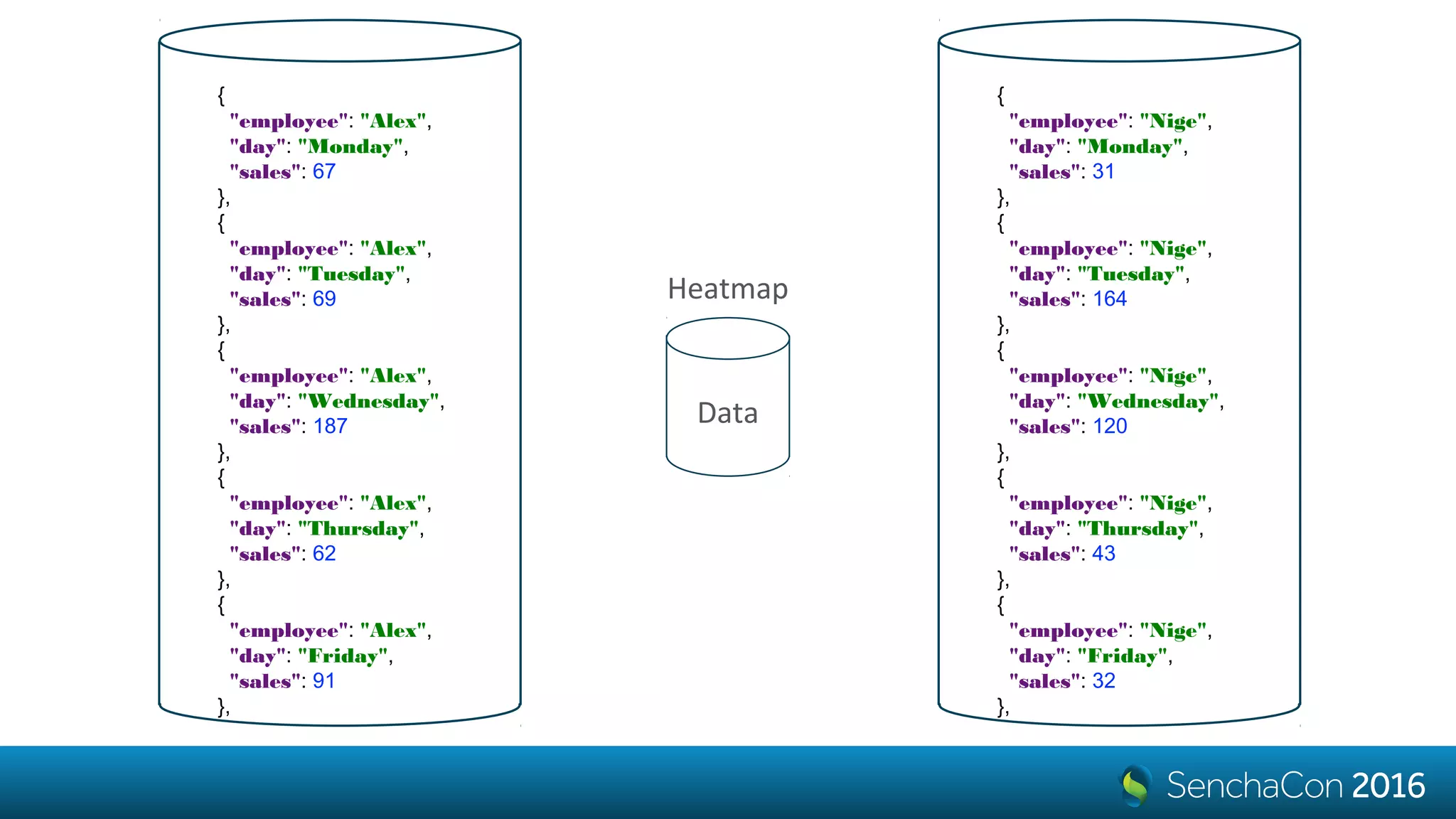
{
"employee": "Alex",
"day": "Monday",
"sales": 67
},
{
"employee": "Alex",
"day": "Tuesday",
"sales": 69
},
{
"employee": "Alex",
"day": "Wednesday",
"sales": 187
},
{
"employee": "Alex",
"day": "Thursday",
"sales": 62
},
{
"employee": "Alex",
"day": "Friday",
"sales": 91
},
{
"employee": "Nige",
"day": "Monday",
"sales": 31
},
{
"employee": "Nige",
"day": "Tuesday",
"sales": 164
},
{
"employee": "Nige",
"day": "Wednesday",
"sales": 120
},
{
"employee": "Nige",
"day": "Thursday",
"sales": 43
},
{
"employee": "Nige",
"day": "Friday",
"sales": 32
},
Data
Heatmap
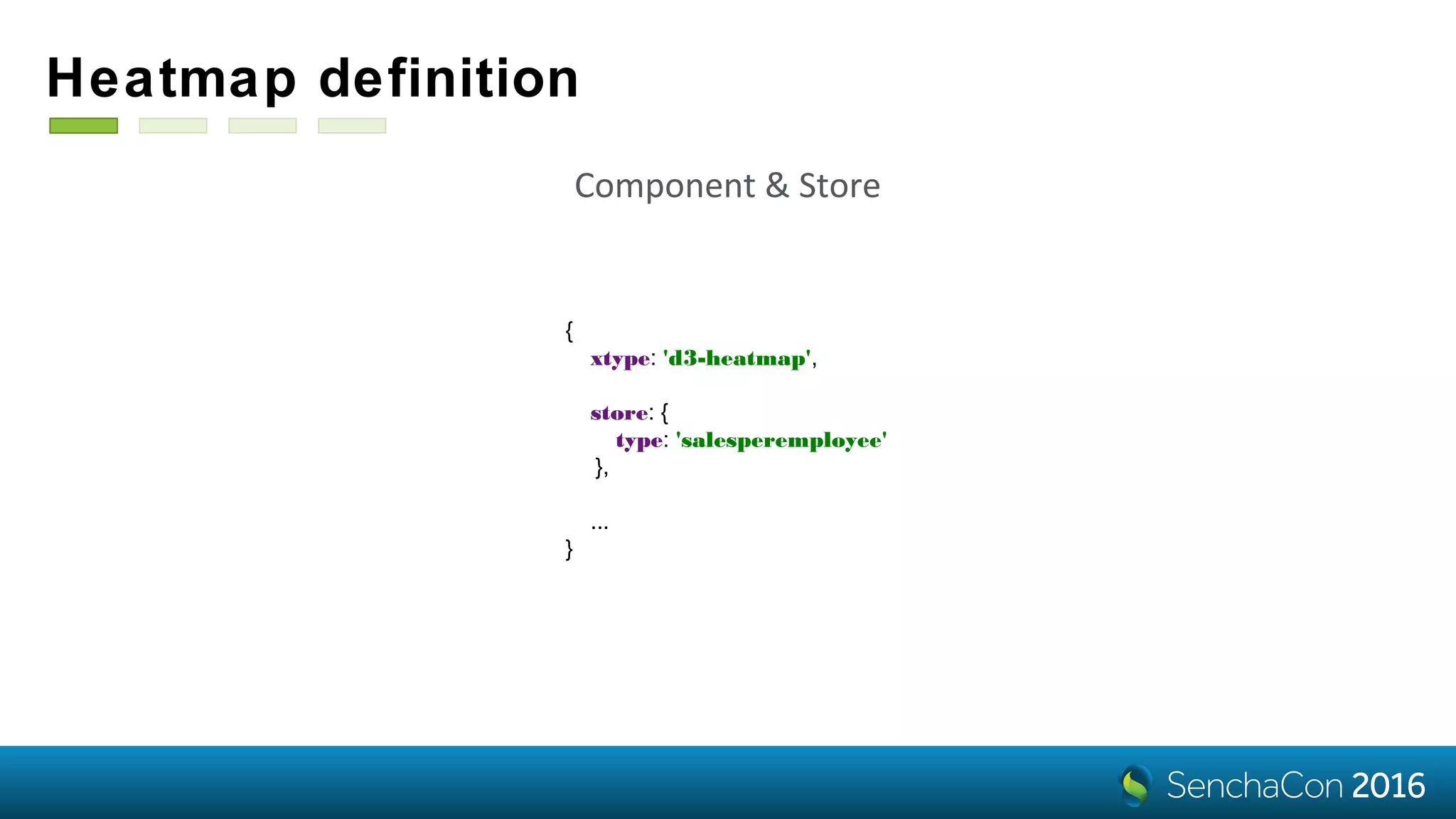
Heatmap definition
{
xtype: 'd3-heatmap',
store: {
type: 'salesperemployee'
},
...
}
Component & Store
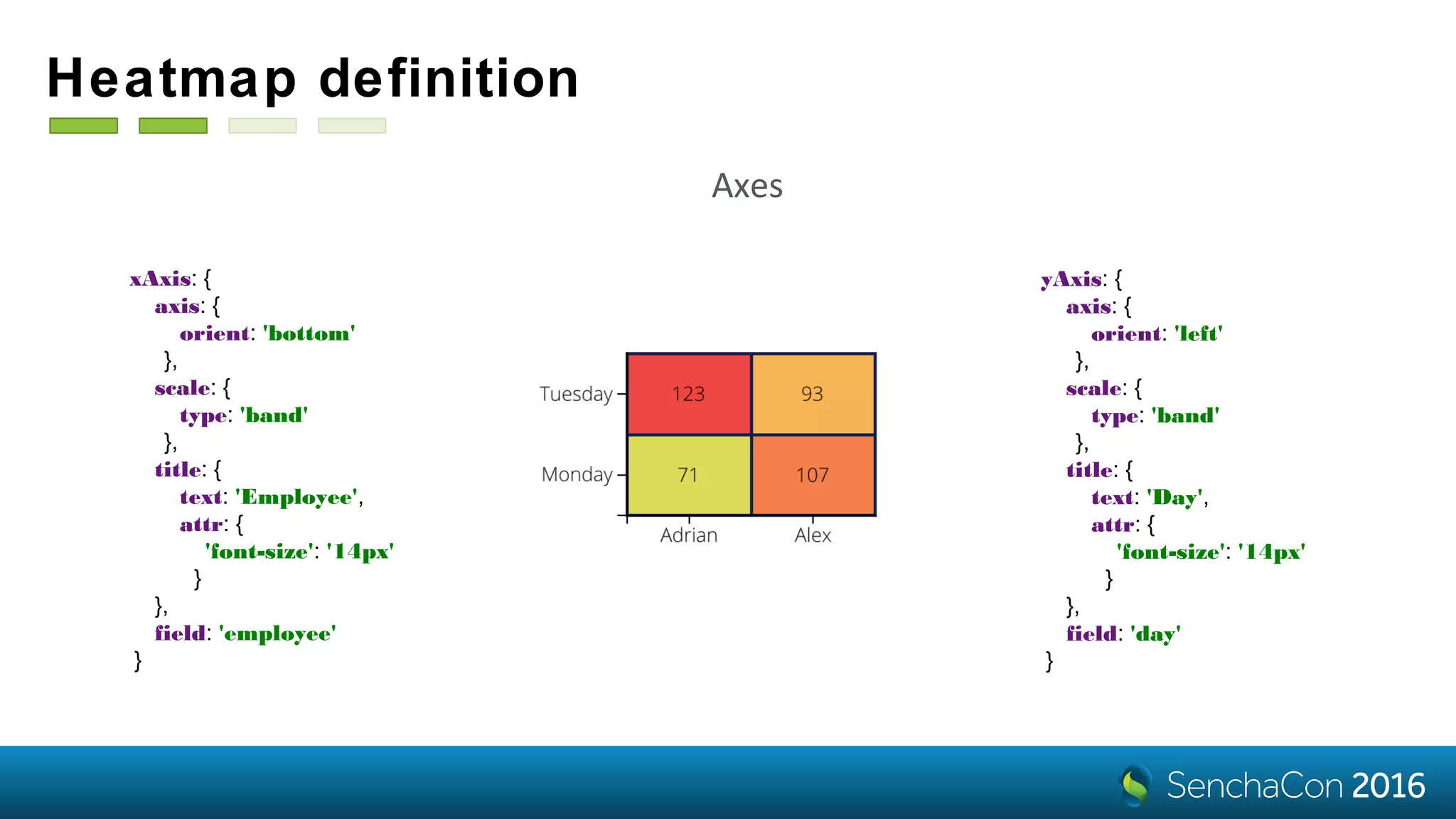
Heatmap definition
xAxis: {
axis: {
orient: 'bottom'
},
scale: {
type: 'band'
},
title: {
text: 'Employee',
attr: {
'font-size': '14px'
}
},
field: 'employee'
}
yAxis: {
axis: {
orient: 'left'
},
scale: {
type: 'band'
},
title: {
text: 'Day',
attr: {
'font-size': '14px'
}
},
field: 'day'
}
Axes
Heatmap definition
colorAxis: {
field: 'sales',
scale: {
type: 'linear',
range: [
'green’,
'yellow',
'red'
]
}
}
Colors
tiles: {
attr: {
'stroke': 'darkblue',
'stroke-width': 2
}
}
Styles
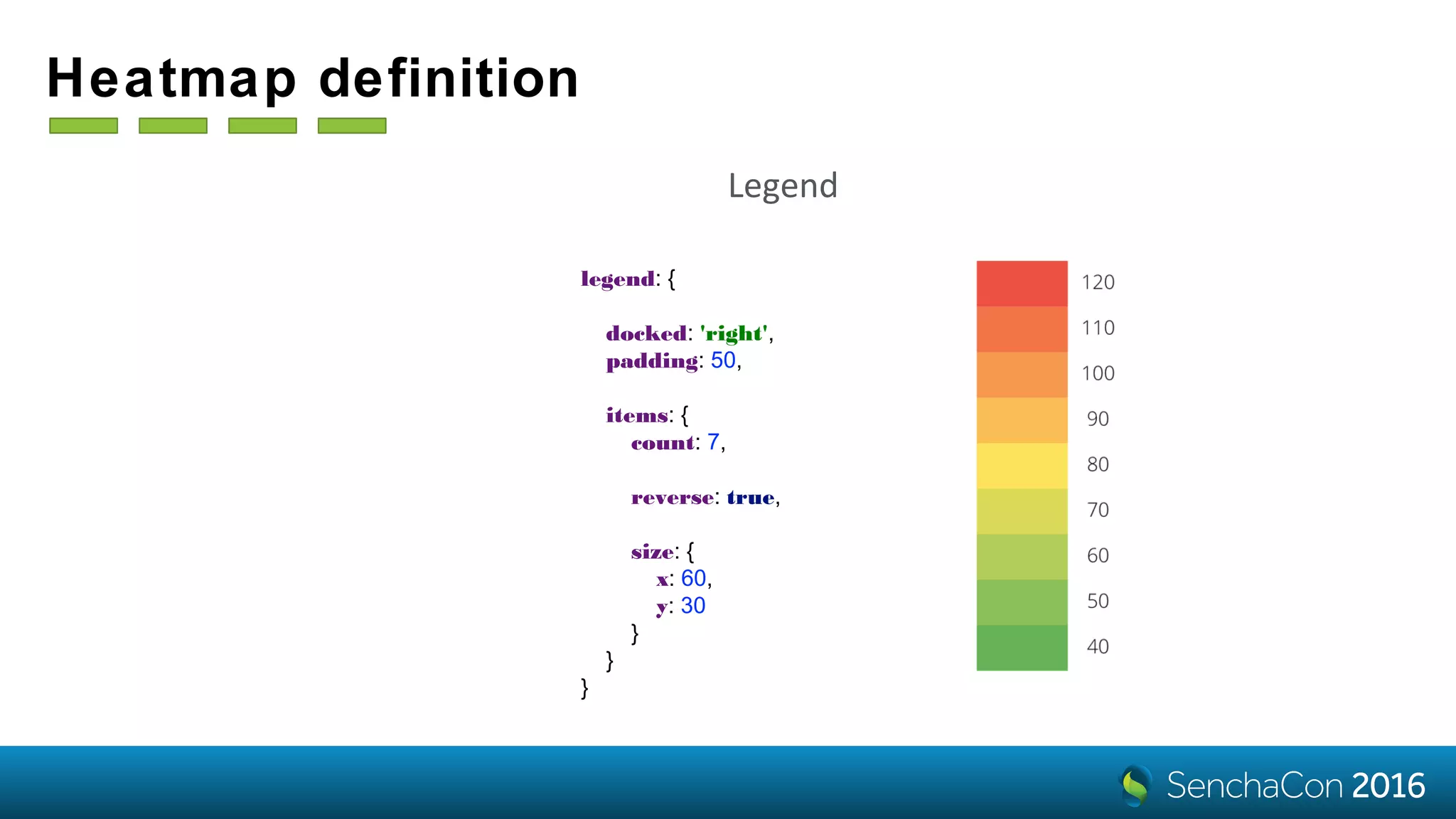
Heatmap definition
legend: {
docked: 'right',
padding: 50,
items: {
count: 7,
reverse: true,
size: {
x: 60,
y: 30
}
}
}
Legend
A Heatmap with Discrete X- and Y-axes
Name, Category, Index, etc.
Sales per Employee per Day
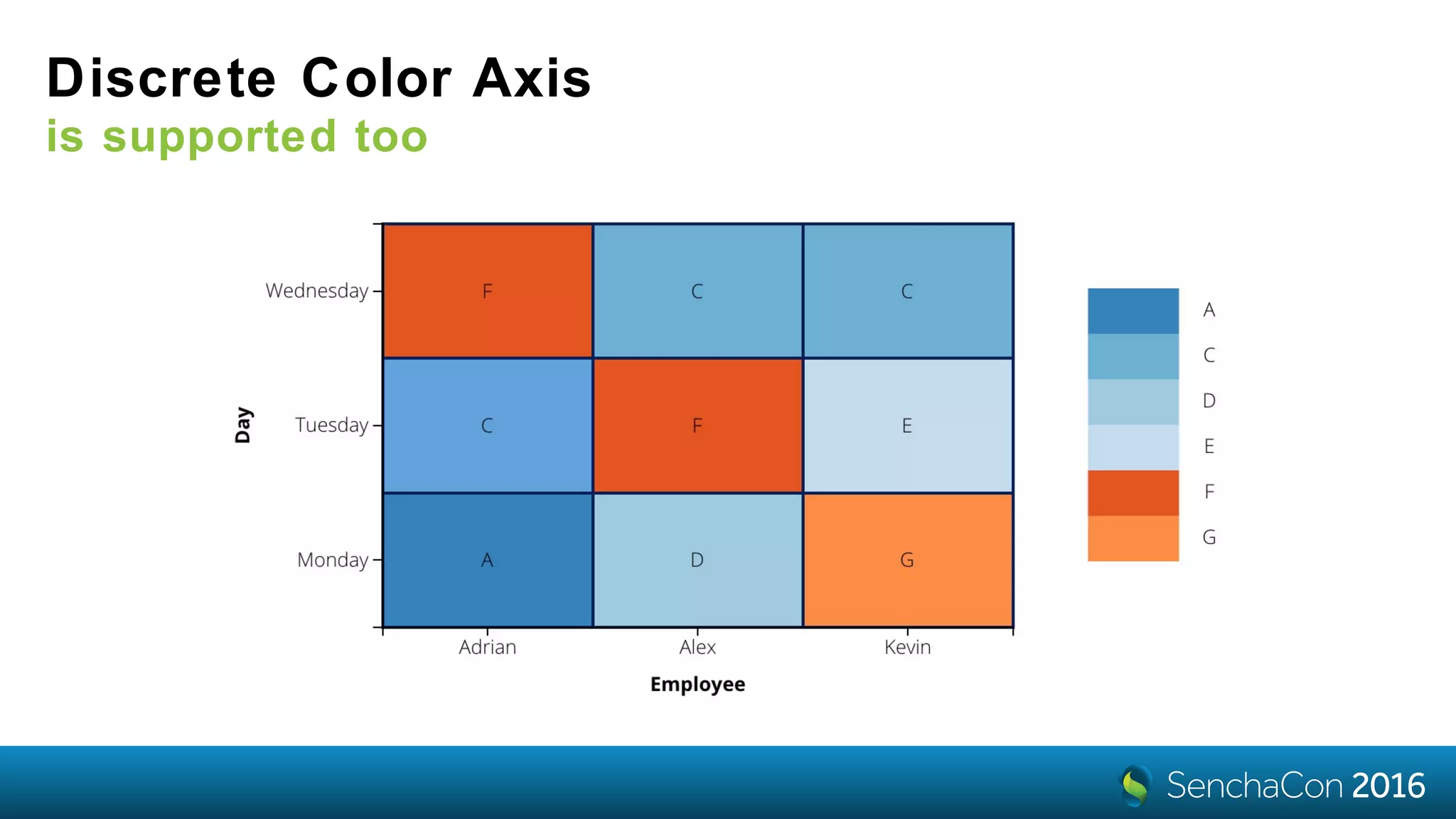
Discrete Color Axis
is supported too
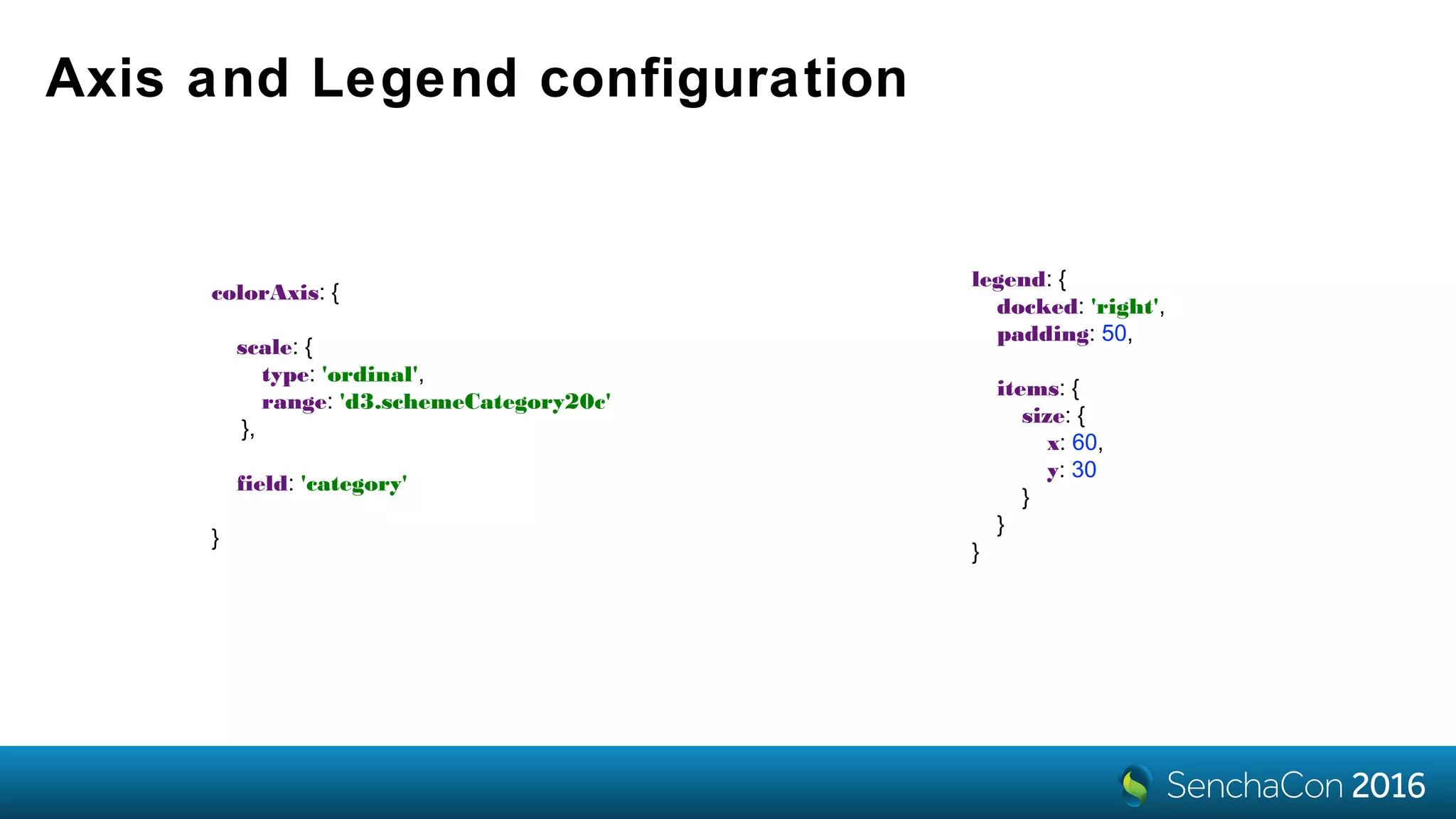
Axis and Legend configuration
colorAxis: {
scale: {
type: 'ordinal',
range: 'd3.schemeCategory20c'
},
field: 'category'
}
legend: {
docked: 'right',
padding: 50,
items: {
size: {
x: 60,
y: 30
}
}
}
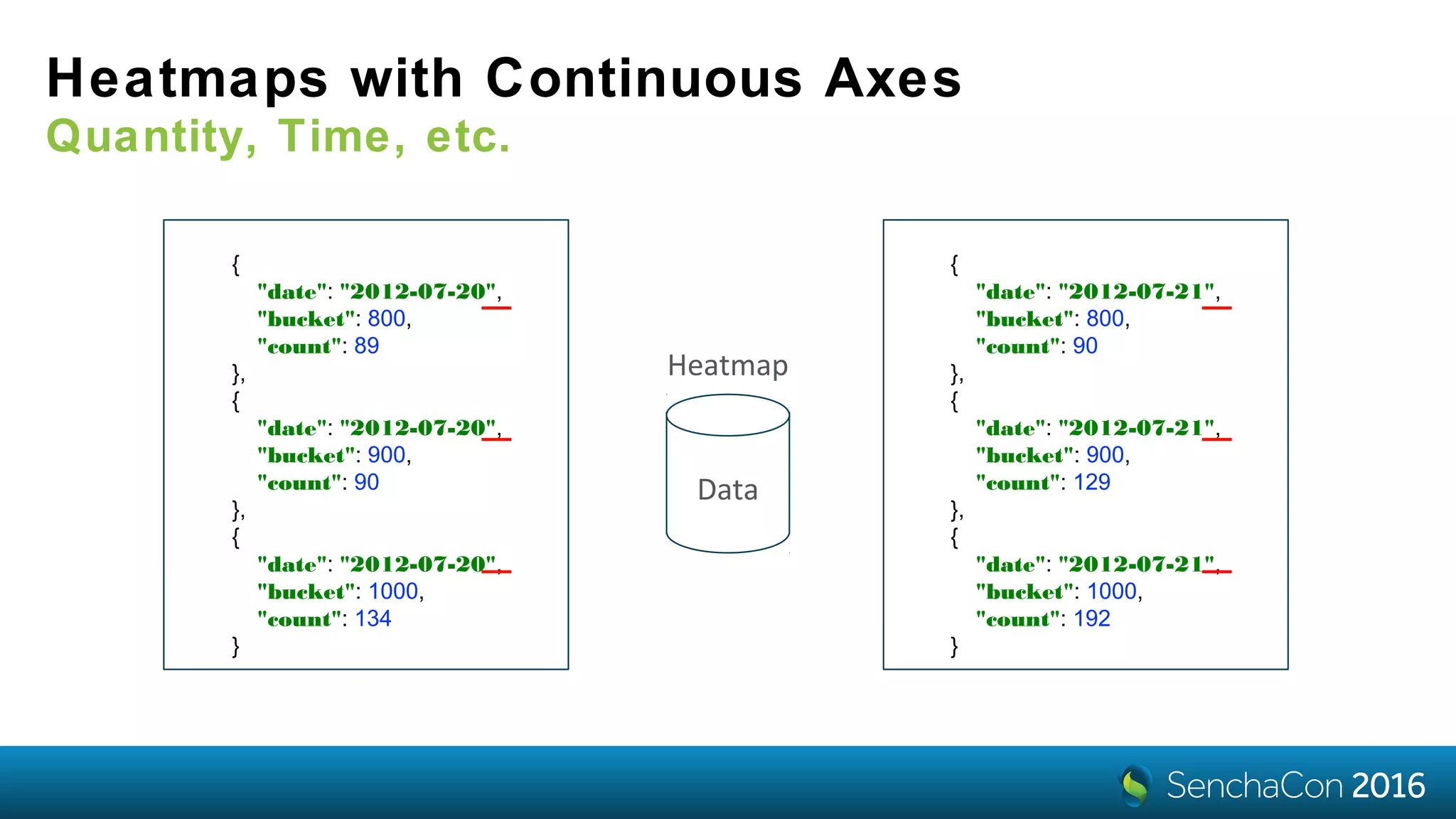
Heatmaps with Continuous Axes
Quantity, Time, etc.
Data
Heatmap
{
"date": "2012-07-20",
"bucket": 800,
"count": 89
},
{
"date": "2012-07-20",
"bucket": 900,
"count": 90
},
{
"date": "2012-07-20",
"bucket": 1000,
"count": 134
}
{
"date": "2012-07-21",
"bucket": 800,
"count": 90
},
{
"date": "2012-07-21",
"bucket": 900,
"count": 129
},
{
"date": "2012-07-21",
"bucket": 1000,
"count": 192
}
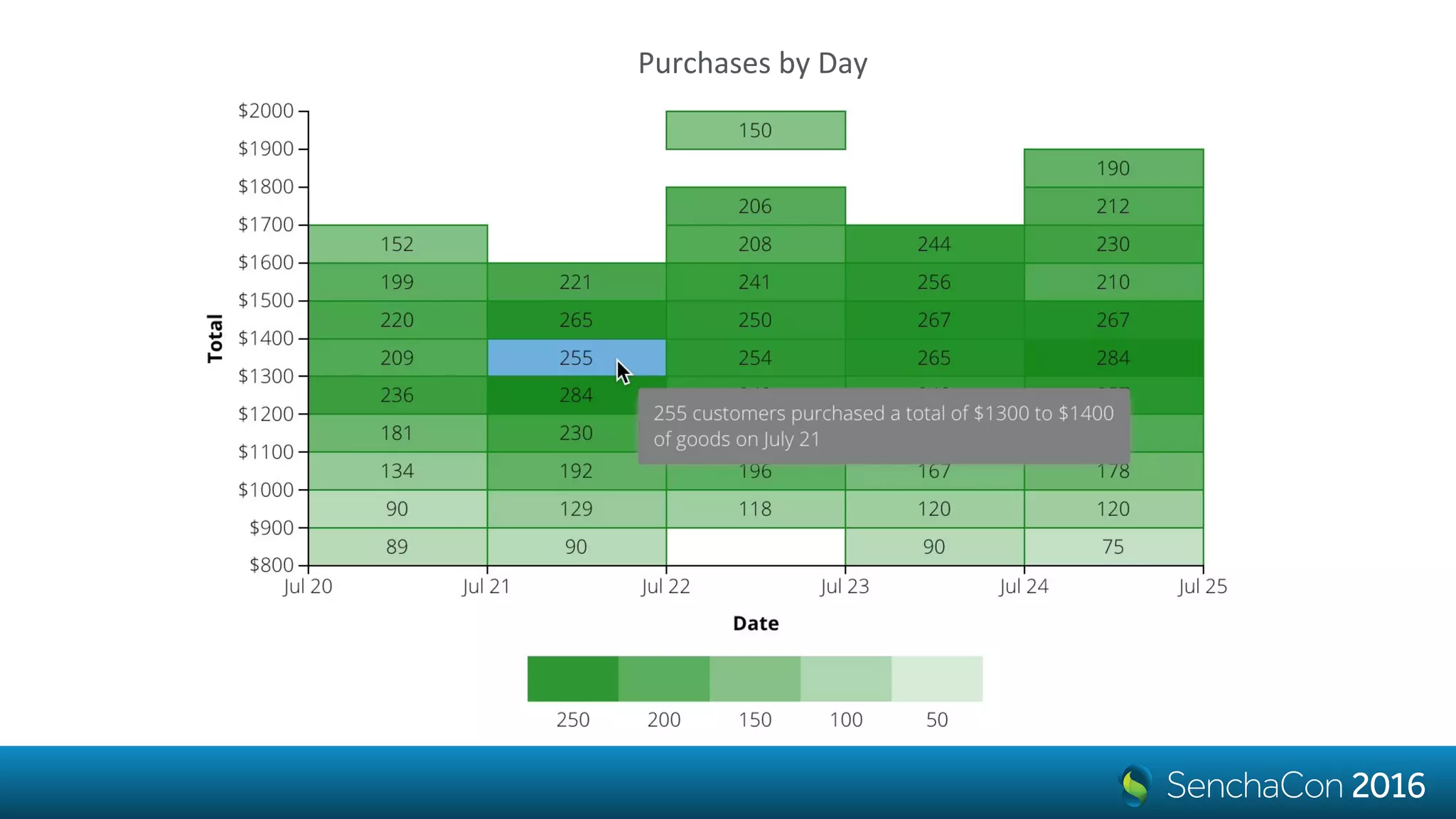
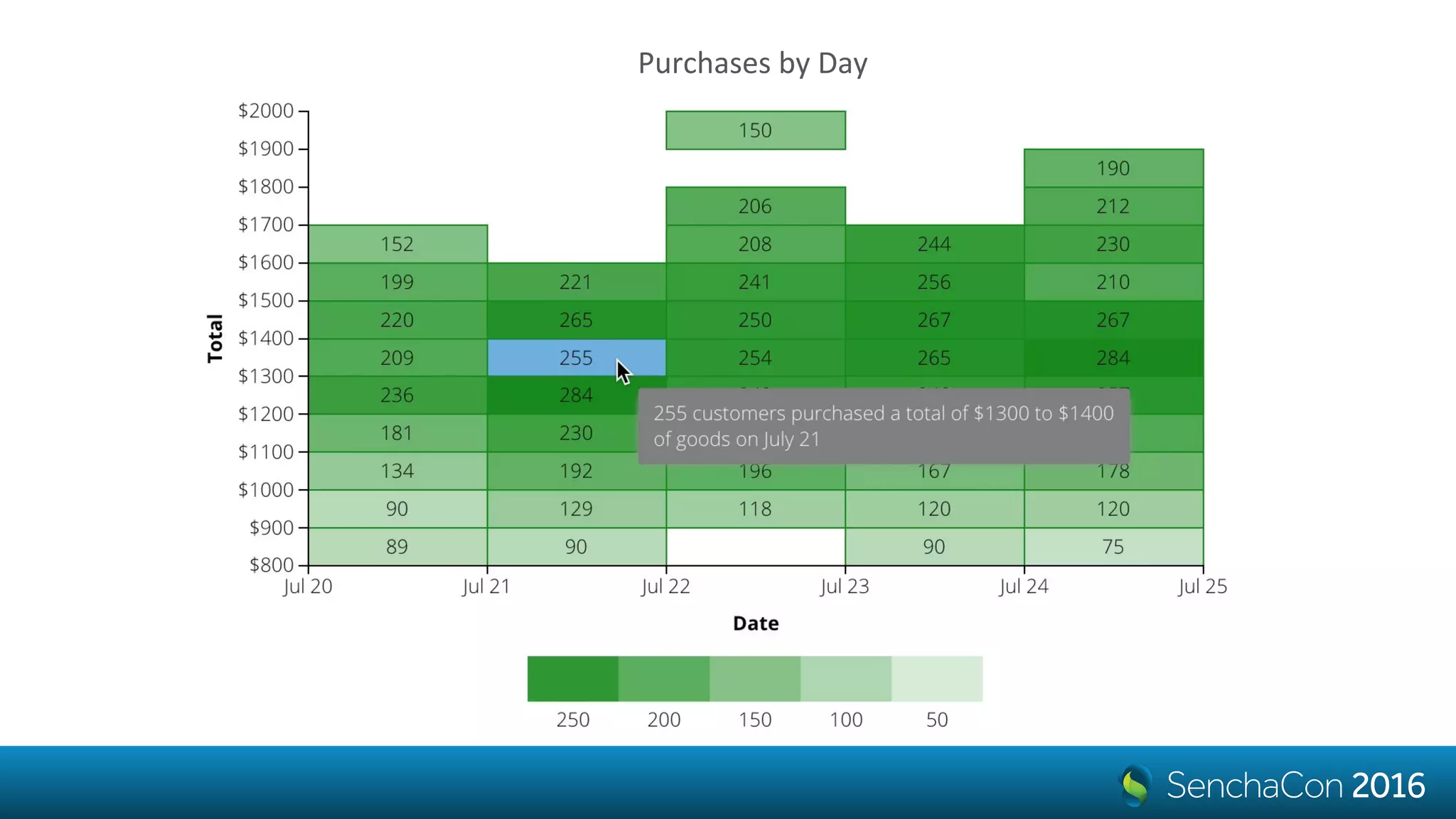
Purchases by Day
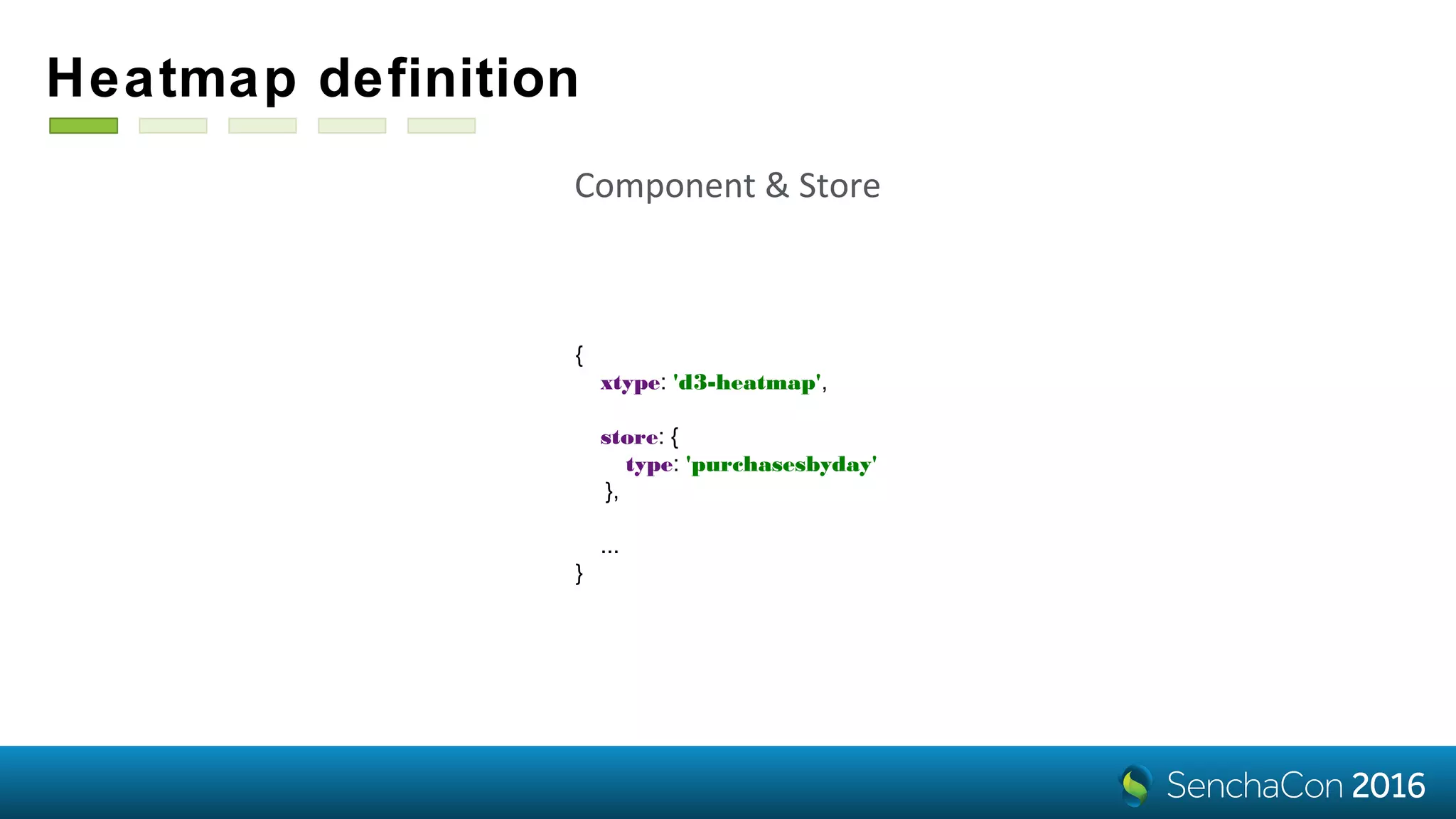
Heatmap definition
{
xtype: 'd3-heatmap',
store: {
type: 'purchasesbyday'
},
...
}
Component & Store
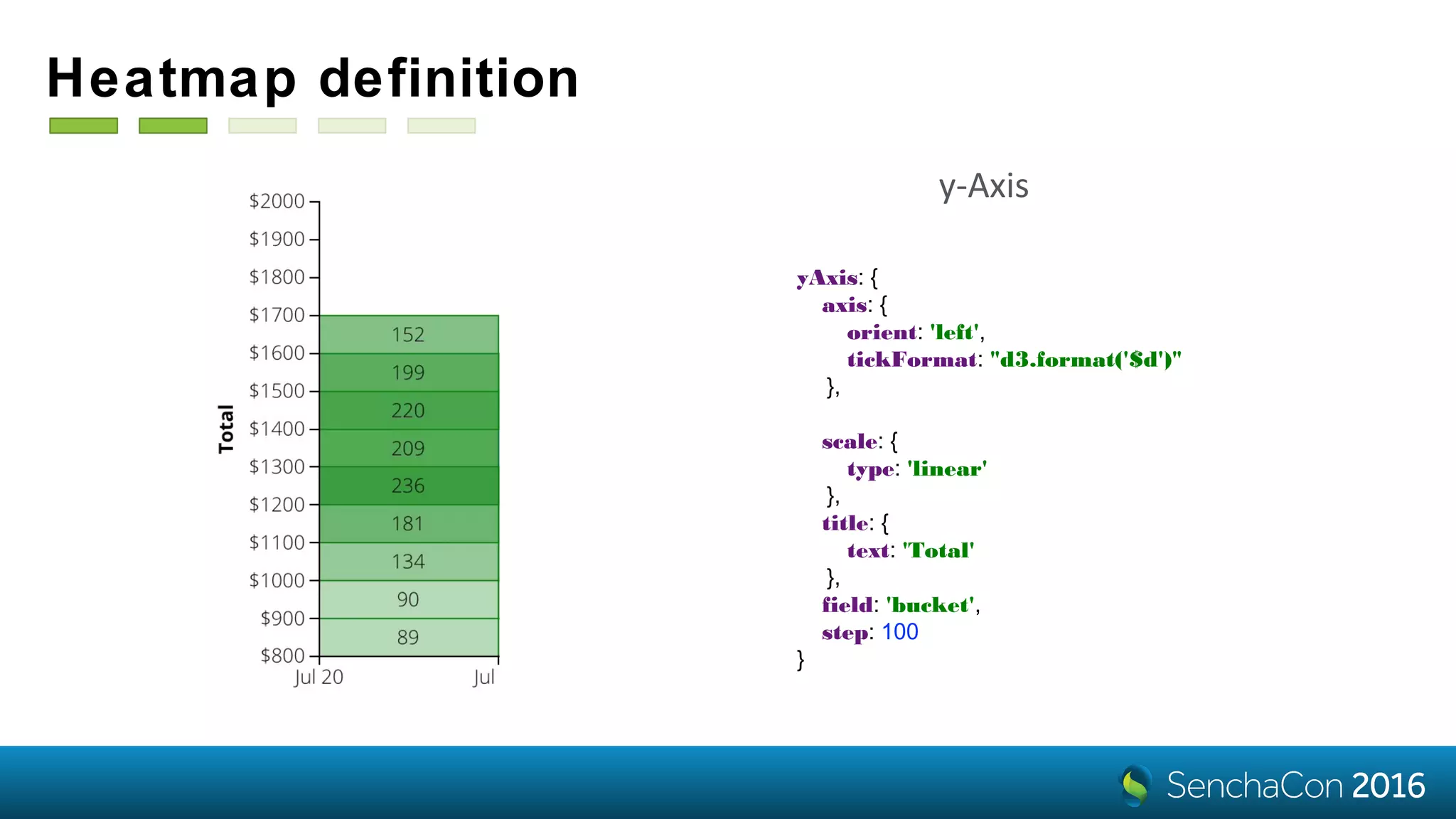
Heatmap definition
yAxis: {
axis: {
orient: 'left',
tickFormat: "d3.format('$d')"
},
scale: {
type: 'linear'
},
title: {
text: 'Total'
},
field: 'bucket',
step: 100
}
y-Axis
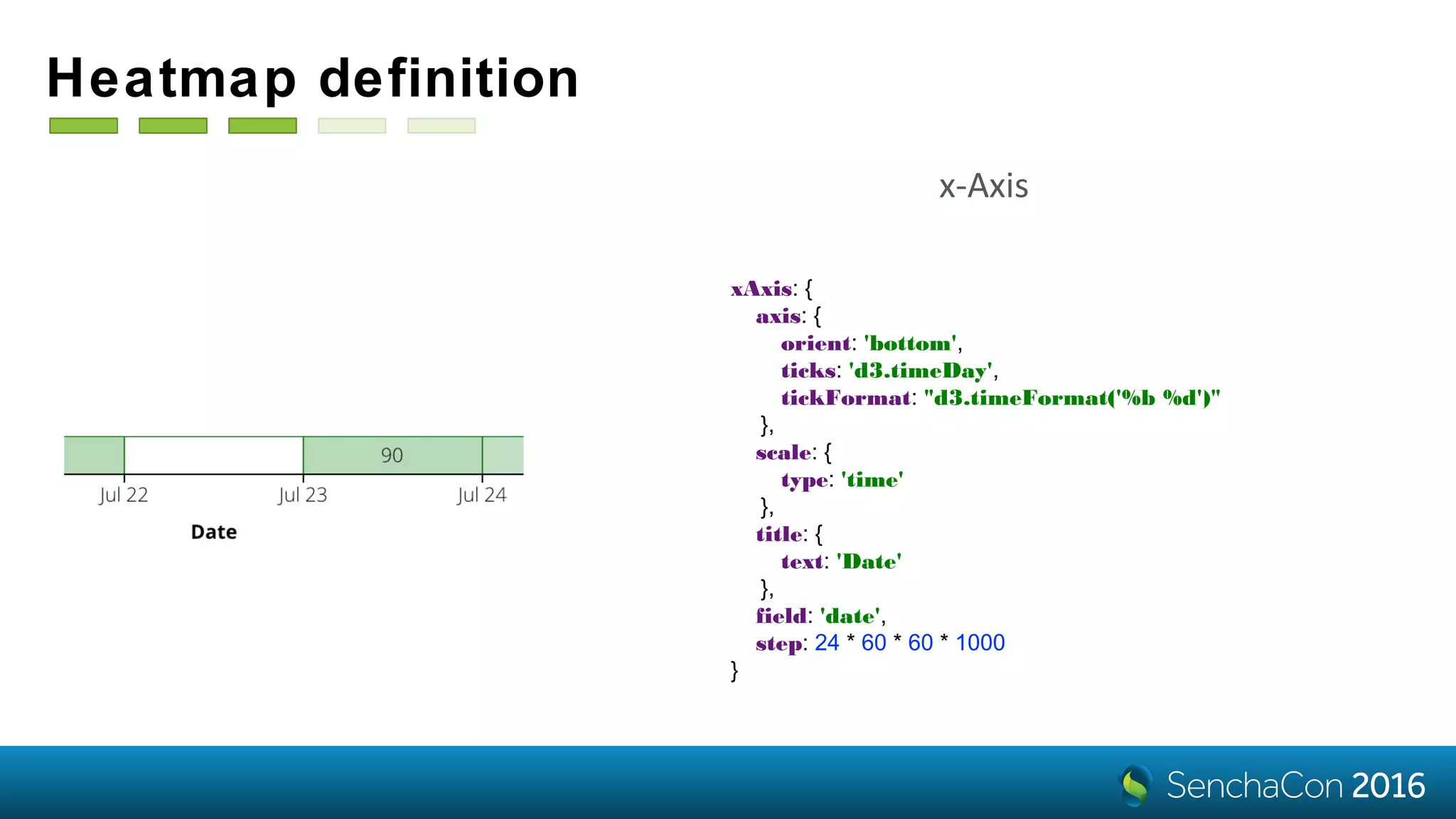
Heatmap definition
xAxis: {
axis: {
orient: 'bottom',
ticks: 'd3.timeDay',
tickFormat: "d3.timeFormat('%b %d')"
},
scale: {
type: 'time'
},
title: {
text: 'Date'
},
field: 'date',
step: 24 * 60 * 60 * 1000
}
x-Axis
Heatmap definition
colorAxis: {
field: 'count',
scale: {
type: 'linear',
range: ['white', 'green']
},
minimum: 0
}
Colors
tiles: {
attr: {
'stroke': 'green',
'stroke-width': 1
}
}
Styles
Heatmap definition
legend: {
docked: 'bottom',
padding: 60,
items: {
count: 7,
slice: [1],
reverse: true,
size: {
x: 60,
y: 30
}
}
}
Legend
Purchases by Day
Heatmap Tooltips
they are just the same
tooltip: {
renderer: 'onTooltip'
}
onTooltip: function (component, tooltip, record, element, event) {
var xField = component.getXAxis().getField(),
yField = component.getYAxis().getField(),
colorField = component.getColorAxis().getField(),
date = record.get(xField),
bucket = record.get(yField),
count = record.get(colorField),
dateStr = Ext.Date.format(date, 'F j');
tooltip.setHtml(count + ' customers purchased a total of $'
+ bucket + ' to $' + (bucket + 100) + '<br> of goods on ' + dateStr);
}
Live
Demo
How D3 selections work?
a quick aside
d3.select('body') // a selection (a transient object that holds the 'body' element)
d3.select('body').selectAll('div') // a selection of all 'div' elements in the body
// joining data with selected 'div' elements:
var update = d3.select('body').selectAll('div').data([0, 1, 2, 3, 4])
// existing DOM elements in the selection
// for which no new datum was found:
update.exit()
// a selection of successfully updated DOM elements:
update
// a selection with placeholder nodes
// for data that has no corresponding DOM elements:
update.enter()
update.enter().append('div')
<div>.__data__ = 0
<div>.__data__ = 1
...
<div>.__data__ = 4
How ExtJS Hierarchy components work?
var layout = d3.tree();
var layoutRoot = layout(d3.hierarchy(storeRoot));
var nodes = layoutRoot.descendants();
var update = scene.selectAll(‘.x-d3-node').data(nodes);
this.addNodes(update.enter());
this.updateNodes(update);
this.removeNodes(update.exit());
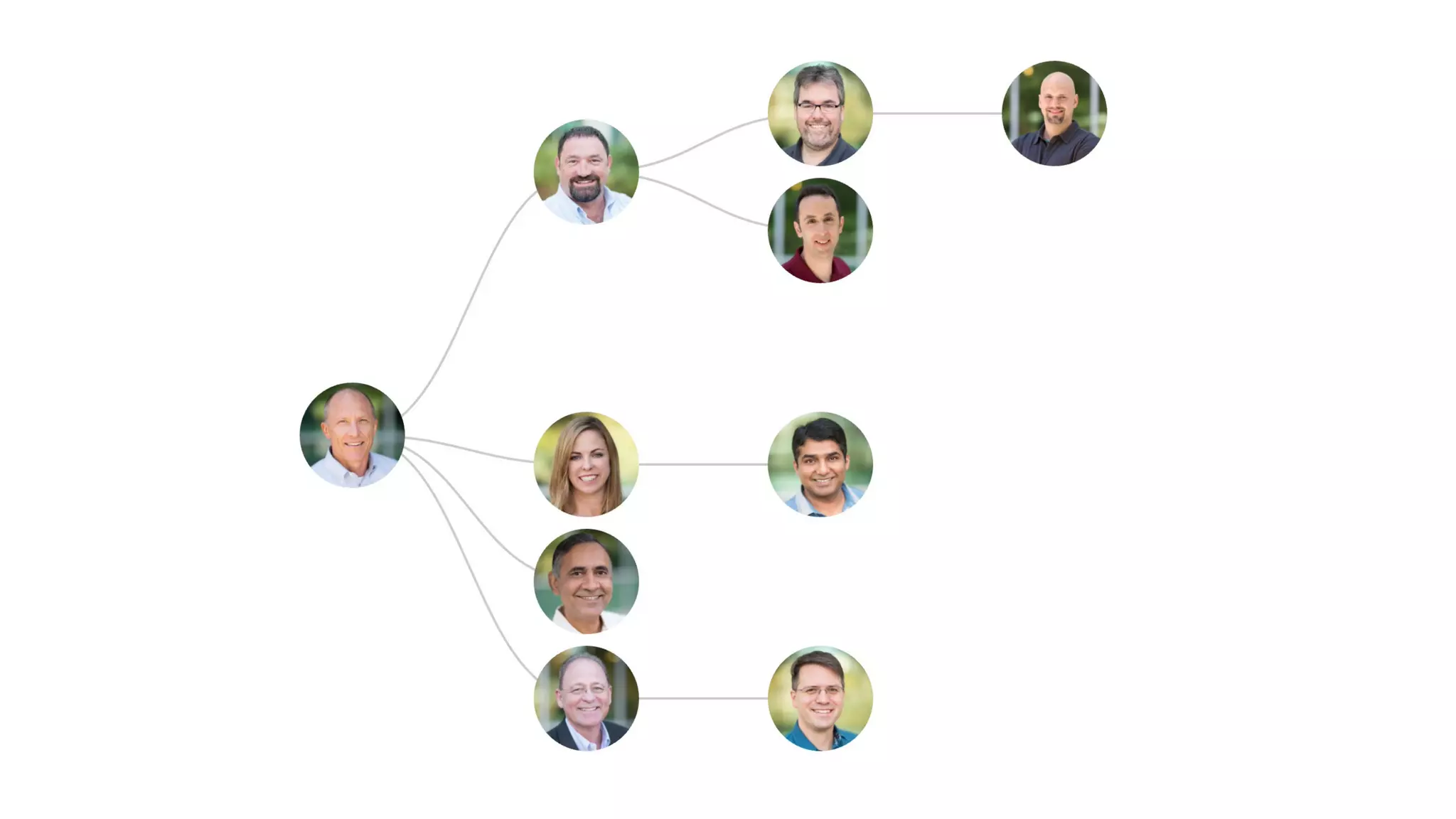
{
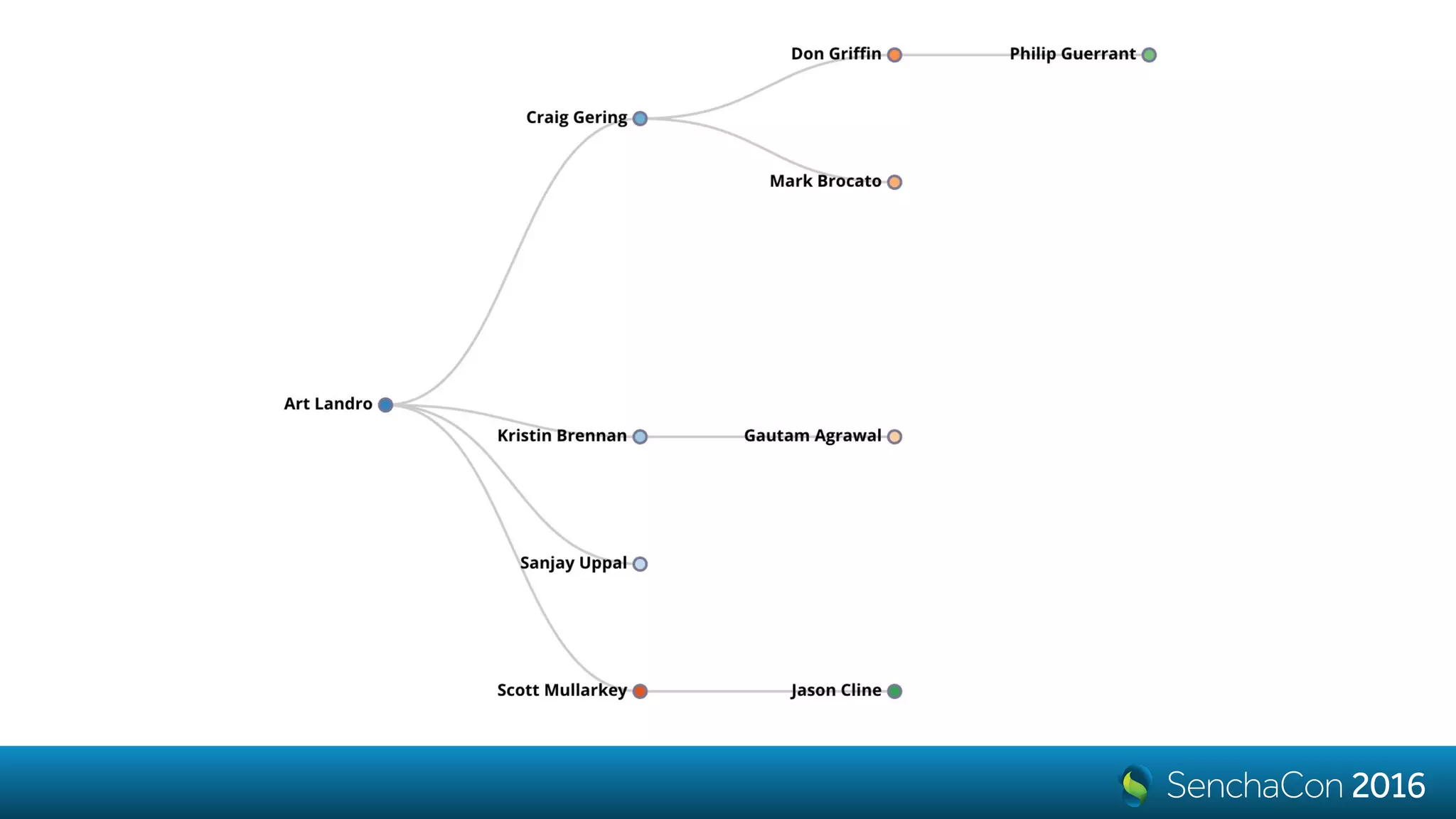
name: 'Art Landro’,
url: '1.jpg',
children: [
{
name: 'Craig Gering',
url: '4.jpg',
},
...
{
xtype: 'd3-tree',
nodeSize: [200, 100],
interactions: {
type: 'panzoom',
zoom: {
doubleTap: false
}
},
store: {
root: data
}
}
Subclassing
let’s create an org chart
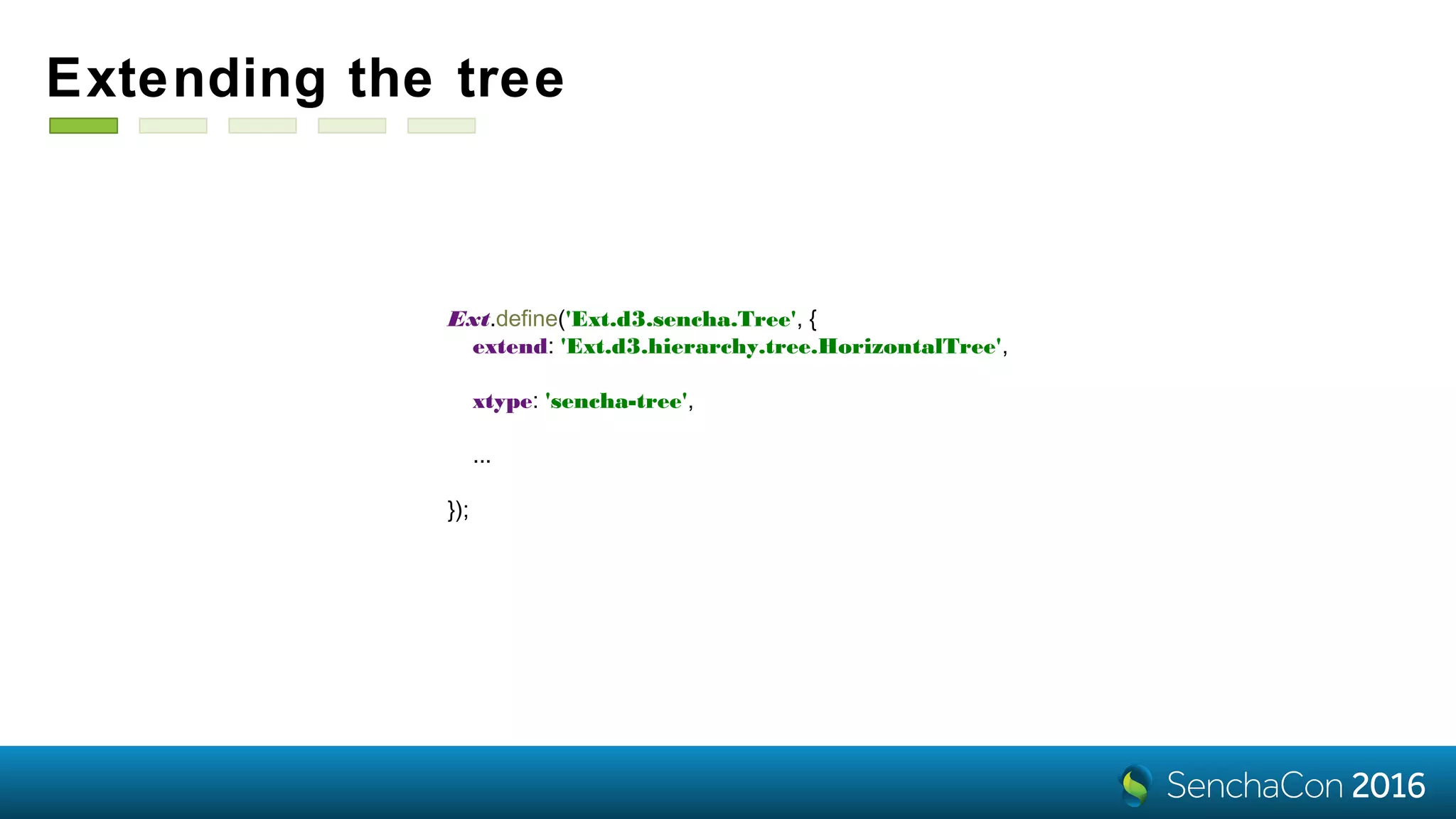
Ext.define('Ext.d3.sencha.Tree', {
extend: 'Ext.d3.hierarchy.tree.HorizontalTree',
xtype: 'sencha-tree',
...
});
Extending the tree
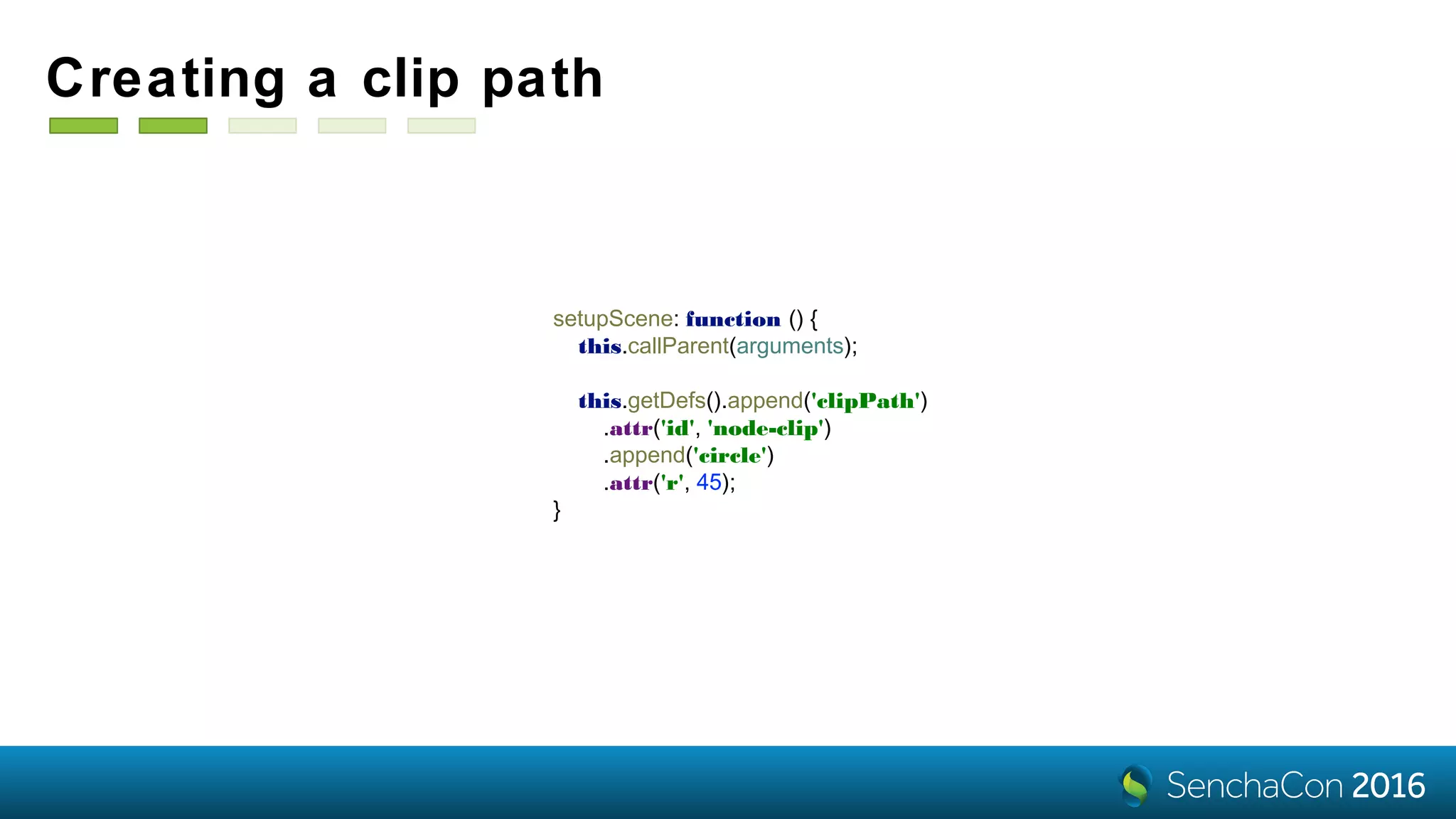
setupScene: function () {
this.callParent(arguments);
this.getDefs().append('clipPath')
.attr('id', 'node-clip')
.append('circle')
.attr('r', 45);
}
Creating a clip path
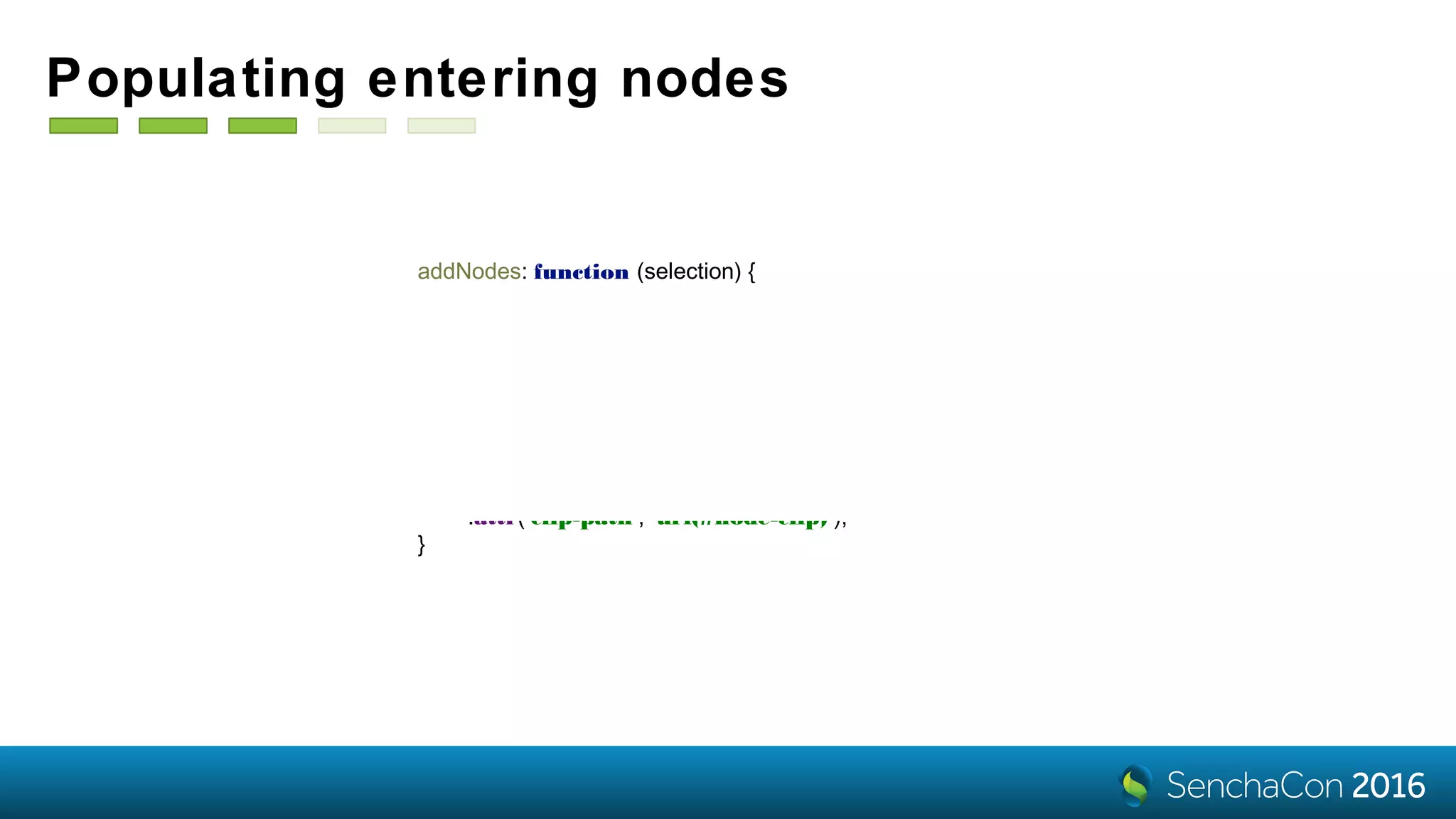
addNodes: function (selection) {
selection
.attr('opacity', 0)
.append('image')
.attr('xlink:href', node => 'img/' + node.data.get('url'))
.attr('x', '-45px')
.attr('y', '-45px')
.attr('width', '90px')
.attr('height', '90px')
.attr('clip-path', 'url(#node-clip)');
}
Populating entering nodes
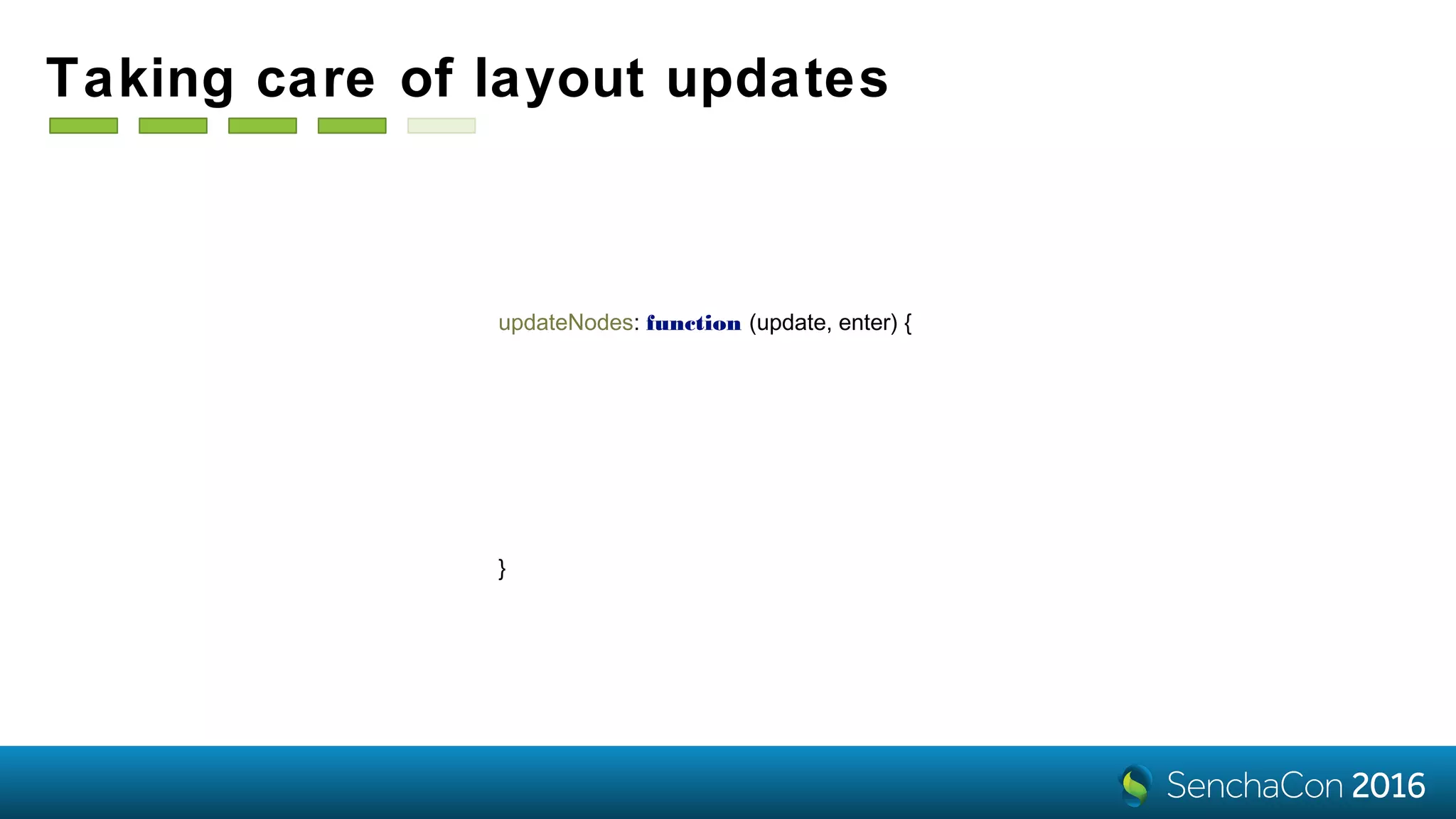
updateNodes: function (update, enter) {
var selection = update.merge(enter);
selection
.transition(this.layoutTransition)
.attr('opacity', 1)
.call(this.getNodeTransform());
}
Taking care of layout updates
{
name: 'Art Landro',
url: '1.jpg',
children: [
{
name: 'Craig Gering',
url: '4.jpg',
},
...
{
xtype: 'sencha-tree',
nodeSize: [200, 100],
interactions: {
type: 'panzoom',
zoom: {
doubleTap: false
}
},
store: {
root: data
}
}
Swapping the xtype
Live
Demo
Custom
visualizations
• d3-svg (aliased as d3)
- creates an SVG document for you
- takes care about the size
- responds to store changes
- has a life cycle of a component
onSceneSetup: function (component, scene) {
var data = ['A', 'B', 'C', 'D', ‘E',
'F', 'G', 'H', 'I', ‘J'],
color = d3.scaleOrdinal(d3.schemeCategory20c),
selection = scene.selectAll().data(data).enter(),
position = (d, i) => i * 30;
selection.append('circle')
.attr('fill', d => color(d))
.attr('cx', position)
.attr('r', 10);
selection.append('text')
.text((d, i) => i < 5 ? d : '')
.attr('x', position)
.attr('y', 30)
.attr('text-anchor', 'middle')
.attr('font-weight', 'bold');
}
{
xtype: 'd3',
listeners: {
scenesetup: 'onSceneSetup'
}
}
• d3-canvas - same as d3, but for
Canvas
- resolution independence
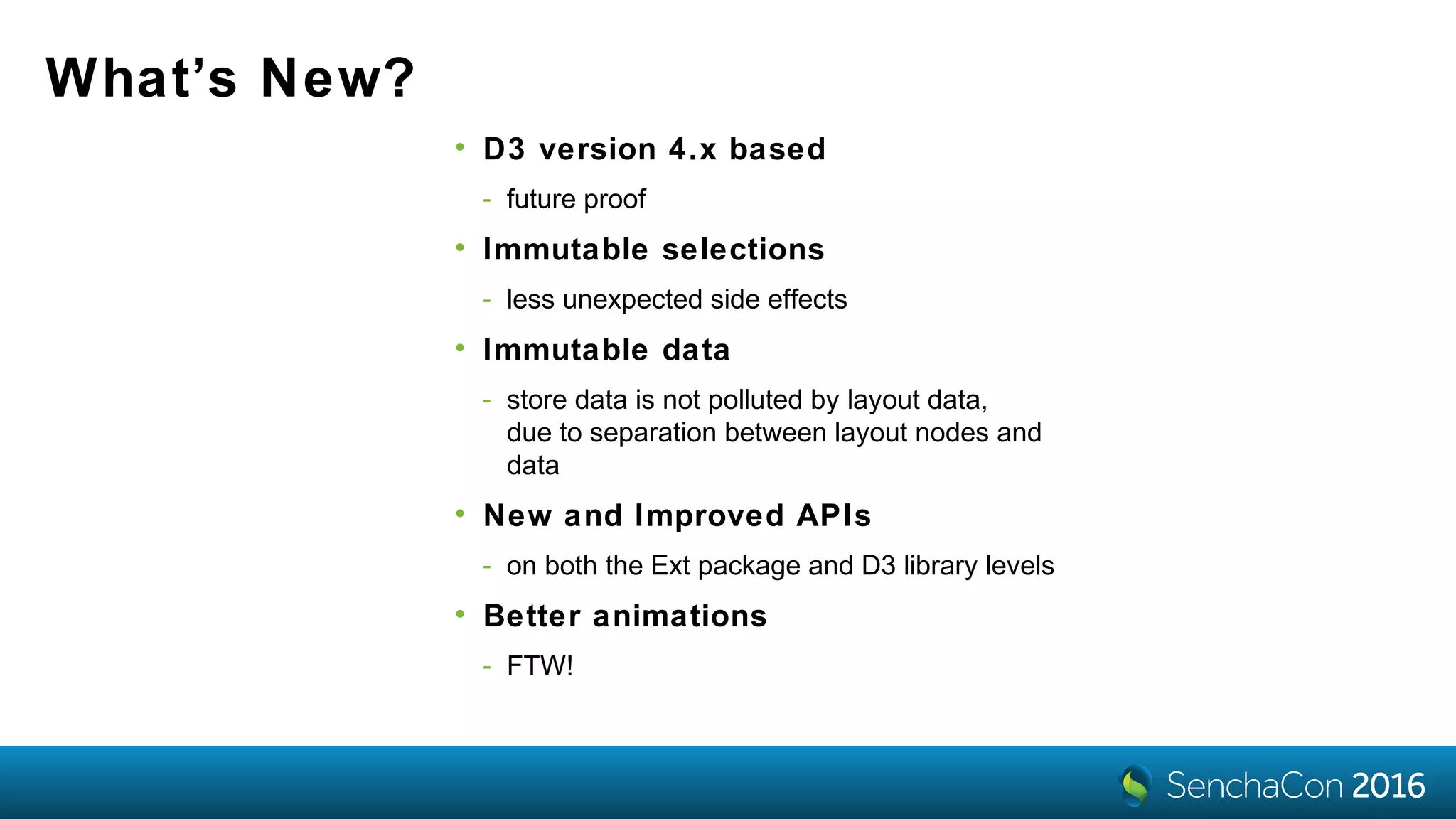
What’s New?
• D3 version 4.x based
- future proof
• Immutable selections
- less unexpected side effects
• Immutable data
- store data is not polluted by layout data,
due to separation between layout nodes and
data
• New and Improved APIs
- on both the Ext package and D3 library levels
• Better animations
- FTW!
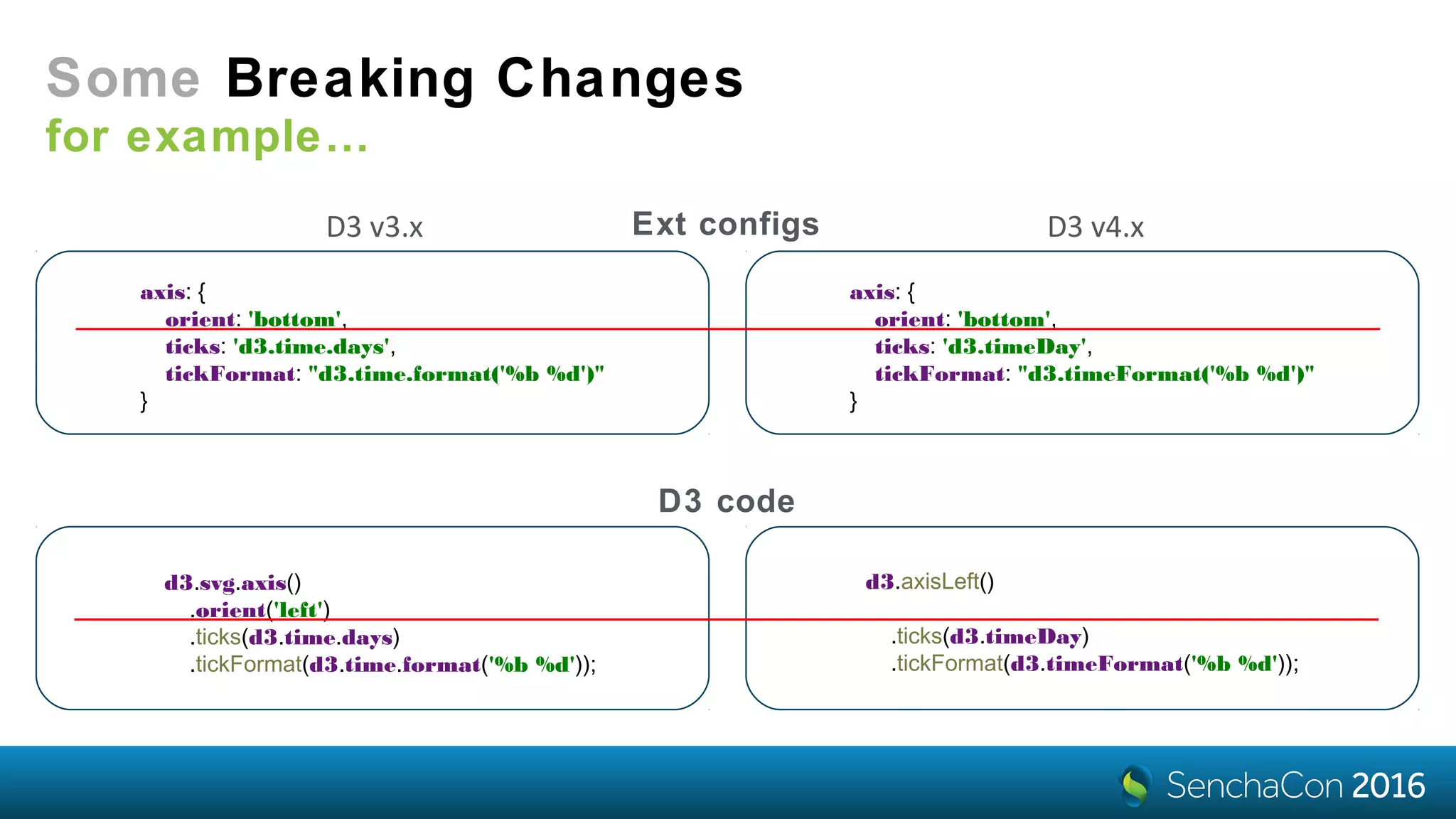
Some Breaking Changes
not our fault*
version 3 version 4
Some Breaking Changes
for example…
axis: {
orient: 'bottom',
ticks: 'd3.time.days',
tickFormat: "d3.time.format('%b %d')"
}
axis: {
orient: 'bottom',
ticks: 'd3.timeDay',
tickFormat: "d3.timeFormat('%b %d')"
}
Ext configs
d3.svg.axis()
.orient('left')
.ticks(d3.time.days)
.tickFormat(d3.time.format('%b %d'));
d3.axisLeft()
.ticks(d3.timeDay)
.tickFormat(d3.timeFormat('%b %d'));
D3 code
D3 v3.x D3 v4.x
Live
Demothe last one
Thanks!
Vitaly Kravchenko
@vitalyx
vitaly.kravchenko@sencha.com
SenchaCon 2016: Add Magic to Your Ext JS Apps with D3 Visualizations - Vitaly Kravchenko

SenchaCon 2016: Add Magic to Your Ext JS Apps with D3 Visualizations - Vitaly Kravchenko

  • 1.
    Add Magic toYour ExtJS Apps with D3 Visualizations Vitaly Kravchenko
  • 2.
    D3 and Charts wecan have both • Complements charts • Offers unique components • Has no feature overlap VS
  • 3.
  • 4.
    Hierarchy Components for treestore visualizations d3-pack d3-tree d3-treemap d3-sunburst
  • 5.
    So how didwe create these charts? That’s it! then cycle through other x-types items: { xtype: 'd3-treemap', } •define the x-type of the D3 component viewModel: vm, • define a view model bind: { store: '{letters}' } • bind component’s store to the store from a view model
  • 6.
    The data isa tree of objects with •the name field •the children array { name: 'A', expanded: true, children: [ { name: 'B', expanded: true, children: [ { name: 'D' }, { name: 'E' } ] }, { name: 'C' } ] } Data
  • 7.
    items: { xtype: 'd3-treemap', } viewModel:vm, bind: { store: '{letters}' } Config ... { name: 'D', }, { name: 'E' }, ... Data Result
  • 8.
    How do weknow to fetch the name? • name and text are the defaults nodeText: ['name', 'text'] nodeText: 'foo'• but it can be anything nodeText: function (component, node) { var record = node.data; return record.get('firstName') + ' ' + record.get('lastName'); } • including a calculated value
  • 9.
    • use thetooltip config tooltip: { } When you can’t show everything • it’s just a Ext.tip.ToolTip • with the extra renderer property renderer: function (cmp, tooltip, node) { tooltip.setHtml(node.data.get('hint')); } showDelay: 500, trackMouse: false
  • 10.
    Data Binding viewModel: vm, defaults: { bind:{ store: '{letters}', selection: '{selection}', }, tooltip: { renderer: function (component, tooltip, node, element) { tooltip.setHtml(node.data.get('hint')); } } }, items: [ { xtype: 'd3-tree' }, { xtype: 'd3-pack' }, { xtype: 'd3-treemap' }, { xtype: 'd3-sunburst' } ]
  • 11.
  • 12.
    Make the size matter! { xtype:'d3-treemap', bind: { store: '{letters}' }, rootVisible: false, nodeValue: 'frequency' } [{ name: 'A', frequency: 8.167 }, { name: 'B', frequency: 1.492 }, { name: 'C', frequency: 2.782 }, { name: 'D', frequency: 4.253 }, { name: 'E', frequency: 12.702 }] { xtype: 'd3-treemap', bind: { store: '{letters}' }, rootVisible: false, nodeValue: 1 // default }
  • 13.
    Change the colors! • usethe colorAxis config colorAxis: { } range • field - what values to colorize field: 'name', • scale - how to do it scale: { type: 'ordinal', range: 'd3.schemeCategory20c' } domain
  • 14.
    With a bitmore tweaking…
  • 15.
    Flexible coloring options • customscales (e.g. polylinear) • custom logic colorAxis: { field: 'change', scale: { type: 'linear', domain: [ -5, 0, 5 ], range: ['red', 'lightgray', 'green'] }, processor: function (axis, scale, node, field) { var record = node.data; return record.isLeaf() ? scale(record.get(field)) : 'lightgray'; // sector color } }
  • 16.
  • 19.
  • 20.
    panzoom interaction • it’s likezoom behavior with extras • plays nice with Ext event/gesture system • kinetic scrolling • constraints, elastic borders • scroll indicators interactions: { type: 'panzoom' } pan: { gesture: 'drag', constrain: true, momentum: { friction: 1, spring: 0.2 } }, zoom: { gesture: 'pinch', extent: [1, 3], uniform: true, mouseWheel: { factor: 1.02 }, doubleTap: { factor: 1.1 } }
  • 21.
    Heatmap Represent matrix valueswith colors Sales per Employee per Day
  • 22.
    { "employee": "Alex", "day": "Monday", "sales":67 }, { "employee": "Alex", "day": "Tuesday", "sales": 69 }, { "employee": "Alex", "day": "Wednesday", "sales": 187 }, { "employee": "Alex", "day": "Thursday", "sales": 62 }, { "employee": "Alex", "day": "Friday", "sales": 91 }, { "employee": "Nige", "day": "Monday", "sales": 31 }, { "employee": "Nige", "day": "Tuesday", "sales": 164 }, { "employee": "Nige", "day": "Wednesday", "sales": 120 }, { "employee": "Nige", "day": "Thursday", "sales": 43 }, { "employee": "Nige", "day": "Friday", "sales": 32 }, Data Heatmap
  • 23.
    Heatmap definition { xtype: 'd3-heatmap', store:{ type: 'salesperemployee' }, ... } Component & Store
  • 24.
    Heatmap definition xAxis: { axis:{ orient: 'bottom' }, scale: { type: 'band' }, title: { text: 'Employee', attr: { 'font-size': '14px' } }, field: 'employee' } yAxis: { axis: { orient: 'left' }, scale: { type: 'band' }, title: { text: 'Day', attr: { 'font-size': '14px' } }, field: 'day' } Axes
  • 25.
    Heatmap definition colorAxis: { field:'sales', scale: { type: 'linear', range: [ 'green’, 'yellow', 'red' ] } } Colors tiles: { attr: { 'stroke': 'darkblue', 'stroke-width': 2 } } Styles
  • 26.
    Heatmap definition legend: { docked:'right', padding: 50, items: { count: 7, reverse: true, size: { x: 60, y: 30 } } } Legend
  • 27.
    A Heatmap withDiscrete X- and Y-axes Name, Category, Index, etc. Sales per Employee per Day
  • 28.
  • 29.
    Axis and Legendconfiguration colorAxis: { scale: { type: 'ordinal', range: 'd3.schemeCategory20c' }, field: 'category' } legend: { docked: 'right', padding: 50, items: { size: { x: 60, y: 30 } } }
  • 30.
    Heatmaps with ContinuousAxes Quantity, Time, etc. Data Heatmap { "date": "2012-07-20", "bucket": 800, "count": 89 }, { "date": "2012-07-20", "bucket": 900, "count": 90 }, { "date": "2012-07-20", "bucket": 1000, "count": 134 } { "date": "2012-07-21", "bucket": 800, "count": 90 }, { "date": "2012-07-21", "bucket": 900, "count": 129 }, { "date": "2012-07-21", "bucket": 1000, "count": 192 }
  • 31.
  • 32.
    Heatmap definition { xtype: 'd3-heatmap', store:{ type: 'purchasesbyday' }, ... } Component & Store
  • 33.
    Heatmap definition yAxis: { axis:{ orient: 'left', tickFormat: "d3.format('$d')" }, scale: { type: 'linear' }, title: { text: 'Total' }, field: 'bucket', step: 100 } y-Axis
  • 34.
    Heatmap definition xAxis: { axis:{ orient: 'bottom', ticks: 'd3.timeDay', tickFormat: "d3.timeFormat('%b %d')" }, scale: { type: 'time' }, title: { text: 'Date' }, field: 'date', step: 24 * 60 * 60 * 1000 } x-Axis
  • 35.
    Heatmap definition colorAxis: { field:'count', scale: { type: 'linear', range: ['white', 'green'] }, minimum: 0 } Colors tiles: { attr: { 'stroke': 'green', 'stroke-width': 1 } } Styles
  • 36.
    Heatmap definition legend: { docked:'bottom', padding: 60, items: { count: 7, slice: [1], reverse: true, size: { x: 60, y: 30 } } } Legend
  • 37.
  • 38.
    Heatmap Tooltips they arejust the same tooltip: { renderer: 'onTooltip' } onTooltip: function (component, tooltip, record, element, event) { var xField = component.getXAxis().getField(), yField = component.getYAxis().getField(), colorField = component.getColorAxis().getField(), date = record.get(xField), bucket = record.get(yField), count = record.get(colorField), dateStr = Ext.Date.format(date, 'F j'); tooltip.setHtml(count + ' customers purchased a total of $' + bucket + ' to $' + (bucket + 100) + '<br> of goods on ' + dateStr); }
  • 39.
  • 40.
    How D3 selectionswork? a quick aside d3.select('body') // a selection (a transient object that holds the 'body' element) d3.select('body').selectAll('div') // a selection of all 'div' elements in the body // joining data with selected 'div' elements: var update = d3.select('body').selectAll('div').data([0, 1, 2, 3, 4]) // existing DOM elements in the selection // for which no new datum was found: update.exit() // a selection of successfully updated DOM elements: update // a selection with placeholder nodes // for data that has no corresponding DOM elements: update.enter() update.enter().append('div') <div>.__data__ = 0 <div>.__data__ = 1 ... <div>.__data__ = 4
  • 41.
    How ExtJS Hierarchycomponents work? var layout = d3.tree(); var layoutRoot = layout(d3.hierarchy(storeRoot)); var nodes = layoutRoot.descendants(); var update = scene.selectAll(‘.x-d3-node').data(nodes); this.addNodes(update.enter()); this.updateNodes(update); this.removeNodes(update.exit());
  • 42.
    { name: 'Art Landro’, url:'1.jpg', children: [ { name: 'Craig Gering', url: '4.jpg', }, ... { xtype: 'd3-tree', nodeSize: [200, 100], interactions: { type: 'panzoom', zoom: { doubleTap: false } }, store: { root: data } } Subclassing let’s create an org chart
  • 44.
  • 45.
    setupScene: function (){ this.callParent(arguments); this.getDefs().append('clipPath') .attr('id', 'node-clip') .append('circle') .attr('r', 45); } Creating a clip path
  • 46.
    addNodes: function (selection){ selection .attr('opacity', 0) .append('image') .attr('xlink:href', node => 'img/' + node.data.get('url')) .attr('x', '-45px') .attr('y', '-45px') .attr('width', '90px') .attr('height', '90px') .attr('clip-path', 'url(#node-clip)'); } Populating entering nodes
  • 47.
    updateNodes: function (update,enter) { var selection = update.merge(enter); selection .transition(this.layoutTransition) .attr('opacity', 1) .call(this.getNodeTransform()); } Taking care of layout updates
  • 48.
    { name: 'Art Landro', url:'1.jpg', children: [ { name: 'Craig Gering', url: '4.jpg', }, ... { xtype: 'sencha-tree', nodeSize: [200, 100], interactions: { type: 'panzoom', zoom: { doubleTap: false } }, store: { root: data } } Swapping the xtype
  • 49.
  • 51.
    Custom visualizations • d3-svg (aliasedas d3) - creates an SVG document for you - takes care about the size - responds to store changes - has a life cycle of a component onSceneSetup: function (component, scene) { var data = ['A', 'B', 'C', 'D', ‘E', 'F', 'G', 'H', 'I', ‘J'], color = d3.scaleOrdinal(d3.schemeCategory20c), selection = scene.selectAll().data(data).enter(), position = (d, i) => i * 30; selection.append('circle') .attr('fill', d => color(d)) .attr('cx', position) .attr('r', 10); selection.append('text') .text((d, i) => i < 5 ? d : '') .attr('x', position) .attr('y', 30) .attr('text-anchor', 'middle') .attr('font-weight', 'bold'); } { xtype: 'd3', listeners: { scenesetup: 'onSceneSetup' } } • d3-canvas - same as d3, but for Canvas - resolution independence
  • 54.
    What’s New? • D3version 4.x based - future proof • Immutable selections - less unexpected side effects • Immutable data - store data is not polluted by layout data, due to separation between layout nodes and data • New and Improved APIs - on both the Ext package and D3 library levels • Better animations - FTW!
  • 55.
    Some Breaking Changes notour fault* version 3 version 4
  • 56.
    Some Breaking Changes forexample… axis: { orient: 'bottom', ticks: 'd3.time.days', tickFormat: "d3.time.format('%b %d')" } axis: { orient: 'bottom', ticks: 'd3.timeDay', tickFormat: "d3.timeFormat('%b %d')" } Ext configs d3.svg.axis() .orient('left') .ticks(d3.time.days) .tickFormat(d3.time.format('%b %d')); d3.axisLeft() .ticks(d3.timeDay) .tickFormat(d3.timeFormat('%b %d')); D3 code D3 v3.x D3 v4.x
  • 57.
  • 58.

Editor's Notes

  • #61 Sample code: https://github.com/yay/SenchaCon2016