Better D3 Charts with TDD
Slides:
Code:
http://golodhros.github.io/
https://github.com/Golodhros/d3-meetup
Marcos Iglesias
El Bierzo
Online
Personal Blog
Eventbrite Engineering Blog
@golodhros
Next up
Presentation
Live coding
Q&A
D3 introduction
Data-Driven Documents
JavaScript library to manipulate data based
documents
Open web standards (SVG, HTML and CSS)
Allows interactions with your graphs
How does it work?
Loads data
Binds data to elements
Transforms those elements
Transitions between states
Example
D3 Niceties
Based on attaching data to the DOM
Styling of elements with CSS
Transitions and animations baked in
Total control over our graphs
Amazing community
Decent amount of publications
WHAT CAN YOU DO WITH
D3?
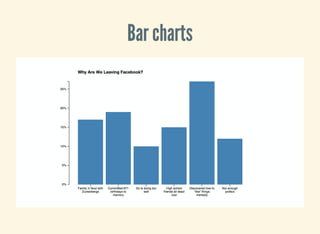
Bar charts
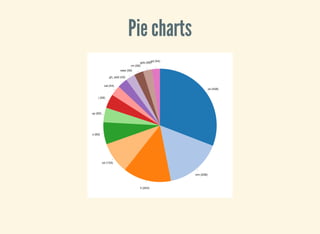
Pie charts
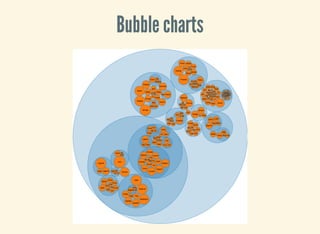
Bubble charts
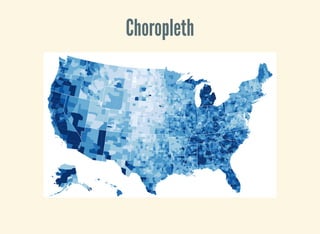
Choropleth
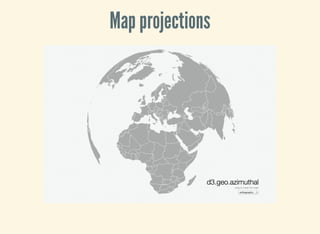
Map projections
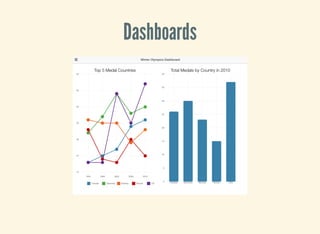
Dashboards
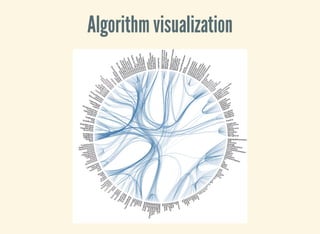
Algorithm visualization
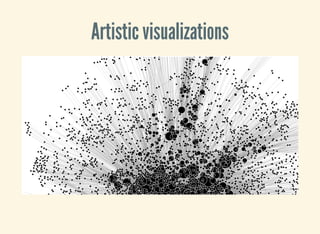
Artistic visualizations
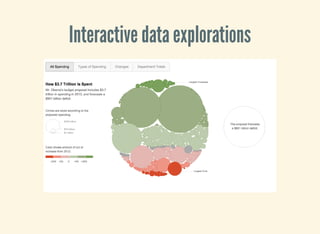
Interactive data explorations
CONTRACTING STORY
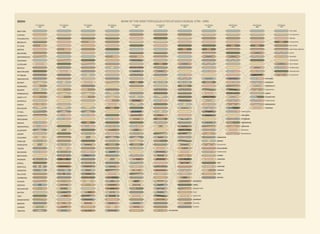
Marketing guy: Hey, I saw this nice chart,
could we do something like that?
HE LOVED IT!
USUAL WORKFLOW
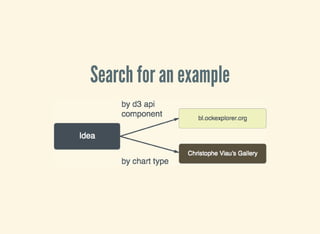
Search for an example
READ AND ADAPT CODE
ADD/REMOVE FEATURES
Polish it up
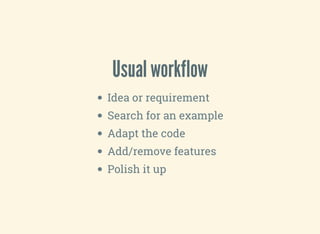
Usual workflow
Idea or requirement
Search for an example
Adapt the code
Add/remove features
Polish it up
THE STANDARD WAY
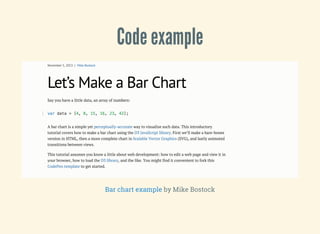
Code example
by Mike BostockBar chart example
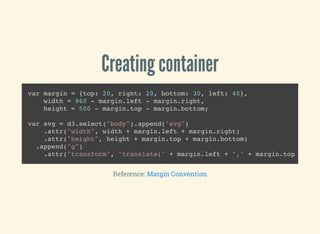
Creating container
var margin = {top: 20, right: 20, bottom: 30, left: 40},
width = 960 - margin.left - margin.right,
height = 500 - margin.top - margin.bottom;
var svg = d3.select("body").append("svg")
.attr("width", width + margin.left + margin.right)
.attr("height", height + margin.top + margin.bottom)
.append("g")
.attr("transform", "translate(" + margin.left + "," + margin.top +
Reference: Margin Convention
Setting up scales and axes
var x = d3.scale.ordinal()
.rangeRoundBands([0, width], .1);
var y = d3.scale.linear()
.range([height, 0]);
var xAxis = d3.svg.axis()
.scale(x)
.orient("bottom");
var yAxis = d3.svg.axis()
.scale(y)
.orient("left")
.ticks(10, "%");
Reference: Scales tutorial
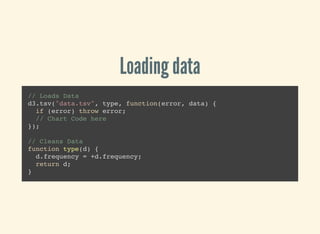
Loading data
// Loads Data
d3.tsv("data.tsv", type, function(error, data) {
if (error) throw error;
// Chart Code here
});
// Cleans Data
function type(d) {
d.frequency = +d.frequency;
return d;
}
Drawing axes
// Rest of the scales
x.domain(data.map(function(d) { return d.letter; }));
y.domain([0, d3.max(data, function(d) { return d.frequency; })]);
// Draws X axis
svg.append("g")
.attr("class", "x axis")
.attr("transform", "translate(0," + height + ")")
.call(xAxis);
// Draws Y axis
svg.append("g")
.attr("class", "y axis")
.call(yAxis)
.append("text")
.attr("transform", "rotate(-90)")
.attr("y", 6)
.attr("dy", ".71em")
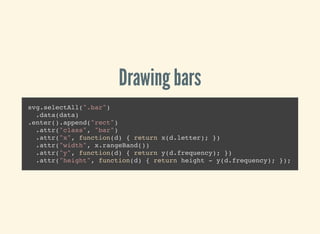
Drawing bars
svg.selectAll(".bar")
.data(data)
.enter().append("rect")
.attr("class", "bar")
.attr("x", function(d) { return x(d.letter); })
.attr("width", x.rangeBand())
.attr("y", function(d) { return y(d.frequency); })
.attr("height", function(d) { return height - y(d.frequency); });
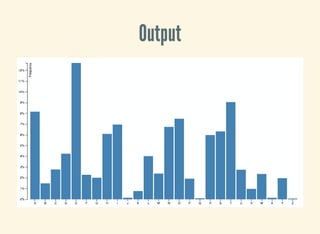
Output
Standard D3: drawbacks
Monolithic functions
Chained method calls
Hard to change code
Impossible to reuse
Delicate
STORY CONTINUES...
Marketing guy: What if we change this thing
here...
TRIAL AND ERROR
Done!
M-guy: nice, let’s change this other thing!
Done!
M-guy: Great! I love it so much I want it on the
product!
M-guy: So good you have it almost ready,
right?
I WAS HATING MYSELF!
Possible outcomes
You take it through
You dump it and start all over again
You avoid refactoring
What if you could work with charts the same
way you work with the other code?
REUSABLE CHART API
jQuery VS MV*
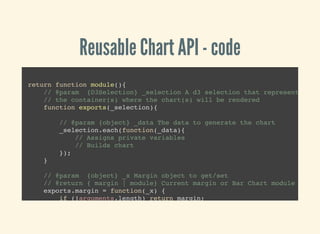
Reusable Chart API - code
return function module(){
// @param {D3Selection} _selection A d3 selection that represents
// the container(s) where the chart(s) will be rendered
function exports(_selection){
// @param {object} _data The data to generate the chart
_selection.each(function(_data){
// Assigns private variables
// Builds chart
});
}
// @param {object} _x Margin object to get/set
// @return { margin | module} Current margin or Bar Chart module to cha
exports.margin = function(_x) {
if (!arguments.length) return margin;
margin = _x;
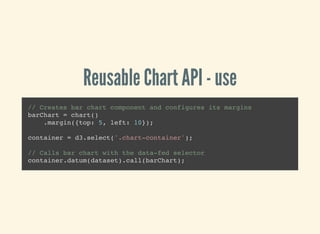
Reusable Chart API - use
// Creates bar chart component and configures its margins
barChart = chart()
.margin({top: 5, left: 10});
container = d3.select('.chart-container');
// Calls bar chart with the data-fed selector
container.datum(dataset).call(barChart);
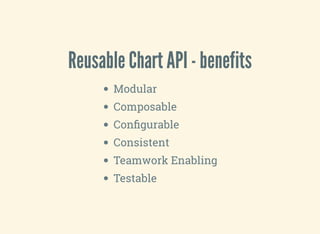
Reusable Chart API - benefits
Modular
Composable
Configurable
Consistent
Teamwork Enabling
Testable
THE TDD WAY
The "before" block
container = d3.select('.test-container');
dataset = [
{ letter: 'A',
frequency: .08167
},{
letter: 'B',
frequency: .01492
},...
];
barChart = barChart();
container.datum(dataset).call(barChart);
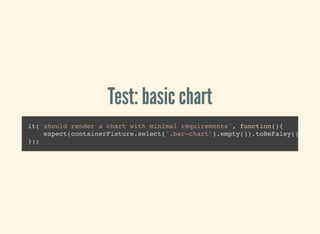
Test: basic chart
it('should render a chart with minimal requirements', function(){
expect(containerFixture.select('.bar-chart').empty()).toBeFalsy();
});
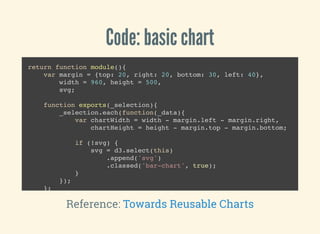
Code: basic chart
return function module(){
var margin = {top: 20, right: 20, bottom: 30, left: 40},
width = 960, height = 500,
svg;
function exports(_selection){
_selection.each(function(_data){
var chartWidth = width - margin.left - margin.right,
chartHeight = height - margin.top - margin.bottom;
if (!svg) {
svg = d3.select(this)
.append('svg')
.classed('bar-chart', true);
}
});
};
return exports;
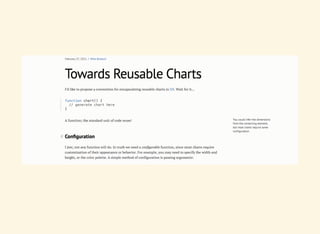
Reference: Towards Reusable Charts
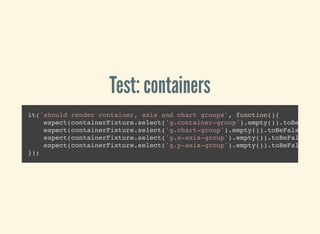
Test: containers
it('should render container, axis and chart groups', function(){
expect(containerFixture.select('g.container-group').empty()).toBeFalsy(
expect(containerFixture.select('g.chart-group').empty()).toBeFalsy();
expect(containerFixture.select('g.x-axis-group').empty()).toBeFalsy();
expect(containerFixture.select('g.y-axis-group').empty()).toBeFalsy();
});
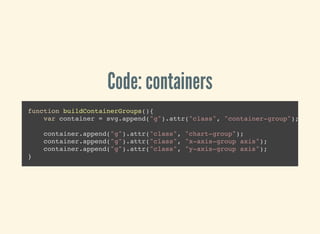
Code: containers
function buildContainerGroups(){
var container = svg.append("g").attr("class", "container-group");
container.append("g").attr("class", "chart-group");
container.append("g").attr("class", "x-axis-group axis");
container.append("g").attr("class", "y-axis-group axis");
}
Test: axes
it('should render an X and Y axes', function(){
expect(containerFixture.select('.x-axis-group.axis').empty()).toBeFalsy
expect(containerFixture.select('.y-axis-group.axis').empty()).toBeFalsy
});
Code: scales
function buildScales(){
xScale = d3.scale.ordinal()
.domain(data.map(function(d) { return d.letter; }))
.rangeRoundBands([0, chartWidth], .1);
yScale = d3.scale.linear()
.domain([0, d3.max(data, function(d) { return d.frequency; })])
.range([chartHeight, 0]);
}
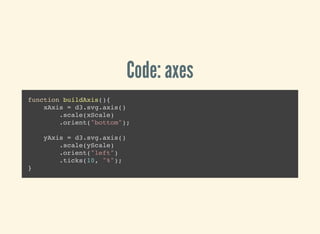
Code: axes
function buildAxis(){
xAxis = d3.svg.axis()
.scale(xScale)
.orient("bottom");
yAxis = d3.svg.axis()
.scale(yScale)
.orient("left")
.ticks(10, "%");
}
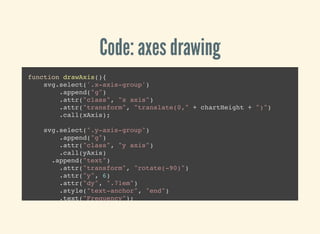
Code: axes drawing
function drawAxis(){
svg.select('.x-axis-group')
.append("g")
.attr("class", "x axis")
.attr("transform", "translate(0," + chartHeight + ")")
.call(xAxis);
svg.select(".y-axis-group")
.append("g")
.attr("class", "y axis")
.call(yAxis)
.append("text")
.attr("transform", "rotate(-90)")
.attr("y", 6)
.attr("dy", ".71em")
.style("text-anchor", "end")
.text("Frequency");
}
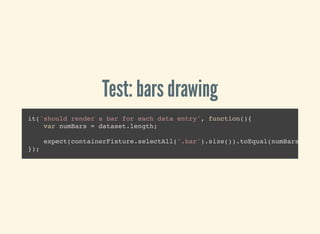
Test: bars drawing
it('should render a bar for each data entry', function(){
var numBars = dataset.length;
expect(containerFixture.selectAll('.bar').size()).toEqual(numBars);
});
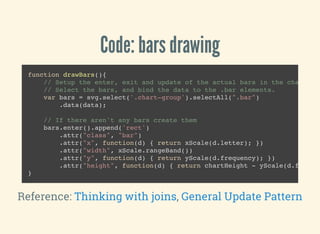
Code: bars drawing
function drawBars(){
// Setup the enter, exit and update of the actual bars in the chart.
// Select the bars, and bind the data to the .bar elements.
var bars = svg.select('.chart-group').selectAll(".bar")
.data(data);
// If there aren't any bars create them
bars.enter().append('rect')
.attr("class", "bar")
.attr("x", function(d) { return xScale(d.letter); })
.attr("width", xScale.rangeBand())
.attr("y", function(d) { return yScale(d.frequency); })
.attr("height", function(d) { return chartHeight - yScale(d.frequen
}
Reference: ,Thinking with joins General Update Pattern
Test: margin accessor
it('should provide margin getter and setter', function(){
var defaultMargin = barChart.margin(),
testMargin = {top: 4, right: 4, bottom: 4, left: 4},
newMargin;
barChart.margin(testMargin);
newMargin = barChart.margin();
expect(defaultMargin).not.toBe(testMargin);
expect(newMargin).toBe(testMargin);
});
Code: margin accessor
exports.margin = function(_x) {
if (!arguments.length) return margin;
margin = _x;
return this;
};
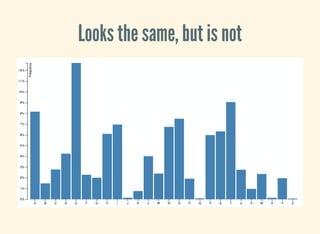
Looks the same, but is not
Final code: standard way
var margin = {top: 20, right: 20, bottom: 30, left: 40},
width = 960 - margin.left - margin.right,
height = 500 - margin.top - margin.bottom;
var x = d3.scale.ordinal()
.rangeRoundBands([0, width], .1);
var y = d3.scale.linear()
.range([height, 0]);
var xAxis = d3.svg.axis()
.scale(x)
.orient("bottom");
var yAxis = d3.svg.axis()
.scale(y)
.orient("left")
.ticks(10, "%");
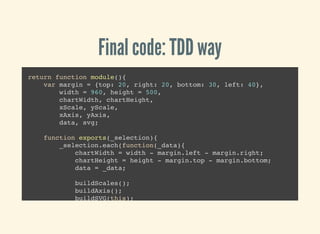
Final code: TDD way
return function module(){
var margin = {top: 20, right: 20, bottom: 30, left: 40},
width = 960, height = 500,
chartWidth, chartHeight,
xScale, yScale,
xAxis, yAxis,
data, svg;
function exports(_selection){
_selection.each(function(_data){
chartWidth = width - margin.left - margin.right;
chartHeight = height - margin.top - margin.bottom;
data = _data;
buildScales();
buildAxis();
buildSVG(this);
drawBars();
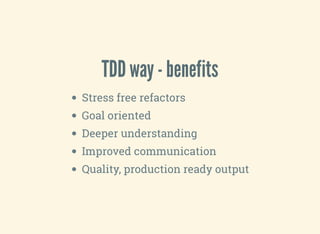
TDD way - benefits
Stress free refactors
Goal oriented
Deeper understanding
Improved communication
Quality, production ready output
HOW TO GET STARTED
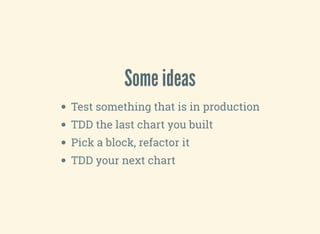
Some ideas
Test something that is in production
TDD the last chart you built
Pick a block, refactor it
TDD your next chart
REPOSITORY
WALKTHROUGH
https://github.com/Golodhros/d3-meetup
What happened with my contracting gig?
I used the Reusable Chart API
Adding multiple dimensions?
I had tests!
Toogle dimensions, adding more y-axis?
Conclusions
Examples are great for exploration and prototyping,
bad for production code
There is a better way of building D3 Charts
Reusable Chart API + TDD bring it to a Pro level
You can build your own library and feel proud!
Thanks for listening!
Twitter:
Check out
Slides:
Code:
@golodhros
my Blog
http://golodhros.github.io/
https://github.com/Golodhros/d3-meetup
Live Coding
Refactoring accessors
Add Events
Start building a new chart
Learning resources
D3.js Resources to Level Up
Dashing D3 Newsletter
Example search
Search by chart type ->
Search by D3 component ->
Christophe Viau's Gallery
Block Explorer
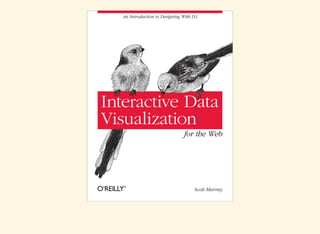
Books
Better d3 charts with tdd

Better d3 charts with tdd

  • 1.
    Better D3 Chartswith TDD Slides: Code: http://golodhros.github.io/ https://github.com/Golodhros/d3-meetup
  • 2.
  • 3.
  • 4.
  • 5.
  • 8.
    D3 introduction Data-Driven Documents JavaScriptlibrary to manipulate data based documents Open web standards (SVG, HTML and CSS) Allows interactions with your graphs
  • 9.
    How does itwork? Loads data Binds data to elements Transforms those elements Transitions between states Example
  • 10.
    D3 Niceties Based onattaching data to the DOM Styling of elements with CSS Transitions and animations baked in Total control over our graphs Amazing community Decent amount of publications
  • 11.
    WHAT CAN YOUDO WITH D3?
  • 12.
  • 13.
  • 14.
  • 15.
  • 16.
  • 17.
  • 18.
  • 19.
  • 20.
  • 21.
  • 22.
    Marketing guy: Hey,I saw this nice chart, could we do something like that?
  • 24.
  • 25.
  • 27.
  • 28.
  • 29.
  • 30.
  • 31.
    Usual workflow Idea orrequirement Search for an example Adapt the code Add/remove features Polish it up
  • 32.
  • 33.
    Code example by MikeBostockBar chart example
  • 34.
    Creating container var margin= {top: 20, right: 20, bottom: 30, left: 40}, width = 960 - margin.left - margin.right, height = 500 - margin.top - margin.bottom; var svg = d3.select("body").append("svg") .attr("width", width + margin.left + margin.right) .attr("height", height + margin.top + margin.bottom) .append("g") .attr("transform", "translate(" + margin.left + "," + margin.top + Reference: Margin Convention
  • 35.
    Setting up scalesand axes var x = d3.scale.ordinal() .rangeRoundBands([0, width], .1); var y = d3.scale.linear() .range([height, 0]); var xAxis = d3.svg.axis() .scale(x) .orient("bottom"); var yAxis = d3.svg.axis() .scale(y) .orient("left") .ticks(10, "%"); Reference: Scales tutorial
  • 36.
    Loading data // LoadsData d3.tsv("data.tsv", type, function(error, data) { if (error) throw error; // Chart Code here }); // Cleans Data function type(d) { d.frequency = +d.frequency; return d; }
  • 37.
    Drawing axes // Restof the scales x.domain(data.map(function(d) { return d.letter; })); y.domain([0, d3.max(data, function(d) { return d.frequency; })]); // Draws X axis svg.append("g") .attr("class", "x axis") .attr("transform", "translate(0," + height + ")") .call(xAxis); // Draws Y axis svg.append("g") .attr("class", "y axis") .call(yAxis) .append("text") .attr("transform", "rotate(-90)") .attr("y", 6) .attr("dy", ".71em")
  • 38.
    Drawing bars svg.selectAll(".bar") .data(data) .enter().append("rect") .attr("class", "bar") .attr("x",function(d) { return x(d.letter); }) .attr("width", x.rangeBand()) .attr("y", function(d) { return y(d.frequency); }) .attr("height", function(d) { return height - y(d.frequency); });
  • 39.
  • 40.
    Standard D3: drawbacks Monolithicfunctions Chained method calls Hard to change code Impossible to reuse Delicate
  • 41.
  • 43.
    Marketing guy: Whatif we change this thing here...
  • 46.
  • 48.
  • 49.
    M-guy: nice, let’schange this other thing!
  • 52.
  • 53.
    M-guy: Great! Ilove it so much I want it on the product!
  • 54.
    M-guy: So goodyou have it almost ready, right?
  • 60.
    I WAS HATINGMYSELF!
  • 61.
    Possible outcomes You takeit through You dump it and start all over again You avoid refactoring
  • 63.
    What if youcould work with charts the same way you work with the other code?
  • 64.
  • 65.
  • 67.
    Reusable Chart API- code return function module(){ // @param {D3Selection} _selection A d3 selection that represents // the container(s) where the chart(s) will be rendered function exports(_selection){ // @param {object} _data The data to generate the chart _selection.each(function(_data){ // Assigns private variables // Builds chart }); } // @param {object} _x Margin object to get/set // @return { margin | module} Current margin or Bar Chart module to cha exports.margin = function(_x) { if (!arguments.length) return margin; margin = _x;
  • 68.
    Reusable Chart API- use // Creates bar chart component and configures its margins barChart = chart() .margin({top: 5, left: 10}); container = d3.select('.chart-container'); // Calls bar chart with the data-fed selector container.datum(dataset).call(barChart);
  • 69.
    Reusable Chart API- benefits Modular Composable Configurable Consistent Teamwork Enabling Testable
  • 70.
  • 71.
    The "before" block container= d3.select('.test-container'); dataset = [ { letter: 'A', frequency: .08167 },{ letter: 'B', frequency: .01492 },... ]; barChart = barChart(); container.datum(dataset).call(barChart);
  • 72.
    Test: basic chart it('shouldrender a chart with minimal requirements', function(){ expect(containerFixture.select('.bar-chart').empty()).toBeFalsy(); });
  • 73.
    Code: basic chart returnfunction module(){ var margin = {top: 20, right: 20, bottom: 30, left: 40}, width = 960, height = 500, svg; function exports(_selection){ _selection.each(function(_data){ var chartWidth = width - margin.left - margin.right, chartHeight = height - margin.top - margin.bottom; if (!svg) { svg = d3.select(this) .append('svg') .classed('bar-chart', true); } }); }; return exports; Reference: Towards Reusable Charts
  • 74.
    Test: containers it('should rendercontainer, axis and chart groups', function(){ expect(containerFixture.select('g.container-group').empty()).toBeFalsy( expect(containerFixture.select('g.chart-group').empty()).toBeFalsy(); expect(containerFixture.select('g.x-axis-group').empty()).toBeFalsy(); expect(containerFixture.select('g.y-axis-group').empty()).toBeFalsy(); });
  • 75.
    Code: containers function buildContainerGroups(){ varcontainer = svg.append("g").attr("class", "container-group"); container.append("g").attr("class", "chart-group"); container.append("g").attr("class", "x-axis-group axis"); container.append("g").attr("class", "y-axis-group axis"); }
  • 76.
    Test: axes it('should renderan X and Y axes', function(){ expect(containerFixture.select('.x-axis-group.axis').empty()).toBeFalsy expect(containerFixture.select('.y-axis-group.axis').empty()).toBeFalsy });
  • 77.
    Code: scales function buildScales(){ xScale= d3.scale.ordinal() .domain(data.map(function(d) { return d.letter; })) .rangeRoundBands([0, chartWidth], .1); yScale = d3.scale.linear() .domain([0, d3.max(data, function(d) { return d.frequency; })]) .range([chartHeight, 0]); }
  • 78.
    Code: axes function buildAxis(){ xAxis= d3.svg.axis() .scale(xScale) .orient("bottom"); yAxis = d3.svg.axis() .scale(yScale) .orient("left") .ticks(10, "%"); }
  • 79.
    Code: axes drawing functiondrawAxis(){ svg.select('.x-axis-group') .append("g") .attr("class", "x axis") .attr("transform", "translate(0," + chartHeight + ")") .call(xAxis); svg.select(".y-axis-group") .append("g") .attr("class", "y axis") .call(yAxis) .append("text") .attr("transform", "rotate(-90)") .attr("y", 6) .attr("dy", ".71em") .style("text-anchor", "end") .text("Frequency"); }
  • 80.
    Test: bars drawing it('shouldrender a bar for each data entry', function(){ var numBars = dataset.length; expect(containerFixture.selectAll('.bar').size()).toEqual(numBars); });
  • 81.
    Code: bars drawing functiondrawBars(){ // Setup the enter, exit and update of the actual bars in the chart. // Select the bars, and bind the data to the .bar elements. var bars = svg.select('.chart-group').selectAll(".bar") .data(data); // If there aren't any bars create them bars.enter().append('rect') .attr("class", "bar") .attr("x", function(d) { return xScale(d.letter); }) .attr("width", xScale.rangeBand()) .attr("y", function(d) { return yScale(d.frequency); }) .attr("height", function(d) { return chartHeight - yScale(d.frequen } Reference: ,Thinking with joins General Update Pattern
  • 82.
    Test: margin accessor it('shouldprovide margin getter and setter', function(){ var defaultMargin = barChart.margin(), testMargin = {top: 4, right: 4, bottom: 4, left: 4}, newMargin; barChart.margin(testMargin); newMargin = barChart.margin(); expect(defaultMargin).not.toBe(testMargin); expect(newMargin).toBe(testMargin); });
  • 83.
    Code: margin accessor exports.margin= function(_x) { if (!arguments.length) return margin; margin = _x; return this; };
  • 84.
    Looks the same,but is not
  • 85.
    Final code: standardway var margin = {top: 20, right: 20, bottom: 30, left: 40}, width = 960 - margin.left - margin.right, height = 500 - margin.top - margin.bottom; var x = d3.scale.ordinal() .rangeRoundBands([0, width], .1); var y = d3.scale.linear() .range([height, 0]); var xAxis = d3.svg.axis() .scale(x) .orient("bottom"); var yAxis = d3.svg.axis() .scale(y) .orient("left") .ticks(10, "%");
  • 86.
    Final code: TDDway return function module(){ var margin = {top: 20, right: 20, bottom: 30, left: 40}, width = 960, height = 500, chartWidth, chartHeight, xScale, yScale, xAxis, yAxis, data, svg; function exports(_selection){ _selection.each(function(_data){ chartWidth = width - margin.left - margin.right; chartHeight = height - margin.top - margin.bottom; data = _data; buildScales(); buildAxis(); buildSVG(this); drawBars();
  • 87.
    TDD way -benefits Stress free refactors Goal oriented Deeper understanding Improved communication Quality, production ready output
  • 88.
    HOW TO GETSTARTED
  • 89.
    Some ideas Test somethingthat is in production TDD the last chart you built Pick a block, refactor it TDD your next chart
  • 90.
  • 91.
    What happened withmy contracting gig?
  • 92.
    I used theReusable Chart API
  • 93.
  • 94.
  • 95.
  • 97.
    Conclusions Examples are greatfor exploration and prototyping, bad for production code There is a better way of building D3 Charts Reusable Chart API + TDD bring it to a Pro level You can build your own library and feel proud!
  • 98.
    Thanks for listening! Twitter: Checkout Slides: Code: @golodhros my Blog http://golodhros.github.io/ https://github.com/Golodhros/d3-meetup
  • 99.
    Live Coding Refactoring accessors AddEvents Start building a new chart
  • 100.
    Learning resources D3.js Resourcesto Level Up Dashing D3 Newsletter
  • 101.
    Example search Search bychart type -> Search by D3 component -> Christophe Viau's Gallery Block Explorer
  • 102.