Handling Undo-Redo
in Sencha Applications
Nickolay Platonov
@Bryntum
About me
• Nickolay Platonov
- Senior ExtJS developer at Bryntum
- Using ExtJS since version 2.0
- SamuraiJack1 on the forums
- Creator of Joose 3 class system for JavaScript, http://joose.it
- Co-creator of Siesta and Robo tools
- nickolay@bryntum.com
2
Undo/Redo in general
Undo/Redo as a feature
• Very useful
• Standard feature for any serious desktop application
4
Undo/Redo as a feature
• Very useful
• Standard feature for any serious desktop application
• Rarely seen in Sencha applications
• Probably since it is considered too complex to implement
5
Undo/Redo as a feature
• Very useful
• Standard feature for any serious desktop application
• Rarely seen in Sencha applications
• Probably since it is considered too complex to implement
• But doable, as you will see by the end of this talk
6
Undo/Redo –
formal task definition
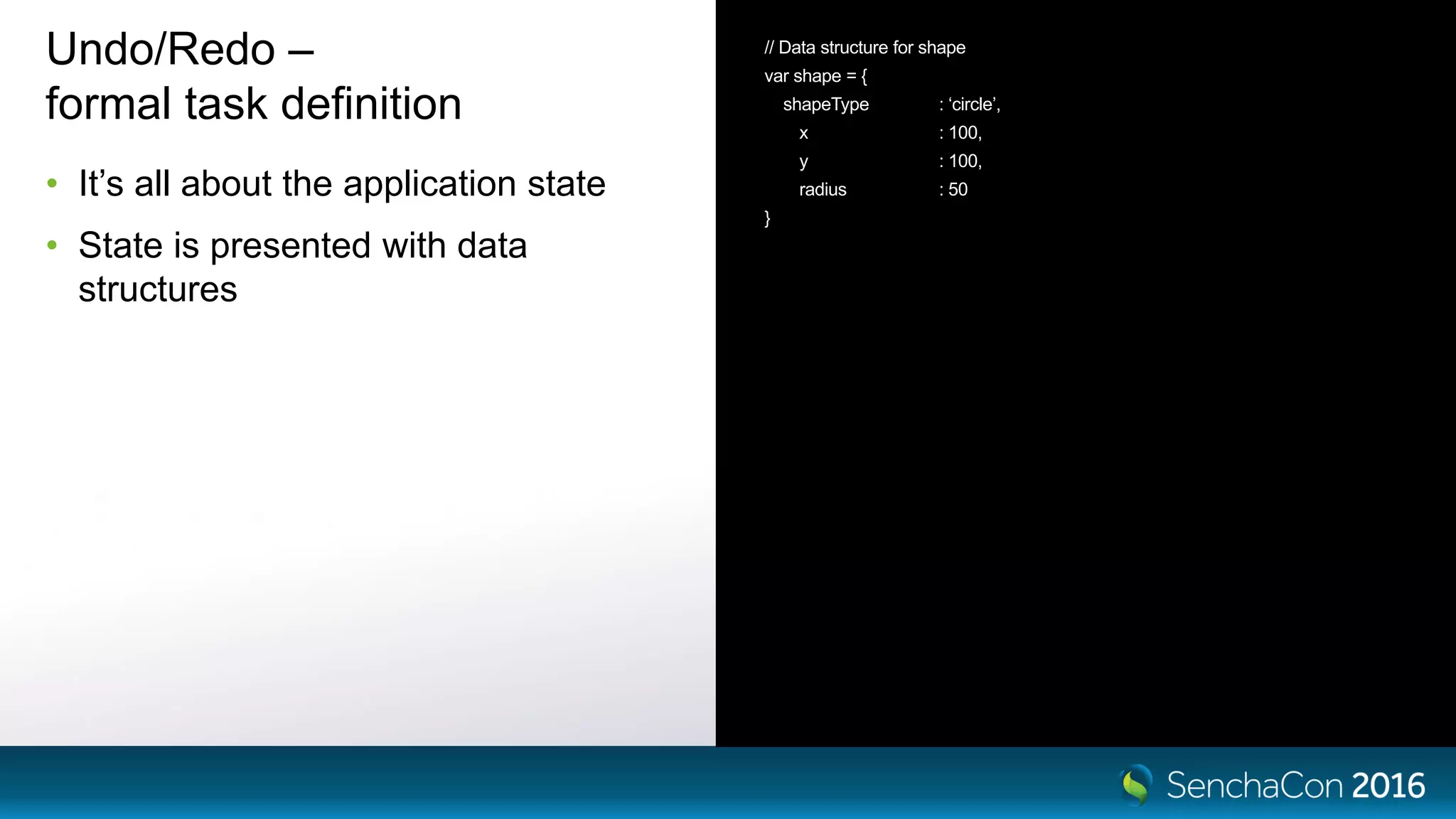
• It’s all about the application state
• State is presented with data
structures
// Data structure for shape
var shape = {
shapeType : ‘circle’,
x : 100,
y : 100,
radius : 50
}
Undo/Redo –
formal task definition
• It’s all about the application state
• State is presented with data
structures
• For example, for simple graphical
editor a state would be – an array of
shapes.
// Data structure for shape
var shape = {
shapeType : ‘circle’,
x : 100,
y : 100,
radius : 50
}
// Graphical editor state
var appState = [ shape1, shape2, shape3 ]
Undo/Redo –
formal task definition
• Every user action switches
(advances) the application to a new
state
• User moves a circle
• User adds a shape
{ {
shapeType : ‘circle’, shapeType : ‘circle’,
x : 100, x : 200,
y : 100, y : 200,
radius : 50 radius : 50
} }
[ shape1, shape 2 ] [ shape1, shape2, shape3 ]
Undo/Redo – formal task definition
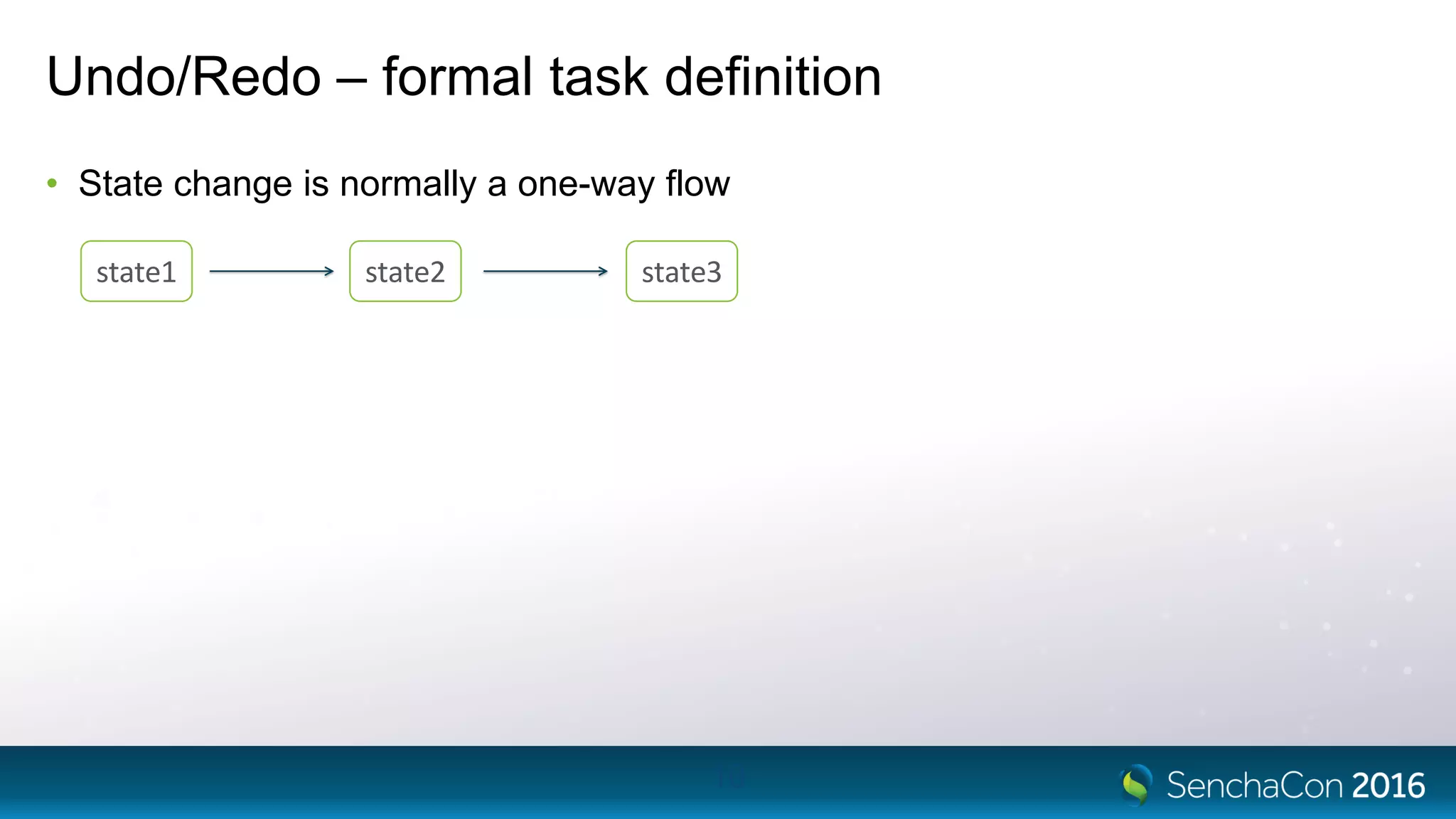
• State change is normally a one-way flow
10
state1 state2 state3
Undo/Redo – formal task definition
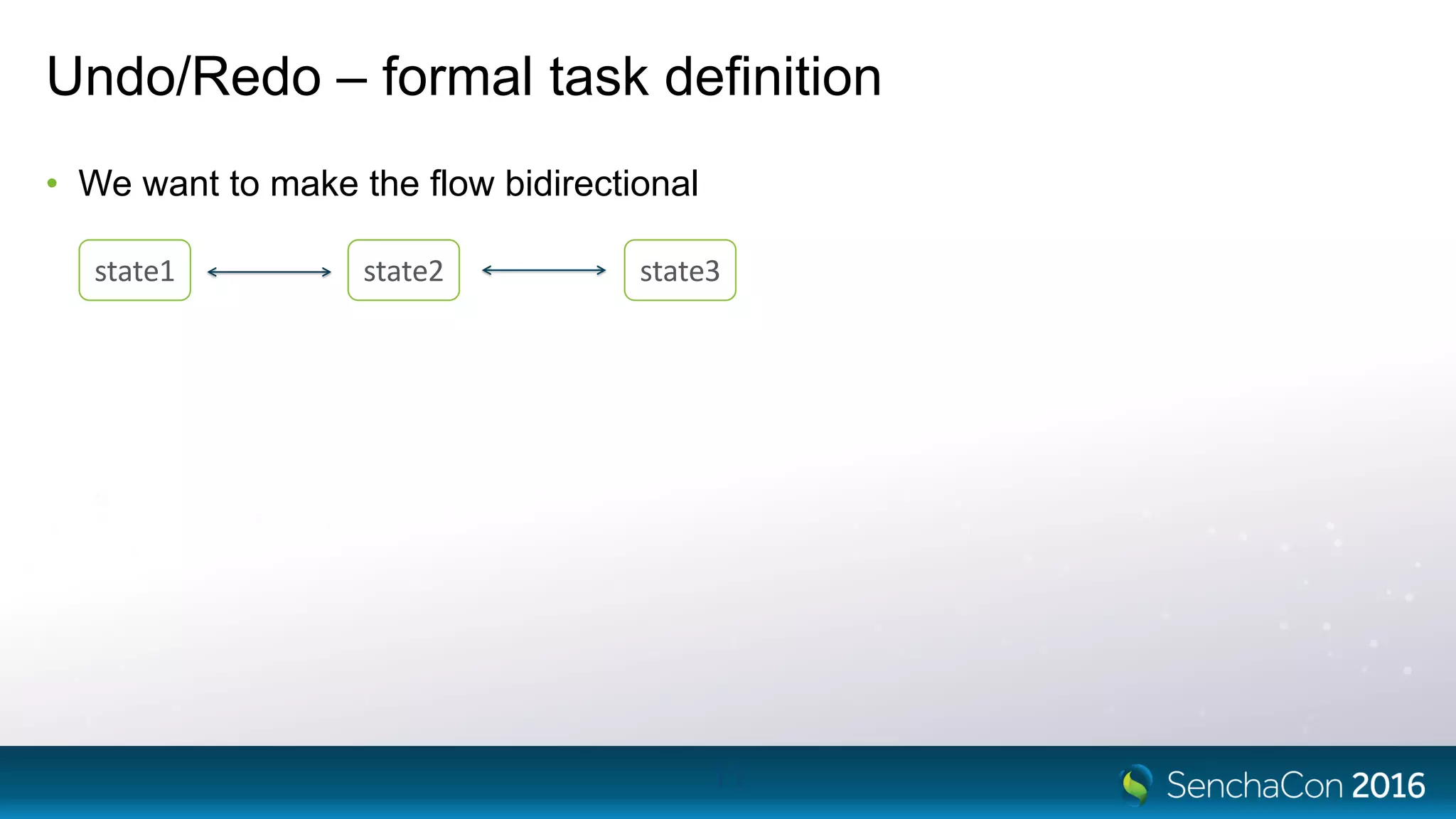
• We want to make the flow bidirectional
11
state1 state2 state3
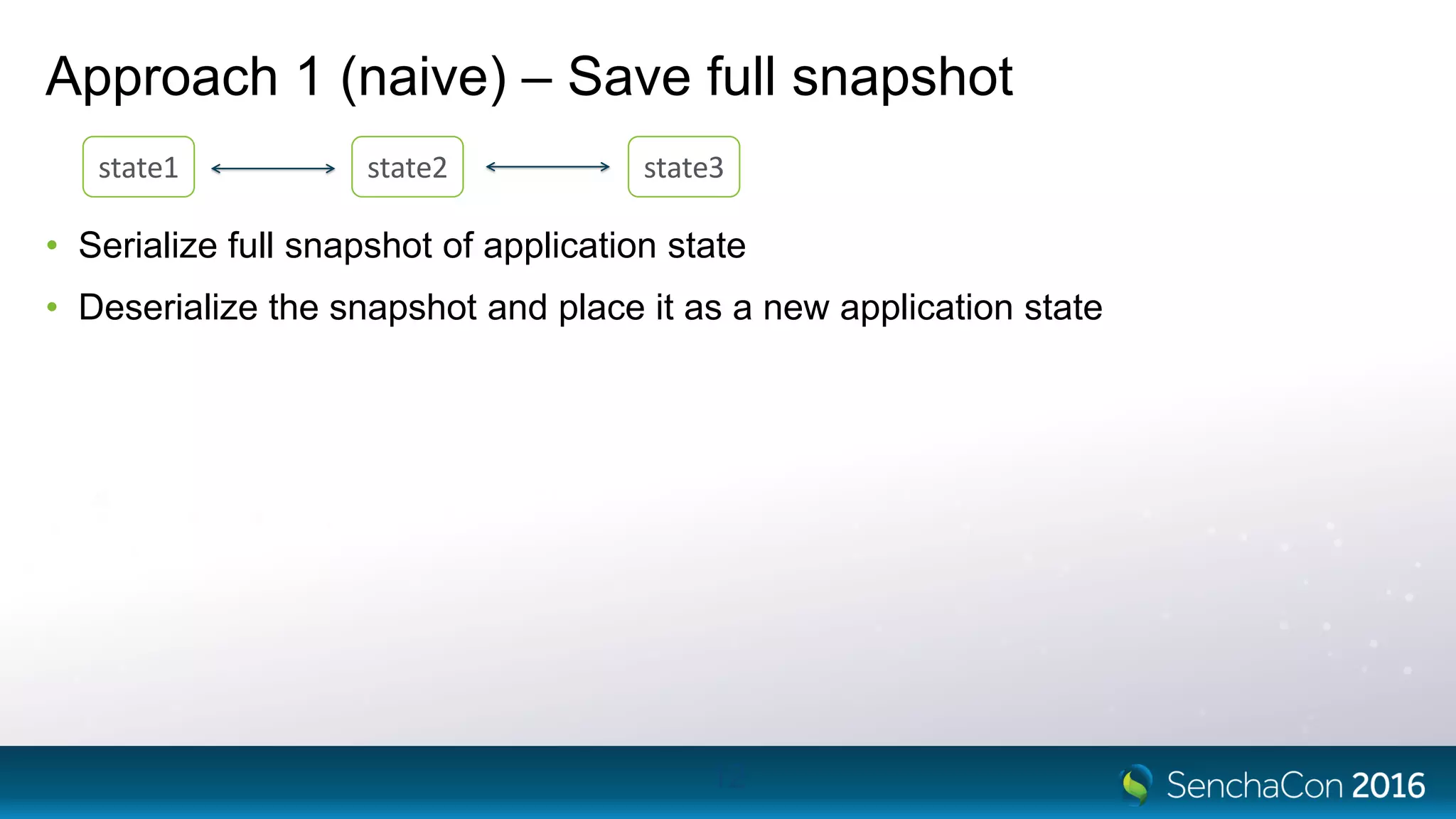
Approach 1 (naive) – Save full snapshot
• Serialize full snapshot of application state
• Deserialize the snapshot and place it as a new application state
12
state1 state2 state3
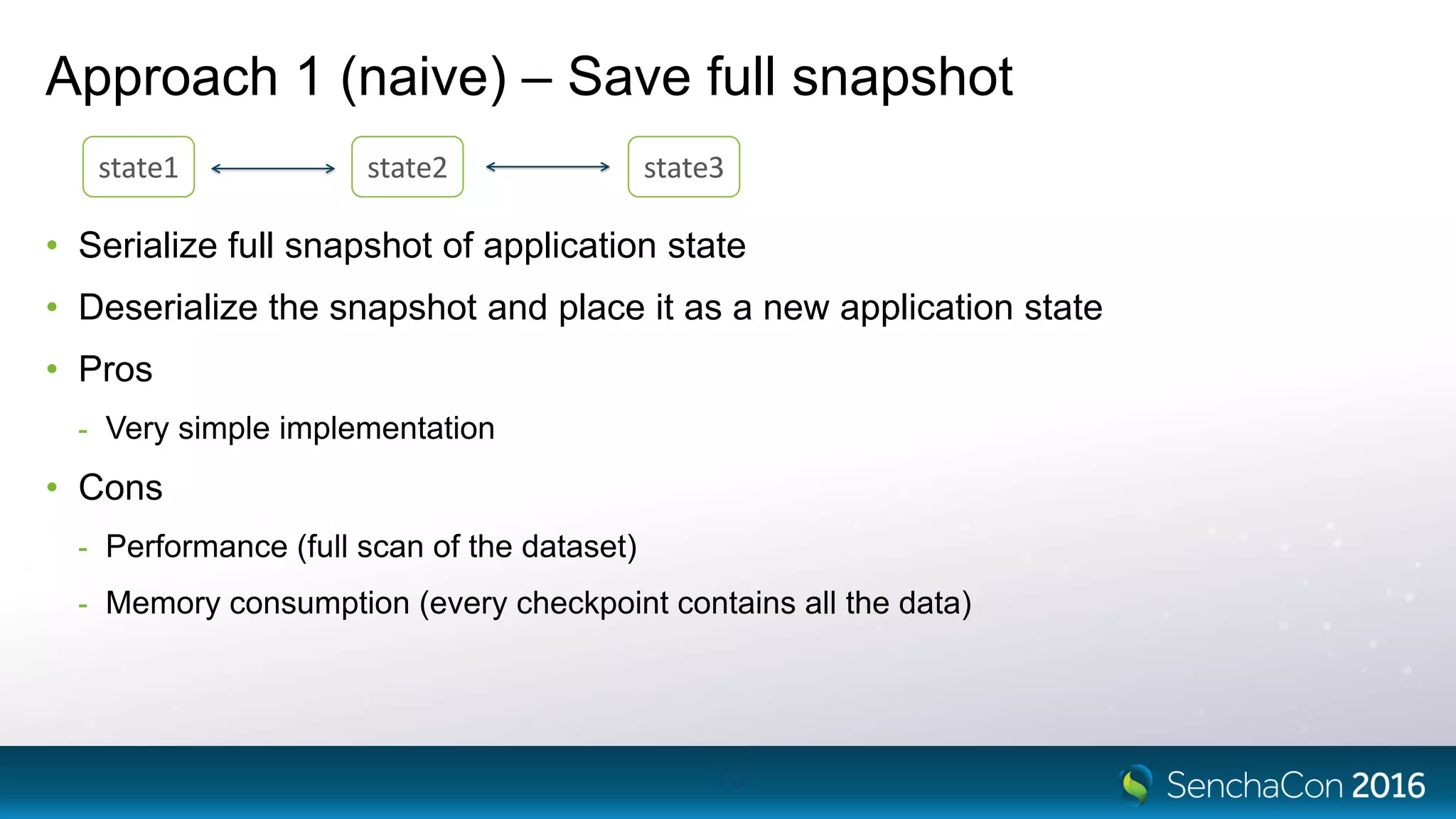
Approach 1 (naive) – Save full snapshot
• Serialize full snapshot of application state
• Deserialize the snapshot and place it as a new application state
• Pros
- Very simple implementation
• Cons
- Performance (full scan of the dataset)
- Memory consumption (every checkpoint contains all the data)
13
state1 state2 state3
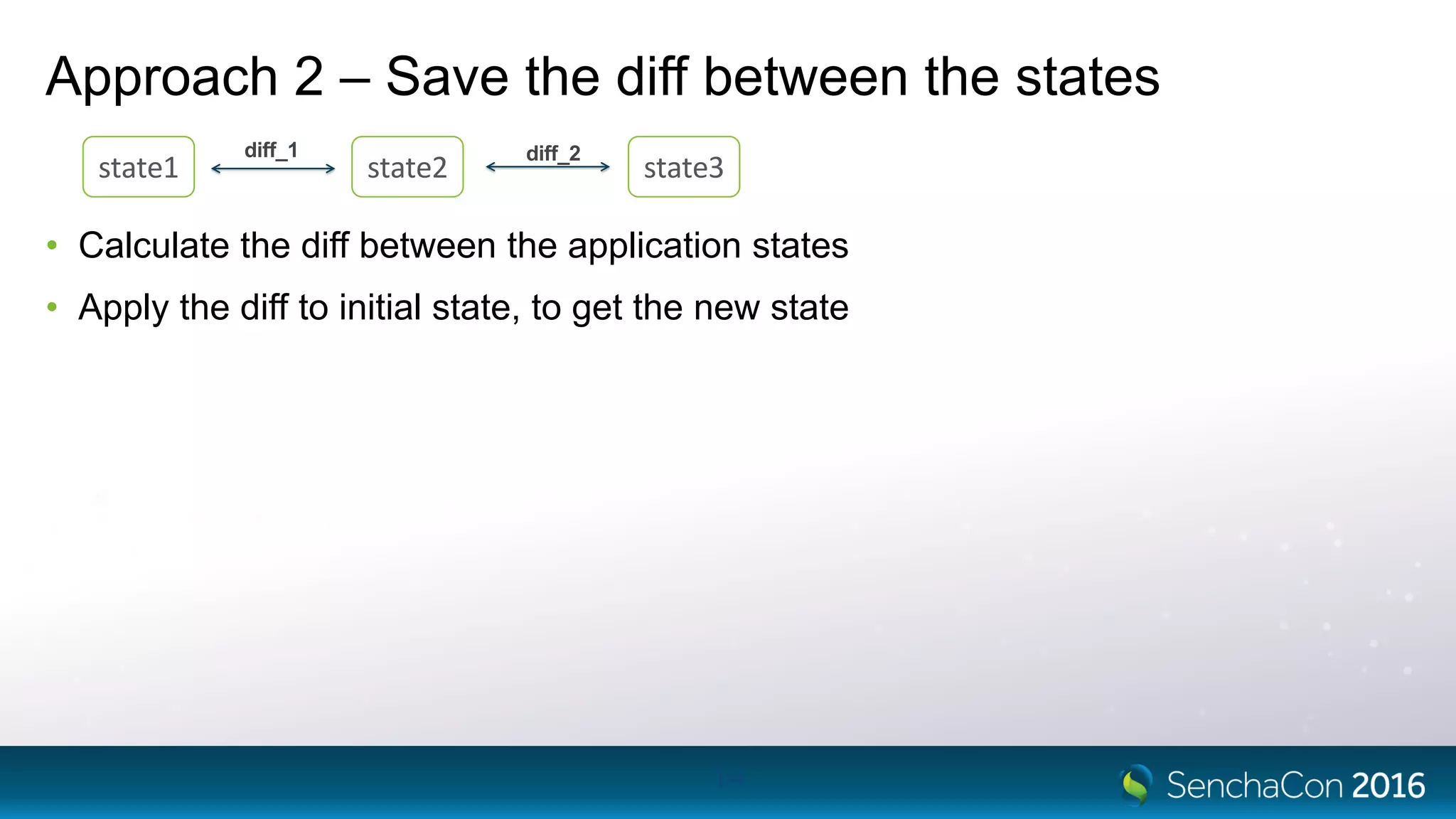
Approach 2 – Save the diff between the states
• Calculate the diff between the application states
• Apply the diff to initial state, to get the new state
14
state1 state2 state3
diff_1 diff_2
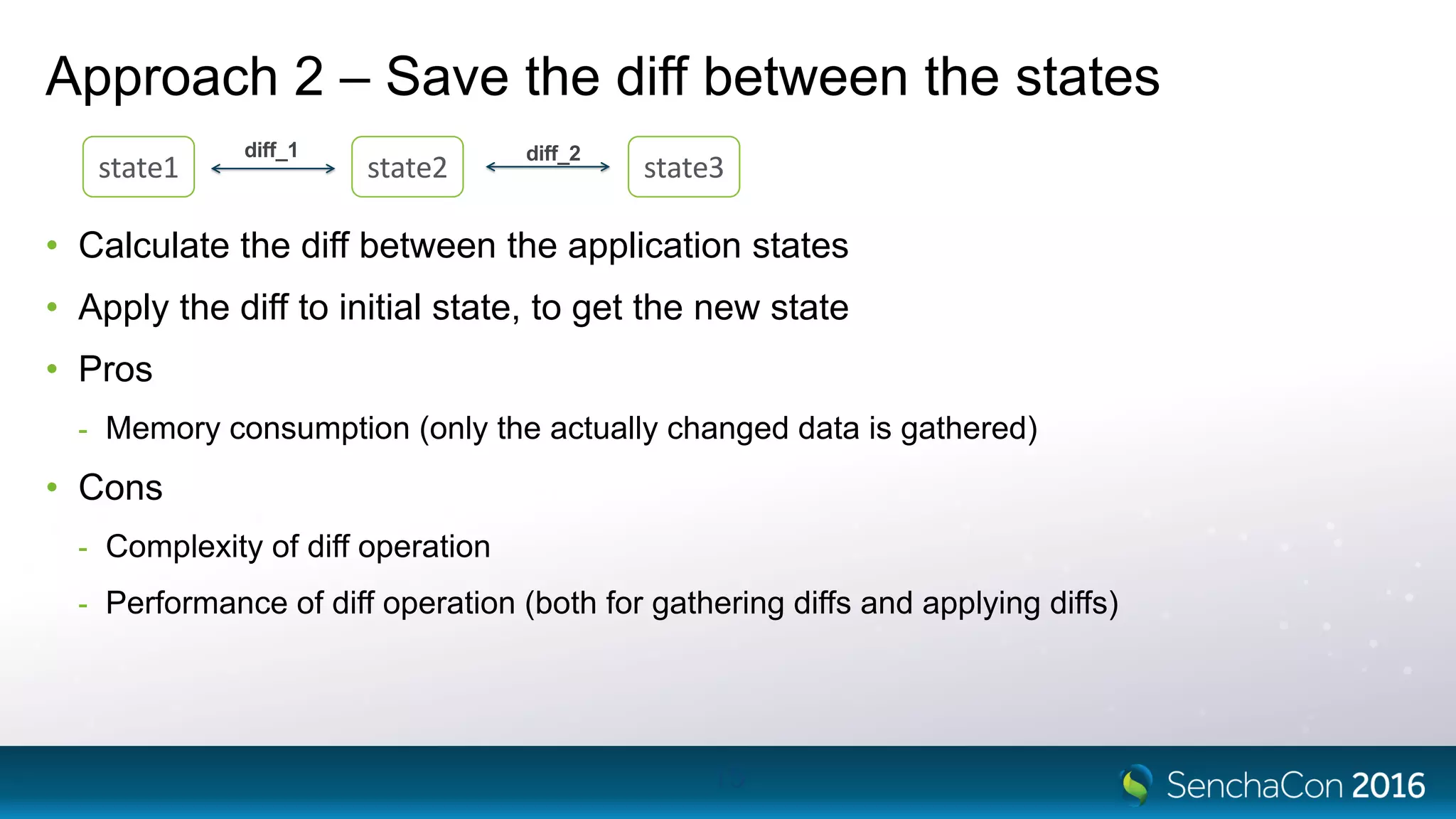
Approach 2 – Save the diff between the states
• Calculate the diff between the application states
• Apply the diff to initial state, to get the new state
• Pros
- Memory consumption (only the actually changed data is gathered)
• Cons
- Complexity of diff operation
- Performance of diff operation (both for gathering diffs and applying diffs)
15
state1 state2 state3
diff_1 diff_2
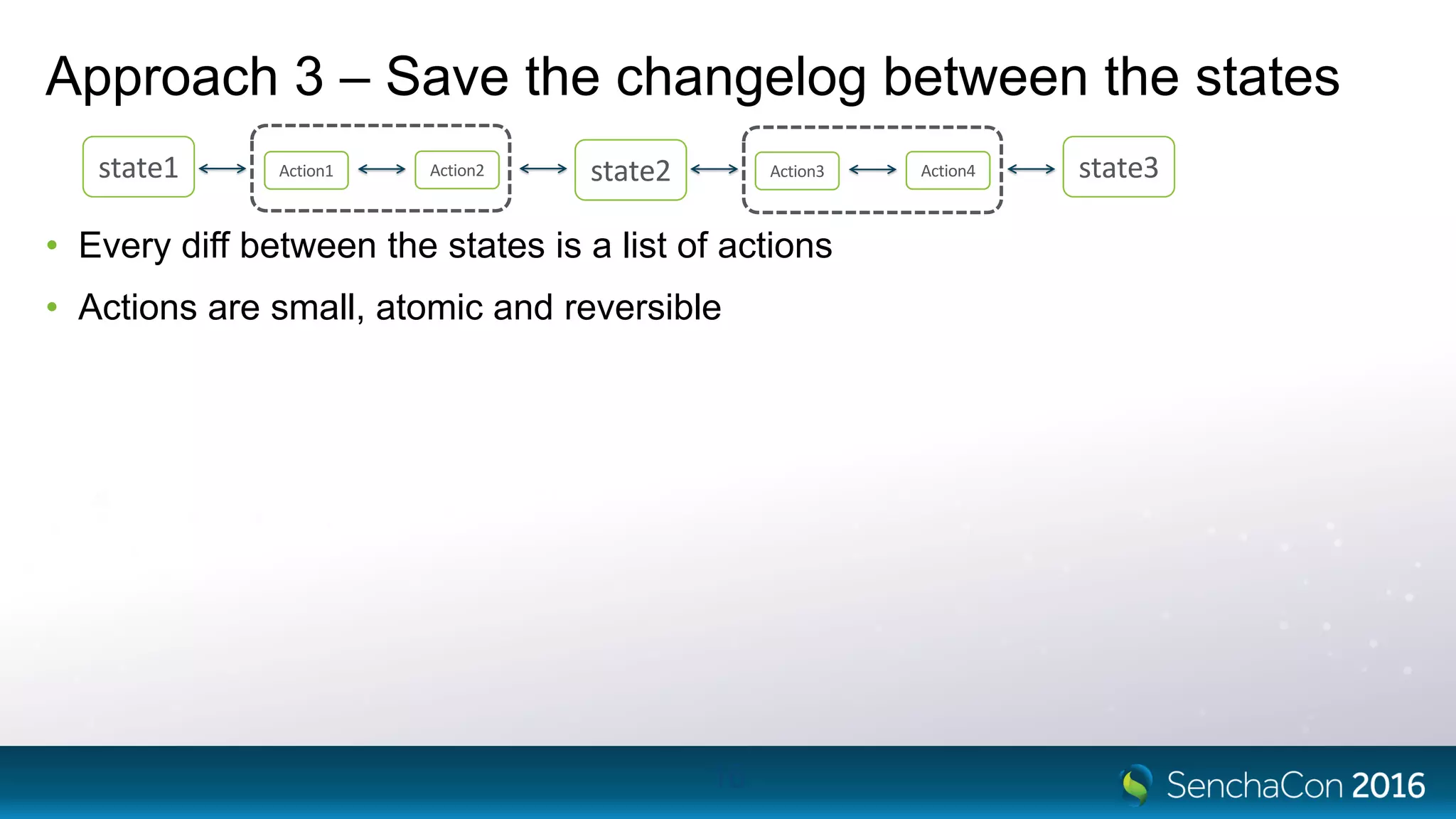
Approach 3 – Save the changelog between the states
• Every diff between the states is a list of actions
• Actions are small, atomic and reversible
16
state1 state2 state3Action1 Action2 Action3 Action4
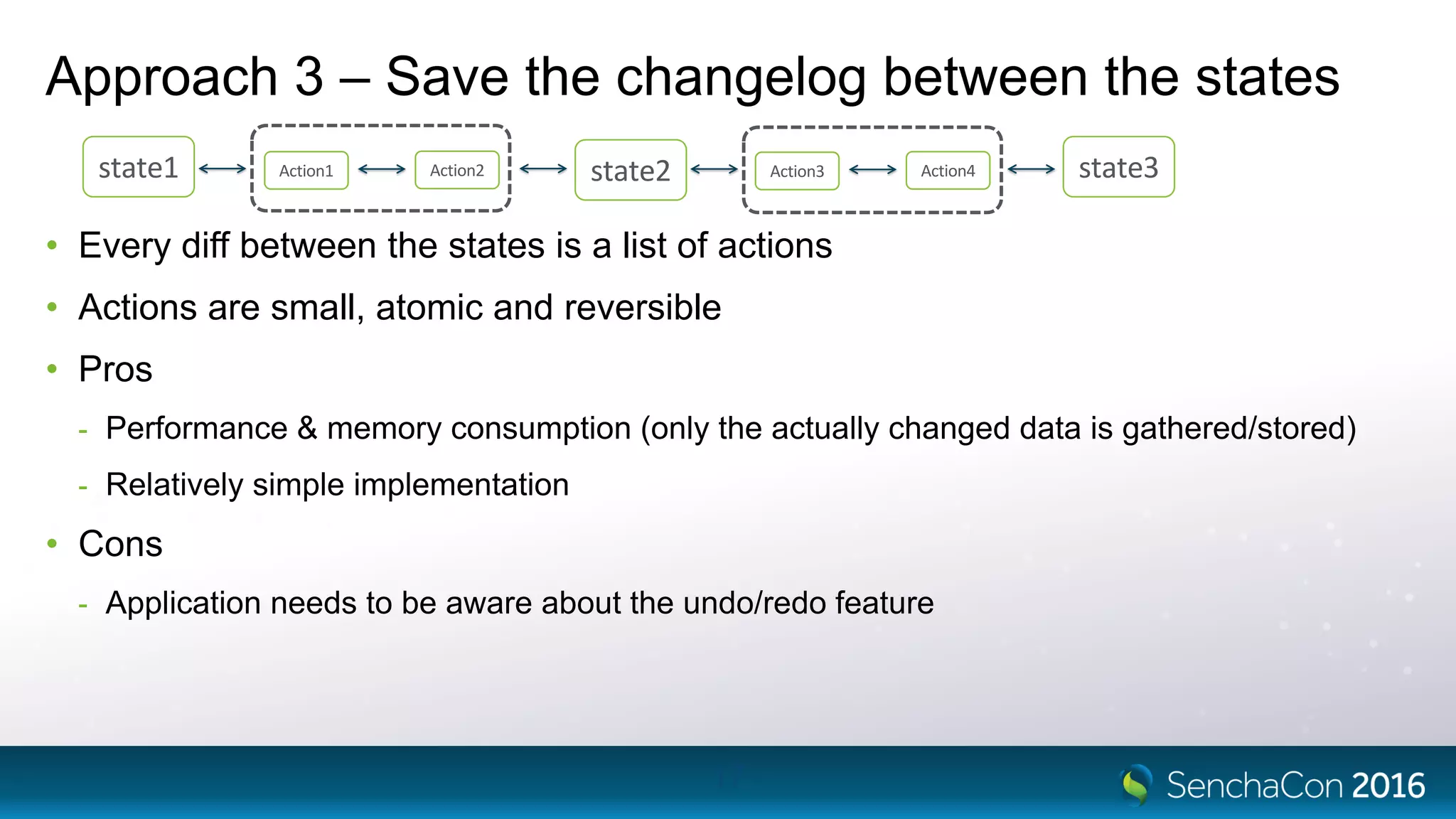
Approach 3 – Save the changelog between the states
• Every diff between the states is a list of actions
• Actions are small, atomic and reversible
• Pros
- Performance & memory consumption (only the actually changed data is gathered/stored)
- Relatively simple implementation
• Cons
- Application needs to be aware about the undo/redo feature
17
state1 state2 state3Action1 Action2 Action3 Action4
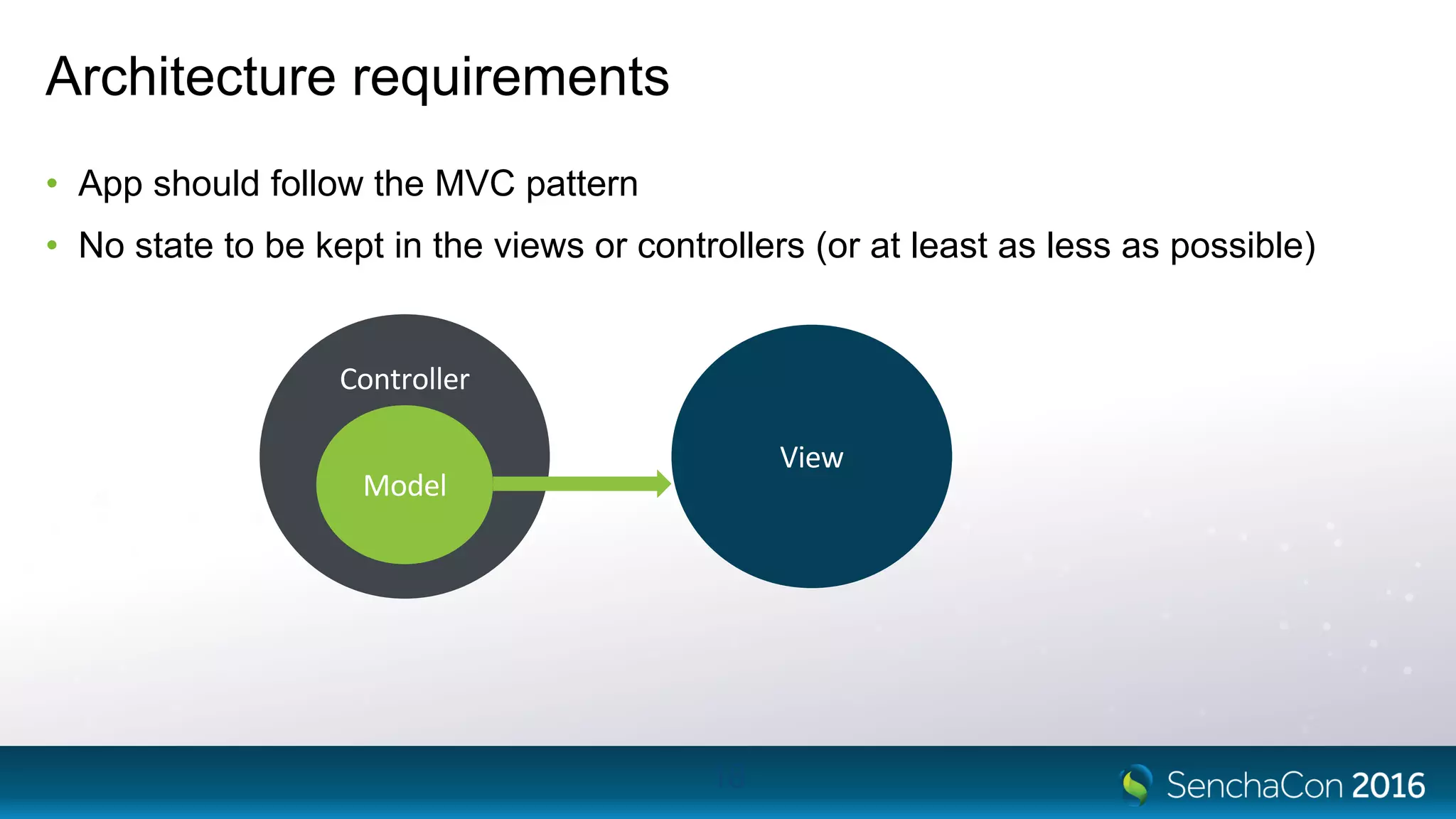
Architecture requirements
• App should follow the MVC pattern
• No state to be kept in the views or controllers (or at least as less as possible)
18
Controller
Model
View
Robo
Robo
• Undo/redo functionality framework, developed by Bryntum
• Targets Sencha applications
• Robo supports ExtJS 5.1.2 / 6.0.1 / 6.0.2 / 6.2.0
• Out of the box, operates on ExtJS data stores (Ext.data.Store and
Ext.data.TreeStore)
• Can be customized to a specific application needs
20
Design & terminology
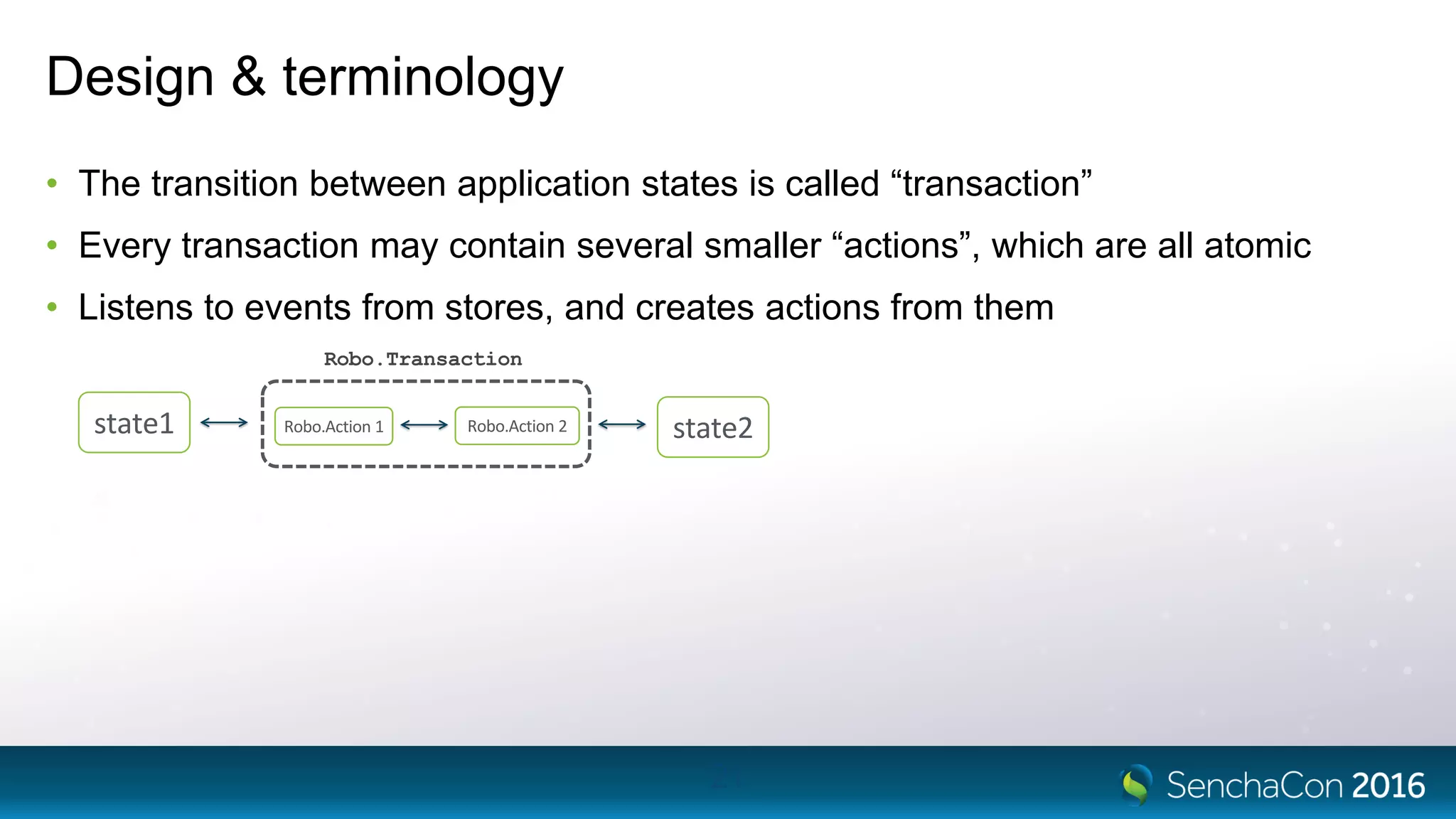
• The transition between application states is called “transaction”
• Every transaction may contain several smaller “actions”, which are all atomic
• Listens to events from stores, and creates actions from them
21
Robo.Transaction
state1 state2Robo.Action 1 Robo.Action 2
22
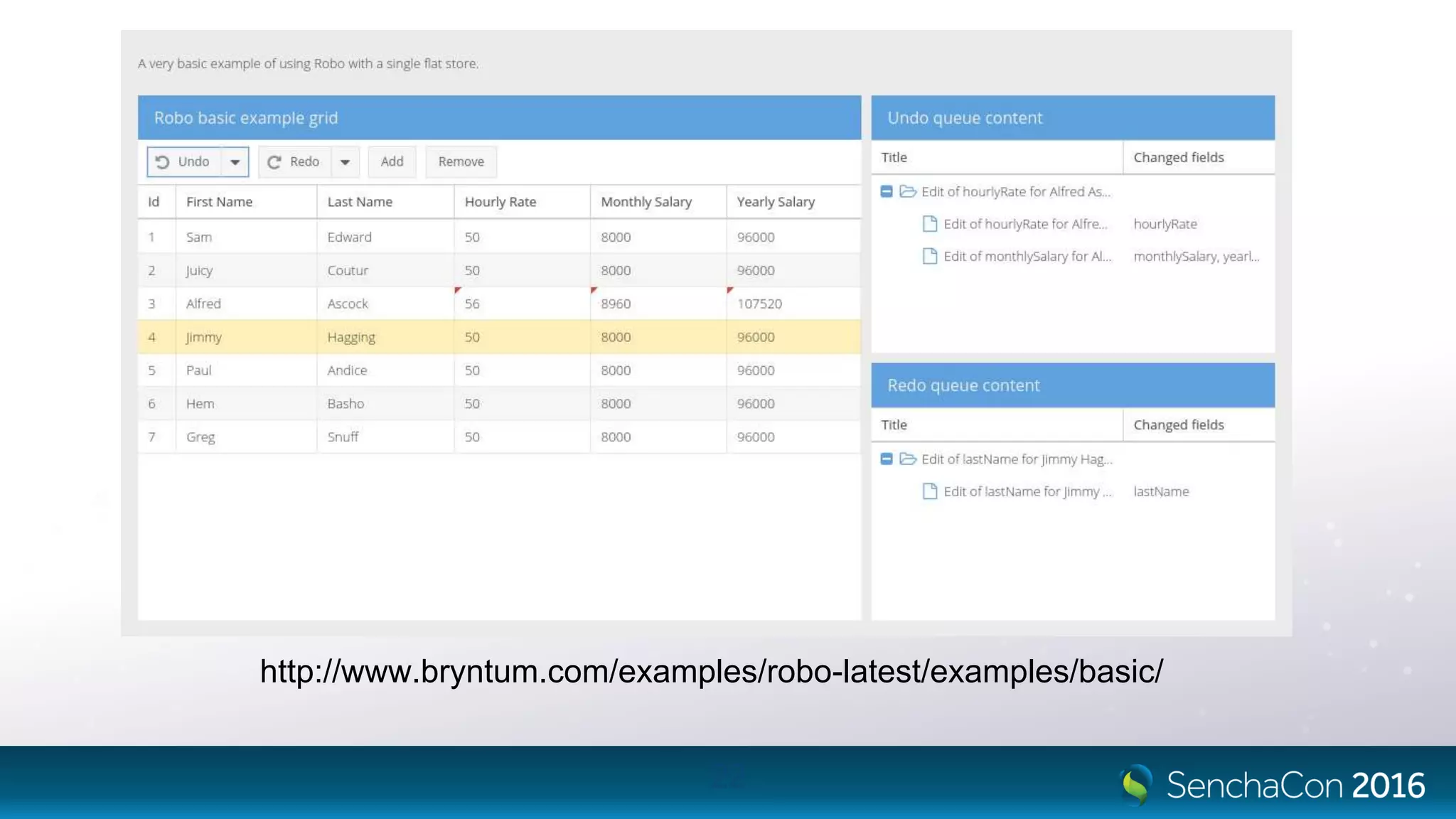
http://www.bryntum.com/examples/robo-latest/examples/basic/
Transaction boundaries
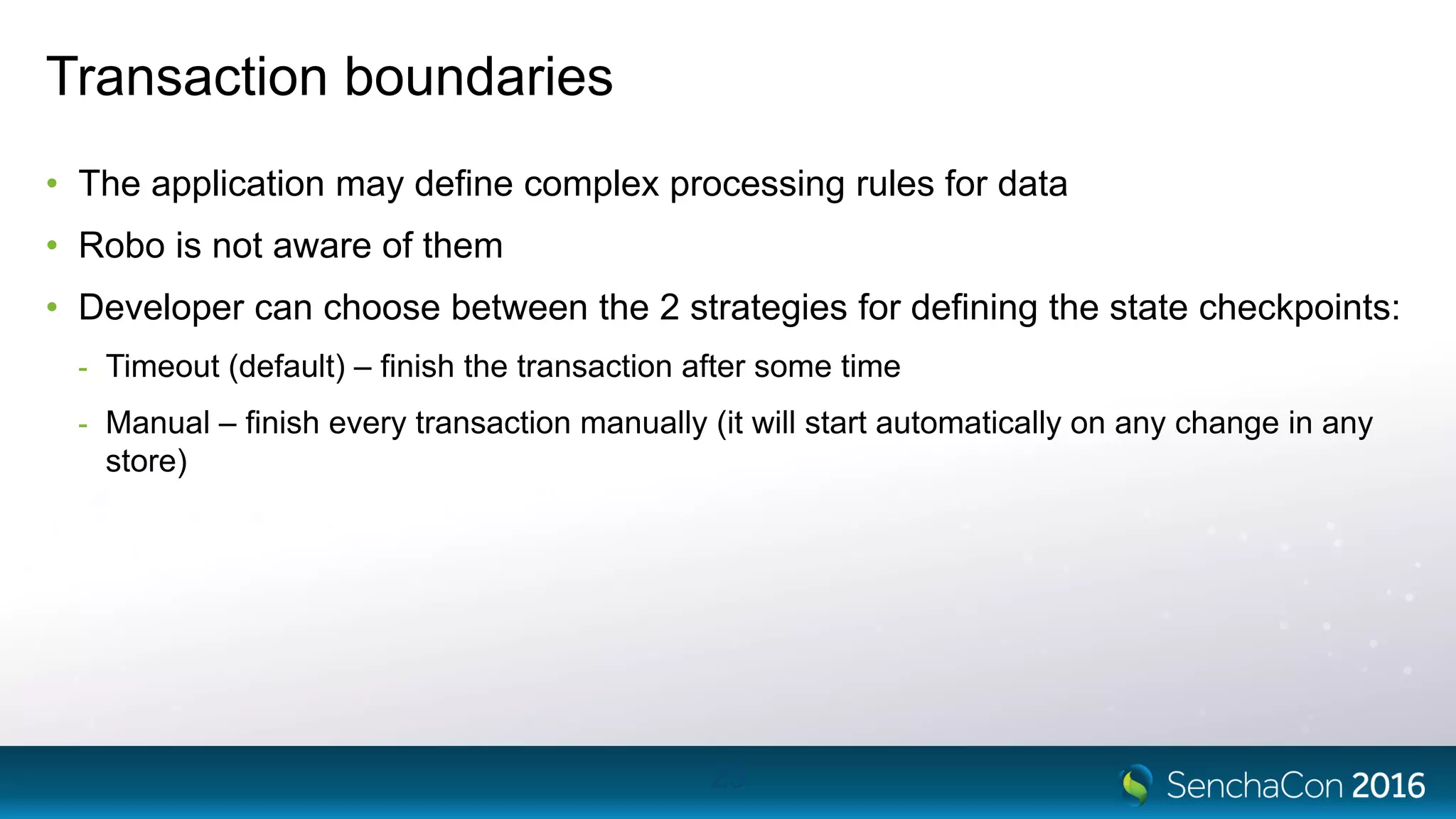
• The application may define complex processing rules for data
• Robo is not aware of them
• Developer can choose between the 2 strategies for defining the state checkpoints:
- Timeout (default) – finish the transaction after some time
- Manual – finish every transaction manually (it will start automatically on any change in any
store)
23
Action example
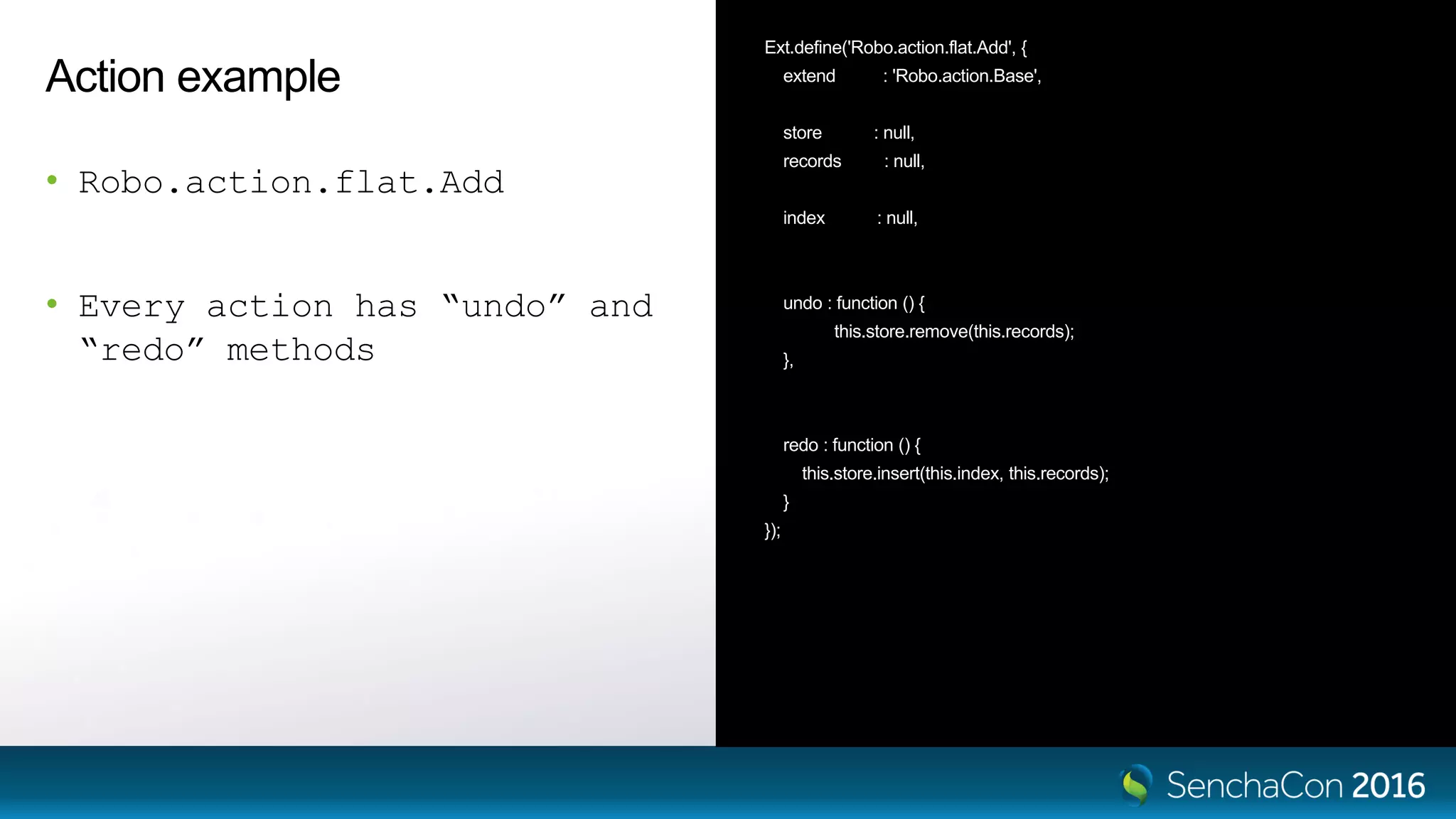
• Robo.action.flat.Add
• Every action has “undo” and
“redo” methods
Ext.define('Robo.action.flat.Add', {
extend : 'Robo.action.Base',
store : null,
records : null,
index : null,
undo : function () {
this.store.remove(this.records);
},
redo : function () {
this.store.insert(this.index, this.records);
}
});
Action example
• Robo.action.flat.Remove
• Every action has “undo” and
“redo” methods
Ext.define('Robo.action.flat.Remove', {
extend : 'Robo.action.Base',
store : null,
records : null,
index : null,
undo : function () {
var me = this;
me.store.insert(me.index, me.records);
},
redo : function () {
var me = this;
me.store.remove(me.records);
}
});
Integration with
Sencha application
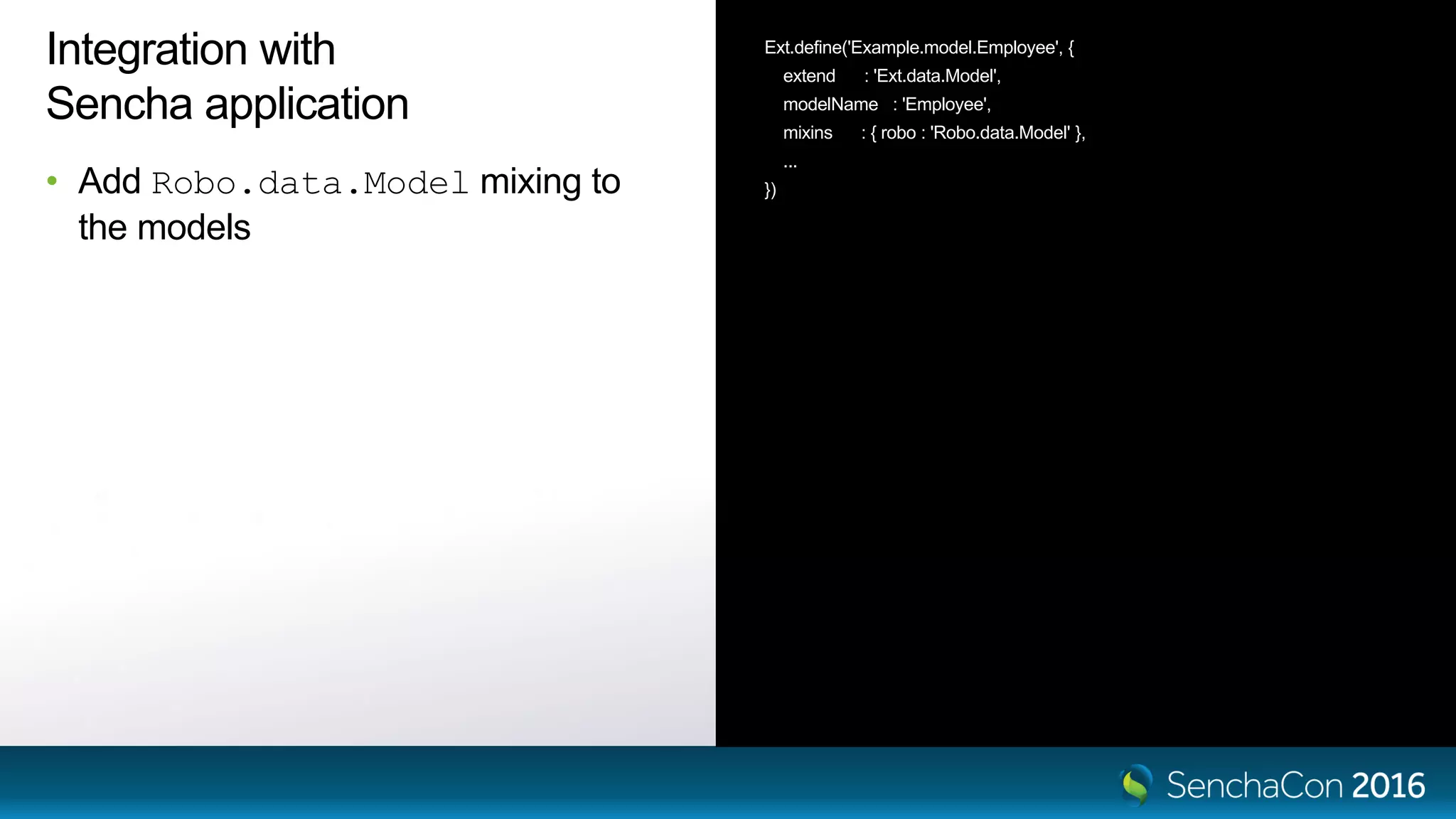
• Add Robo.data.Model mixing to
the models
Ext.define('Example.model.Employee', {
extend : 'Ext.data.Model',
modelName : 'Employee',
mixins : { robo : 'Robo.data.Model' },
...
})
Integration with
Sencha application
• Add Robo.data.Model mixing to
the models
• Create an instance of Robo.Manager
Ext.define('Example.model.Employee', {
extend : 'Ext.data.Model',
modelName : 'Employee',
mixins : { robo : 'Robo.data.Model' },
...
})
var robo = new Robo.Manager({
stores : [ 'store1', 'store2', 'store3‘ ]
});
Integration with
Sencha application
• Add Robo.data.Model mixing to
the models
• Create an instance of Robo.Manager
• Add stores to it
Ext.define('Example.model.Employee', {
extend : 'Ext.data.Model',
modelName : 'Employee',
mixins : { robo : 'Robo.data.Model' },
...
})
var robo = new Robo.Manager({
stores : [ 'store1', 'store2', 'store3‘ ]
});
// or add the stores after instantiation
robo.addStore(store1)
robo.addStore(store2)
Integration with
Sencha application
• Add Robo.data.Model mixing to
the models
• Create an instance of Robo.Manager
• Add stores to it
• Start monitoring data changes
Ext.define('Example.model.Employee', {
extend : 'Ext.data.Model',
modelName : 'Employee',
mixins : { robo : 'Robo.data.Model' },
...
})
var robo = new Robo.Manager({
stores : [ 'store1', 'store2', 'store3‘ ]
});
// or add the stores after instantiation
robo.addStore(store1)
robo.addStore(store2)
// start monitoring (after data load)
robo.start();
Integration with
Sencha application
• Add Robo.data.Model mixing to
the models
• Create an instance of Robo.Manager
• Add stores to it
• Start monitoring data changes
• Use the robo.undo()
robo.redo() API calls
Ext.define('Example.model.Employee', {
extend : 'Ext.data.Model',
modelName : 'Employee',
mixins : { robo : 'Robo.data.Model' },
...
})
var robo = new Robo.Manager({
stores : [ 'store1', 'store2', 'store3‘ ]
});
// or add the stores after instantiation
robo.addStore(store1)
robo.addStore(store2)
// start monitoring (after data load)
robo.start();
// at some point later
robo.undo()
robo.redo()
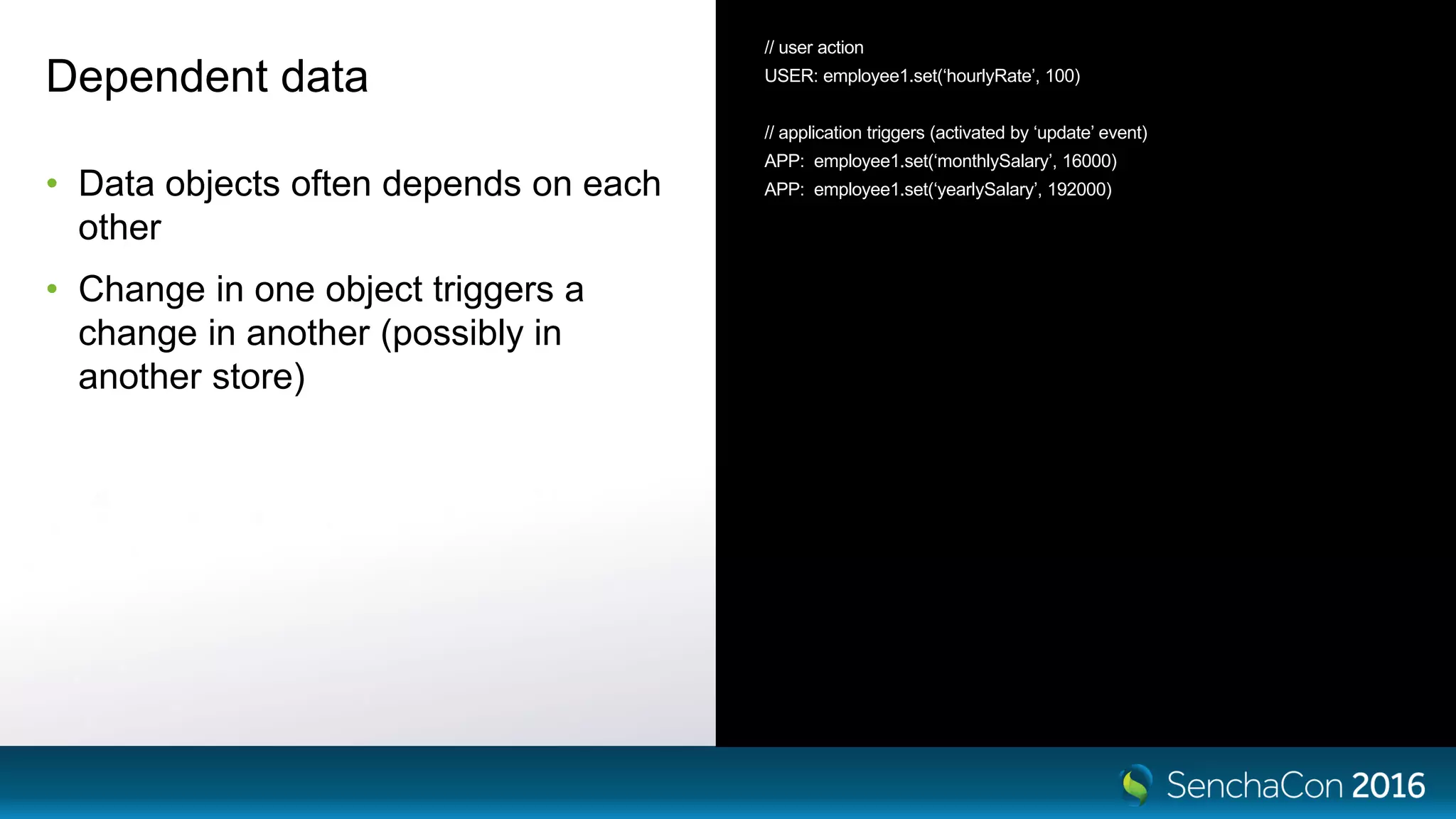
Dependent data
• Data objects often depends on each
other
• Change in one object triggers a
change in another (possibly in
another store)
// user action
USER: employee1.set(‘hourlyRate’, 100)
// application triggers (activated by ‘update’ event)
APP: employee1.set(‘monthlySalary’, 16000)
APP: employee1.set(‘yearlySalary’, 192000)
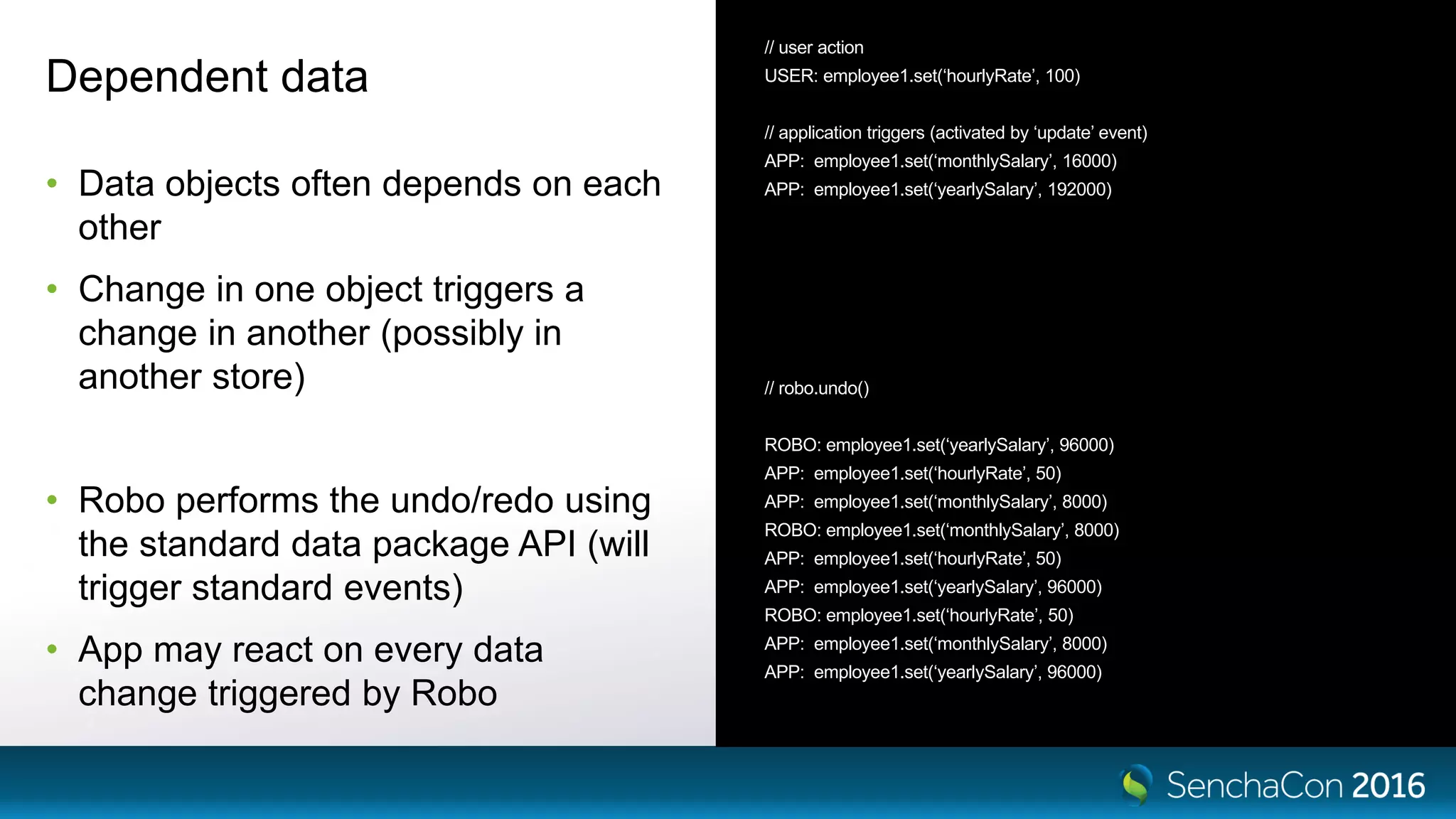
Dependent data
• Data objects often depends on each
other
• Change in one object triggers a
change in another (possibly in
another store)
• Robo performs the undo/redo using
the standard data package API (will
trigger standard events)
• App may react on every data
change triggered by Robo
// user action
USER: employee1.set(‘hourlyRate’, 100)
// application triggers (activated by ‘update’ event)
APP: employee1.set(‘monthlySalary’, 16000)
APP: employee1.set(‘yearlySalary’, 192000)
// robo.undo()
ROBO: employee1.set(‘yearlySalary’, 96000)
APP: employee1.set(‘hourlyRate’, 50)
APP: employee1.set(‘monthlySalary’, 8000)
ROBO: employee1.set(‘monthlySalary’, 8000)
APP: employee1.set(‘hourlyRate’, 50)
APP: employee1.set(‘yearlySalary’, 96000)
ROBO: employee1.set(‘hourlyRate’, 50)
APP: employee1.set(‘monthlySalary’, 8000)
APP: employee1.set(‘yearlySalary’, 96000)
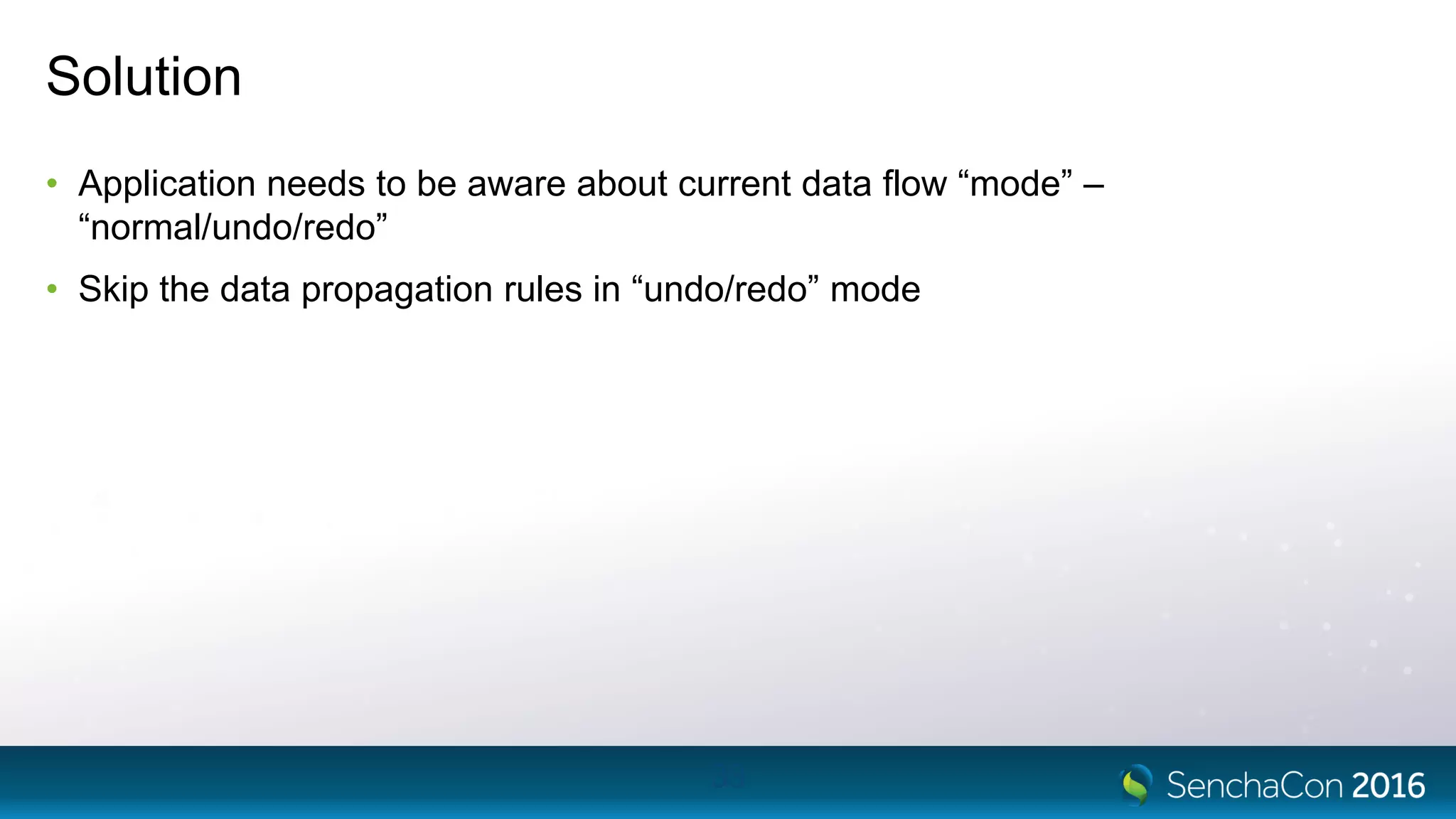
Solution
• Application needs to be aware about current data flow “mode” –
“normal/undo/redo”
• Skip the data propagation rules in “undo/redo” mode
33
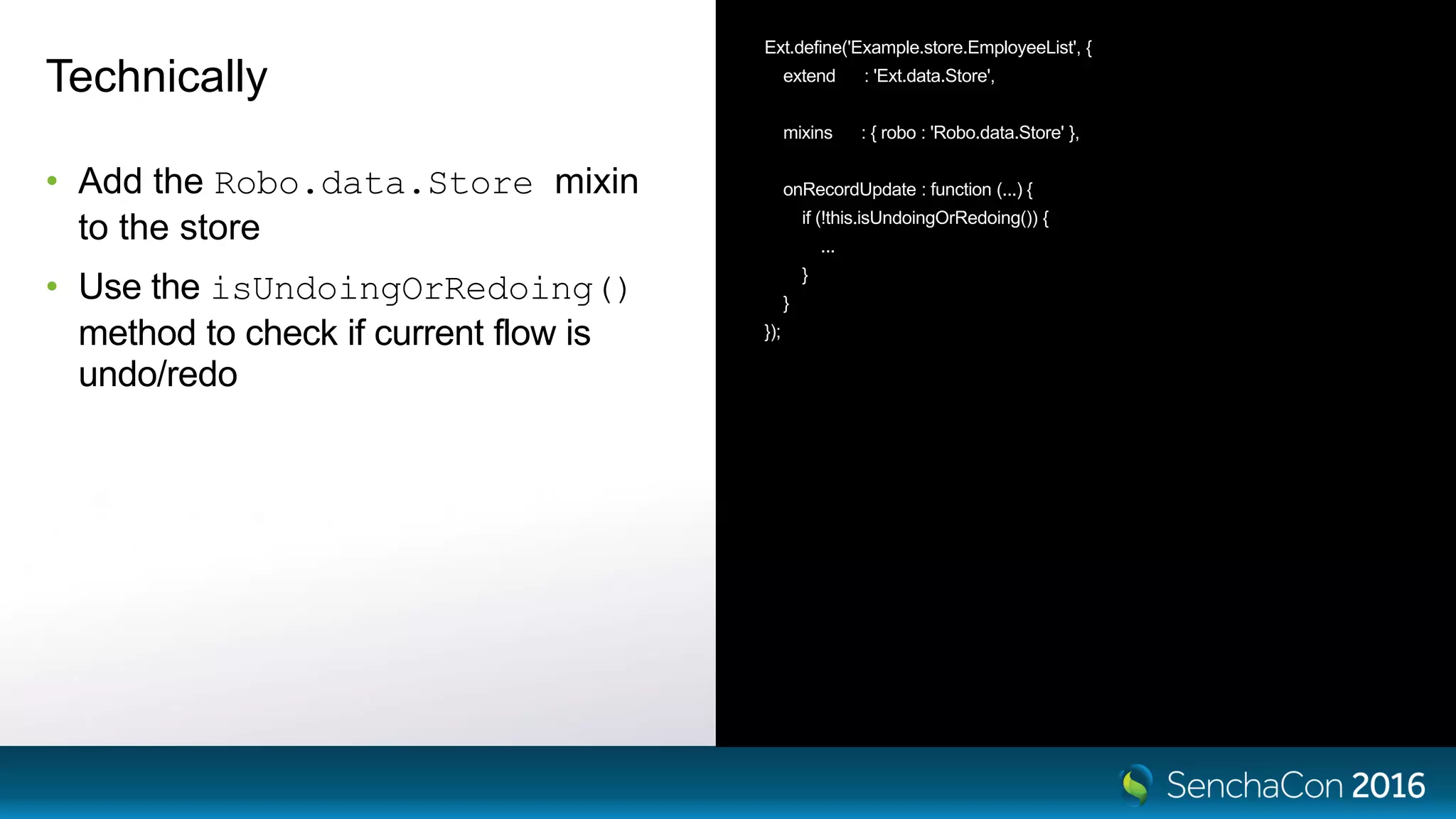
Technically
• Add the Robo.data.Store mixin
to the store
• Use the isUndoingOrRedoing()
method to check if current flow is
undo/redo
Ext.define('Example.store.EmployeeList', {
extend : 'Ext.data.Store',
mixins : { robo : 'Robo.data.Store' },
onRecordUpdate : function (...) {
if (!this.isUndoingOrRedoing()) {
...
}
}
});
Suspended events
• Robo can’t record anything, if events on a store are suspended
• Moreover, a missed action leads to inconsistent undo/redo queue state
• Application should not change store data if events are suspended (or, suspend
events with the queuing option)
• Or, create missing actions manually
roboManager.currentTransaction.addAction()
35
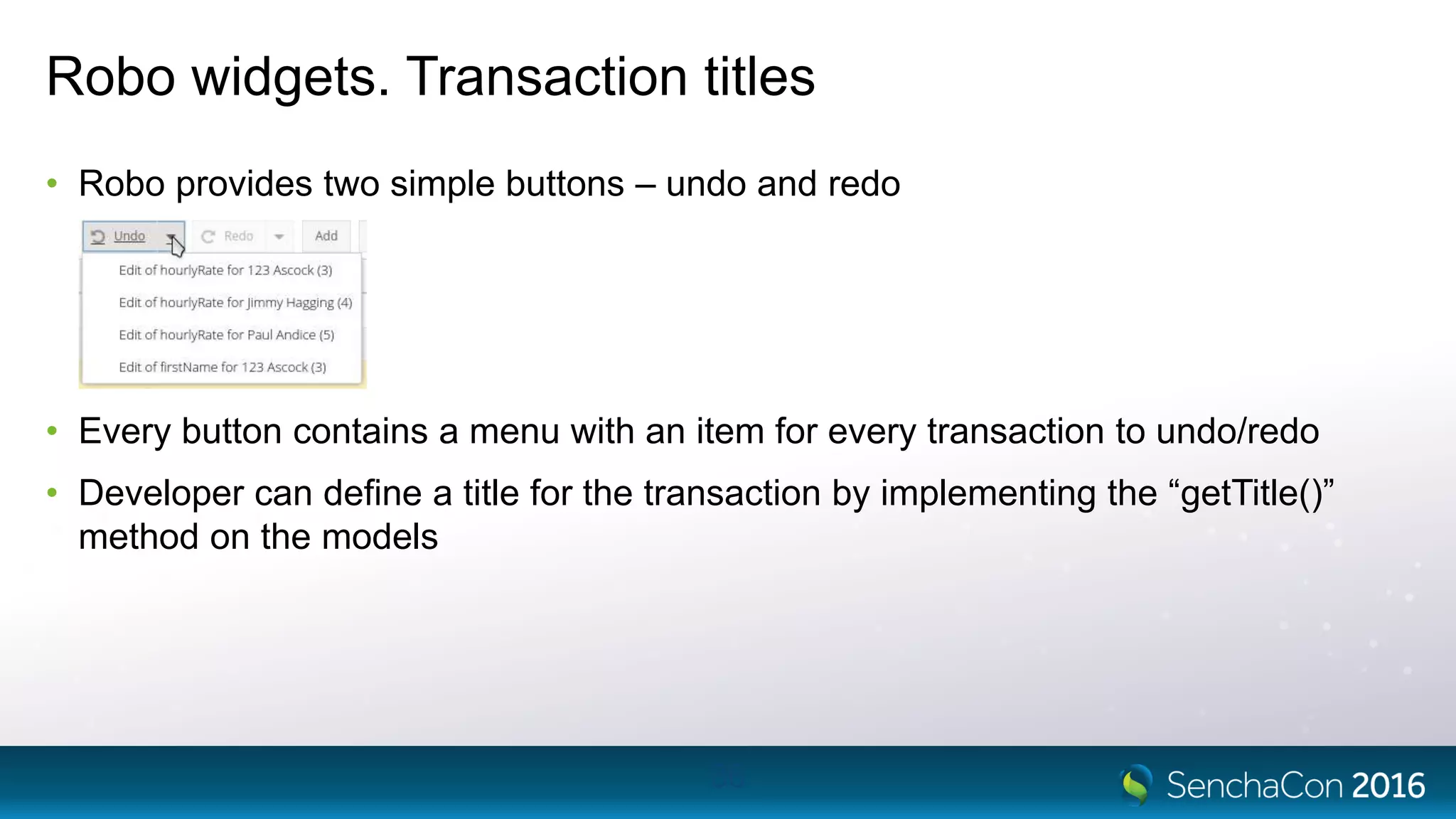
Robo widgets. Transaction titles
• Robo provides two simple buttons – undo and redo
• Every button contains a menu with an item for every transaction to undo/redo
• Developer can define a title for the transaction by implementing the “getTitle()”
method on the models
36
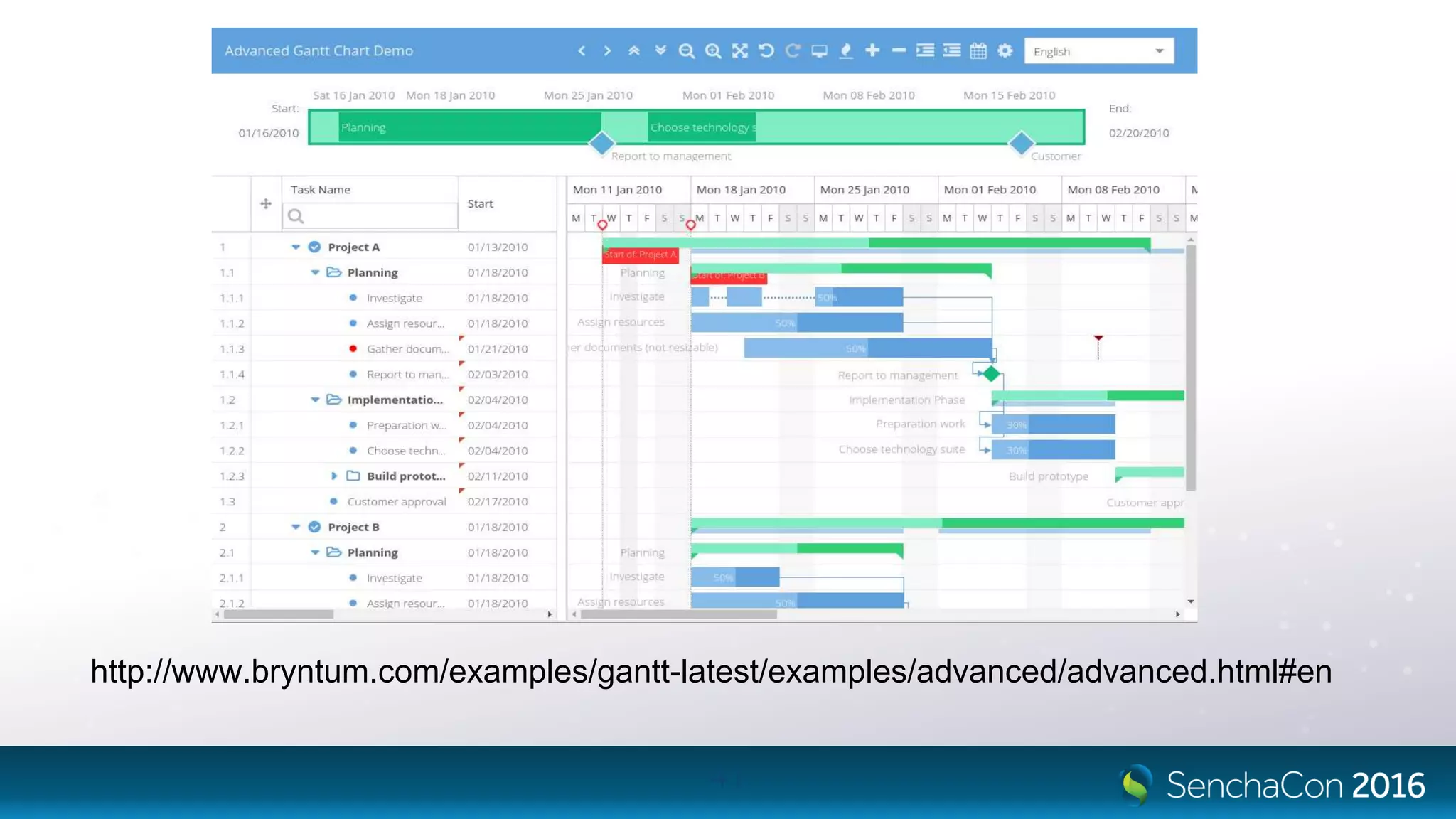
Advanced Robo showcase
Bryntum Ext Gantt
• 5 stores, one of them is a TreeStore
• Very complex processing rules
(change in one store propagates to
others)
me.undoManager = new Gnt.data.undoredo.Manager({
stores : [
calendarManager,
taskStore,
resourceStore,
assignmentStore,
dependencyStore
]
});
Bryntum Ext Gantt
• 5 stores, one of them is a TreeStore
• Very complex processing rules
(change in one store propagates to
others)
• Works like a charm
me.undoManager = new Gnt.data.undoredo.Manager({
stores : [
calendarManager,
taskStore,
resourceStore,
assignmentStore,
dependencyStore
]
});
Bryntum Ext Gantt
• 5 stores, one of them is a TreeStore
• Very complex processing rules
(change in one store propagates to
others)
• Works like a charm
• Required some customization
me.undoManager = new Gnt.data.undoredo.Manager({
stores : [
calendarManager,
taskStore,
resourceStore,
assignmentStore,
dependencyStore
]
});
41
http://www.bryntum.com/examples/gantt-latest/examples/advanced/advanced.html#en
Conclusion
• With Robo, the undo-redo functionality is easy to add to any Sencha application,
following a few simple rules during development
• There are already several successful implementations
42
Conclusion
• With Robo, the undo-redo functionality is easy to add to any Sencha application,
following a few simple rules during development
• There are already several successful implementations
• Next time you hear the request for undo/redo – don’t reject it immediately.
43
Learn more
• http://www.bryntum.com/products/robo/
• http://www.bryntum.com/docs/robo/#!/guide/robo_getting_started
• Any questions?
44
SenchaCon 2016: Handling Undo-Redo in Sencha Applications - Nickolay Platonov

SenchaCon 2016: Handling Undo-Redo in Sencha Applications - Nickolay Platonov

  • 1.
    Handling Undo-Redo in SenchaApplications Nickolay Platonov @Bryntum
  • 2.
    About me • NickolayPlatonov - Senior ExtJS developer at Bryntum - Using ExtJS since version 2.0 - SamuraiJack1 on the forums - Creator of Joose 3 class system for JavaScript, http://joose.it - Co-creator of Siesta and Robo tools - nickolay@bryntum.com 2
  • 3.
  • 4.
    Undo/Redo as afeature • Very useful • Standard feature for any serious desktop application 4
  • 5.
    Undo/Redo as afeature • Very useful • Standard feature for any serious desktop application • Rarely seen in Sencha applications • Probably since it is considered too complex to implement 5
  • 6.
    Undo/Redo as afeature • Very useful • Standard feature for any serious desktop application • Rarely seen in Sencha applications • Probably since it is considered too complex to implement • But doable, as you will see by the end of this talk 6
  • 7.
    Undo/Redo – formal taskdefinition • It’s all about the application state • State is presented with data structures // Data structure for shape var shape = { shapeType : ‘circle’, x : 100, y : 100, radius : 50 }
  • 8.
    Undo/Redo – formal taskdefinition • It’s all about the application state • State is presented with data structures • For example, for simple graphical editor a state would be – an array of shapes. // Data structure for shape var shape = { shapeType : ‘circle’, x : 100, y : 100, radius : 50 } // Graphical editor state var appState = [ shape1, shape2, shape3 ]
  • 9.
    Undo/Redo – formal taskdefinition • Every user action switches (advances) the application to a new state • User moves a circle • User adds a shape { { shapeType : ‘circle’, shapeType : ‘circle’, x : 100, x : 200, y : 100, y : 200, radius : 50 radius : 50 } } [ shape1, shape 2 ] [ shape1, shape2, shape3 ]
  • 10.
    Undo/Redo – formaltask definition • State change is normally a one-way flow 10 state1 state2 state3
  • 11.
    Undo/Redo – formaltask definition • We want to make the flow bidirectional 11 state1 state2 state3
  • 12.
    Approach 1 (naive)– Save full snapshot • Serialize full snapshot of application state • Deserialize the snapshot and place it as a new application state 12 state1 state2 state3
  • 13.
    Approach 1 (naive)– Save full snapshot • Serialize full snapshot of application state • Deserialize the snapshot and place it as a new application state • Pros - Very simple implementation • Cons - Performance (full scan of the dataset) - Memory consumption (every checkpoint contains all the data) 13 state1 state2 state3
  • 14.
    Approach 2 –Save the diff between the states • Calculate the diff between the application states • Apply the diff to initial state, to get the new state 14 state1 state2 state3 diff_1 diff_2
  • 15.
    Approach 2 –Save the diff between the states • Calculate the diff between the application states • Apply the diff to initial state, to get the new state • Pros - Memory consumption (only the actually changed data is gathered) • Cons - Complexity of diff operation - Performance of diff operation (both for gathering diffs and applying diffs) 15 state1 state2 state3 diff_1 diff_2
  • 16.
    Approach 3 –Save the changelog between the states • Every diff between the states is a list of actions • Actions are small, atomic and reversible 16 state1 state2 state3Action1 Action2 Action3 Action4
  • 17.
    Approach 3 –Save the changelog between the states • Every diff between the states is a list of actions • Actions are small, atomic and reversible • Pros - Performance & memory consumption (only the actually changed data is gathered/stored) - Relatively simple implementation • Cons - Application needs to be aware about the undo/redo feature 17 state1 state2 state3Action1 Action2 Action3 Action4
  • 18.
    Architecture requirements • Appshould follow the MVC pattern • No state to be kept in the views or controllers (or at least as less as possible) 18 Controller Model View
  • 19.
  • 20.
    Robo • Undo/redo functionalityframework, developed by Bryntum • Targets Sencha applications • Robo supports ExtJS 5.1.2 / 6.0.1 / 6.0.2 / 6.2.0 • Out of the box, operates on ExtJS data stores (Ext.data.Store and Ext.data.TreeStore) • Can be customized to a specific application needs 20
  • 21.
    Design & terminology •The transition between application states is called “transaction” • Every transaction may contain several smaller “actions”, which are all atomic • Listens to events from stores, and creates actions from them 21 Robo.Transaction state1 state2Robo.Action 1 Robo.Action 2
  • 22.
  • 23.
    Transaction boundaries • Theapplication may define complex processing rules for data • Robo is not aware of them • Developer can choose between the 2 strategies for defining the state checkpoints: - Timeout (default) – finish the transaction after some time - Manual – finish every transaction manually (it will start automatically on any change in any store) 23
  • 24.
    Action example • Robo.action.flat.Add •Every action has “undo” and “redo” methods Ext.define('Robo.action.flat.Add', { extend : 'Robo.action.Base', store : null, records : null, index : null, undo : function () { this.store.remove(this.records); }, redo : function () { this.store.insert(this.index, this.records); } });
  • 25.
    Action example • Robo.action.flat.Remove •Every action has “undo” and “redo” methods Ext.define('Robo.action.flat.Remove', { extend : 'Robo.action.Base', store : null, records : null, index : null, undo : function () { var me = this; me.store.insert(me.index, me.records); }, redo : function () { var me = this; me.store.remove(me.records); } });
  • 26.
    Integration with Sencha application •Add Robo.data.Model mixing to the models Ext.define('Example.model.Employee', { extend : 'Ext.data.Model', modelName : 'Employee', mixins : { robo : 'Robo.data.Model' }, ... })
  • 27.
    Integration with Sencha application •Add Robo.data.Model mixing to the models • Create an instance of Robo.Manager Ext.define('Example.model.Employee', { extend : 'Ext.data.Model', modelName : 'Employee', mixins : { robo : 'Robo.data.Model' }, ... }) var robo = new Robo.Manager({ stores : [ 'store1', 'store2', 'store3‘ ] });
  • 28.
    Integration with Sencha application •Add Robo.data.Model mixing to the models • Create an instance of Robo.Manager • Add stores to it Ext.define('Example.model.Employee', { extend : 'Ext.data.Model', modelName : 'Employee', mixins : { robo : 'Robo.data.Model' }, ... }) var robo = new Robo.Manager({ stores : [ 'store1', 'store2', 'store3‘ ] }); // or add the stores after instantiation robo.addStore(store1) robo.addStore(store2)
  • 29.
    Integration with Sencha application •Add Robo.data.Model mixing to the models • Create an instance of Robo.Manager • Add stores to it • Start monitoring data changes Ext.define('Example.model.Employee', { extend : 'Ext.data.Model', modelName : 'Employee', mixins : { robo : 'Robo.data.Model' }, ... }) var robo = new Robo.Manager({ stores : [ 'store1', 'store2', 'store3‘ ] }); // or add the stores after instantiation robo.addStore(store1) robo.addStore(store2) // start monitoring (after data load) robo.start();
  • 30.
    Integration with Sencha application •Add Robo.data.Model mixing to the models • Create an instance of Robo.Manager • Add stores to it • Start monitoring data changes • Use the robo.undo() robo.redo() API calls Ext.define('Example.model.Employee', { extend : 'Ext.data.Model', modelName : 'Employee', mixins : { robo : 'Robo.data.Model' }, ... }) var robo = new Robo.Manager({ stores : [ 'store1', 'store2', 'store3‘ ] }); // or add the stores after instantiation robo.addStore(store1) robo.addStore(store2) // start monitoring (after data load) robo.start(); // at some point later robo.undo() robo.redo()
  • 31.
    Dependent data • Dataobjects often depends on each other • Change in one object triggers a change in another (possibly in another store) // user action USER: employee1.set(‘hourlyRate’, 100) // application triggers (activated by ‘update’ event) APP: employee1.set(‘monthlySalary’, 16000) APP: employee1.set(‘yearlySalary’, 192000)
  • 32.
    Dependent data • Dataobjects often depends on each other • Change in one object triggers a change in another (possibly in another store) • Robo performs the undo/redo using the standard data package API (will trigger standard events) • App may react on every data change triggered by Robo // user action USER: employee1.set(‘hourlyRate’, 100) // application triggers (activated by ‘update’ event) APP: employee1.set(‘monthlySalary’, 16000) APP: employee1.set(‘yearlySalary’, 192000) // robo.undo() ROBO: employee1.set(‘yearlySalary’, 96000) APP: employee1.set(‘hourlyRate’, 50) APP: employee1.set(‘monthlySalary’, 8000) ROBO: employee1.set(‘monthlySalary’, 8000) APP: employee1.set(‘hourlyRate’, 50) APP: employee1.set(‘yearlySalary’, 96000) ROBO: employee1.set(‘hourlyRate’, 50) APP: employee1.set(‘monthlySalary’, 8000) APP: employee1.set(‘yearlySalary’, 96000)
  • 33.
    Solution • Application needsto be aware about current data flow “mode” – “normal/undo/redo” • Skip the data propagation rules in “undo/redo” mode 33
  • 34.
    Technically • Add theRobo.data.Store mixin to the store • Use the isUndoingOrRedoing() method to check if current flow is undo/redo Ext.define('Example.store.EmployeeList', { extend : 'Ext.data.Store', mixins : { robo : 'Robo.data.Store' }, onRecordUpdate : function (...) { if (!this.isUndoingOrRedoing()) { ... } } });
  • 35.
    Suspended events • Robocan’t record anything, if events on a store are suspended • Moreover, a missed action leads to inconsistent undo/redo queue state • Application should not change store data if events are suspended (or, suspend events with the queuing option) • Or, create missing actions manually roboManager.currentTransaction.addAction() 35
  • 36.
    Robo widgets. Transactiontitles • Robo provides two simple buttons – undo and redo • Every button contains a menu with an item for every transaction to undo/redo • Developer can define a title for the transaction by implementing the “getTitle()” method on the models 36
  • 37.
  • 38.
    Bryntum Ext Gantt •5 stores, one of them is a TreeStore • Very complex processing rules (change in one store propagates to others) me.undoManager = new Gnt.data.undoredo.Manager({ stores : [ calendarManager, taskStore, resourceStore, assignmentStore, dependencyStore ] });
  • 39.
    Bryntum Ext Gantt •5 stores, one of them is a TreeStore • Very complex processing rules (change in one store propagates to others) • Works like a charm me.undoManager = new Gnt.data.undoredo.Manager({ stores : [ calendarManager, taskStore, resourceStore, assignmentStore, dependencyStore ] });
  • 40.
    Bryntum Ext Gantt •5 stores, one of them is a TreeStore • Very complex processing rules (change in one store propagates to others) • Works like a charm • Required some customization me.undoManager = new Gnt.data.undoredo.Manager({ stores : [ calendarManager, taskStore, resourceStore, assignmentStore, dependencyStore ] });
  • 41.
  • 42.
    Conclusion • With Robo,the undo-redo functionality is easy to add to any Sencha application, following a few simple rules during development • There are already several successful implementations 42
  • 43.
    Conclusion • With Robo,the undo-redo functionality is easy to add to any Sencha application, following a few simple rules during development • There are already several successful implementations • Next time you hear the request for undo/redo – don’t reject it immediately. 43
  • 44.
    Learn more • http://www.bryntum.com/products/robo/ •http://www.bryntum.com/docs/robo/#!/guide/robo_getting_started • Any questions? 44