Accessibility,
Teamwork & ExtJS: A
Customer Success
Story
Brent Balog – Senior UI Engineer, Innotas by Planview
Sherrill Packebush, PhD – UX Architect, Innotas by Planview
Hadi Rangin – IT Accessibility Specialist, University of Washington
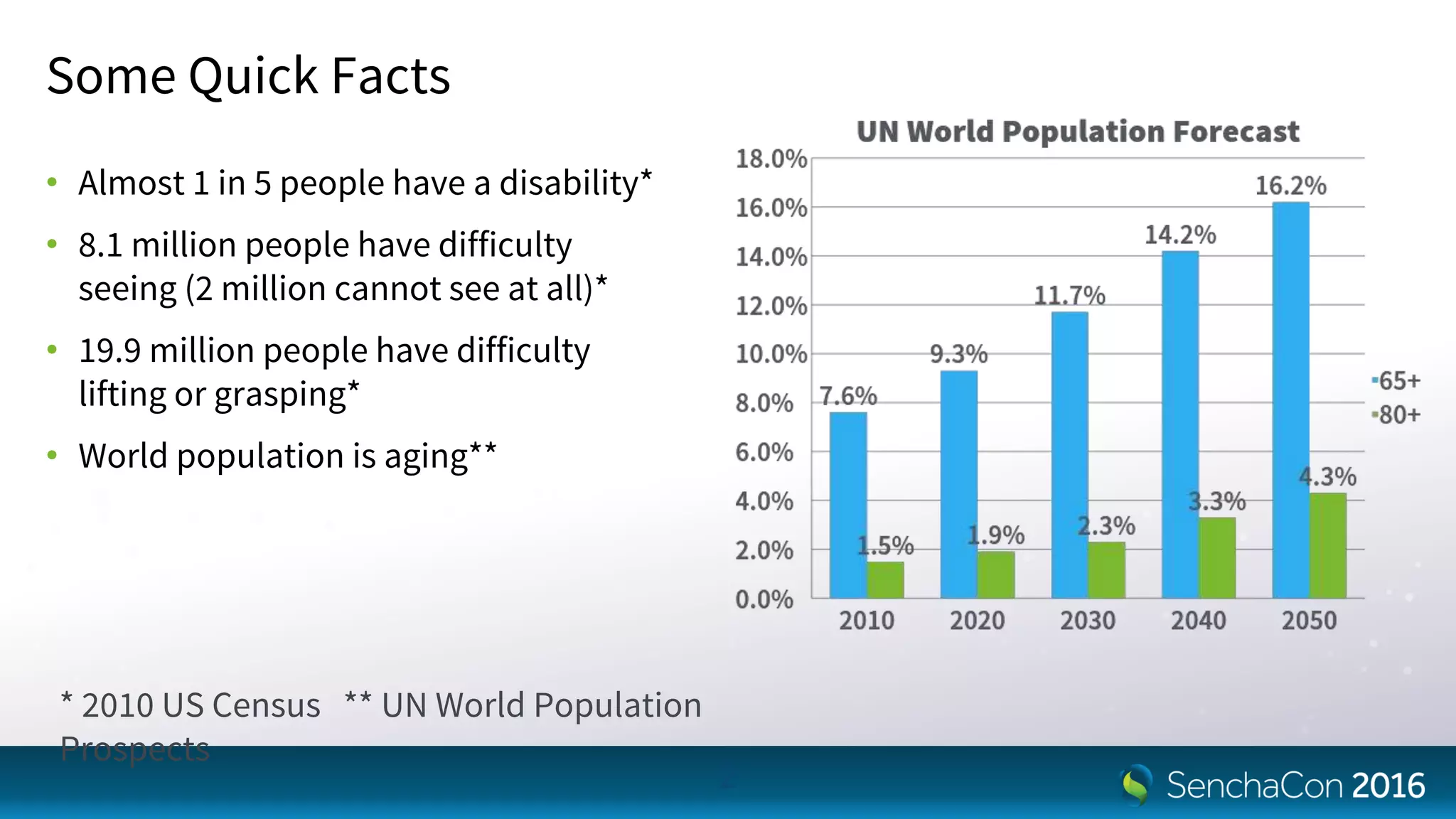
Some Quick Facts
• Almost 1 in 5 people have a disability*
• 8.1 million people have difficulty
seeing (2 million cannot see at all)*
• 19.9 million people have difficulty
lifting or grasping*
• World population is aging**
2
* 2010 US Census ** UN World Population
Prospects
Preview
• How the heck do we get to accessibility?
• So, what does it really mean to be accessible?
• What helped us the most
• Several development tips for you
3
How the Heck do We Get to
Accessibility?
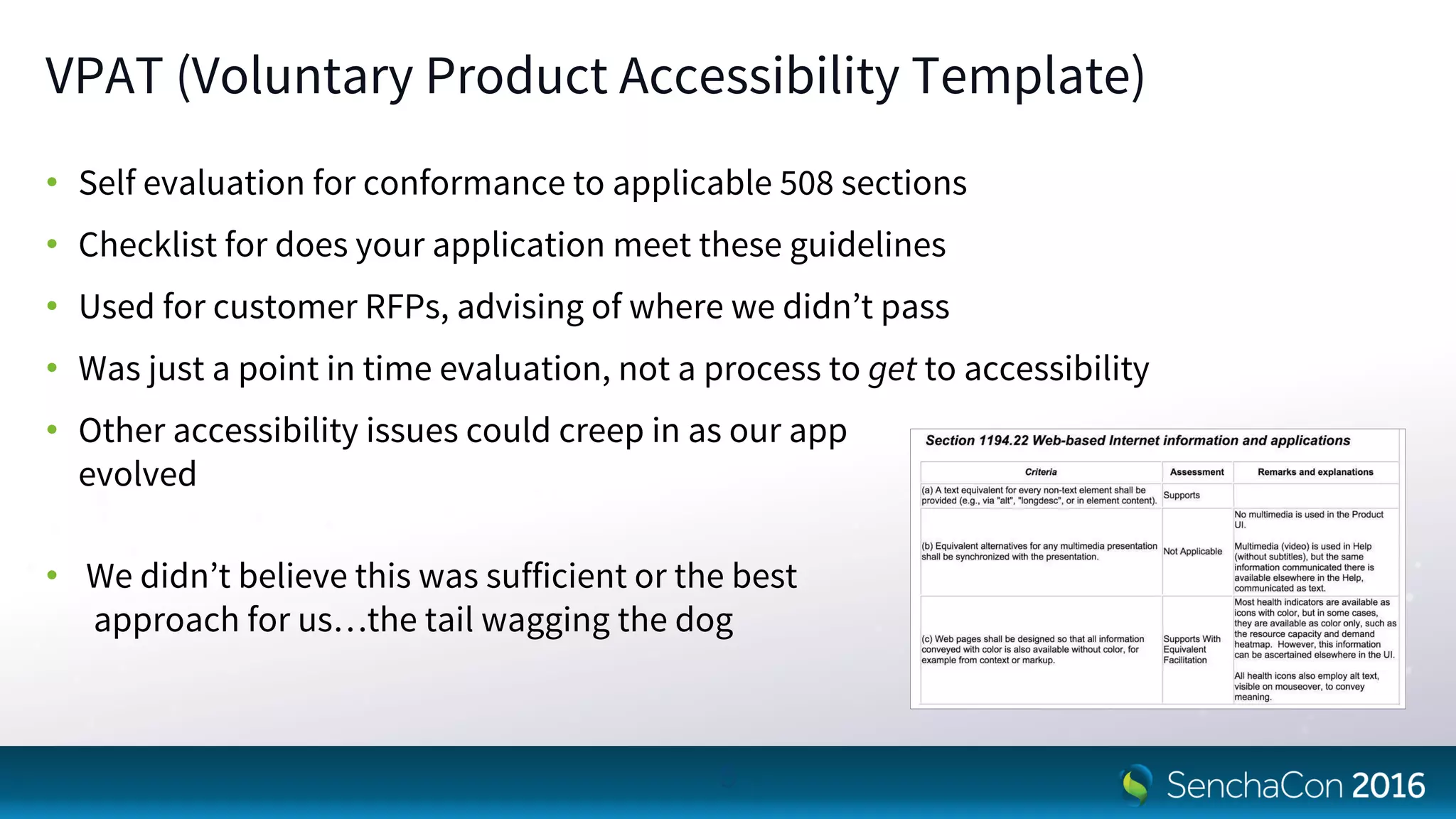
VPAT (Voluntary Product Accessibility Template)
• Self evaluation for conformance to applicable 508 sections
• Checklist for does your application meet these guidelines
• Used for customer RFPs, advising of where we didn’t pass
• Was just a point in time evaluation, not a process to get to accessibility
• Other accessibility issues could creep in as our app
evolved
• We didn’t believe this was sufficient or the best
approach for us…the tail wagging the dog
5
Consulting
• Could perform a thorough evaluation…great!
• Could provide explicit feedback on what changes to make…excellent! But,
- Might actually be another VPAT checklist
- Might not match or be able to apply to ExtJS capabilities
• High rampup time and cost for familiarization with our
application
• Would cost $$$
• Might need additional consulting as our app evolved
• This wasn’t a viable route for us
6
In House (on our Own)
• Created keyboard access guidelines
• Involved our QA team to help us identify issues using WAVE
• We found a LOT of issues, but we weren’t sure what
- Were the most critical and not false positives
- Truly applied to our users
- Were the best approaches to address some of them
- Other issues we were likely missing
• We needed more expertise
7
In House (with Help from our Friends)
• A customer who cared deeply about accessibility, were experts, and willing to help
- Revised the keyboard access guidelines
- Tons better evaluation, triage, and solutions
- But still very time consuming, tedious, and point solutions didn’t make sense
- Luckily a brilliant man asked why we didn’t contact the vendor?
• A vendor who cared deeply about accessibility and was looking for accessibility gurus
- To identify the best solutions at the framework level
- To make not only their product, but their customers successful
• This WORKED! Or is working, it’s a continual process
8
So, what Does it Really Mean to
be Accessible?
Definition of “Accessible”
“Accessible” means a person with a disability is afforded the opportunity to
acquire the same information, engage in the same interactions, & enjoy the
same services as a person without a disability in an equally effective & equally
integrated manner, with substantially equivalent ease of use. The person with a
disability must be able to obtain the information as fully, equally &
independently as a person without a disability.
10
IT Accessibility Standards
• World Wide Web Consortium (W3C)
- Web Content Accessibility Guidelines 1.0 (1999)
- Web Content Accessibility Guidelines 2.0 (2008)
• Section 508 Standards
- Published in 2000 to accompany Section 508 of the Rehabilitation Act (requires federal agencies
to procure accessible IT)
- Covers a broader scope of IT, not just Web
- Many states & higher education institutions have adopted either WCAG 2.0 or Section 508 as their
own standard for IT accessibility
11
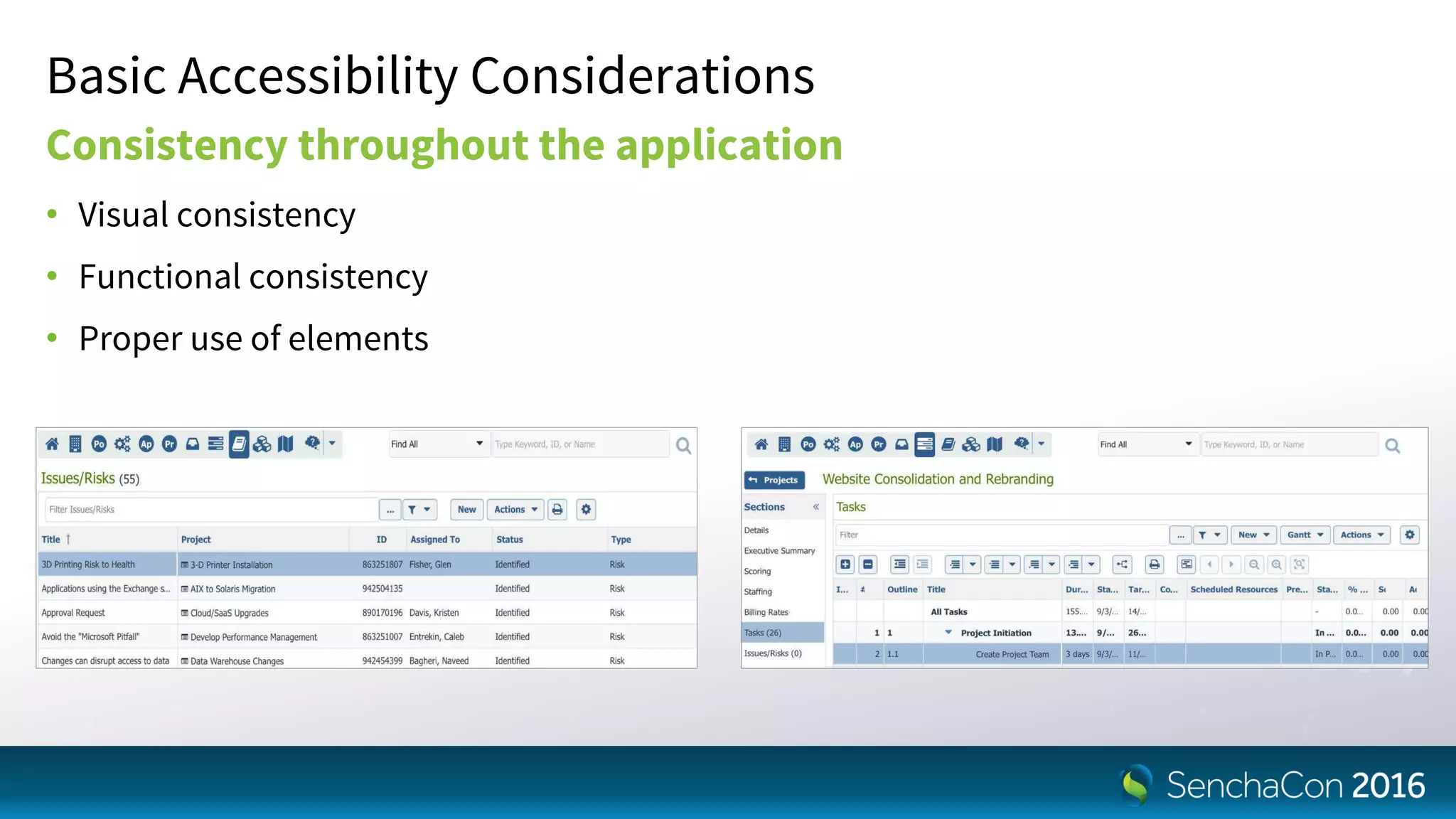
Basic Accessibility Considerations
Consistency throughout the application
• Visual consistency
• Functional consistency
• Proper use of elements
Basic Accessibility Considerations
Keyboard operability
• Be able to navigate to all focusable elements
• Be able to fully perform all applicable functions
• Links, Forms controls, Menu, Expand/collapse, Carousel, Modal, Custom widgets, etc.
• Be able to always to see the visual focus indicator
• Logical tab order
• Shortcut keys alone do not make application accessible
Basic Accessibility Considerations
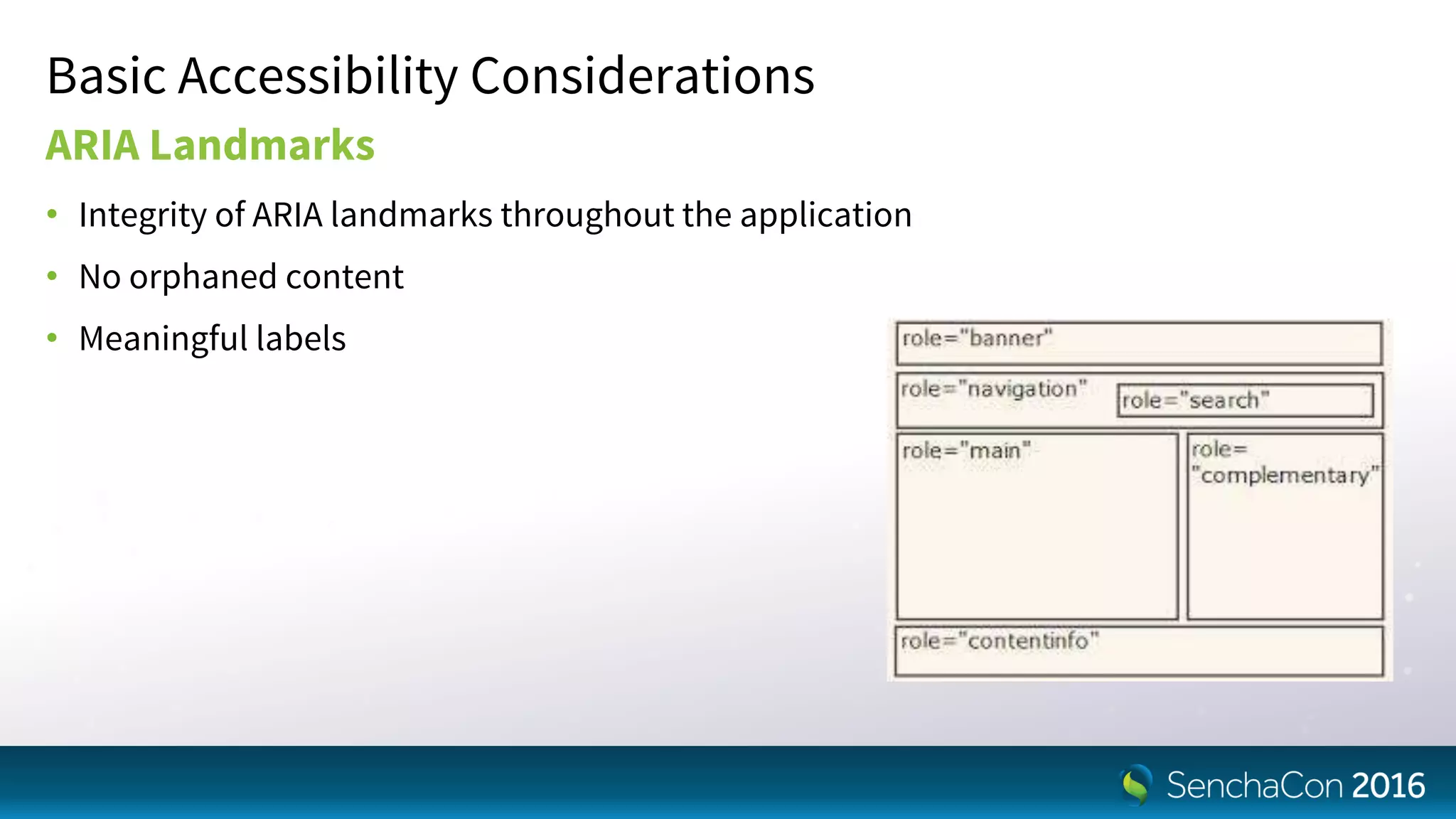
ARIA Landmarks
• Integrity of ARIA landmarks throughout the application
• No orphaned content
• Meaningful labels
Basic Accessibility Considerations
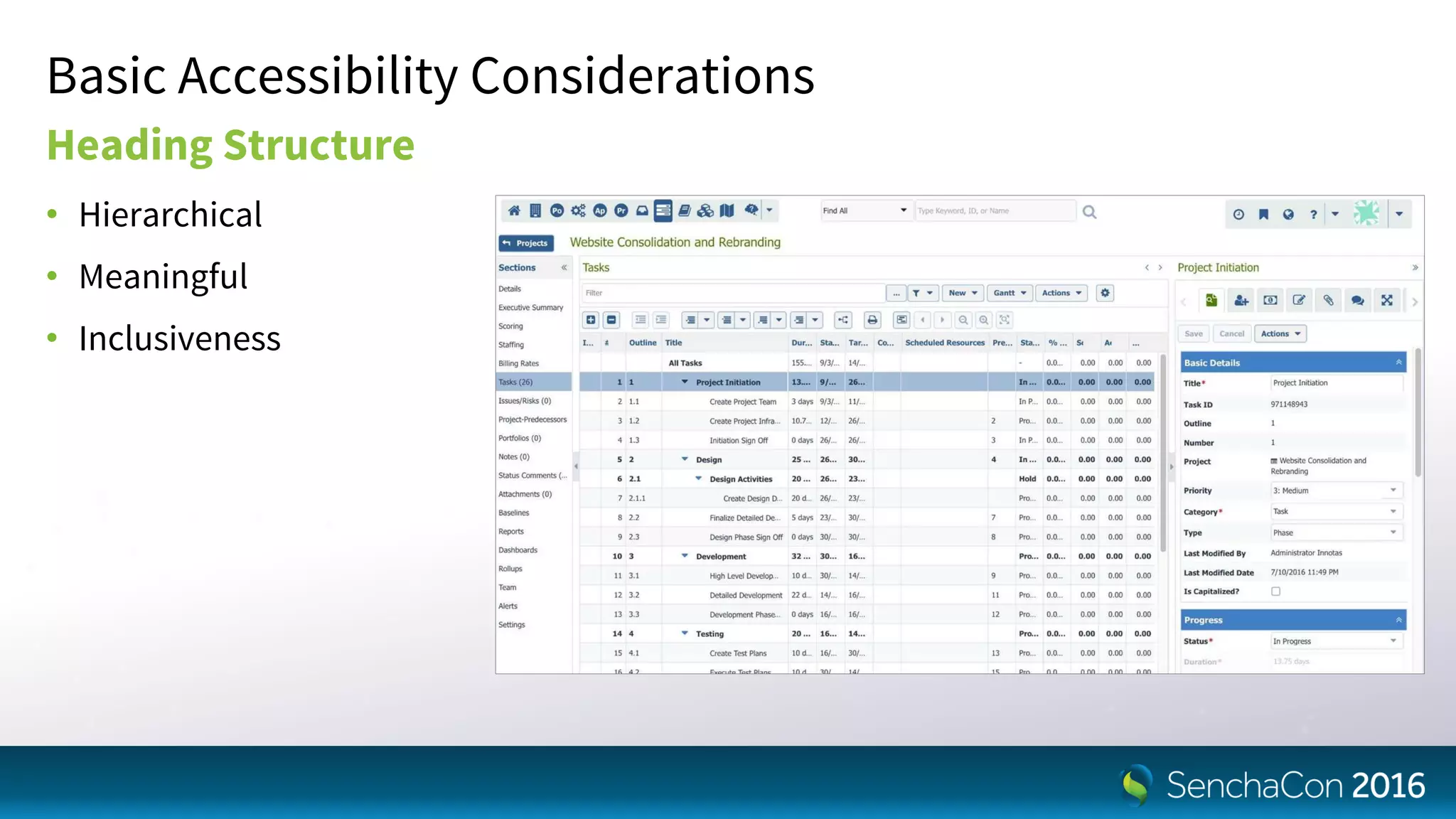
Heading Structure
• Hierarchical
• Meaningful
• Inclusiveness
Basic Accessibility Considerations
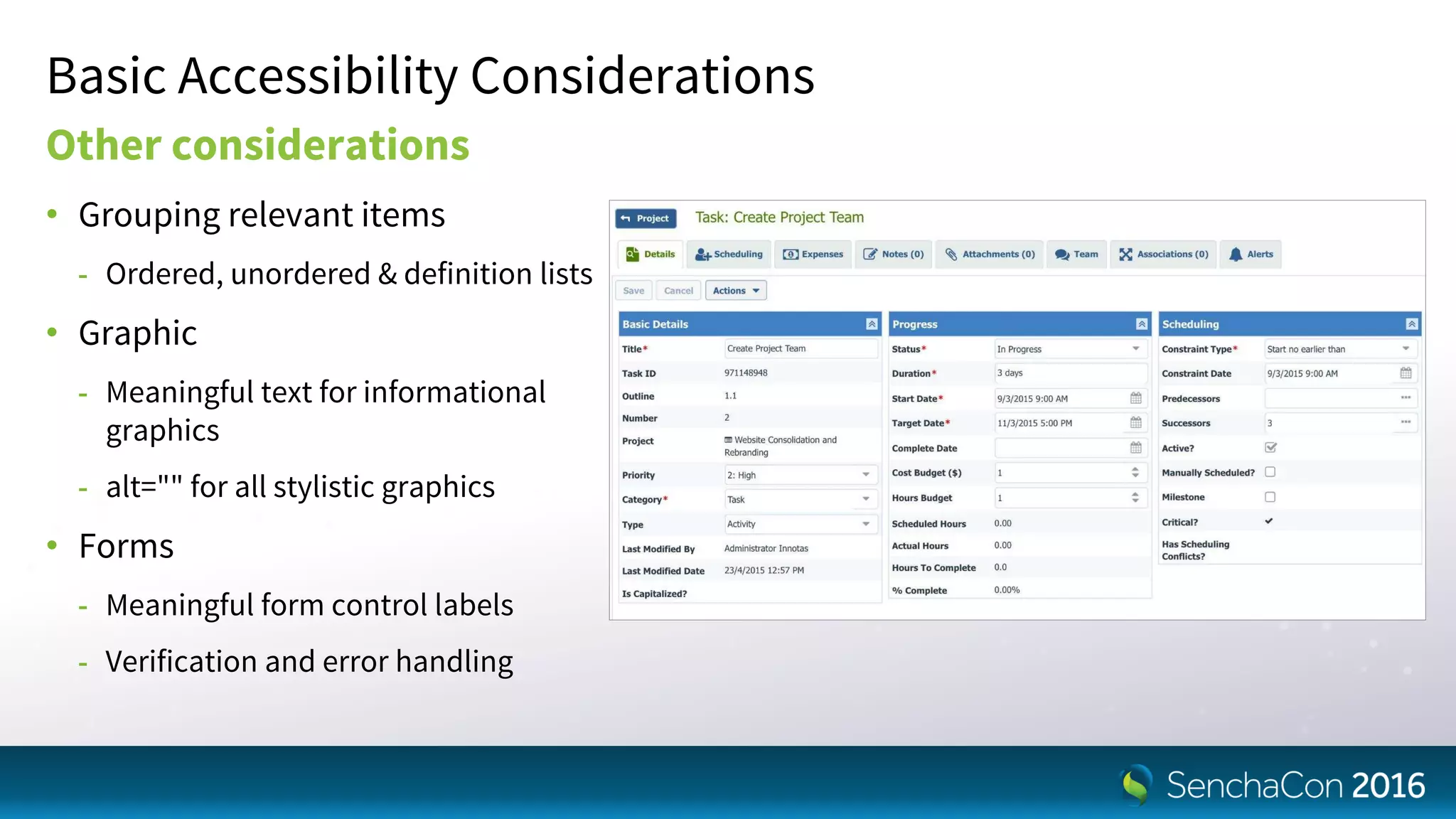
Other considerations
• Grouping relevant items
- Ordered, unordered & definition lists
• Graphic
- Meaningful text for informational
graphics
- alt="" for all stylistic graphics
• Forms
- Meaningful form control labels
- Verification and error handling
What Helped us the Most
Team Collaboration
A core team driving accessibility
• Internal evangelist
- Champions accessibility and continually raises awareness
- Enters issues and facilitates the process
• Accessibility expert
- Identifies and triages accessibility needs
- Guides optimal solutions
• Lead accessibility developers
- Drives and solves issues in framework (vendor support and/or accessibility developer)
- Organizes, triages, drives and solves issues in application (internal developer)
Team Collaboration
A support team enabling accessibility
• Internal management
- Makes accessibilty a company objective
- Removes roadblocks and provides resources
• Customers
- Hold you accountable
- Help as possible with resources and guidance
• Internal company as a whole
- Training sessions and documentation/wiki pages for accessibile design and coding
- Everyone who touches the product (dev, QA, services, etc.) cares and contributes to accessibility
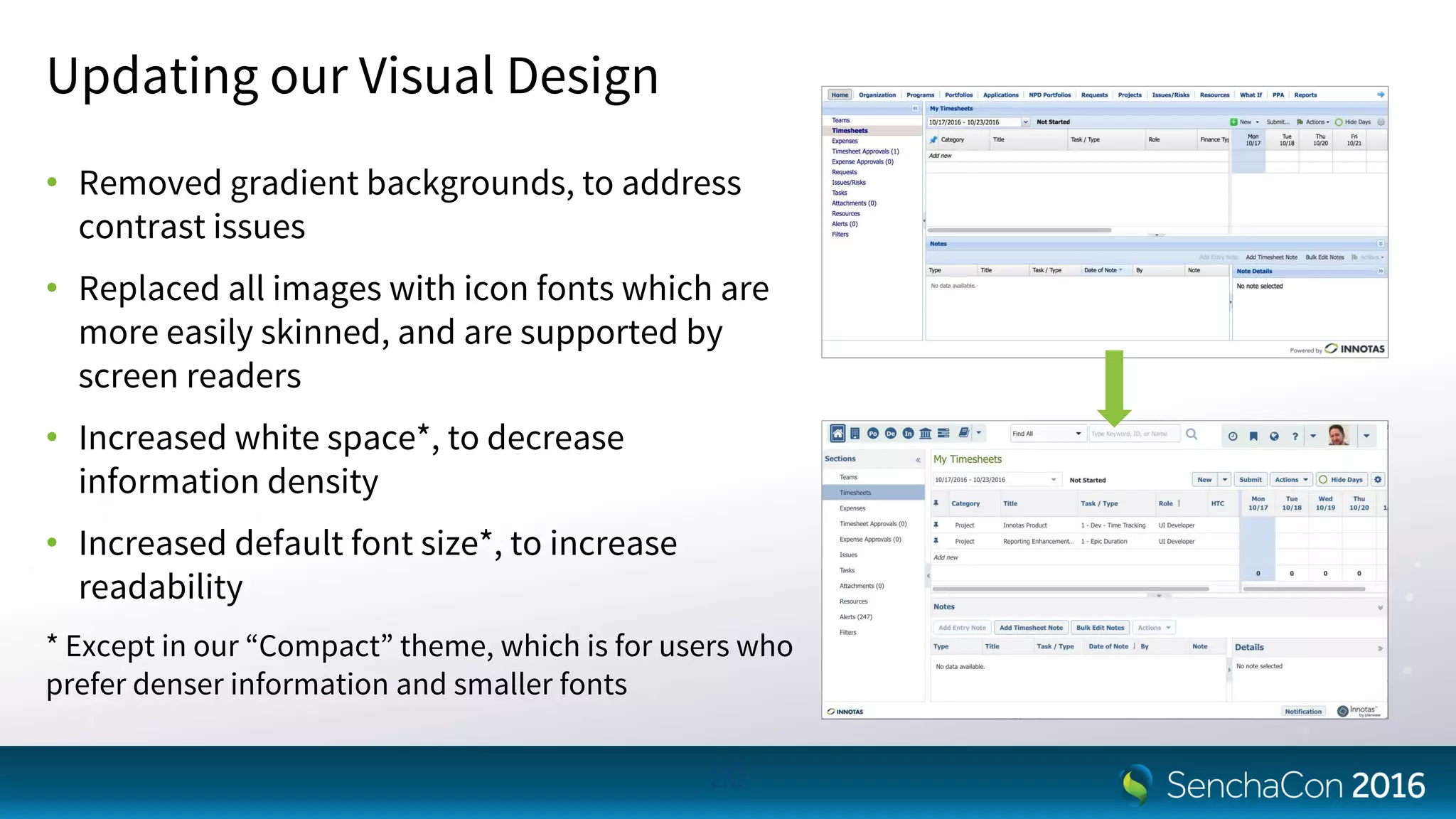
Updating our Visual Design
• Removed gradient backgrounds, to address
contrast issues
• Replaced all images with icon fonts which are
more easily skinned, and are supported by
screen readers
• Increased white space*, to decrease
information density
• Increased default font size*, to increase
readability
* Except in our “Compact” theme, which is for users who
prefer denser information and smaller fonts
20
Focusing on Keyboard Access First
• Helps ALL users
• Is a place to start, so not overwhelmed
• Can be tested internally, saving time and effort for customer
and vendor team members
• General visual and screen readers STILL important, but this
was a good first step
21
Upgrading to ExtJS 6+
• When we began, we were on ExtJS 4...it would be a LOT of work to address accessibility
issues
• ExtJS 6+ had signifigantly better accessibility features and enablements
- SCSS support for themes and general visual needs
- Focus component: Ext.util.Focusable, Ext.util.FocusableContainer, Ext.mixin.Observable
- Keyboard navigation: Ext.mixin.Keyboard (6.2)
- ARIA properties “baked” into core components
22
Several Development Tips for
You
{
enableFocusableContainer:
false,
items: [
//Whatever buttons you
want in here
this.saveButton,
this.cancelButton
]
}
1. Prior to 6.2, fbar/panel.buttons
config is a toolbar
• This may not be what you want
• Add enableFocusableContainer: false
to allow tabbing on these buttons
rather than arrow keys
- If you are like us, the majority of cases are
OK/Cancel (or some derivation)
- Those should be “tabbable”
me.bottomTb = new
Ext.toolbar.Toolbar({
id: baseId + '-toolbar',
ui: 'footer',
dock: 'bottom',
enableFocusableContainer: false,
layout: {
pack: 'center'
},
items: [
me.msgButtons[0],
me.msgButtons[1],
me.msgButtons[2],
me.msgButtons[3]
]
});
2. Ext.MessageBox may not be a
good choice
• For the reasons we just discussed, you
would need to use arrow keys when
more than one button is included
(YESNO, YESNOCANCEL, etc.)
• Either override this class with an
updated fbar config, or create a
custom Ext.Window class for more
control
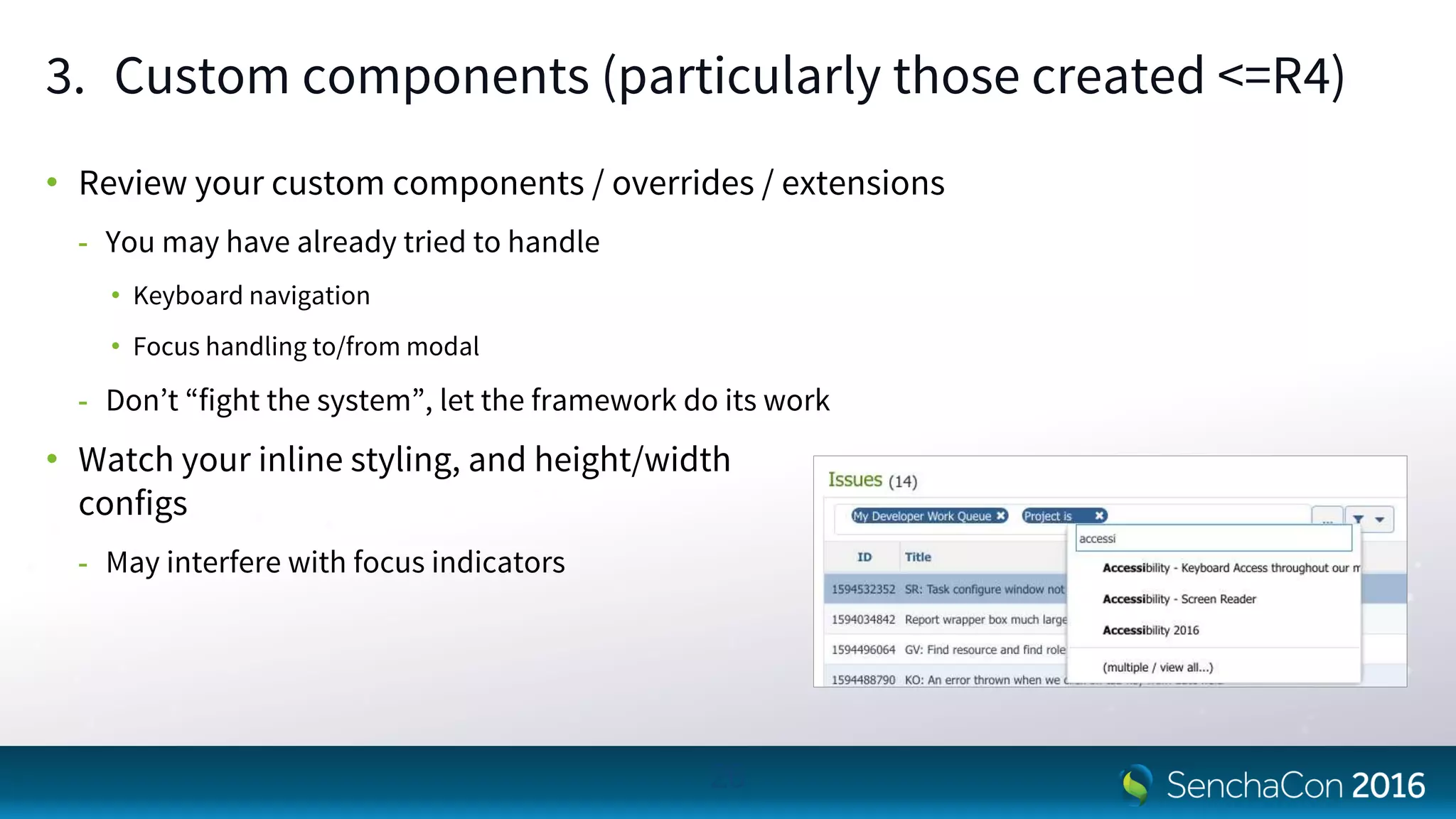
3. Custom components (particularly those created <=R4)
• Review your custom components / overrides / extensions
- You may have already tried to handle
• Keyboard navigation
• Focus handling to/from modal
- Don’t “fight the system”, let the framework do its work
• Watch your inline styling, and height/width
configs
- May interfere with focus indicators
26
4. It may be 2016, but browser / OS specific issues still exist
• Now add different screen readers to the mix, yikes
• Examples:
- Keyboard navigation on Mac/FF (esp. toolbars)
- NVDA vs JAWS site interpretation differences
• Pick your battles…unless you have unlimited QA/Dev funds
- Windows / FF / NVDA seems to be the most widely used combination
27
© 2016 NV Access. All rights
reserved.
Trademark The Mozilla
Foundation
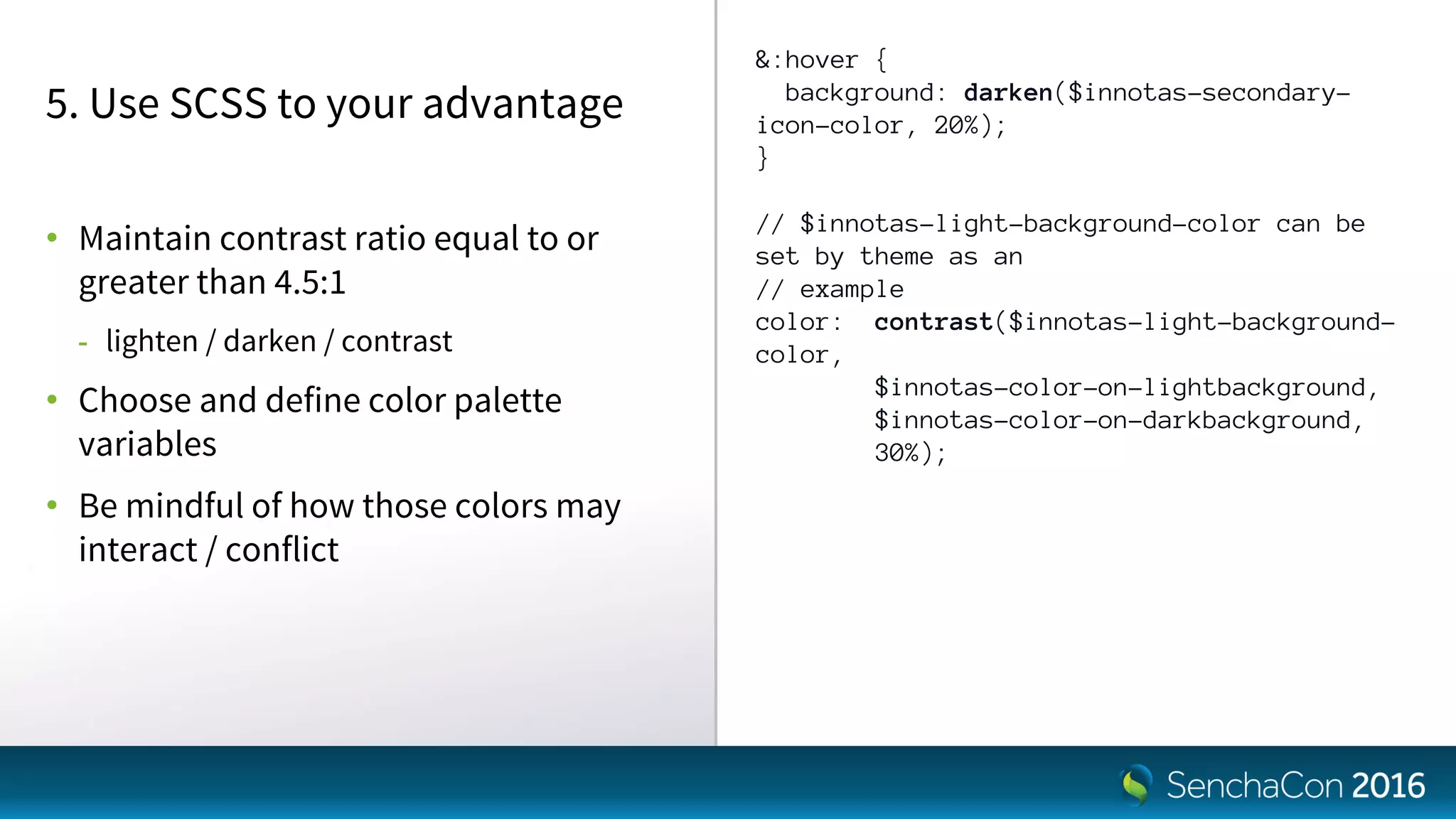
&:hover {
background: darken($innotas-secondary-
icon-color, 20%);
}
// $innotas-light-background-color can be
set by theme as an
// example
color: contrast($innotas-light-background-
color,
$innotas-color-on-lightbackground,
$innotas-color-on-darkbackground,
30%);
5. Use SCSS to your advantage
• Maintain contrast ratio equal to or
greater than 4.5:1
- lighten / darken / contrast
• Choose and define color palette
variables
• Be mindful of how those colors may
interact / conflict
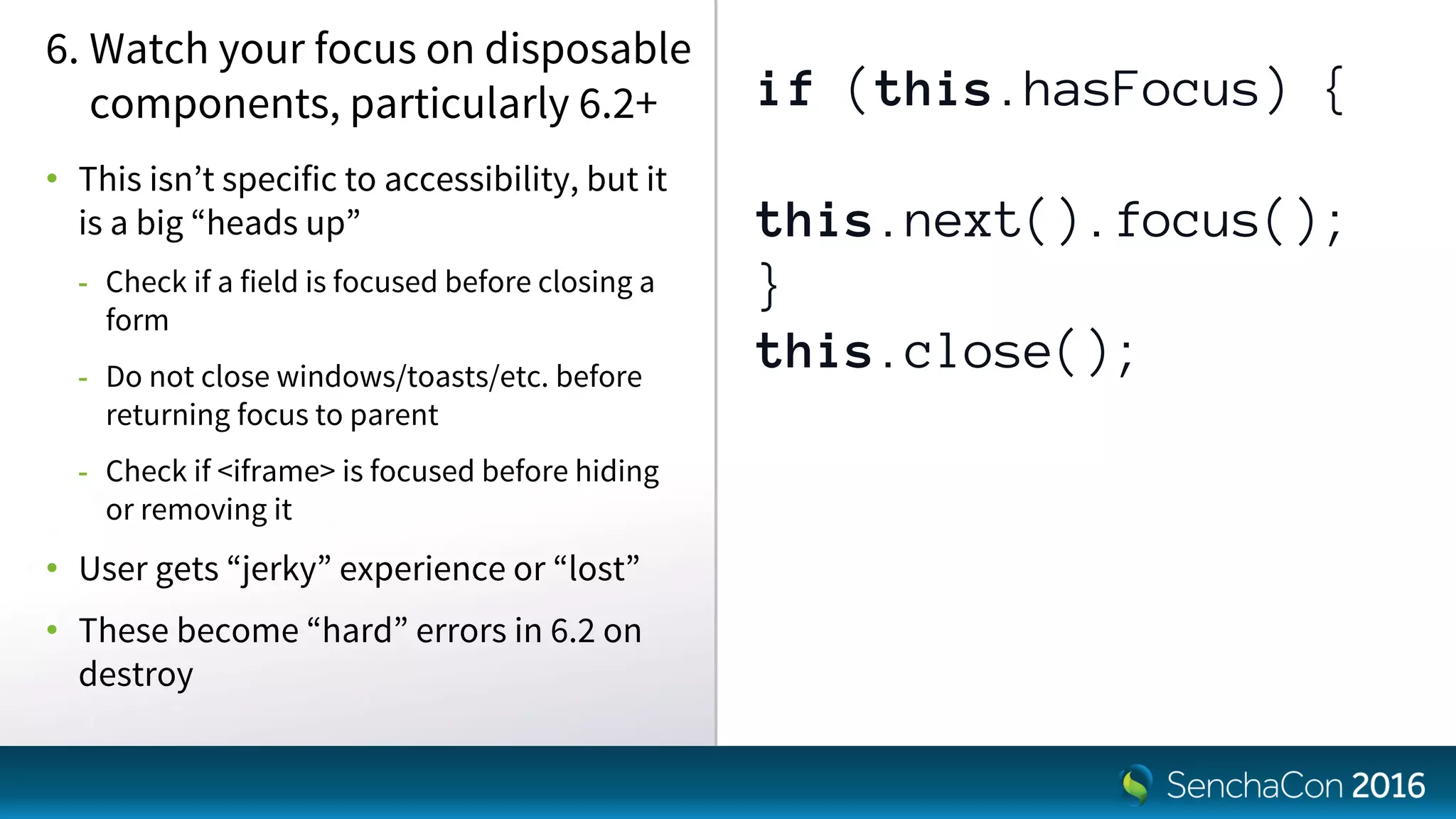
if (this.hasFocus) {
this.next().focus();
}
this.close();
6. Watch your focus on disposable
components, particularly 6.2+
• This isn’t specific to accessibility, but it
is a big “heads up”
- Check if a field is focused before closing a
form
- Do not close windows/toasts/etc. before
returning focus to parent
- Check if <iframe> is focused before hiding
or removing it
• User gets “jerky” experience or “lost”
• These become “hard” errors in 6.2 on
destroy
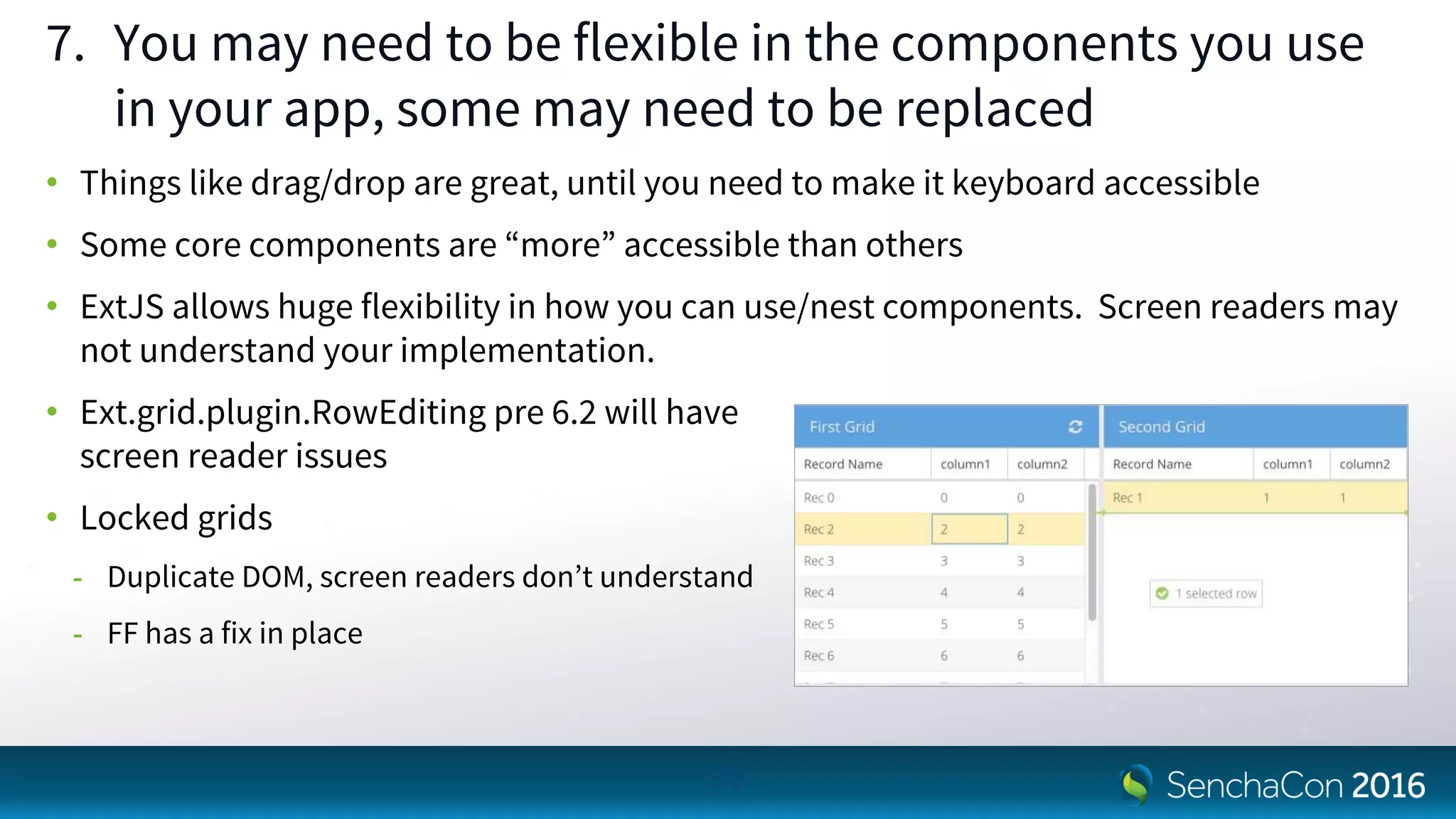
7. You may need to be flexible in the components you use
in your app, some may need to be replaced
• Things like drag/drop are great, until you need to make it keyboard accessible
• Some core components are “more” accessible than others
• ExtJS allows huge flexibility in how you can use/nest components. Screen readers may
not understand your implementation.
• Ext.grid.plugin.RowEditing pre 6.2 will have
screen reader issues
• Locked grids
- Duplicate DOM, screen readers don’t understand
- FF has a fix in place
30
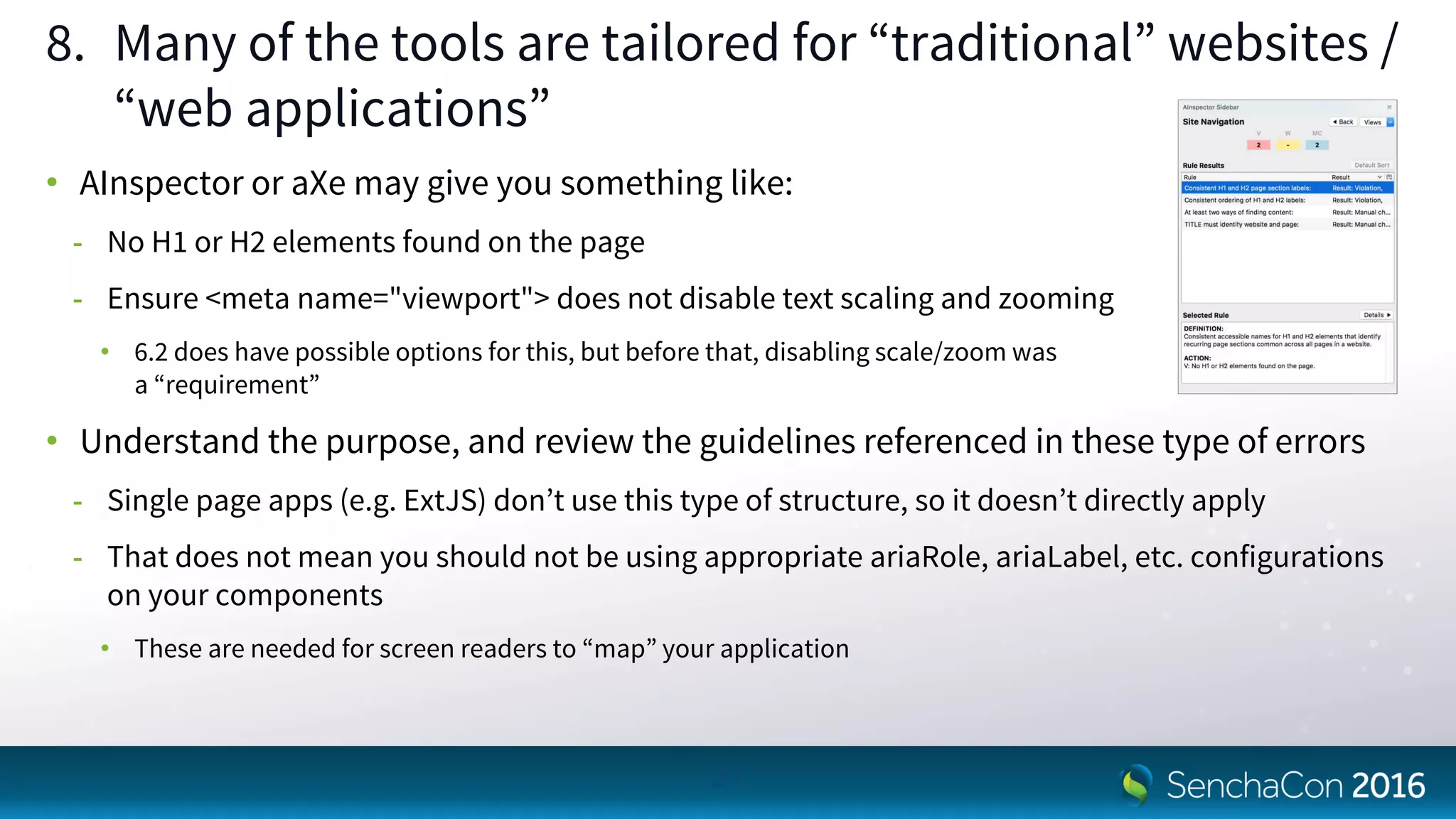
8. Many of the tools are tailored for “traditional” websites /
“web applications”
• AInspector or aXe may give you something like:
- No H1 or H2 elements found on the page
- Ensure <meta name="viewport"> does not disable text scaling and zooming
• 6.2 does have possible options for this, but before that, disabling scale/zoom was
a “requirement”
• Understand the purpose, and review the guidelines referenced in these type of errors
- Single page apps (e.g. ExtJS) don’t use this type of structure, so it doesn’t directly apply
- That does not mean you should not be using appropriate ariaRole, ariaLabel, etc. configurations
on your components
• These are needed for screen readers to “map” your application
31
//ideally more specific here, or
implementation
defaultFocus: ‘component’
//tbar, fbar, tools, buttons config
to allow tabbing
this.fbar = {
enableFocusableContainer: false,
items: [
this.okButton,
this.cancelButton
]
};
9. Create your own panel, and
window classes at a minimum,
and extend from there
• Make sure you handle focus, add a
“safety net” to the base class
• Add a handler for destroy, to make
sure it does not have focus
• Define toolbar behavior override if
desired
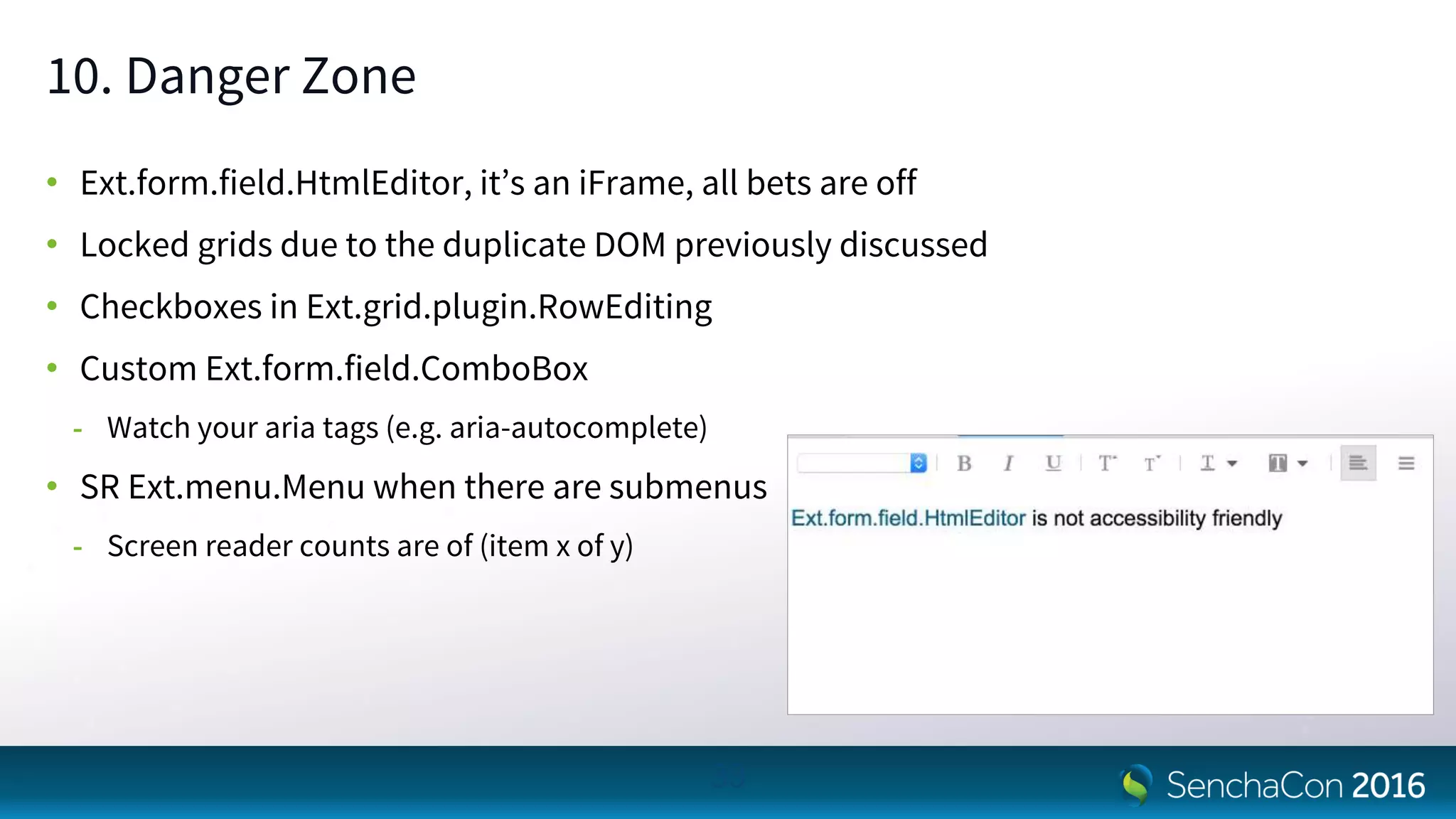
10. Danger Zone
• Ext.form.field.HtmlEditor, it’s an iFrame, all bets are off
• Locked grids due to the duplicate DOM previously discussed
• Checkboxes in Ext.grid.plugin.RowEditing
• Custom Ext.form.field.ComboBox
- Watch your aria tags (e.g. aria-autocomplete)
• SR Ext.menu.Menu when there are submenus
- Screen reader counts are of (item x of y)
33
Q & A
Any questions?
34
Thanks for coming!
Takeaway points
• Don’t try to do this on your own...team collaboration ftw!
• Upgrade sooner rather than later...the latest GA 6.2 is great (go Team Accessibility!)
• This is a major undertaking, not just an afterthought or final polish on your app...plan
that way
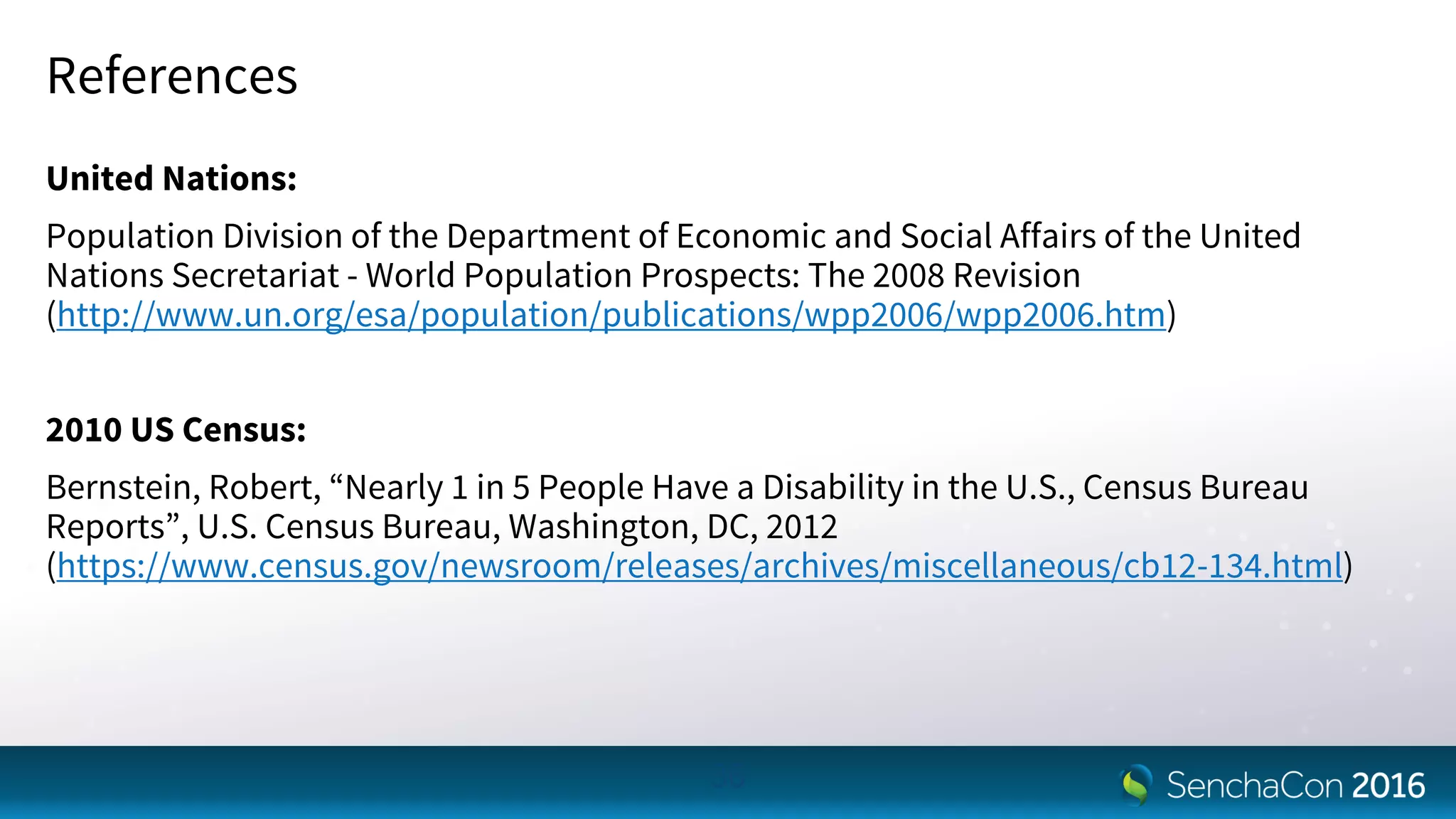
References
United Nations:
Population Division of the Department of Economic and Social Affairs of the United
Nations Secretariat - World Population Prospects: The 2008 Revision
(http://www.un.org/esa/population/publications/wpp2006/wpp2006.htm)
2010 US Census:
Bernstein, Robert, “Nearly 1 in 5 People Have a Disability in the U.S., Census Bureau
Reports”, U.S. Census Bureau, Washington, DC, 2012
(https://www.census.gov/newsroom/releases/archives/miscellaneous/cb12-134.html)
36

SenchaCon 2016: Accessibility, Teamwork & Ext JS: A Customer Success Story - Brent Balog, Sherrill Packebush, Hadi Rangin

  • 1.
    Accessibility, Teamwork & ExtJS:A Customer Success Story Brent Balog – Senior UI Engineer, Innotas by Planview Sherrill Packebush, PhD – UX Architect, Innotas by Planview Hadi Rangin – IT Accessibility Specialist, University of Washington
  • 2.
    Some Quick Facts •Almost 1 in 5 people have a disability* • 8.1 million people have difficulty seeing (2 million cannot see at all)* • 19.9 million people have difficulty lifting or grasping* • World population is aging** 2 * 2010 US Census ** UN World Population Prospects
  • 3.
    Preview • How theheck do we get to accessibility? • So, what does it really mean to be accessible? • What helped us the most • Several development tips for you 3
  • 4.
    How the Heckdo We Get to Accessibility?
  • 5.
    VPAT (Voluntary ProductAccessibility Template) • Self evaluation for conformance to applicable 508 sections • Checklist for does your application meet these guidelines • Used for customer RFPs, advising of where we didn’t pass • Was just a point in time evaluation, not a process to get to accessibility • Other accessibility issues could creep in as our app evolved • We didn’t believe this was sufficient or the best approach for us…the tail wagging the dog 5
  • 6.
    Consulting • Could performa thorough evaluation…great! • Could provide explicit feedback on what changes to make…excellent! But, - Might actually be another VPAT checklist - Might not match or be able to apply to ExtJS capabilities • High rampup time and cost for familiarization with our application • Would cost $$$ • Might need additional consulting as our app evolved • This wasn’t a viable route for us 6
  • 7.
    In House (onour Own) • Created keyboard access guidelines • Involved our QA team to help us identify issues using WAVE • We found a LOT of issues, but we weren’t sure what - Were the most critical and not false positives - Truly applied to our users - Were the best approaches to address some of them - Other issues we were likely missing • We needed more expertise 7
  • 8.
    In House (withHelp from our Friends) • A customer who cared deeply about accessibility, were experts, and willing to help - Revised the keyboard access guidelines - Tons better evaluation, triage, and solutions - But still very time consuming, tedious, and point solutions didn’t make sense - Luckily a brilliant man asked why we didn’t contact the vendor? • A vendor who cared deeply about accessibility and was looking for accessibility gurus - To identify the best solutions at the framework level - To make not only their product, but their customers successful • This WORKED! Or is working, it’s a continual process 8
  • 9.
    So, what Doesit Really Mean to be Accessible?
  • 10.
    Definition of “Accessible” “Accessible”means a person with a disability is afforded the opportunity to acquire the same information, engage in the same interactions, & enjoy the same services as a person without a disability in an equally effective & equally integrated manner, with substantially equivalent ease of use. The person with a disability must be able to obtain the information as fully, equally & independently as a person without a disability. 10
  • 11.
    IT Accessibility Standards •World Wide Web Consortium (W3C) - Web Content Accessibility Guidelines 1.0 (1999) - Web Content Accessibility Guidelines 2.0 (2008) • Section 508 Standards - Published in 2000 to accompany Section 508 of the Rehabilitation Act (requires federal agencies to procure accessible IT) - Covers a broader scope of IT, not just Web - Many states & higher education institutions have adopted either WCAG 2.0 or Section 508 as their own standard for IT accessibility 11
  • 12.
    Basic Accessibility Considerations Consistencythroughout the application • Visual consistency • Functional consistency • Proper use of elements
  • 13.
    Basic Accessibility Considerations Keyboardoperability • Be able to navigate to all focusable elements • Be able to fully perform all applicable functions • Links, Forms controls, Menu, Expand/collapse, Carousel, Modal, Custom widgets, etc. • Be able to always to see the visual focus indicator • Logical tab order • Shortcut keys alone do not make application accessible
  • 14.
    Basic Accessibility Considerations ARIALandmarks • Integrity of ARIA landmarks throughout the application • No orphaned content • Meaningful labels
  • 15.
    Basic Accessibility Considerations HeadingStructure • Hierarchical • Meaningful • Inclusiveness
  • 16.
    Basic Accessibility Considerations Otherconsiderations • Grouping relevant items - Ordered, unordered & definition lists • Graphic - Meaningful text for informational graphics - alt="" for all stylistic graphics • Forms - Meaningful form control labels - Verification and error handling
  • 17.
  • 18.
    Team Collaboration A coreteam driving accessibility • Internal evangelist - Champions accessibility and continually raises awareness - Enters issues and facilitates the process • Accessibility expert - Identifies and triages accessibility needs - Guides optimal solutions • Lead accessibility developers - Drives and solves issues in framework (vendor support and/or accessibility developer) - Organizes, triages, drives and solves issues in application (internal developer)
  • 19.
    Team Collaboration A supportteam enabling accessibility • Internal management - Makes accessibilty a company objective - Removes roadblocks and provides resources • Customers - Hold you accountable - Help as possible with resources and guidance • Internal company as a whole - Training sessions and documentation/wiki pages for accessibile design and coding - Everyone who touches the product (dev, QA, services, etc.) cares and contributes to accessibility
  • 20.
    Updating our VisualDesign • Removed gradient backgrounds, to address contrast issues • Replaced all images with icon fonts which are more easily skinned, and are supported by screen readers • Increased white space*, to decrease information density • Increased default font size*, to increase readability * Except in our “Compact” theme, which is for users who prefer denser information and smaller fonts 20
  • 21.
    Focusing on KeyboardAccess First • Helps ALL users • Is a place to start, so not overwhelmed • Can be tested internally, saving time and effort for customer and vendor team members • General visual and screen readers STILL important, but this was a good first step 21
  • 22.
    Upgrading to ExtJS6+ • When we began, we were on ExtJS 4...it would be a LOT of work to address accessibility issues • ExtJS 6+ had signifigantly better accessibility features and enablements - SCSS support for themes and general visual needs - Focus component: Ext.util.Focusable, Ext.util.FocusableContainer, Ext.mixin.Observable - Keyboard navigation: Ext.mixin.Keyboard (6.2) - ARIA properties “baked” into core components 22
  • 23.
  • 24.
    { enableFocusableContainer: false, items: [ //Whatever buttonsyou want in here this.saveButton, this.cancelButton ] } 1. Prior to 6.2, fbar/panel.buttons config is a toolbar • This may not be what you want • Add enableFocusableContainer: false to allow tabbing on these buttons rather than arrow keys - If you are like us, the majority of cases are OK/Cancel (or some derivation) - Those should be “tabbable”
  • 25.
    me.bottomTb = new Ext.toolbar.Toolbar({ id:baseId + '-toolbar', ui: 'footer', dock: 'bottom', enableFocusableContainer: false, layout: { pack: 'center' }, items: [ me.msgButtons[0], me.msgButtons[1], me.msgButtons[2], me.msgButtons[3] ] }); 2. Ext.MessageBox may not be a good choice • For the reasons we just discussed, you would need to use arrow keys when more than one button is included (YESNO, YESNOCANCEL, etc.) • Either override this class with an updated fbar config, or create a custom Ext.Window class for more control
  • 26.
    3. Custom components(particularly those created <=R4) • Review your custom components / overrides / extensions - You may have already tried to handle • Keyboard navigation • Focus handling to/from modal - Don’t “fight the system”, let the framework do its work • Watch your inline styling, and height/width configs - May interfere with focus indicators 26
  • 27.
    4. It maybe 2016, but browser / OS specific issues still exist • Now add different screen readers to the mix, yikes • Examples: - Keyboard navigation on Mac/FF (esp. toolbars) - NVDA vs JAWS site interpretation differences • Pick your battles…unless you have unlimited QA/Dev funds - Windows / FF / NVDA seems to be the most widely used combination 27 © 2016 NV Access. All rights reserved. Trademark The Mozilla Foundation
  • 28.
    &:hover { background: darken($innotas-secondary- icon-color,20%); } // $innotas-light-background-color can be set by theme as an // example color: contrast($innotas-light-background- color, $innotas-color-on-lightbackground, $innotas-color-on-darkbackground, 30%); 5. Use SCSS to your advantage • Maintain contrast ratio equal to or greater than 4.5:1 - lighten / darken / contrast • Choose and define color palette variables • Be mindful of how those colors may interact / conflict
  • 29.
    if (this.hasFocus) { this.next().focus(); } this.close(); 6.Watch your focus on disposable components, particularly 6.2+ • This isn’t specific to accessibility, but it is a big “heads up” - Check if a field is focused before closing a form - Do not close windows/toasts/etc. before returning focus to parent - Check if <iframe> is focused before hiding or removing it • User gets “jerky” experience or “lost” • These become “hard” errors in 6.2 on destroy
  • 30.
    7. You mayneed to be flexible in the components you use in your app, some may need to be replaced • Things like drag/drop are great, until you need to make it keyboard accessible • Some core components are “more” accessible than others • ExtJS allows huge flexibility in how you can use/nest components. Screen readers may not understand your implementation. • Ext.grid.plugin.RowEditing pre 6.2 will have screen reader issues • Locked grids - Duplicate DOM, screen readers don’t understand - FF has a fix in place 30
  • 31.
    8. Many ofthe tools are tailored for “traditional” websites / “web applications” • AInspector or aXe may give you something like: - No H1 or H2 elements found on the page - Ensure <meta name="viewport"> does not disable text scaling and zooming • 6.2 does have possible options for this, but before that, disabling scale/zoom was a “requirement” • Understand the purpose, and review the guidelines referenced in these type of errors - Single page apps (e.g. ExtJS) don’t use this type of structure, so it doesn’t directly apply - That does not mean you should not be using appropriate ariaRole, ariaLabel, etc. configurations on your components • These are needed for screen readers to “map” your application 31
  • 32.
    //ideally more specifichere, or implementation defaultFocus: ‘component’ //tbar, fbar, tools, buttons config to allow tabbing this.fbar = { enableFocusableContainer: false, items: [ this.okButton, this.cancelButton ] }; 9. Create your own panel, and window classes at a minimum, and extend from there • Make sure you handle focus, add a “safety net” to the base class • Add a handler for destroy, to make sure it does not have focus • Define toolbar behavior override if desired
  • 33.
    10. Danger Zone •Ext.form.field.HtmlEditor, it’s an iFrame, all bets are off • Locked grids due to the duplicate DOM previously discussed • Checkboxes in Ext.grid.plugin.RowEditing • Custom Ext.form.field.ComboBox - Watch your aria tags (e.g. aria-autocomplete) • SR Ext.menu.Menu when there are submenus - Screen reader counts are of (item x of y) 33
  • 34.
    Q & A Anyquestions? 34
  • 35.
    Thanks for coming! Takeawaypoints • Don’t try to do this on your own...team collaboration ftw! • Upgrade sooner rather than later...the latest GA 6.2 is great (go Team Accessibility!) • This is a major undertaking, not just an afterthought or final polish on your app...plan that way
  • 36.
    References United Nations: Population Divisionof the Department of Economic and Social Affairs of the United Nations Secretariat - World Population Prospects: The 2008 Revision (http://www.un.org/esa/population/publications/wpp2006/wpp2006.htm) 2010 US Census: Bernstein, Robert, “Nearly 1 in 5 People Have a Disability in the U.S., Census Bureau Reports”, U.S. Census Bureau, Washington, DC, 2012 (https://www.census.gov/newsroom/releases/archives/miscellaneous/cb12-134.html) 36