
The Once And Future Grid
Nige White
The Grid That Was…
XTemplates + cell renderers
(simple DOM replacement)
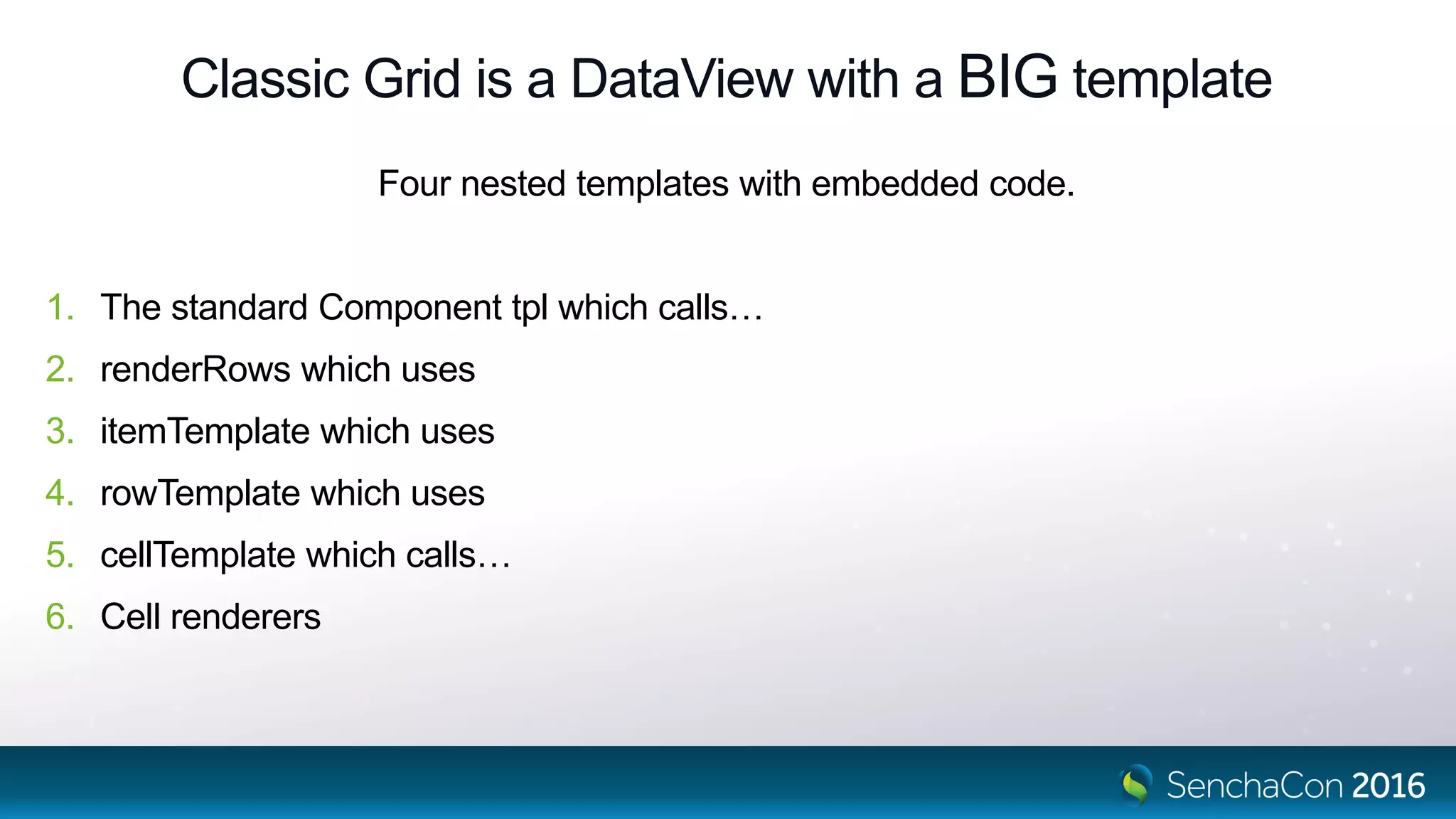
Classic Grid is a DataView with a BIG template
Four nested templates with embedded code.
1. The standard Component tpl which calls…
2. renderRows which uses
3. itemTemplate which uses
4. rowTemplate which uses
5. cellTemplate which calls…
6. Cell renderers
Challenges
• DOM churn.
• Changes replace DOM. Plugins, event handlers might “own” that DOM content.
• Scaling to today’s big apps. Multi thousand row grids.
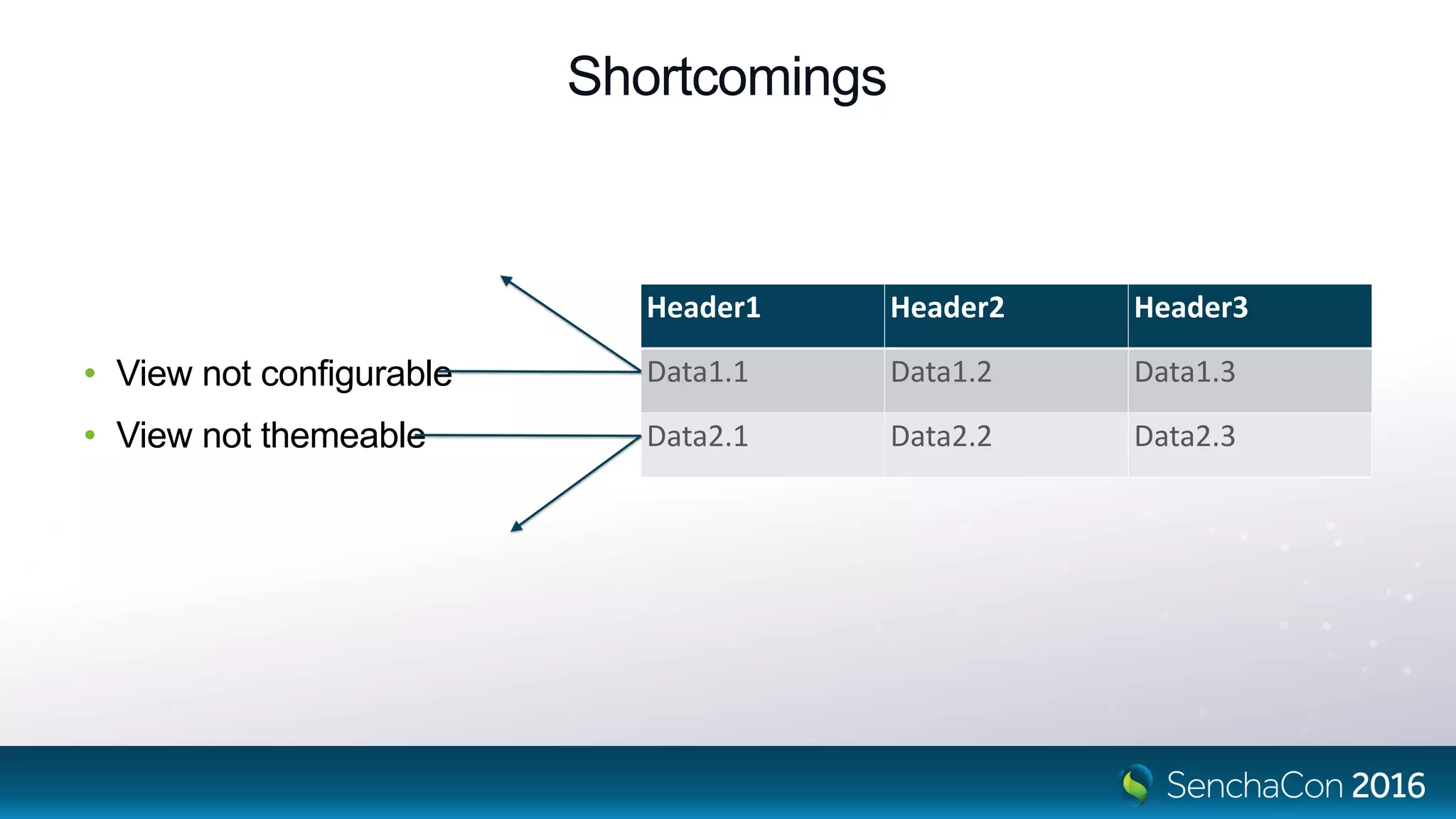
Shortcomings
• View not configurable
• View not themeable
Header1 Header2 Header3
Data1.1 Data1.2 Data1.3
Data2.1 Data2.2 Data2.3
How have we mitigated these?
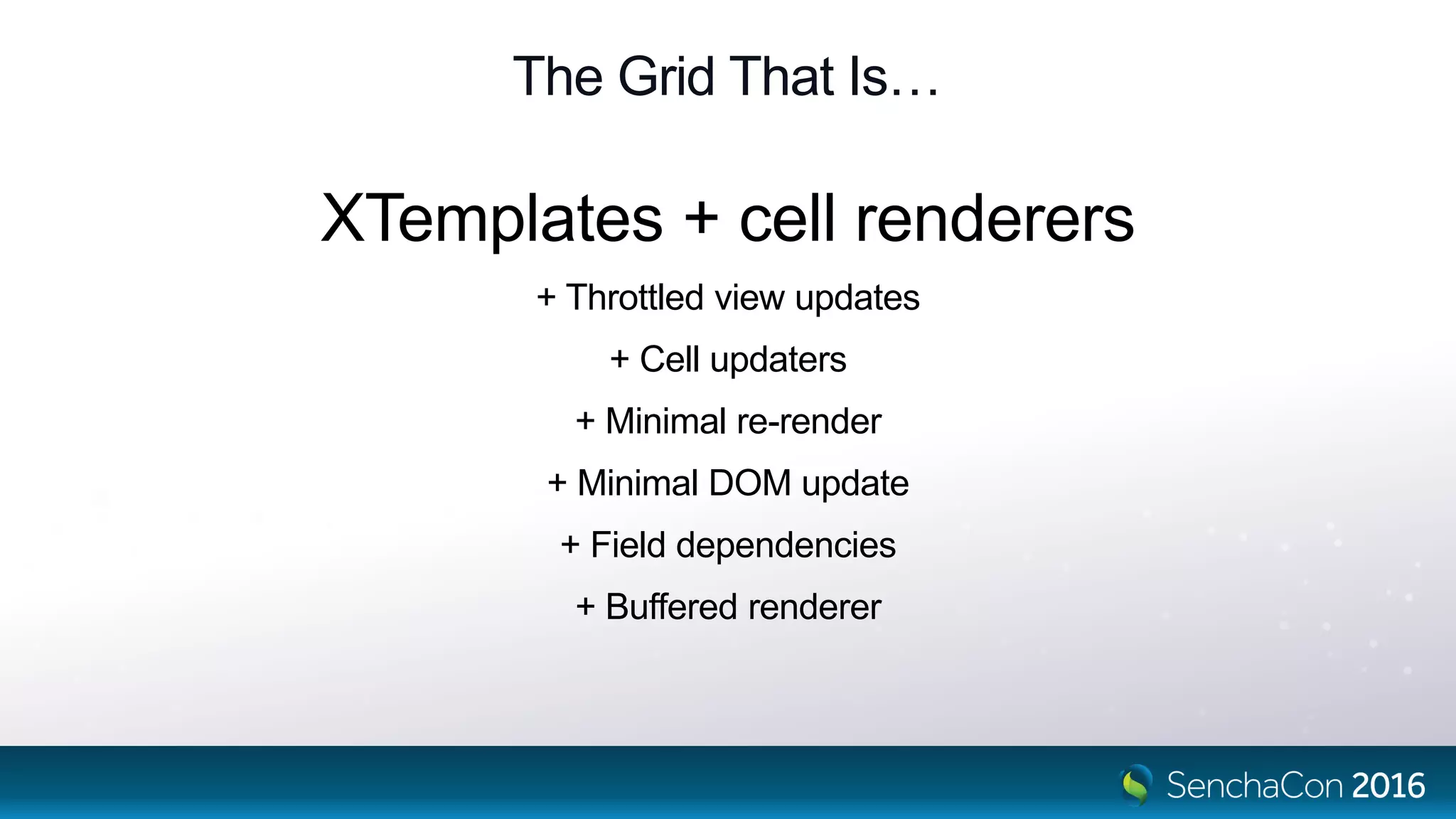
The Grid That Is…
XTemplates + cell renderers
+ Throttled view updates
+ Cell updaters
+ Minimal re-render
+ Minimal DOM update
+ Field dependencies
+ Buffered renderer
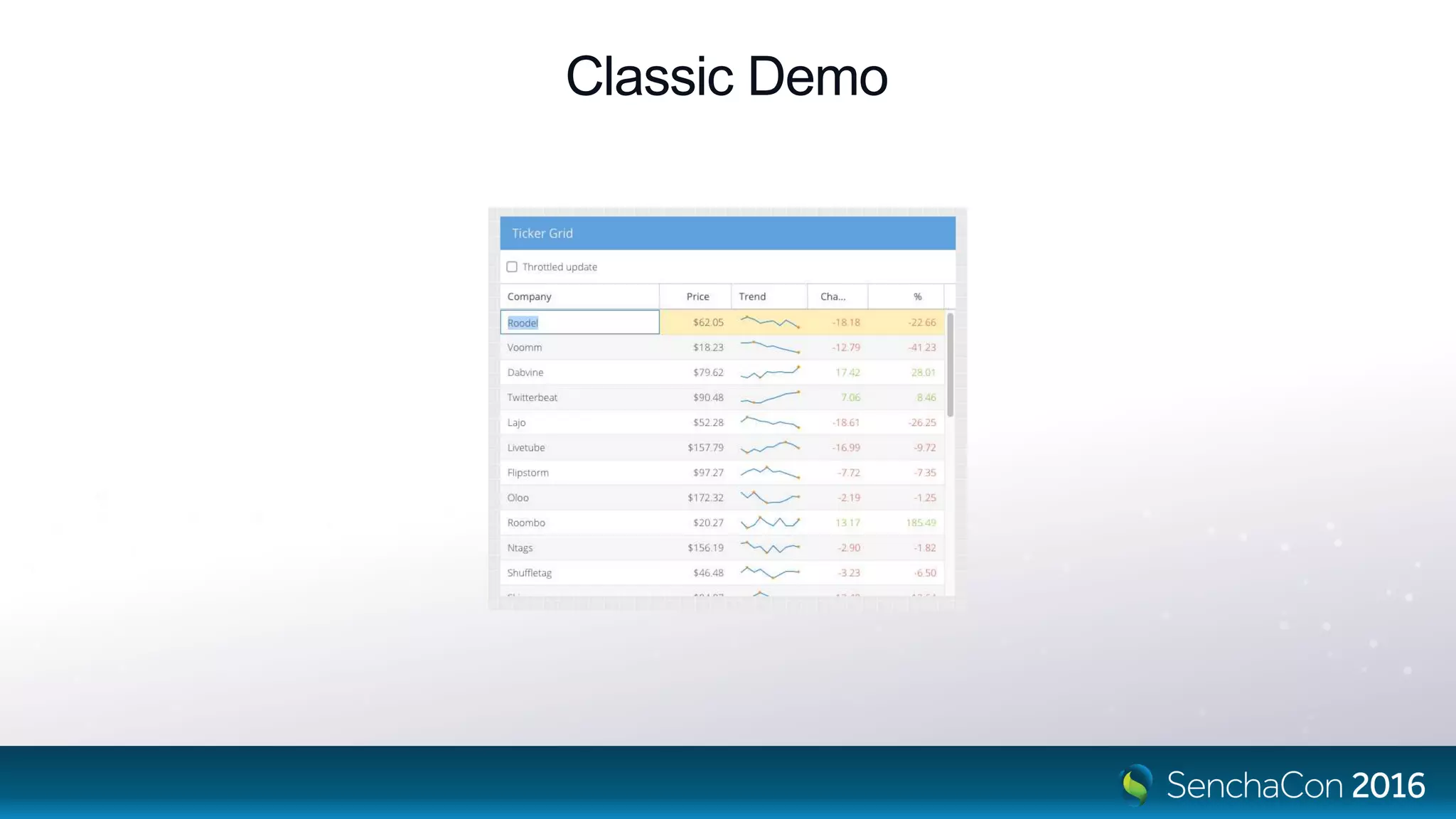
Classic Demo
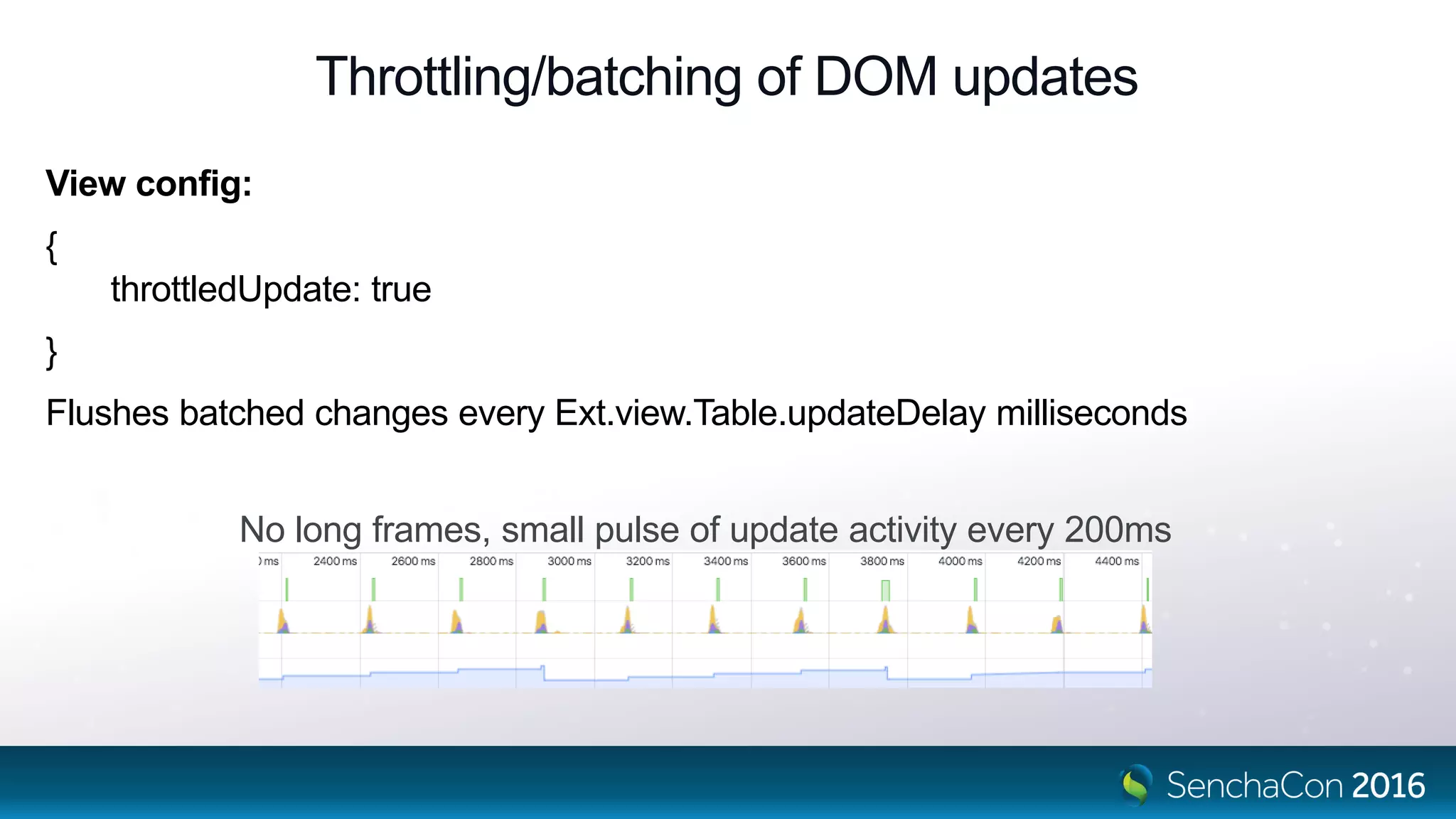
Throttling/batching of DOM updates
View config:
{
throttledUpdate: true
}
Flushes batched changes every Ext.view.Table.updateDelay milliseconds
No long frames, small pulse of update activity every 200ms
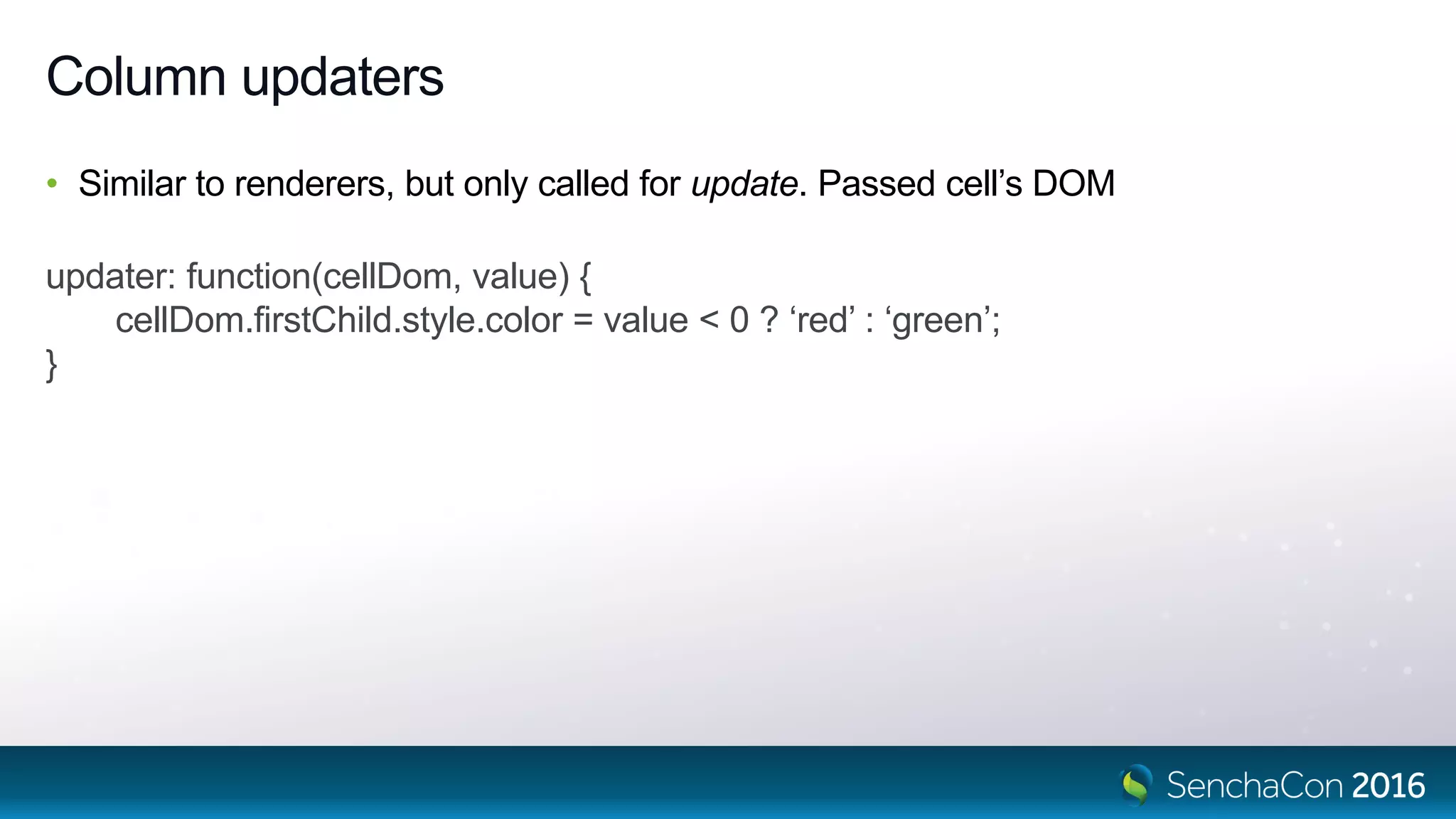
Column updaters
• Similar to renderers, but only called for update. Passed cell’s DOM
updater: function(cellDom, value) {
cellDom.firstChild.style.color = value < 0 ? ‘red’ : ‘green’;
}
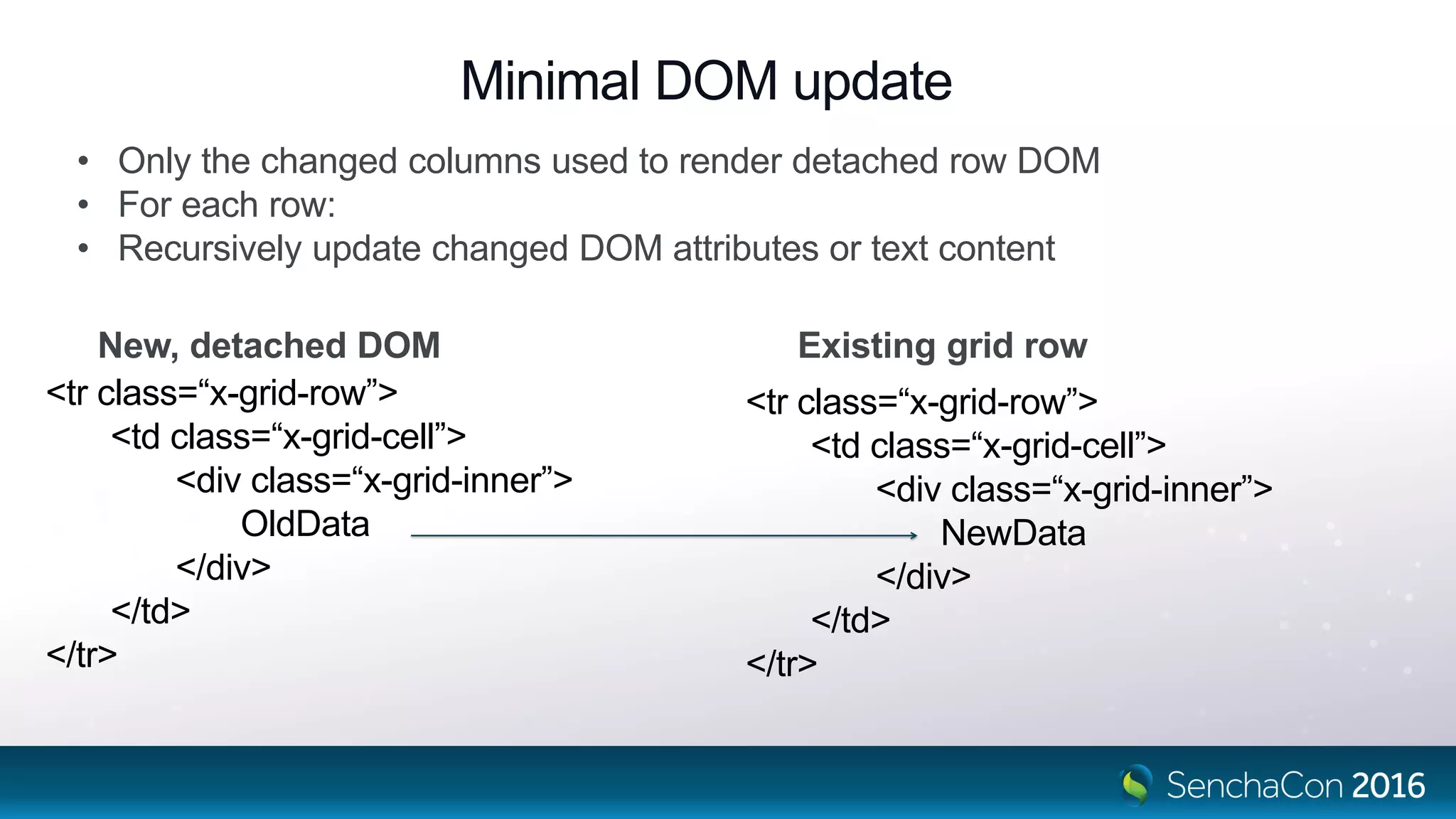
Minimal DOM update
<tr class=“x-grid-row”>
<td class=“x-grid-cell”>
<div class=“x-grid-inner”>
OldData
</div>
</td>
</tr>
<tr class=“x-grid-row”>
<td class=“x-grid-cell”>
<div class=“x-grid-inner”>
NewData
</div>
</td>
</tr>
New, detached DOM Existing grid row
• Only the changed columns used to render detached row DOM
• For each row:
• Recursively update changed DOM attributes or text content
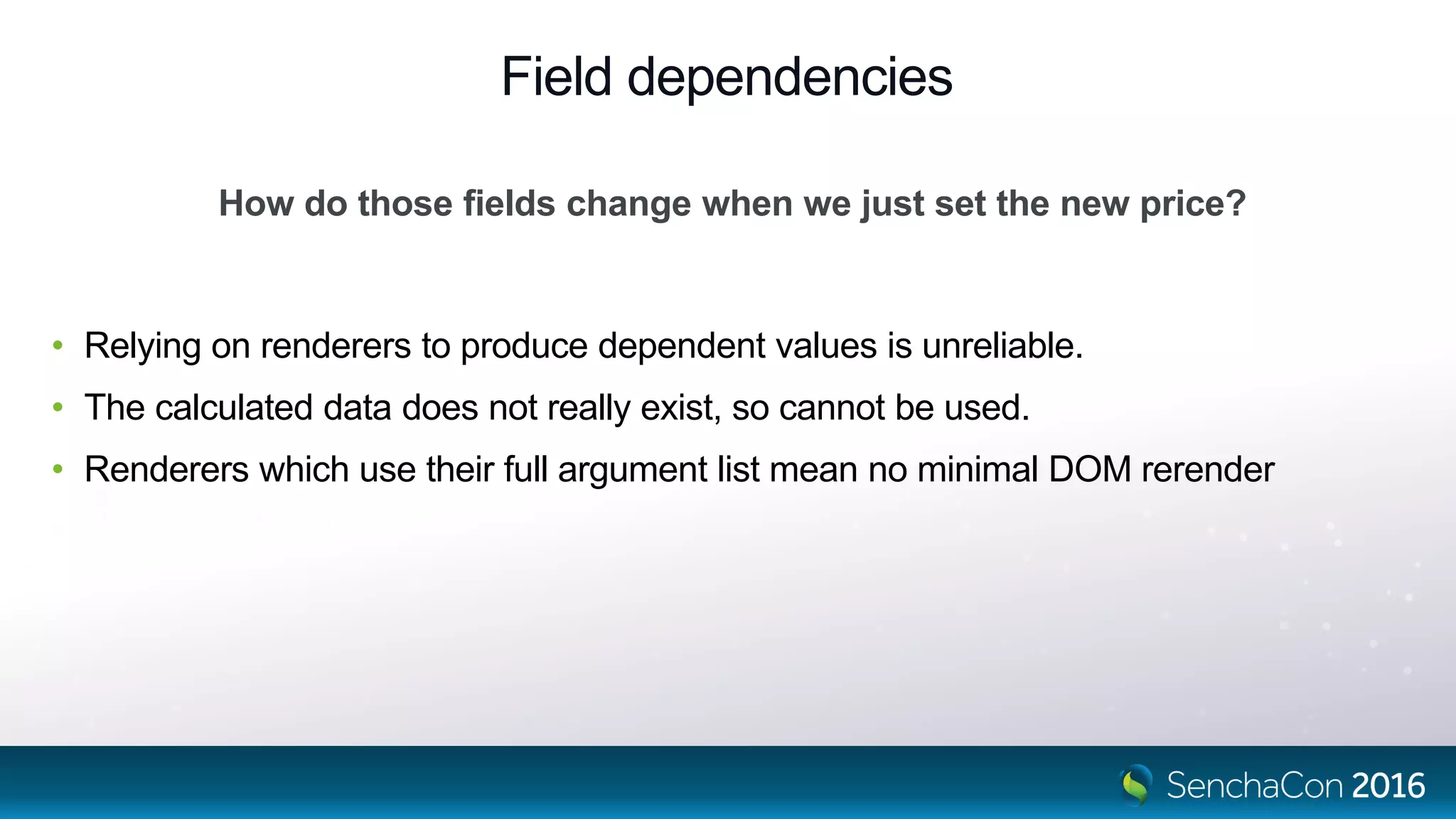
Field dependencies
• Relying on renderers to produce dependent values is unreliable.
• The calculated data does not really exist, so cannot be used.
• Renderers which use their full argument list mean no minimal DOM rerender
How do those fields change when we just set the new price?
Field dependencies
// Depends on price field. Called whenever that is set
{
name: 'trend',
calculate: function(data) {
// Avoid circular dependency by hiding the read of trend value
var trend = data['trend'] || (data['trend'] = []);
trend.push(data.price); // Ext.data.Model class sees this!
if (trend.length > 10) {
trend.shift();
}
return trend;
}
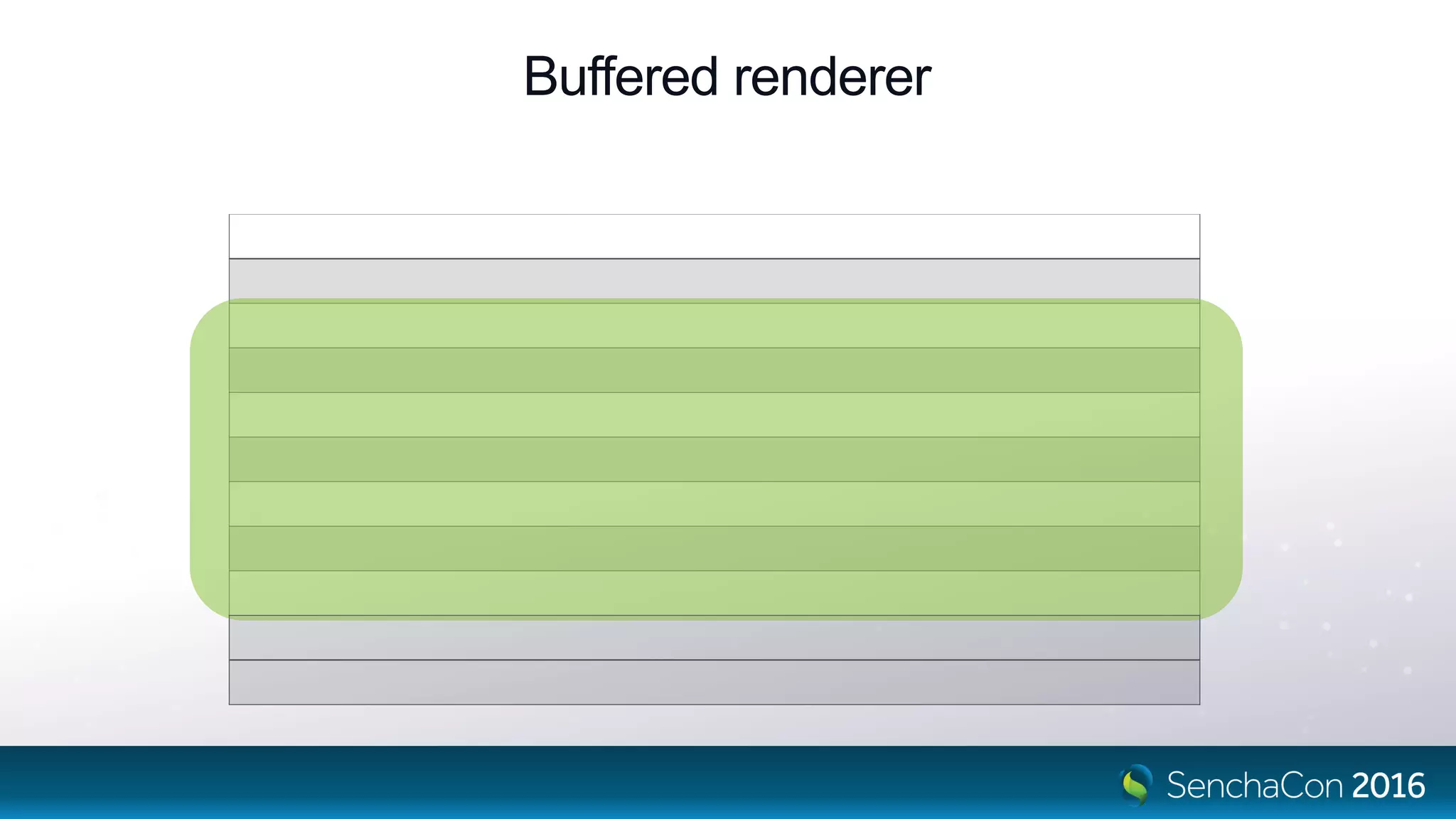
Buffered renderer
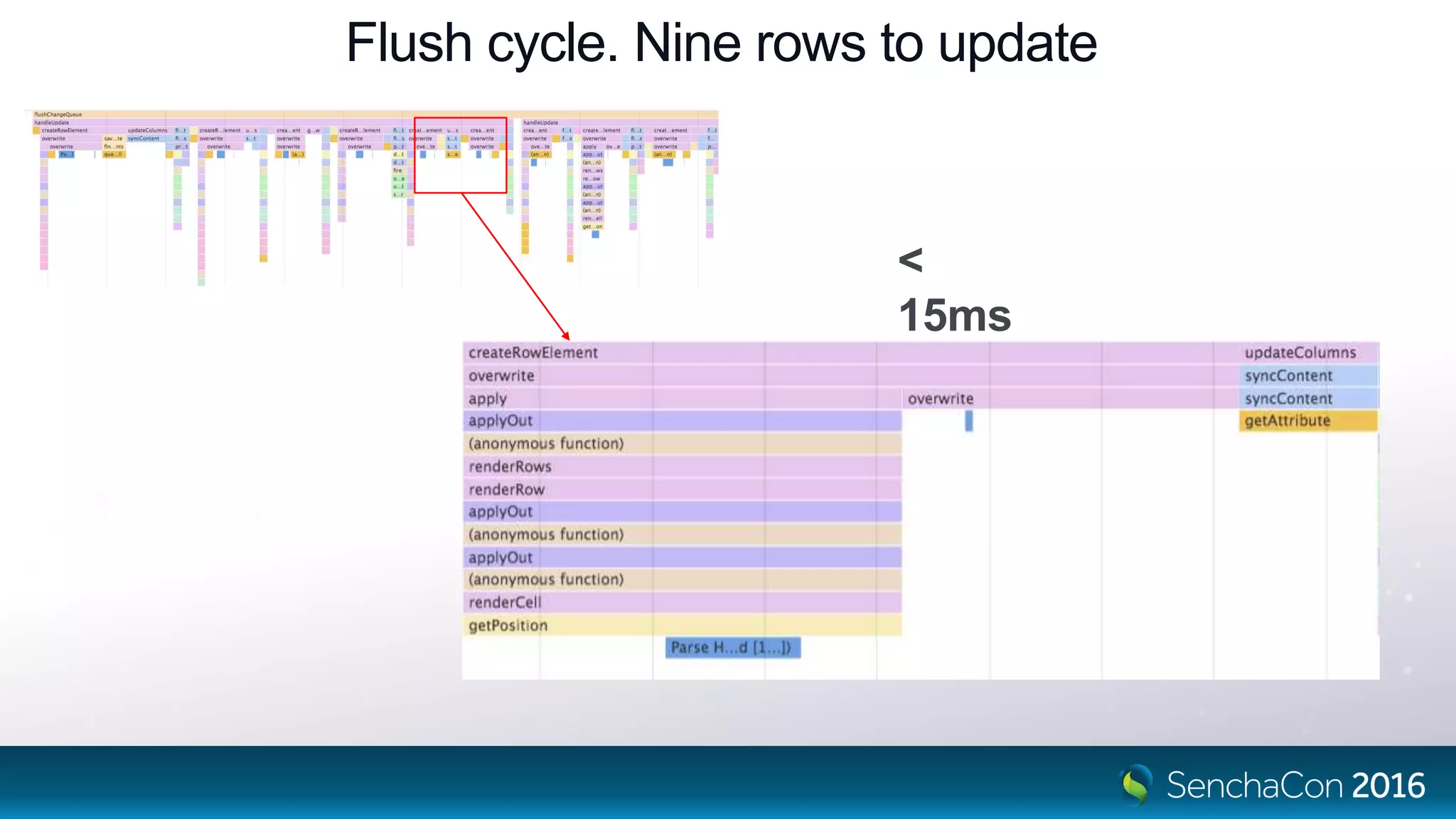
Flush cycle. Nine rows to update
<
15ms
The Grid That Will Be…
Ext.List
+ Configs
+ Data binding
+ Abstracted HTML away
Already Is…
The Grid That Will Be…
• Column locking
• Keyboard navigability
• Cell editing
• Group collapsing
• Group summaries
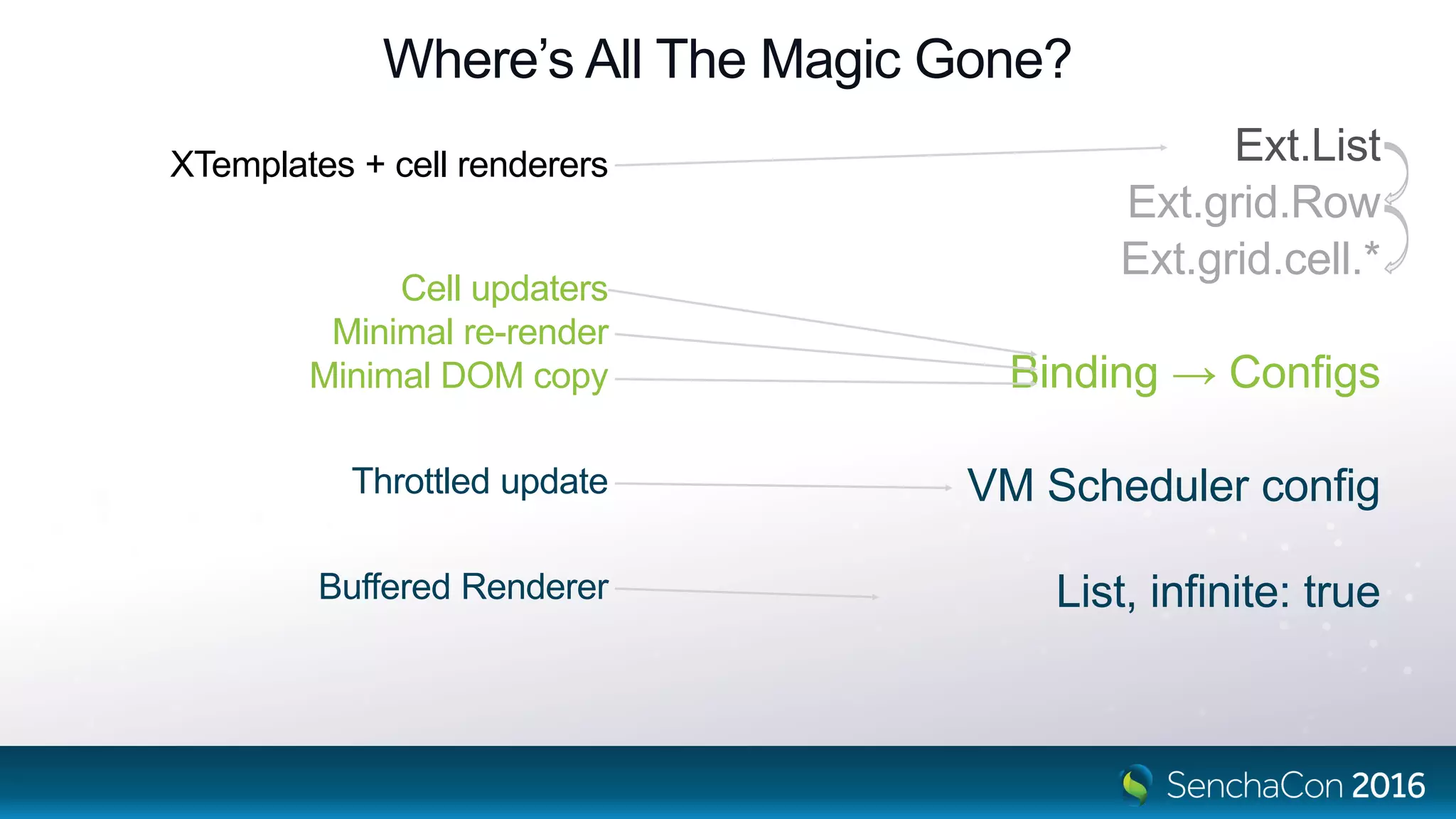
Where’s All The Magic Gone?
XTemplates + cell renderers
Cell updaters
Minimal re-render
Minimal DOM copy
Throttled update
Buffered Renderer
Ext.List
Ext.grid.Row
Ext.grid.cell.*
Binding → Configs
VM Scheduler config
List, infinite: true
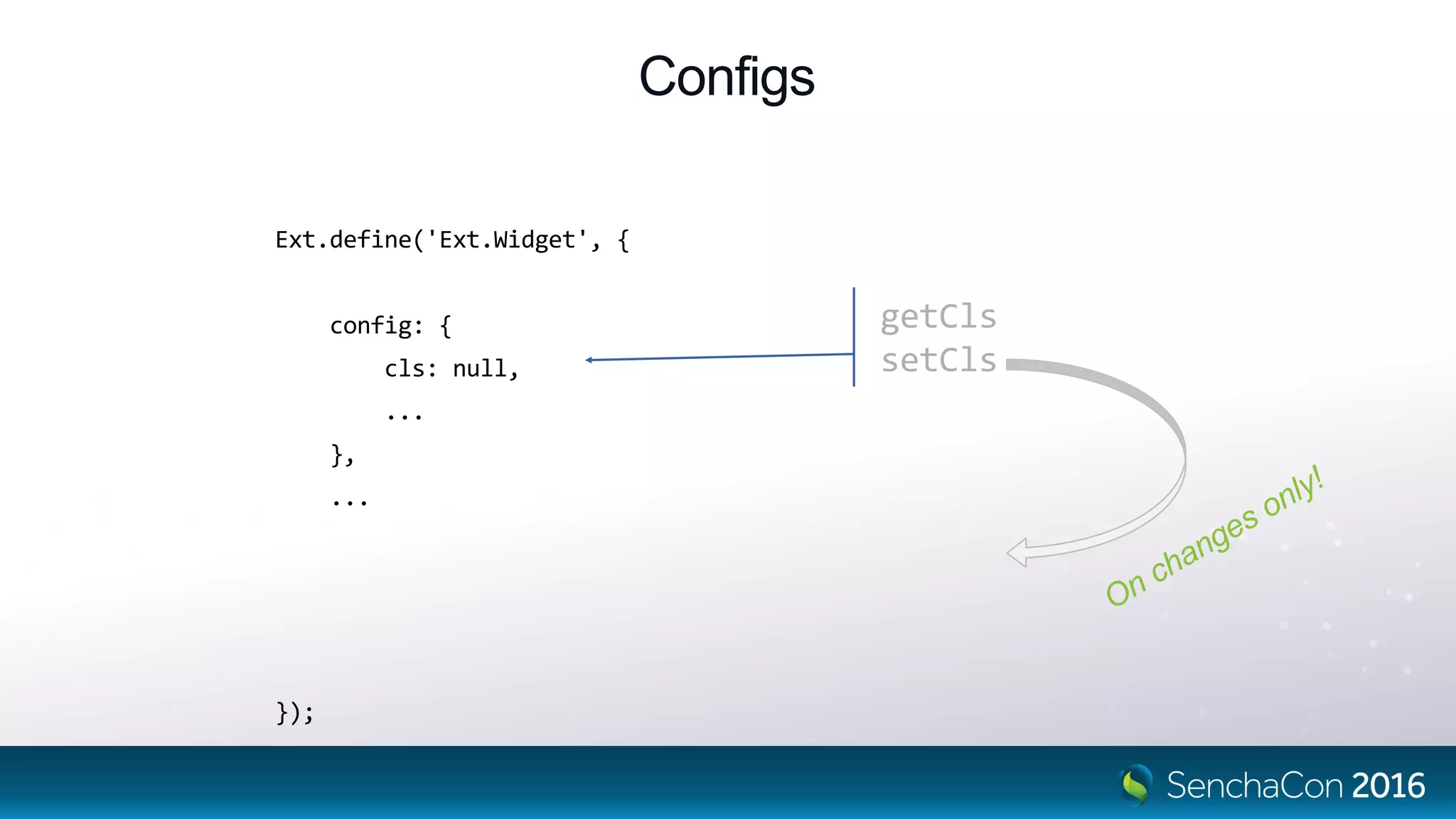
Configs
Ext.define('Ext.Widget', {
config: {
cls: null,
...
},
...
updateCls: function (cls, oldCls) {
this.element.replaceCls(oldCls, cls);
}
});
getCls
setCls
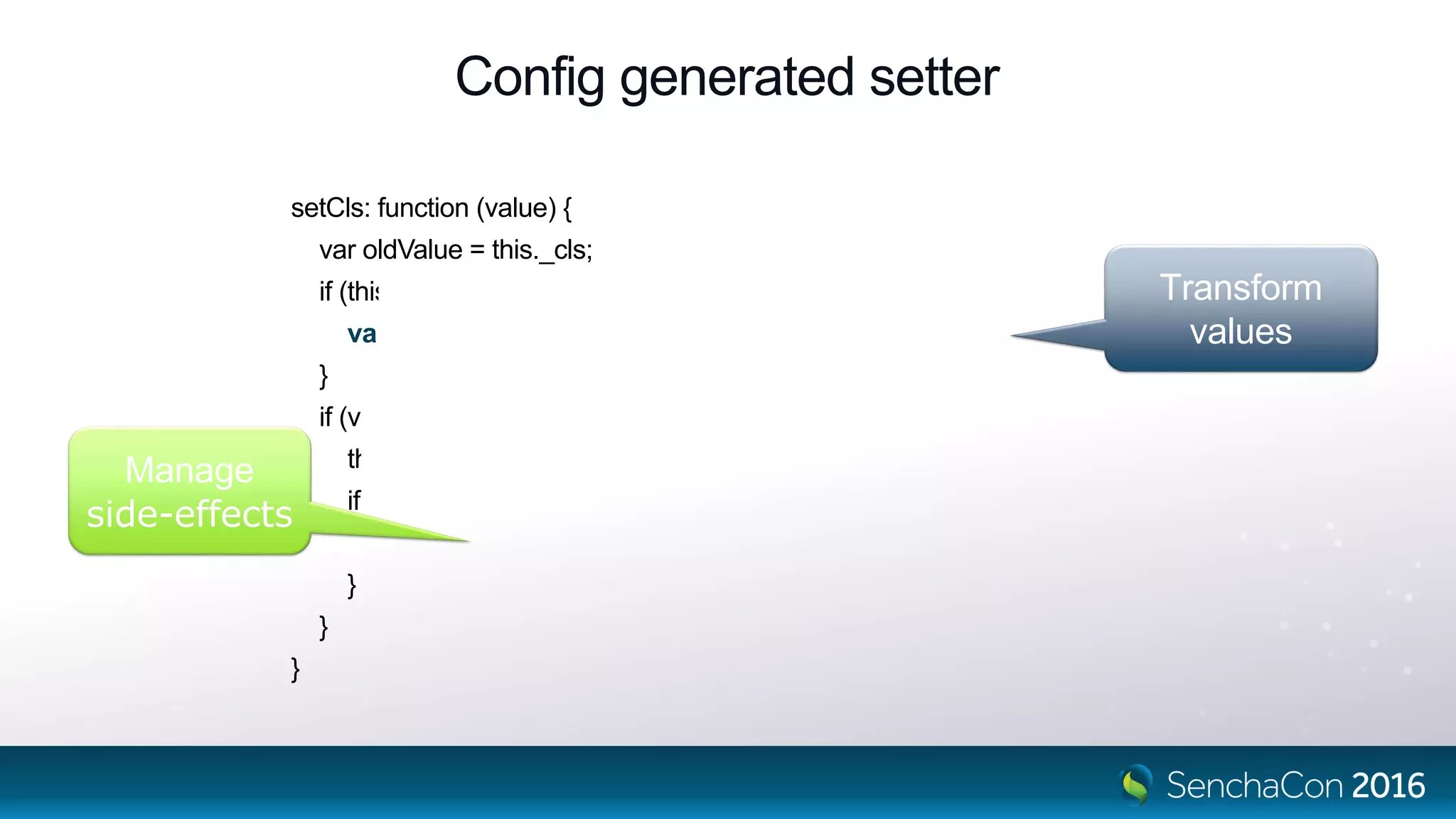
Config generated setter
setCls: function (value) {
var oldValue = this._cls;
if (this.applyCls) {
value = this.applyCls(value, oldValue);
}
if (value !== undefined && value !== oldValue) {
this._cls = value;
if (this.updateCls) {
this.updateCls(value, oldValue);
}
}
}
Transform
values
Manage
side-effects
Rows
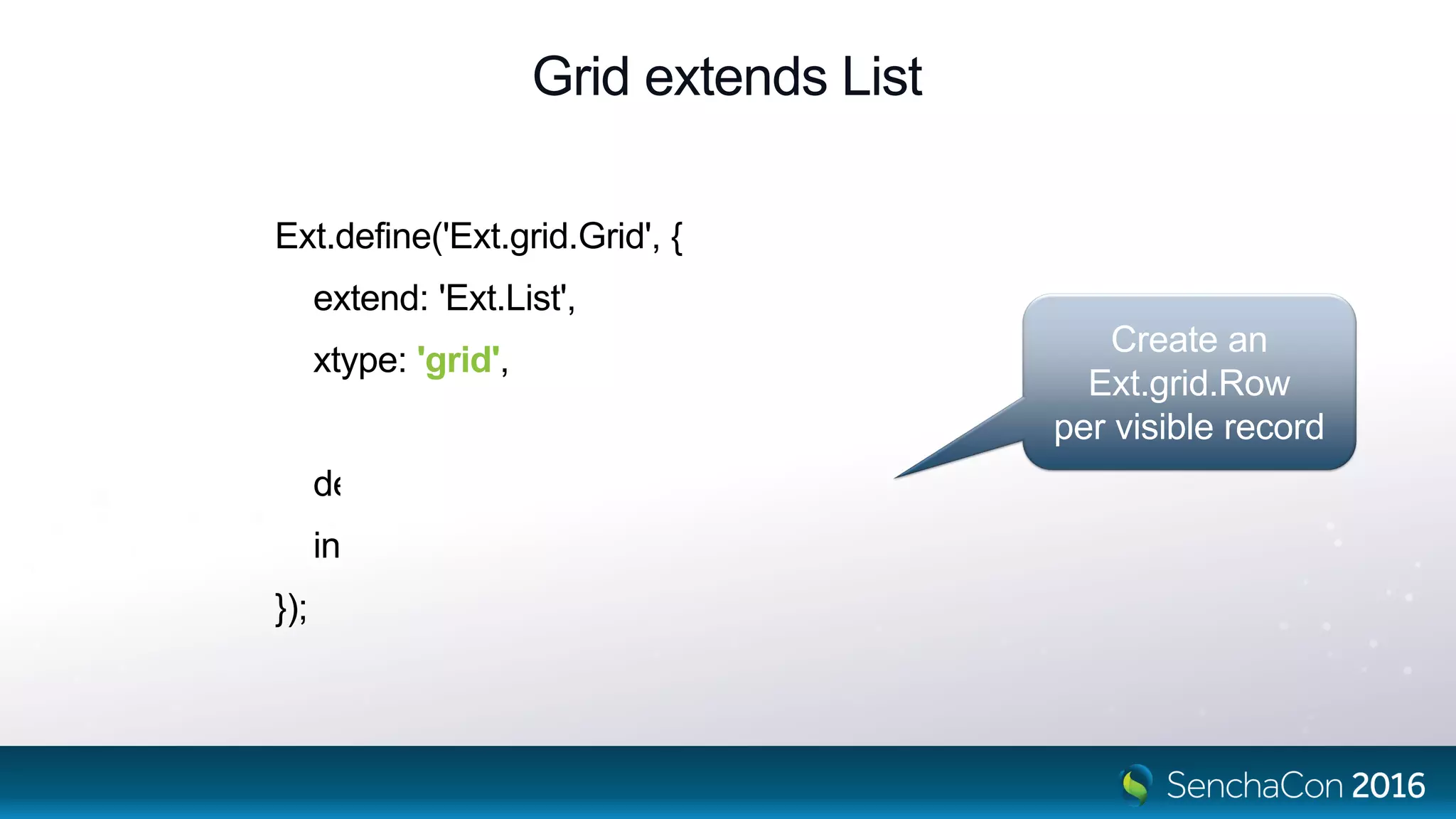
Grid extends List
Ext.define('Ext.grid.Grid', {
extend: 'Ext.List',
xtype: 'grid',
defaultType: 'gridrow',
infinite: true
});
Create an
Ext.grid.Row
per visible record
Rows Are Containers of Cells
Not exactly…
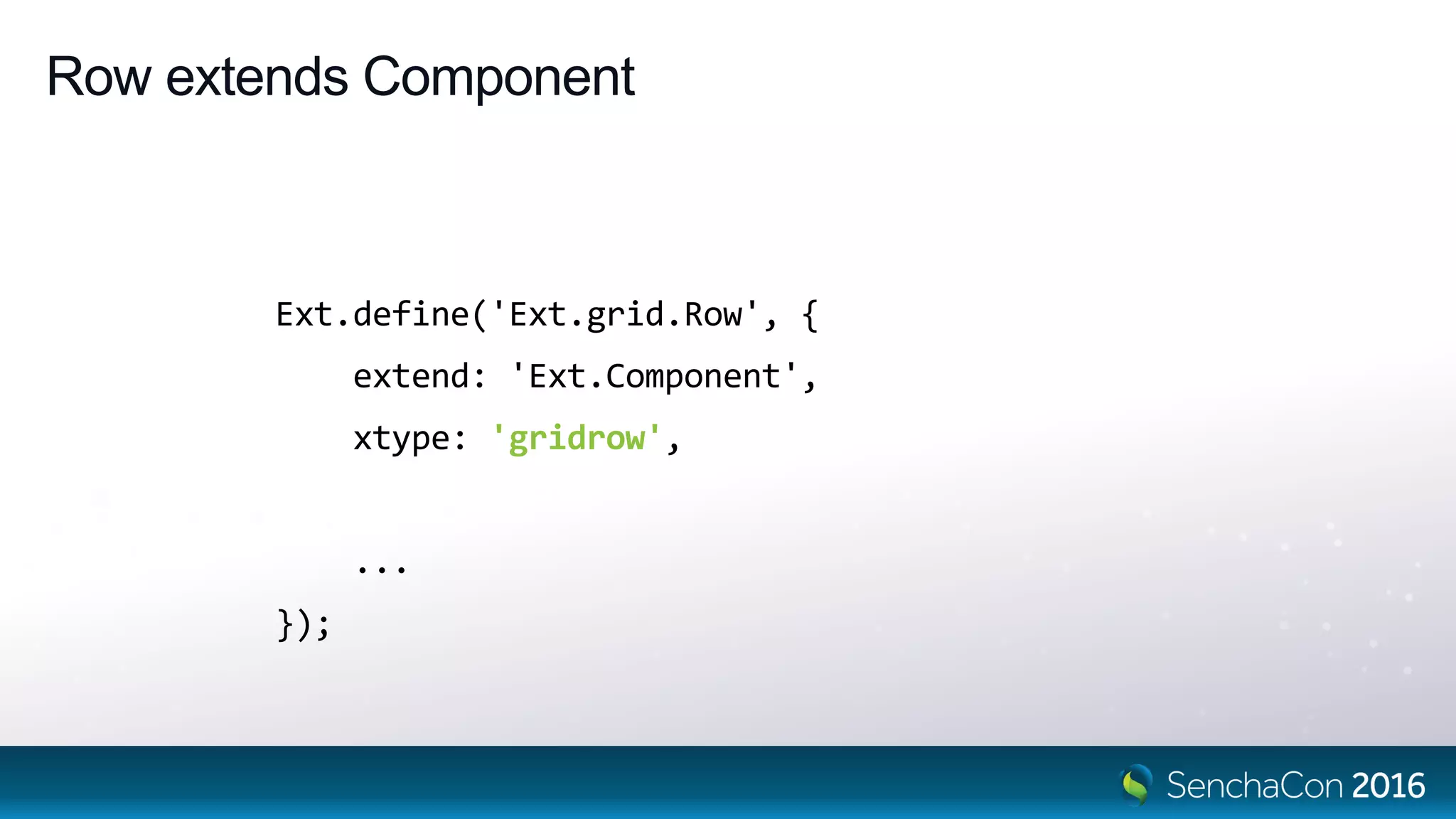
Row extends Component
Ext.define('Ext.grid.Row', {
extend: 'Ext.Component',
xtype: 'gridrow',
...
});
Rows Are Cell Managers.
Also RowBody Widget Managers.
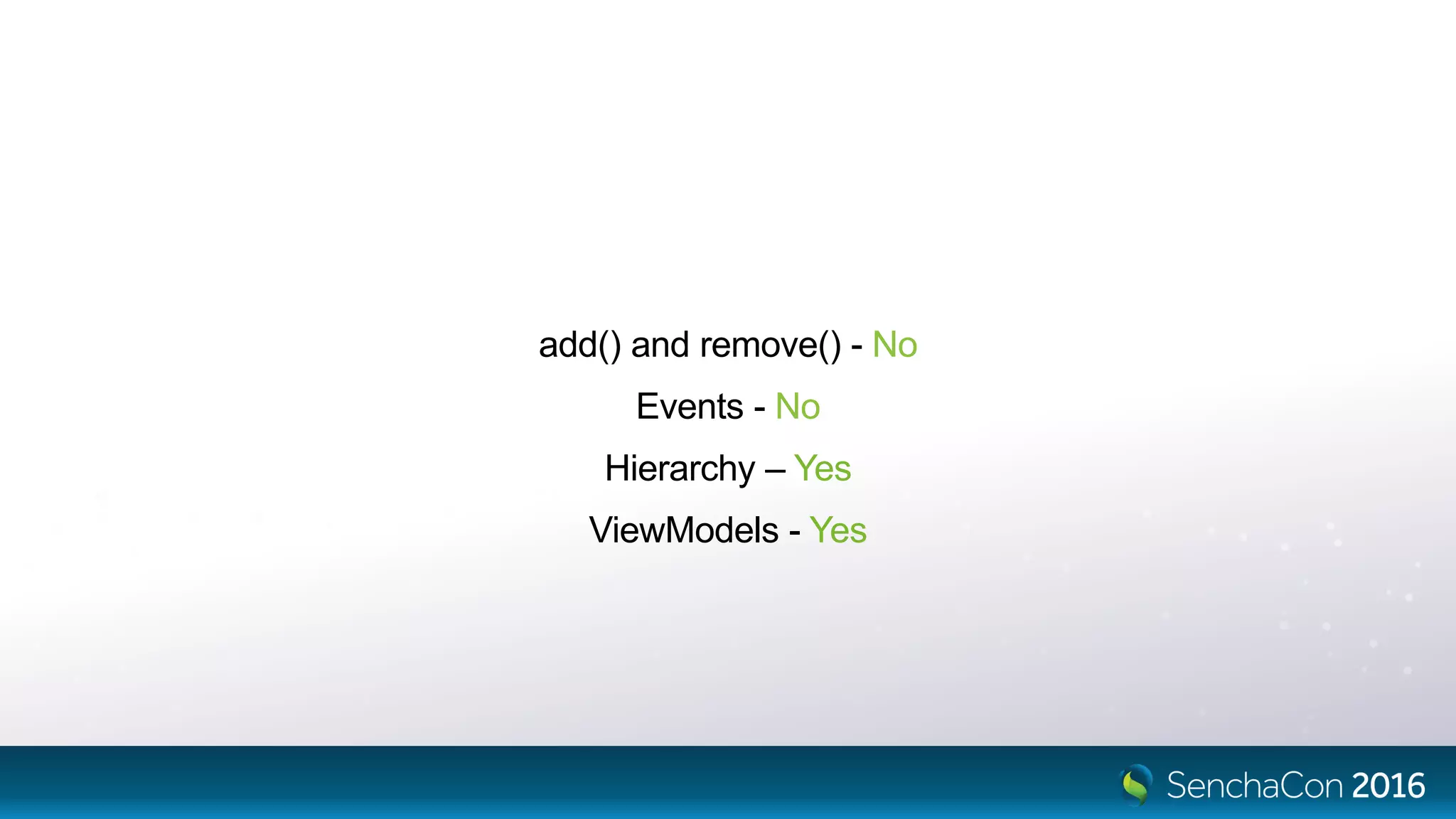
add() and remove() - No
Events - No
Hierarchy – Yes
ViewModels - Yes
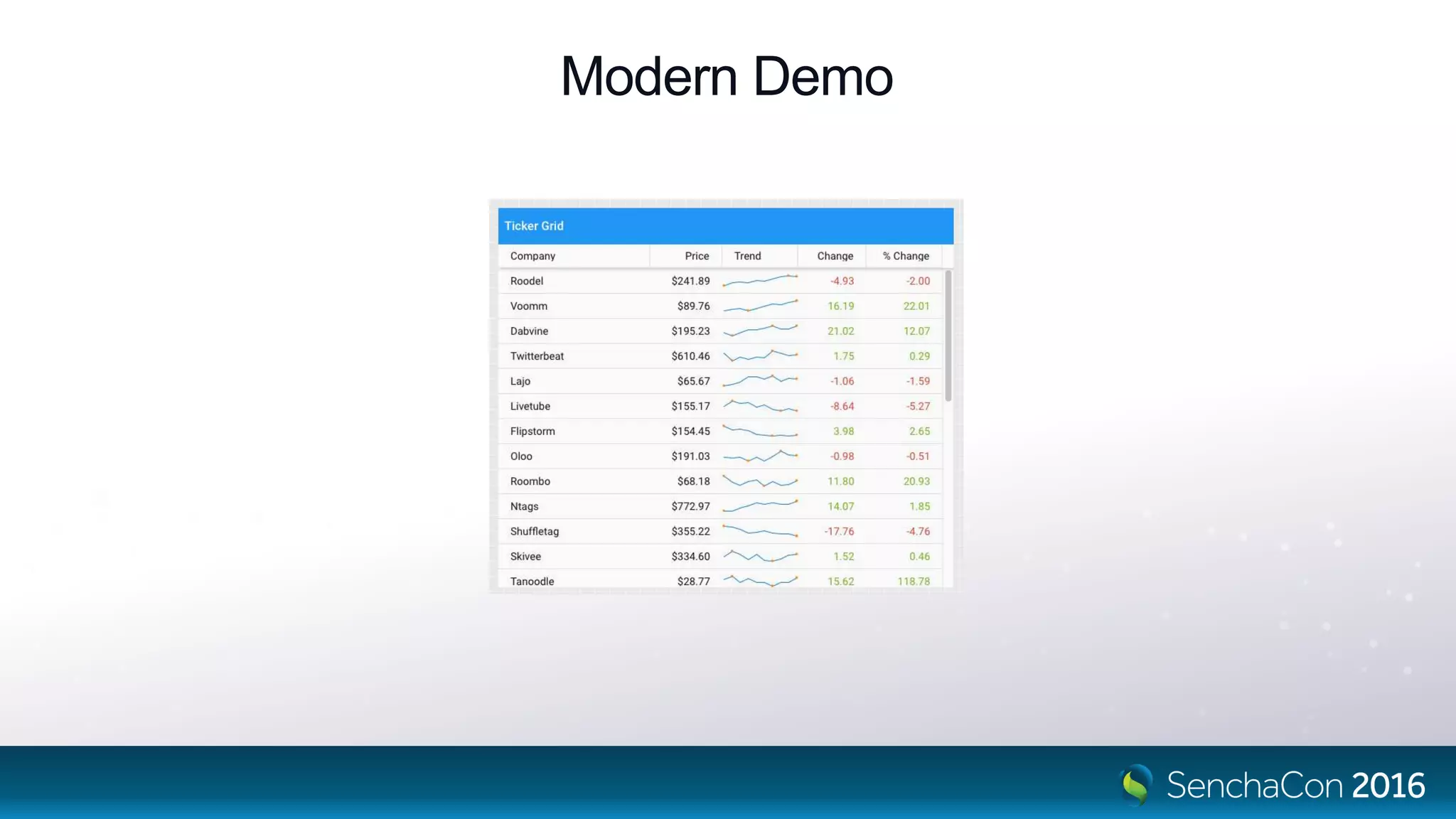
Modern Demo
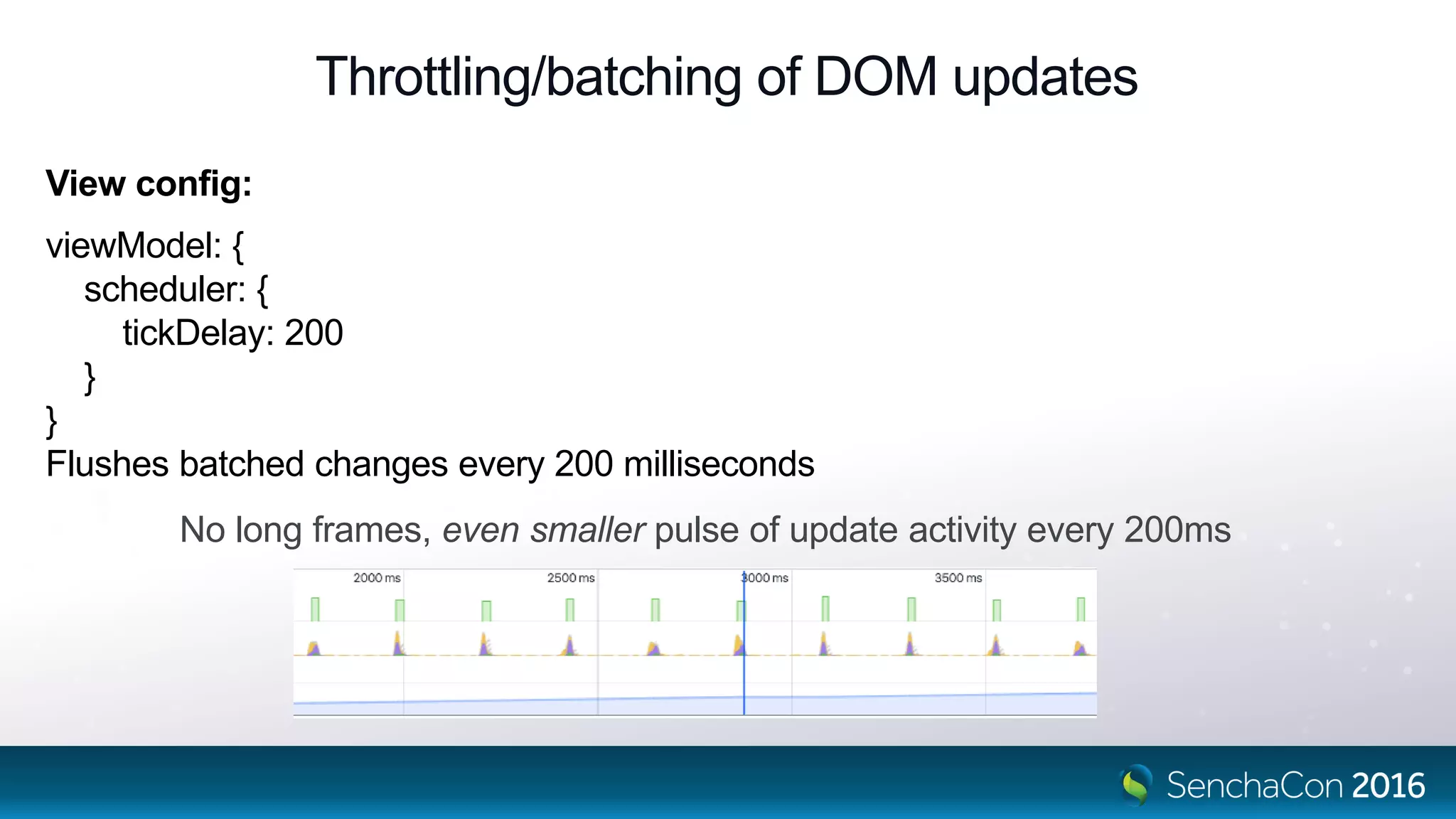
Throttling/batching of DOM updates
View config:
viewModel: {
scheduler: {
tickDelay: 200
}
}
Flushes batched changes every 200 milliseconds
No long frames, even smaller pulse of update activity every 200ms
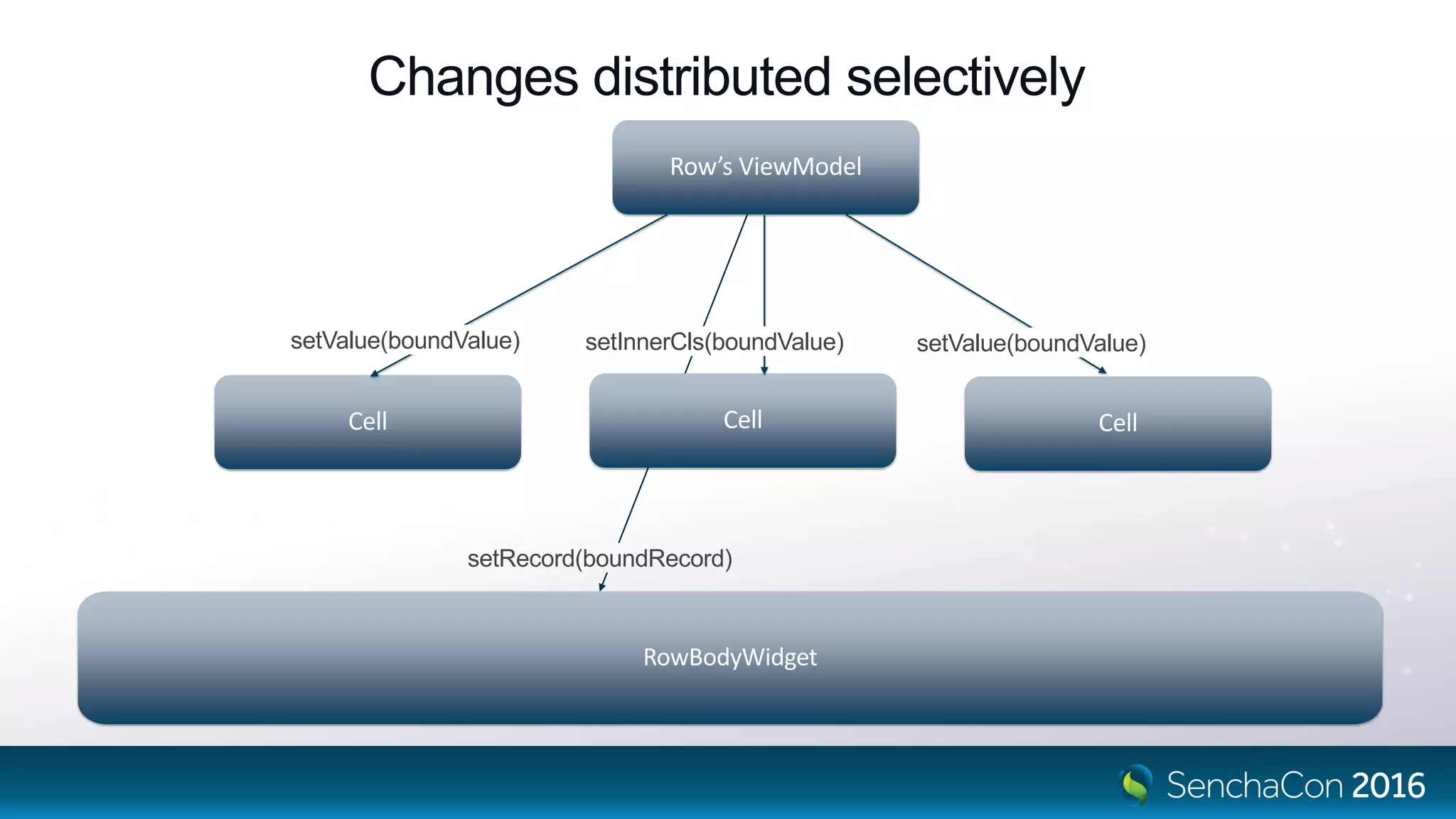
Changes distributed selectively
Row’s ViewModel
Cell CellCell
RowBodyWidget
setValue(boundValue)setValue(boundValue) setInnerCls(boundValue)
setRecord(boundRecord)
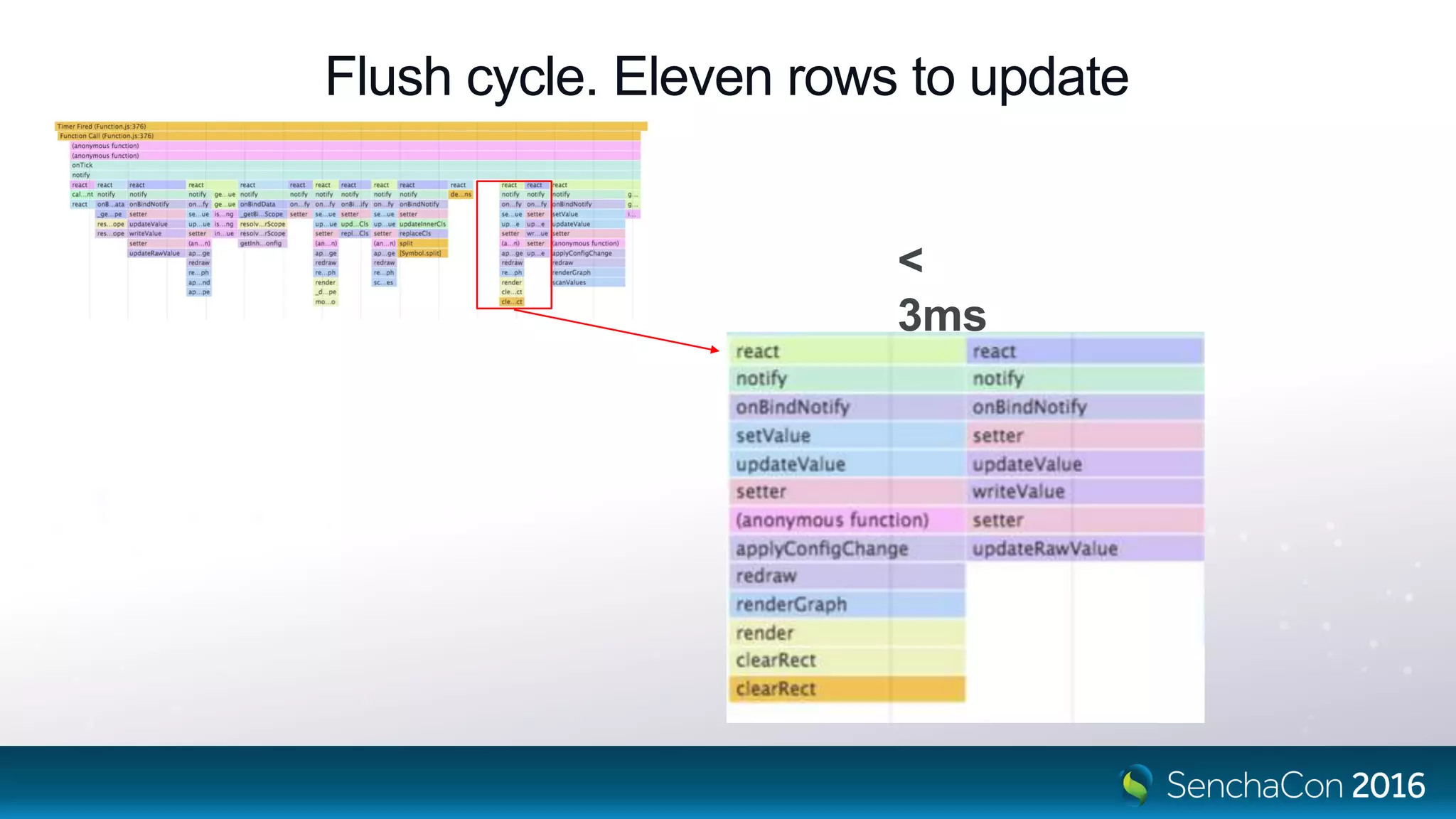
Flush cycle. Eleven rows to update
<
3ms
Styling Rows
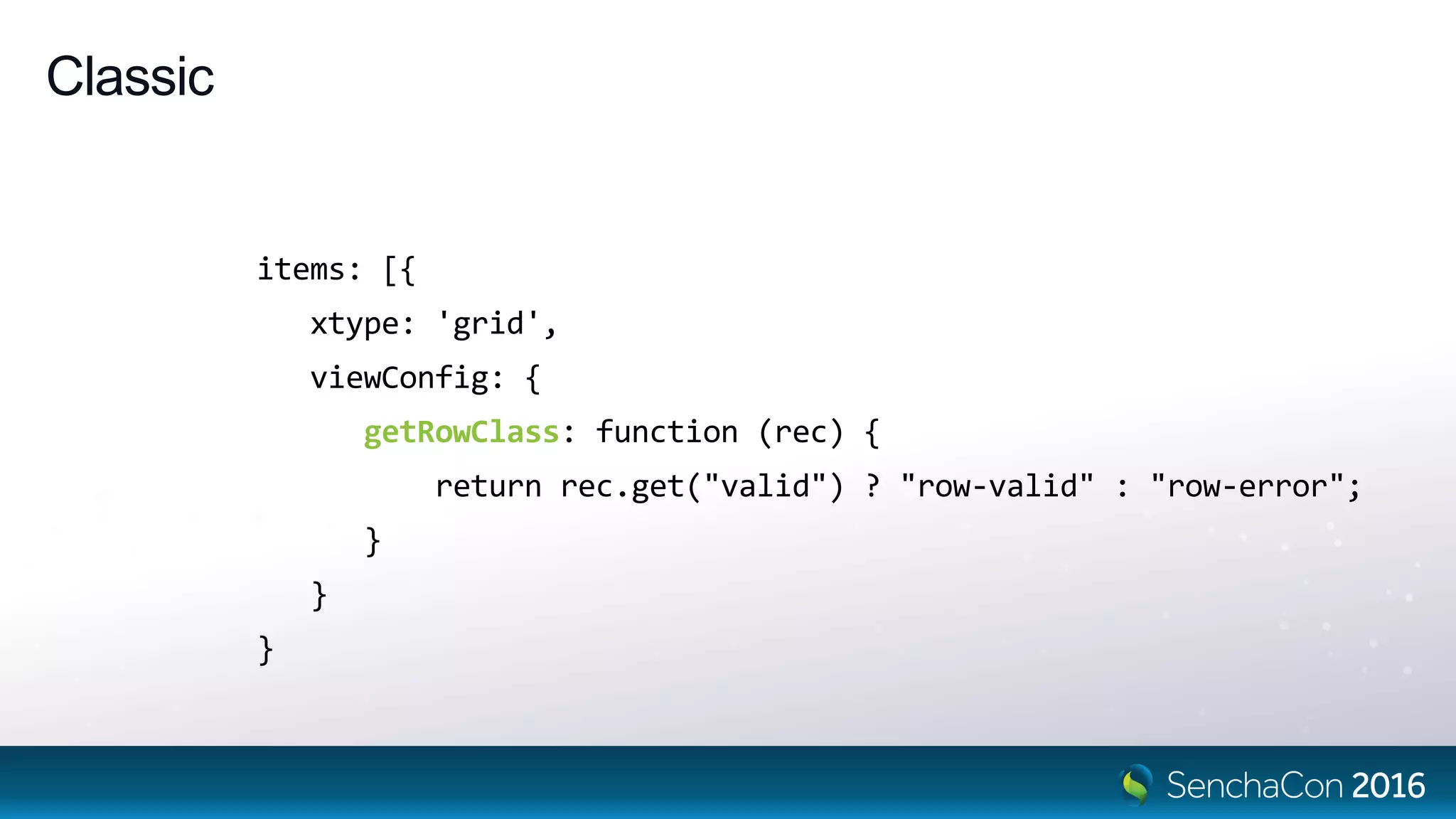
Classic
items: [{
xtype: 'grid',
viewConfig: {
getRowClass: function (rec) {
return rec.get("valid") ? "row-valid" : "row-error";
}
}
}
Modern
items: [{
xtype: 'grid',
itemConfig: {
cls: 'row-class',
viewModel: {
type: 'row-model'
},
bind: {
cls: '{record.change > 0 ? "ticker-gain" : "ticker-loss”}’
}
}
}]
Cells
columns
drive cell
creation and order
Columns
items: [{
xtype: 'grid',
columns: [{
// xtype: 'column',
text: 'Heading',
cell: {
// xtype: 'gridcell',
cls: 'mycell'
}
}]
Cell
Configuratio
n
ai
Grid Columns
bi ci
A B C
rows[i]
headerxtype: 'grid',
columns: [{
text: '...',
cell: {...}
}]
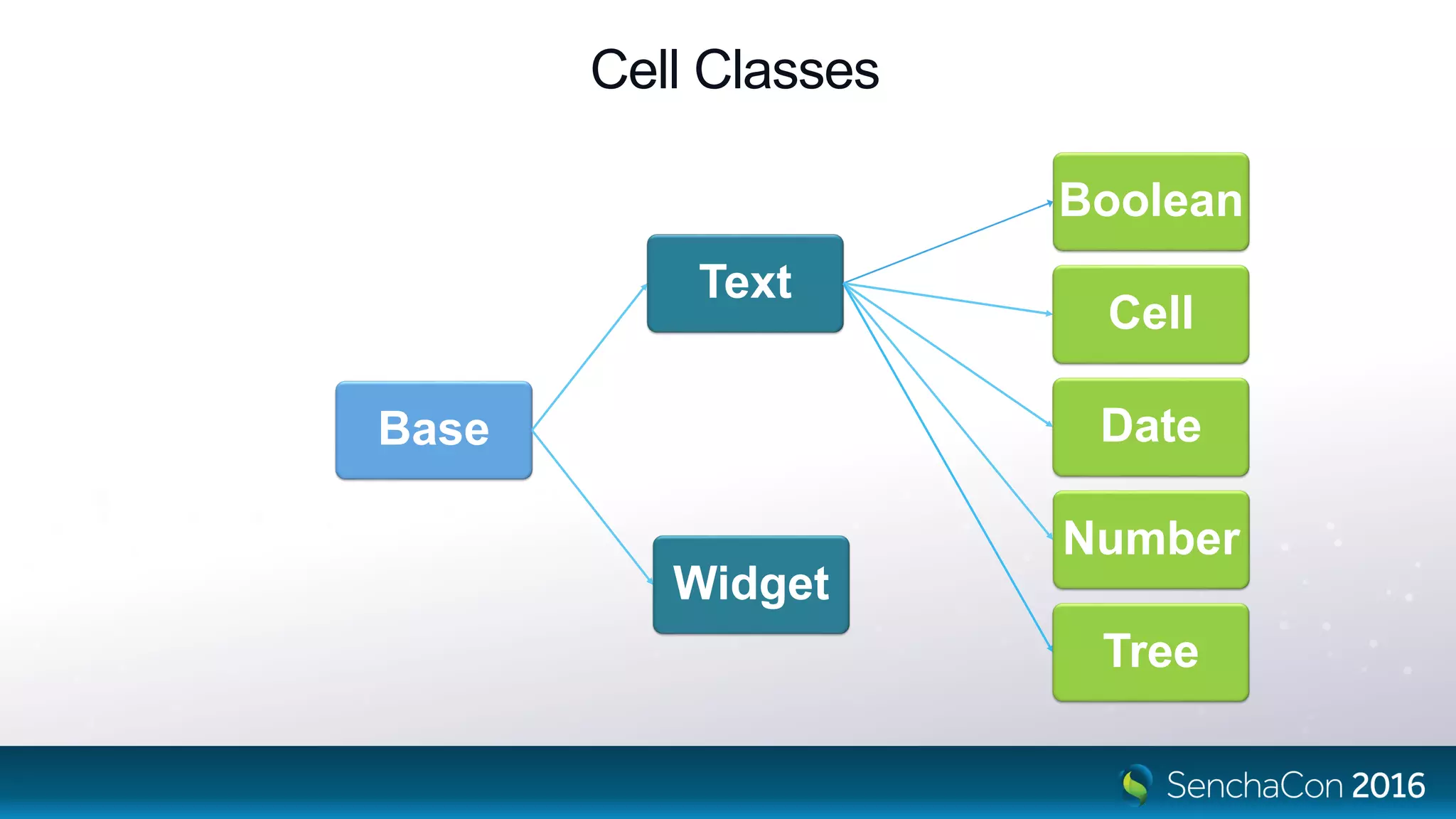
Base
Text
Boolean
Cell
Date
Number
Tree
Widget
Cell Classes
Faster. More secure.
• Cell widget config updaters do minimal change.
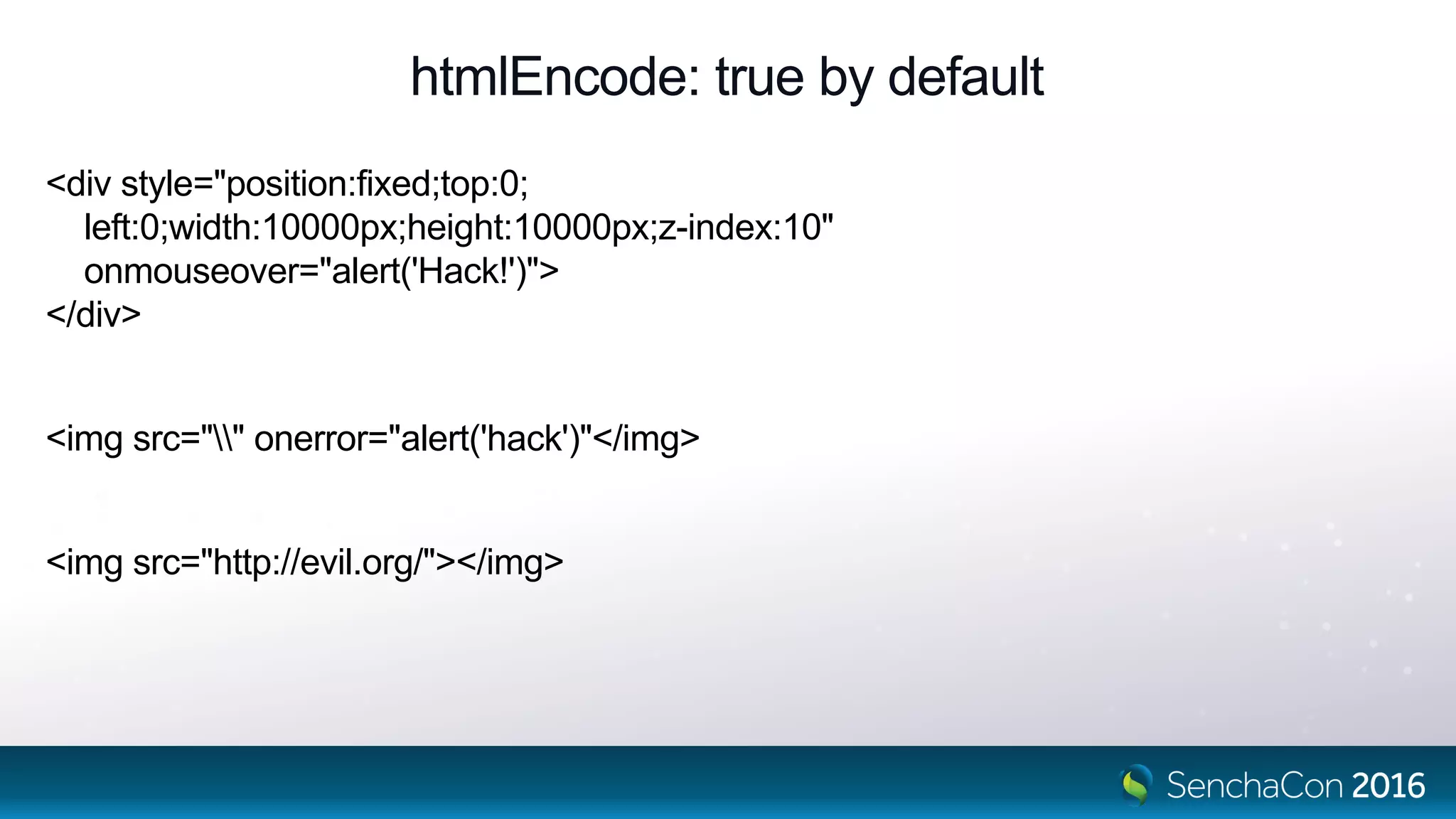
• Data is HTML encoded by default.
htmlEncode: true by default
<div style="position:fixed;top:0;
left:0;width:10000px;height:10000px;z-index:10"
onmouseover="alert('Hack!')">
</div>
<img src="" onerror="alert('hack')"</img>
<img src="http://evil.org/"></img>
What if we’re not rapidly changing?
Scrolling data is exactly that when we are using buffered rendering.
New DOM has to be created to show rows in the direction of scroll.
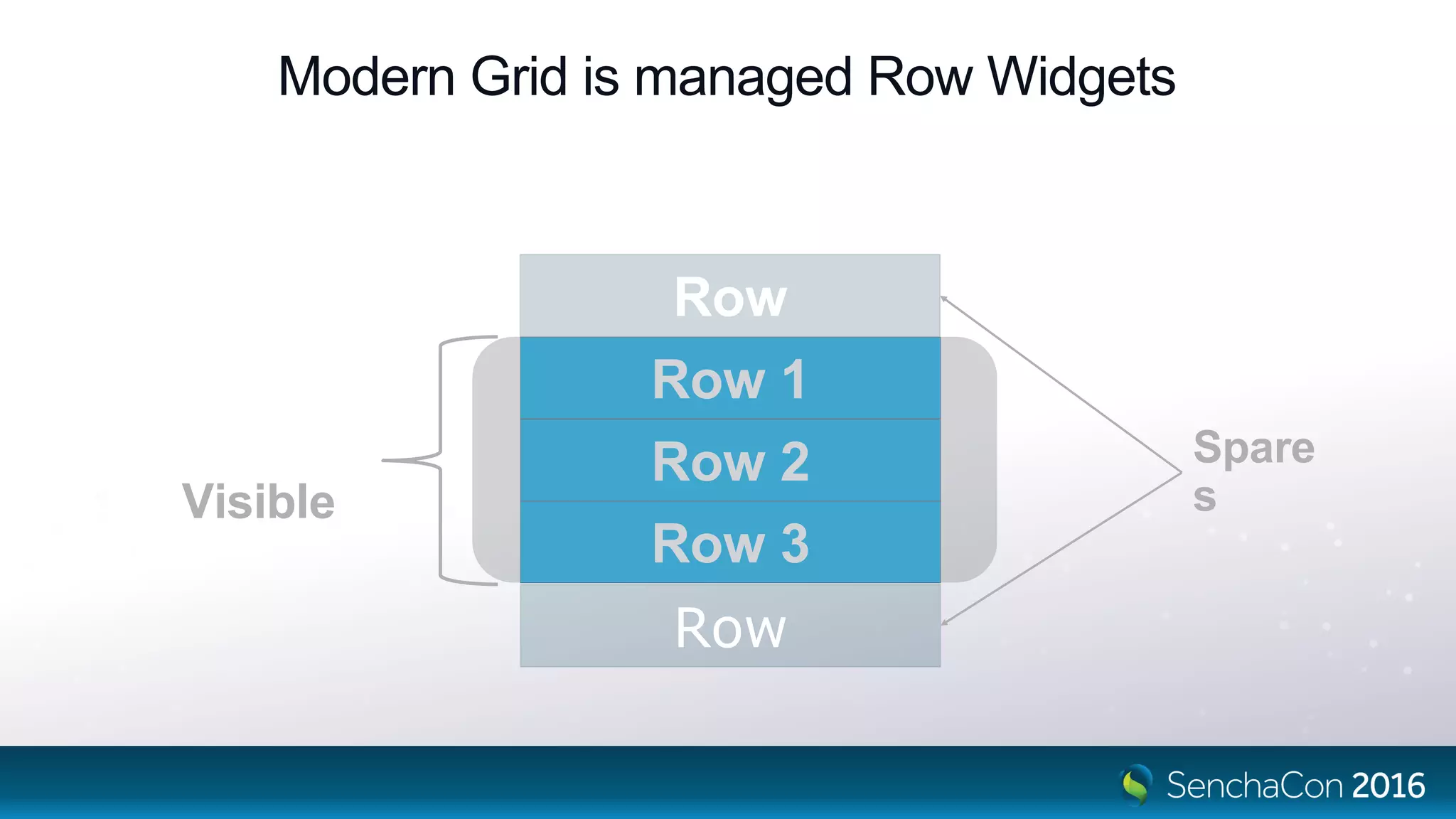
Row
Modern Grid is managed Row Widgets
Row
Visible
Spares
Row 1
Row 2
Row 3
Modern Grid is managed Row Widgets
scroll
[0]
[1]
[2]
[3]
[4]
setRecord(rec[5])
Row 4
Row 1
Row 2
Row 3
Row 0
[5]
Row 5
Conclusion
• Less openly HTML centred concept.
• Widgets abstract away from HTML, each can carry CSS classes for theming.
• HTML + CSS power still there for decorative purposes – tpl config.
• Analogous to UIWebView.
• If you need different appearance and behaviour, prefer a custom component.
Please Take the Survey in the Mobile App
• Navigate to this session in the mobile app
• Click on “Evaluate Session”
• Respondents will be entered into a drawing to win one of five $50 Amazon gift cards
SenchaCon 2016: The Once and Future Grid - Nige White

SenchaCon 2016: The Once and Future Grid - Nige White

  • 1.
    The Once AndFuture Grid Nige White
  • 2.
    The Grid ThatWas… XTemplates + cell renderers (simple DOM replacement)
  • 3.
    Classic Grid isa DataView with a BIG template Four nested templates with embedded code. 1. The standard Component tpl which calls… 2. renderRows which uses 3. itemTemplate which uses 4. rowTemplate which uses 5. cellTemplate which calls… 6. Cell renderers
  • 4.
    Challenges • DOM churn. •Changes replace DOM. Plugins, event handlers might “own” that DOM content. • Scaling to today’s big apps. Multi thousand row grids.
  • 5.
    Shortcomings • View notconfigurable • View not themeable Header1 Header2 Header3 Data1.1 Data1.2 Data1.3 Data2.1 Data2.2 Data2.3
  • 6.
    How have wemitigated these?
  • 7.
    The Grid ThatIs… XTemplates + cell renderers + Throttled view updates + Cell updaters + Minimal re-render + Minimal DOM update + Field dependencies + Buffered renderer
  • 8.
  • 9.
    Throttling/batching of DOMupdates View config: { throttledUpdate: true } Flushes batched changes every Ext.view.Table.updateDelay milliseconds No long frames, small pulse of update activity every 200ms
  • 10.
    Column updaters • Similarto renderers, but only called for update. Passed cell’s DOM updater: function(cellDom, value) { cellDom.firstChild.style.color = value < 0 ? ‘red’ : ‘green’; }
  • 11.
    Minimal DOM update <trclass=“x-grid-row”> <td class=“x-grid-cell”> <div class=“x-grid-inner”> OldData </div> </td> </tr> <tr class=“x-grid-row”> <td class=“x-grid-cell”> <div class=“x-grid-inner”> NewData </div> </td> </tr> New, detached DOM Existing grid row • Only the changed columns used to render detached row DOM • For each row: • Recursively update changed DOM attributes or text content
  • 12.
    Field dependencies • Relyingon renderers to produce dependent values is unreliable. • The calculated data does not really exist, so cannot be used. • Renderers which use their full argument list mean no minimal DOM rerender How do those fields change when we just set the new price?
  • 13.
    Field dependencies // Dependson price field. Called whenever that is set { name: 'trend', calculate: function(data) { // Avoid circular dependency by hiding the read of trend value var trend = data['trend'] || (data['trend'] = []); trend.push(data.price); // Ext.data.Model class sees this! if (trend.length > 10) { trend.shift(); } return trend; }
  • 14.
  • 15.
    Flush cycle. Ninerows to update < 15ms
  • 16.
    The Grid ThatWill Be… Ext.List + Configs + Data binding + Abstracted HTML away Already Is…
  • 17.
    The Grid ThatWill Be… • Column locking • Keyboard navigability • Cell editing • Group collapsing • Group summaries
  • 18.
    Where’s All TheMagic Gone? XTemplates + cell renderers Cell updaters Minimal re-render Minimal DOM copy Throttled update Buffered Renderer Ext.List Ext.grid.Row Ext.grid.cell.* Binding → Configs VM Scheduler config List, infinite: true
  • 19.
    Configs Ext.define('Ext.Widget', { config: { cls:null, ... }, ... updateCls: function (cls, oldCls) { this.element.replaceCls(oldCls, cls); } }); getCls setCls
  • 20.
    Config generated setter setCls:function (value) { var oldValue = this._cls; if (this.applyCls) { value = this.applyCls(value, oldValue); } if (value !== undefined && value !== oldValue) { this._cls = value; if (this.updateCls) { this.updateCls(value, oldValue); } } } Transform values Manage side-effects
  • 21.
  • 22.
    Grid extends List Ext.define('Ext.grid.Grid',{ extend: 'Ext.List', xtype: 'grid', defaultType: 'gridrow', infinite: true }); Create an Ext.grid.Row per visible record
  • 23.
  • 24.
  • 25.
    Row extends Component Ext.define('Ext.grid.Row',{ extend: 'Ext.Component', xtype: 'gridrow', ... });
  • 26.
    Rows Are CellManagers. Also RowBody Widget Managers.
  • 27.
    add() and remove()- No Events - No Hierarchy – Yes ViewModels - Yes
  • 28.
  • 29.
    Throttling/batching of DOMupdates View config: viewModel: { scheduler: { tickDelay: 200 } } Flushes batched changes every 200 milliseconds No long frames, even smaller pulse of update activity every 200ms
  • 30.
    Changes distributed selectively Row’sViewModel Cell CellCell RowBodyWidget setValue(boundValue)setValue(boundValue) setInnerCls(boundValue) setRecord(boundRecord)
  • 31.
    Flush cycle. Elevenrows to update < 3ms
  • 32.
  • 33.
    Classic items: [{ xtype: 'grid', viewConfig:{ getRowClass: function (rec) { return rec.get("valid") ? "row-valid" : "row-error"; } } }
  • 34.
    Modern items: [{ xtype: 'grid', itemConfig:{ cls: 'row-class', viewModel: { type: 'row-model' }, bind: { cls: '{record.change > 0 ? "ticker-gain" : "ticker-loss”}’ } } }]
  • 35.
  • 36.
  • 37.
    Columns items: [{ xtype: 'grid', columns:[{ // xtype: 'column', text: 'Heading', cell: { // xtype: 'gridcell', cls: 'mycell' } }] Cell Configuratio n
  • 38.
    ai Grid Columns bi ci AB C rows[i] headerxtype: 'grid', columns: [{ text: '...', cell: {...} }]
  • 39.
  • 40.
    Faster. More secure. •Cell widget config updaters do minimal change. • Data is HTML encoded by default.
  • 41.
    htmlEncode: true bydefault <div style="position:fixed;top:0; left:0;width:10000px;height:10000px;z-index:10" onmouseover="alert('Hack!')"> </div> <img src="" onerror="alert('hack')"</img> <img src="http://evil.org/"></img>
  • 42.
    What if we’renot rapidly changing? Scrolling data is exactly that when we are using buffered rendering. New DOM has to be created to show rows in the direction of scroll.
  • 43.
    Row Modern Grid ismanaged Row Widgets Row Visible Spares Row 1 Row 2 Row 3
  • 44.
    Modern Grid ismanaged Row Widgets scroll [0] [1] [2] [3] [4] setRecord(rec[5]) Row 4 Row 1 Row 2 Row 3 Row 0 [5] Row 5
  • 45.
    Conclusion • Less openlyHTML centred concept. • Widgets abstract away from HTML, each can carry CSS classes for theming. • HTML + CSS power still there for decorative purposes – tpl config. • Analogous to UIWebView. • If you need different appearance and behaviour, prefer a custom component.
  • 46.
    Please Take theSurvey in the Mobile App • Navigate to this session in the mobile app • Click on “Evaluate Session” • Respondents will be entered into a drawing to win one of five $50 Amazon gift cards

Editor's Notes

  • #3 Pre-4.2 DOM IS SLOW Refresh destroyed and then created the full view DOM. Row DOM completely replaced upon record mutation.
  • #4 Templates can contain embedded code, so templates can call into their owning Component, or call other templates. Historically, we dumped a huge load of textual HTML into a Panel’s element to create the grid’s UI The reason it’s broken into nested template is to enable features such as grouping, row body, or anything else which needs extra DOM. The API gave explicit access to strings in the DOM generation buffer
  • #5 The structure is transient. Changes regenerate HTML because of the HTML centric API of the classic grid Refreshing tips out old DOM, regenerates all rows. Even simple updates used to destroy active DOM prior to V5. Cell editor inside a cell would be destroyed, or a focused cell could be destroyed by data changes. Causes memory use and frequent garbage collection. Thousands of rows hurts performance
  • #6 Because it was very HTML-centric, content required HTML and possible CSS skills. Internal elements were not configurable Internal elements were not themeable. See Phil Guerant’s talk Theming the Modern Toolkit at 3:40 today for more details
  • #8 JavaScript is much FASTER than DOM Column updaters are passed the TD and may change it as the author sees fit – see later. Upon field change, we do create whole new rows through the whole template tree But ONLY for changed fields. Calculated fields can depend upon other calculated fields which can depend upon other fields. Calculations will be run in correct order – we’ll see this in action later … instead of renderers.
  • #9 Rapidly updating DOM. 50 changes per second thrown at the store! Timeline – still long frames. If part of a larger UI, would hurt its perf. Need to throttle changes to DOM. 5 times a second is fast enough for the human perception. Classic has throttledUpdate. – check timeline. Non-destructive update since 5.0. CellEditor undamaged. Test auto sort.. Use sortable: false on rapidly changing columns! Price is OK
  • #11 Free for all Injects HTML. Mixes concerns. Appearance should come only from theme.
  • #12 Because of the historical API we generate textual using the full render pathway. HTML. XTemplates have computational cost. HTML parsing has cost. We only generate the cells that have changed, so not full width rows. But because of renderer parameters, some columns MUST be generated even if not changed because renderer has such wide access. Walking the new tree and copying across only changed attributes or data of cells is suboptimal.
  • #13 No minimal DOM update because we don’t know what other data the renderer uses, so we must ALWAYS update that column.
  • #14 The only field being set in the demo is the price. All other fields are dependent, and the values in the record change when fields they are known to depend on change. Unlike renderers, your dependent data really exists.
  • #15 Scroll. “Spare” rows are just derefenced and hopefully left to the garbage collector. New full rows are rendered through the pathway we’ve already seen and appended.
  • #16 One row update cycle. Uncompressible now. Template overwrite = apply (string creation) + overwrite (HTML element creation). You can see the parse HTML call. Update columns which traverses the DOM is quite fast in comparison to parsing HTML and creating DOM It’s STILL amazingly fast! 7 - 12ms/flush. No long frames – no jank in large UI producesHTML: false opts out of HTML parsing (getPosition is grid navigation model
  • #17 Modern components and widgets and ViewModels Because we use widgets at each level, Row and Cell, we can “Also is …” my word play ran out of steam
  • #18 These are the things that it doesn’t do yet. These will be in the next major release
  • #19 It’s all still there. Field dependencies are still useful Data binding tracks dependencies Binding is async and buffered, a ViewModel’s Scheduler can be configured with a tickDelay
  • #20 Components and configs act as a kind of virtual DOM But a Higher-level of abstraction Not regenerated and differenced Setters and getters autogenerated
  • #21 The generated setter is a bit more detailed You can provide an applier to “promote” the config object to its final form. If the applier returns undefined, then the property is not changed. This is so an applier can simply update the old property if the incoming just means reconfiguring. Example, setScrollable({y: false}) – the applier simply reconfigures the oldScrollable. Key is that updaters run only when config changes
  • #22 Modern components and widgets “*” – we’ll expand on List later
  • #23 A List is a dataview of components. Each component is bound to a record, and inherits a ViewModel from the List Grid’s components are of type gridrow Only enough gridrows are created to fill the visible area, plus a configurable buffer amount
  • #24 Modern components and widgets “*” – we’ll expand on List later
  • #25 Containers carry some overhead. A Row consists of a display:table-row element. A Cell consists of display:table-cell elements.
  • #27 Modern components and widgets “*” – we’ll expand on List later
  • #28 Modern components and widgets Rows are not containers. No add/remove methods or add/remove events. The grid “*” – we’ll expand on List later
  • #30 The viewModel affects the grid Panel If you need docked components to update immediately, then contain the grid in a panel with a default ViewModel
  • #31 This is instead of a recursive DOM comparison/update Cell’s updaters react as they see fit. Text cells do nothing but update the data of a text node Some cells have bound data to their innerCls The point is that only changed data gets updated. The record applier in the RowWidget will call setters which will then block non-changes
  • #32 Eleven records flushing took less than 3ms It’s just configs being set by binding. Here’s a typical graph of two changed configurations. One is the trend field updating the sparkline, and the other is the price which ends in a simple set of the data of a textNode
  • #33 Modern components and widgets “*” – we’ll expand on List later
  • #37 Modern components and widgets “*” – we’ll expand on List later
  • #38 A little like Widget column in classic, in that a config, the cell config determines what kind of widget to create under that column header
  • #39 Column configuration drives the headferts And the cell config of each column drives the cells below it.
  • #40 Cells only update what they need to update, when they need to update. Text JUST for text through dataIndex/binding Cell adds renderers, formatters and a tpl By default, they’ll encode any HTML. More secure. Data could contain “<div onmouseover=“doNefariousStuff”>data</div> Trees just have a fancy cell to display the first column. As in classic, a tree is a grid
  • #42 First two entered in a CellEditor will execute the user’s Javascript code! Last one will Invoke a nefarious website. In Classic, HTML was assumed, and it was up to you, the developers to defend. In Modern, HTML is not allowed into a cell unless you opt in.
  • #44 Enough Row components are created to fill the view A buffer config determines how many spares Limited by how many are needed to fill the visible zone, so there won’t be an excessive number.
  • #45 Rows are moved and reconfigured as needed. Row widgets are recycled. None will be created unless the view changes height. Minimal change propagated into cells by configs.
  • #46 Widgets encapsulate the HTML. Developers concentrate on behaviour and data. Designers concentrate on theming the widgets. But if you NEED HTML, it’s still there with a Component’s tpl. It’s just like a UIWebView in native apps. Preferably, create custom components to encapsulate your HTML needs which are configurable and themeable.
  • #48 The value of “orderId” is the “id” value of the reference type