Lightweight
Virtualization
LXC containers & AUFS
SCALE11x — February 2013, Los
Angeles
Those slides are available at:
http://goo.gl/bFHSh	
  
Outline
•  Intro: who, what, why?
•  LXC containers
•  Namespaces
•  Cgroups
•  AUFS
•  setns
•  Future developments
Who am I?
Jérôme Petazzoni
@jpetazzo
SRE (=DevOps) at dotCloud
dotCloud is the first "polyglot" PaaS,
and we built it with Linux Containers!
What is this about?
LXC (LinuX Containers) let you run a Linux
system within another Linux system.
A container is a group of processes on a Linux
box, put together in an isolated environment.
Inside the box, it looks like a VM.
Outside the box, it looks like normal processes.
This is "chroot() on steroids”
Why should I care?
1. I will try to convince you that it's awesome.
2. I will try to explain how it works.
3. I will try to get you involved!
Why should I care?
1. I will convince you that it's awesome.
2. I will explain how it works.
3. You will want to get involved!
Why is it awesome?
The 3 reasons why containers are awesome
Why?
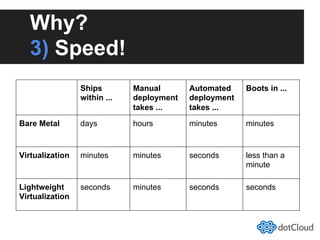
3) Speed!
Ships
within ...
Manual
deployment
takes ...
Automated
deployment
takes ...
Boots in ...
Bare Metal days hours minutes minutes
Virtualization minutes minutes seconds less than a
minute
Lightweight
Virtualization
seconds minutes seconds seconds
Why?
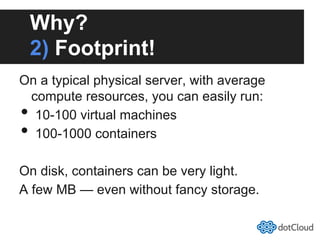
2) Footprint!
On a typical physical server, with average
compute resources, you can easily run:
•  10-100 virtual machines
•  100-1000 containers
On disk, containers can be very light.
A few MB — even without fancy storage.
Why?
1) It's still virtualization!
Each container has:
•  its own network interface (and IP address)
o  can be bridged, routed... just like $your_favorite_vm
•  its own filesystem
o  Debian host can run Fedora container (&vice-versa)
•  isolation (security)
o  container A & B can't harm (or even see) each other
•  isolation (resource usage)
o  soft & hard quotas for RAM, CPU, I/O...
Some use-cases
For developers,
hosting providers,
and the rest of us
Use-cases:
Developers
•  Continuous Integration
o  After each commit, run 100 tests in 100 VMs
•  Escape dependency hell
o  Build (and/or run) in a controlled environment
•  Put everything in a VM
o  Even the tiny things
Use-cases:
Hosters
•  Cheap Cheaper Hosting (VPS providers)
o  I'd rather say "less expensive", if you get my drift
o  Already a lot of vserver/openvz/... around
•  Give away more free stuff
o  "Pay for your production, get your staging for free!"
o  We do that at dotCloud
•  Spin down to save resources
o  And spin up on demand, in seconds
o  We do that, too
Use-cases:
Everyone
•  Look inside your VMs
o  You can see (and kill) individual processes
o  You can browse (and change) the filesystem
•  Do whatever you did with VMs
o  ... But faster
Breaking news:
LXC can haz migration!
This slide intentionally left blank
(but the talk right before mine
should have interesting results)
oh yes indeed!
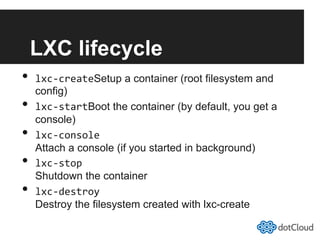
LXC lifecycle
•  lxc-­‐createSetup a container (root filesystem and
config)
•  lxc-­‐startBoot the container (by default, you get a
console)
•  lxc-­‐console
Attach a console (if you started in background)
•  lxc-­‐stop
Shutdown the container
•  lxc-­‐destroy
Destroy the filesystem created with lxc-create
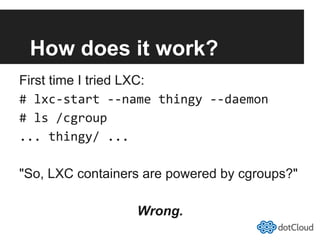
How does it work?
First time I tried LXC:
#	
  lxc-­‐start	
  -­‐-­‐name	
  thingy	
  -­‐-­‐daemon	
  
#	
  ls	
  /cgroup	
  
...	
  thingy/	
  ...	
  
"So, LXC containers are powered by cgroups?"
Wrong.
Namespaces
Partition essential kernel structures
to create virtual environments
e.g., you can have multiple processes
with PID 42, in different environments
Different kinds of
namespaces
•  pid (processes)
•  net (network interfaces, routing...)
•  ipc (System V IPC)
•  mnt (mount points, filesystems)
•  uts (hostname)
•  user (UIDs)
Creating namespaces
•  Extra flags to the clone() system call
•  CLI tool unshare	
  
Notes:
•  You don't have to use all namespaces
•  A new process inherits its parent's ns
•  No easy way to attach to an existing ns
o  Until recently! More on this later.
Namespaces: pid	
  
•  Processes in a pid don't see processes of
the whole system
•  Each pid namespace has a PID #1
•  pid namespaces are actually nested
•  A given process can have multiple PIDs
o  One in each namespace it belongs to
o  ... So you can easily access processes of children ns
•  Can't see/affect processes in parent/sibling
ns
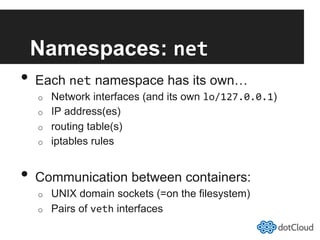
Namespaces: net	
  
•  Each net namespace has its own…
o  Network interfaces (and its own lo/127.0.0.1)
o  IP address(es)
o  routing table(s)
o  iptables rules
•  Communication between containers:
o  UNIX domain sockets (=on the filesystem)
o  Pairs of veth interfaces
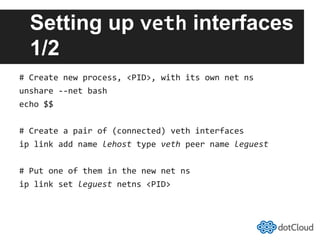
Setting up veth interfaces
1/2
#	
  Create	
  new	
  process,	
  <PID>,	
  with	
  its	
  own	
  net	
  ns	
  
unshare	
  -­‐-­‐net	
  bash	
  
echo	
  $$	
  
#	
  Create	
  a	
  pair	
  of	
  (connected)	
  veth	
  interfaces	
  
ip	
  link	
  add	
  name	
  lehost	
  type	
  veth	
  peer	
  name	
  leguest	
  
#	
  Put	
  one	
  of	
  them	
  in	
  the	
  new	
  net	
  ns	
  
ip	
  link	
  set	
  leguest	
  netns	
  <PID>	
  
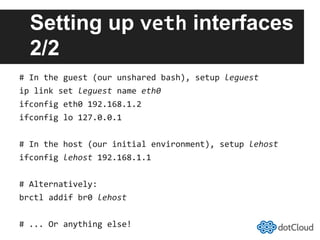
Setting up veth interfaces
2/2
#	
  In	
  the	
  guest	
  (our	
  unshared	
  bash),	
  setup	
  leguest	
  
ip	
  link	
  set	
  leguest	
  name	
  eth0	
  
ifconfig	
  eth0	
  192.168.1.2	
  
ifconfig	
  lo	
  127.0.0.1	
  
#	
  In	
  the	
  host	
  (our	
  initial	
  environment),	
  setup	
  lehost	
  
ifconfig	
  lehost	
  192.168.1.1	
  
#	
  Alternatively:	
  
brctl	
  addif	
  br0	
  lehost	
  
#	
  ...	
  Or	
  anything	
  else!	
  
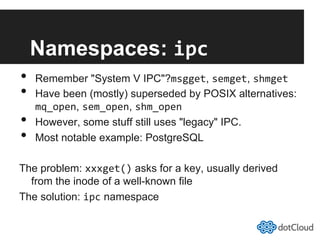
Namespaces: ipc	
  
•  Remember "System V IPC"?msgget, semget, shmget	
  
•  Have been (mostly) superseded by POSIX alternatives:
mq_open, sem_open, shm_open	
  
•  However, some stuff still uses "legacy" IPC.
•  Most notable example: PostgreSQL
The problem: xxxget() asks for a key, usually derived
from the inode of a well-known file
The solution: ipc namespace
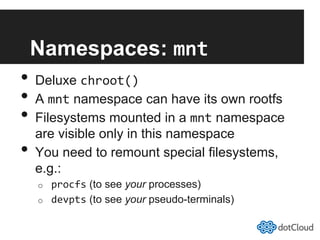
Namespaces: mnt	
  
•  Deluxe chroot()	
  
•  A mnt namespace can have its own rootfs
•  Filesystems mounted in a mnt namespace
are visible only in this namespace
•  You need to remount special filesystems,
e.g.:
o  procfs (to see your processes)
o  devpts (to see your pseudo-terminals)
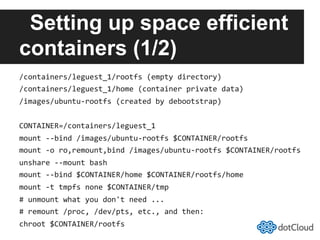
Setting up space efficient
containers (1/2)
/containers/leguest_1/rootfs	
  (empty	
  directory)	
  
/containers/leguest_1/home	
  (container	
  private	
  data)	
  
/images/ubuntu-­‐rootfs	
  (created	
  by	
  debootstrap)	
  
CONTAINER=/containers/leguest_1	
  
mount	
  -­‐-­‐bind	
  /images/ubuntu-­‐rootfs	
  $CONTAINER/rootfs	
  
mount	
  -­‐o	
  ro,remount,bind	
  /images/ubuntu-­‐rootfs	
  $CONTAINER/rootfs	
  
unshare	
  -­‐-­‐mount	
  bash	
  
mount	
  -­‐-­‐bind	
  $CONTAINER/home	
  $CONTAINER/rootfs/home	
  
mount	
  -­‐t	
  tmpfs	
  none	
  $CONTAINER/tmp	
  
#	
  unmount	
  what	
  you	
  don't	
  need	
  ...	
  
#	
  remount	
  /proc,	
  /dev/pts,	
  etc.,	
  and	
  then:	
  
chroot	
  $CONTAINER/rootfs	
  
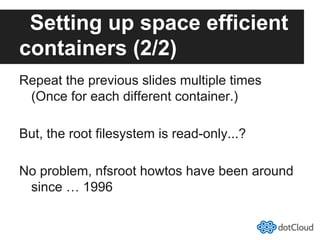
Setting up space efficient
containers (2/2)
Repeat the previous slides multiple times
(Once for each different container.)
But, the root filesystem is read-only...?
No problem, nfsroot howtos have been around
since … 1996
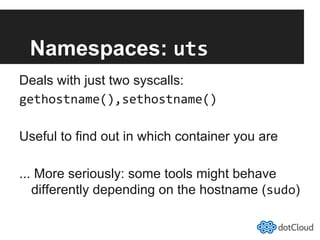
Namespaces: uts	
  
Deals with just two syscalls:
gethostname(),sethostname()	
  
Useful to find out in which container you are
... More seriously: some tools might behave
differently depending on the hostname (sudo)
Namespaces: user	
  
UID42 in container X isn't UID42 in container Y
•  Useful if you don't use the pid namespace
(With it, X42 can't see/touch Y42 anyway)
•  Can make sense for system-wide, per-user
resource limits if you don't use cgroups	
  
•  Honest: didn't really play with those!
Control Groups
Create as many cgroups as you like.
Put processes within cgroups.
Limit, account, and isolate resource usage.
Think ulimit, but for groups of processes
… and with fine-grained accounting.
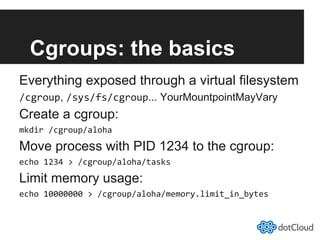
Cgroups: the basics
Everything exposed through a virtual filesystem
/cgroup, /sys/fs/cgroup... YourMountpointMayVary
Create a cgroup:
mkdir	
  /cgroup/aloha	
  
Move process with PID 1234 to the cgroup:
echo	
  1234	
  >	
  /cgroup/aloha/tasks	
  
Limit memory usage:
echo	
  10000000	
  >	
  /cgroup/aloha/memory.limit_in_bytes	
  
Cgroup: memory
•  Limit
o  memory usage, swap usage
o  soft limits and hard limits
o  can be nested
•  Account
o  cache vs. rss
o  active vs. inactive
o  file-backed pages vs. anonymous pages
o  page-in/page-out
•  Isolate
o  "Get Off My Ram!"
o  Reserve memory thanks to hard limits
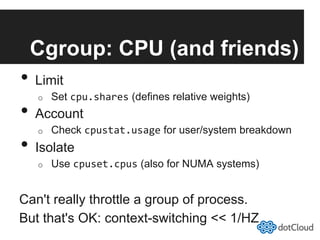
Cgroup: CPU (and friends)
•  Limit
o  Set cpu.shares (defines relative weights)
•  Account
o  Check cpustat.usage for user/system breakdown
•  Isolate
o  Use cpuset.cpus (also for NUMA systems)
Can't really throttle a group of process.
But that's OK: context-switching << 1/HZ
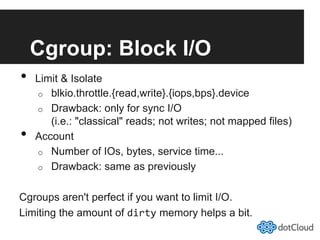
Cgroup: Block I/O
•  Limit & Isolate
o  blkio.throttle.{read,write}.{iops,bps}.device
o  Drawback: only for sync I/O
(i.e.: "classical" reads; not writes; not mapped files)
•  Account
o  Number of IOs, bytes, service time...
o  Drawback: same as previously
Cgroups aren't perfect if you want to limit I/O.
Limiting the amount of dirty memory helps a bit.
AUFS
Writable single-system images
or
Copy-on-write at the filesystem level
AUFS quick example
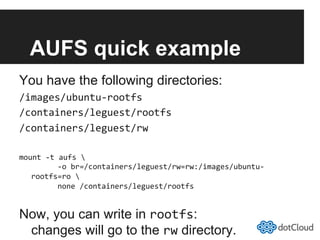
You have the following directories:
/images/ubuntu-­‐rootfs	
  
/containers/leguest/rootfs	
  
/containers/leguest/rw	
  
mount	
  -­‐t	
  aufs	


  -­‐o	
  br=/containers/leguest/rw=rw:/images/ubuntu-­‐
rootfs=ro	


  none	
  /containers/leguest/rootfs	
  
Now, you can write in rootfs:
changes will go to the rw directory.
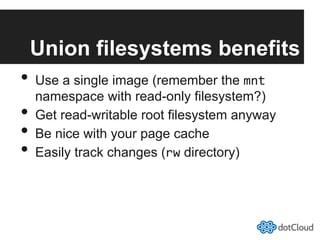
Union filesystems benefits
•  Use a single image (remember the mnt
namespace with read-only filesystem?)
•  Get read-writable root filesystem anyway
•  Be nice with your page cache
•  Easily track changes (rw directory)
AUFS layers
•  Traditional use
o  one read-only layer, one read-write layer
•  System image development
o  one read-only layer, one read-write layer
o  checkpoint current work by adding another rw layer
o  merge multiple rw layers (or use them as-is)
o  track changes and replicate quickly
•  Installation of optional packages
o  one read-only layer with the base image
o  multiple read-only layers with "plugins" / "addons"
o  one read-write layer (if needed)
AUFS compared to others
•  Low number of developers
•  Not in mainstream kernel
o  But Ubuntu ships with AUFS
•  Has layers, whiteouts, inode translation, proper
support for mmap...
•  Every now and then, another Union FS makes it
into the kernel (latest is overlayfs)
•  Eventually, (some) people realize that it lacks
critical features (for their use-case)
o  And they go back to AUFS
AUFS personal statement
AUFS is the worst union filesystems out there;
except for all the others that have been tried.
Not Churchill
Getting rid of AUFS
•  Use separate mounts for tmp, var, data...
•  Use read-only root filesystem
•  Or use a simpler union FS
(important data is in other mounts anyway)
setns()	
  
The use-case
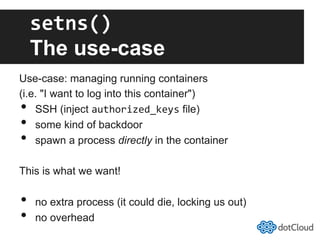
Use-case: managing running containers
(i.e. "I want to log into this container")
•  SSH (inject authorized_keys file)
•  some kind of backdoor
•  spawn a process directly in the container
This is what we want!
•  no extra process (it could die, locking us out)
•  no overhead
setns()	
  
In theory
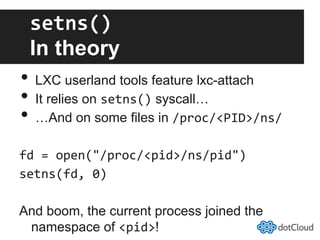
•  LXC userland tools feature lxc-attach
•  It relies on setns() syscall…
•  …And on some files in /proc/<PID>/ns/	
  
fd	
  =	
  open("/proc/<pid>/ns/pid")	
  
setns(fd,	
  0)	
  
And boom, the current process joined the
namespace of <pid>!
setns()	
  
In practice
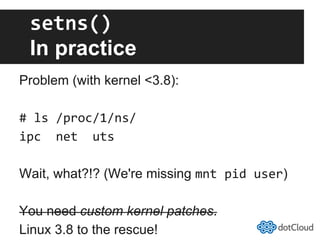
Problem (with kernel <3.8):
#	
  ls	
  /proc/1/ns/	
  
ipc	
  	
  net	
  	
  uts	
  
Wait, what?!? (We're missing mnt	
  pid	
  user)
You need custom kernel patches.
Linux 3.8 to the rescue!
Lightweight virtualization
at dotCloud
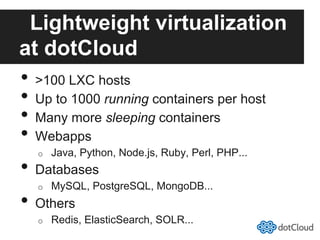
•  >100 LXC hosts
•  Up to 1000 running containers per host
•  Many more sleeping containers
•  Webapps
o  Java, Python, Node.js, Ruby, Perl, PHP...
•  Databases
o  MySQL, PostgreSQL, MongoDB...
•  Others
o  Redis, ElasticSearch, SOLR...
Lightweight virtualization
at $HOME
•  We wrote the first lines of our current container
management code back in 2010
•  We learned many lessons in the process
(sometimes the hard way!)
•  It got very entangled with our platform
(networking, monitoring, orchestration...)
•  We are writing a new container management
tool, for a DevOps audience
Would you like to know more?
Mandatory shameless
plug
If you think that this was easy-peasy,
or extremely interesting:
Join us!
jobs@dotcloud.com
Thank you!
More about containers, scalability, PaaS...
http://blog.dotcloud.com/
@jpetazzo
Thank you!
More about containers, scalability, PaaS...
http://blog.dotcloud.com/
@jpetazzo

LXC Containers and AUFs

  • 1.
    Lightweight Virtualization LXC containers &AUFS SCALE11x — February 2013, Los Angeles Those slides are available at: http://goo.gl/bFHSh  
  • 2.
    Outline •  Intro: who,what, why? •  LXC containers •  Namespaces •  Cgroups •  AUFS •  setns •  Future developments
  • 3.
    Who am I? JérômePetazzoni @jpetazzo SRE (=DevOps) at dotCloud dotCloud is the first "polyglot" PaaS, and we built it with Linux Containers!
  • 4.
    What is thisabout? LXC (LinuX Containers) let you run a Linux system within another Linux system. A container is a group of processes on a Linux box, put together in an isolated environment. Inside the box, it looks like a VM. Outside the box, it looks like normal processes. This is "chroot() on steroids”
  • 5.
    Why should Icare? 1. I will try to convince you that it's awesome. 2. I will try to explain how it works. 3. I will try to get you involved!
  • 7.
    Why should Icare? 1. I will convince you that it's awesome. 2. I will explain how it works. 3. You will want to get involved!
  • 8.
    Why is itawesome? The 3 reasons why containers are awesome
  • 9.
    Why? 3) Speed! Ships within ... Manual deployment takes... Automated deployment takes ... Boots in ... Bare Metal days hours minutes minutes Virtualization minutes minutes seconds less than a minute Lightweight Virtualization seconds minutes seconds seconds
  • 10.
    Why? 2) Footprint! On atypical physical server, with average compute resources, you can easily run: •  10-100 virtual machines •  100-1000 containers On disk, containers can be very light. A few MB — even without fancy storage.
  • 11.
    Why? 1) It's stillvirtualization! Each container has: •  its own network interface (and IP address) o  can be bridged, routed... just like $your_favorite_vm •  its own filesystem o  Debian host can run Fedora container (&vice-versa) •  isolation (security) o  container A & B can't harm (or even see) each other •  isolation (resource usage) o  soft & hard quotas for RAM, CPU, I/O...
  • 12.
    Some use-cases For developers, hostingproviders, and the rest of us
  • 13.
    Use-cases: Developers •  Continuous Integration o After each commit, run 100 tests in 100 VMs •  Escape dependency hell o  Build (and/or run) in a controlled environment •  Put everything in a VM o  Even the tiny things
  • 14.
    Use-cases: Hosters •  Cheap CheaperHosting (VPS providers) o  I'd rather say "less expensive", if you get my drift o  Already a lot of vserver/openvz/... around •  Give away more free stuff o  "Pay for your production, get your staging for free!" o  We do that at dotCloud •  Spin down to save resources o  And spin up on demand, in seconds o  We do that, too
  • 15.
    Use-cases: Everyone •  Look insideyour VMs o  You can see (and kill) individual processes o  You can browse (and change) the filesystem •  Do whatever you did with VMs o  ... But faster
  • 16.
    Breaking news: LXC canhaz migration! This slide intentionally left blank (but the talk right before mine should have interesting results) oh yes indeed!
  • 17.
    LXC lifecycle •  lxc-­‐createSetupa container (root filesystem and config) •  lxc-­‐startBoot the container (by default, you get a console) •  lxc-­‐console Attach a console (if you started in background) •  lxc-­‐stop Shutdown the container •  lxc-­‐destroy Destroy the filesystem created with lxc-create
  • 18.
    How does itwork? First time I tried LXC: #  lxc-­‐start  -­‐-­‐name  thingy  -­‐-­‐daemon   #  ls  /cgroup   ...  thingy/  ...   "So, LXC containers are powered by cgroups?" Wrong.
  • 19.
    Namespaces Partition essential kernelstructures to create virtual environments e.g., you can have multiple processes with PID 42, in different environments
  • 20.
    Different kinds of namespaces • pid (processes) •  net (network interfaces, routing...) •  ipc (System V IPC) •  mnt (mount points, filesystems) •  uts (hostname) •  user (UIDs)
  • 21.
    Creating namespaces •  Extraflags to the clone() system call •  CLI tool unshare   Notes: •  You don't have to use all namespaces •  A new process inherits its parent's ns •  No easy way to attach to an existing ns o  Until recently! More on this later.
  • 22.
    Namespaces: pid   • Processes in a pid don't see processes of the whole system •  Each pid namespace has a PID #1 •  pid namespaces are actually nested •  A given process can have multiple PIDs o  One in each namespace it belongs to o  ... So you can easily access processes of children ns •  Can't see/affect processes in parent/sibling ns
  • 23.
    Namespaces: net   • Each net namespace has its own… o  Network interfaces (and its own lo/127.0.0.1) o  IP address(es) o  routing table(s) o  iptables rules •  Communication between containers: o  UNIX domain sockets (=on the filesystem) o  Pairs of veth interfaces
  • 24.
    Setting up vethinterfaces 1/2 #  Create  new  process,  <PID>,  with  its  own  net  ns   unshare  -­‐-­‐net  bash   echo  $$   #  Create  a  pair  of  (connected)  veth  interfaces   ip  link  add  name  lehost  type  veth  peer  name  leguest   #  Put  one  of  them  in  the  new  net  ns   ip  link  set  leguest  netns  <PID>  
  • 25.
    Setting up vethinterfaces 2/2 #  In  the  guest  (our  unshared  bash),  setup  leguest   ip  link  set  leguest  name  eth0   ifconfig  eth0  192.168.1.2   ifconfig  lo  127.0.0.1   #  In  the  host  (our  initial  environment),  setup  lehost   ifconfig  lehost  192.168.1.1   #  Alternatively:   brctl  addif  br0  lehost   #  ...  Or  anything  else!  
  • 26.
    Namespaces: ipc   • Remember "System V IPC"?msgget, semget, shmget   •  Have been (mostly) superseded by POSIX alternatives: mq_open, sem_open, shm_open   •  However, some stuff still uses "legacy" IPC. •  Most notable example: PostgreSQL The problem: xxxget() asks for a key, usually derived from the inode of a well-known file The solution: ipc namespace
  • 27.
    Namespaces: mnt   • Deluxe chroot()   •  A mnt namespace can have its own rootfs •  Filesystems mounted in a mnt namespace are visible only in this namespace •  You need to remount special filesystems, e.g.: o  procfs (to see your processes) o  devpts (to see your pseudo-terminals)
  • 28.
    Setting up spaceefficient containers (1/2) /containers/leguest_1/rootfs  (empty  directory)   /containers/leguest_1/home  (container  private  data)   /images/ubuntu-­‐rootfs  (created  by  debootstrap)   CONTAINER=/containers/leguest_1   mount  -­‐-­‐bind  /images/ubuntu-­‐rootfs  $CONTAINER/rootfs   mount  -­‐o  ro,remount,bind  /images/ubuntu-­‐rootfs  $CONTAINER/rootfs   unshare  -­‐-­‐mount  bash   mount  -­‐-­‐bind  $CONTAINER/home  $CONTAINER/rootfs/home   mount  -­‐t  tmpfs  none  $CONTAINER/tmp   #  unmount  what  you  don't  need  ...   #  remount  /proc,  /dev/pts,  etc.,  and  then:   chroot  $CONTAINER/rootfs  
  • 29.
    Setting up spaceefficient containers (2/2) Repeat the previous slides multiple times (Once for each different container.) But, the root filesystem is read-only...? No problem, nfsroot howtos have been around since … 1996
  • 30.
    Namespaces: uts   Dealswith just two syscalls: gethostname(),sethostname()   Useful to find out in which container you are ... More seriously: some tools might behave differently depending on the hostname (sudo)
  • 31.
    Namespaces: user   UID42in container X isn't UID42 in container Y •  Useful if you don't use the pid namespace (With it, X42 can't see/touch Y42 anyway) •  Can make sense for system-wide, per-user resource limits if you don't use cgroups   •  Honest: didn't really play with those!
  • 32.
    Control Groups Create asmany cgroups as you like. Put processes within cgroups. Limit, account, and isolate resource usage. Think ulimit, but for groups of processes … and with fine-grained accounting.
  • 33.
    Cgroups: the basics Everythingexposed through a virtual filesystem /cgroup, /sys/fs/cgroup... YourMountpointMayVary Create a cgroup: mkdir  /cgroup/aloha   Move process with PID 1234 to the cgroup: echo  1234  >  /cgroup/aloha/tasks   Limit memory usage: echo  10000000  >  /cgroup/aloha/memory.limit_in_bytes  
  • 34.
    Cgroup: memory •  Limit o memory usage, swap usage o  soft limits and hard limits o  can be nested •  Account o  cache vs. rss o  active vs. inactive o  file-backed pages vs. anonymous pages o  page-in/page-out •  Isolate o  "Get Off My Ram!" o  Reserve memory thanks to hard limits
  • 35.
    Cgroup: CPU (andfriends) •  Limit o  Set cpu.shares (defines relative weights) •  Account o  Check cpustat.usage for user/system breakdown •  Isolate o  Use cpuset.cpus (also for NUMA systems) Can't really throttle a group of process. But that's OK: context-switching << 1/HZ
  • 36.
    Cgroup: Block I/O • Limit & Isolate o  blkio.throttle.{read,write}.{iops,bps}.device o  Drawback: only for sync I/O (i.e.: "classical" reads; not writes; not mapped files) •  Account o  Number of IOs, bytes, service time... o  Drawback: same as previously Cgroups aren't perfect if you want to limit I/O. Limiting the amount of dirty memory helps a bit.
  • 37.
  • 38.
    AUFS quick example Youhave the following directories: /images/ubuntu-­‐rootfs   /containers/leguest/rootfs   /containers/leguest/rw   mount  -­‐t  aufs                -­‐o  br=/containers/leguest/rw=rw:/images/ubuntu-­‐ rootfs=ro                none  /containers/leguest/rootfs   Now, you can write in rootfs: changes will go to the rw directory.
  • 39.
    Union filesystems benefits • Use a single image (remember the mnt namespace with read-only filesystem?) •  Get read-writable root filesystem anyway •  Be nice with your page cache •  Easily track changes (rw directory)
  • 40.
    AUFS layers •  Traditionaluse o  one read-only layer, one read-write layer •  System image development o  one read-only layer, one read-write layer o  checkpoint current work by adding another rw layer o  merge multiple rw layers (or use them as-is) o  track changes and replicate quickly •  Installation of optional packages o  one read-only layer with the base image o  multiple read-only layers with "plugins" / "addons" o  one read-write layer (if needed)
  • 41.
    AUFS compared toothers •  Low number of developers •  Not in mainstream kernel o  But Ubuntu ships with AUFS •  Has layers, whiteouts, inode translation, proper support for mmap... •  Every now and then, another Union FS makes it into the kernel (latest is overlayfs) •  Eventually, (some) people realize that it lacks critical features (for their use-case) o  And they go back to AUFS
  • 42.
    AUFS personal statement AUFSis the worst union filesystems out there; except for all the others that have been tried. Not Churchill
  • 43.
    Getting rid ofAUFS •  Use separate mounts for tmp, var, data... •  Use read-only root filesystem •  Or use a simpler union FS (important data is in other mounts anyway)
  • 44.
    setns()   The use-case Use-case:managing running containers (i.e. "I want to log into this container") •  SSH (inject authorized_keys file) •  some kind of backdoor •  spawn a process directly in the container This is what we want! •  no extra process (it could die, locking us out) •  no overhead
  • 45.
    setns()   In theory • LXC userland tools feature lxc-attach •  It relies on setns() syscall… •  …And on some files in /proc/<PID>/ns/   fd  =  open("/proc/<pid>/ns/pid")   setns(fd,  0)   And boom, the current process joined the namespace of <pid>!
  • 46.
    setns()   In practice Problem(with kernel <3.8): #  ls  /proc/1/ns/   ipc    net    uts   Wait, what?!? (We're missing mnt  pid  user) You need custom kernel patches. Linux 3.8 to the rescue!
  • 47.
    Lightweight virtualization at dotCloud • >100 LXC hosts •  Up to 1000 running containers per host •  Many more sleeping containers •  Webapps o  Java, Python, Node.js, Ruby, Perl, PHP... •  Databases o  MySQL, PostgreSQL, MongoDB... •  Others o  Redis, ElasticSearch, SOLR...
  • 48.
    Lightweight virtualization at $HOME • We wrote the first lines of our current container management code back in 2010 •  We learned many lessons in the process (sometimes the hard way!) •  It got very entangled with our platform (networking, monitoring, orchestration...) •  We are writing a new container management tool, for a DevOps audience Would you like to know more?
  • 49.
    Mandatory shameless plug If youthink that this was easy-peasy, or extremely interesting: Join us! jobs@dotcloud.com
  • 50.
    Thank you! More aboutcontainers, scalability, PaaS... http://blog.dotcloud.com/ @jpetazzo
  • 51.
    Thank you! More aboutcontainers, scalability, PaaS... http://blog.dotcloud.com/ @jpetazzo