containerization: 
more than the 
new virtualization
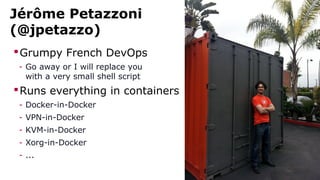
Jérôme Petazzoni 
(@jpetazzo) 
Grumpy French DevOps 
- Go away or I will replace you 
with a very small shell script 
Runs everything in containers 
- Docker-in-Docker 
- VPN-in-Docker 
- KVM-in-Docker 
- Xorg-in-Docker 
- ...
outline
Outline 
Containers as lightweight VMs 
Containers vs VMs 
Separation of operational concerns 
Benefits 
Conclusions
containers as 
lightweight VMs
It looks like a VM 
Private process space 
Can run stuff as root 
Private network interface and IP address 
Custom routes, iptables rules, etc. 
Can mount filesystems and more
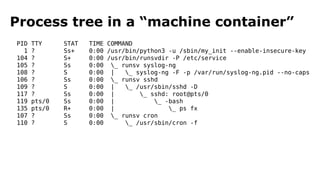
Process tree in a “machine container” 
PID TTY STAT TIME COMMAND 
1 ? Ss+ 0:00 /usr/bin/python3 -u /sbin/my_init --enable-insecure-key 
104 ? S+ 0:00 /usr/bin/runsvdir -P /etc/service 
105 ? Ss 0:00 _ runsv syslog-ng 
108 ? S 0:00 | _ syslog-ng -F -p /var/run/syslog-ng.pid --no-caps 
106 ? Ss 0:00 _ runsv sshd 
109 ? S 0:00 | _ /usr/sbin/sshd -D 
117 ? Ss 0:00 | _ sshd: root@pts/0 
119 pts/0 Ss 0:00 | _ -bash 
135 pts/0 R+ 0:00 | _ ps fx 
107 ? Ss 0:00 _ runsv cron 
110 ? S 0:00 _ /usr/sbin/cron -f
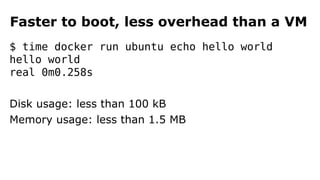
Faster to boot, less overhead than a VM 
$ time docker run ubuntu echo hello world 
hello world 
real 0m0.258s 
Disk usage: less than 100 kB 
Memory usage: less than 1.5 MB
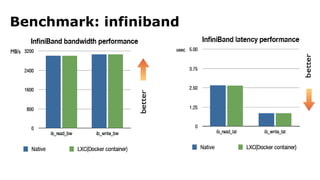
Benchmark: infiniband
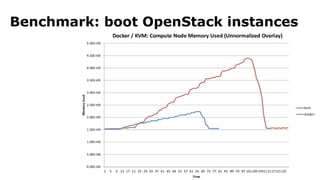
Benchmark: boot OpenStack instances
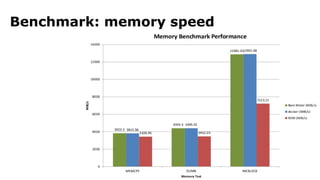
Benchmark: memory speed
impossibru!
containers 
vs 
virtual machines
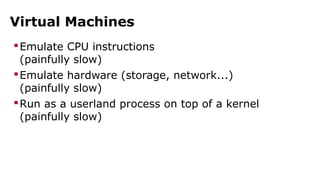
Virtual Machines 
Emulate CPU instructions 
(painfully slow) 
Emulate hardware (storage, network...) 
(painfully slow) 
Run as a userland process on top of a kernel 
(painfully slow)
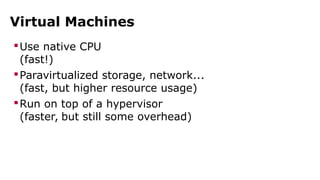
Virtual Machines 
Use native CPU 
(fast!) 
Paravirtualized storage, network... 
(fast, but higher resource usage) 
Run on top of a hypervisor 
(faster, but still some overhead)
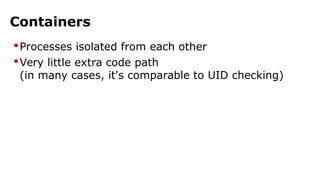
Containers 
Processes isolated from each other 
Very little extra code path 
(in many cases, it's comparable to UID checking)
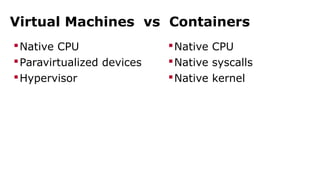
Virtual Machines vs Containers 
Native CPU 
Paravirtualized devices 
Hypervisor 
Native CPU 
Native syscalls 
Native kernel
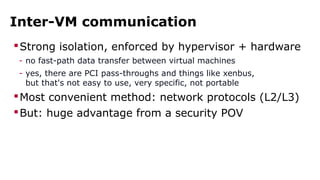
Inter-VM communication 
Strong isolation, enforced by hypervisor + hardware 
- no fast-path data transfer between virtual machines 
- yes, there are PCI pass-throughs and things like xenbus, 
but that's not easy to use, very specific, not portable 
Most convenient method: network protocols (L2/L3) 
But: huge advantage from a security POV
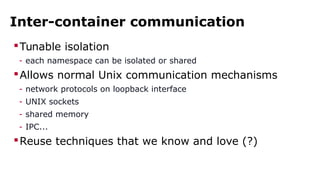
Inter-container communication 
Tunable isolation 
- each namespace can be isolated or shared 
Allows normal Unix communication mechanisms 
- network protocols on loopback interface 
- UNIX sockets 
- shared memory 
- IPC... 
Reuse techniques that we know and love (?)
inter-container 
communication
Shared localhost 
Multiple containers can share the same “localhost” 
(by reusing the same network namespace) 
Communication over localhost is very very fast 
Also: localhost is a well-known address
Shared filesystem 
A directory can be shared by multiple containers 
(by using a bind-mount) 
That directory can contain: 
- named pipes (FIFOs) 
- UNIX sockets 
- memory-mapped files 
Bind-mount = zero overhead
Shared IPC 
Multiple containers can share IPC resources 
(using the special IPC namespace) 
Semaphores, Shared Memory, Message Queues... 
Is anybody still using this?
Host networking 
Containers can share the host's network stack 
(by reusing its network namespace) 
They can use the host's interfaces without penalty 
(high speed, low latency, no overhead!) 
Native performance to talk with external containers
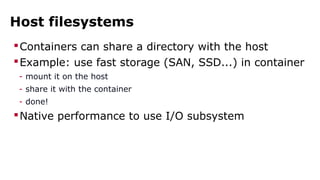
Host filesystems 
Containers can share a directory with the host 
Example: use fast storage (SAN, SSD...) in container 
- mount it on the host 
- share it with the container 
- done! 
Native performance to use I/O subsystem
separation of 
operational 
concerns
...What? 
“Ops” functions (backups, logging...) can be 
performed in separate containers 
Application containers can run unchanged in various 
environments: dev, test, QA, prod...
logs
Old style 
ssh into container 
cd /var/log 
tail, grep, ack-grep, awk, sed, apachetop, perl, etc.
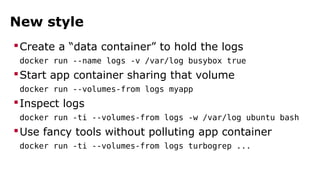
New style 
Create a “data container” to hold the logs 
docker run --name logs -v /var/log busybox true 
Start app container sharing that volume 
docker run --volumes-from logs myapp 
Inspect logs 
docker run -ti --volumes-from logs -w /var/log ubuntu bash 
Use fancy tools without polluting app container 
docker run -ti --volumes-from logs turbogrep ...
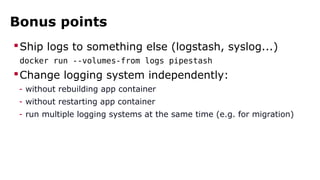
Bonus points 
Ship logs to something else (logstash, syslog...) 
docker run --volumes-from logs pipestash 
Change logging system independently: 
- without rebuilding app container 
- without restarting app container 
- run multiple logging systems at the same time (e.g. for migration)
backups
Old style 
Prepare the tools 
- install things like rsync, s3cmd, boto, mysqldump... 
- get backup script 
Perform one-shot manual backup 
- SSH and run the backup script 
Set up routine backups 
- edit crontab
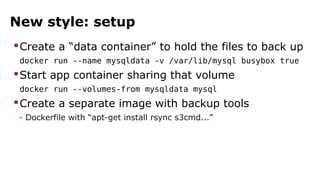
New style: setup 
Create a “data container” to hold the files to back up 
docker run --name mysqldata -v /var/lib/mysql busybox true 
Start app container sharing that volume 
docker run --volumes-from mysqldata mysql 
Create a separate image with backup tools 
- Dockerfile with “apt-get install rsync s3cmd...”
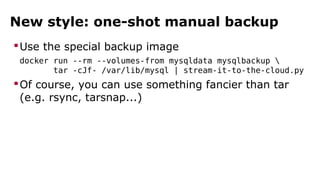
New style: one-shot manual backup 
Use the special backup image 
docker run --rm --volumes-from mysqldata mysqlbackup  
tar -cJf- /var/lib/mysql | stream-it-to-the-cloud.py 
Of course, you can use something fancier than tar 
(e.g. rsync, tarsnap...)
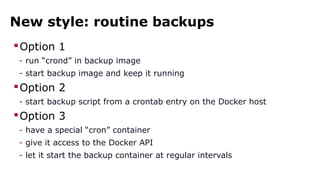
New style: routine backups 
Option 1 
- run “crond” in backup image 
- start backup image and keep it running 
Option 2 
- start backup script from a crontab entry on the Docker host 
Option 3 
- have a special “cron” container 
- give it access to the Docker API 
- let it start the backup container at regular intervals
network 
debugging
Old style 
ssh into container 
Install tcpdump, ngrep, … 
Run them
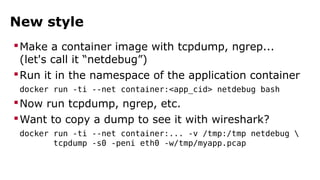
New style 
Make a container image with tcpdump, ngrep... 
(let's call it “netdebug”) 
Run it in the namespace of the application container 
docker run -ti --net container:<app_cid> netdebug bash 
Now run tcpdump, ngrep, etc. 
Want to copy a dump to see it with wireshark? 
docker run -ti --net container:... -v /tmp:/tmp netdebug  
tcpdump -s0 -peni eth0 -w/tmp/myapp.pcap
configuration 
tweaking
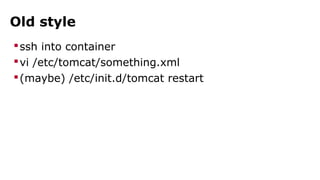
Old style 
ssh into container 
vi /etc/tomcat/something.xml 
(maybe) /etc/init.d/tomcat restart
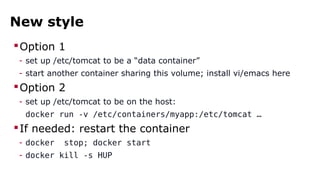
New style 
Option 1 
- set up /etc/tomcat to be a “data container” 
- start another container sharing this volume; install vi/emacs here 
Option 2 
- set up /etc/tomcat to be on the host: 
docker run -v /etc/containers/myapp:/etc/tomcat … 
If needed: restart the container 
- docker stop; docker start 
- docker kill -s HUP
epiphany
composition
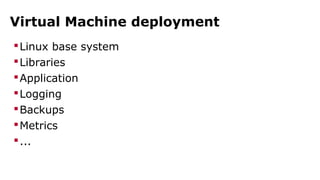
Virtual Machine deployment 
Linux base system 
Libraries 
Application 
Logging 
Backups 
Metrics 
...
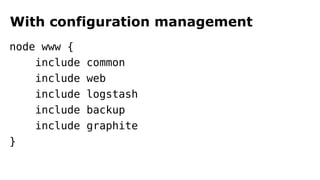
With configuration management 
node www { 
include common 
include web 
include logstash 
include backup 
include graphite 
}
Problems 
Conflicts between two components 
- example: logging and metrics systems use different Java versions 
Software certified for different distro 
- example: one component requires RHEL 6.4 but you run Ubuntu 
Migration from one component to another 
- example: from syslog to splunk
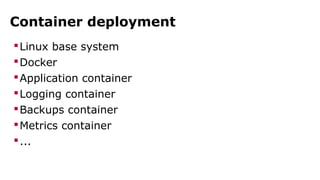
Container deployment 
Linux base system 
Docker 
Application container 
Logging container 
Backups container 
Metrics container 
...
benefits
Immutable infrastructure 
What's an immutable infrastructure? 
- re-create images each time you change a line of code 
- prevent (or track) modifications of running images 
Why is it useful? 
- no more rebellious servers after manual upgrades 
- no more “oops, how do we roll back?” after catastrophic upgrade 
- easier security audit (inspect images at rest) 
How can containers help? 
- container images are easier to create and manage than VM images
Micro-service architecture 
What's a micro-service architecture? 
- break your big application down into many small services 
Why is it useful? 
- it's easier to upgrade/refactor/replace a small service 
- encourages to have many small teams*, each owning a service 
(*small teams are supposedly better; see Jeff Bezos' “two-pizza rule”) 
How can containers help? 
- problem: 10 micro-services instead of 1 big application 
= 10x more work to deploy everything 
- solution: need extremely easy deployment; hello containers!
thank you! 
questions?

Containerization is more than the new Virtualization: enabling separation of operational concerns

  • 1.
    containerization: more thanthe new virtualization
  • 2.
    Jérôme Petazzoni (@jpetazzo) Grumpy French DevOps - Go away or I will replace you with a very small shell script Runs everything in containers - Docker-in-Docker - VPN-in-Docker - KVM-in-Docker - Xorg-in-Docker - ...
  • 4.
  • 5.
    Outline Containers aslightweight VMs Containers vs VMs Separation of operational concerns Benefits Conclusions
  • 7.
  • 8.
    It looks likea VM Private process space Can run stuff as root Private network interface and IP address Custom routes, iptables rules, etc. Can mount filesystems and more
  • 9.
    Process tree ina “machine container” PID TTY STAT TIME COMMAND 1 ? Ss+ 0:00 /usr/bin/python3 -u /sbin/my_init --enable-insecure-key 104 ? S+ 0:00 /usr/bin/runsvdir -P /etc/service 105 ? Ss 0:00 _ runsv syslog-ng 108 ? S 0:00 | _ syslog-ng -F -p /var/run/syslog-ng.pid --no-caps 106 ? Ss 0:00 _ runsv sshd 109 ? S 0:00 | _ /usr/sbin/sshd -D 117 ? Ss 0:00 | _ sshd: root@pts/0 119 pts/0 Ss 0:00 | _ -bash 135 pts/0 R+ 0:00 | _ ps fx 107 ? Ss 0:00 _ runsv cron 110 ? S 0:00 _ /usr/sbin/cron -f
  • 10.
    Faster to boot,less overhead than a VM $ time docker run ubuntu echo hello world hello world real 0m0.258s Disk usage: less than 100 kB Memory usage: less than 1.5 MB
  • 11.
  • 12.
  • 13.
  • 14.
  • 16.
  • 17.
    Virtual Machines EmulateCPU instructions (painfully slow) Emulate hardware (storage, network...) (painfully slow) Run as a userland process on top of a kernel (painfully slow)
  • 18.
    Virtual Machines Usenative CPU (fast!) Paravirtualized storage, network... (fast, but higher resource usage) Run on top of a hypervisor (faster, but still some overhead)
  • 19.
    Containers Processes isolatedfrom each other Very little extra code path (in many cases, it's comparable to UID checking)
  • 20.
    Virtual Machines vsContainers Native CPU Paravirtualized devices Hypervisor Native CPU Native syscalls Native kernel
  • 21.
    Inter-VM communication Strongisolation, enforced by hypervisor + hardware - no fast-path data transfer between virtual machines - yes, there are PCI pass-throughs and things like xenbus, but that's not easy to use, very specific, not portable Most convenient method: network protocols (L2/L3) But: huge advantage from a security POV
  • 22.
    Inter-container communication Tunableisolation - each namespace can be isolated or shared Allows normal Unix communication mechanisms - network protocols on loopback interface - UNIX sockets - shared memory - IPC... Reuse techniques that we know and love (?)
  • 24.
  • 25.
    Shared localhost Multiplecontainers can share the same “localhost” (by reusing the same network namespace) Communication over localhost is very very fast Also: localhost is a well-known address
  • 26.
    Shared filesystem Adirectory can be shared by multiple containers (by using a bind-mount) That directory can contain: - named pipes (FIFOs) - UNIX sockets - memory-mapped files Bind-mount = zero overhead
  • 27.
    Shared IPC Multiplecontainers can share IPC resources (using the special IPC namespace) Semaphores, Shared Memory, Message Queues... Is anybody still using this?
  • 28.
    Host networking Containerscan share the host's network stack (by reusing its network namespace) They can use the host's interfaces without penalty (high speed, low latency, no overhead!) Native performance to talk with external containers
  • 29.
    Host filesystems Containerscan share a directory with the host Example: use fast storage (SAN, SSD...) in container - mount it on the host - share it with the container - done! Native performance to use I/O subsystem
  • 31.
  • 32.
    ...What? “Ops” functions(backups, logging...) can be performed in separate containers Application containers can run unchanged in various environments: dev, test, QA, prod...
  • 33.
  • 34.
    Old style sshinto container cd /var/log tail, grep, ack-grep, awk, sed, apachetop, perl, etc.
  • 35.
    New style Createa “data container” to hold the logs docker run --name logs -v /var/log busybox true Start app container sharing that volume docker run --volumes-from logs myapp Inspect logs docker run -ti --volumes-from logs -w /var/log ubuntu bash Use fancy tools without polluting app container docker run -ti --volumes-from logs turbogrep ...
  • 36.
    Bonus points Shiplogs to something else (logstash, syslog...) docker run --volumes-from logs pipestash Change logging system independently: - without rebuilding app container - without restarting app container - run multiple logging systems at the same time (e.g. for migration)
  • 37.
  • 38.
    Old style Preparethe tools - install things like rsync, s3cmd, boto, mysqldump... - get backup script Perform one-shot manual backup - SSH and run the backup script Set up routine backups - edit crontab
  • 39.
    New style: setup Create a “data container” to hold the files to back up docker run --name mysqldata -v /var/lib/mysql busybox true Start app container sharing that volume docker run --volumes-from mysqldata mysql Create a separate image with backup tools - Dockerfile with “apt-get install rsync s3cmd...”
  • 40.
    New style: one-shotmanual backup Use the special backup image docker run --rm --volumes-from mysqldata mysqlbackup tar -cJf- /var/lib/mysql | stream-it-to-the-cloud.py Of course, you can use something fancier than tar (e.g. rsync, tarsnap...)
  • 41.
    New style: routinebackups Option 1 - run “crond” in backup image - start backup image and keep it running Option 2 - start backup script from a crontab entry on the Docker host Option 3 - have a special “cron” container - give it access to the Docker API - let it start the backup container at regular intervals
  • 42.
  • 43.
    Old style sshinto container Install tcpdump, ngrep, … Run them
  • 44.
    New style Makea container image with tcpdump, ngrep... (let's call it “netdebug”) Run it in the namespace of the application container docker run -ti --net container:<app_cid> netdebug bash Now run tcpdump, ngrep, etc. Want to copy a dump to see it with wireshark? docker run -ti --net container:... -v /tmp:/tmp netdebug tcpdump -s0 -peni eth0 -w/tmp/myapp.pcap
  • 45.
  • 46.
    Old style sshinto container vi /etc/tomcat/something.xml (maybe) /etc/init.d/tomcat restart
  • 47.
    New style Option1 - set up /etc/tomcat to be a “data container” - start another container sharing this volume; install vi/emacs here Option 2 - set up /etc/tomcat to be on the host: docker run -v /etc/containers/myapp:/etc/tomcat … If needed: restart the container - docker stop; docker start - docker kill -s HUP
  • 49.
  • 51.
  • 52.
    Virtual Machine deployment Linux base system Libraries Application Logging Backups Metrics ...
  • 53.
    With configuration management node www { include common include web include logstash include backup include graphite }
  • 54.
    Problems Conflicts betweentwo components - example: logging and metrics systems use different Java versions Software certified for different distro - example: one component requires RHEL 6.4 but you run Ubuntu Migration from one component to another - example: from syslog to splunk
  • 55.
    Container deployment Linuxbase system Docker Application container Logging container Backups container Metrics container ...
  • 57.
  • 58.
    Immutable infrastructure What'san immutable infrastructure? - re-create images each time you change a line of code - prevent (or track) modifications of running images Why is it useful? - no more rebellious servers after manual upgrades - no more “oops, how do we roll back?” after catastrophic upgrade - easier security audit (inspect images at rest) How can containers help? - container images are easier to create and manage than VM images
  • 59.
    Micro-service architecture What'sa micro-service architecture? - break your big application down into many small services Why is it useful? - it's easier to upgrade/refactor/replace a small service - encourages to have many small teams*, each owning a service (*small teams are supposedly better; see Jeff Bezos' “two-pizza rule”) How can containers help? - problem: 10 micro-services instead of 1 big application = 10x more work to deploy everything - solution: need extremely easy deployment; hello containers!
  • 61.