Introduction to Containers By: Nitish Jadia
Outline
● Container recipe
● Why should I care?
● A quick docker demo
● Building blocks
● Security
Outline
● Container recipe
● Why should I care?
● A quick docker demo
● Building blocks
● Security
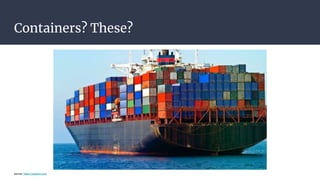
Containers? These?
source: https://medium.com
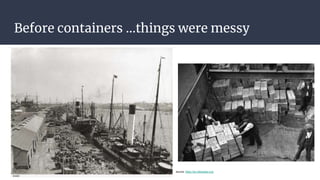
Before containers ...things were messy
source: https://en.wikipedia.org/
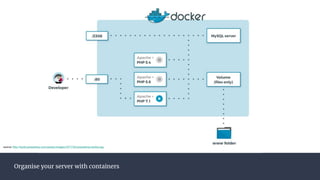
Organise your server with containers
source: http://build.prestashop.com/assets/images/2017/02/prestashop-docker.jpg
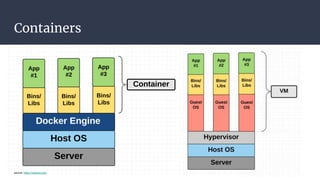
Containers
source: https://medium.com
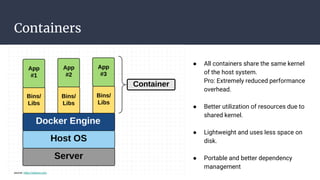
Containers
source: https://medium.com
● All containers share the same kernel
of the host system.
Pro: Extremely reduced performance
overhead.
● Better utilization of resources due to
shared kernel.
● Lightweight and uses less space on
disk.
● Portable and better dependency
management
Outline
● Container recipe
● Why should I care?
● A quick docker demo
● Building blocks
● Security
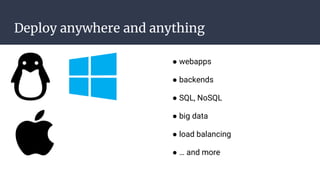
Deploy anywhere and anything
● webapps
● backends
● SQL, NoSQL
● big data
● load balancing
● … and more
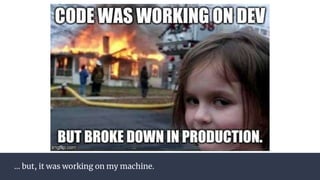
... but, it was working on my machine.
Deploy reliably & consistently
● If it works locally, it will work on the server
● With exactly the same behavior
● Regardless of versions
● Regardless of distros
● Regardless of dependencies
● Typical laptop runs 10-100 containers easily
● Typical server can run 100-1000 containers
Outline
● Container recipe
● Why should I care?
● A quick docker demo
● Building blocks
● Security
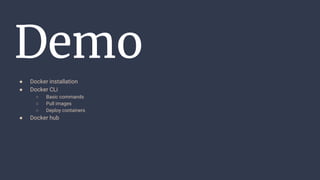
Demo
● Docker installation
● Docker CLi
○ Basic commands
○ Pull images
○ Deploy containers
● Docker hub
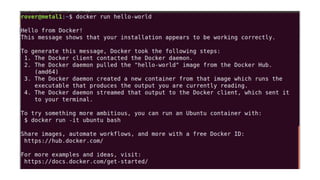
Is docker running?
docker run hello-world
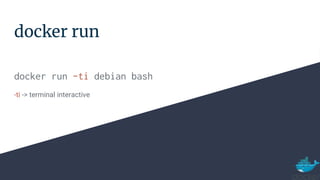
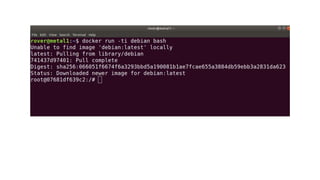
docker run
docker run -ti debian bash
-ti -> terminal interactive
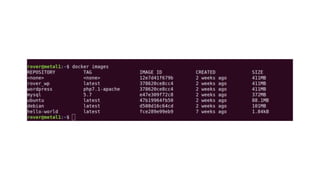
Check list of images
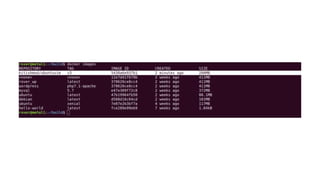
docker images
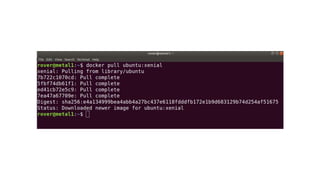
Pulling images
docker pull ubuntu:xenial
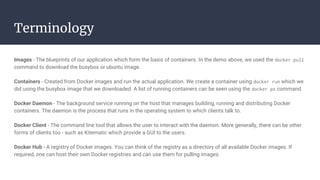
Terminology
Images - The blueprints of our application which form the basis of containers. In the demo above, we used the docker pull
command to download the busybox or ubuntu image.
Containers - Created from Docker images and run the actual application. We create a container using docker run which we
did using the busybox image that we downloaded. A list of running containers can be seen using the docker ps command.
Docker Daemon - The background service running on the host that manages building, running and distributing Docker
containers. The daemon is the process that runs in the operating system to which clients talk to.
Docker Client - The command line tool that allows the user to interact with the daemon. More generally, there can be other
forms of clients too - such as Kitematic which provide a GUI to the users.
Docker Hub - A registry of Docker images. You can think of the registry as a directory of all available Docker images. If
required, one can host their own Docker registries and can use them for pulling images.
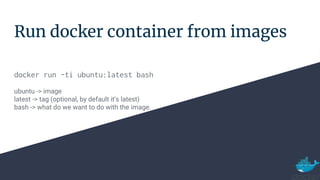
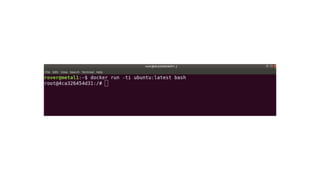
Run docker container from images
docker run -ti ubuntu:latest bash
ubuntu -> image
latest -> tag (optional, by default it's latest)
bash -> what do we want to do with the image.
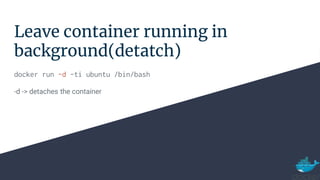
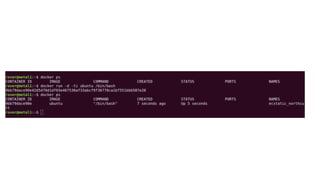
Leave container running in
background(detatch)
docker run -d -ti ubuntu /bin/bash
-d -> detaches the container
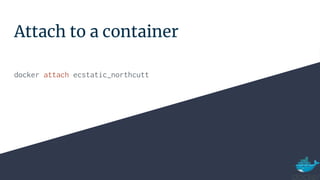
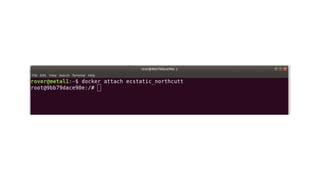
Attach to a container
docker attach ecstatic_northcutt
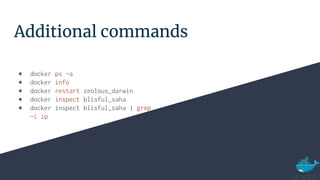
Additional commands
● docker ps -a
● docker info
● docker restart zeolous_darwin
● docker inspect blisful_saha
● docker inspect blisful_saha | grep
-i ip
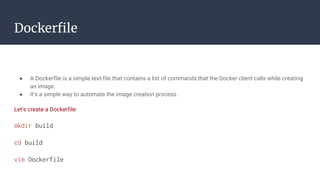
Dockerfile
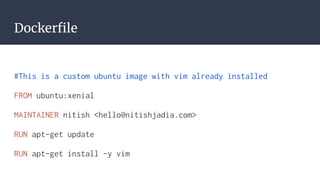
● A Dockerfile is a simple text-file that contains a list of commands that the Docker client calls while creating
an image.
● It's a simple way to automate the image creation process.
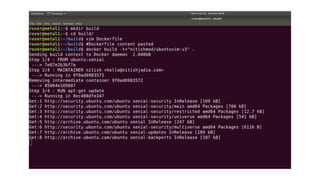
Let's create a Dockerfile:
mkdir build
cd build
vim Dockerfile
Dockerfile
#This is a custom ubuntu image with vim already installed
FROM ubuntu:xenial
MAINTAINER nitish <hello@nitishjadia.com>
RUN apt-get update
RUN apt-get install -y vim
Dockerfile
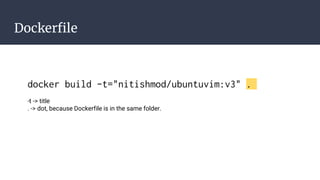
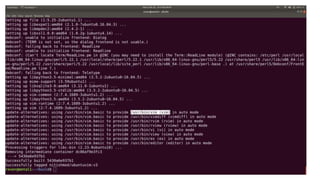
docker build -t="nitishmod/ubuntuvim:v3" .
-t -> title
. -> dot, because Dockerfile is in the same folder.
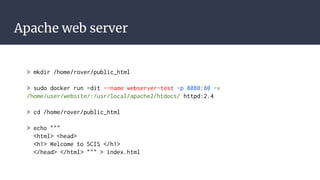
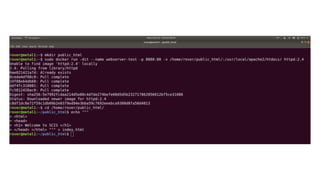
Apache web server
> mkdir /home/rover/public_html
> sudo docker run -dit --name webserver-test -p 8080:80 -v
/home/user/website/:/usr/local/apache2/htdocs/ httpd:2.4
> cd /home/rover/public_html
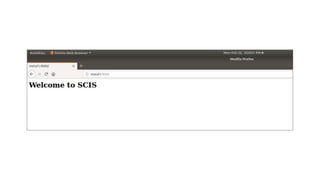
> echo """
<html> <head>
<h1> Welcome to SCIS </h1>
</head> </html> """ > index.html
Docker Hub
● Docker Hub is a cloud-based repository in which Docker users
and partners create, test, store and distribute container
images.
● https://hub.docker.com/
● Users can host and share their own custom images
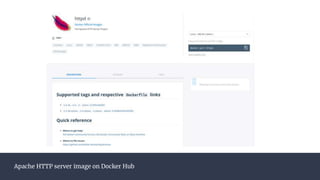
● Apache HTTP server image: https://hub.docker.com/_/httpd
Apache HTTP server image on Docker Hub
Outline
● Container recipe
● Why should I care?
● A quick docker demo
● Building blocks
● Security
Building blocks of containers
● Again.. what is a container?
● Cgroups
● Namespaces
Building blocks of containers
● Again.. what is a container?
● Cgroups
● Namespaces
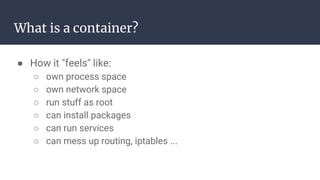
What is a container?
● How it "feels" like:
○ own process space
○ own network space
○ run stuff as root
○ can install packages
○ can run services
○ can mess up routing, iptables ...
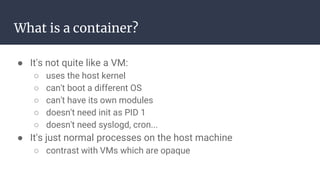
What is a container?
● It's not quite like a VM:
○ uses the host kernel
○ can't boot a different OS
○ can't have its own modules
○ doesn't need init as PID 1
○ doesn't need syslogd, cron...
● It's just normal processes on the host machine
○ contrast with VMs which are opaque
Building blocks of containers
● Again.. what is a container?
● Cgroups
● Namespaces
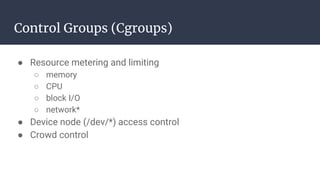
Control Groups (Cgroups)
● Resource metering and limiting
○ memory
○ CPU
○ block I/O
○ network*
● Device node (/dev/*) access control
● Crowd control
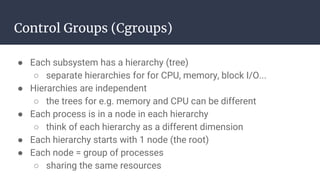
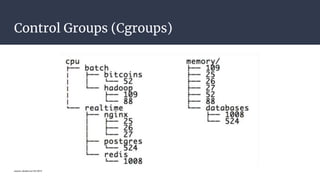
Control Groups (Cgroups)
● Each subsystem has a hierarchy (tree)
○ separate hierarchies for for CPU, memory, block I/O...
● Hierarchies are independent
○ the trees for e.g. memory and CPU can be different
● Each process is in a node in each hierarchy
○ think of each hierarchy as a different dimension
● Each hierarchy starts with 1 node (the root)
● Each node = group of processes
○ sharing the same resources
Control Groups (Cgroups)
source: docker-con EU 2015
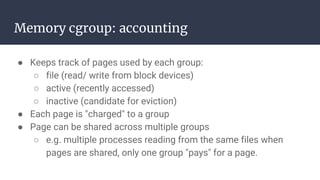
Memory cgroup: accounting
● Keeps track of pages used by each group:
○ file (read/ write from block devices)
○ active (recently accessed)
○ inactive (candidate for eviction)
● Each page is "charged" to a group
● Page can be shared across multiple groups
○ e.g. multiple processes reading from the same files when
pages are shared, only one group "pays" for a page.
Memory cgroup: limits
● Each group can have its own limits
○ limits are optional
○ two kinds of limits:
■ Soft limits
■ Hard limits
● Soft limits are not enforced
○ they influence reclaim memory pressure
Memory cgroup: limits
● Hard limits will trigger a per-group OOM killer
● Limits can be set for different kinds of memory
○ physical memory
○ kernel memory
○ total memory
● Multiple groups use the same page, only first one is "charged"
○ but if it stops using it, the charge is moved to another group.
CPU cgroup
● Keep track of user/system CPU time
● Keeps track of usage per CPU
● Allows to set weights
CPUset cgroup
● Pin groups to specific CPU(s)
● Reserve CPUs for specific apps
● Avoid processes bouncing between CPUs
Blkio cgroup
● Keeps track of I/O for each group
○ per block device
○ read vs write
● Set throttle (limits) for each group
○ per block device
○ read vs write
net_cls and net_prio cgroup
● Automatically set traffic class or priority, for traffic
generated by processes in the group
● Only works for egress traffic
● Net_cls will assign traffic to a class
○ class then has to be matched with tc/iptables, otherwise
traffic just flows normally
● Net_prio will assign traffic to a priority
○ priorities are used by queuing disciplines
Devices cgroup
● Controls what the group can do on devices nodes
● Permissions include read/write
● Typical use:
○ allow /dev/{tty,zero,random,null}
○ deny everything else
● A few interesting nodes that we can expose:
○ /dev/net/tun (network interface manipulation)
○ /dev/fuse (filesystems in use space)
○ /dev/dri (GPU)
Freezer cgroup
● Allows to freeze a group of processes
● Similar in functionality to SIGSTOP
● Cannot be detected by the processes
○ that's how it differs from SIGSTOP
● Can be used in process migration
Building blocks of containers
● Again.. what is a container?
● Cgroups
● Namespaces
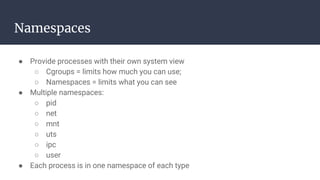
Namespaces
● Provide processes with their own system view
○ Cgroups = limits how much you can use;
○ Namespaces = limits what you can see
● Multiple namespaces:
○ pid
○ net
○ mnt
○ uts
○ ipc
○ user
● Each process is in one namespace of each type
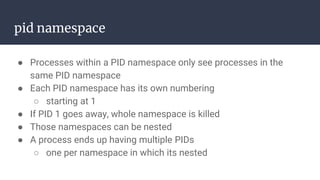
pid namespace
● Processes within a PID namespace only see processes in the
same PID namespace
● Each PID namespace has its own numbering
○ starting at 1
● If PID 1 goes away, whole namespace is killed
● Those namespaces can be nested
● A process ends up having multiple PIDs
○ one per namespace in which its nested
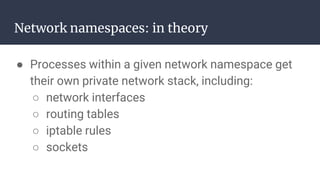
Network namespaces: in theory
● Processes within a given network namespace get
their own private network stack, including:
○ network interfaces
○ routing tables
○ iptable rules
○ sockets
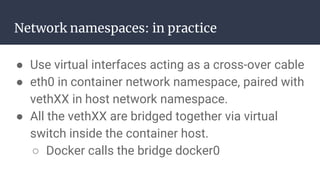
Network namespaces: in practice
● Use virtual interfaces acting as a cross-over cable
● eth0 in container network namespace, paired with
vethXX in host network namespace.
● All the vethXX are bridged together via virtual
switch inside the container host.
○ Docker calls the bridge docker0
Mnt namespace
● Process can have their own root fs
○ conceptually close to chroot
● Processes can also have "private" mounts
○ /tmp
○ masking of /proc, /sys
● Mounts can be totally private, or shared
Uts namespace
● Let containers set their own hostname.
○ gethostname/ sethostname
IPC namespace
● Allows a process (or group of processes) to have
own:
○ IPC semaphores
○ IPC message queues
○ IPC shared memory
● without risk of conflict with other instances.
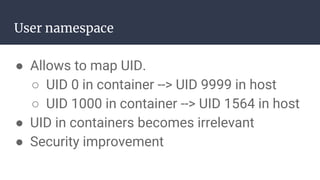
User namespace
● Allows to map UID.
○ UID 0 in container --> UID 9999 in host
○ UID 1000 in container --> UID 1564 in host
● UID in containers becomes irrelevant
● Security improvement
Outline
● Container recipe
● Why should I care?
● A quick docker demo
● Building blocks
● Security
Use RunC Flaw to gain Root access on Host
● The vulnerability, identified as CVE-2019-5736, was discovered by
two open source security researchers on 11th Feb 2019.
● “High level” container runtimes like Docker does image creation
and management
● Use "Low level" runC to handle tasks related to running containers
○ creating a container
○ attaching a process to an existing container (docker exec)
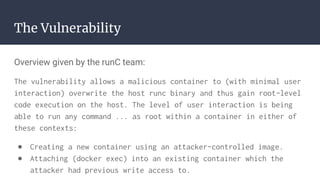
The Vulnerability
Overview given by the runC team:
The vulnerability allows a malicious container to (with minimal user
interaction) overwrite the host runc binary and thus gain root-level
code execution on the host. The level of user interaction is being
able to run any command ... as root within a container in either of
these contexts:
● Creating a new container using an attacker-controlled image.
● Attaching (docker exec) into an existing container which the
attacker had previous write access to.
Bibliography
1. What is container? | https://www.docker.com/resources/what-container
2. Demystifying containers 101 | https://tinyurl.com/yxd7fnpe
3. Getting started with Docker | https://tinyurl.com/y35e879j , http://bit.do/eJwmy
4. Docker for development and deployment | http://bit.do/eJwmH
5. RunC Flaw Lets Attackers Escape Linux Containers to Gain Root on Hosts | https://is.gd/3qPVsQ
6. CVE-2019-5736 | https://nvd.nist.gov/vuln/detail/CVE-2019-5736
7. Explaining CVE-2019-5736 | http://bit.do/eJLcG
8. LXC | https://linuxcontainers.org/lxc/introduction/ , https://is.gd/i0F9i4
9. Container basics | https://is.gd/Eq4gaP https://is.gd/pGgMqW
10. Namespaces in operation | https://lwn.net/Articles/531114/
11. Future of Linux Containers | https://is.gd/U0QR9K
12. cgroups | https://www.kernel.org/doc/Documentation/cgroup-v1/cgroups.txt , https://is.gd/1x1ihc
13. Attacks on Linux Containers | https://ieeexplore.ieee.org/document/7854163
Bibliography
14. Comparing different containers | https://ieeexplore.ieee.org/document/8075934
15. Beginners Guide to Containers Technology and How it Actually Works[video] | https://is.gd/CzTb1d
16. My Docker Guide | https://github.com/w4rb0y/devOpsNotes/blob/master/dockerGuide.md
17. Google Cloud | https://cloud.google.com/containers/
18. Containers from scratch | https://ericchiang.github.io/post/containers-from-scratch/
Thank You
Query?
Next slides are still under development.
Container without Docker
● Setup a file system
● chroot
● unshare
● nsenter
● bind mounts
● cgroups
chroot
A chroot is an operation that changes the apparent root directory for
the current running process and their children. A program that is run in
such a modified environment cannot access files and commands
outside that environmental directory tree. This modified environment
is called a chroot jail.
chroot
Download the rootfs
wget https://is.gd/nEYUgv
sudo tar -zxf rootfs.tar.gz
sudo chroot rootfs /bin/bash
mount -t proc proc /proc
pkill top
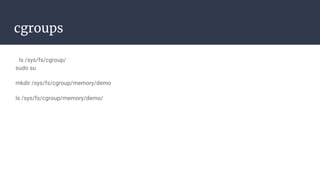
cgroups
ls /sys/fs/cgroup/
sudo su
mkdir /sys/fs/cgroup/memory/demo
ls /sys/fs/cgroup/memory/demo/
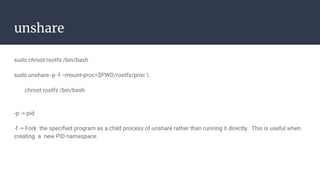
unshare
sudo chroot rootfs /bin/bash
sudo unshare -p -f --mount-proc=$PWD/rootfs/proc 
chroot rootfs /bin/bash
-p -> pid
-f -> Fork the specified program as a child process of unshare rather than running it directly. This is useful when
creating a new PID namespace.
Thank You

Introduction to containers

  • 1.
  • 2.
    Outline ● Container recipe ●Why should I care? ● A quick docker demo ● Building blocks ● Security
  • 3.
    Outline ● Container recipe ●Why should I care? ● A quick docker demo ● Building blocks ● Security
  • 4.
  • 5.
    Before containers ...thingswere messy source: https://en.wikipedia.org/
  • 6.
    Organise your serverwith containers source: http://build.prestashop.com/assets/images/2017/02/prestashop-docker.jpg
  • 7.
  • 8.
    Containers source: https://medium.com ● Allcontainers share the same kernel of the host system. Pro: Extremely reduced performance overhead. ● Better utilization of resources due to shared kernel. ● Lightweight and uses less space on disk. ● Portable and better dependency management
  • 9.
    Outline ● Container recipe ●Why should I care? ● A quick docker demo ● Building blocks ● Security
  • 10.
    Deploy anywhere andanything ● webapps ● backends ● SQL, NoSQL ● big data ● load balancing ● … and more
  • 11.
    ... but, itwas working on my machine.
  • 12.
    Deploy reliably &consistently ● If it works locally, it will work on the server ● With exactly the same behavior ● Regardless of versions ● Regardless of distros ● Regardless of dependencies ● Typical laptop runs 10-100 containers easily ● Typical server can run 100-1000 containers
  • 13.
    Outline ● Container recipe ●Why should I care? ● A quick docker demo ● Building blocks ● Security
  • 14.
    Demo ● Docker installation ●Docker CLi ○ Basic commands ○ Pull images ○ Deploy containers ● Docker hub
  • 15.
  • 17.
    docker run docker run-ti debian bash -ti -> terminal interactive
  • 19.
    Check list ofimages docker images
  • 21.
  • 23.
    Terminology Images - Theblueprints of our application which form the basis of containers. In the demo above, we used the docker pull command to download the busybox or ubuntu image. Containers - Created from Docker images and run the actual application. We create a container using docker run which we did using the busybox image that we downloaded. A list of running containers can be seen using the docker ps command. Docker Daemon - The background service running on the host that manages building, running and distributing Docker containers. The daemon is the process that runs in the operating system to which clients talk to. Docker Client - The command line tool that allows the user to interact with the daemon. More generally, there can be other forms of clients too - such as Kitematic which provide a GUI to the users. Docker Hub - A registry of Docker images. You can think of the registry as a directory of all available Docker images. If required, one can host their own Docker registries and can use them for pulling images.
  • 24.
    Run docker containerfrom images docker run -ti ubuntu:latest bash ubuntu -> image latest -> tag (optional, by default it's latest) bash -> what do we want to do with the image.
  • 26.
    Leave container runningin background(detatch) docker run -d -ti ubuntu /bin/bash -d -> detaches the container
  • 28.
    Attach to acontainer docker attach ecstatic_northcutt
  • 30.
    Additional commands ● dockerps -a ● docker info ● docker restart zeolous_darwin ● docker inspect blisful_saha ● docker inspect blisful_saha | grep -i ip
  • 31.
    Dockerfile ● A Dockerfileis a simple text-file that contains a list of commands that the Docker client calls while creating an image. ● It's a simple way to automate the image creation process. Let's create a Dockerfile: mkdir build cd build vim Dockerfile
  • 32.
    Dockerfile #This is acustom ubuntu image with vim already installed FROM ubuntu:xenial MAINTAINER nitish <hello@nitishjadia.com> RUN apt-get update RUN apt-get install -y vim
  • 33.
    Dockerfile docker build -t="nitishmod/ubuntuvim:v3". -t -> title . -> dot, because Dockerfile is in the same folder.
  • 37.
    Apache web server >mkdir /home/rover/public_html > sudo docker run -dit --name webserver-test -p 8080:80 -v /home/user/website/:/usr/local/apache2/htdocs/ httpd:2.4 > cd /home/rover/public_html > echo """ <html> <head> <h1> Welcome to SCIS </h1> </head> </html> """ > index.html
  • 40.
    Docker Hub ● DockerHub is a cloud-based repository in which Docker users and partners create, test, store and distribute container images. ● https://hub.docker.com/ ● Users can host and share their own custom images ● Apache HTTP server image: https://hub.docker.com/_/httpd
  • 41.
    Apache HTTP serverimage on Docker Hub
  • 42.
    Outline ● Container recipe ●Why should I care? ● A quick docker demo ● Building blocks ● Security
  • 43.
    Building blocks ofcontainers ● Again.. what is a container? ● Cgroups ● Namespaces
  • 44.
    Building blocks ofcontainers ● Again.. what is a container? ● Cgroups ● Namespaces
  • 45.
    What is acontainer? ● How it "feels" like: ○ own process space ○ own network space ○ run stuff as root ○ can install packages ○ can run services ○ can mess up routing, iptables ...
  • 46.
    What is acontainer? ● It's not quite like a VM: ○ uses the host kernel ○ can't boot a different OS ○ can't have its own modules ○ doesn't need init as PID 1 ○ doesn't need syslogd, cron... ● It's just normal processes on the host machine ○ contrast with VMs which are opaque
  • 47.
    Building blocks ofcontainers ● Again.. what is a container? ● Cgroups ● Namespaces
  • 48.
    Control Groups (Cgroups) ●Resource metering and limiting ○ memory ○ CPU ○ block I/O ○ network* ● Device node (/dev/*) access control ● Crowd control
  • 49.
    Control Groups (Cgroups) ●Each subsystem has a hierarchy (tree) ○ separate hierarchies for for CPU, memory, block I/O... ● Hierarchies are independent ○ the trees for e.g. memory and CPU can be different ● Each process is in a node in each hierarchy ○ think of each hierarchy as a different dimension ● Each hierarchy starts with 1 node (the root) ● Each node = group of processes ○ sharing the same resources
  • 50.
  • 51.
    Memory cgroup: accounting ●Keeps track of pages used by each group: ○ file (read/ write from block devices) ○ active (recently accessed) ○ inactive (candidate for eviction) ● Each page is "charged" to a group ● Page can be shared across multiple groups ○ e.g. multiple processes reading from the same files when pages are shared, only one group "pays" for a page.
  • 52.
    Memory cgroup: limits ●Each group can have its own limits ○ limits are optional ○ two kinds of limits: ■ Soft limits ■ Hard limits ● Soft limits are not enforced ○ they influence reclaim memory pressure
  • 53.
    Memory cgroup: limits ●Hard limits will trigger a per-group OOM killer ● Limits can be set for different kinds of memory ○ physical memory ○ kernel memory ○ total memory ● Multiple groups use the same page, only first one is "charged" ○ but if it stops using it, the charge is moved to another group.
  • 54.
    CPU cgroup ● Keeptrack of user/system CPU time ● Keeps track of usage per CPU ● Allows to set weights
  • 55.
    CPUset cgroup ● Pingroups to specific CPU(s) ● Reserve CPUs for specific apps ● Avoid processes bouncing between CPUs
  • 56.
    Blkio cgroup ● Keepstrack of I/O for each group ○ per block device ○ read vs write ● Set throttle (limits) for each group ○ per block device ○ read vs write
  • 57.
    net_cls and net_priocgroup ● Automatically set traffic class or priority, for traffic generated by processes in the group ● Only works for egress traffic ● Net_cls will assign traffic to a class ○ class then has to be matched with tc/iptables, otherwise traffic just flows normally ● Net_prio will assign traffic to a priority ○ priorities are used by queuing disciplines
  • 58.
    Devices cgroup ● Controlswhat the group can do on devices nodes ● Permissions include read/write ● Typical use: ○ allow /dev/{tty,zero,random,null} ○ deny everything else ● A few interesting nodes that we can expose: ○ /dev/net/tun (network interface manipulation) ○ /dev/fuse (filesystems in use space) ○ /dev/dri (GPU)
  • 59.
    Freezer cgroup ● Allowsto freeze a group of processes ● Similar in functionality to SIGSTOP ● Cannot be detected by the processes ○ that's how it differs from SIGSTOP ● Can be used in process migration
  • 60.
    Building blocks ofcontainers ● Again.. what is a container? ● Cgroups ● Namespaces
  • 61.
    Namespaces ● Provide processeswith their own system view ○ Cgroups = limits how much you can use; ○ Namespaces = limits what you can see ● Multiple namespaces: ○ pid ○ net ○ mnt ○ uts ○ ipc ○ user ● Each process is in one namespace of each type
  • 62.
    pid namespace ● Processeswithin a PID namespace only see processes in the same PID namespace ● Each PID namespace has its own numbering ○ starting at 1 ● If PID 1 goes away, whole namespace is killed ● Those namespaces can be nested ● A process ends up having multiple PIDs ○ one per namespace in which its nested
  • 63.
    Network namespaces: intheory ● Processes within a given network namespace get their own private network stack, including: ○ network interfaces ○ routing tables ○ iptable rules ○ sockets
  • 64.
    Network namespaces: inpractice ● Use virtual interfaces acting as a cross-over cable ● eth0 in container network namespace, paired with vethXX in host network namespace. ● All the vethXX are bridged together via virtual switch inside the container host. ○ Docker calls the bridge docker0
  • 65.
    Mnt namespace ● Processcan have their own root fs ○ conceptually close to chroot ● Processes can also have "private" mounts ○ /tmp ○ masking of /proc, /sys ● Mounts can be totally private, or shared
  • 66.
    Uts namespace ● Letcontainers set their own hostname. ○ gethostname/ sethostname
  • 67.
    IPC namespace ● Allowsa process (or group of processes) to have own: ○ IPC semaphores ○ IPC message queues ○ IPC shared memory ● without risk of conflict with other instances.
  • 68.
    User namespace ● Allowsto map UID. ○ UID 0 in container --> UID 9999 in host ○ UID 1000 in container --> UID 1564 in host ● UID in containers becomes irrelevant ● Security improvement
  • 69.
    Outline ● Container recipe ●Why should I care? ● A quick docker demo ● Building blocks ● Security
  • 70.
    Use RunC Flawto gain Root access on Host ● The vulnerability, identified as CVE-2019-5736, was discovered by two open source security researchers on 11th Feb 2019. ● “High level” container runtimes like Docker does image creation and management ● Use "Low level" runC to handle tasks related to running containers ○ creating a container ○ attaching a process to an existing container (docker exec)
  • 71.
    The Vulnerability Overview givenby the runC team: The vulnerability allows a malicious container to (with minimal user interaction) overwrite the host runc binary and thus gain root-level code execution on the host. The level of user interaction is being able to run any command ... as root within a container in either of these contexts: ● Creating a new container using an attacker-controlled image. ● Attaching (docker exec) into an existing container which the attacker had previous write access to.
  • 72.
    Bibliography 1. What iscontainer? | https://www.docker.com/resources/what-container 2. Demystifying containers 101 | https://tinyurl.com/yxd7fnpe 3. Getting started with Docker | https://tinyurl.com/y35e879j , http://bit.do/eJwmy 4. Docker for development and deployment | http://bit.do/eJwmH 5. RunC Flaw Lets Attackers Escape Linux Containers to Gain Root on Hosts | https://is.gd/3qPVsQ 6. CVE-2019-5736 | https://nvd.nist.gov/vuln/detail/CVE-2019-5736 7. Explaining CVE-2019-5736 | http://bit.do/eJLcG 8. LXC | https://linuxcontainers.org/lxc/introduction/ , https://is.gd/i0F9i4 9. Container basics | https://is.gd/Eq4gaP https://is.gd/pGgMqW 10. Namespaces in operation | https://lwn.net/Articles/531114/ 11. Future of Linux Containers | https://is.gd/U0QR9K 12. cgroups | https://www.kernel.org/doc/Documentation/cgroup-v1/cgroups.txt , https://is.gd/1x1ihc 13. Attacks on Linux Containers | https://ieeexplore.ieee.org/document/7854163
  • 73.
    Bibliography 14. Comparing differentcontainers | https://ieeexplore.ieee.org/document/8075934 15. Beginners Guide to Containers Technology and How it Actually Works[video] | https://is.gd/CzTb1d 16. My Docker Guide | https://github.com/w4rb0y/devOpsNotes/blob/master/dockerGuide.md 17. Google Cloud | https://cloud.google.com/containers/ 18. Containers from scratch | https://ericchiang.github.io/post/containers-from-scratch/
  • 74.
  • 75.
    Next slides arestill under development.
  • 76.
    Container without Docker ●Setup a file system ● chroot ● unshare ● nsenter ● bind mounts ● cgroups
  • 77.
    chroot A chroot isan operation that changes the apparent root directory for the current running process and their children. A program that is run in such a modified environment cannot access files and commands outside that environmental directory tree. This modified environment is called a chroot jail.
  • 78.
    chroot Download the rootfs wgethttps://is.gd/nEYUgv sudo tar -zxf rootfs.tar.gz sudo chroot rootfs /bin/bash mount -t proc proc /proc pkill top
  • 79.
    cgroups ls /sys/fs/cgroup/ sudo su mkdir/sys/fs/cgroup/memory/demo ls /sys/fs/cgroup/memory/demo/
  • 80.
    unshare sudo chroot rootfs/bin/bash sudo unshare -p -f --mount-proc=$PWD/rootfs/proc chroot rootfs /bin/bash -p -> pid -f -> Fork the specified program as a child process of unshare rather than running it directly. This is useful when creating a new PID namespace.
  • 81.

Editor's Notes

  • #7 run multiple isolated application on a single host
  • #8 VM - guest and host both run OS Server - infrastructure
  • #20 Image is a template to an env you want to run.
  • #22 if tags are not provided then latest is assumed.
  • #23 Notice the pull complete part. remember that.
  • #24 show docker hub
  • #26 ip addr ls ps -aux
  • #31 docker ps -a then docker info
  • #37 show ubuntu:latest doesn't have vim but our image has docker run -ti nitishmod/ubuntuvim:v3
  • #42 more info like how to use the image also there
  • #44 Major pieces will be: Namespaces - isolation Cgroups - accounting for containers
  • #45 Major pieces will be: Namespaces - isolation Cgroups - accounting for containers
  • #48 Major pieces will be: Namespaces - isolation Cgroups - accounting for containers, resource management
  • #51 CPU, memory two hierarchy batch & real time jobs then more subgroups. numbers -> PIDs
  • #52 all pages are in active page when less memory send pages to inactive --- charged = 2 groups using 1 page. both don't split the cost, instead only one group pays the bill.
  • #53 kills are the process only which is inside the containers that's why only one service per containers is prefered.
  • #54 counters have performance cost.
  • #56 dedicate cpu to a process
  • #58 -cls - classifier -prio - priority -egress - outbound traffic -THIS ONLY "MARKS" the traffic, tc(traffic controller) is still needed to filter.
  • #59 which container can read/write on which device show using random tun - vpn fuse - custom filesystem dri - bitcoin mining in container
  • #60 CROWD control; why not sigstop all processes in containers?
  • #61 Major pieces will be: Namespaces - isolation Cgroups - accounting for containers
  • #62 you can't use/affect what you can't see
  • #63 we can see processes inside the containers so, pid 1 of container is some other pid of our machine
  • #69 UID 0 in container won't matter outside.
  • #71 Common Vulnerabilities and Exposures
  • #78 it allows us to restrict a process’ view of the file system.