blog.eardley.org.uk
SharePoint Databases
What you need to know
Alan Eardley - @al_eardley
SQL Saturday Exeter
25 April 2015
blog.eardley.org.uk
Who Am I?
• Lead SharePoint Technical Architect at CPS
• Developer, DBA, Business Analyst, Project Manager, Architect
• SQL Server 7.0 - 2014
• SharePoint 2003 – 2013
• Office 365, Azure, Project Server/Online, Dynamics CRM
• Twitter: @Al_Eardley
• E-mail: Alan.Eardley@Outlook.com
blog.eardley.org.uk
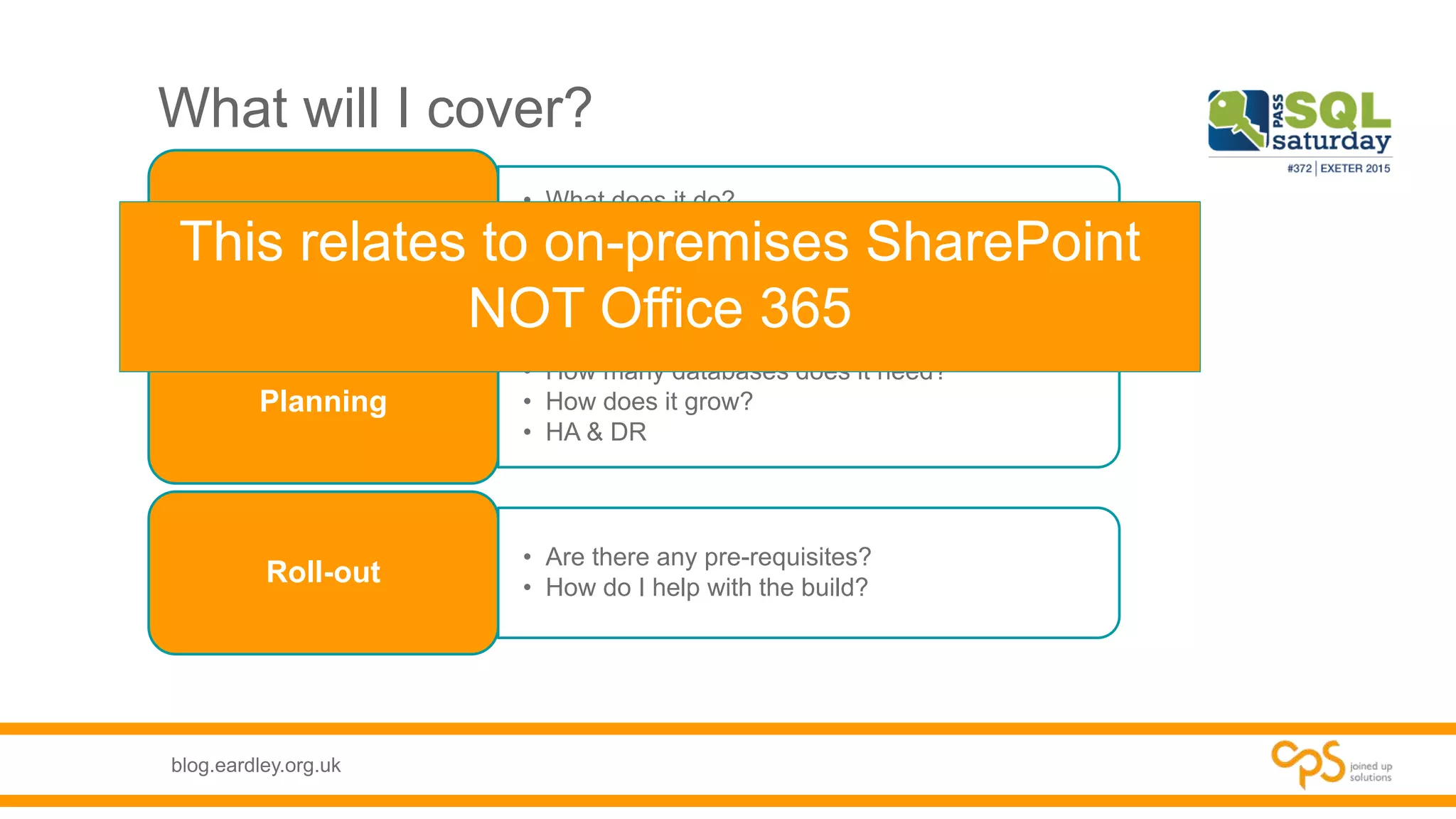
What will I cover?
• What does it do?
• How does it work?
• How does it use SQL?
What is SharePoint?
• How many databases does it need?
• How does it grow?
• HA & DR
Planning
• Are there any pre-requisites?
• How do I help with the build?
Roll-out
This relates to on-premises SharePoint
NOT Office 365
blog.eardley.org.uk
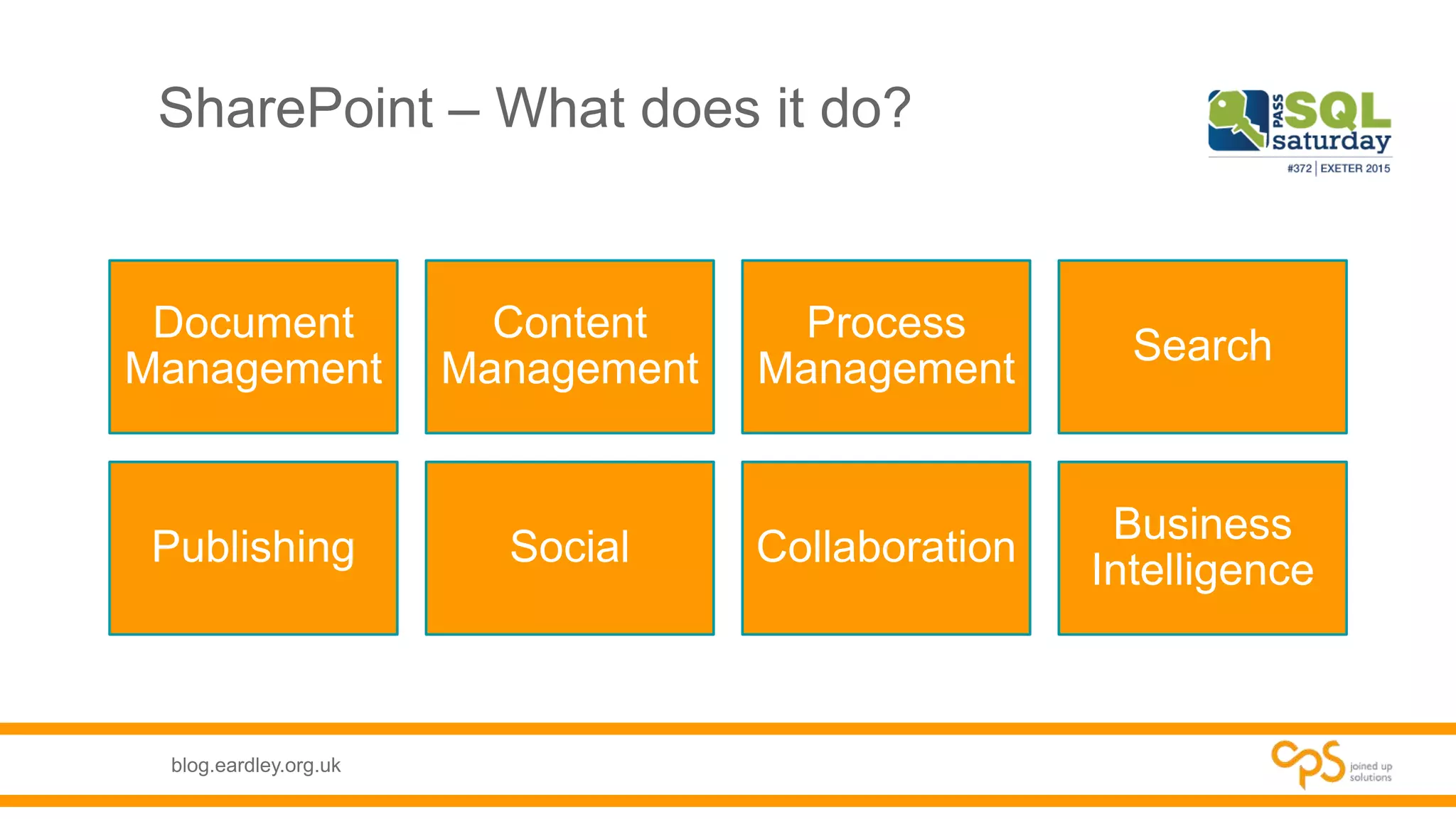
SharePoint – What does it do?
Document
Management
Content
Management
Process
Management
Search
Publishing Social Collaboration
Business
Intelligence
blog.eardley.org.uk
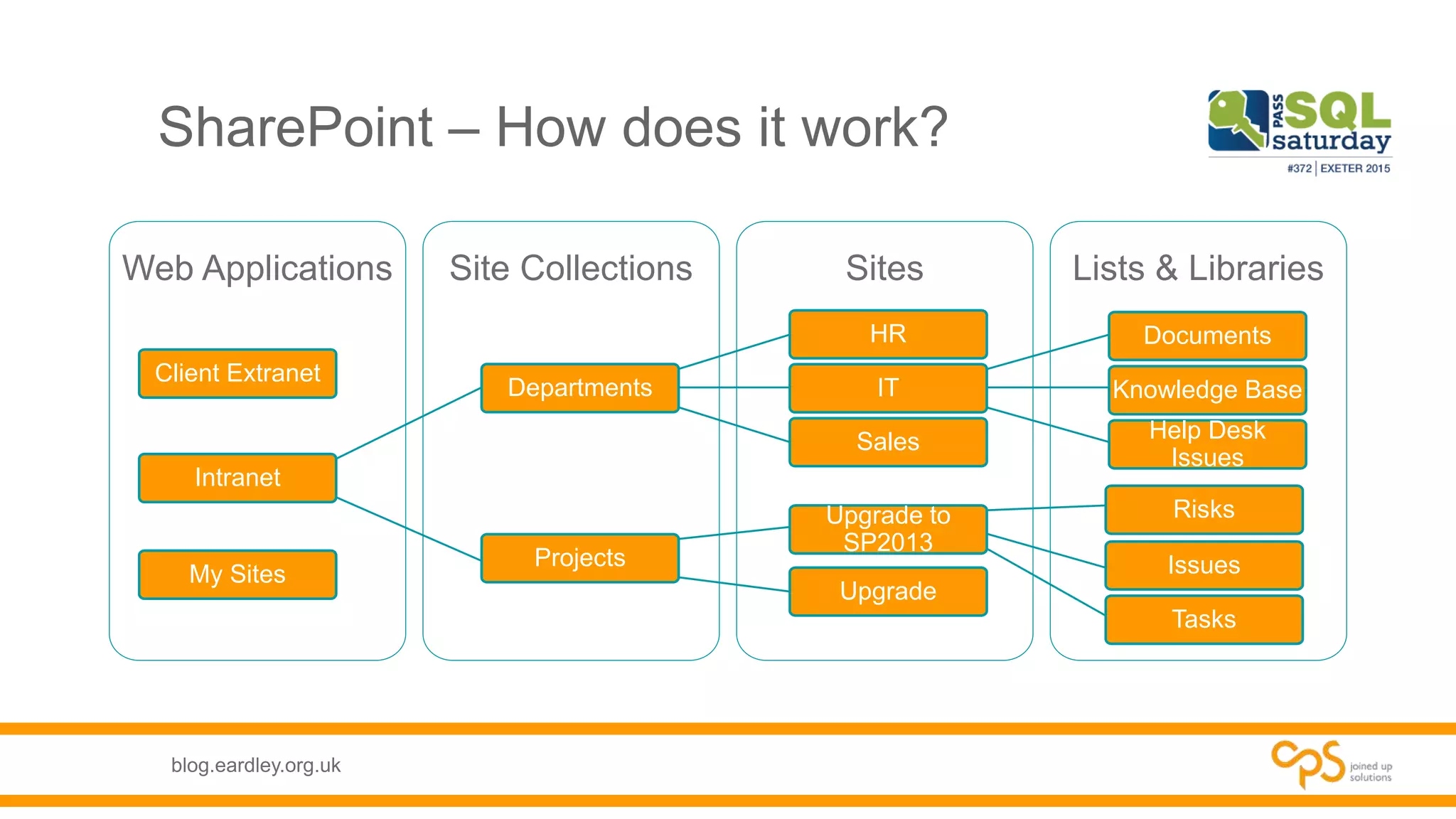
SharePoint – How does it work?
Lists & LibrariesSitesSite CollectionsWeb Applications
Intranet
Departments
HR
IT
Documents
Knowledge Base
Help Desk
Issues
Sales
Projects
Upgrade to
SP2013
Risks
Issues
Tasks
Upgrade
My Sites
Client Extranet
blog.eardley.org.uk
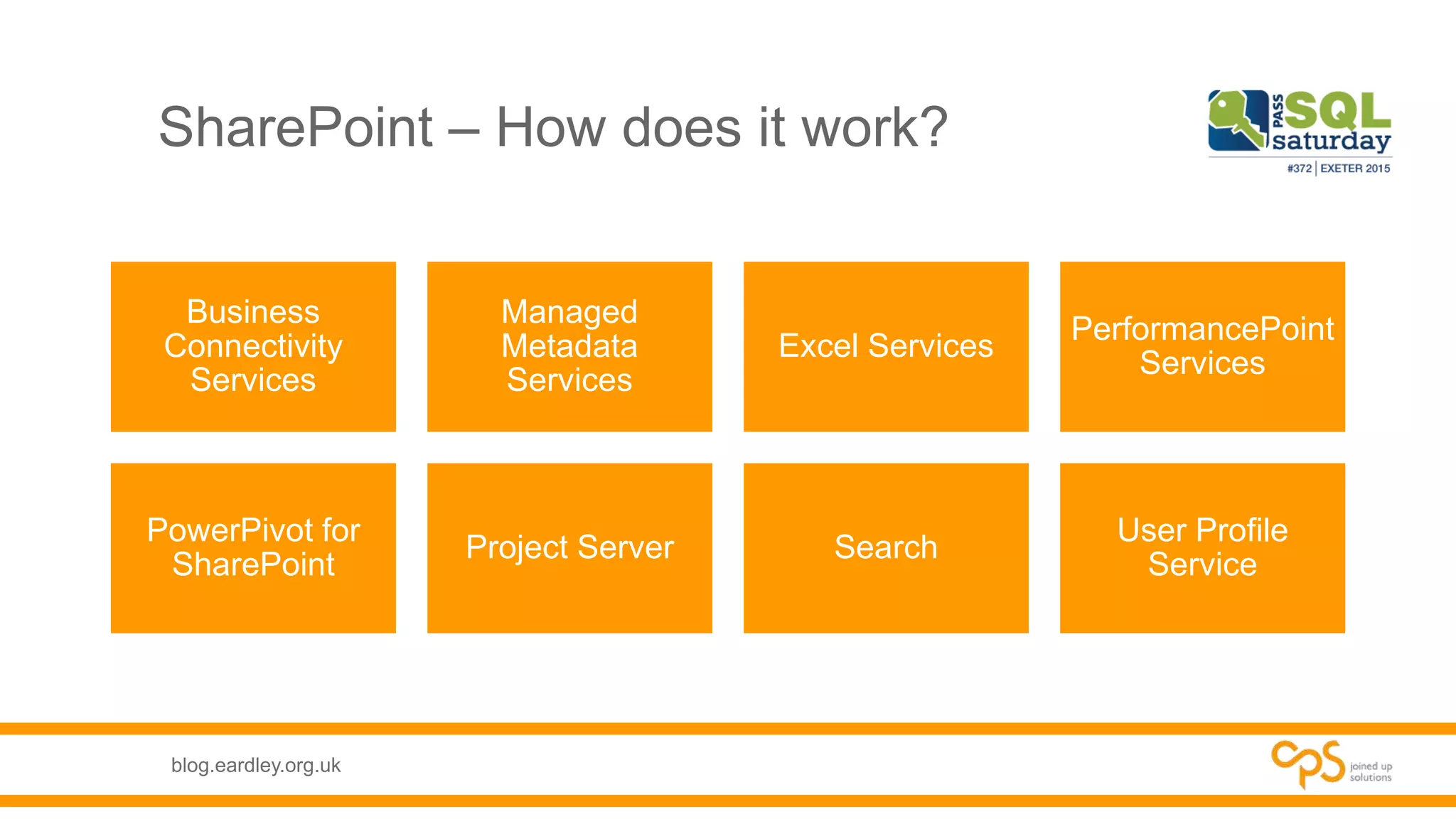
SharePoint – How does it work?
Business
Connectivity
Services
Managed
Metadata
Services
Excel Services
PerformancePoint
Services
PowerPivot for
SharePoint
Project Server Search
User Profile
Service
blog.eardley.org.uk
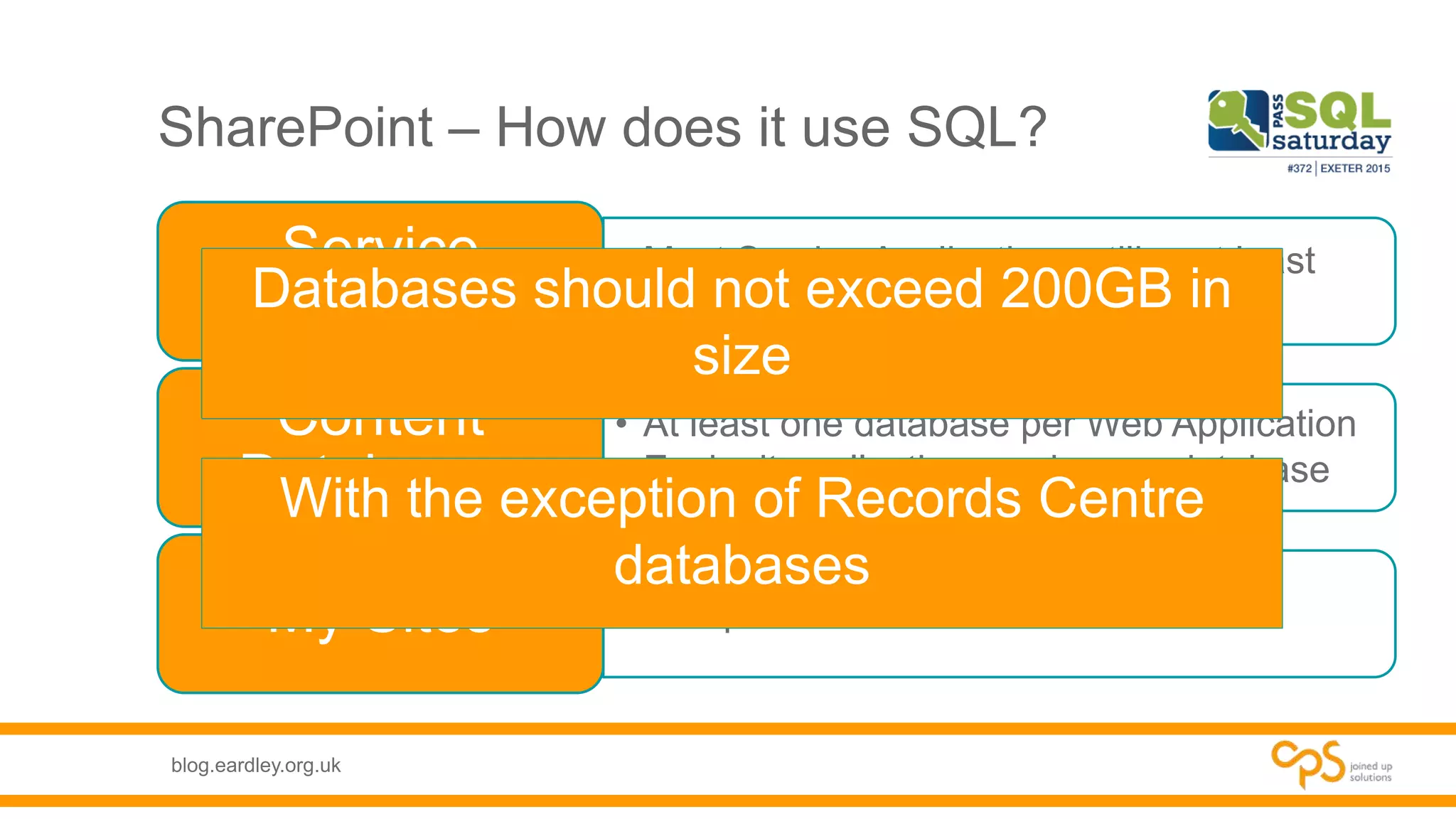
SharePoint – How does it use SQL?
• Most Service Applications utilise at least
one database
Service
Applications
• At least one database per Web Application
• Each site collection can have a database
Content
Databases
• Multiple DatabasesMy Sites
Databases should not exceed 200GB in
size
With the exception of Records Centre
databases
blog.eardley.org.uk
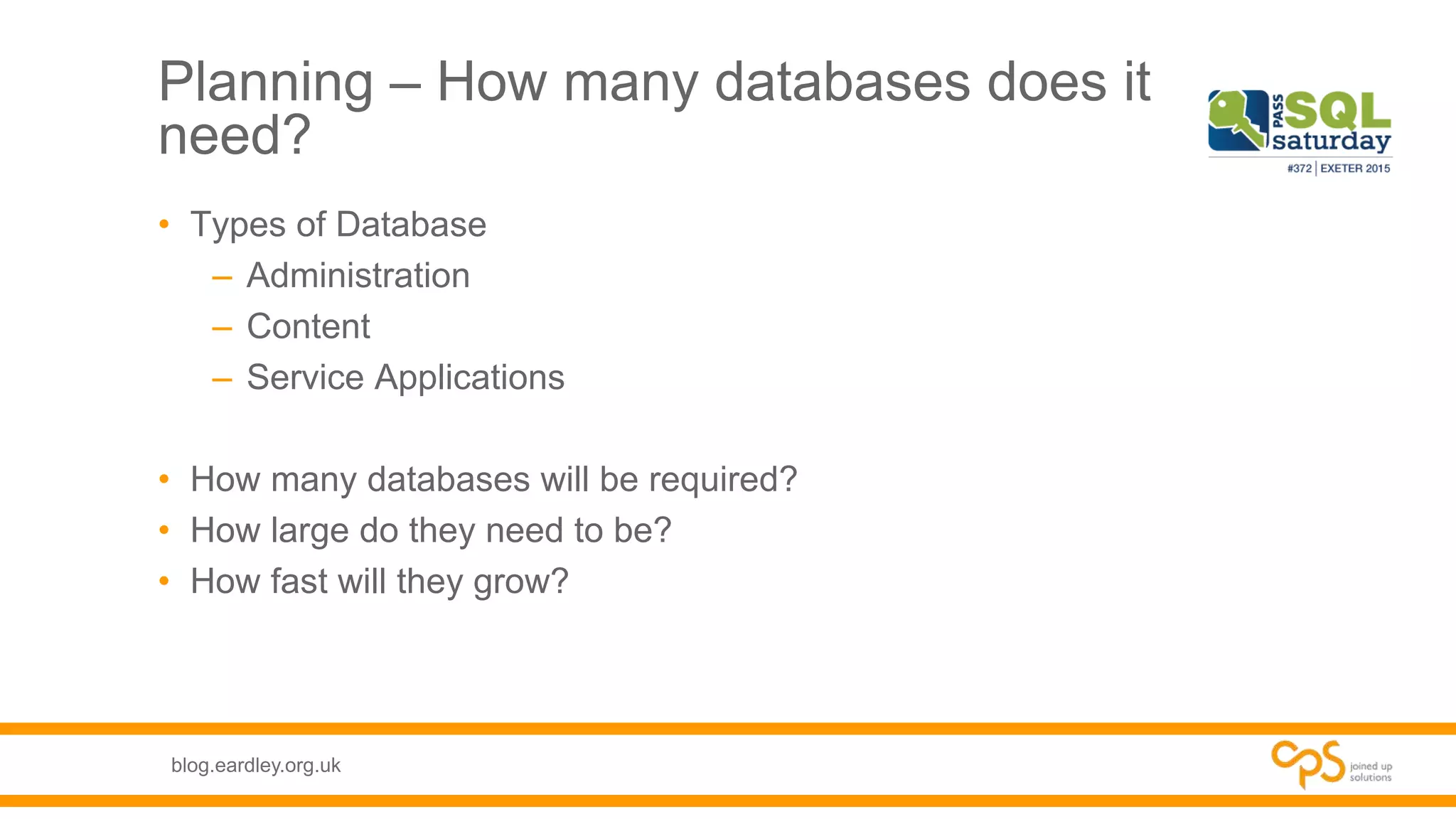
Planning – How many databases does it
need?
• Types of Database
– Administration
– Content
– Service Applications
• How many databases will be required?
• How large do they need to be?
• How fast will they grow?
blog.eardley.org.uk
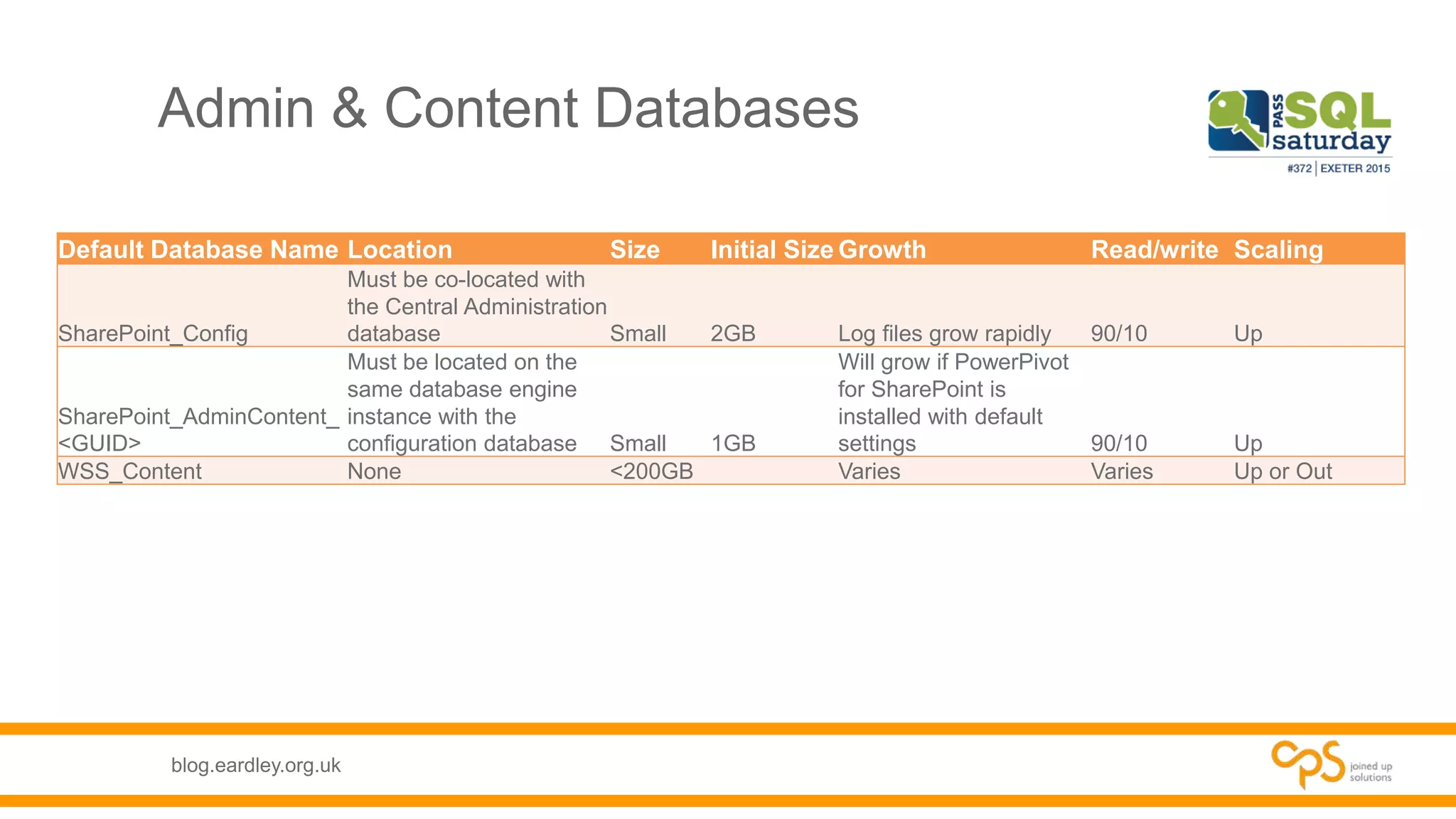
Admin & Content Databases
Default Database Name Location Size Initial Size Growth Read/write Scaling
SharePoint_Config
Must be co-located with
the Central Administration
database Small 2GB Log files grow rapidly 90/10 Up
SharePoint_AdminContent_
<GUID>
Must be located on the
same database engine
instance with the
configuration database Small 1GB
Will grow if PowerPivot
for SharePoint is
installed with default
settings 90/10 Up
WSS_Content None <200GB Varies Varies Up or Out
blog.eardley.org.uk
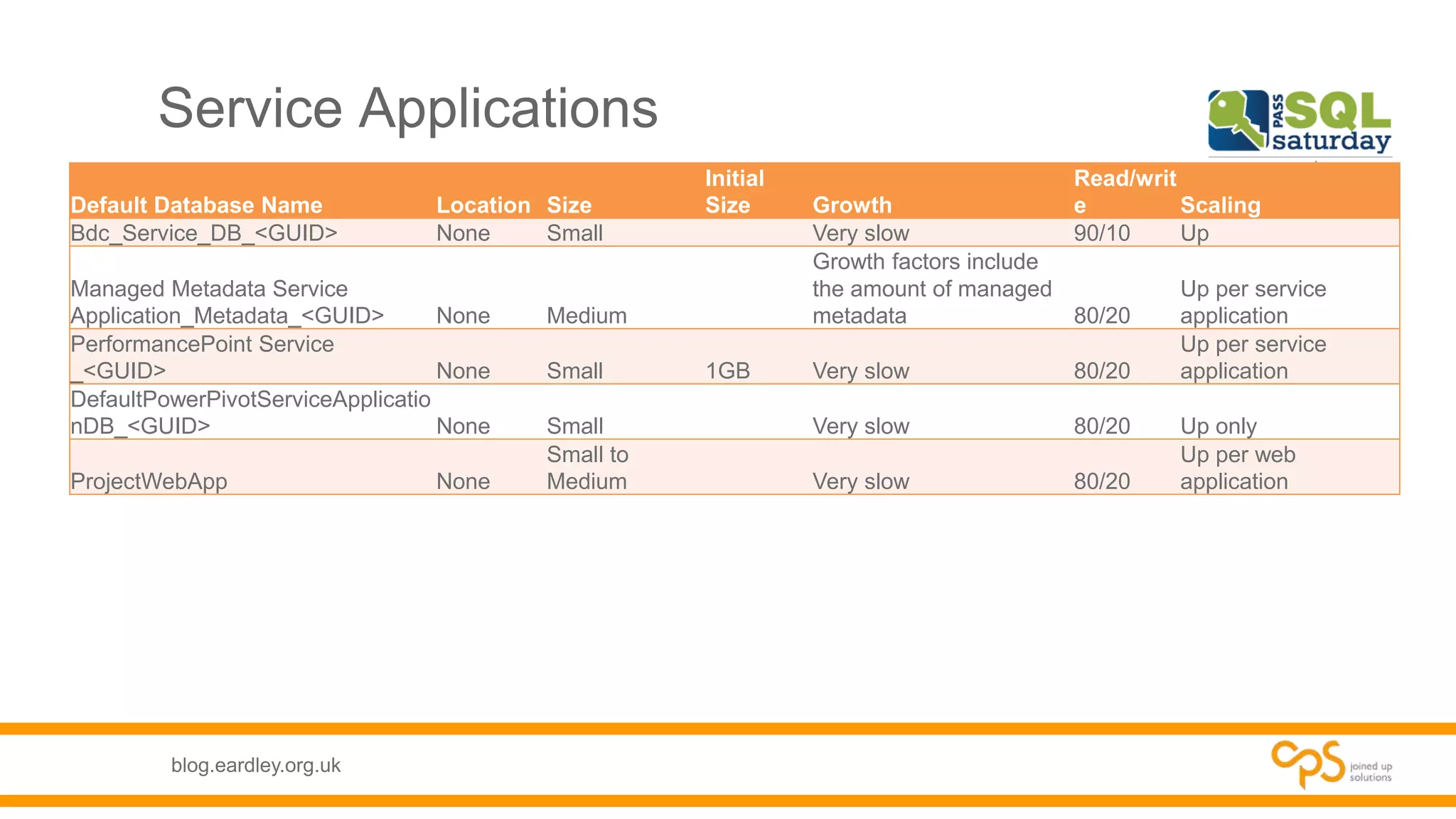
Service Applications
Default Database Name Location Size
Initial
Size Growth
Read/writ
e Scaling
Bdc_Service_DB_<GUID> None Small Very slow 90/10 Up
Managed Metadata Service
Application_Metadata_<GUID> None Medium
Growth factors include
the amount of managed
metadata 80/20
Up per service
application
PerformancePoint Service
_<GUID> None Small 1GB Very slow 80/20
Up per service
application
DefaultPowerPivotServiceApplicatio
nDB_<GUID> None Small Very slow 80/20 Up only
ProjectWebApp None
Small to
Medium Very slow 80/20
Up per web
application
blog.eardley.org.uk
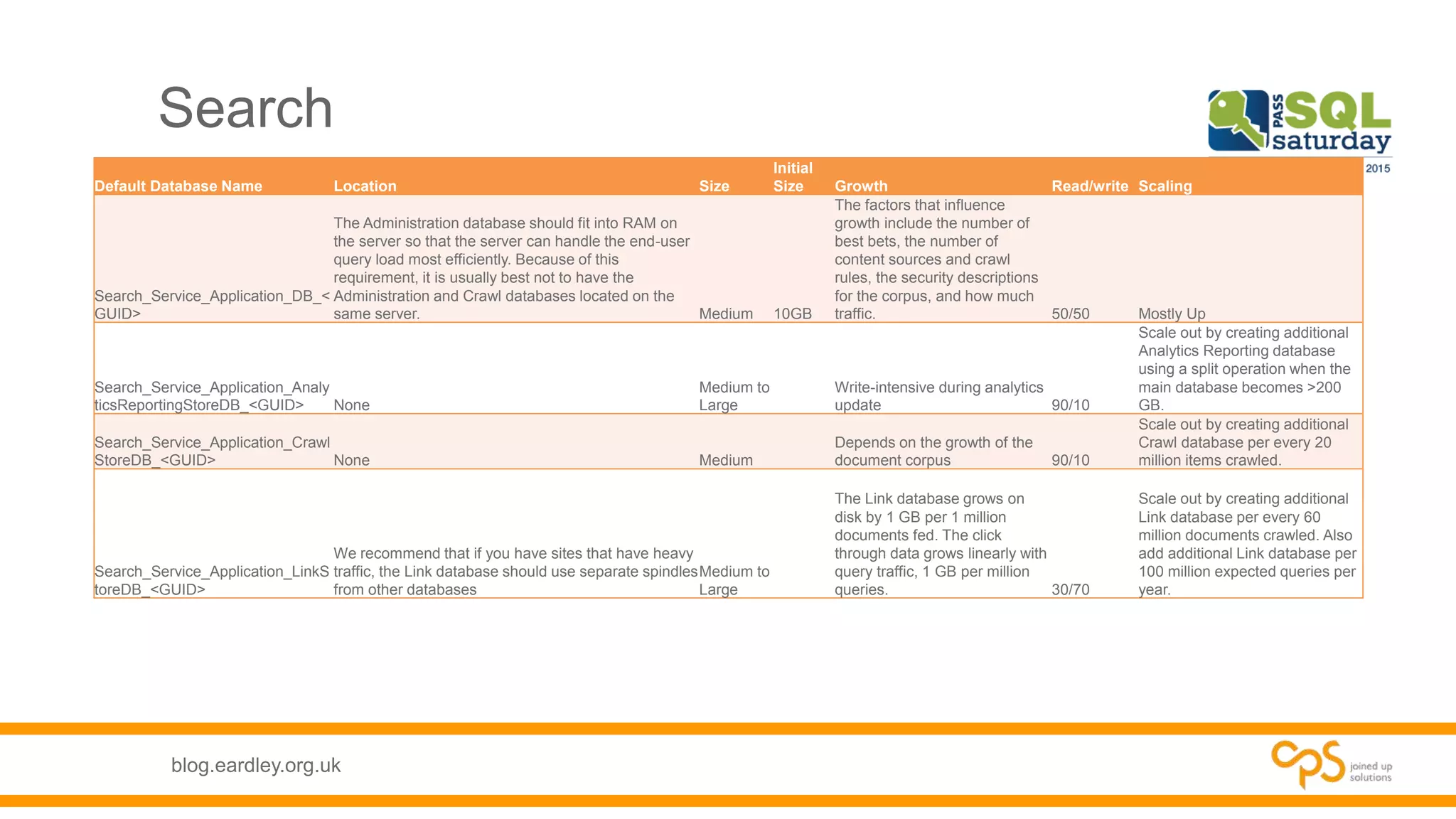
Search
Default Database Name Location Size
Initial
Size Growth Read/write Scaling
Search_Service_Application_DB_<
GUID>
The Administration database should fit into RAM on
the server so that the server can handle the end-user
query load most efficiently. Because of this
requirement, it is usually best not to have the
Administration and Crawl databases located on the
same server. Medium 10GB
The factors that influence
growth include the number of
best bets, the number of
content sources and crawl
rules, the security descriptions
for the corpus, and how much
traffic. 50/50 Mostly Up
Search_Service_Application_Analy
ticsReportingStoreDB_<GUID> None
Medium to
Large
Write-intensive during analytics
update 90/10
Scale out by creating additional
Analytics Reporting database
using a split operation when the
main database becomes >200
GB.
Search_Service_Application_Crawl
StoreDB_<GUID> None Medium
Depends on the growth of the
document corpus 90/10
Scale out by creating additional
Crawl database per every 20
million items crawled.
Search_Service_Application_LinkS
toreDB_<GUID>
We recommend that if you have sites that have heavy
traffic, the Link database should use separate spindles
from other databases
Medium to
Large
The Link database grows on
disk by 1 GB per 1 million
documents fed. The click
through data grows linearly with
query traffic, 1 GB per million
queries. 30/70
Scale out by creating additional
Link database per every 60
million documents crawled. Also
add additional Link database per
100 million expected queries per
year.
blog.eardley.org.uk
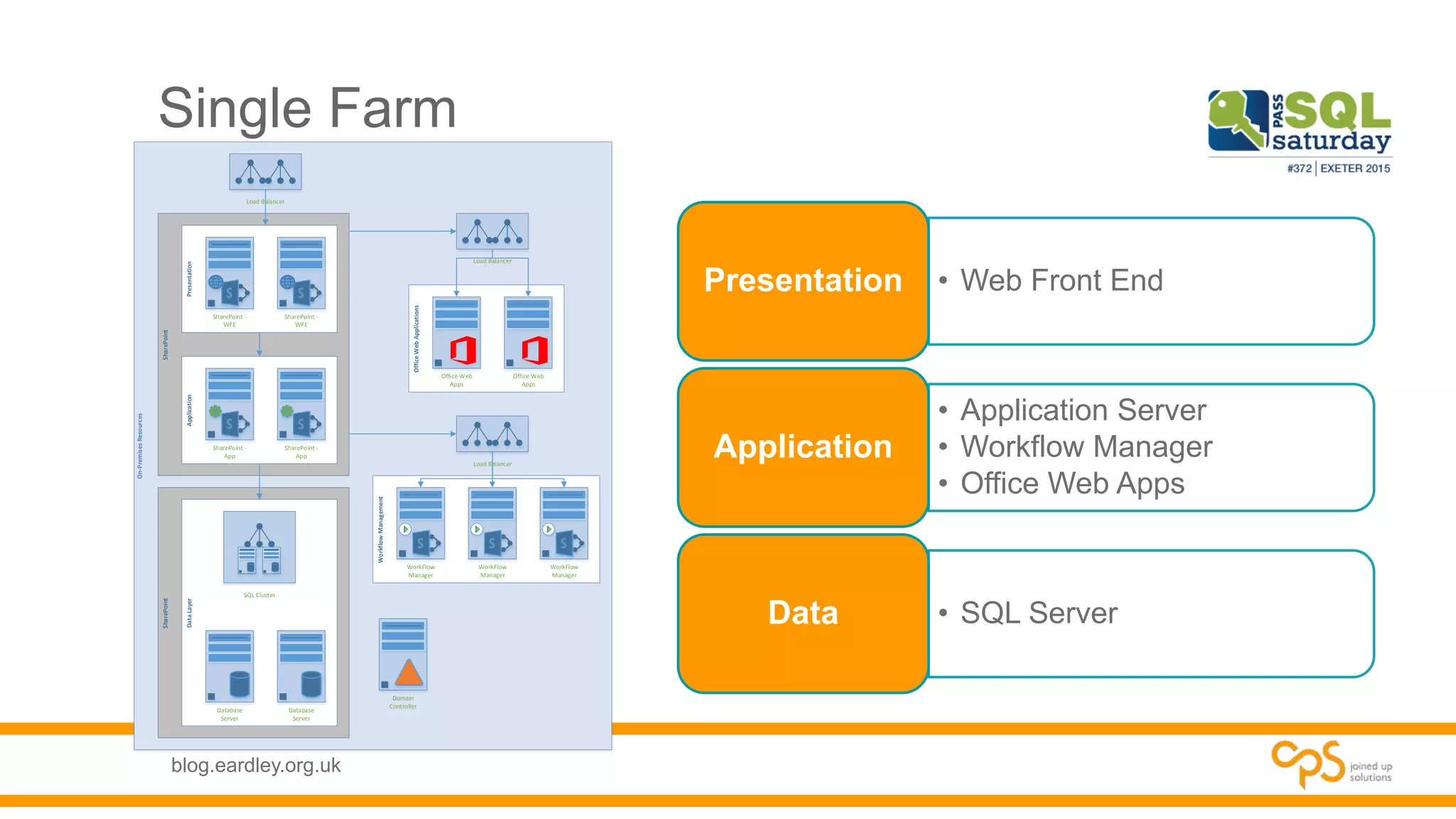
Single Farm
• Web Front EndPresentation
• Application Server
• Workflow Manager
• Office Web Apps
Application
• SQL ServerData
On-PremisesResources
SharePointSharePoint
WorkflowManagement
DataLayer
OfficeWebApplications
ApplicationPresentation
SharePoint -
WFE
SharePoint -
WFE
SharePoint -
App
SharePoint -
App
Office Web
Apps
Office Web
Apps
Domain
Controller
Database
Server
Database
Server
Load Balancer
WorkFlow
Manager
WorkFlow
Manager
WorkFlow
Manager
SQL Cluster
Load Balancer
Load Balancer
blog.eardley.org.uk
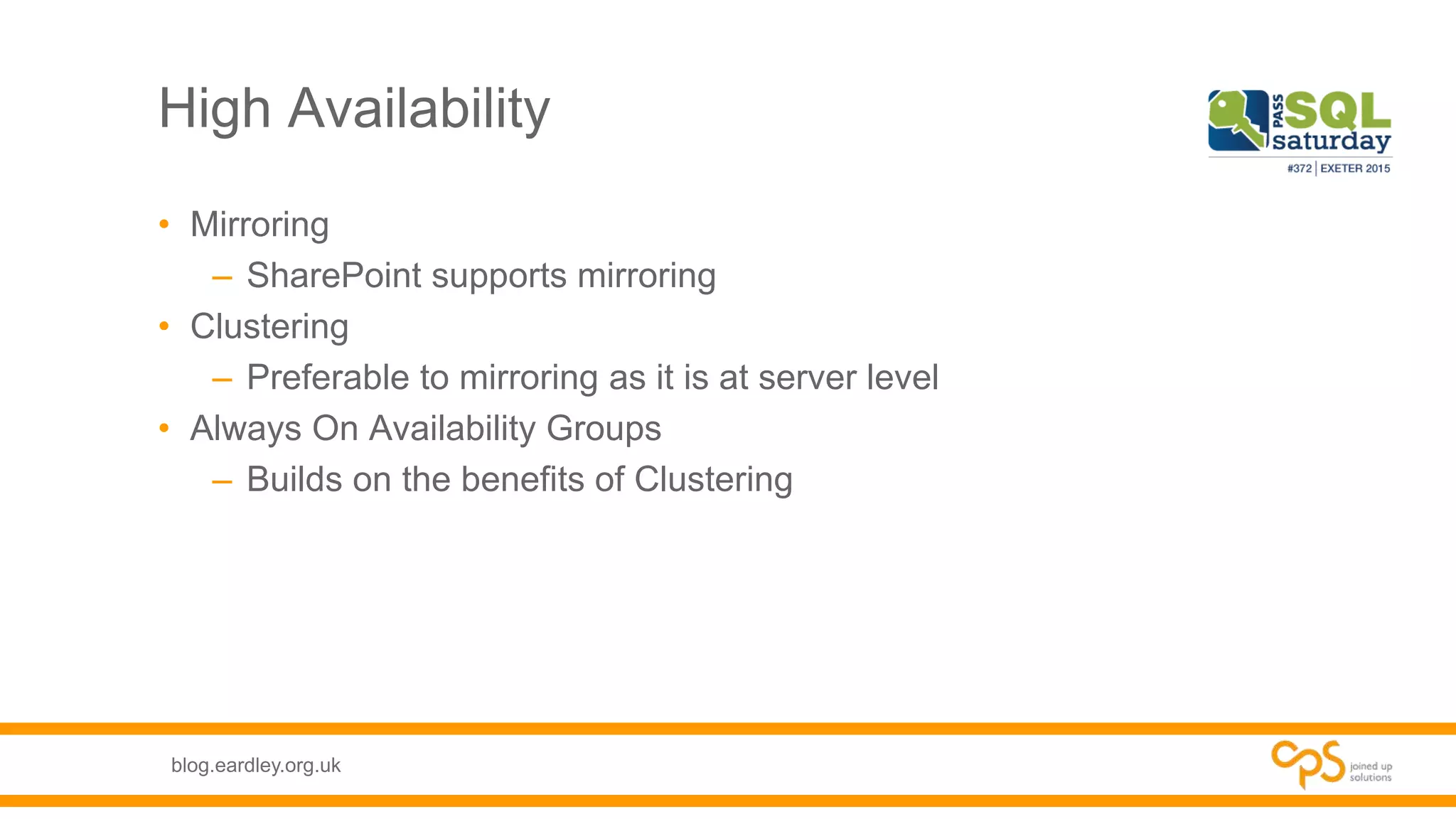
High Availability
• Mirroring
– SharePoint supports mirroring
• Clustering
– Preferable to mirroring as it is at server level
• Always On Availability Groups
– Builds on the benefits of Clustering
blog.eardley.org.uk
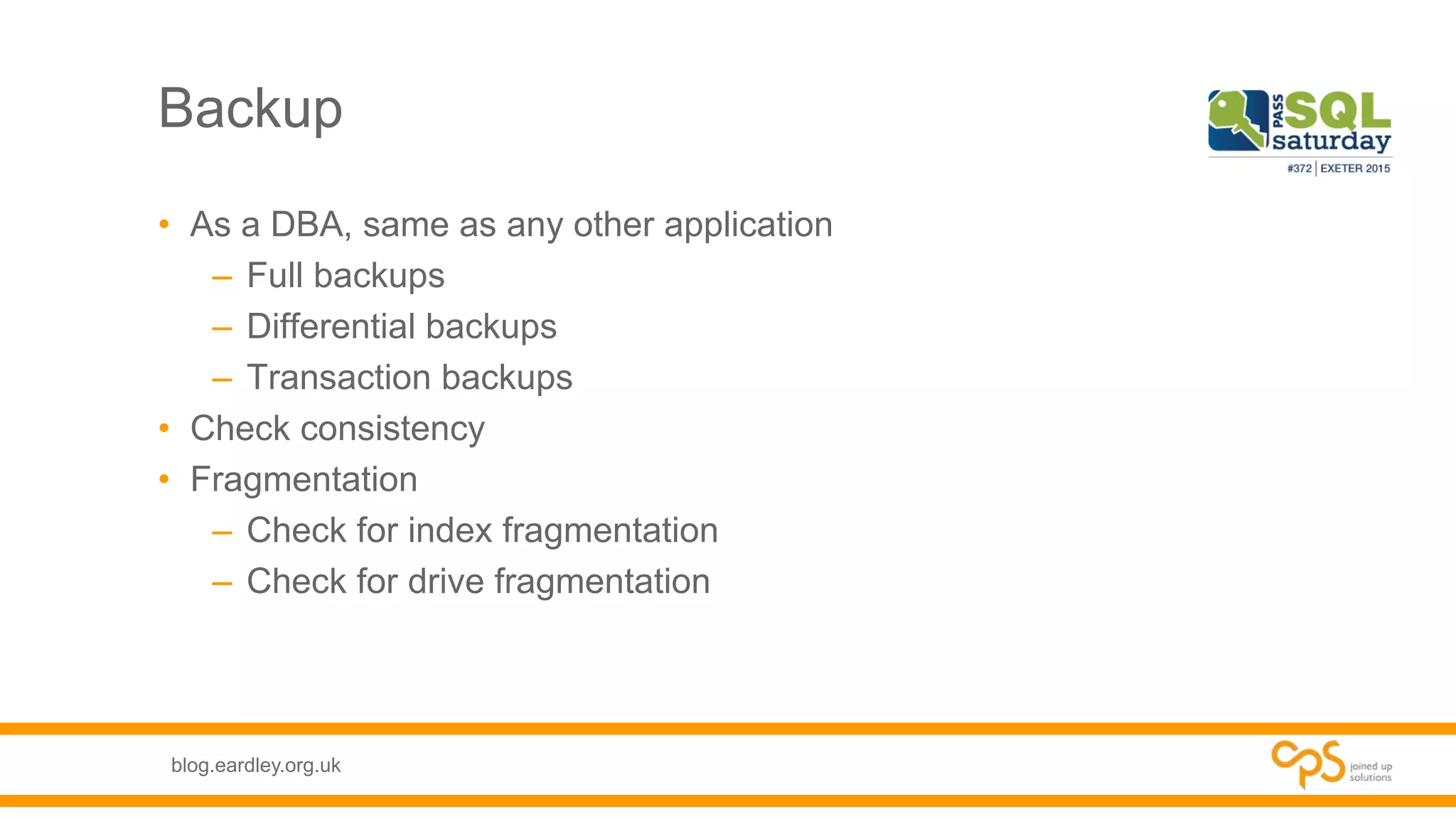
Backup
• As a DBA, same as any other application
– Full backups
– Differential backups
– Transaction backups
• Check consistency
• Fragmentation
– Check for index fragmentation
– Check for drive fragmentation
blog.eardley.org.uk
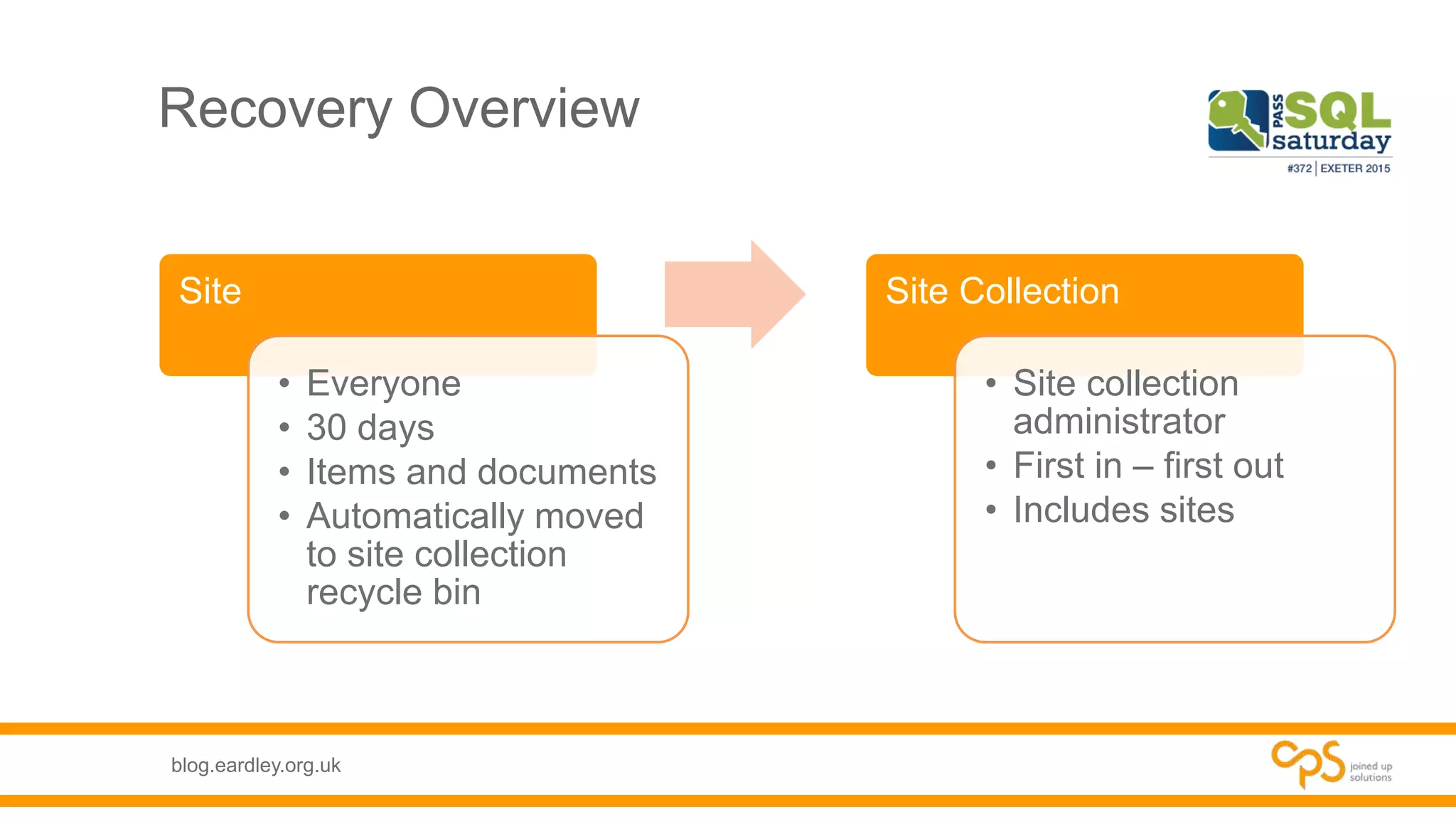
Recovery Overview
Site
• Everyone
• 30 days
• Items and documents
• Automatically moved
to site collection
recycle bin
Site Collection
• Site collection
administrator
• First in – first out
• Includes sites
blog.eardley.org.uk
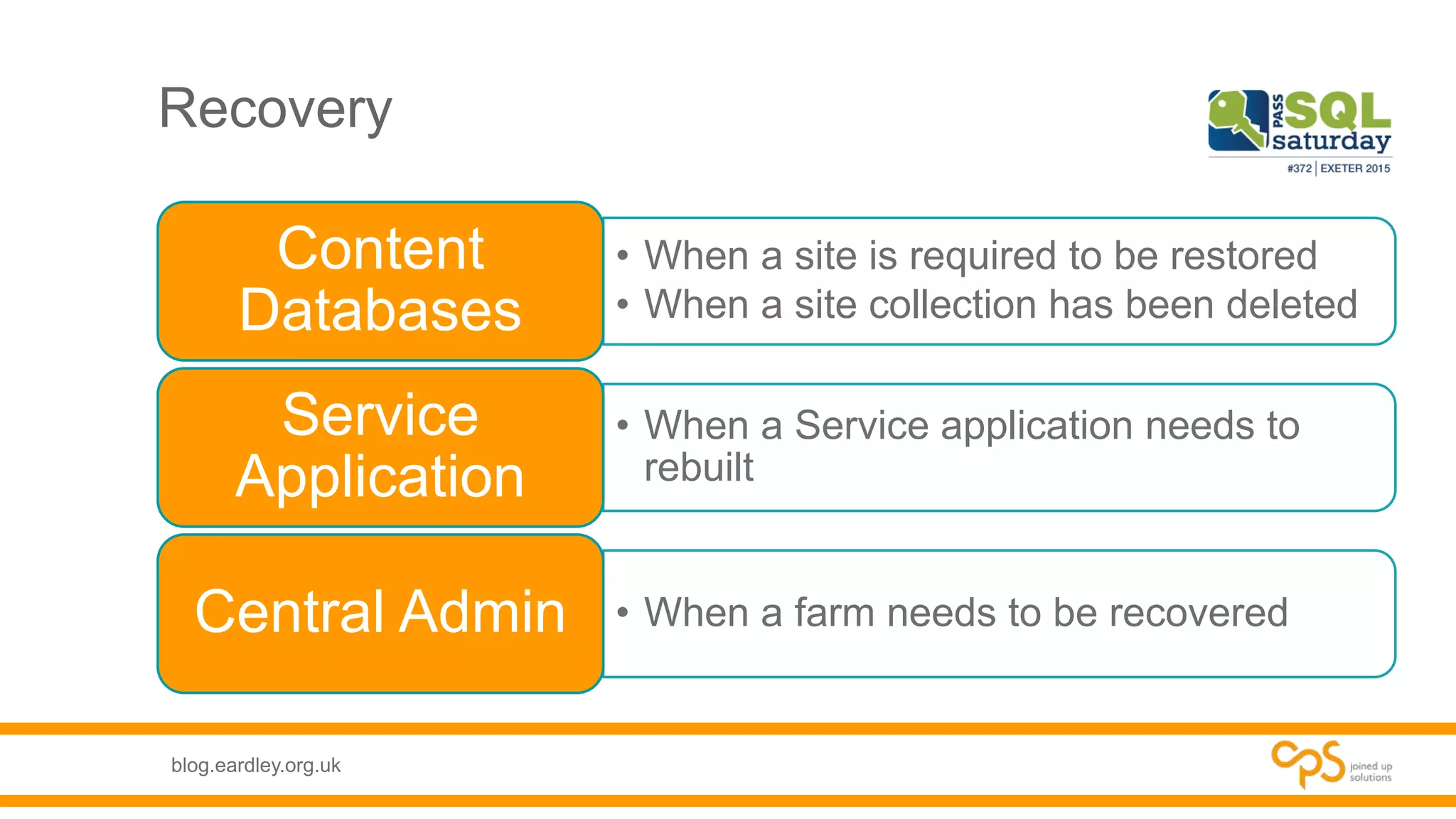
Recovery
• When a site is required to be restored
• When a site collection has been deleted
Content
Databases
• When a Service application needs to
rebuilt
Service
Application
• When a farm needs to be recoveredCentral Admin
blog.eardley.org.uk
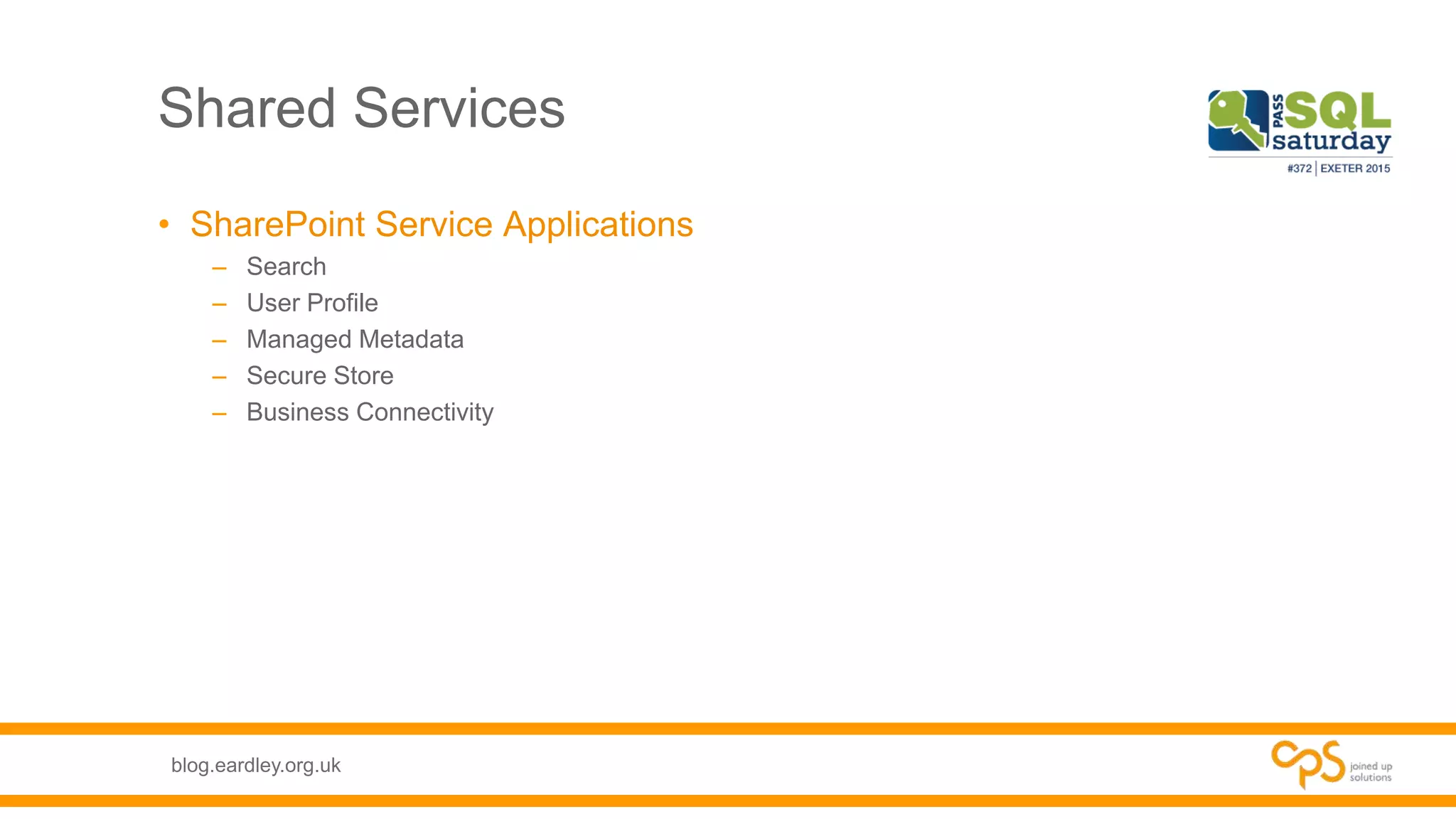
Shared Services
• SharePoint Service Applications
– Search
– User Profile
– Managed Metadata
– Secure Store
– Business Connectivity
blog.eardley.org.uk
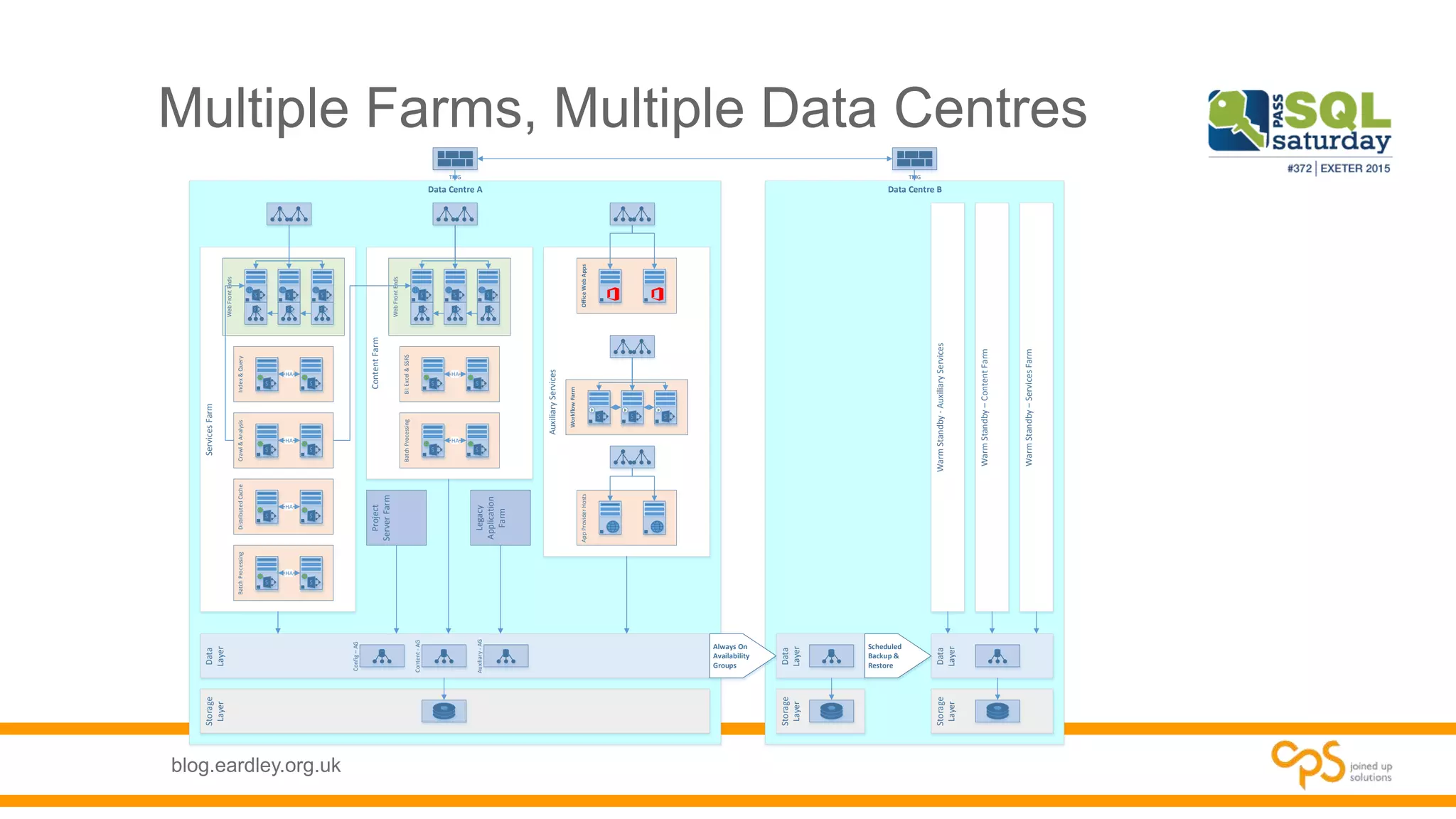
Multiple Farms, Multiple Data Centres
Data Centre A
AuxiliaryServices
AppProviderHosts
Data Centre B
Storage
Layer
Data
Layer
Data
Layer
ContentFarm
ServicesFarm
WebFrontEnds
WebFrontEnds
Index&Query
HA
Crawl&Analysis
HA
DistributedCache
HA
BatchProcessing
HA
BI:Excel&SSRS
HA
BatchProcessing
HA
OfficeWebApps
WorkflowFarm
Storage
Layer
Always On
Availability
Groups
Config–AG
Content-AG
Auxiliary-AG
Storage
Layer
Data
Layer
Scheduled
Backup &
Restore
WarmStandby-AuxiliaryServices
WarmStandby–ContentFarm
WarmStandby–ServicesFarm
Project
ServerFarm
Legacy
Application
Farm
TMG TMG
blog.eardley.org.uk
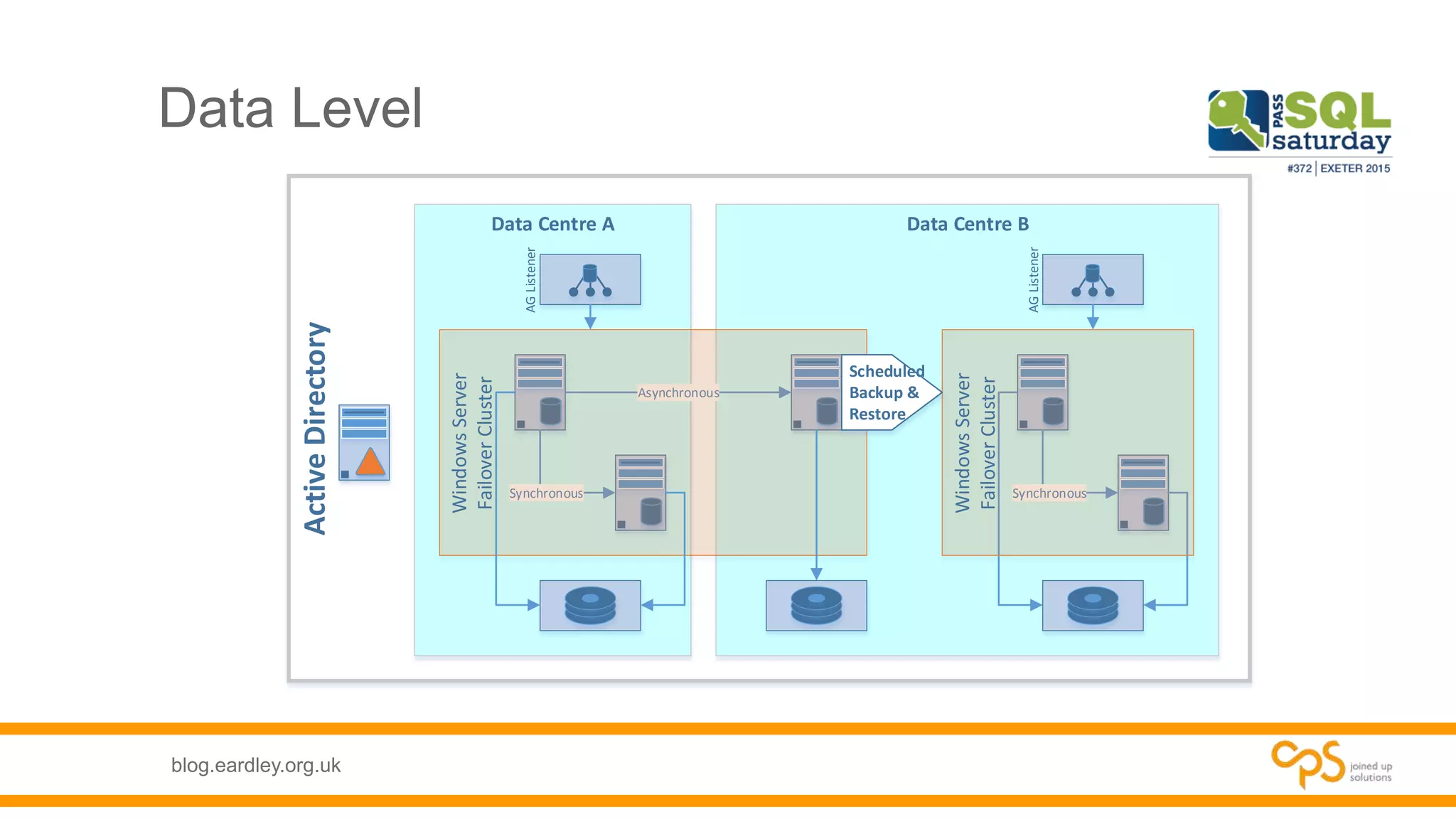
Data Level
ActiveDirectory
Data Centre BData Centre A
AGListener
AGListener
Synchronous
Asynchronous
WindowsServer
FailoverCluster Synchronous
WindowsServer
FailoverCluster
Scheduled
Backup &
Restore
blog.eardley.org.uk
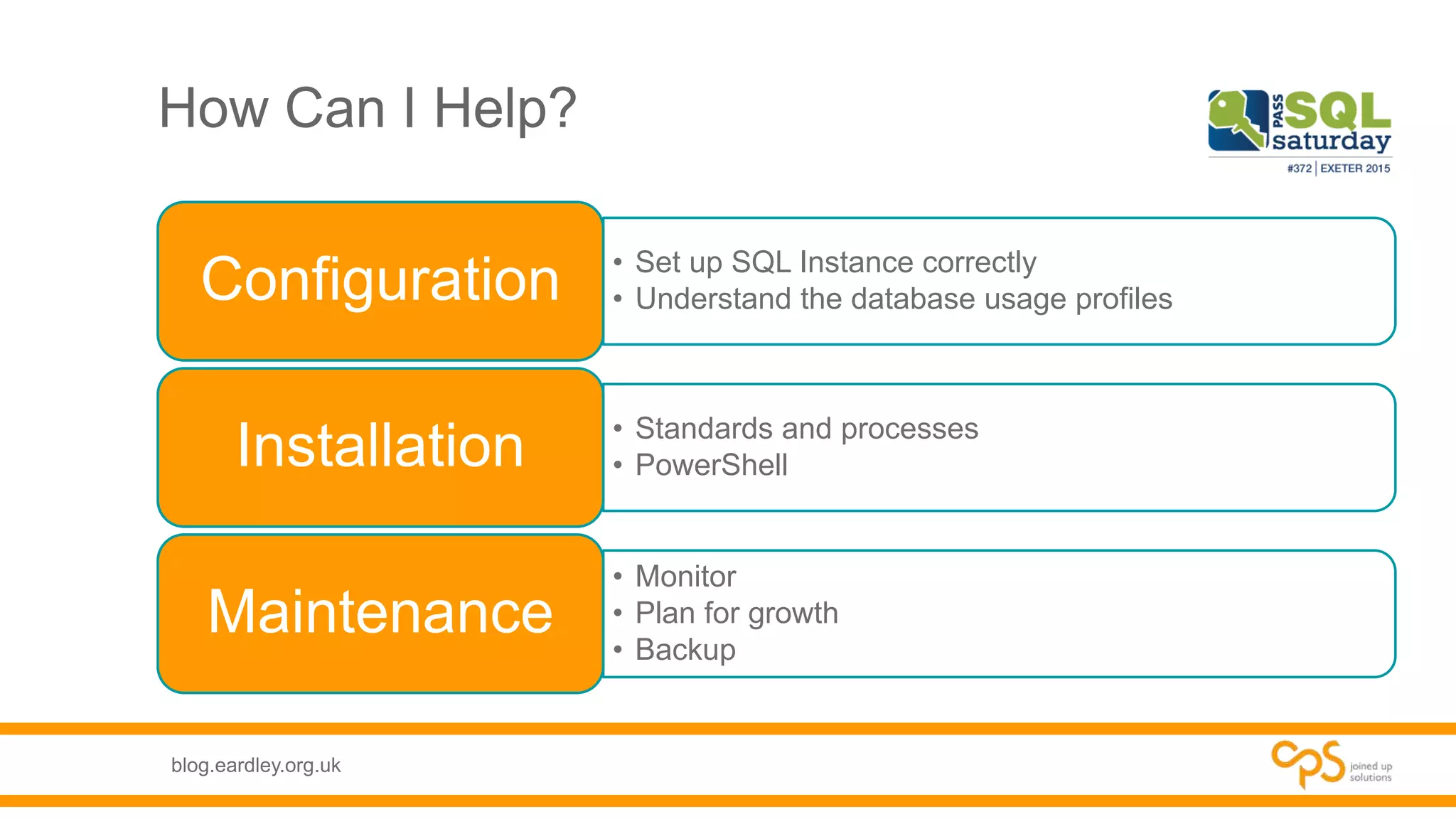
How Can I Help?
• Set up SQL Instance correctly
• Understand the database usage profilesConfiguration
• Standards and processes
• PowerShellInstallation
• Monitor
• Plan for growth
• Backup
Maintenance
blog.eardley.org.uk
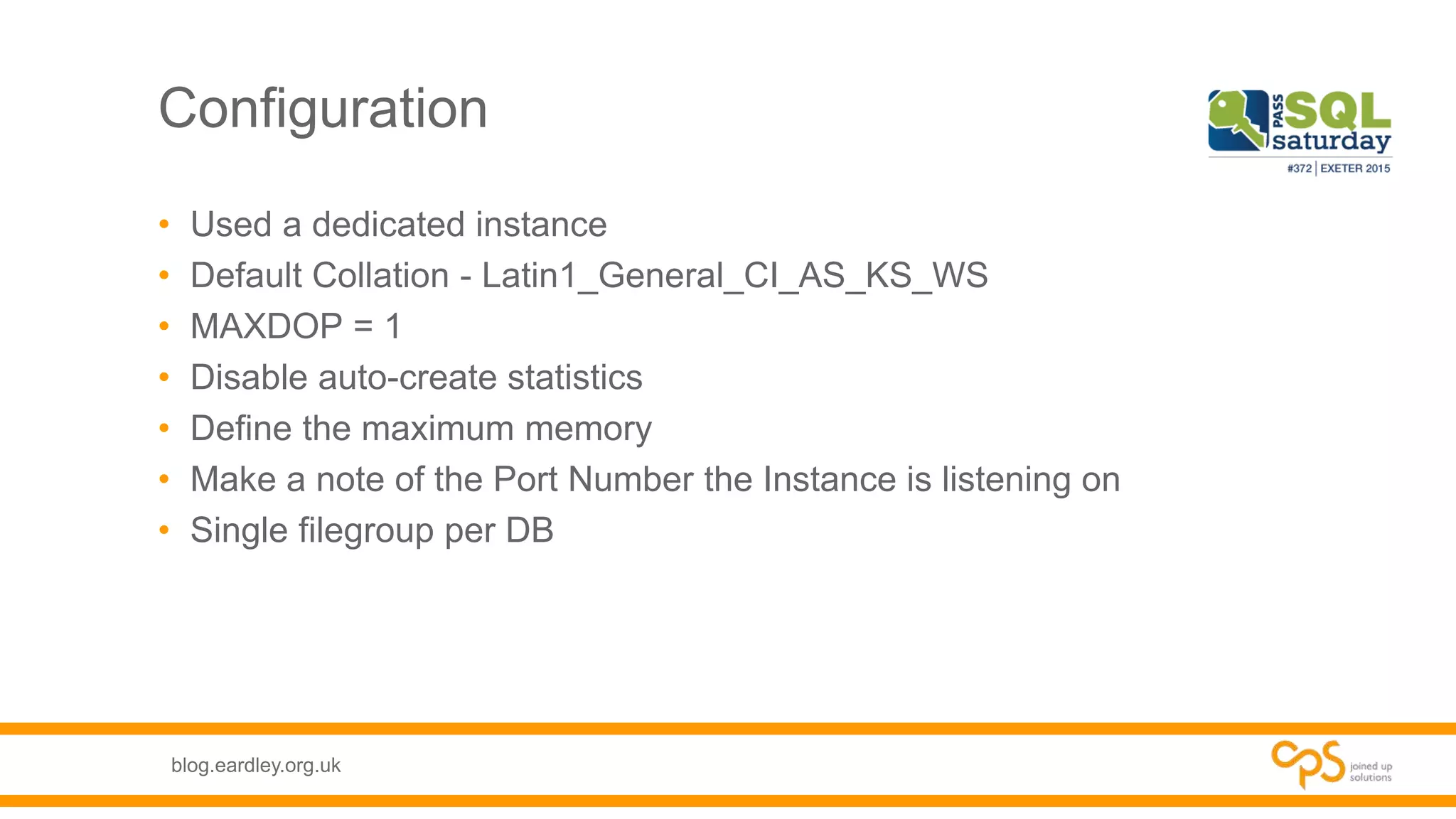
Configuration
• Used a dedicated instance
• Default Collation - Latin1_General_CI_AS_KS_WS
• MAXDOP = 1
• Disable auto-create statistics
• Define the maximum memory
• Make a note of the Port Number the Instance is listening on
• Single filegroup per DB
blog.eardley.org.uk
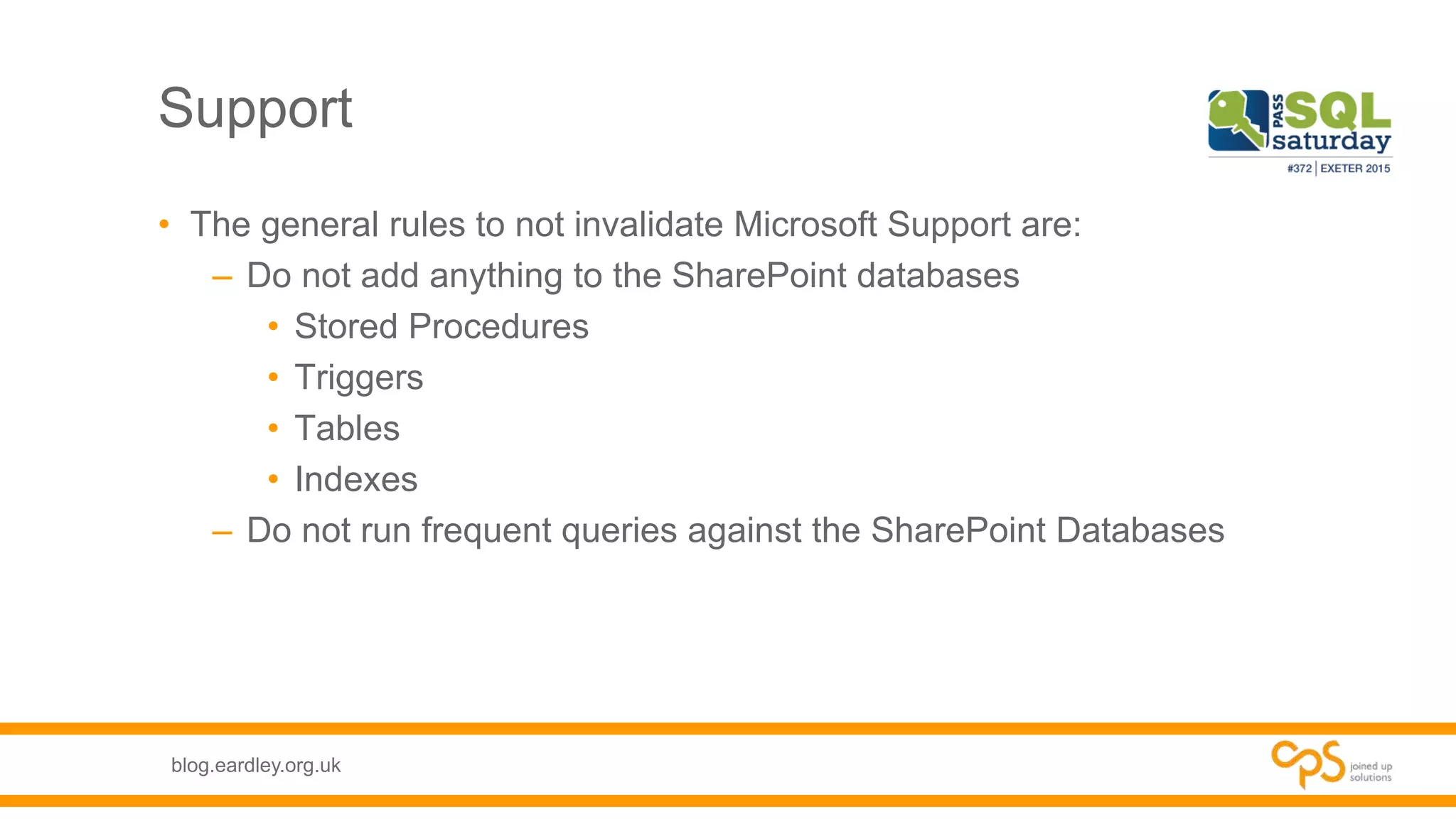
Support
• The general rules to not invalidate Microsoft Support are:
– Do not add anything to the SharePoint databases
• Stored Procedures
• Triggers
• Tables
• Indexes
– Do not run frequent queries against the SharePoint Databases
blog.eardley.org.uk
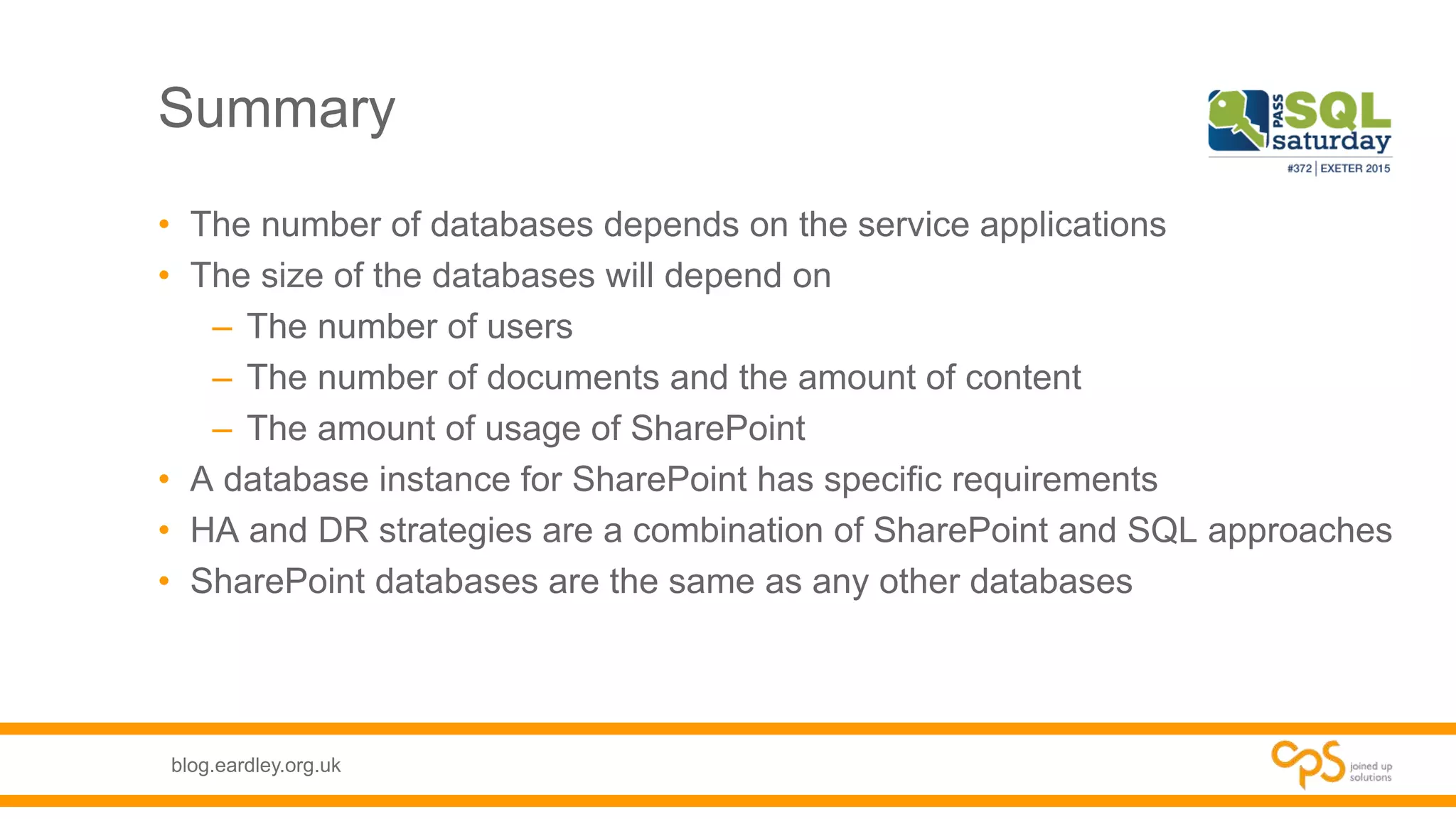
Summary
• The number of databases depends on the service applications
• The size of the databases will depend on
– The number of users
– The number of documents and the amount of content
– The amount of usage of SharePoint
• A database instance for SharePoint has specific requirements
• HA and DR strategies are a combination of SharePoint and SQL approaches
• SharePoint databases are the same as any other databases
blog.eardley.org.uk
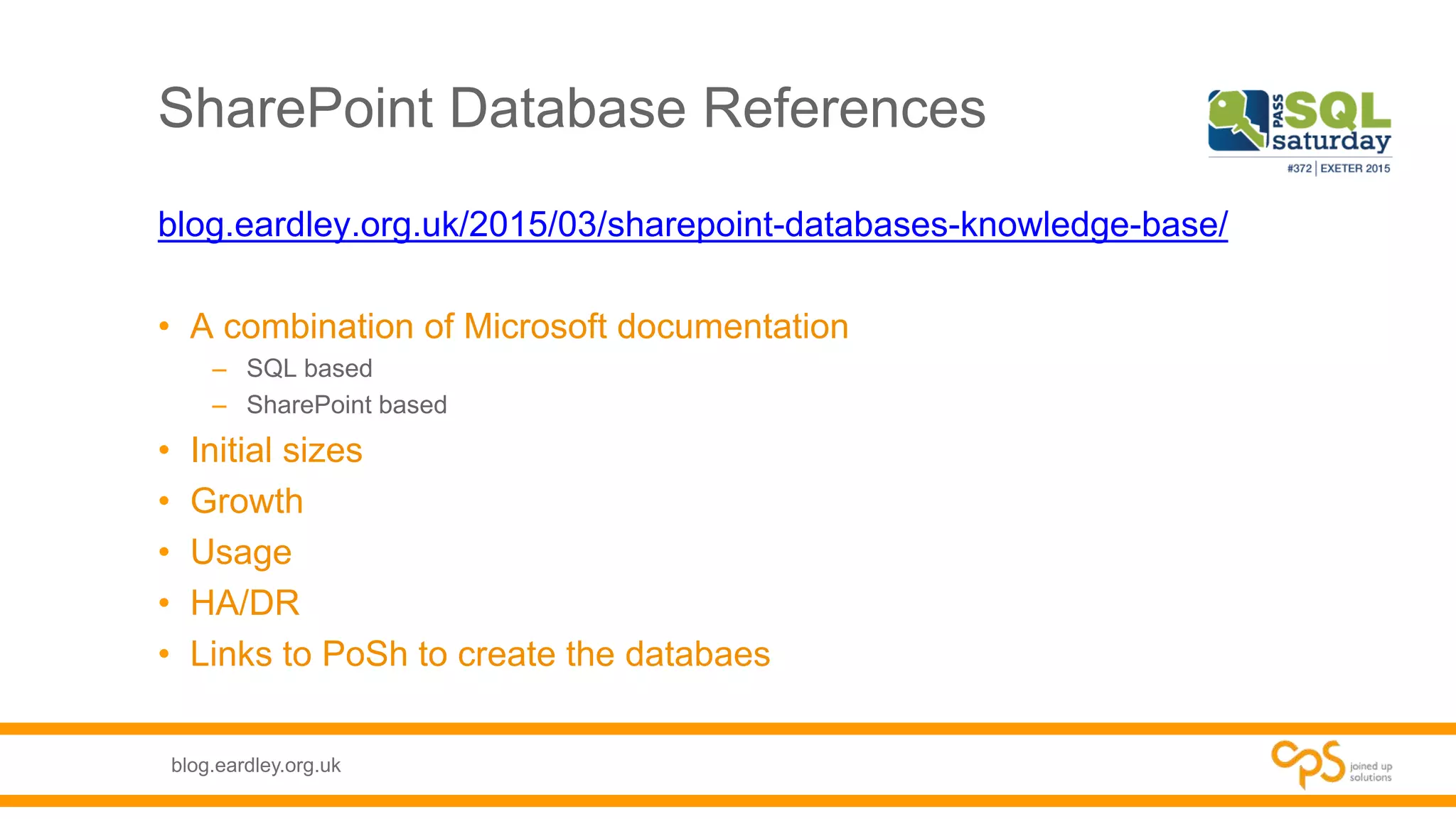
SharePoint Database References
blog.eardley.org.uk/2015/03/sharepoint-databases-knowledge-base/
• A combination of Microsoft documentation
– SQL based
– SharePoint based
• Initial sizes
• Growth
• Usage
• HA/DR
• Links to PoSh to create the databaes
blog.eardley.org.uk
Today is brought to you by
and in association with
blog.eardley.org.uk
Please visit our
sponsors
blog.eardley.org.uk
Thank-you
Alan Eardley – Alan.Eardley@outlook.com
blog.eardley.org.uk
@al_eardley
Office 365 | SharePoint | Project Server | CRM | Recruitment

SharePoint Databases: What you need to know (201504)

  • 1.
    blog.eardley.org.uk SharePoint Databases What youneed to know Alan Eardley - @al_eardley SQL Saturday Exeter 25 April 2015
  • 2.
    blog.eardley.org.uk Who Am I? •Lead SharePoint Technical Architect at CPS • Developer, DBA, Business Analyst, Project Manager, Architect • SQL Server 7.0 - 2014 • SharePoint 2003 – 2013 • Office 365, Azure, Project Server/Online, Dynamics CRM • Twitter: @Al_Eardley • E-mail: Alan.Eardley@Outlook.com
  • 3.
    blog.eardley.org.uk What will Icover? • What does it do? • How does it work? • How does it use SQL? What is SharePoint? • How many databases does it need? • How does it grow? • HA & DR Planning • Are there any pre-requisites? • How do I help with the build? Roll-out This relates to on-premises SharePoint NOT Office 365
  • 4.
    blog.eardley.org.uk SharePoint – Whatdoes it do? Document Management Content Management Process Management Search Publishing Social Collaboration Business Intelligence
  • 5.
    blog.eardley.org.uk SharePoint – Howdoes it work? Lists & LibrariesSitesSite CollectionsWeb Applications Intranet Departments HR IT Documents Knowledge Base Help Desk Issues Sales Projects Upgrade to SP2013 Risks Issues Tasks Upgrade My Sites Client Extranet
  • 6.
    blog.eardley.org.uk SharePoint – Howdoes it work? Business Connectivity Services Managed Metadata Services Excel Services PerformancePoint Services PowerPivot for SharePoint Project Server Search User Profile Service
  • 7.
    blog.eardley.org.uk SharePoint – Howdoes it use SQL? • Most Service Applications utilise at least one database Service Applications • At least one database per Web Application • Each site collection can have a database Content Databases • Multiple DatabasesMy Sites Databases should not exceed 200GB in size With the exception of Records Centre databases
  • 8.
    blog.eardley.org.uk Planning – Howmany databases does it need? • Types of Database – Administration – Content – Service Applications • How many databases will be required? • How large do they need to be? • How fast will they grow?
  • 9.
    blog.eardley.org.uk Admin & ContentDatabases Default Database Name Location Size Initial Size Growth Read/write Scaling SharePoint_Config Must be co-located with the Central Administration database Small 2GB Log files grow rapidly 90/10 Up SharePoint_AdminContent_ <GUID> Must be located on the same database engine instance with the configuration database Small 1GB Will grow if PowerPivot for SharePoint is installed with default settings 90/10 Up WSS_Content None <200GB Varies Varies Up or Out
  • 10.
    blog.eardley.org.uk Service Applications Default DatabaseName Location Size Initial Size Growth Read/writ e Scaling Bdc_Service_DB_<GUID> None Small Very slow 90/10 Up Managed Metadata Service Application_Metadata_<GUID> None Medium Growth factors include the amount of managed metadata 80/20 Up per service application PerformancePoint Service _<GUID> None Small 1GB Very slow 80/20 Up per service application DefaultPowerPivotServiceApplicatio nDB_<GUID> None Small Very slow 80/20 Up only ProjectWebApp None Small to Medium Very slow 80/20 Up per web application
  • 11.
    blog.eardley.org.uk Search Default Database NameLocation Size Initial Size Growth Read/write Scaling Search_Service_Application_DB_< GUID> The Administration database should fit into RAM on the server so that the server can handle the end-user query load most efficiently. Because of this requirement, it is usually best not to have the Administration and Crawl databases located on the same server. Medium 10GB The factors that influence growth include the number of best bets, the number of content sources and crawl rules, the security descriptions for the corpus, and how much traffic. 50/50 Mostly Up Search_Service_Application_Analy ticsReportingStoreDB_<GUID> None Medium to Large Write-intensive during analytics update 90/10 Scale out by creating additional Analytics Reporting database using a split operation when the main database becomes >200 GB. Search_Service_Application_Crawl StoreDB_<GUID> None Medium Depends on the growth of the document corpus 90/10 Scale out by creating additional Crawl database per every 20 million items crawled. Search_Service_Application_LinkS toreDB_<GUID> We recommend that if you have sites that have heavy traffic, the Link database should use separate spindles from other databases Medium to Large The Link database grows on disk by 1 GB per 1 million documents fed. The click through data grows linearly with query traffic, 1 GB per million queries. 30/70 Scale out by creating additional Link database per every 60 million documents crawled. Also add additional Link database per 100 million expected queries per year.
  • 12.
    blog.eardley.org.uk Single Farm • WebFront EndPresentation • Application Server • Workflow Manager • Office Web Apps Application • SQL ServerData On-PremisesResources SharePointSharePoint WorkflowManagement DataLayer OfficeWebApplications ApplicationPresentation SharePoint - WFE SharePoint - WFE SharePoint - App SharePoint - App Office Web Apps Office Web Apps Domain Controller Database Server Database Server Load Balancer WorkFlow Manager WorkFlow Manager WorkFlow Manager SQL Cluster Load Balancer Load Balancer
  • 13.
    blog.eardley.org.uk High Availability • Mirroring –SharePoint supports mirroring • Clustering – Preferable to mirroring as it is at server level • Always On Availability Groups – Builds on the benefits of Clustering
  • 14.
    blog.eardley.org.uk Backup • As aDBA, same as any other application – Full backups – Differential backups – Transaction backups • Check consistency • Fragmentation – Check for index fragmentation – Check for drive fragmentation
  • 15.
    blog.eardley.org.uk Recovery Overview Site • Everyone •30 days • Items and documents • Automatically moved to site collection recycle bin Site Collection • Site collection administrator • First in – first out • Includes sites
  • 16.
    blog.eardley.org.uk Recovery • When asite is required to be restored • When a site collection has been deleted Content Databases • When a Service application needs to rebuilt Service Application • When a farm needs to be recoveredCentral Admin
  • 17.
    blog.eardley.org.uk Shared Services • SharePointService Applications – Search – User Profile – Managed Metadata – Secure Store – Business Connectivity
  • 18.
    blog.eardley.org.uk Multiple Farms, MultipleData Centres Data Centre A AuxiliaryServices AppProviderHosts Data Centre B Storage Layer Data Layer Data Layer ContentFarm ServicesFarm WebFrontEnds WebFrontEnds Index&Query HA Crawl&Analysis HA DistributedCache HA BatchProcessing HA BI:Excel&SSRS HA BatchProcessing HA OfficeWebApps WorkflowFarm Storage Layer Always On Availability Groups Config–AG Content-AG Auxiliary-AG Storage Layer Data Layer Scheduled Backup & Restore WarmStandby-AuxiliaryServices WarmStandby–ContentFarm WarmStandby–ServicesFarm Project ServerFarm Legacy Application Farm TMG TMG
  • 19.
    blog.eardley.org.uk Data Level ActiveDirectory Data CentreBData Centre A AGListener AGListener Synchronous Asynchronous WindowsServer FailoverCluster Synchronous WindowsServer FailoverCluster Scheduled Backup & Restore
  • 20.
    blog.eardley.org.uk How Can IHelp? • Set up SQL Instance correctly • Understand the database usage profilesConfiguration • Standards and processes • PowerShellInstallation • Monitor • Plan for growth • Backup Maintenance
  • 21.
    blog.eardley.org.uk Configuration • Used adedicated instance • Default Collation - Latin1_General_CI_AS_KS_WS • MAXDOP = 1 • Disable auto-create statistics • Define the maximum memory • Make a note of the Port Number the Instance is listening on • Single filegroup per DB
  • 22.
    blog.eardley.org.uk Support • The generalrules to not invalidate Microsoft Support are: – Do not add anything to the SharePoint databases • Stored Procedures • Triggers • Tables • Indexes – Do not run frequent queries against the SharePoint Databases
  • 23.
    blog.eardley.org.uk Summary • The numberof databases depends on the service applications • The size of the databases will depend on – The number of users – The number of documents and the amount of content – The amount of usage of SharePoint • A database instance for SharePoint has specific requirements • HA and DR strategies are a combination of SharePoint and SQL approaches • SharePoint databases are the same as any other databases
  • 24.
    blog.eardley.org.uk SharePoint Database References blog.eardley.org.uk/2015/03/sharepoint-databases-knowledge-base/ •A combination of Microsoft documentation – SQL based – SharePoint based • Initial sizes • Growth • Usage • HA/DR • Links to PoSh to create the databaes
  • 25.
    blog.eardley.org.uk Today is broughtto you by and in association with
  • 26.
  • 27.
    blog.eardley.org.uk Thank-you Alan Eardley –Alan.Eardley@outlook.com blog.eardley.org.uk @al_eardley Office 365 | SharePoint | Project Server | CRM | Recruitment

Editor's Notes

  • #6 Web Application – a web site that contains at least one site collection Site Collection – a container for sites and functionality configuration Site – a container of lists and libraries and functionality configuration List – a container of list items Library – a container of documents
  • #17 Database recovery is generally to large a unit of recovery as users generally want a document or a site Tools available for more granular recovery
  • #22 Dedicated Instance Because of the security settings required to allow SharePoint to create databases and the default naiming conventions of SharePoint databases a single instance is recommended for each SharePoint Farm More easy to manage when all of the databases within an instance are related to the same SharePoint Farm If other custom databases are required because they are to be accessed from the same farm then they should be added to the same instance, e.g. SSRS or bespoke DBs Easier for HA and DR Collation SharePoint is generally good at handling collations that differ from the recommended collation The SQL generated by the application will explicitly set the collation Issues arise when moving databases where the servers have different collations as comparisons used in TempDB will generate errors MAXDOP As of SharePoint 2013 a MAXDOP setting of 1 is required Another reason to use a dedicated instance if other DB applications require different MAXDOP settings Statistics SharePoint will configure the settings when it is installing and when it is upgrading Maximum memory A simple safety check to prevent the instance claiming too much memory Port Number