Cloud First: Be Prepared
MSFT Stack
30 Oct 2018
About me
• Twitter: @al_eardley
• LinkedIn: Alan Eardley
• Helping clients adopt Microsoft 365
• MCSE: SharePoint 2016
• MCSE: Productivity
• MCSE: Cloud
• ProSci Practitioner
• ScrumMaster
• PRINCE2 Practitioner
What will I cover?
• What is the Microsoft cloud?
• What are objectives of moving to the cloud?
• What is Azure?
• Core concepts and considerations
• SaaS
• IaaS
• PaaS
• Summary
What is the Microsoft cloud?
A network of remote servers hosted on the
Internet and used to store, manage, and process
data in place of local servers or personal
computers.
- Bing
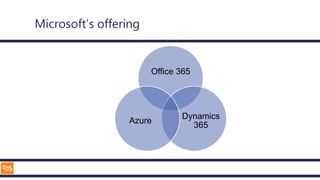
Microsoft’s offering
Office 365
Dynamics
365
Azure
What are objectives of moving
to the cloud?
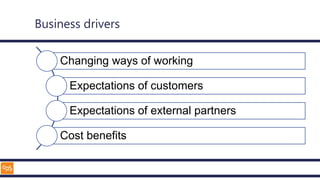
Business drivers
Changing ways of working
Expectations of customers
Expectations of external partners
Cost benefits
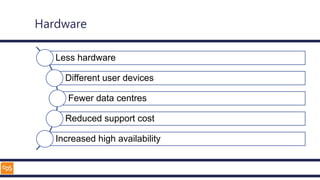
Hardware
Less hardware
Different user devices
Fewer data centres
Reduced support cost
Increased high availability
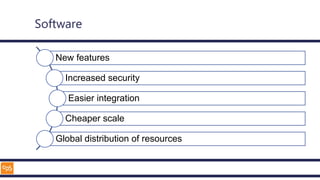
Software
New features
Increased security
Easier integration
Cheaper scale
Global distribution of resources
What is Azure?
Microsoft Azure is an ever-expanding set of cloud
services to help your organization meet your
business challenges. It’s the freedom to build,
manage, and deploy applications on a massive,
global network using your favourite tools and
frameworks.
- Microsoft
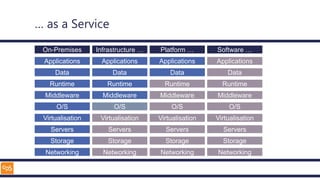
… as a Service
Applications
Data
Runtime
Middleware
O/S
Virtualisation
Servers
Storage
Networking
On-Premises
Applications
Data
Runtime
Middleware
O/S
Virtualisation
Servers
Storage
Networking
Infrastructure …
Applications
Data
Runtime
Middleware
O/S
Virtualisation
Servers
Storage
Networking
Platform …
Applications
Data
Runtime
Middleware
O/S
Virtualisation
Servers
Storage
Networking
Software …
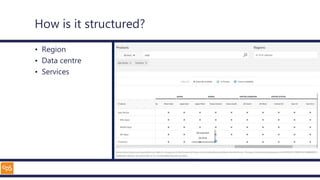
How is it structured?
• Region
• Data centre
• Services
Considerations
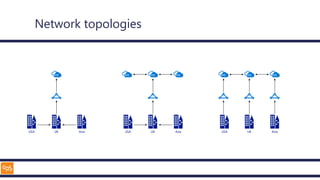
Network topologies
USA UK Asia USA UK Asia USA UK Asia
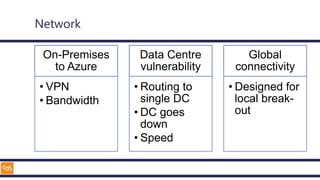
Network
On-Premises
to Azure
• VPN
• Bandwidth
Data Centre
vulnerability
• Routing to
single DC
• DC goes
down
• Speed
Global
connectivity
• Designed for
local break-
out
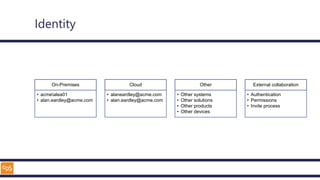
Identity
On-Premises
• acmealea01
• alan.eardley@acme.com
Cloud
• alaneardley@acme.com
• alan.eardley@acme.com
Other
• Other systems
• Other solutions
• Other products
• Other devices
External collaboration
• Authentication
• Permissions
• Invite process
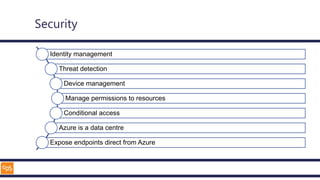
Security
Identity management
Threat detection
Device management
Manage permissions to resources
Conditional access
Azure is a data centre
Expose endpoints direct from Azure
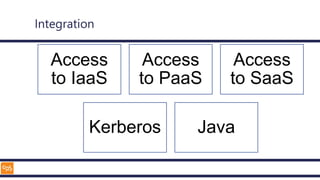
Integration
Access
to IaaS
Access
to PaaS
Access
to SaaS
Kerberos Java
SaaS
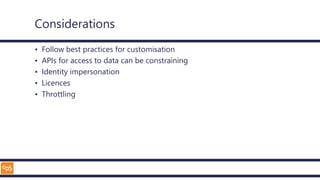
Considerations
• Follow best practices for customisation
• APIs for access to data can be constraining
• Identity impersonation
• Licences
• Throttling
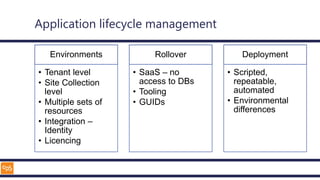
Application lifecycle management
Environments
• Tenant level
• Site Collection
level
• Multiple sets of
resources
• Integration –
Identity
• Licencing
Rollover
• SaaS – no
access to DBs
• Tooling
• GUIDs
Deployment
• Scripted,
repeatable,
automated
• Environmental
differences
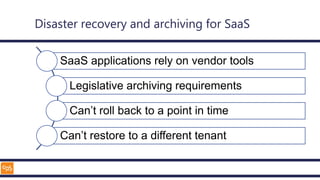
Disaster recovery and archiving for SaaS
SaaS applications rely on vendor tools
Legislative archiving requirements
Can’t roll back to a point in time
Can’t restore to a different tenant
IaaS
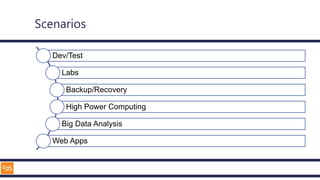
Scenarios
Dev/Test
Labs
Backup/Recovery
High Power Computing
Big Data Analysis
Web Apps
Components
Virtual
Machines
• OS
• Server
software
Storage
• Disks
Network
• IP addresses
• VNET
• Load
balancer
• Security
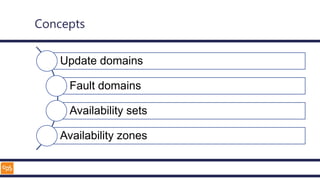
Concepts
Update domains
Fault domains
Availability sets
Availability zones
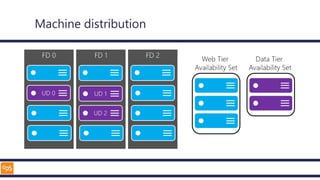
Machine distribution
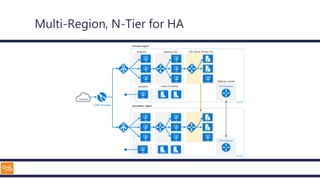
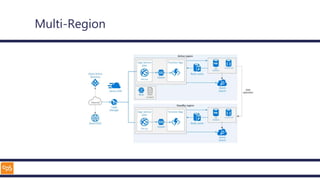
Multi-Region, N-Tier for HA
BREAK
PaaS
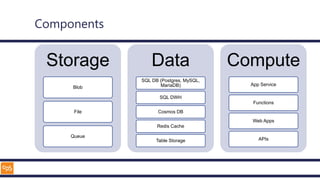
Components
Storage
Blob
File
Queue
Data
SQL DB (Postgres, MySQL,
MariaDB)
SQL DWH
Cosmos DB
Redis Cache
Table Storage
Compute
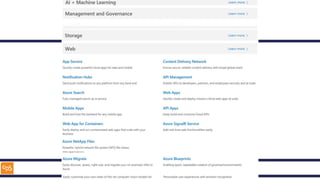
App Service
Functions
Web Apps
APIs
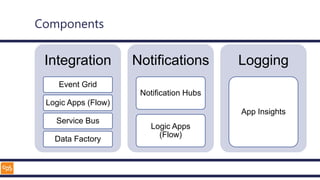
Components
Integration
Event Grid
Logic Apps (Flow)
Service Bus
Data Factory
Notifications
Notification Hubs
Logic Apps
(Flow)
Logging
App Insights
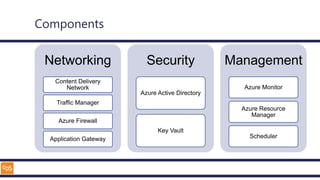
Components
Networking
Content Delivery
Network
Traffic Manager
Azure Firewall
Application Gateway
Security
Azure Active Directory
Key Vault
Management
Azure Monitor
Azure Resource
Manager
Scheduler
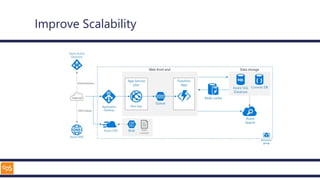
Improve Scalability
Multi-Region
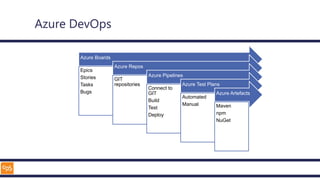
Azure DevOps
Azure Boards
Epics
Stories
Tasks
Bugs
Azure Repos
GIT
repositories
Azure Pipelines
Connect to
GIT
Build
Test
Deploy
Azure Test Plans
Automated
Manual
Azure Artefacts
Maven
npm
NuGet
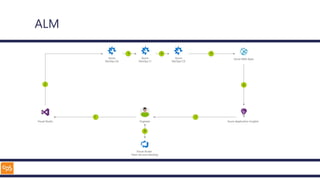
ALM
Planning
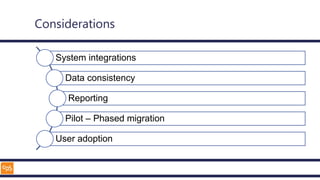
Considerations
System integrations
Data consistency
Reporting
Pilot – Phased migration
User adoption
Summary
Azure Architecture Centre
• Architecture guidance
• Example scenarios
• Reference architectures
• Design patterns
– 32 patterns
• Build an adoption strategy
Thank you
• Twitter: @al_eardley
• LinkedIn: https://www.linkedin.com/in/alaneardley/

Cloud First: Be Prepared

Editor's Notes

  • #10 Patching and upgrading of OS and Software Reduced cost – management, high availability, distadter recovery
  • #11 Teams, SharePoint, Stream
  • #15 https://azure.microsoft.com/en-us/global-infrastructure/regions/ https://azure.microsoft.com/en-us/global-infrastructure/services/ .;;;;;;;;;;;;;;;;;;;;;;;;;;;;;;;;;;;;;;;;;;;;;;;/we223333333333333333 22gghhe3wwwwwwwwwwwwwwwwwwq ````````````` \tps://azure.microsoft.com/en-us/global-infrastructure/services/?products=app-service,functions&regions=all
  • #19 Tunnel to Azure – 100MB BA Azure can scale globally – not if all traffic is routed through a single datacentre
  • #20 Without the ability to access the cloud, the project stops Different technical approaches such as cloud identity, federation and passthrough Common issues are more related to changes in user behaviour
  • #21 Like any other data centre, access needs to be controlled Delegation of permissions works well in Azure – grant permissions to different resource groups containing logical sets of Azure resources Azure resources have different methods for exposing endpoints Azure SQL has firewalls to allow restriction to allowed IP addresses by default Web based applications can accept traffic from anywhere, or be restricted to a range of IP addresses
  • #30 Unplanned hardware maintenance event Unexpected downtime Planned maintenance
  • #41 1 Change application source code. 2 Commit application code and Web Apps web.config file. 3 Continuous integration triggers application build and unit tests. 4 Continuous deployment trigger orchestrates deployment of application artifacts with environment-specific parameters. 5 Deployment to Web Apps. 6 Azure Application Insights collects and analyzes health, performance, and usage data. 7 Review health, performance, and usage information. 8 Update backlog item.
  • #45 https://docs.microsoft.com/en-us/azure/architecture/ https://docs.microsoft.com/en-us/azure/architecture/patterns/