SharePoint 2010: Business Insights Presented by: JD Wade, SharePoint Consultant, MCTS Mail: jd.wade@hrizns.com Blog:  http://wadingthrough.com LinkedIn: JD Wade Twitter: http://twitter.com/JDWade
Agenda Where’s the Data? Presenting Data Using MS BI Tools Strategy for MS BI Tools Use Platform Architecture SharePoint
SharePoint
SharePoint
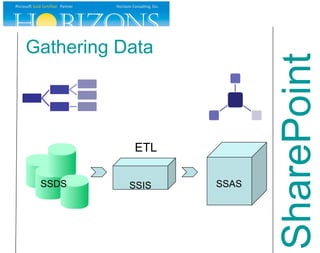
SharePoint Gathering Data
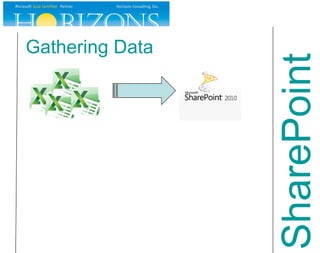
SharePoint Gathering Data SSIS ETL SSDS SSAS
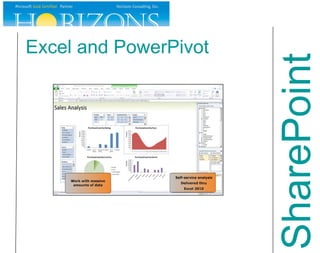
Excel and PowerPivot SharePoint
Excel  End User Analysis Tool of Choice End User BI Begins Here Viewing, manipulating, performing analysis on intelligence or for creating reports Used for: Analysis, filtering and presentation of locally stored data Interacting with analytic models from multiple sources SharePoint
Excel What‘s New Multi-user editing Slicers New Development Support SharePoint
PowerPivot Extension to Excel that adds support for large-scale data Codename was Gemini Used to: Explore and perform calculations on large data sets for ad-hoc reports and analysis SharePoint
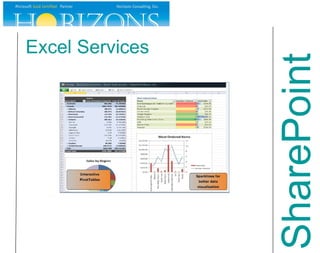
Excel Services SharePoint
Excel Services Server-side browser rendering of Excel spreadsheets Used for: Sharing Excel content across the organization while maintaining publishing control Generate a model to be broadly used (ex: mortgage calculator) Protect the intellectual property (formulas, etc.) contained within the spreadsheet SharePoint
Excel Services What’s New Support for more Excel functionality Interactive Pivot Tables Default Trusted Locations Delegate Service Application PowerShell SharePoint
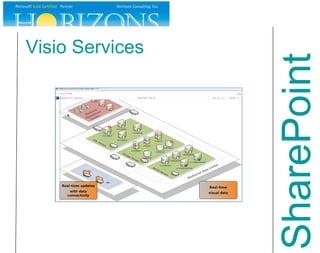
Visio Services SharePoint
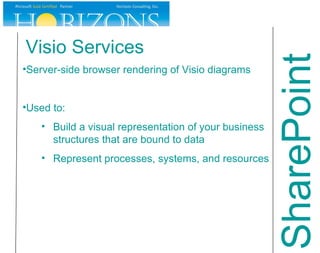
Visio Services Server-side browser rendering of Visio diagrams Used to: Build a visual representation of your business structures that are bound to data Represent processes, systems, and resources SharePoint
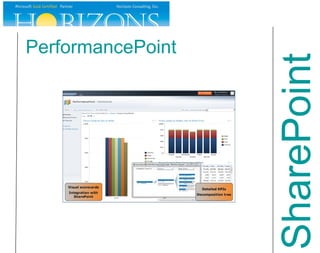
PerformancePoint SharePoint
PerformancePoint Performance management service with tools to monitor and analyze business data. IT easy-to-use tools for building dashboards, scorecards, and KPIs Used for: Creating dashboard, scorecards, and KPIs Providing drill-down analysis SharePoint
PerformancePoint What’s New Decomposition Tree Improved scorecards Time Intelligence filtering improved Connectable web parts KPI Details report Enhanced analytic reports SharePoint
Reporting Services SharePoint
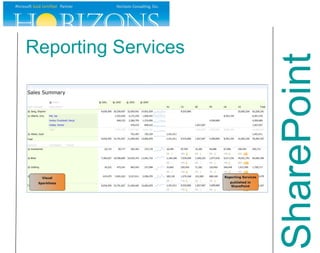
Reporting Services Reports, Reports, Reports Can be published to SharePoint Used to: Deliver reports that publish at regular intervals and on-demand Deliver reports with well established requirements SharePoint
Reporting Services What’s New (R2) Can install add-in before SharePoint 2010 & one step integration Local Mode Report Viewing SSRS is reporting engine for Access Services reporting Native support for Reporting on SharePoint Lists Performance improvements ULS Logging SharePoint
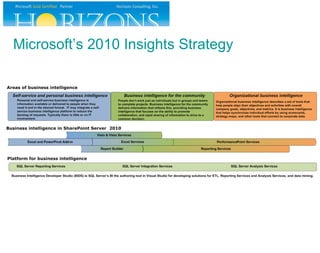
Microsoft’s 2010 Insights Strategy
 
Q & A Presented by: JD Wade, SharePoint Consultant, MCTS Mail: jd.wade@hrizns.com Blog:  http://wadingthrough.com LinkedIn: JD Wade Twitter: http://twitter.com/JDWade

SharePoint 2010: Business Insights

  • 1.
    SharePoint 2010: BusinessInsights Presented by: JD Wade, SharePoint Consultant, MCTS Mail: jd.wade@hrizns.com Blog: http://wadingthrough.com LinkedIn: JD Wade Twitter: http://twitter.com/JDWade
  • 2.
    Agenda Where’s theData? Presenting Data Using MS BI Tools Strategy for MS BI Tools Use Platform Architecture SharePoint
  • 3.
  • 4.
  • 5.
  • 6.
    SharePoint Gathering DataSSIS ETL SSDS SSAS
  • 7.
  • 8.
    Excel EndUser Analysis Tool of Choice End User BI Begins Here Viewing, manipulating, performing analysis on intelligence or for creating reports Used for: Analysis, filtering and presentation of locally stored data Interacting with analytic models from multiple sources SharePoint
  • 9.
    Excel What‘s NewMulti-user editing Slicers New Development Support SharePoint
  • 10.
    PowerPivot Extension toExcel that adds support for large-scale data Codename was Gemini Used to: Explore and perform calculations on large data sets for ad-hoc reports and analysis SharePoint
  • 11.
  • 12.
    Excel Services Server-sidebrowser rendering of Excel spreadsheets Used for: Sharing Excel content across the organization while maintaining publishing control Generate a model to be broadly used (ex: mortgage calculator) Protect the intellectual property (formulas, etc.) contained within the spreadsheet SharePoint
  • 13.
    Excel Services What’sNew Support for more Excel functionality Interactive Pivot Tables Default Trusted Locations Delegate Service Application PowerShell SharePoint
  • 14.
  • 15.
    Visio Services Server-sidebrowser rendering of Visio diagrams Used to: Build a visual representation of your business structures that are bound to data Represent processes, systems, and resources SharePoint
  • 16.
  • 17.
    PerformancePoint Performance managementservice with tools to monitor and analyze business data. IT easy-to-use tools for building dashboards, scorecards, and KPIs Used for: Creating dashboard, scorecards, and KPIs Providing drill-down analysis SharePoint
  • 18.
    PerformancePoint What’s NewDecomposition Tree Improved scorecards Time Intelligence filtering improved Connectable web parts KPI Details report Enhanced analytic reports SharePoint
  • 19.
  • 20.
    Reporting Services Reports,Reports, Reports Can be published to SharePoint Used to: Deliver reports that publish at regular intervals and on-demand Deliver reports with well established requirements SharePoint
  • 21.
    Reporting Services What’sNew (R2) Can install add-in before SharePoint 2010 & one step integration Local Mode Report Viewing SSRS is reporting engine for Access Services reporting Native support for Reporting on SharePoint Lists Performance improvements ULS Logging SharePoint
  • 22.
  • 23.
  • 24.
    Q & APresented by: JD Wade, SharePoint Consultant, MCTS Mail: jd.wade@hrizns.com Blog: http://wadingthrough.com LinkedIn: JD Wade Twitter: http://twitter.com/JDWade

Editor's Notes

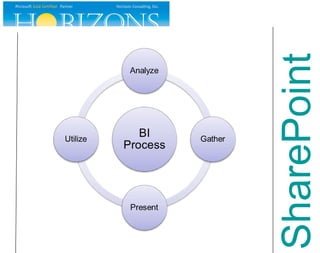
  • #5 We are going to be focusing on the Gather and Present portions of this cycle Analyze-remember to discuss targets
  • #7 SSIS can gather data from disparate sources
  • #10 Development Support Extending calculation and data-import capabilities via UDF REST API JSOM or ECMAScript (JScript or JavaScript object model)
  • #11 In-memory data store for Analysis Services Multiple data sources including databases, worksheets, reports, and data feeds. Can be published and refreshed within SharePoint
  • #13 Excel Services is an SP2010 Service Application Real-time, interactive reporting to include parameterized what-if analysis Distribution of all or part of a workbook for analysis
  • #18 PerformancePoint is a Service Application in SharePoint 2010 Authored in Dashboard Designer Data can come from Analysis Services, SQL Databases, SharePoint Lists, and Excel Services ProClarity is still undetermined
  • #19 New Feature: Decomposition Tree – New Report Type, enables you to quickly and visually break down higher-level data values from multi-dimensional data sets, helps you understand the driving forces behind those values
  • #21 Part of SQL Server Authored through BIDS or Report Builder Suitable when report requirements are well established and customers are not always familiar with the underlying data set.
  • #22 Local mode report viewing in AJAX enabled Report Viewer
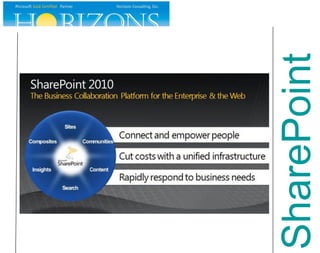
  • #24 SharePoint 2010 becomes the center of everything BI