Reference Pages Module 5 Lesson 4
Reference Pages Text references  in reports can take several forms. Typically, you should refer to a style manual for the specific format required for your report. MLA Style Guide Citation Machine
Several Forms?  What Forms? Endnotes Textual citations (or parenthetical references) Footnotes
Endnotes Listing of all material quoted within the text.
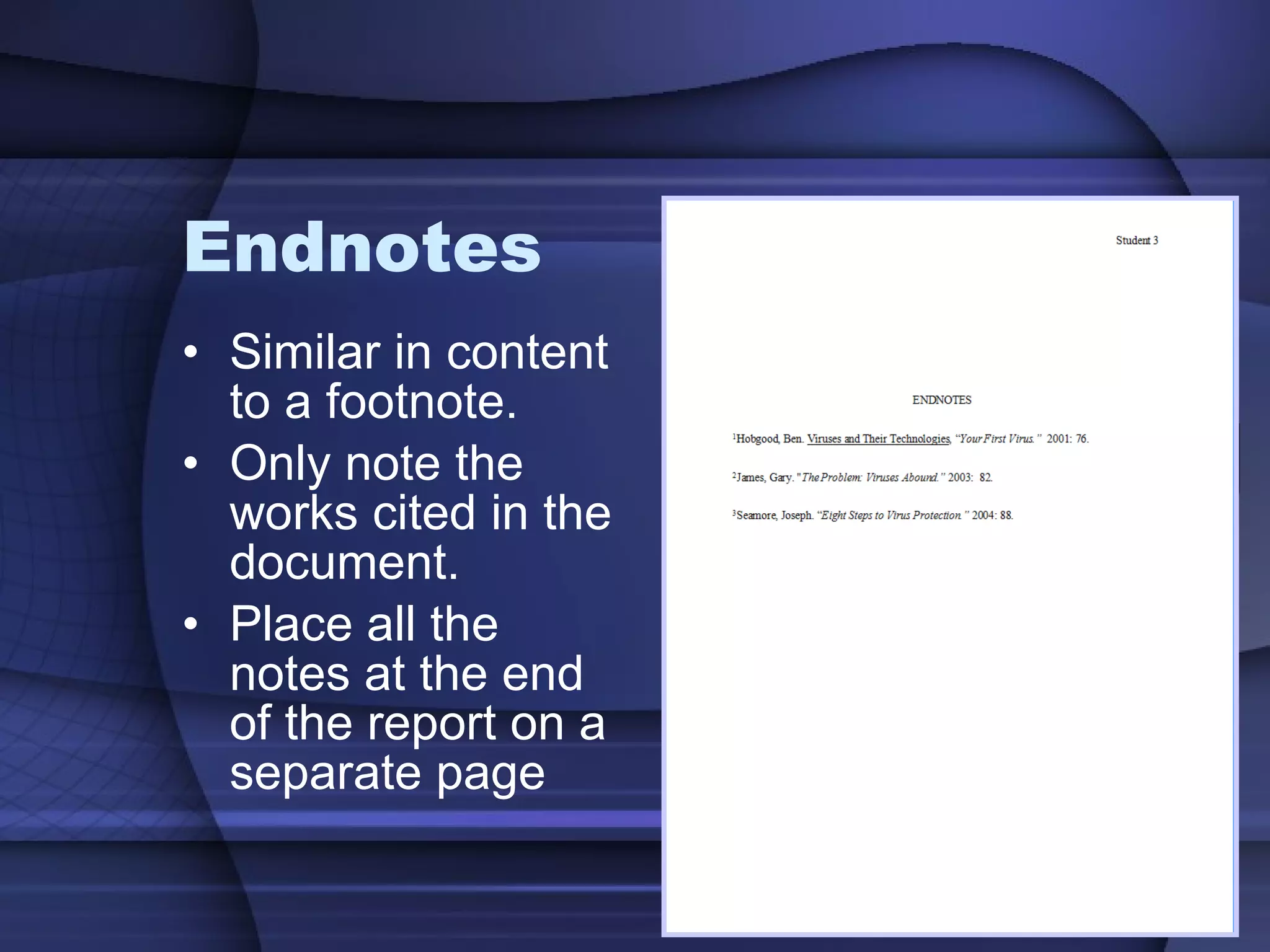
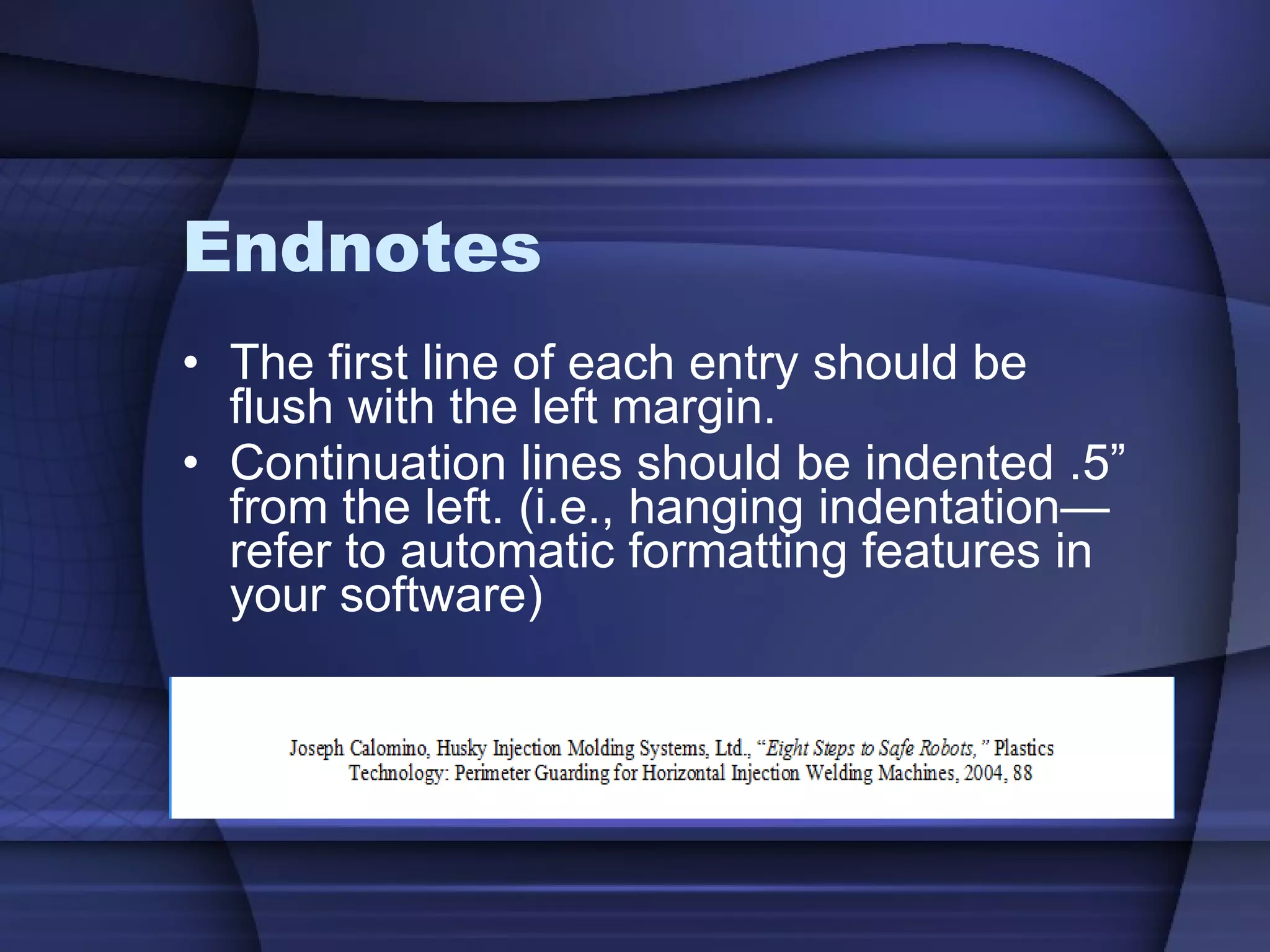
Endnotes  Similar in content to a footnote. Only note the works cited in the document. Place all the notes at the end of the report on a separate page
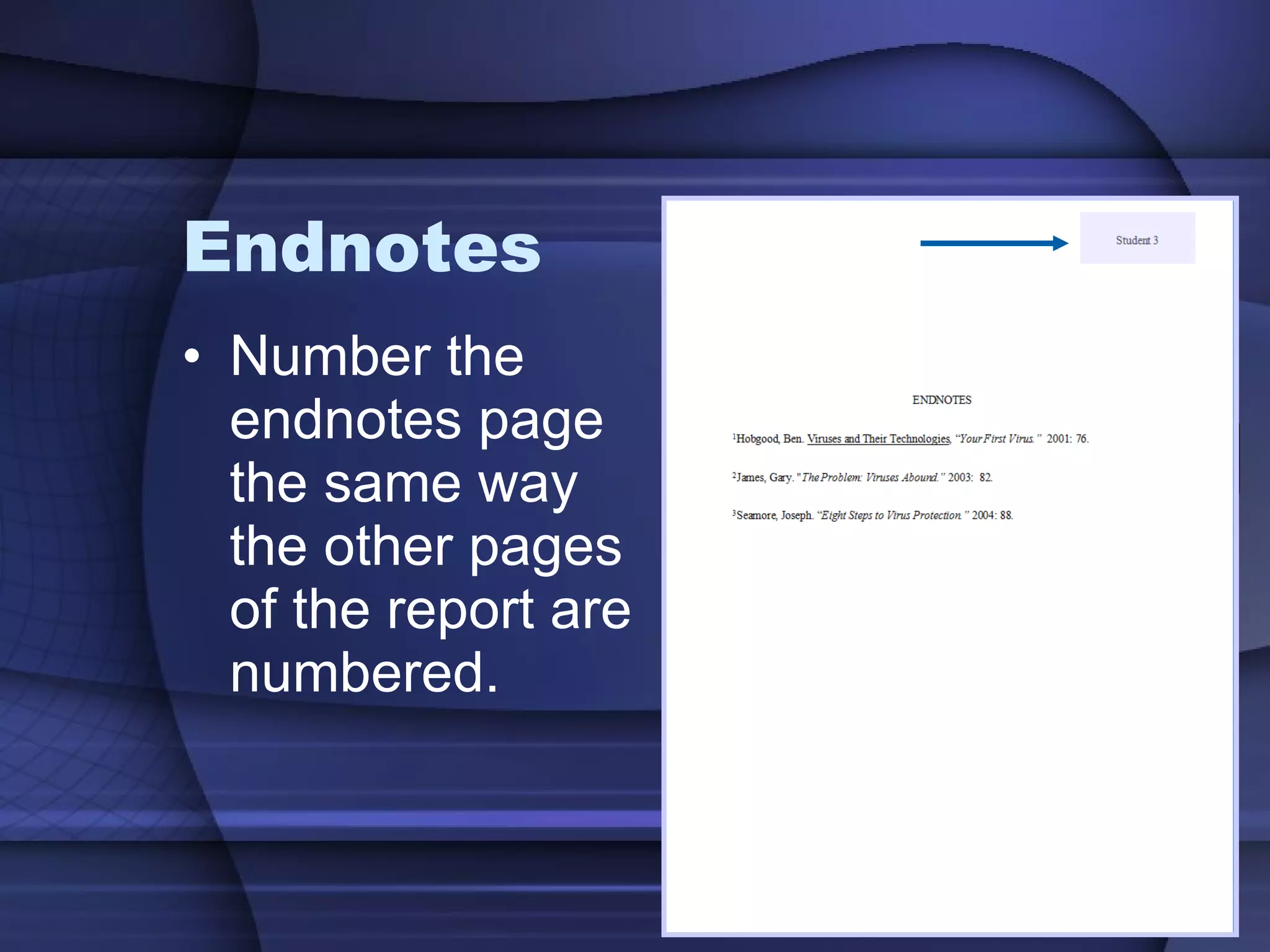
Endnotes Number the endnotes page the same way the other pages of the report are numbered.
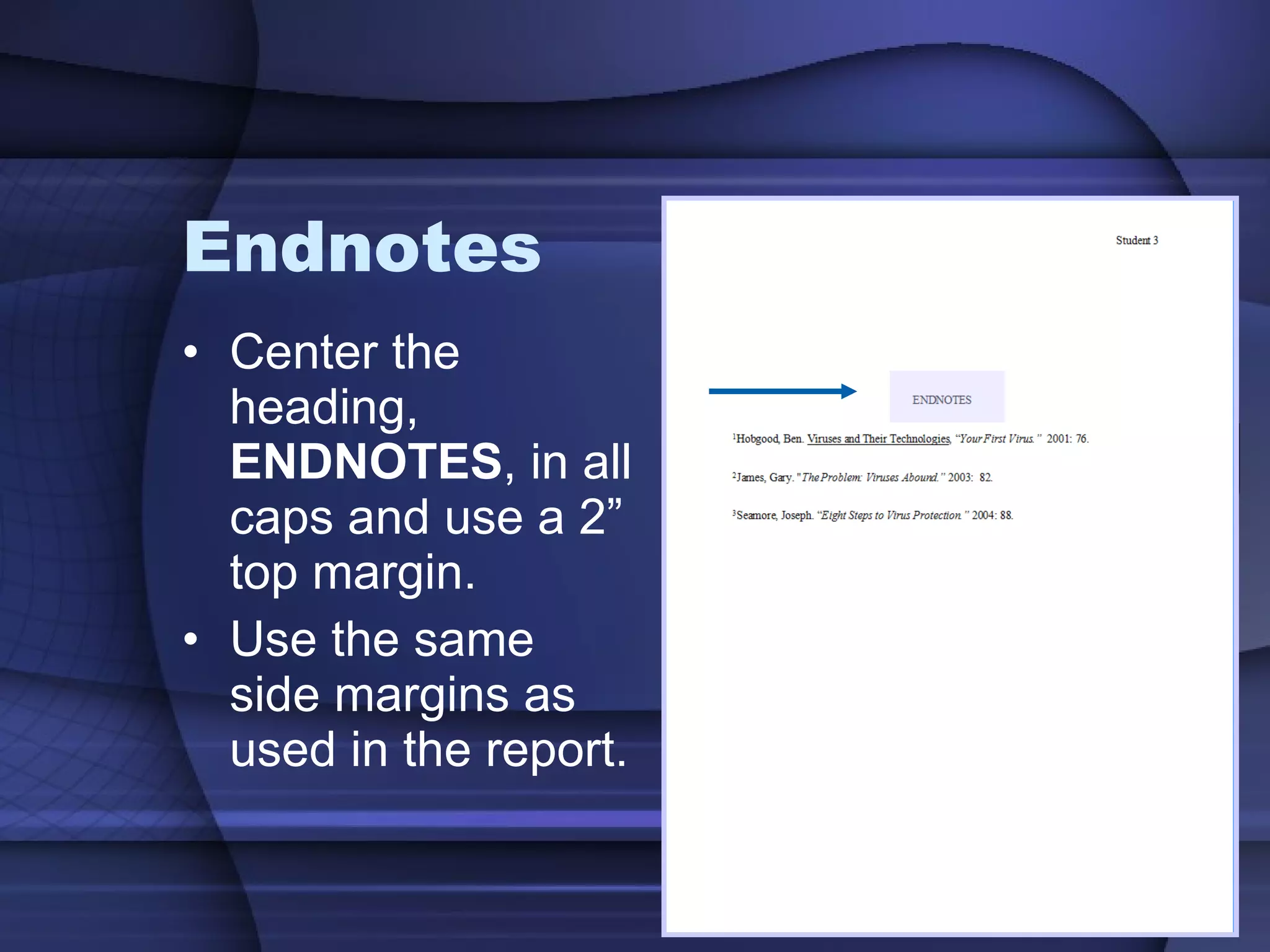
Endnotes Center the heading,  ENDNOTES , in all caps and use a 2” top margin. Use the same side margins as used in the report.
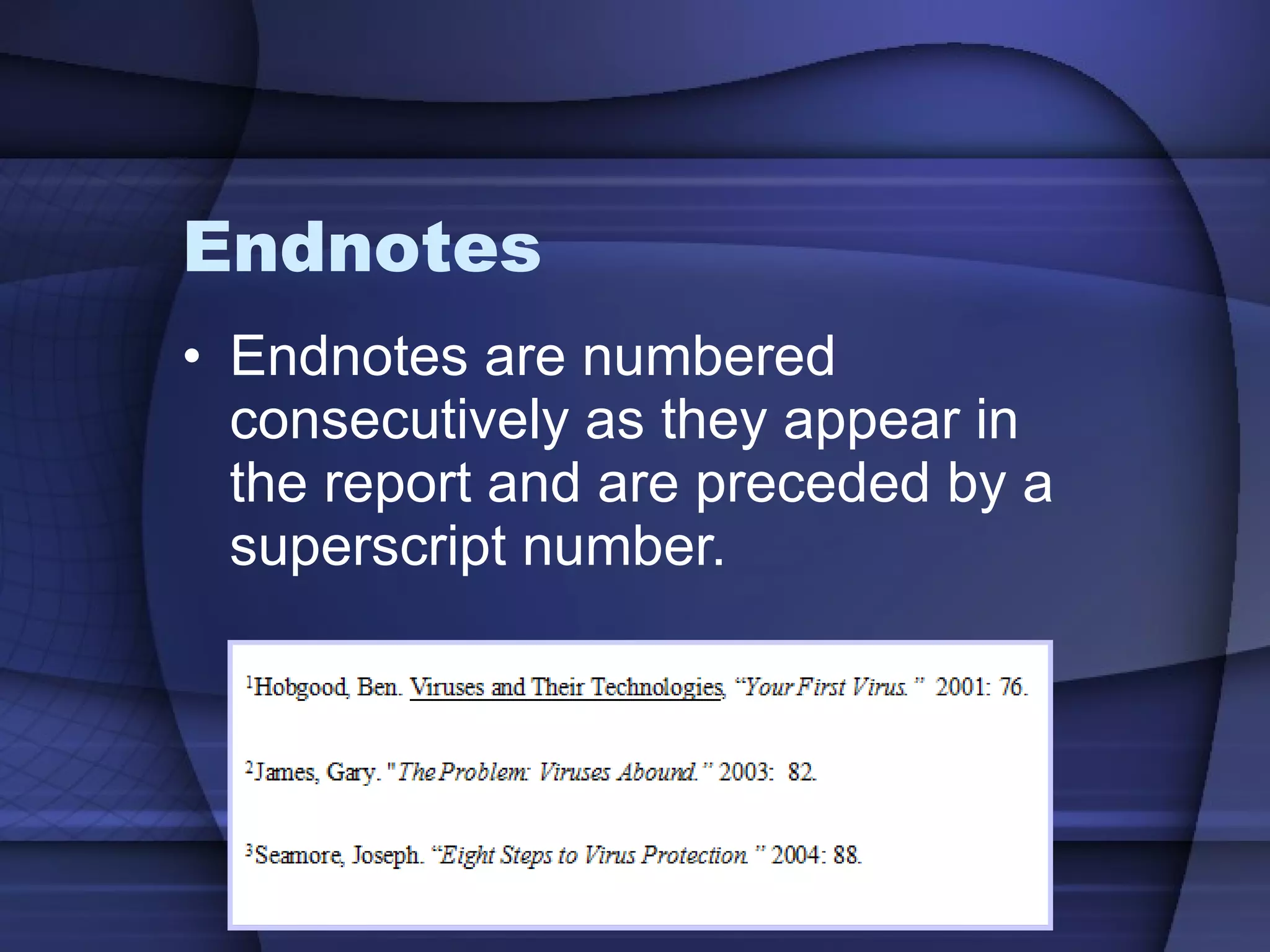
Endnotes Endnotes are numbered consecutively as they appear in the report and are preceded by a superscript number.
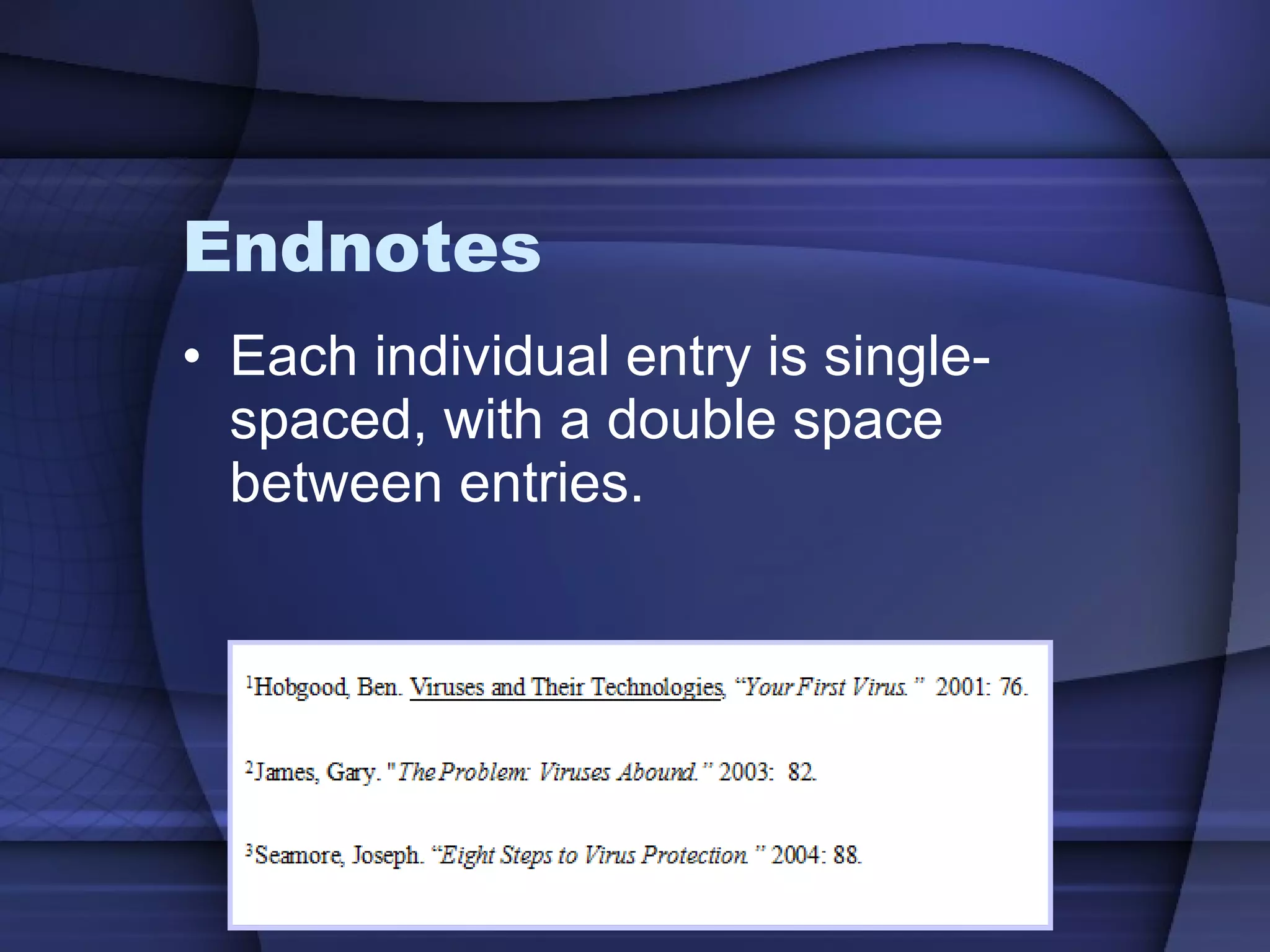
Endnotes Each individual entry is single-spaced, with a double space between entries.
Endnotes The first line of each entry should be flush with the left margin. Continuation lines should be indented .5” from the left. (i.e., hanging indentation—refer to automatic formatting features in your software)
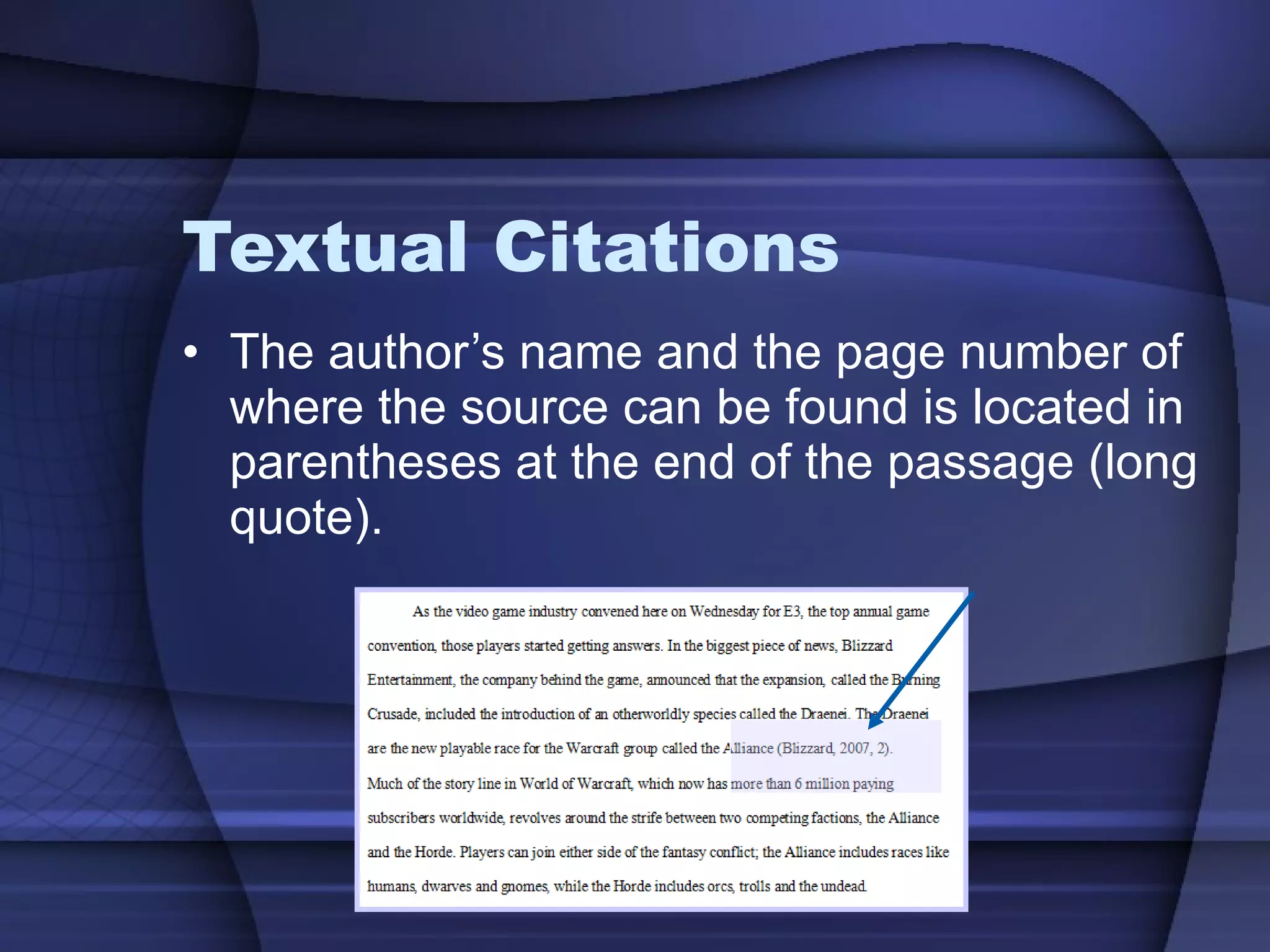
Textual Citations Citations of material placed directly within the body of a report.
Textual Citations The author’s name and the page number of where the source can be found is located in parentheses at the end of the passage (long quote).
Textual Citations Textual Citations noted within the text are fully compiled in a Works Cited page at the end of the report.
Works Cited Very similar to the Endnotes.  It is used with Academic Reports. It is a collection of sources cited within the report.
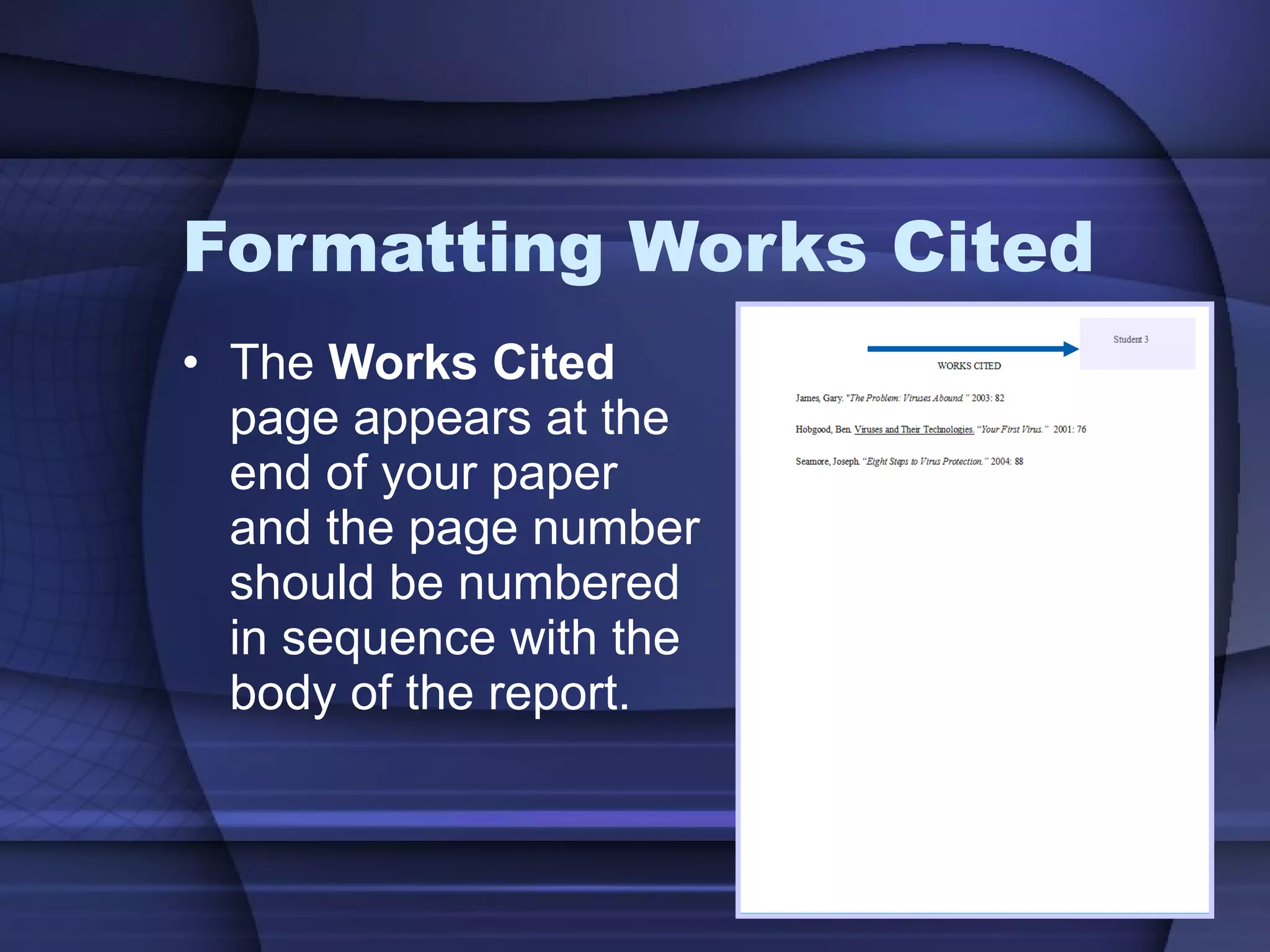
Formatting Works Cited The  Works Cited  page appears at the end of your paper and the page number should be numbered in sequence with the body of the report.
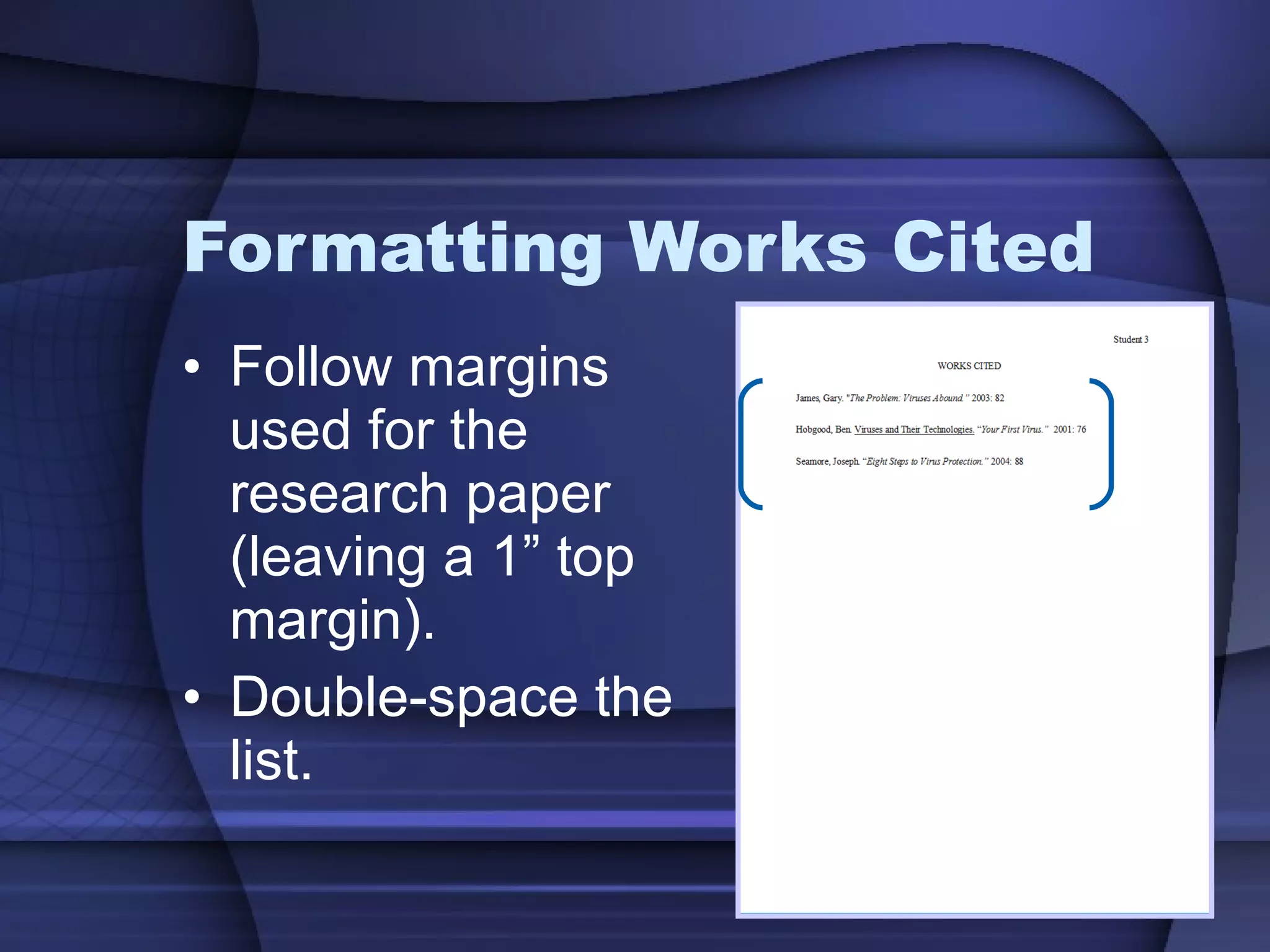
Formatting Works Cited Follow margins used for the research paper (leaving a 1” top margin).  Double-space the list.
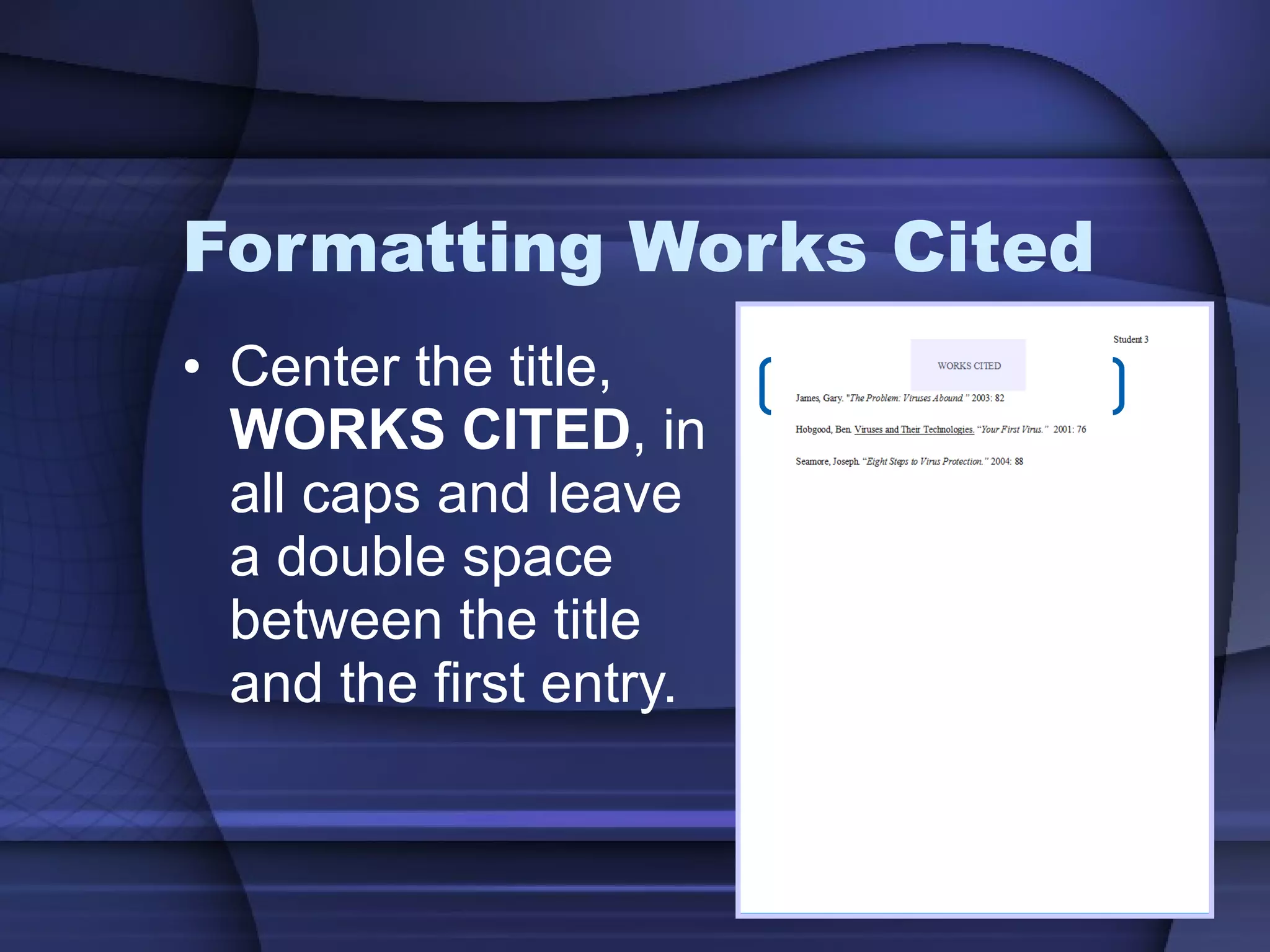
Formatting Works Cited Center the title,  WORKS CITED , in all caps and leave a double space between the title and the first entry.
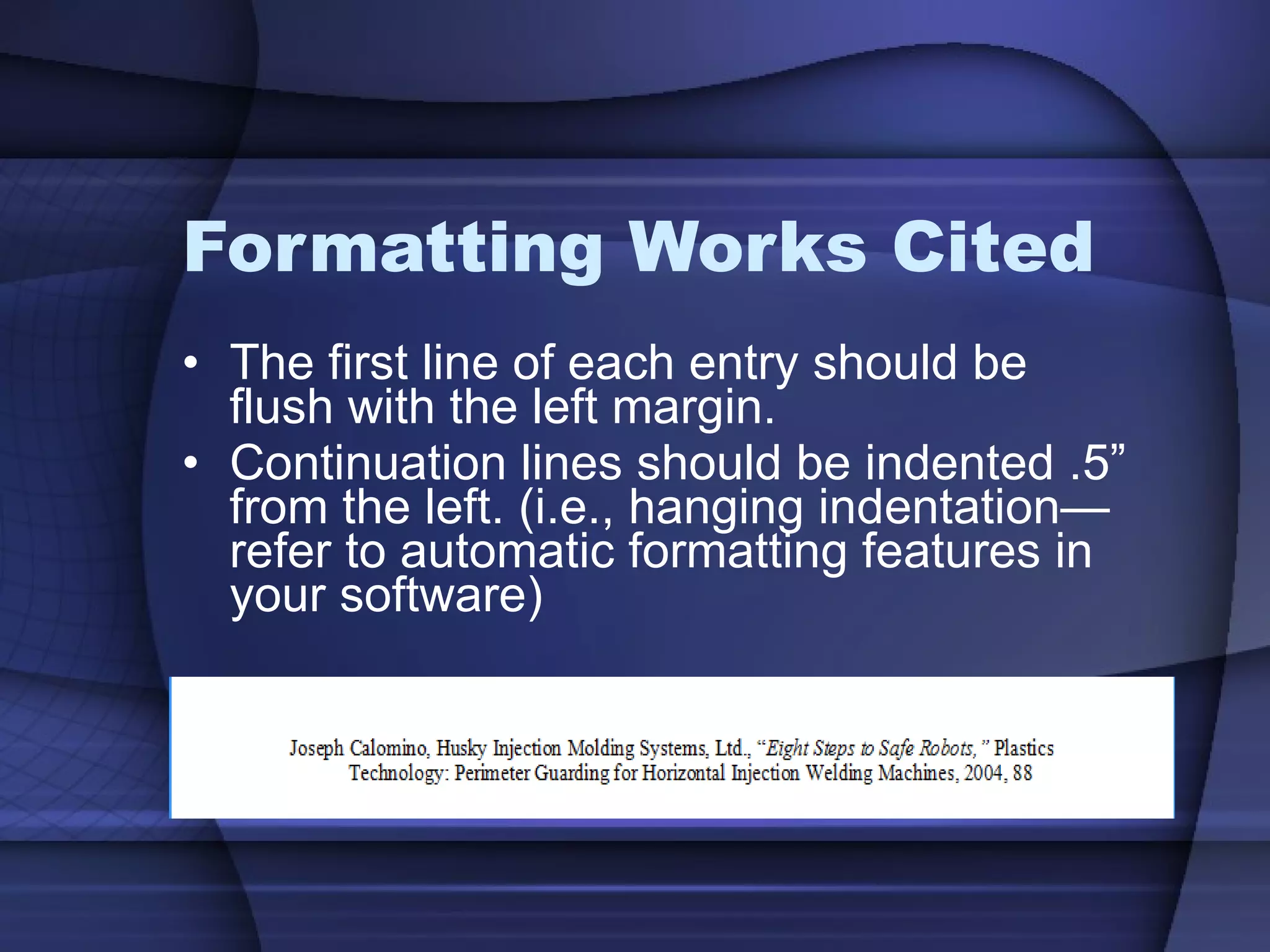
Formatting Works Cited The first line of each entry should be flush with the left margin. Continuation lines should be indented .5” from the left. (i.e., hanging indentation—refer to automatic formatting features in your software)
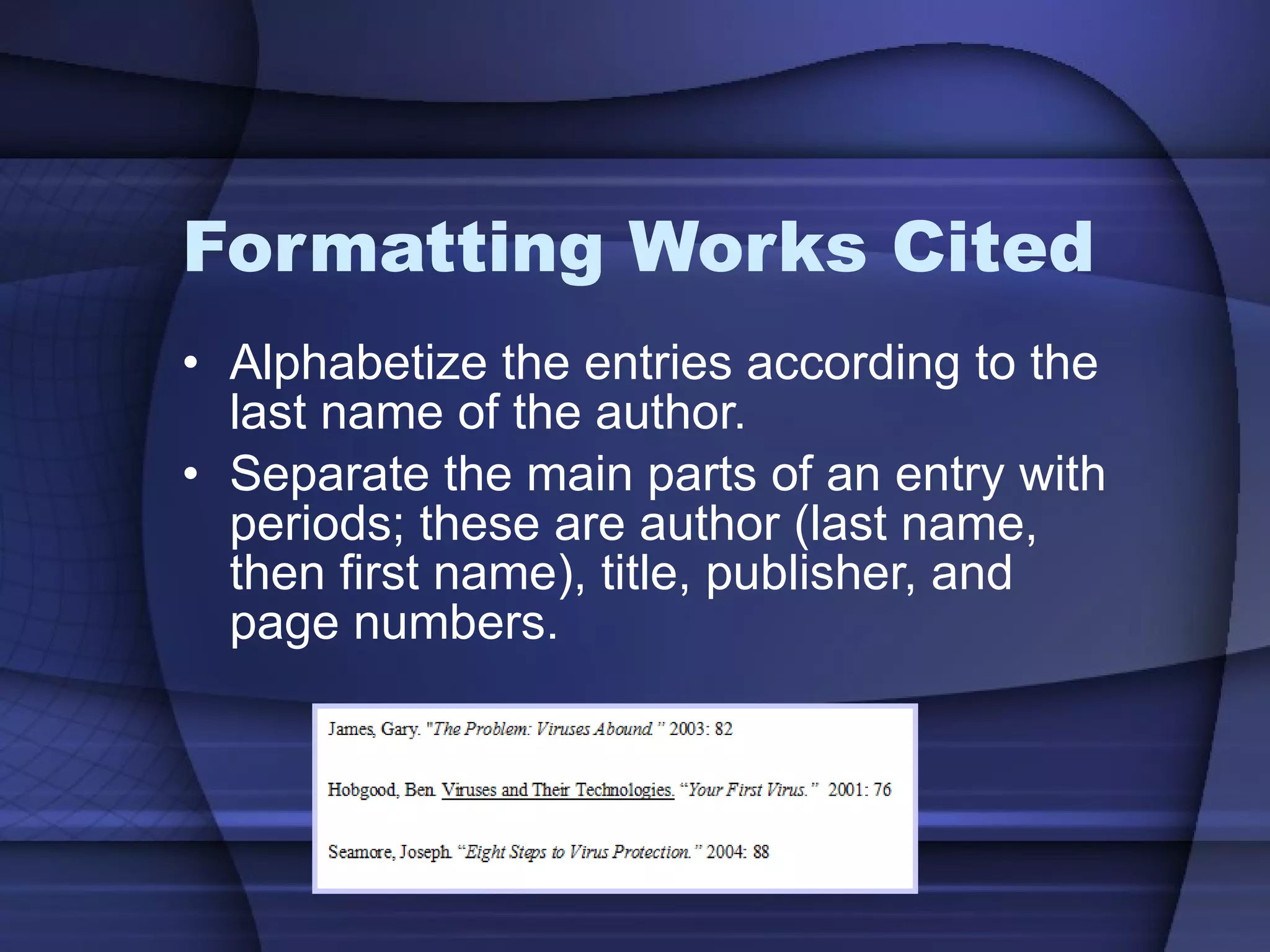
Formatting Works Cited Alphabetize the entries according to the last name of the author. Separate the main parts of an entry with periods; these are author (last name, then first name), title, publisher, and page numbers.
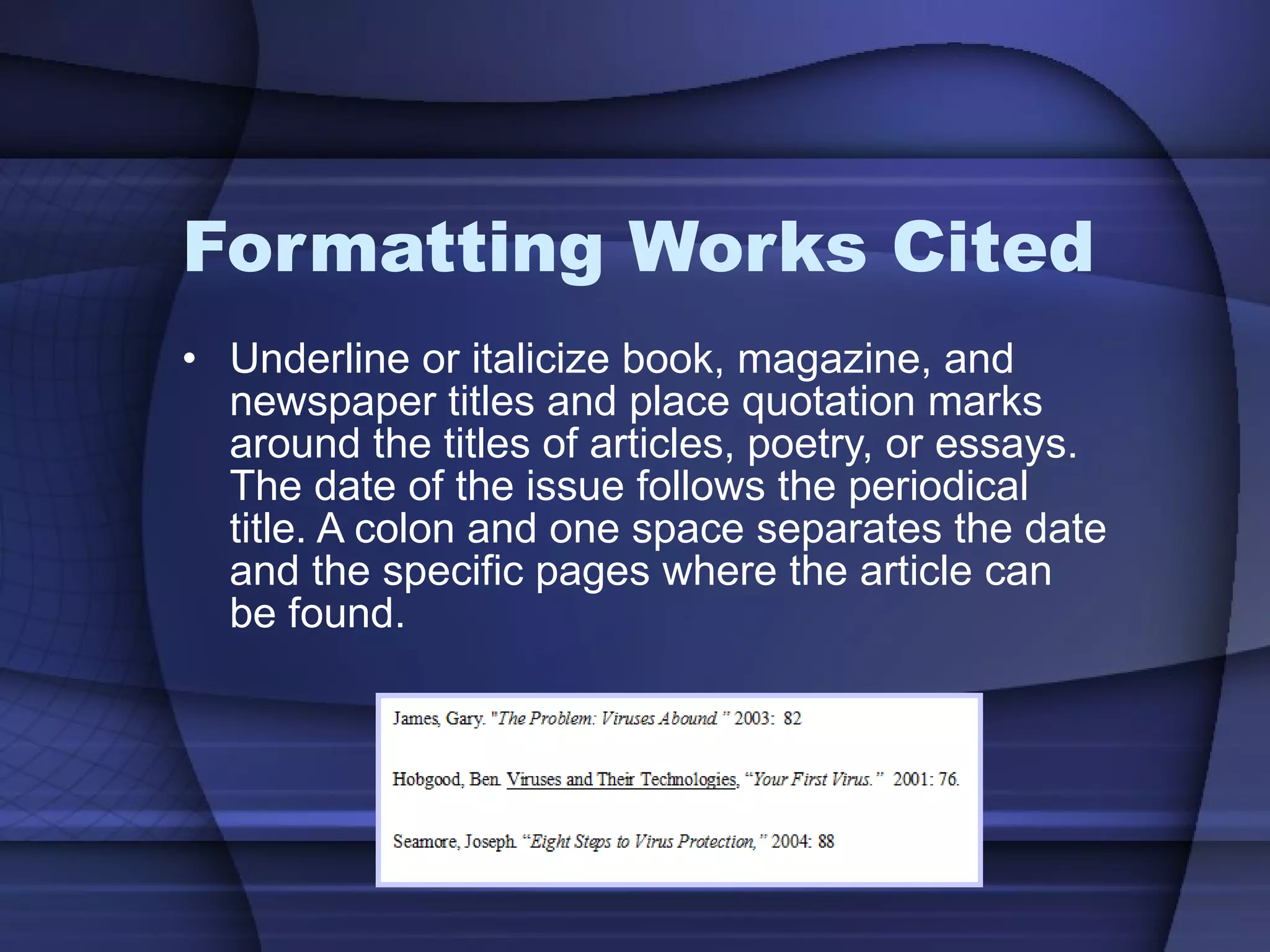
Formatting Works Cited Underline or italicize book, magazine, and newspaper titles and place quotation marks around the titles of articles, poetry, or essays. The date of the issue follows the periodical title. A colon and one space separates the date and the specific pages where the article can be found.
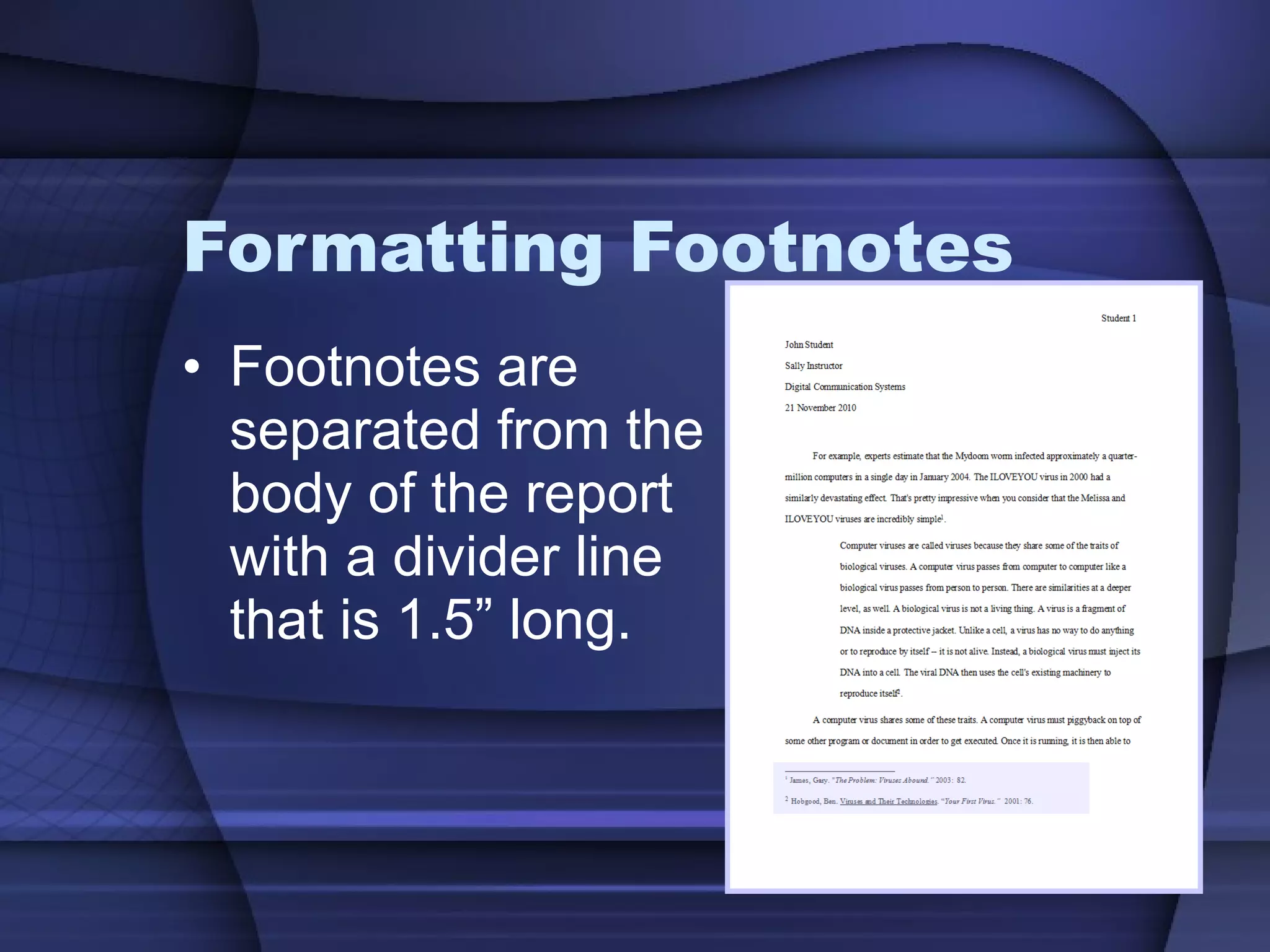
Footnotes Cites the source of quoted material at the bottom of the page where the quote occurs.
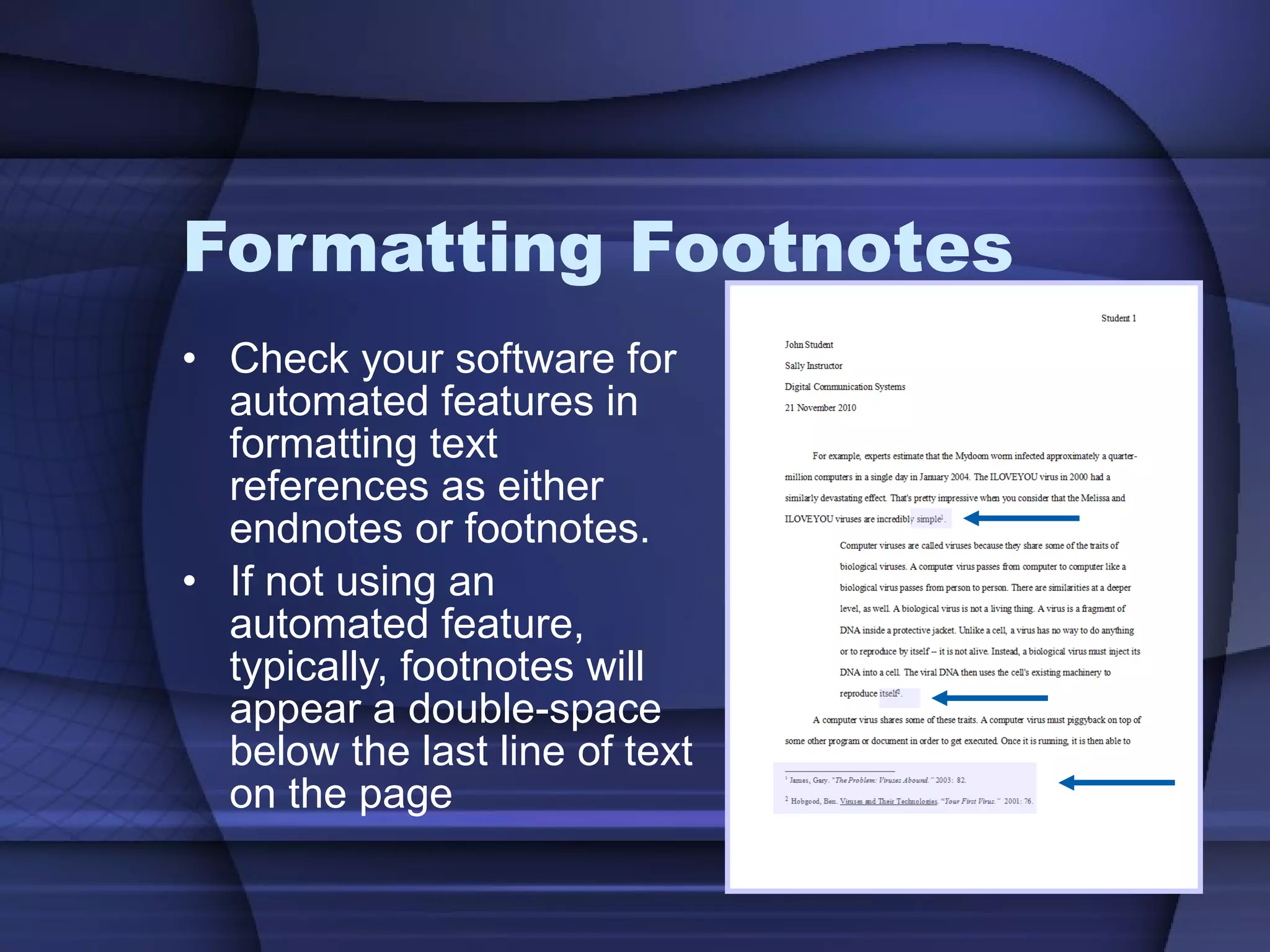
Formatting Footnotes Check your software for automated features in formatting text references as either  endnotes or footnotes. If not using an automated feature, typically, footnotes will appear a double-space below the last line of text on the page
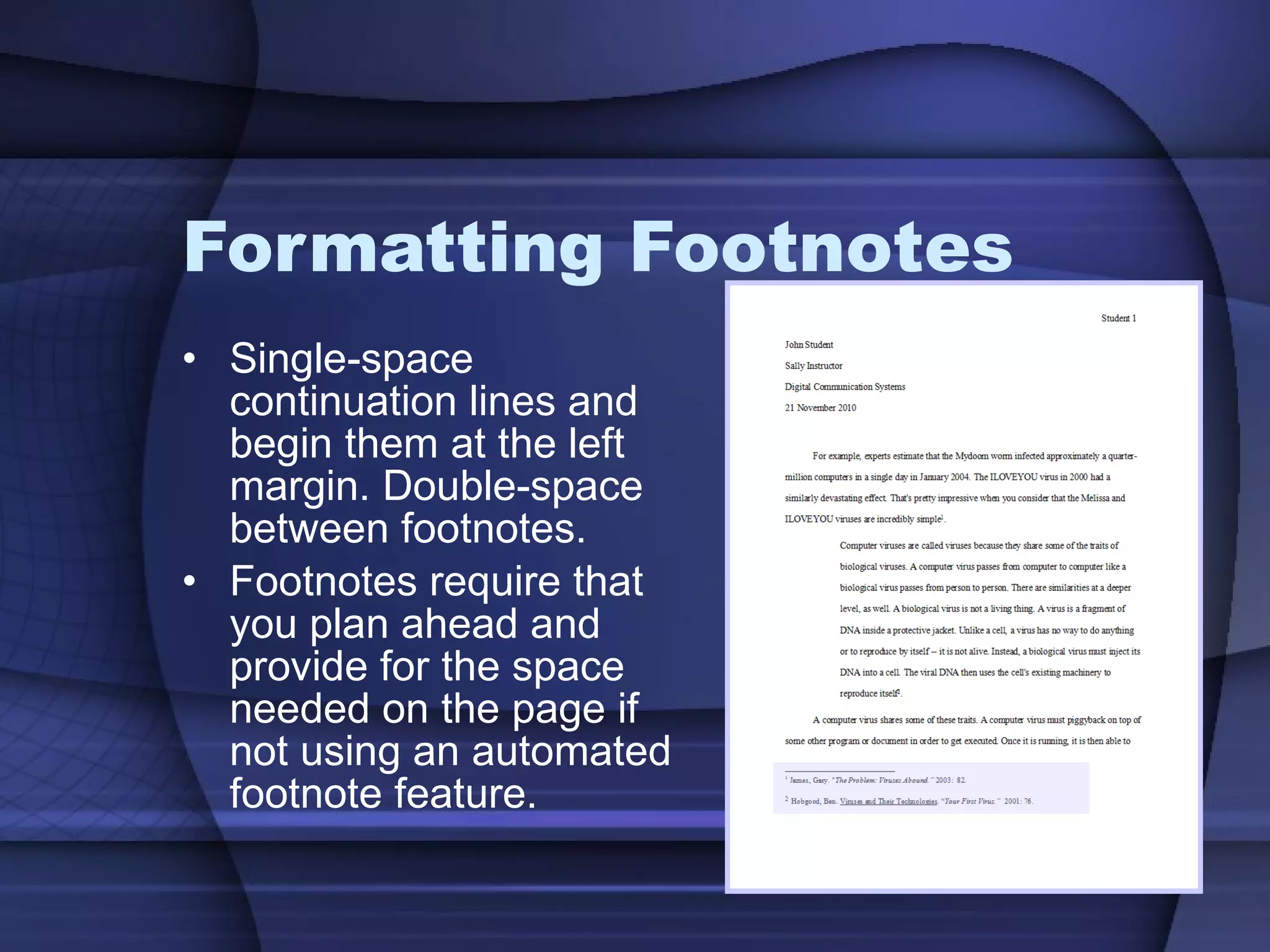
Formatting Footnotes Single-space continuation lines and begin them at the left margin. Double-space between footnotes. Footnotes require that you plan ahead and provide for the space needed on the page if not using an automated footnote feature.
Formatting Footnotes Footnotes are separated from the body of the report with a divider line that is 1.5” long.
Formatting Footnotes Source footnotes provide the reader with the essential details necessary to find the reference. Source footnotes consist of these four elements: Author(s) + Title of Work + Facts of Publication + Page Reference
Citations Footnotes, endnotes  and  works cited , refer the reader to information outside the text. They may be used to acknowledge the source of information, to support arguments, to provide additional material, to identify quoted material, to elaborate on the meaning, or to refer to other parts of the text.
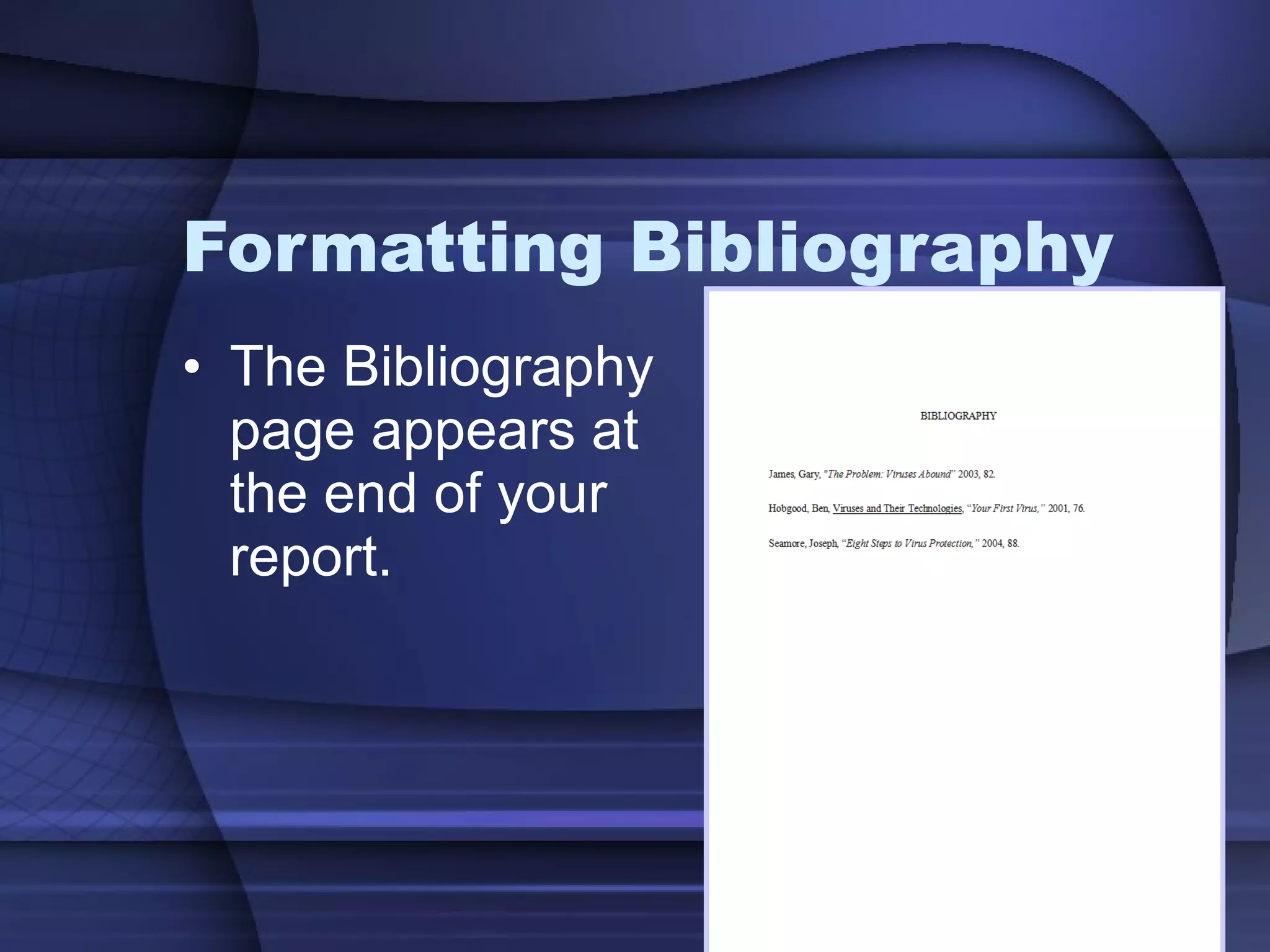
Bibliography Alphabetical listing of the material used in the report and is located at the end of the report.
Bibliography It is different from a Works Cited because you are listing ALL sources used in the creating of the report, not only the ones that were cited within the report.
Formatting Bibliography The Bibliography   page appears at the end of your report.
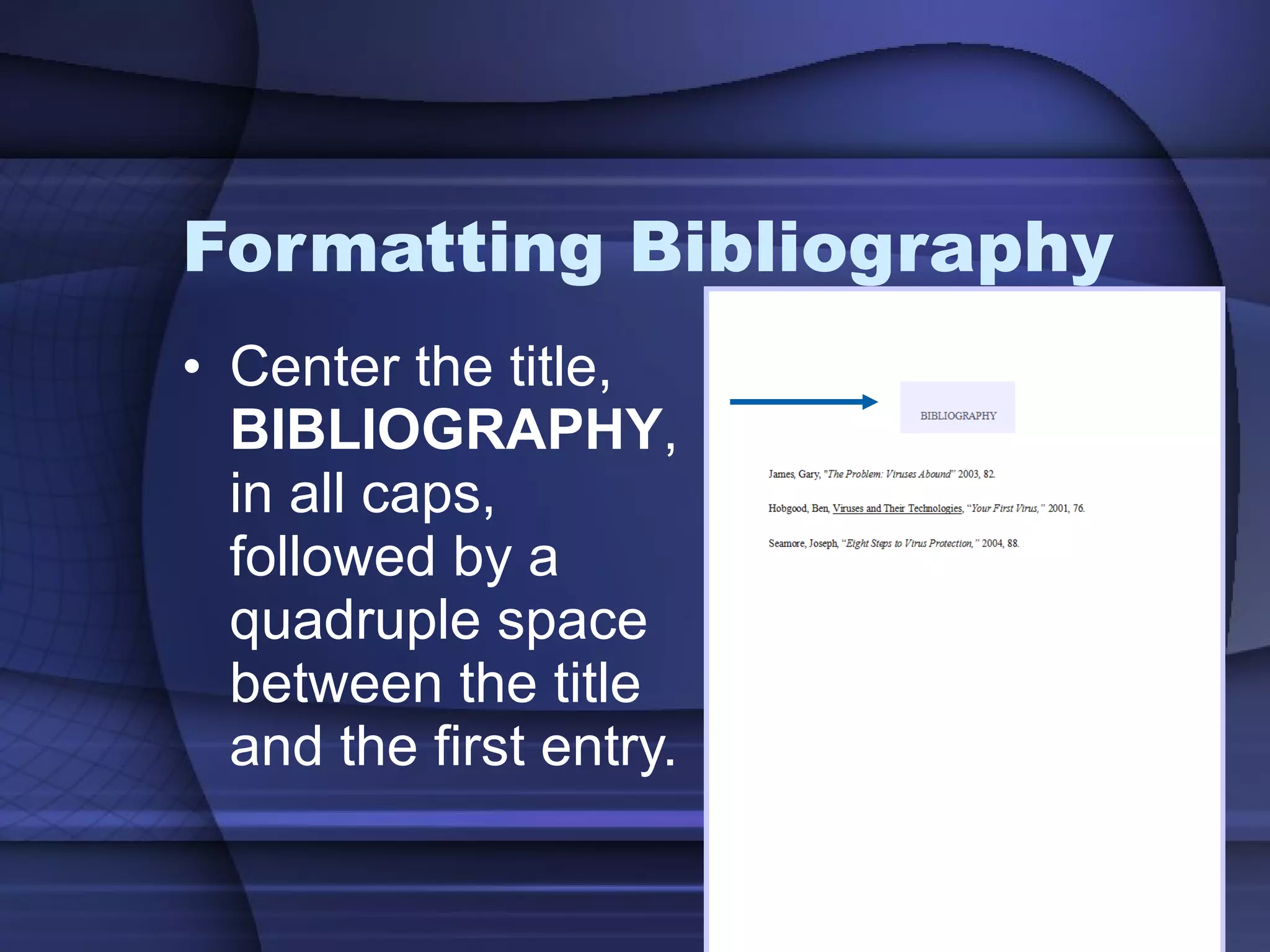
Formatting Bibliography Center the title,  BIBLIOGRAPHY , in all caps, followed by a quadruple space between the title and the first entry.
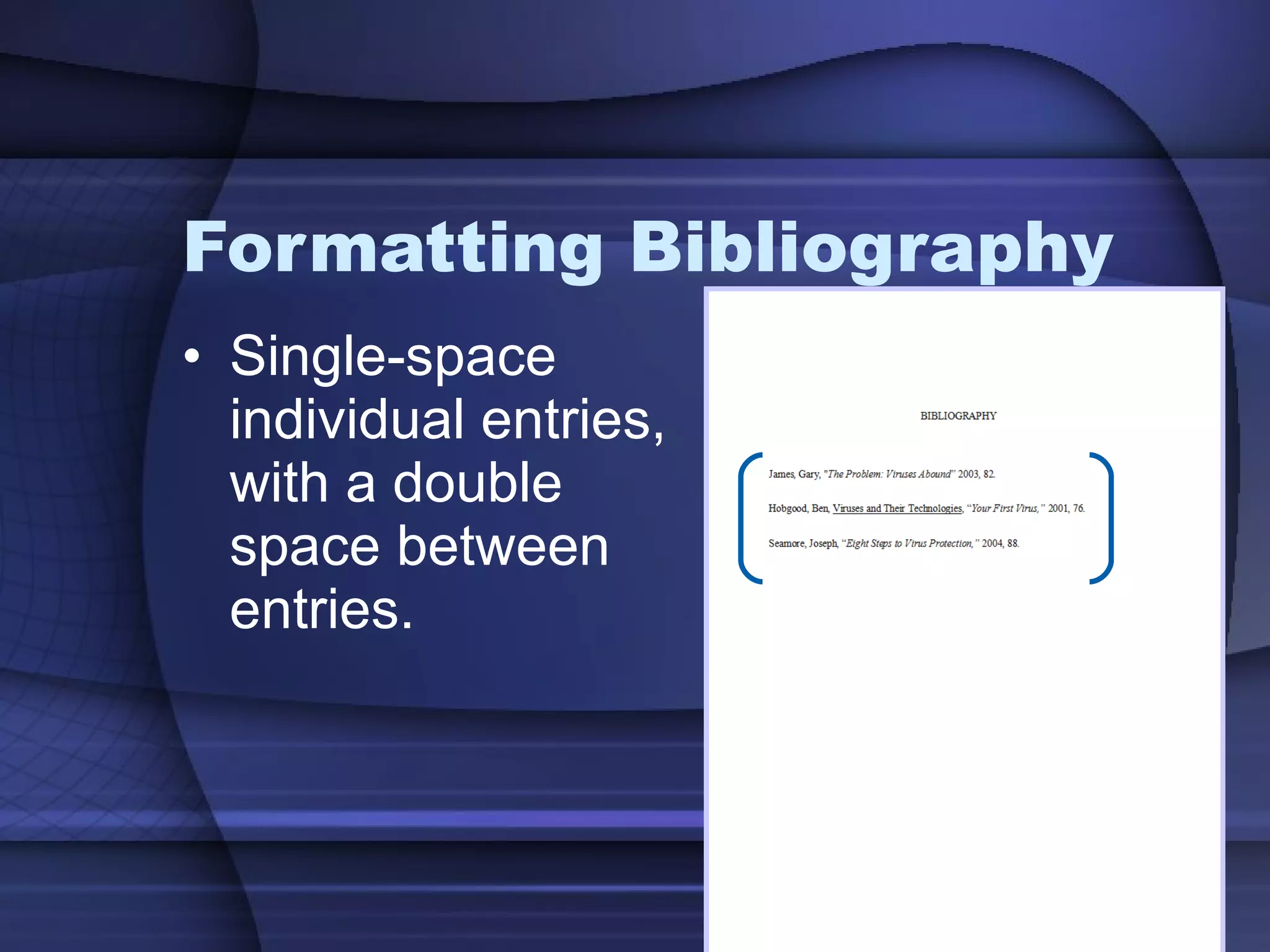
Formatting Bibliography Single-space individual entries, with a double space between entries.
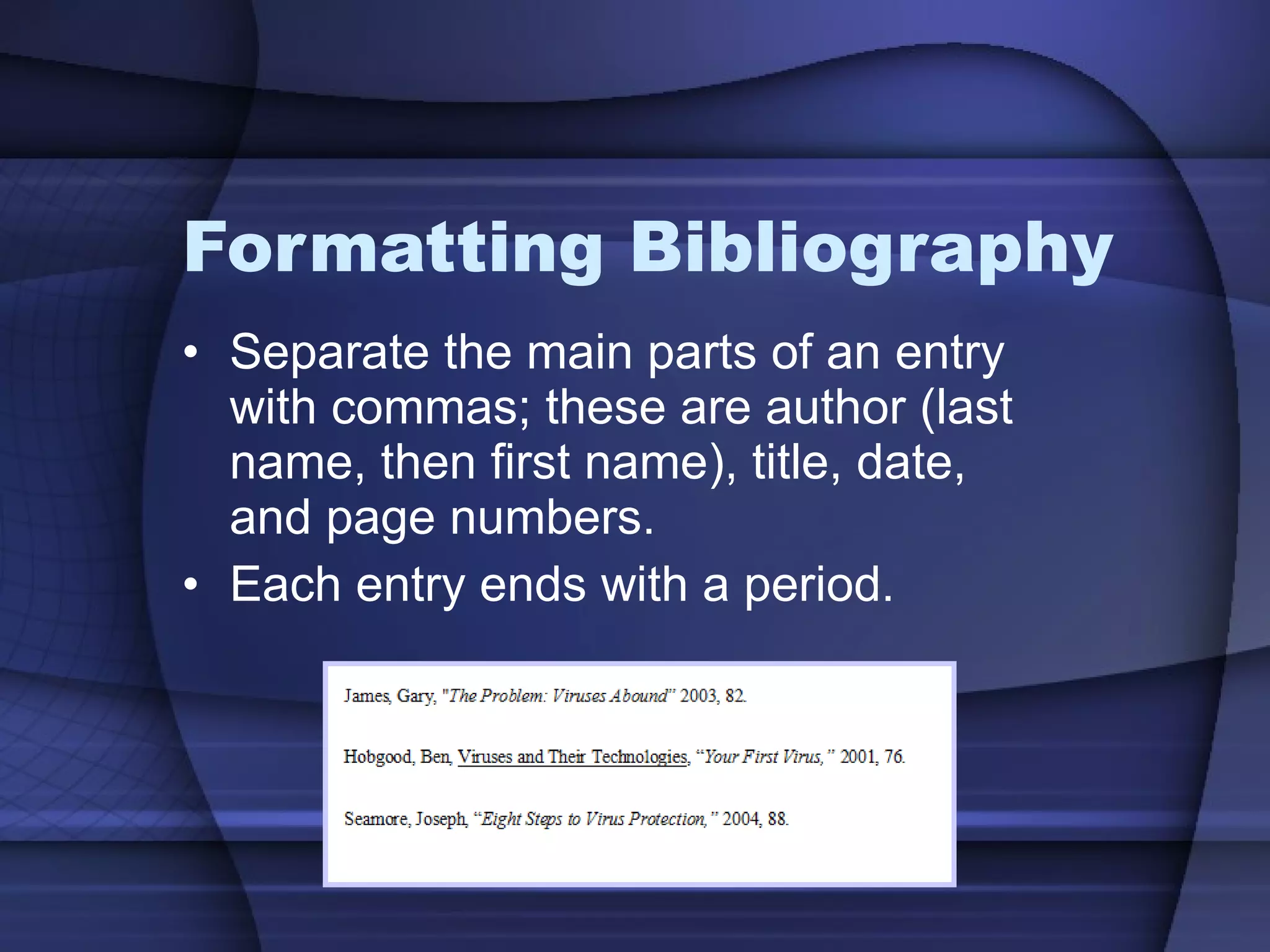
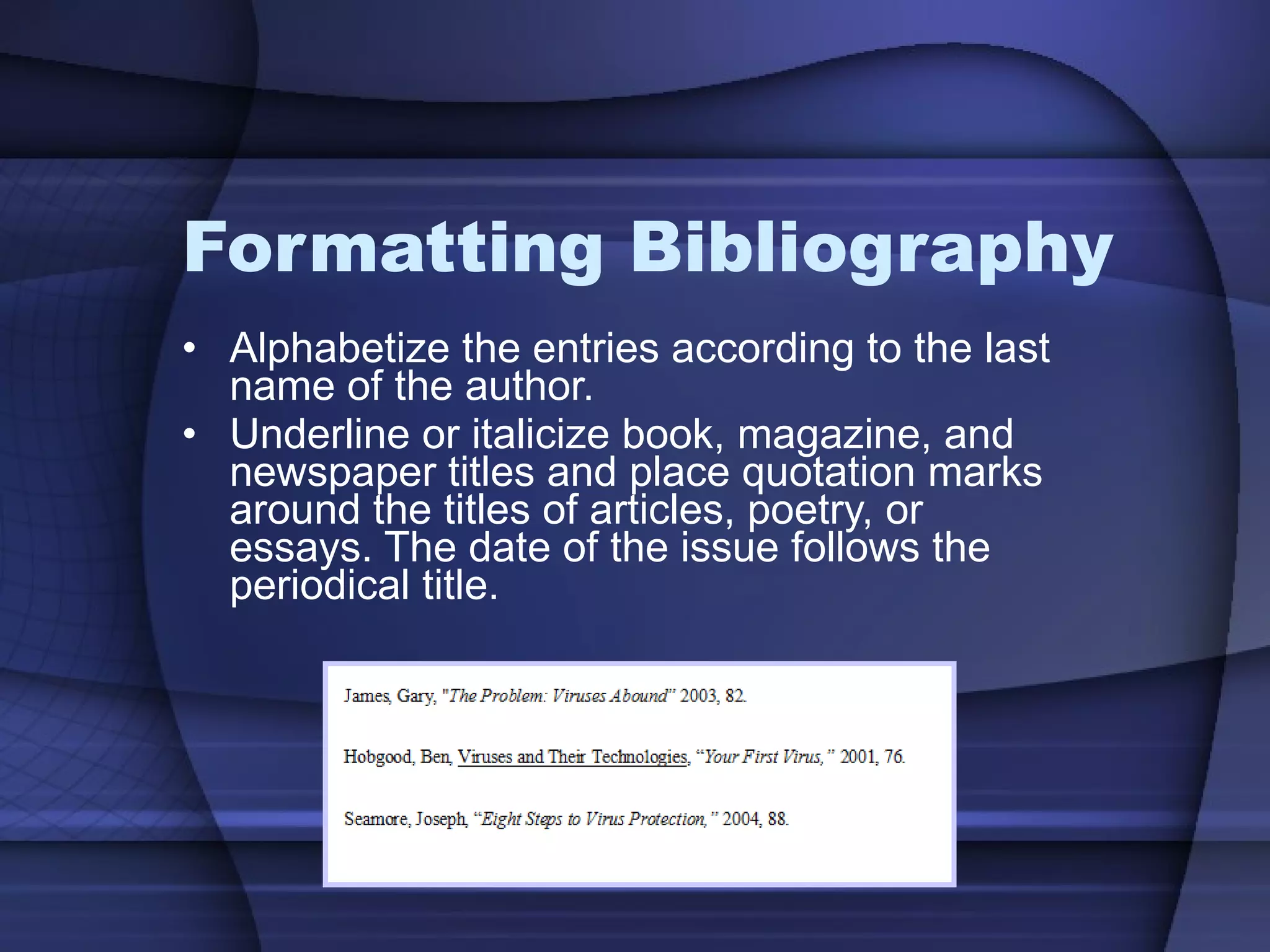
Formatting Bibliography Separate the main parts of an entry with commas; these are author (last name, then first name), title, date, and page numbers.  Each entry ends with a period.
Formatting Bibliography Alphabetize the entries according to the last name of the author. Underline or italicize book, magazine, and newspaper titles and place quotation marks around the titles of articles, poetry, or essays. The date of the issue follows the periodical title.
 

Reference pages

  • 1.
  • 2.
    Reference Pages Textreferences in reports can take several forms. Typically, you should refer to a style manual for the specific format required for your report. MLA Style Guide Citation Machine
  • 3.
    Several Forms? What Forms? Endnotes Textual citations (or parenthetical references) Footnotes
  • 4.
    Endnotes Listing ofall material quoted within the text.
  • 5.
    Endnotes Similarin content to a footnote. Only note the works cited in the document. Place all the notes at the end of the report on a separate page
  • 6.
    Endnotes Number theendnotes page the same way the other pages of the report are numbered.
  • 7.
    Endnotes Center theheading, ENDNOTES , in all caps and use a 2” top margin. Use the same side margins as used in the report.
  • 8.
    Endnotes Endnotes arenumbered consecutively as they appear in the report and are preceded by a superscript number.
  • 9.
    Endnotes Each individualentry is single-spaced, with a double space between entries.
  • 10.
    Endnotes The firstline of each entry should be flush with the left margin. Continuation lines should be indented .5” from the left. (i.e., hanging indentation—refer to automatic formatting features in your software)
  • 11.
    Textual Citations Citationsof material placed directly within the body of a report.
  • 12.
    Textual Citations Theauthor’s name and the page number of where the source can be found is located in parentheses at the end of the passage (long quote).
  • 13.
    Textual Citations TextualCitations noted within the text are fully compiled in a Works Cited page at the end of the report.
  • 14.
    Works Cited Verysimilar to the Endnotes. It is used with Academic Reports. It is a collection of sources cited within the report.
  • 15.
    Formatting Works CitedThe Works Cited page appears at the end of your paper and the page number should be numbered in sequence with the body of the report.
  • 16.
    Formatting Works CitedFollow margins used for the research paper (leaving a 1” top margin). Double-space the list.
  • 17.
    Formatting Works CitedCenter the title, WORKS CITED , in all caps and leave a double space between the title and the first entry.
  • 18.
    Formatting Works CitedThe first line of each entry should be flush with the left margin. Continuation lines should be indented .5” from the left. (i.e., hanging indentation—refer to automatic formatting features in your software)
  • 19.
    Formatting Works CitedAlphabetize the entries according to the last name of the author. Separate the main parts of an entry with periods; these are author (last name, then first name), title, publisher, and page numbers.
  • 20.
    Formatting Works CitedUnderline or italicize book, magazine, and newspaper titles and place quotation marks around the titles of articles, poetry, or essays. The date of the issue follows the periodical title. A colon and one space separates the date and the specific pages where the article can be found.
  • 21.
    Footnotes Cites thesource of quoted material at the bottom of the page where the quote occurs.
  • 22.
    Formatting Footnotes Checkyour software for automated features in formatting text references as either endnotes or footnotes. If not using an automated feature, typically, footnotes will appear a double-space below the last line of text on the page
  • 23.
    Formatting Footnotes Single-spacecontinuation lines and begin them at the left margin. Double-space between footnotes. Footnotes require that you plan ahead and provide for the space needed on the page if not using an automated footnote feature.
  • 24.
    Formatting Footnotes Footnotesare separated from the body of the report with a divider line that is 1.5” long.
  • 25.
    Formatting Footnotes Sourcefootnotes provide the reader with the essential details necessary to find the reference. Source footnotes consist of these four elements: Author(s) + Title of Work + Facts of Publication + Page Reference
  • 26.
    Citations Footnotes, endnotes and works cited , refer the reader to information outside the text. They may be used to acknowledge the source of information, to support arguments, to provide additional material, to identify quoted material, to elaborate on the meaning, or to refer to other parts of the text.
  • 27.
    Bibliography Alphabetical listingof the material used in the report and is located at the end of the report.
  • 28.
    Bibliography It isdifferent from a Works Cited because you are listing ALL sources used in the creating of the report, not only the ones that were cited within the report.
  • 29.
    Formatting Bibliography TheBibliography page appears at the end of your report.
  • 30.
    Formatting Bibliography Centerthe title, BIBLIOGRAPHY , in all caps, followed by a quadruple space between the title and the first entry.
  • 31.
    Formatting Bibliography Single-spaceindividual entries, with a double space between entries.
  • 32.
    Formatting Bibliography Separatethe main parts of an entry with commas; these are author (last name, then first name), title, date, and page numbers. Each entry ends with a period.
  • 33.
    Formatting Bibliography Alphabetizethe entries according to the last name of the author. Underline or italicize book, magazine, and newspaper titles and place quotation marks around the titles of articles, poetry, or essays. The date of the issue follows the periodical title.
  • 34.