1
An
EndNote
PrimerSee also EndNote Tip Sheet
Lissa Lord llord@ku.edu
Summer 2014
Begin research with
EndNote
• Use EndNote for bibliographies and citations
• EndNote organizes citations from journals,
books, websites, databases, government
documents and most of what you want to
cite.
• EndNote software is free to graduate students,
faculty and staff at KU 2
3
If you already have EndNote
on your computer and want to
begin using this program,
please proceed to
Using EndNote (#40).
Continue to next slide for
installation instructions.
4
How to get it?
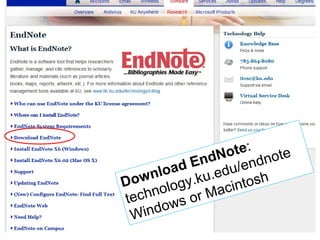
http://technology.ku.edu/software
5
http://technology.ku.edu/software
6
NOTE: If this is the first time you have
downloaded software from the KU
Software Store, you will need to install
the Secure Download Manager.
7
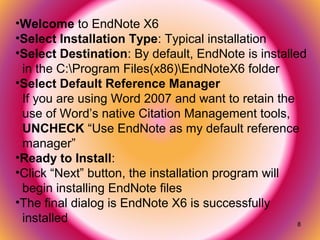
8
9
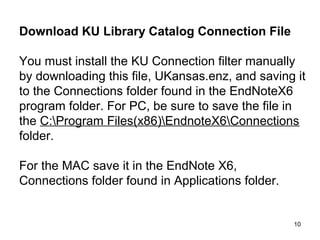
10
http://OnTheHub.com
11
Graduate students, faculty, retired faculty and staff can download
EndNote at no cost through KU’s Web store to use on KU-owned and
personal computers.
12
13
14
15
16
17
18
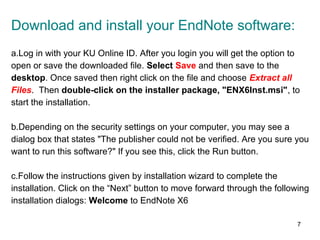
Find the Download file folder and double click on the sdm_em.msi file to
activate
19
20
21
22
23
24
25
26
The .SCX file has downloaded to your Download
folder. Find it and double click to finish the
process.
27
28
NOTE: If you have downloaded EndNote to one computer
and want to download it to another computer you will get the
following message (text in red) when on the next computer. Select
“Your Account” from the top right of the screen where you get the
message.
Follow the directions on the “Your Account” screen and download
your next copy of EndNote. You can download EndNote this way
wherever you need to work.
29
30
NOTE: You may get to this point and see and using different
screen prompts. There seems to be serveral options that get you to the
finish-line of installing the Secure Download Manager.
Remember, this process needs to be done only once. It is the installer
for all the software programs available at the KU Software Store.
Now, for EndNote
31
I already had EndNote on my computer
which meant I was to “Modify” my copy.
32
33
34
35
36
37
38
And, allow Thompson to download into
your computer from the Internet.
That’s it! You will find EndNote in your All Programs file on
your PC.
Trouble with the EndNote installation?
The IT helpdesk helped me out, big time!
IT Customer Service Center
itcsc@ku.edu
785-864-8080
39
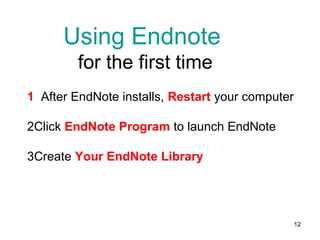
1 After EndNote installs, Restart your computer
2Click EndNote Program to launch EndNote
3Create Your EndNote Library
To go back to installation, click HERE
40
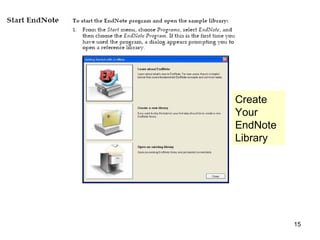
Using Endnote
for the first time
Create
Your
EndNote
Library
41
42
Tip: From the
EndNote toolbar,
select style drop down
menu and select the
citation format you will
be using in your paper
(APA, MLA, Chicago,
etc.)—this is
changeable.
43
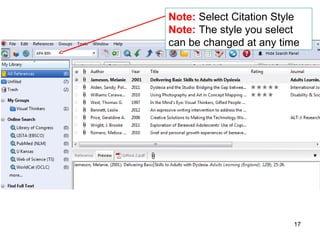
Note: Select Citation Style
Note: The style you select
can be changed at any time
44
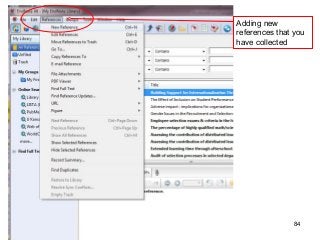
Tip: You can add references
manually into your EndNote
library for items that were not
downloaded through a database
or Google. To do this: click
References on the EndNote
toolbar and select New
Reference.
45
Tip: The library can be
subdivided into
“Groups.”
Select Groups on the
EndNote toolbar and
Create Group.
Then you can drag and
drop (or right click on the
individual reference) and
Add to whatever group or
subgroup you have
established.
46
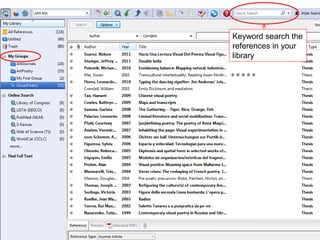
Keyword search the
references in your
library
47
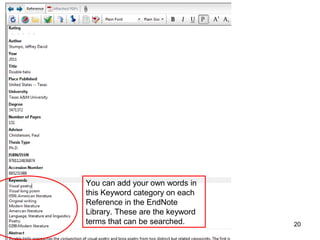
You can add your own words in
this Keyword category on each
Reference in the EndNote
Library. These are the keyword
terms that can be searched.
Researching
and
Exporting
References
from Databases
48
49
The most efficient way to find
articles is to search the Libraries
Databases from the Libraries
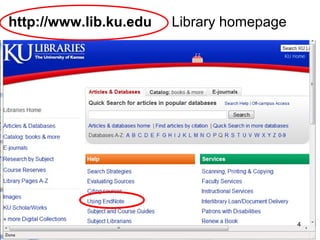
homepage http://www.lib.ku.edu)
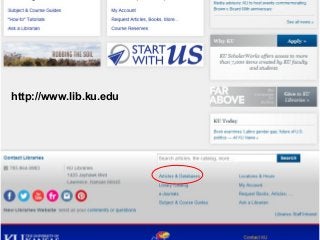
1. Open EndNote library
2. Open KU Libraries Homepage
http://www.lib.ku.edu
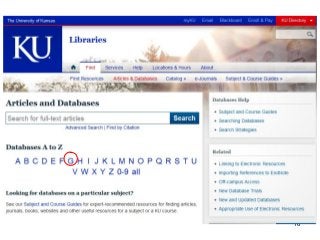
3. Click Articles and Databases
4. Select an individual database
Note: if you would like a refresher on literature searches, send me
an email and we’ll make an appointment. Lissa llord@ku.edu
50
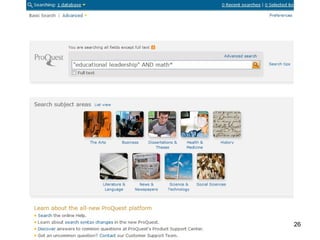
Dissertations & theses @ University of Kansas
Contains citations and abstracts of
dissertations and theses submitted by the
University of Kansas and published in UMI's
Dissertations Abstracts database, and full text
of KU dissertations published after 1996 and
KU theses published after 2005.
51
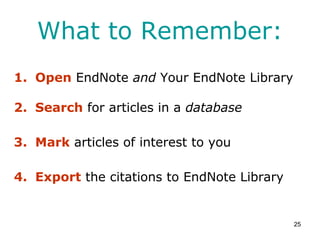
What to Remember:
1. Open EndNote and Your EndNote Library
2. Search for articles in a database
3. Mark articles of interest
4. Export the citations to EndNote Library
52
53
Dissertations & theses @ University of Kansas
54
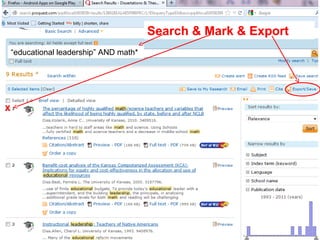
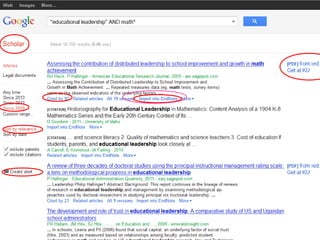
X
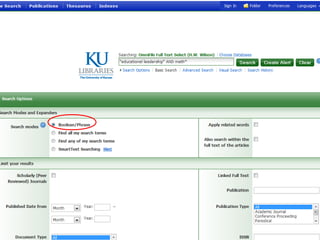
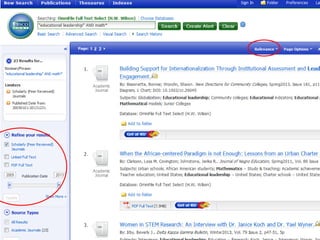
“educational leadership” AND math*
Search & Mark & Export
55
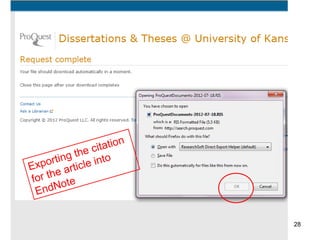
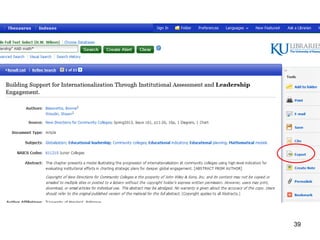
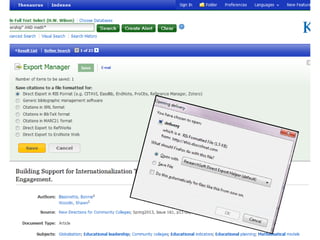
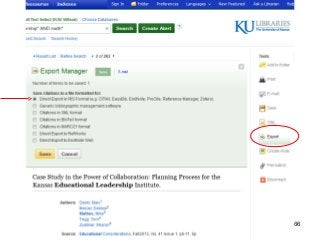
Sometimes, exporting
the article citation into
EndNote has this
message attached by
default. Click “OK”
56
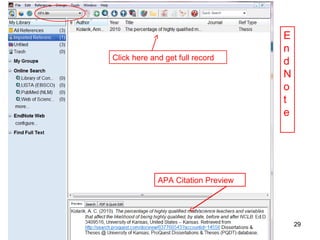
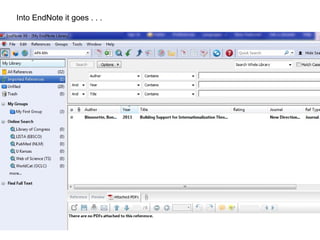
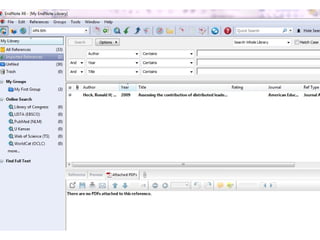
This is EndNote and these
are citations downloaded
from various databases into
my EndNote Library.
57
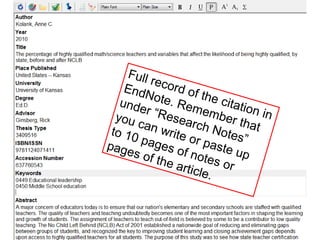
Full record of the citation in
EndNote. Remember that
under “Research Notes”
you can write or paste up
to 10 pages of notes or
pages of the article.
58
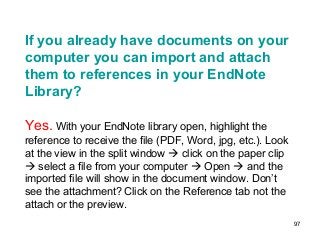
If you already have full text articles
saved to your computer, you can
import and attach them to
references in your EndNote Library.
59
This is the PDF file I have
saved to my computer for my
research. I can now attach it to
the EndNote citation as well.
60
Click on the paperclip, first.
Then find the article on your
computer and attach this article
to EndNote by clicking on the
“Attached PDFs icon next to the
paperclip. The article will open
full text in the EndNote window.
Also, it will appear as a PDF
icon in the Reference record of
the article. You now have an
article attached to the correct
itation.
61
62
2nd
Database to look at:
OmniFile full text select
Provides indexing, abstracting and
full-text content to journal articles in
a variety of disciplines.
63
64
65
66
67
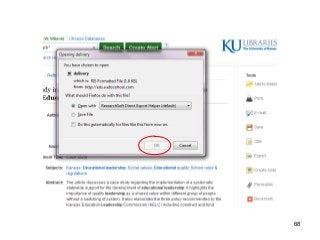
68
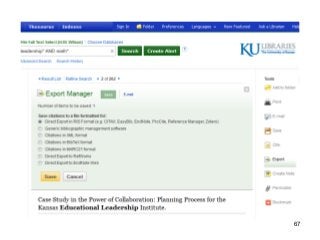
69
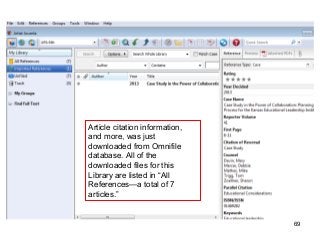
Article citation information,
and more, was just
downloaded from Omnifile
database. All of the
downloaded files for this
Library are listed in “All
References—a total of 7
articles.”
70
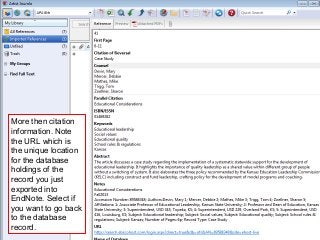
More then citation
information. Note
the URL which is
the unique location
for the database
holdings of the
record you just
exported into
EndNote. Select if
you want to go back
to the database
record.
71
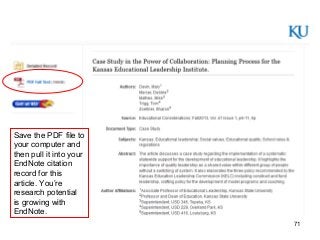
Save the PDF file to
your computer and
then pull it into your
EndNote citation
record for this
article. You’re
research potential
is growing with
EndNote.
72
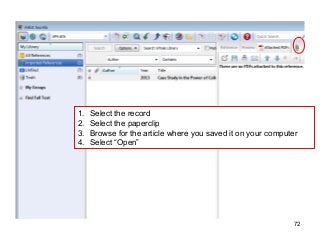
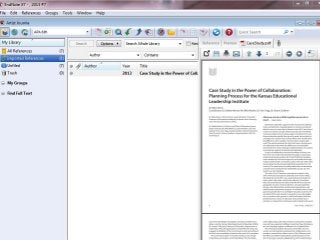
1. Select the record
2. Select the paperclip
3. Browse for the article where you saved it on your computer
4. Select “Open”
73
Use Google Scholar
with
EndNote
74
75
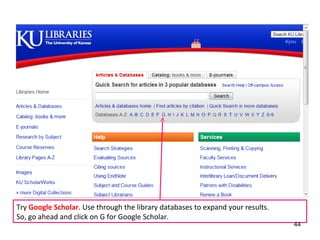
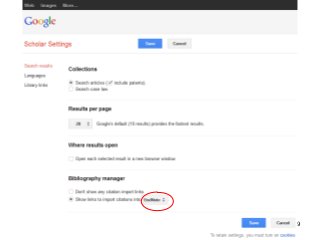
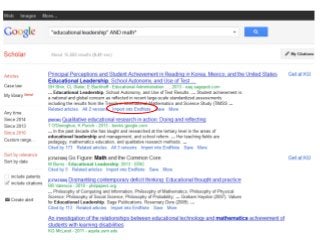
http://www.lib.ku.edu
76
77
78
79
80
81
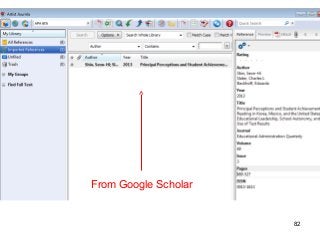
82
From Google Scholar
83
Adding
References
Manually
84
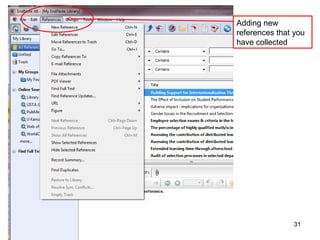
Adding new
references that you
have collected
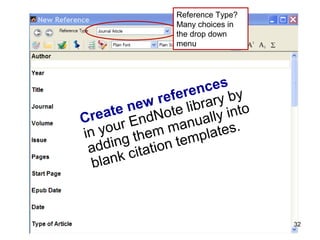
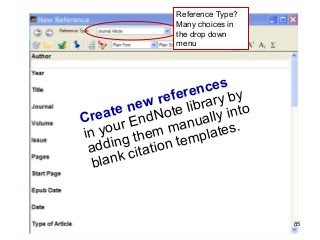
Reference Type?
Many choices in
the drop down
menu
85
Create new references
in your EndNote library by
adding them manually into
blank citation templates.
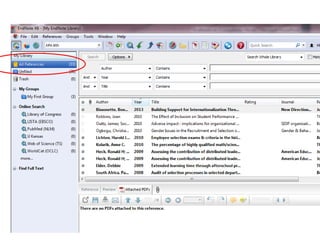
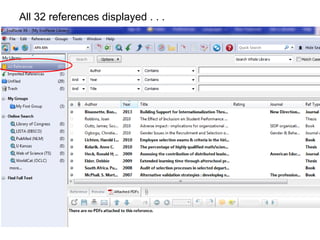
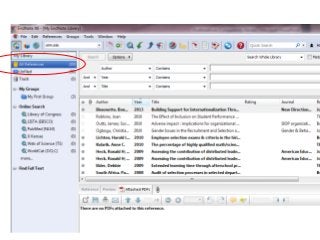
All References
• Click on All References in the left hand
column of the EndNote Library screen to
view the new references, the recently
imported references and the earlier
references in one visible list on your
screen
86
87
88
Using EndNote
with Word
Cite While You Write
(CWYW)
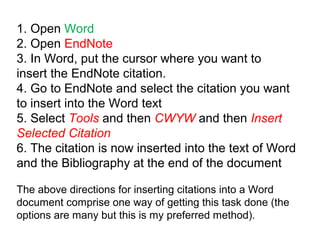
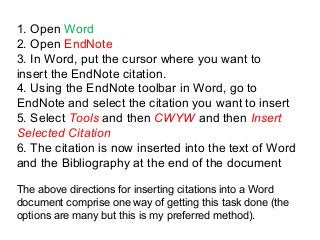
1. Open Word
2. Open EndNote
3. In Word, put the cursor where you want to
insert the EndNote citation.
4. Using the EndNote toolbar in Word, go to
EndNote and select the citation you want to insert
5. Select Tools and then CWYW and then Insert
Selected Citation
6. The citation is now inserted into the text of Word
and the Bibliography at the end of the document
The above directions for inserting citations into a Word
document comprise one way of getting this task done (the
options are many but this is my preferred method).
90
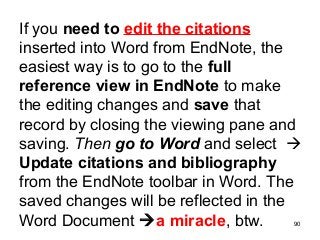
If you need to edit the citations
inserted into Word from EndNote, the
easiest way is to go to the full
reference view in EndNote to make
the editing changes and save that
record by closing the viewing pane and
saving. Then go to Word and select 
Update citations and bibliography
from the EndNote toolbar in Word. The
saved changes will be reflected in the
Word Document a miracle, btw.
91
Bibliographies
with
EndNote
92
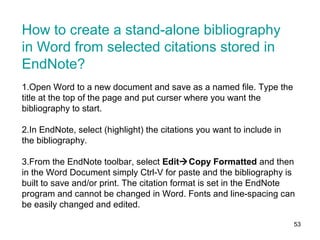
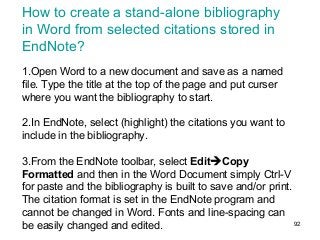
How to create a stand-alone bibliography
in Word from selected citations stored in
EndNote?
1.Open Word to a new document and save as a named
file. Type the title at the top of the page and put curser
where you want the bibliography to start.
2.In EndNote, select (highlight) the citations you want to
include in the bibliography.
3.From the EndNote toolbar, select EditCopy
Formatted and then in the Word Document simply Ctrl-V
for paste and the bibliography is built to save and/or print.
The citation format is set in the EndNote program and
cannot be changed in Word. Fonts and line-spacing can
be easily changed and edited.
93
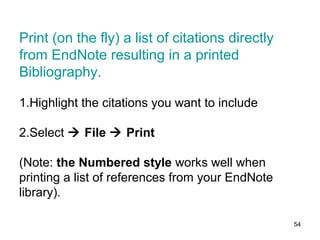
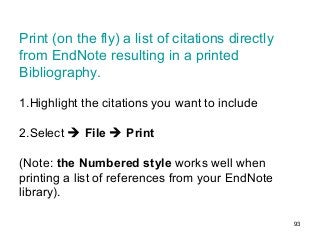
Print (on the fly) a list of citations directly
from EndNote resulting in a printed
Bibliography.
1.Highlight the citations you want to include
2.Select  File  Print
(Note: the Numbered style works well when
printing a list of references from your EndNote
library).
94
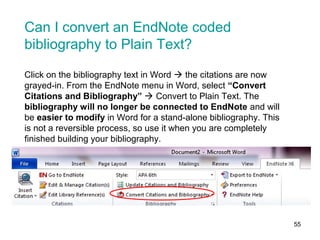
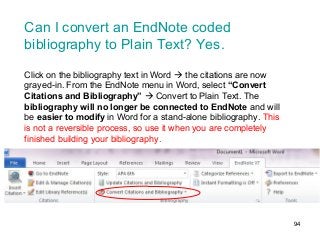
Can I convert an EndNote coded
bibliography to Plain Text? Yes.
Click on the bibliography text in Word  the citations are now
grayed-in. From the EndNote menu in Word, select “Convert
Citations and Bibliography”  Convert to Plain Text. The
bibliography will no longer be connected to EndNote and will
be easier to modify in Word for a stand-alone bibliography. This
is not a reversible process, so use it when you are completely
finished building your bibliography.
95
FAQs
96
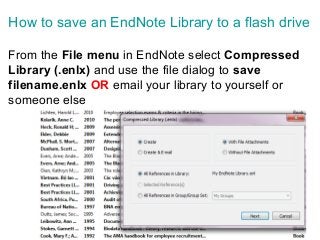
How to save an EndNote Library to a flash drive
From the File menu in EndNote select Compressed
Library (.enlx) and use the file dialog to save
filename.enlx OR email your library to yourself or
someone else
97
If you already have documents on your
computer you can import and attach
them to references in your EndNote
Library?
Yes. With your EndNote library open, highlight the
reference to receive the file (PDF, Word, jpg, etc.). Look
at the view in the split window  click on the paper clip
 select a file from your computer  Open  and the
imported file will show in the document window. Don’t
see the attachment? Click on the Reference tab not the
attach or the preview.
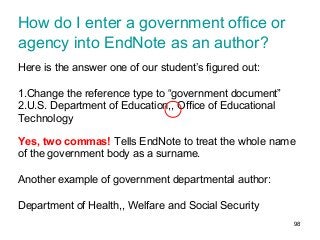
98
How do I enter a government office or
agency into EndNote as an author?
Here is the answer one of our student’s figured out:
1.Change the reference type to “government document”
2.U.S. Department of Education,, Office of Educational
Technology
Yes, two commas! Tells EndNote to treat the whole name
of the government body as a surname.
Another example of government departmental author:
Department of Health,, Welfare and Social Security
99
A Word on EndNote Web
100
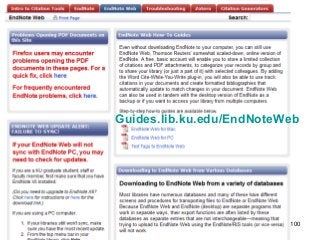
Guides.lib.ku.edu/EndNoteWeb
101
Big Extra Credit:
Transferring
Word Citations
to
EndNote Library
102
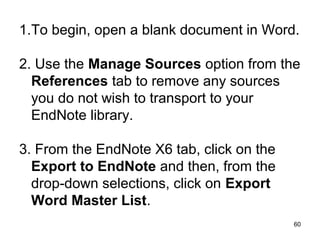
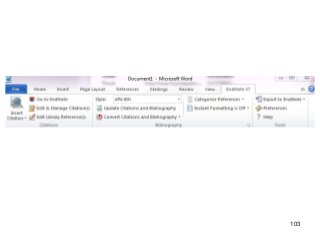
1.To begin, open Word document.
2. Use the Manage Sources option from the
References tab to remove any sources you
do not wish to transport to your EndNote
library.
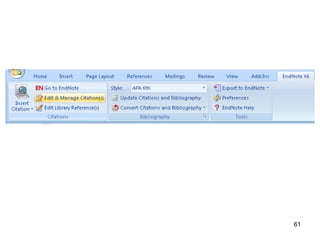
3. From the EndNote X7 tab, click on the
Export to EndNote and then, from the drop-
down selections, click on Export Word
Master List.
103
104
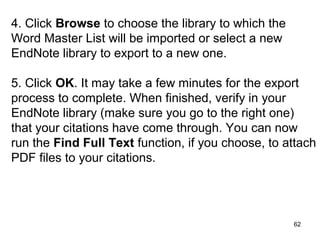
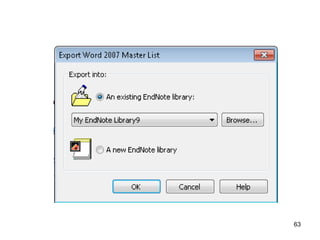
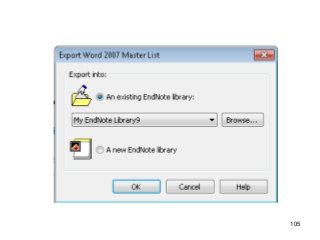
4. Click Browse to choose the library to which the
Word Master List will be imported or select a new
EndNote library to export to a new one.
5. Click OK. It may take a few minutes for the export
process to complete. When finished, verify in your
EndNote library (make sure you go to the right one)
that your citations have come through. You can now
run the Find Full Text function, if you choose, to attach
PDF files to your citations.
105
Edit from Word to EndNote or from EndNote
to Word.
It is worth the effort of a sharp but short
learning curve.
106
107
All done now.
Questions? Please, ask the Librarian
Lissa Lord
llord@ku.edu
Summer 2014

EndNote Primer

  • 1.
    1 An EndNote PrimerSee also EndNoteTip Sheet Lissa Lord llord@ku.edu Summer 2014
  • 2.
    Begin research with EndNote •Use EndNote for bibliographies and citations • EndNote organizes citations from journals, books, websites, databases, government documents and most of what you want to cite. • EndNote software is free to graduate students, faculty and staff at KU 2
  • 3.
    3 If you alreadyhave EndNote on your computer and want to begin using this program, please proceed to Using EndNote (#40). Continue to next slide for installation instructions.
  • 4.
    4 How to getit? http://technology.ku.edu/software
  • 5.
  • 6.
    6 NOTE: If thisis the first time you have downloaded software from the KU Software Store, you will need to install the Secure Download Manager.
  • 7.
  • 8.
  • 9.
  • 10.
  • 11.
    11 Graduate students, faculty,retired faculty and staff can download EndNote at no cost through KU’s Web store to use on KU-owned and personal computers.
  • 12.
  • 13.
  • 14.
  • 15.
  • 16.
  • 17.
  • 18.
    18 Find the Downloadfile folder and double click on the sdm_em.msi file to activate
  • 19.
  • 20.
  • 21.
  • 22.
  • 23.
  • 24.
  • 25.
  • 26.
    26 The .SCX filehas downloaded to your Download folder. Find it and double click to finish the process.
  • 27.
  • 28.
    28 NOTE: If youhave downloaded EndNote to one computer and want to download it to another computer you will get the following message (text in red) when on the next computer. Select “Your Account” from the top right of the screen where you get the message. Follow the directions on the “Your Account” screen and download your next copy of EndNote. You can download EndNote this way wherever you need to work.
  • 29.
  • 30.
    30 NOTE: You mayget to this point and see and using different screen prompts. There seems to be serveral options that get you to the finish-line of installing the Secure Download Manager. Remember, this process needs to be done only once. It is the installer for all the software programs available at the KU Software Store. Now, for EndNote
  • 31.
    31 I already hadEndNote on my computer which meant I was to “Modify” my copy.
  • 32.
  • 33.
  • 34.
  • 35.
  • 36.
  • 37.
  • 38.
    38 And, allow Thompsonto download into your computer from the Internet. That’s it! You will find EndNote in your All Programs file on your PC.
  • 39.
    Trouble with theEndNote installation? The IT helpdesk helped me out, big time! IT Customer Service Center itcsc@ku.edu 785-864-8080 39
  • 40.
    1 After EndNoteinstalls, Restart your computer 2Click EndNote Program to launch EndNote 3Create Your EndNote Library To go back to installation, click HERE 40 Using Endnote for the first time
  • 41.
  • 42.
    42 Tip: From the EndNotetoolbar, select style drop down menu and select the citation format you will be using in your paper (APA, MLA, Chicago, etc.)—this is changeable.
  • 43.
    43 Note: Select CitationStyle Note: The style you select can be changed at any time
  • 44.
    44 Tip: You canadd references manually into your EndNote library for items that were not downloaded through a database or Google. To do this: click References on the EndNote toolbar and select New Reference.
  • 45.
    45 Tip: The librarycan be subdivided into “Groups.” Select Groups on the EndNote toolbar and Create Group. Then you can drag and drop (or right click on the individual reference) and Add to whatever group or subgroup you have established.
  • 46.
  • 47.
    47 You can addyour own words in this Keyword category on each Reference in the EndNote Library. These are the keyword terms that can be searched.
  • 48.
  • 49.
    49 The most efficientway to find articles is to search the Libraries Databases from the Libraries homepage http://www.lib.ku.edu)
  • 50.
    1. Open EndNotelibrary 2. Open KU Libraries Homepage http://www.lib.ku.edu 3. Click Articles and Databases 4. Select an individual database Note: if you would like a refresher on literature searches, send me an email and we’ll make an appointment. Lissa llord@ku.edu 50
  • 51.
    Dissertations & theses@ University of Kansas Contains citations and abstracts of dissertations and theses submitted by the University of Kansas and published in UMI's Dissertations Abstracts database, and full text of KU dissertations published after 1996 and KU theses published after 2005. 51
  • 52.
    What to Remember: 1.Open EndNote and Your EndNote Library 2. Search for articles in a database 3. Mark articles of interest 4. Export the citations to EndNote Library 52
  • 53.
    53 Dissertations & theses@ University of Kansas
  • 54.
    54 X “educational leadership” ANDmath* Search & Mark & Export
  • 55.
    55 Sometimes, exporting the articlecitation into EndNote has this message attached by default. Click “OK”
  • 56.
    56 This is EndNoteand these are citations downloaded from various databases into my EndNote Library.
  • 57.
    57 Full record ofthe citation in EndNote. Remember that under “Research Notes” you can write or paste up to 10 pages of notes or pages of the article.
  • 58.
    58 If you alreadyhave full text articles saved to your computer, you can import and attach them to references in your EndNote Library.
  • 59.
    59 This is thePDF file I have saved to my computer for my research. I can now attach it to the EndNote citation as well.
  • 60.
    60 Click on thepaperclip, first. Then find the article on your computer and attach this article to EndNote by clicking on the “Attached PDFs icon next to the paperclip. The article will open full text in the EndNote window. Also, it will appear as a PDF icon in the Reference record of the article. You now have an article attached to the correct itation.
  • 61.
  • 62.
    62 2nd Database to lookat: OmniFile full text select Provides indexing, abstracting and full-text content to journal articles in a variety of disciplines.
  • 63.
  • 64.
  • 65.
  • 66.
  • 67.
  • 68.
  • 69.
    69 Article citation information, andmore, was just downloaded from Omnifile database. All of the downloaded files for this Library are listed in “All References—a total of 7 articles.”
  • 70.
    70 More then citation information.Note the URL which is the unique location for the database holdings of the record you just exported into EndNote. Select if you want to go back to the database record.
  • 71.
    71 Save the PDFfile to your computer and then pull it into your EndNote citation record for this article. You’re research potential is growing with EndNote.
  • 72.
    72 1. Select therecord 2. Select the paperclip 3. Browse for the article where you saved it on your computer 4. Select “Open”
  • 73.
  • 74.
  • 75.
  • 76.
  • 77.
  • 78.
  • 79.
  • 80.
  • 81.
  • 82.
  • 83.
  • 84.
  • 85.
    Reference Type? Many choicesin the drop down menu 85 Create new references in your EndNote library by adding them manually into blank citation templates.
  • 86.
    All References • Clickon All References in the left hand column of the EndNote Library screen to view the new references, the recently imported references and the earlier references in one visible list on your screen 86
  • 87.
  • 88.
    88 Using EndNote with Word CiteWhile You Write (CWYW)
  • 89.
    1. Open Word 2.Open EndNote 3. In Word, put the cursor where you want to insert the EndNote citation. 4. Using the EndNote toolbar in Word, go to EndNote and select the citation you want to insert 5. Select Tools and then CWYW and then Insert Selected Citation 6. The citation is now inserted into the text of Word and the Bibliography at the end of the document The above directions for inserting citations into a Word document comprise one way of getting this task done (the options are many but this is my preferred method).
  • 90.
    90 If you needto edit the citations inserted into Word from EndNote, the easiest way is to go to the full reference view in EndNote to make the editing changes and save that record by closing the viewing pane and saving. Then go to Word and select  Update citations and bibliography from the EndNote toolbar in Word. The saved changes will be reflected in the Word Document a miracle, btw.
  • 91.
  • 92.
    92 How to createa stand-alone bibliography in Word from selected citations stored in EndNote? 1.Open Word to a new document and save as a named file. Type the title at the top of the page and put curser where you want the bibliography to start. 2.In EndNote, select (highlight) the citations you want to include in the bibliography. 3.From the EndNote toolbar, select EditCopy Formatted and then in the Word Document simply Ctrl-V for paste and the bibliography is built to save and/or print. The citation format is set in the EndNote program and cannot be changed in Word. Fonts and line-spacing can be easily changed and edited.
  • 93.
    93 Print (on thefly) a list of citations directly from EndNote resulting in a printed Bibliography. 1.Highlight the citations you want to include 2.Select  File  Print (Note: the Numbered style works well when printing a list of references from your EndNote library).
  • 94.
    94 Can I convertan EndNote coded bibliography to Plain Text? Yes. Click on the bibliography text in Word  the citations are now grayed-in. From the EndNote menu in Word, select “Convert Citations and Bibliography”  Convert to Plain Text. The bibliography will no longer be connected to EndNote and will be easier to modify in Word for a stand-alone bibliography. This is not a reversible process, so use it when you are completely finished building your bibliography.
  • 95.
  • 96.
    96 How to savean EndNote Library to a flash drive From the File menu in EndNote select Compressed Library (.enlx) and use the file dialog to save filename.enlx OR email your library to yourself or someone else
  • 97.
    97 If you alreadyhave documents on your computer you can import and attach them to references in your EndNote Library? Yes. With your EndNote library open, highlight the reference to receive the file (PDF, Word, jpg, etc.). Look at the view in the split window  click on the paper clip  select a file from your computer  Open  and the imported file will show in the document window. Don’t see the attachment? Click on the Reference tab not the attach or the preview.
  • 98.
    98 How do Ienter a government office or agency into EndNote as an author? Here is the answer one of our student’s figured out: 1.Change the reference type to “government document” 2.U.S. Department of Education,, Office of Educational Technology Yes, two commas! Tells EndNote to treat the whole name of the government body as a surname. Another example of government departmental author: Department of Health,, Welfare and Social Security
  • 99.
    99 A Word onEndNote Web
  • 100.
  • 101.
    101 Big Extra Credit: Transferring WordCitations to EndNote Library
  • 102.
    102 1.To begin, openWord document. 2. Use the Manage Sources option from the References tab to remove any sources you do not wish to transport to your EndNote library. 3. From the EndNote X7 tab, click on the Export to EndNote and then, from the drop- down selections, click on Export Word Master List.
  • 103.
  • 104.
    104 4. Click Browseto choose the library to which the Word Master List will be imported or select a new EndNote library to export to a new one. 5. Click OK. It may take a few minutes for the export process to complete. When finished, verify in your EndNote library (make sure you go to the right one) that your citations have come through. You can now run the Find Full Text function, if you choose, to attach PDF files to your citations.
  • 105.
  • 106.
    Edit from Wordto EndNote or from EndNote to Word. It is worth the effort of a sharp but short learning curve. 106
  • 107.
    107 All done now. Questions?Please, ask the Librarian Lissa Lord llord@ku.edu Summer 2014

Editor's Notes

  • #2 Welcome to “An EndNote Primer” Summer 2014. Be sure to note the short guide that accompanies this slideshow. The “EndNote Tip Sheet” is a rather quick review of specific EndNote proceedure and technique. https://documents.ku.edu/users2/llord/EndnoteTipSheet.doc
  • #3 Use EndNote for bibliographies and citations EndNote organizes citations from journals, books, government sources, websites and databases EndNote is keyword searchable
  • #40 Trouble with the EndNote installation? The IT helpdesk helped me out, big time!
  • #41 After EndNote installs, restart your computer and then find the EndNote program by clicking the Start menu Start All Programs Click EndNote Program to launch EndNote
  • #42 The EndNote Library is a folder where you keep the citations download from databases. You can have several Libraries with different names. Or, you can keep all citations in one folder.
  • #49 Importing Referencesfrom Database Search Results
  • #51 Open EndNote library Go to KU Libraries Homepage http://www.lib.ku.edu Click Articles and Databases from the index in the left hand column Select an individual database that fits your research needs
  • #52 Dissertations & theses @ University of Kansas ProQuest dissertations and theses
  • #53 Open EndNote and Your EndNote Library Search for articles in a database Mark the articles you want to use Export the citations to EndNote Library
  • #107 Edit from Word to EndNote or from EndNote to Word.