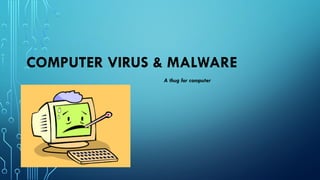
COMPUTER VIRUS & MALWARE
A thug for computer
WHAT IS A COMPUTER VIRUS??
• A type of malicious software program ("malware")
• Replicates itself by modifying other computer programs
• Written to alter the way a computer operates
• Designed to spread from one computer to another.
• Destructive programs that delete or corrupt files
• Interfere with computer operations
2
SYMPTOMS OF COMPUTER VIRUSES
• Slower Internet and Processing. ...
• Unexpected Computer Behavior. ...
• Sudden Freezes & Crashes. ...
• Error Messages. ...
• Advertisements. ...
• Outgoing Emails. ...
• Missing or Extra Files. ...
• Hardware and Accessory Problems.
3
TYPES OF MAJOR COMPUTER VIRUSES
•Boot Virus
•Program Virus
•Micro Virus
4
BOOT VIRUS
• A type of virus that infects the boot sector of floppy disks
• Also infects the MasterBoot Record (MBR) of hard disks
• Hides in the boot code for a media device, such as a disk
• Runs automatically when the media is loaded
5
PROGRAM VIRUS
• They are often called Trojan Horse Virus
• They hide in an apparently useful program
• Then run when the program is opened.
• Can travel on media like a CD by by email attachment.
6
MACRO VIRUS
• Computer virus that "infects" a Microsoft Word or similar application
• Causes a sequence of actions to be performed automatically when the
application is started
• Macro viruses tend to be surprising but relatively harmless.
7
SOME MINOR COMPUTER VIRUSES
•File infector viruses
•Multipartite viruses
8
FILE INFECTOR VIRUSES
• File infector viruses infect program files
• normally infect executable code, such as .com and .exe files.
• infect other files when an infected program is run
• Many of these viruses are memory resident.
• Examples :Jerusalem and Cascade.
9
MULTIPARTITE VIRUSES
• Multipartite (also known as polypartite) viruses
• Infect both boot records and program files
• These are particularly difficult to repair.
• The same holds true for cleaning infected files.
• Examples :One_Half, Emperor, Anthrax and Tequilla.
10
11
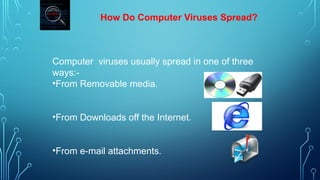
How Do Computer Viruses Spread?
Computer viruses usually spread in one of three
ways:-
•From Removable media.
•From Downloads off the Internet.
•From e-mail attachments.
MALWARE
What is malware?
•Malware is a malicious software that
gets installed in your device and performs
unwanted tasks.
• Mainly designed to transmit information
about your web browsing habits to the
third party
TYPES OF MALWARE
Viruses
Trojan Horse
Spyware
Spam
Adware
Rootkits
Scareware
Worms
Viruses
• Software that replicates itself and spreads by damaging
and deleting the files.
• Virus enters your device via attached images, greeting,
audio/video files , downloads etc.
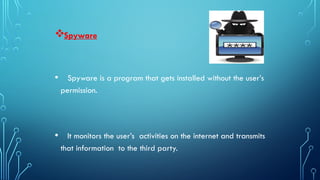
Spyware
• Spyware is a program that gets installed without the user’s
permission.
• It monitors the user’s activities on the internet and transmits
that information to the third party.

Adware
• Software where advertising banners are displayed while any
program is running.
• It automatically downloads to your device while browsing any
website
• It is used by companies for marketing purposes
Scareware
Software that is designed to trick the user into buying
or downloading unwanted software.
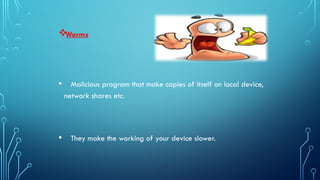
Worms
• Malicious program that make copies of itself on local device,
network shares etc.
• They make the working of your device slower.
 Trojan Horse
• A Trojan Horse is a program containing malicious or
harmful code.
• Entering a computer, it performs various tasks like
corrupting files and sending out personal information.

Spam
• Method of flooding the internet with the copies of the same message
• It is for the purpose of advertising, phishing, spreading malware etc.
Rootkits
• Software hidden deep inside your device which remains
undetected.
• It transmits all your sensitive information
PREVENTIONS AGAINST VIRUSES
• Install Anti-Virus/Malware Software.
• Keep Your Anti-Virus Software Up to Date
• Keep Your Operating System Current.
• Secure Your Network.
• Think Before You Click.
• Keep Your Personal Information Safe.
• Don’t Use Open Wi-Fi.
• Back Up Your Files
• Use Multiple Strong Passwords
12
ANTI-VIRUS
• Computer software used to prevent, detect and remove malicious
software
• Provides signature-based detection of malware
• May also prevent spyware and adware, along with malicious
programs
13
BASIC FUNCTIONS OF ANTI-VIRUS
• Scanning directories or specific files for known malicious patterns
• Allowing users to schedule scans so they run automatically
• Allowing users to initiate new scans at any time; and
• Removing any malicious software it detects.
14
DIFFERENCE BETWEEN PAID AND FREE ANTI-VIRUS
•Free antivirus software generally only searches your
computer using signature-based detection .
•Paid antivirus software will usually also include
heuristics to catch new, or zero-day threats.
15
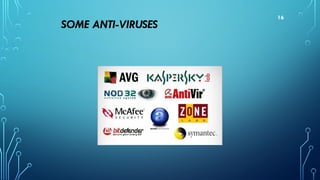
SOME ANTI-VIRUSES
16
CONCLUSION
• In the context of the world the computer viruses are the bad who
distract the life of the normal people.
• And to stop them anti-viruses are created
• Anti-viruses are the police in our nation who protect us
17
THANK YOU
20

CHAPTER 5 - COMPUTER VIRUSERS & MALWARE.pptx

  • 1.
    COMPUTER VIRUS &MALWARE A thug for computer
  • 2.
    WHAT IS ACOMPUTER VIRUS?? • A type of malicious software program ("malware") • Replicates itself by modifying other computer programs • Written to alter the way a computer operates • Designed to spread from one computer to another. • Destructive programs that delete or corrupt files • Interfere with computer operations 2
  • 3.
    SYMPTOMS OF COMPUTERVIRUSES • Slower Internet and Processing. ... • Unexpected Computer Behavior. ... • Sudden Freezes & Crashes. ... • Error Messages. ... • Advertisements. ... • Outgoing Emails. ... • Missing or Extra Files. ... • Hardware and Accessory Problems. 3
  • 4.
    TYPES OF MAJORCOMPUTER VIRUSES •Boot Virus •Program Virus •Micro Virus 4
  • 5.
    BOOT VIRUS • Atype of virus that infects the boot sector of floppy disks • Also infects the MasterBoot Record (MBR) of hard disks • Hides in the boot code for a media device, such as a disk • Runs automatically when the media is loaded 5
  • 6.
    PROGRAM VIRUS • Theyare often called Trojan Horse Virus • They hide in an apparently useful program • Then run when the program is opened. • Can travel on media like a CD by by email attachment. 6
  • 7.
    MACRO VIRUS • Computervirus that "infects" a Microsoft Word or similar application • Causes a sequence of actions to be performed automatically when the application is started • Macro viruses tend to be surprising but relatively harmless. 7
  • 8.
    SOME MINOR COMPUTERVIRUSES •File infector viruses •Multipartite viruses 8
  • 9.
    FILE INFECTOR VIRUSES •File infector viruses infect program files • normally infect executable code, such as .com and .exe files. • infect other files when an infected program is run • Many of these viruses are memory resident. • Examples :Jerusalem and Cascade. 9
  • 10.
    MULTIPARTITE VIRUSES • Multipartite(also known as polypartite) viruses • Infect both boot records and program files • These are particularly difficult to repair. • The same holds true for cleaning infected files. • Examples :One_Half, Emperor, Anthrax and Tequilla. 10
  • 11.
  • 12.
    How Do ComputerViruses Spread? Computer viruses usually spread in one of three ways:- •From Removable media. •From Downloads off the Internet. •From e-mail attachments.
  • 13.
  • 14.
    What is malware? •Malwareis a malicious software that gets installed in your device and performs unwanted tasks. • Mainly designed to transmit information about your web browsing habits to the third party
  • 15.
    TYPES OF MALWARE Viruses TrojanHorse Spyware Spam Adware Rootkits Scareware Worms
  • 16.
    Viruses • Software thatreplicates itself and spreads by damaging and deleting the files. • Virus enters your device via attached images, greeting, audio/video files , downloads etc.
  • 17.
    Spyware • Spyware isa program that gets installed without the user’s permission. • It monitors the user’s activities on the internet and transmits that information to the third party.
  • 18.
     Adware • Software whereadvertising banners are displayed while any program is running. • It automatically downloads to your device while browsing any website • It is used by companies for marketing purposes
  • 19.
    Scareware Software that isdesigned to trick the user into buying or downloading unwanted software.
  • 20.
    Worms • Malicious programthat make copies of itself on local device, network shares etc. • They make the working of your device slower.
  • 21.
     Trojan Horse •A Trojan Horse is a program containing malicious or harmful code. • Entering a computer, it performs various tasks like corrupting files and sending out personal information.
  • 22.
     Spam • Method offlooding the internet with the copies of the same message • It is for the purpose of advertising, phishing, spreading malware etc.
  • 23.
    Rootkits • Software hiddendeep inside your device which remains undetected. • It transmits all your sensitive information
  • 24.
    PREVENTIONS AGAINST VIRUSES •Install Anti-Virus/Malware Software. • Keep Your Anti-Virus Software Up to Date • Keep Your Operating System Current. • Secure Your Network. • Think Before You Click. • Keep Your Personal Information Safe. • Don’t Use Open Wi-Fi. • Back Up Your Files • Use Multiple Strong Passwords 12
  • 25.
    ANTI-VIRUS • Computer softwareused to prevent, detect and remove malicious software • Provides signature-based detection of malware • May also prevent spyware and adware, along with malicious programs 13
  • 26.
    BASIC FUNCTIONS OFANTI-VIRUS • Scanning directories or specific files for known malicious patterns • Allowing users to schedule scans so they run automatically • Allowing users to initiate new scans at any time; and • Removing any malicious software it detects. 14
  • 27.
    DIFFERENCE BETWEEN PAIDAND FREE ANTI-VIRUS •Free antivirus software generally only searches your computer using signature-based detection . •Paid antivirus software will usually also include heuristics to catch new, or zero-day threats. 15
  • 28.
  • 29.
    CONCLUSION • In thecontext of the world the computer viruses are the bad who distract the life of the normal people. • And to stop them anti-viruses are created • Anti-viruses are the police in our nation who protect us 17
  • 30.