Presentation Tips by Rodinhood!
[includes example slides after each tip!]
Alok Rodinhood Kejriwal
Founder – 2win group &
therodinhoods
How this PPT works
• The TIP comes first as a slide. It is in
this blue color and is in Italics
• A real example comes after the tip slide.
Its in Black and not in Italics.
• If you get confused, go back & forth
between the 2 slides of colors and you
will get the point being made!
Tip 1 : Provide credentials
(if required)
Credentials!
Q: What makes me worthy of this PPT?
A: Over the past 15 years, I’ve presented over
100+ times. This includes Harvard University,
B-Schools like IIM, ISB, SP Jain; Fortune 500
Companies, ad:tech, TEDx, TechCrunch, etc.
Audiences everywhere have appreciated my
presentations and that gives me the confidence
to put this together for you!
Tip 2 : If possible, present
yourself humorously!
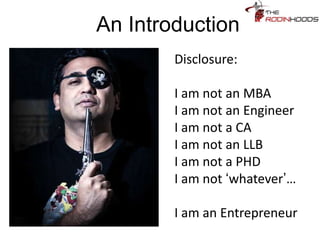
An Introduction
Disclosure:
I am not an MBA
I am not an Engineer
I am not a CA
I am not an LLB
I am not a PHD
I am not
‘whatever’…
I am an Entrepreneur
Tip 3 : If you are sharing a
Company’s success story,
support the same by a
credential:
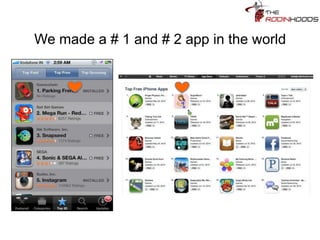
We made a # 1 and # 2 app in the world
Tip 4: I love to use full screen
images with one liners to create
mental stories and to start a
discussion…
You are
the CEO…
Tip 5: If possible, ONLY use
photos that you have shot. It
adds a special touch to the
presentation and becomes
‘unique’…
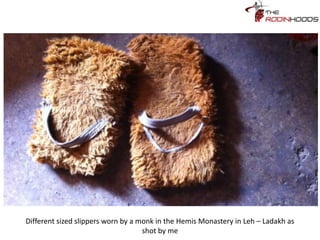
I walked out of the family business…
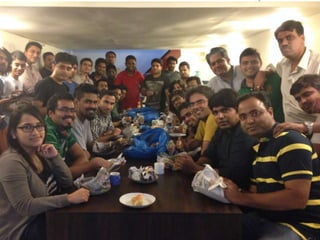
Tip 6 : Share images of your
colleagues while making a
point! It feels good!
Tip 7 :
Use images that make an
IMPACT:
And will very soon KILL you.
Tip 8: To wake up the crowd,
ask an interactive question?
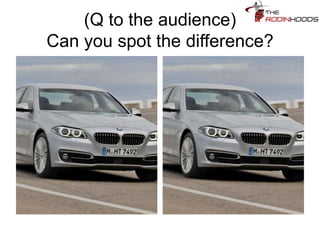
(Q to the audience)
Can you spot the difference?
Tip 9 : Try and use images that
directly tell the story….
Tip 10: Humor ALWAYS works.
Tease your audience, provoke
them!
I assume you drive this car?
Tip 11: There are NO
MANNERS in making PPTs
(usually). Use fonts & language
that convey the message:
Revenues from advertising
SUCK
Tip 12 : Use examples that
people KNOW and have
experienced to make your point.
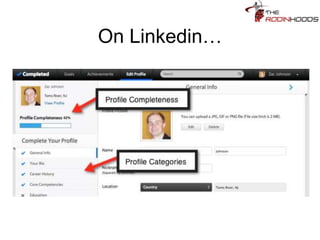
On Linkedin…
“Profile completion %” is the
simplest game invented, to
make you add
extraaaaaaaaaaaaaaaa
details to your profile…
Just to help Linkedin make lots
of extraaaaaaaaa money…
By targeting your extraaaaaaaa
completed profile to advertisers…. 
Tip 13: Use simple business
logic and examples to
SIMPLIFY a difficult topic:
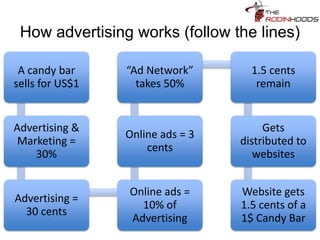
How advertising works (follow the lines)
A candy bar
sells for US$1
Advertising &
Marketing =
30%
Advertising =
30 cents
Online ads =
10% of
Advertising
Online ads = 3
cents
“Ad Network”
takes 50%
1.5 cents
remain
Gets
distributed to
websites
Website gets
1.5 cents of a
1$ Candy Bar
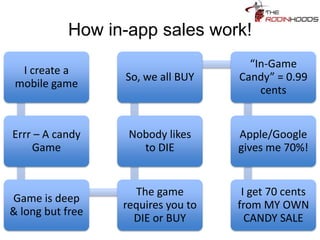
How in-app sales work!
I create a
mobile game
Errr – A candy
Game
Game is deep
& long but free
The game
requires you to
DIE or BUY
Nobody likes
to DIE
So, we all BUY
“In-Game
Candy” = 0.99
cents
Apple/Google
gives me 70%!
I get 70 cents
from MY OWN
CANDY SALE
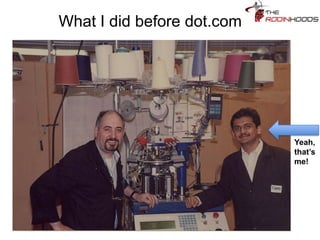
Tip 14: Make fun of yourself on
stage! It works!!
What I did before dot.com
Yeah,
that’s
me!
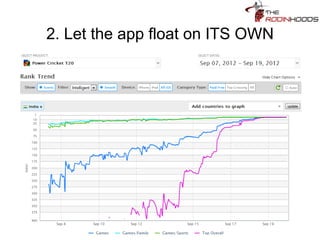
Tip 15: If you are using charts,
use simple ones that make an
impact and then can be
explained to the audience
2. Let the app float on ITS OWN
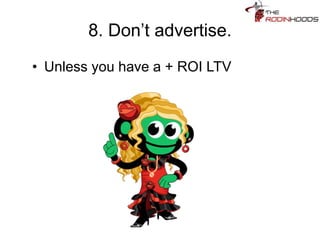
Tip 16: I always use my
Company images, mascots, art
assets to convey messages.
They just stand out!
8. Don’t advertise.
• Unless you have a + ROI LTV
Tip 17: Use the language of the
audience. If in Mumbai, talk like
Mumbai…
Achha MTV Bole To?
Tip 18: Ask a question to the
audience; get a response and
then reveal your answer…
Do you want to make the most
of a Client Meeting?
First a question:
• Who do you think your client is?
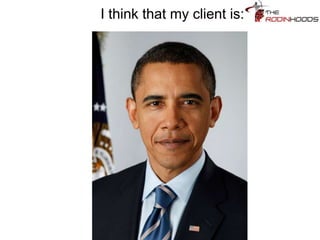
I think that my client is:
Tip 19: If your presentation is
technical or domain specific,
clarify WHO it is meant for and
also some disclosures
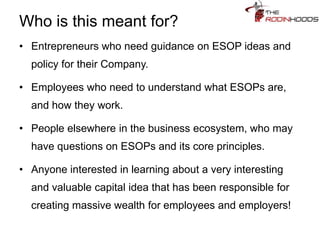
Who is this meant for?
• Entrepreneurs who need guidance on ESOP ideas and
policy for their Company.
• Employees who need to understand what ESOPs are,
and how they work.
• People elsewhere in the business ecosystem, who may
have questions on ESOPs and its core principles.
• Anyone interested in learning about a very interesting
and valuable capital idea that has been responsible for
creating massive wealth for employees and employers!
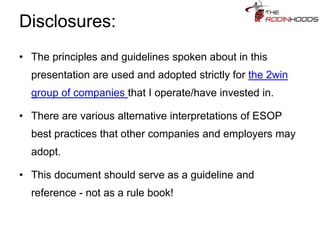
Disclosures:
• The principles and guidelines spoken about in this
presentation are used and adopted strictly for the 2win
group of companies that I operate/have invested in.
• There are various alternative interpretations of ESOP
best practices that other companies and employers may
adopt.
• This document should serve as a guideline and
reference - not as a rule book!
Tip 20: People believe REAL
STORIES. Provide a few to
them.
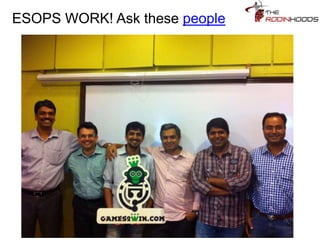
ESOPS WORK! Ask these people
Tip 21: Summarize a
presentation if you have shared
lots of lessons and insights
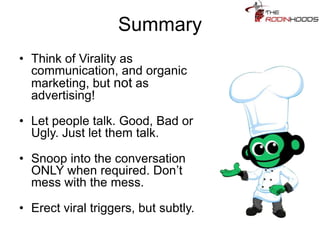
Summary
• Think of Virality as
communication, and organic
marketing, but not as
advertising!
• Let people talk. Good, Bad or
Ugly. Just let them talk.
• Snoop into the conversation
ONLY when required. Don’t
mess with the mess.
• Erect viral triggers, but subtly.
Tip 22: To extend your
conversation with your
audience, ask them to do
something and revert to you!
Assignment
What would you DO in this case, how and
why?
Mail me – alok@rodinhood.com
Tip 23: In a business pitch,
ASK directly for what you want
so that the discussion can then
pivot from there
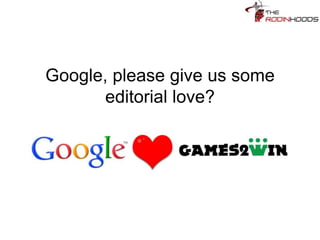
Google, please give us some
editorial love?
Tip 23: To provoke your
audience, present them a
‘checklist’ – this will get them
thinking and call you back!
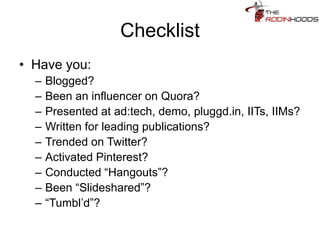
Checklist
• Have you:
– Blogged?
– Been an influencer on Quora?
– Presented at ad:tech, demo, pluggd.in, IITs, IIMs?
– Written for leading publications?
– Trended on Twitter?
– Activated Pinterest?
– Conducted “Hangouts”?
– Been “Slideshared”?
– “Tumbl’d”?
Tip 24: If you are pitching a
service, DETAIL what you can
do
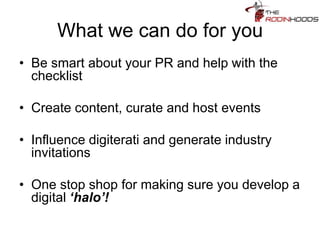
What we can do for you
• Be smart about your PR and help with the
checklist
• Create content, curate and host events
• Influence digiterati and generate industry
invitations
• One stop shop for making sure you develop a
digital ‘halo’!
Tip 25 : Hygiene pointers
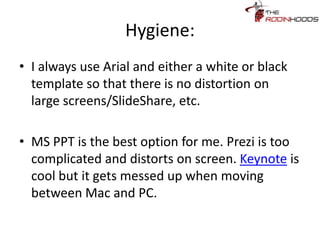
Hygiene:
• I always use Arial and either a white or
black template so that there is no
distortion on large screens/SlideShare,
etc.
• MS PPT is the best option for me. Prezi is
too complicated and distorts on screen.
Keynote is cool but it gets messed up
when moving between Mac and PC.
Hygiene:
• SPEND HOURS ANIMATING each slide of your
PPT and getting the impact of each point across.
• Try and create impact using 8-10 slides max.
• ALWAYS TEST RUN your PPT when presenting at
events. Check screen resolutions, edges that may
cut your slides, etc.
• I avoid sound files. The volume is always an issue
and getting audio connections is always a
challenge.
• To improve your PPTs, keep checking the Top
Presentations on SlideShare every week!
Tip 26: How to present on
stage?
‘How to present’ tips
• If possible, mike-up, carry a remote control
AND MOVE ACROSS THE FLOOR. Don’t
get stuck like a statue whose feet are
glued to the ground.
• SPEAK LESS. Let the pictures and the
headers TALK.
• Be spontaneous. If the audience is cold
ask them if they need sweaters…
Tip 27: End with THANKS and
contact points
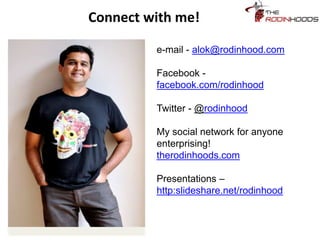
Connect with me!
e-mail - alok@rodinhood.com
Facebook -
facebook.com/rodinhood
Twitter - @rodinhood
My social network for anyone
enterprising!
therodinhoods.com
Presentations –
http:slideshare.net/rodinhood

Presentation tips by rodinhood

  • 1.
    Presentation Tips byRodinhood! [includes example slides after each tip!] Alok Rodinhood Kejriwal Founder – 2win group & therodinhoods
  • 2.
    How this PPTworks • The TIP comes first as a slide. It is in this blue color and is in Italics • A real example comes after the tip slide. Its in Black and not in Italics. • If you get confused, go back & forth between the 2 slides of colors and you will get the point being made!
  • 3.
    Tip 1 :Provide credentials (if required)
  • 4.
    Credentials! Q: What makesme worthy of this PPT? A: Over the past 15 years, I’ve presented over 100+ times. This includes Harvard University, B-Schools like IIM, ISB, SP Jain; Fortune 500 Companies, ad:tech, TEDx, TechCrunch, etc. Audiences everywhere have appreciated my presentations and that gives me the confidence to put this together for you!
  • 5.
    Tip 2 :If possible, present yourself humorously!
  • 6.
    An Introduction Disclosure: I amnot an MBA I am not an Engineer I am not a CA I am not an LLB I am not a PHD I am not ‘whatever’… I am an Entrepreneur
  • 7.
    Tip 3 :If you are sharing a Company’s success story, support the same by a credential:
  • 8.
    We made a# 1 and # 2 app in the world
  • 9.
    Tip 4: Ilove to use full screen images with one liners to create mental stories and to start a discussion…
  • 10.
  • 11.
    Tip 5: Ifpossible, ONLY use photos that you have shot. It adds a special touch to the presentation and becomes ‘unique’…
  • 12.
    I walked outof the family business…
  • 13.
    Tip 6 :Share images of your colleagues while making a point! It feels good!
  • 15.
    Tip 7 : Useimages that make an IMPACT:
  • 16.
    And will verysoon KILL you.
  • 17.
    Tip 8: Towake up the crowd, ask an interactive question?
  • 18.
    (Q to theaudience) Can you spot the difference?
  • 19.
    Tip 9 :Try and use images that directly tell the story….
  • 21.
    Tip 10: HumorALWAYS works. Tease your audience, provoke them!
  • 22.
    I assume youdrive this car?
  • 23.
    Tip 11: Thereare NO MANNERS in making PPTs (usually). Use fonts & language that convey the message:
  • 24.
  • 25.
    Tip 12 :Use examples that people KNOW and have experienced to make your point.
  • 26.
  • 27.
    “Profile completion %”is the simplest game invented, to make you add extraaaaaaaaaaaaaaaa details to your profile…
  • 28.
    Just to helpLinkedin make lots of extraaaaaaaaa money…
  • 29.
    By targeting yourextraaaaaaaa completed profile to advertisers…. 
  • 30.
    Tip 13: Usesimple business logic and examples to SIMPLIFY a difficult topic:
  • 31.
    How advertising works(follow the lines) A candy bar sells for US$1 Advertising & Marketing = 30% Advertising = 30 cents Online ads = 10% of Advertising Online ads = 3 cents “Ad Network” takes 50% 1.5 cents remain Gets distributed to websites Website gets 1.5 cents of a 1$ Candy Bar
  • 32.
    How in-app saleswork! I create a mobile game Errr – A candy Game Game is deep & long but free The game requires you to DIE or BUY Nobody likes to DIE So, we all BUY “In-Game Candy” = 0.99 cents Apple/Google gives me 70%! I get 70 cents from MY OWN CANDY SALE
  • 33.
    Tip 14: Makefun of yourself on stage! It works!!
  • 34.
    What I didbefore dot.com Yeah, that’s me!
  • 35.
    Tip 15: Ifyou are using charts, use simple ones that make an impact and then can be explained to the audience
  • 36.
    2. Let theapp float on ITS OWN
  • 37.
    Tip 16: Ialways use my Company images, mascots, art assets to convey messages. They just stand out!
  • 38.
    8. Don’t advertise. •Unless you have a + ROI LTV
  • 39.
    Tip 17: Usethe language of the audience. If in Mumbai, talk like Mumbai…
  • 40.
  • 41.
    Tip 18: Aska question to the audience; get a response and then reveal your answer…
  • 42.
    Do you wantto make the most of a Client Meeting?
  • 43.
    First a question: •Who do you think your client is?
  • 44.
    I think thatmy client is:
  • 45.
    Tip 19: Ifyour presentation is technical or domain specific, clarify WHO it is meant for and also some disclosures
  • 46.
    Who is thismeant for? • Entrepreneurs who need guidance on ESOP ideas and policy for their Company. • Employees who need to understand what ESOPs are, and how they work. • People elsewhere in the business ecosystem, who may have questions on ESOPs and its core principles. • Anyone interested in learning about a very interesting and valuable capital idea that has been responsible for creating massive wealth for employees and employers!
  • 47.
    Disclosures: • The principlesand guidelines spoken about in this presentation are used and adopted strictly for the 2win group of companies that I operate/have invested in. • There are various alternative interpretations of ESOP best practices that other companies and employers may adopt. • This document should serve as a guideline and reference - not as a rule book!
  • 48.
    Tip 20: Peoplebelieve REAL STORIES. Provide a few to them.
  • 49.
    ESOPS WORK! Askthese people
  • 50.
    Tip 21: Summarizea presentation if you have shared lots of lessons and insights
  • 51.
    Summary • Think ofVirality as communication, and organic marketing, but not as advertising! • Let people talk. Good, Bad or Ugly. Just let them talk. • Snoop into the conversation ONLY when required. Don’t mess with the mess. • Erect viral triggers, but subtly.
  • 52.
    Tip 22: Toextend your conversation with your audience, ask them to do something and revert to you!
  • 53.
    Assignment What would youDO in this case, how and why? Mail me – alok@rodinhood.com
  • 54.
    Tip 23: Ina business pitch, ASK directly for what you want so that the discussion can then pivot from there
  • 55.
    Google, please giveus some editorial love?
  • 56.
    Tip 23: Toprovoke your audience, present them a ‘checklist’ – this will get them thinking and call you back!
  • 57.
    Checklist • Have you: –Blogged? – Been an influencer on Quora? – Presented at ad:tech, demo, pluggd.in, IITs, IIMs? – Written for leading publications? – Trended on Twitter? – Activated Pinterest? – Conducted “Hangouts”? – Been “Slideshared”? – “Tumbl’d”?
  • 58.
    Tip 24: Ifyou are pitching a service, DETAIL what you can do
  • 59.
    What we cando for you • Be smart about your PR and help with the checklist • Create content, curate and host events • Influence digiterati and generate industry invitations • One stop shop for making sure you develop a digital ‘halo’!
  • 60.
    Tip 25 :Hygiene pointers
  • 61.
    Hygiene: • I alwaysuse Arial and either a white or black template so that there is no distortion on large screens/SlideShare, etc. • MS PPT is the best option for me. Prezi is too complicated and distorts on screen. Keynote is cool but it gets messed up when moving between Mac and PC.
  • 62.
    Hygiene: • SPEND HOURSANIMATING each slide of your PPT and getting the impact of each point across. • Try and create impact using 8-10 slides max. • ALWAYS TEST RUN your PPT when presenting at events. Check screen resolutions, edges that may cut your slides, etc. • I avoid sound files. The volume is always an issue and getting audio connections is always a challenge. • To improve your PPTs, keep checking the Top Presentations on SlideShare every week!
  • 63.
    Tip 26: Howto present on stage?
  • 64.
    ‘How to present’tips • If possible, mike-up, carry a remote control AND MOVE ACROSS THE FLOOR. Don’t get stuck like a statue whose feet are glued to the ground. • SPEAK LESS. Let the pictures and the headers TALK. • Be spontaneous. If the audience is cold ask them if they need sweaters…
  • 65.
    Tip 27: Endwith THANKS and contact points
  • 66.
    Connect with me! e-mail- alok@rodinhood.com Facebook - facebook.com/rodinhood Twitter - @rodinhood My social network for anyone enterprising! therodinhoods.com Presentations – http:slideshare.net/rodinhood