Presentation in Honour
to
Sir “Ali Abbas”
Institute of CS & IT
By
Tabinda Imtiyaz
Roll # 30
COMPUTER SCIENCE 1st SEMESTER MORNING
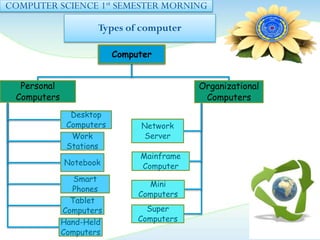
Types of computer
Computer
Personal
Computers
Desktop
Computers
Work
Stations
Notebook
Smart
Phones
Tablet
Computers
Hand-Held
Computers
Organizational
Computers
Network
Server
Mainframe
Computer
Mini
Computers
Super
Computers
COMPUTER SCIENCE 1st SEMESTER MORNING
Personal Computers
Desktop Computers:
A computer designed to fit comfortably on top of a desk.
These computers are the most common type of single use
computer. Normally, they one microprocessor for
processing. However, for multiprocessing more
microprocessors can be added. There are two famous
models of Desktop Computers.
Work Stations:
These Computers are single use computers used for
specialized jobs.
Examples: In engineering, in animations, in architecture
designing.
Notebook:
These computers are comparatively small computer
than desktop computers. The are portable in nature.
Normally, these computers are placed on our laps,
Also known as Laptops.
COMPUTER SCIENCE 1st SEMESTER MORNING
Personal Computers
Tablet Computers:
These are also portable computers but lighter than notebook
computers. They receive input from digital pen or stylus.
Hand-held Computers:
These are the computers usually held in hand. Some
manufacturers are trying to solve the small keyboard
problem by replacing the keyboard with an electronic pen.
Hand-held computers are also called PDAs, palmtops and
pocket computers.
Smart Phones:
These are the computers including few features or hand-
held computer.
COMPUTER SCIENCE 1st SEMESTER MORNING
Organizational use of
Computer
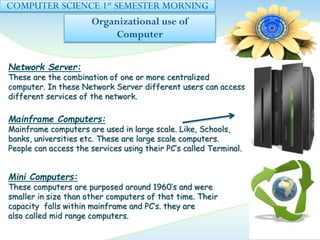
Network Server:
These are the combination of one or more centralized
computer. In these Network Server different users can access
different services of the network.
Mainframe Computers:
Mainframe computers are used in large scale. Like, Schools,
banks, universities etc. These are large scale computers.
People can access the services using their PC’s called Terminal.
Mini Computers:
These computers are purposed around 1960’s and were
smaller in size than other computers of that time. Their
capacity falls within mainframe and PC’s. they are
also called mid range computers.
COMPUTER SCIENCE 1st SEMESTER MORNING
Organizational use of
Computer
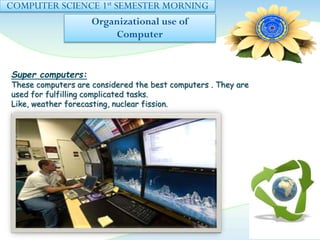
Super computers:
These computers are considered the best computers . They are
used for fulfilling complicated tasks.
Like, weather forecasting, nuclear fission.
TYPES OF SOFTWARE
Tabinda Kokab
ROLL # 08
COMPUTER SCIENCE 1st SEMESTER MORNING
Types of software:
What is Software?
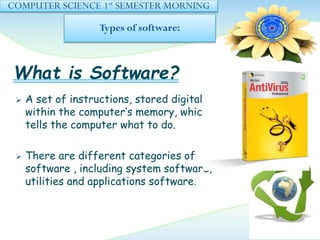
 A set of instructions, stored digitally
within the computer’s memory, which
tells the computer what to do.
 There are different categories of
software , including system software,
utilities and applications software.
COMPUTER SCIENCE 1st SEMESTER MORNING
Types of Software:
System software:
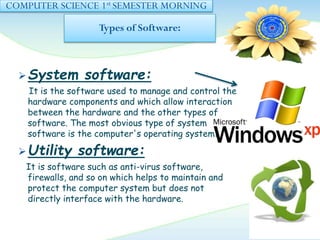
It is the software used to manage and control the
hardware components and which allow interaction
between the hardware and the other types of
software. The most obvious type of system
software is the computer's operating system.
Utility software:
It is software such as anti-virus software,
firewalls, and so on which helps to maintain and
protect the computer system but does not
directly interface with the hardware.
COMPUTER SCIENCE 1st SEMESTER MORNING
Types of Software
Applications software:
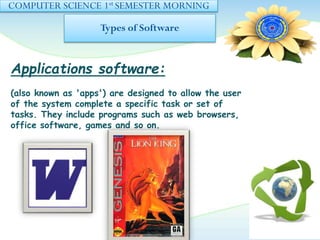
(also known as 'apps') are designed to allow the user
of the system complete a specific task or set of
tasks. They include programs such as web browsers,
office software, games and so on.
MAHAMAYUB
Roll # 35
COMPUTER SCIENCE 1st SEMESTER MORNING
Hardware
components of system
What is Hardware?
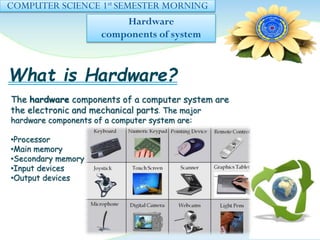
The hardware components of a computer system are
the electronic and mechanical parts. The major
hardware components of a computer system are:
•Processor
•Main memory
•Secondary memory
•Input devices
•Output devices
COMPUTER SCIENCE 1st SEMESTER MORNING
PROCESSOR
CPU:
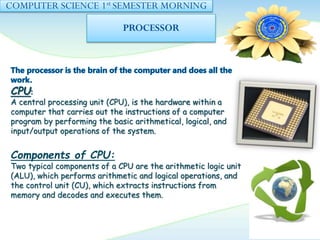
A central processing unit (CPU), is the hardware within a
computer that carries out the instructions of a computer
program by performing the basic arithmetical, logical, and
input/output operations of the system.
Components of CPU:
Two typical components of a CPU are the arithmetic logic unit
(ALU), which performs arithmetic and logical operations, and
the control unit (CU), which extracts instructions from
memory and decodes and executes them.
COMPUTER SCIENCE 1st SEMESTER MORNING
MAIN MEMORY
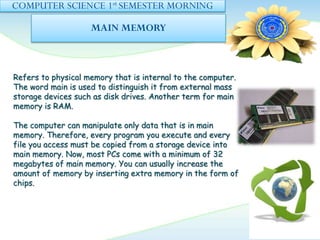
Refers to physical memory that is internal to the computer.
The word main is used to distinguish it from external mass
storage devices such as disk drives. Another term for main
memory is RAM.
The computer can manipulate only data that is in main
memory. Therefore, every program you execute and every
file you access must be copied from a storage device into
main memory. Now, most PCs come with a minimum of 32
megabytes of main memory. You can usually increase the
amount of memory by inserting extra memory in the form of
chips.
COMPUTER SCIENCE 1st SEMESTER MORNING
SECONDARY MEMORY
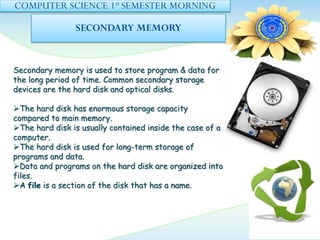
Secondary memory is used to store program & data for
the long period of time. Common secondary storage
devices are the hard disk and optical disks.
The hard disk has enormous storage capacity
compared to main memory.
The hard disk is usually contained inside the case of a
computer.
The hard disk is used for long-term storage of
programs and data.
Data and programs on the hard disk are organized into
files.
A file is a section of the disk that has a name.
COMPUTER SCIENCE 1st SEMESTER MORNING
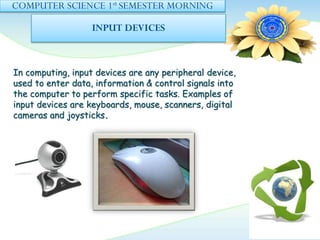
INPUT DEVICES
In computing, input devices are any peripheral device,
used to enter data, information & control signals into
the computer to perform specific tasks. Examples of
input devices are keyboards, mouse, scanners, digital
cameras and joysticks.
COMPUTER SCIENCE 1st SEMESTER MORNING
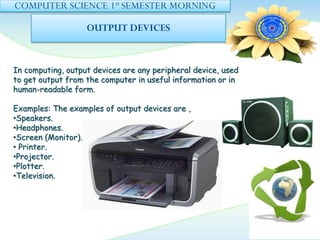
OUTPUT DEVICES
In computing, output devices are any peripheral device, used
to get output from the computer in useful information or in
human-readable form.
Examples: The examples of output devices are ,
•Speakers.
•Headphones.
•Screen (Monitor).
• Printer.
•Projector.
•Plotter.
•Television.
KINZA ARSHAD
COMPUTER SCIENCE 1st SEMESTER MORNING
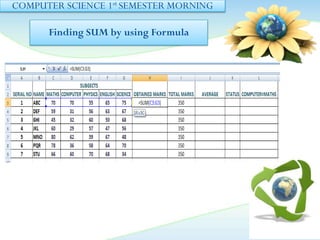
Finding SUM by using Formula
COMPUTER SCIENCE 1st SEMESTER MORNING
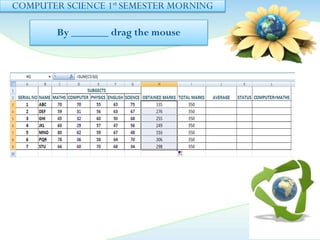
By _______ drag the mouse
COMPUTER SCIENCE 1st SEMESTER MORNING
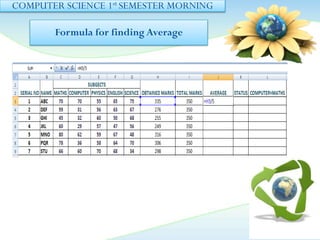
Formula for finding Average
COMPUTER SCIENCE 1st SEMESTER MORNING
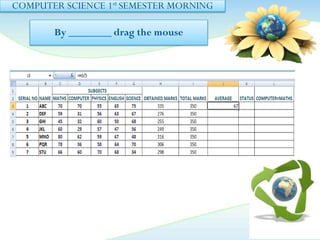
By ________ drag the mouse
THANKYOU
!!!!!!!!!!!!!!!!!!!!!

presentation on software,hardware and input output devices

  • 1.
    Presentation in Honour to Sir“Ali Abbas” Institute of CS & IT By Tabinda Imtiyaz Roll # 30
  • 2.
    COMPUTER SCIENCE 1stSEMESTER MORNING Types of computer Computer Personal Computers Desktop Computers Work Stations Notebook Smart Phones Tablet Computers Hand-Held Computers Organizational Computers Network Server Mainframe Computer Mini Computers Super Computers
  • 3.
    COMPUTER SCIENCE 1stSEMESTER MORNING Personal Computers Desktop Computers: A computer designed to fit comfortably on top of a desk. These computers are the most common type of single use computer. Normally, they one microprocessor for processing. However, for multiprocessing more microprocessors can be added. There are two famous models of Desktop Computers. Work Stations: These Computers are single use computers used for specialized jobs. Examples: In engineering, in animations, in architecture designing. Notebook: These computers are comparatively small computer than desktop computers. The are portable in nature. Normally, these computers are placed on our laps, Also known as Laptops.
  • 4.
    COMPUTER SCIENCE 1stSEMESTER MORNING Personal Computers Tablet Computers: These are also portable computers but lighter than notebook computers. They receive input from digital pen or stylus. Hand-held Computers: These are the computers usually held in hand. Some manufacturers are trying to solve the small keyboard problem by replacing the keyboard with an electronic pen. Hand-held computers are also called PDAs, palmtops and pocket computers. Smart Phones: These are the computers including few features or hand- held computer.
  • 5.
    COMPUTER SCIENCE 1stSEMESTER MORNING Organizational use of Computer Network Server: These are the combination of one or more centralized computer. In these Network Server different users can access different services of the network. Mainframe Computers: Mainframe computers are used in large scale. Like, Schools, banks, universities etc. These are large scale computers. People can access the services using their PC’s called Terminal. Mini Computers: These computers are purposed around 1960’s and were smaller in size than other computers of that time. Their capacity falls within mainframe and PC’s. they are also called mid range computers.
  • 6.
    COMPUTER SCIENCE 1stSEMESTER MORNING Organizational use of Computer Super computers: These computers are considered the best computers . They are used for fulfilling complicated tasks. Like, weather forecasting, nuclear fission.
  • 7.
  • 8.
    COMPUTER SCIENCE 1stSEMESTER MORNING Types of software: What is Software?  A set of instructions, stored digitally within the computer’s memory, which tells the computer what to do.  There are different categories of software , including system software, utilities and applications software.
  • 9.
    COMPUTER SCIENCE 1stSEMESTER MORNING Types of Software: System software: It is the software used to manage and control the hardware components and which allow interaction between the hardware and the other types of software. The most obvious type of system software is the computer's operating system. Utility software: It is software such as anti-virus software, firewalls, and so on which helps to maintain and protect the computer system but does not directly interface with the hardware.
  • 10.
    COMPUTER SCIENCE 1stSEMESTER MORNING Types of Software Applications software: (also known as 'apps') are designed to allow the user of the system complete a specific task or set of tasks. They include programs such as web browsers, office software, games and so on.
  • 11.
  • 12.
    COMPUTER SCIENCE 1stSEMESTER MORNING Hardware components of system What is Hardware? The hardware components of a computer system are the electronic and mechanical parts. The major hardware components of a computer system are: •Processor •Main memory •Secondary memory •Input devices •Output devices
  • 13.
    COMPUTER SCIENCE 1stSEMESTER MORNING PROCESSOR CPU: A central processing unit (CPU), is the hardware within a computer that carries out the instructions of a computer program by performing the basic arithmetical, logical, and input/output operations of the system. Components of CPU: Two typical components of a CPU are the arithmetic logic unit (ALU), which performs arithmetic and logical operations, and the control unit (CU), which extracts instructions from memory and decodes and executes them.
  • 14.
    COMPUTER SCIENCE 1stSEMESTER MORNING MAIN MEMORY Refers to physical memory that is internal to the computer. The word main is used to distinguish it from external mass storage devices such as disk drives. Another term for main memory is RAM. The computer can manipulate only data that is in main memory. Therefore, every program you execute and every file you access must be copied from a storage device into main memory. Now, most PCs come with a minimum of 32 megabytes of main memory. You can usually increase the amount of memory by inserting extra memory in the form of chips.
  • 15.
    COMPUTER SCIENCE 1stSEMESTER MORNING SECONDARY MEMORY Secondary memory is used to store program & data for the long period of time. Common secondary storage devices are the hard disk and optical disks. The hard disk has enormous storage capacity compared to main memory. The hard disk is usually contained inside the case of a computer. The hard disk is used for long-term storage of programs and data. Data and programs on the hard disk are organized into files. A file is a section of the disk that has a name.
  • 16.
    COMPUTER SCIENCE 1stSEMESTER MORNING INPUT DEVICES In computing, input devices are any peripheral device, used to enter data, information & control signals into the computer to perform specific tasks. Examples of input devices are keyboards, mouse, scanners, digital cameras and joysticks.
  • 17.
    COMPUTER SCIENCE 1stSEMESTER MORNING OUTPUT DEVICES In computing, output devices are any peripheral device, used to get output from the computer in useful information or in human-readable form. Examples: The examples of output devices are , •Speakers. •Headphones. •Screen (Monitor). • Printer. •Projector. •Plotter. •Television.
  • 18.
  • 19.
    COMPUTER SCIENCE 1stSEMESTER MORNING Finding SUM by using Formula
  • 20.
    COMPUTER SCIENCE 1stSEMESTER MORNING By _______ drag the mouse
  • 21.
    COMPUTER SCIENCE 1stSEMESTER MORNING Formula for finding Average
  • 22.
    COMPUTER SCIENCE 1stSEMESTER MORNING By ________ drag the mouse
  • 23.