
PROFESSIONAL
PRESENTATION SKILLS
Presented by
Ch Bidyabati Chanu
13-HDJ-02
Ph.D. 2nd Year
Dept Of HDFS
College of Home Science, AAU, Jorhat
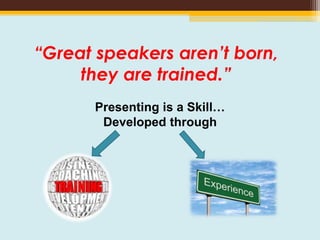
“Great speakers aren’t born,
they are trained.”
Presenting is a Skill…
Developed through
INTRODUCTION
• The study of how to give effective speeches date
back from ancient Greek (Steve Mandal, 2000).
• Technology has both complicated and simplified the
task of the speaker.
• Presentation skills attempts to answer the
fundamental questions of how to prepare and
deliver an effective speech.
Definition
 The term “speech” and “Presentation” are
often used interchangeably.
 Presentation is a type of speech. Typically,
when we think of a speech we think of a
dedication speech, political speech etc.
 Presentation are speeches that are usually
given in a business, technical, professional,
academic, or scientific environment.
 The audience is more likely to be specialized.
Objectives of this Presentation
• To become an effective professional Public Speaker
• To demonstrate good principles for public
presentations using PowerPoint
• To show how slides might be better used.
• To demonstrate good and bad slides, distracting
habits, some suggestions to assist your presentation.
• To suggest a baseline for a good presentation.
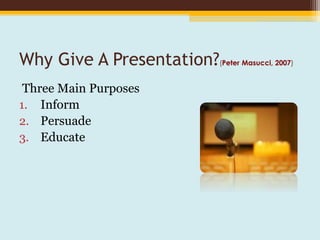
Why Give A Presentation?(Peter Masucci, 2007)
Three Main Purposes
1. Inform
2. Persuade
3. Educate
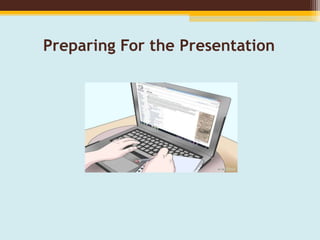
Preparing For the Presentation
Know your audience
Success depends on your ability to
reach your audience.
• Size
• Demographics
• Knowledge level
• Motivation
• Why are they attending?
• What do THEY expect?
Opening of the presentation
• you should be early
• check the concerned person
• check the projector and computer well before you talk
• be ready to begin when invited
• your first slide should be on screen before you begin
• it should have a presentation title on it and information
about you
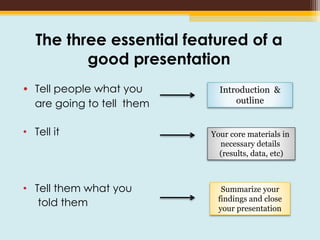
The three essential featured of a
good presentation
• Tell people what you
are going to tell them
• Tell it
• Tell them what you
told them
Introduction &
outline
Your core materials in
necessary details
(results, data, etc)
Summarize your
findings and close
your presentation
Logical flow of the Scientific Talk
• Introduction
• Questions or hypothesis
• Strategies or methods
• Results
• Summary and Conclusion
Your Opening Statement
• Your opening statement should be strong
and well prepared.
• It should be short and can also be an
expression of thanks.
Key Materials items to consider
• Your personal habits
• Use of laser pointer
• The slide background
• Use of color
• Use of animation tools
• Amount of materials per slide
• Your first and last slides
Your Personal Habits
• Standing: Face your audience, but if you are very
nervous, look only at people in the middle or back row.
• Pacing: Sometimes pacing helps when you are nervous- it
can also help to keep the audience’s attention - but it
can also be distracting- if you pace slowly and
deliberately.
• Speech: Speak slowly, clearly & deliberately
• Fidgeting: Don’t play with the toys (like keys) or put your
hands in your pockets –hold the lecture if you have to
• Humor: Use very sparingly, it can be an ice-breaking but it is very
hard to do- suggestion is to avoid it.
VISUAL AIDS
• As a rule of thumb- number of words to be less than
20 per slide
• In general: use no smaller than 24 pt. for text, 32 pt.
for a list of points and at least 40-48 pt. font for Titles.
• Non-sherif fonts (without tapering letters) should be
used (Arial and Helvetica are better than Times New
Roman font)
• If using A4 size transparency, letters should never
be smaller than 4-5mm high
What font to use?
• Try to use a single , clear font across the entire
presentation
• Make the text large enough that the audience
can read it
• Some fonts are really bad
• And some should be avoided at all costs
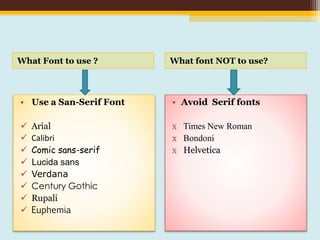
What Font to use ? What font NOT to use?
• Use a San-Serif Font
 Arial
 Calibri
 Comic sans-serif
 Lucida sans
 Verdana
 Century Gothic
 Rupali
 Euphemia
• Avoid Serif fonts
х Times New Roman
х Bondoni
х Helvetica
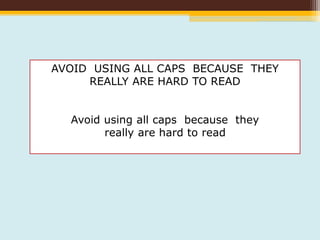
AVOID USING ALL CAPS BECAUSE THEY
REALLY ARE HARD TO READ
Avoid using all caps because they
really are hard to read
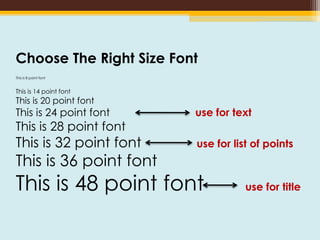
Choose The Right Size Font
This is 8 point font
This is 14 point font
This is 20 point font
This is 24 point font use for text
This is 28 point font
This is 32 point font use for list of points
This is 36 point font
This is 48 point font use for title
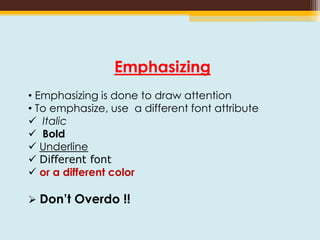
Emphasizing
• Emphasizing is done to draw attention
• To emphasize, use a different font attribute
 Italic
 Bold
 Underline
 Different font
 or a different color
 Don’t Overdo !!
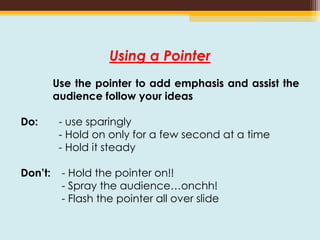
Using a Pointer
Use the pointer to add emphasis and assist the
audience follow your ideas
Do: - use sparingly
- Hold on only for a few second at a time
- Hold it steady
Don’t: - Hold the pointer on!!
- Spray the audience…onchh!
- Flash the pointer all over slide
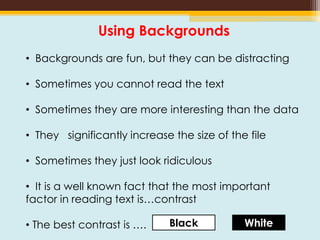
Using Backgrounds
• Backgrounds are fun, but they can be distracting
• Sometimes you cannot read the text
• Sometimes they are more interesting than the data
• They significantly increase the size of the file
• Sometimes they just look ridiculous
• It is a well known fact that the most important
factor in reading text is…contrast
• The best contrast is …. Black White
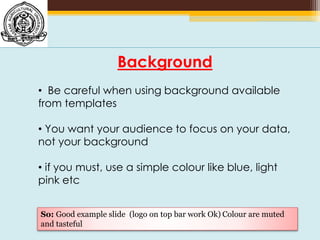
Background
• Be careful when using background available
from templates
• You want your audience to focus on your data,
not your background
• if you must, use a simple colour like blue, light
pink etc
So: Good example slide (logo on top bar work Ok) Colour are muted
and tasteful
Background
• Be careful when using background available from templates
• You want your audience to focus on your data, not your
background
• if you must, use a simple colour like blue, light pink etc
So: Bad example slide -nasty Background- it’s very distracting and
much more interesting than the text!!
• How much animation is right?
• Make sure you taste it carefully.
• A small amount of animation is Good
• Too much is “Dizzy” and often annoys your
audiences.
Animation
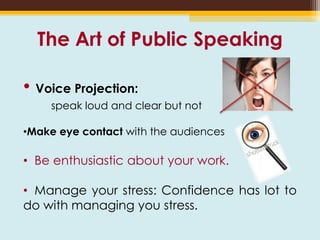
The Art of Public Speaking
• Voice Projection:
speak loud and clear but not
•Make eye contact with the audiences
• Be enthusiastic about your work.
• Manage your stress: Confidence has lot to
do with managing you stress.
Practice
• This is one that for some reason, lack of time
perhaps, people neglect to do and it is absolutely
key to giving a good presentation.
• Running through the presentation before the actual
event gives you time work out any problems with
your notes and with your technology and makes
the presentation itself go more smoothly.
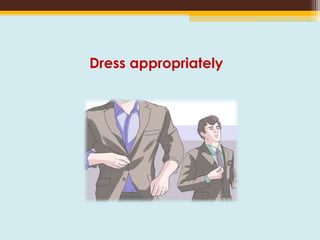
Dress appropriately
Giving the Talk
• Allow at least two minutes per slide
- not enough time? CUT IT!!!
• Keep Introduction Short
• Use less than a minute on outline
• Use time for complex topics instead
- Repeat if really important
- Use examples
Answering Questions
• Listen carefully to the questions
• Do not interrupt
• Repeat the question for the audience in
shortened form
• If you do not know the answer or how to
approach, ask for more guidance
e.g. “I am not sure I understand the question,
could you elaborate.”
• Never argue with the questioners.
Your Closing Statement
DO: “In my last slide I would like to acknowledge
the participation of my colleagues X, Y,, and Dr. Z.
I would also like to acknowledge the support of
HDFS Department for funding my study.” ( pause
here very briefly)… “Thank you very much for your
attention.: ( Don’t say anything else!!!!)
Summary
• Preparation
• Make a proper introduction and use a slide that shows the
structure of your talk
• Slide- Clean, Clear, and Readable
• Use approximately 1 slide per minute
• Show a summary Slide at the end
• Make a final slide an acknowledge slide
• Conclude by saying : “Thank you very much for you attention.”
Stop and let the audience Clap!!!
• Do NOT ask for questions
REFERENCES
• J.W. Niemantsverdriet, How to give successful oral and poster presentations
•
• http://www.huffingtonpost.com/young-entrepreneur-council/13-tips-for-giving-a-
kill_b_3728093.html
• http://www.washington.edu/doit/TeamN/present_tips.html
• http://www.usnews.com/education/blogs/professors-guide/2010/02/24/15-strategies-
for-giving-oral-presentations
• http://www.inc.com/kevin-daum/5-tips-for-giving-really-amazing-presentations.html
• http://hbr.org/2013/06/how-to-give-a-killer-presentation/ar/1
• Marty Brounstein and Malcolm Kushner , Giving a Presentation In a Day For Dummies.
Thank you for your kind Attention

presentation skills

  • 1.
    PROFESSIONAL PRESENTATION SKILLS Presented by ChBidyabati Chanu 13-HDJ-02 Ph.D. 2nd Year Dept Of HDFS College of Home Science, AAU, Jorhat
  • 2.
    “Great speakers aren’tborn, they are trained.” Presenting is a Skill… Developed through
  • 3.
    INTRODUCTION • The studyof how to give effective speeches date back from ancient Greek (Steve Mandal, 2000). • Technology has both complicated and simplified the task of the speaker. • Presentation skills attempts to answer the fundamental questions of how to prepare and deliver an effective speech.
  • 4.
    Definition  The term“speech” and “Presentation” are often used interchangeably.  Presentation is a type of speech. Typically, when we think of a speech we think of a dedication speech, political speech etc.  Presentation are speeches that are usually given in a business, technical, professional, academic, or scientific environment.  The audience is more likely to be specialized.
  • 5.
    Objectives of thisPresentation • To become an effective professional Public Speaker • To demonstrate good principles for public presentations using PowerPoint • To show how slides might be better used. • To demonstrate good and bad slides, distracting habits, some suggestions to assist your presentation. • To suggest a baseline for a good presentation.
  • 6.
    Why Give APresentation?(Peter Masucci, 2007) Three Main Purposes 1. Inform 2. Persuade 3. Educate
  • 7.
    Preparing For thePresentation
  • 8.
    Know your audience Successdepends on your ability to reach your audience. • Size • Demographics • Knowledge level • Motivation • Why are they attending? • What do THEY expect?
  • 9.
    Opening of thepresentation • you should be early • check the concerned person • check the projector and computer well before you talk • be ready to begin when invited • your first slide should be on screen before you begin • it should have a presentation title on it and information about you
  • 10.
    The three essentialfeatured of a good presentation • Tell people what you are going to tell them • Tell it • Tell them what you told them Introduction & outline Your core materials in necessary details (results, data, etc) Summarize your findings and close your presentation
  • 11.
    Logical flow ofthe Scientific Talk • Introduction • Questions or hypothesis • Strategies or methods • Results • Summary and Conclusion
  • 12.
    Your Opening Statement •Your opening statement should be strong and well prepared. • It should be short and can also be an expression of thanks.
  • 13.
    Key Materials itemsto consider • Your personal habits • Use of laser pointer • The slide background • Use of color • Use of animation tools • Amount of materials per slide • Your first and last slides
  • 14.
    Your Personal Habits •Standing: Face your audience, but if you are very nervous, look only at people in the middle or back row. • Pacing: Sometimes pacing helps when you are nervous- it can also help to keep the audience’s attention - but it can also be distracting- if you pace slowly and deliberately. • Speech: Speak slowly, clearly & deliberately • Fidgeting: Don’t play with the toys (like keys) or put your hands in your pockets –hold the lecture if you have to • Humor: Use very sparingly, it can be an ice-breaking but it is very hard to do- suggestion is to avoid it.
  • 15.
    VISUAL AIDS • Asa rule of thumb- number of words to be less than 20 per slide • In general: use no smaller than 24 pt. for text, 32 pt. for a list of points and at least 40-48 pt. font for Titles. • Non-sherif fonts (without tapering letters) should be used (Arial and Helvetica are better than Times New Roman font) • If using A4 size transparency, letters should never be smaller than 4-5mm high
  • 16.
    What font touse? • Try to use a single , clear font across the entire presentation • Make the text large enough that the audience can read it • Some fonts are really bad • And some should be avoided at all costs
  • 17.
    What Font touse ? What font NOT to use? • Use a San-Serif Font  Arial  Calibri  Comic sans-serif  Lucida sans  Verdana  Century Gothic  Rupali  Euphemia • Avoid Serif fonts х Times New Roman х Bondoni х Helvetica
  • 18.
    AVOID USING ALLCAPS BECAUSE THEY REALLY ARE HARD TO READ Avoid using all caps because they really are hard to read
  • 19.
    Choose The RightSize Font This is 8 point font This is 14 point font This is 20 point font This is 24 point font use for text This is 28 point font This is 32 point font use for list of points This is 36 point font This is 48 point font use for title
  • 20.
    Emphasizing • Emphasizing isdone to draw attention • To emphasize, use a different font attribute  Italic  Bold  Underline  Different font  or a different color  Don’t Overdo !!
  • 21.
    Using a Pointer Usethe pointer to add emphasis and assist the audience follow your ideas Do: - use sparingly - Hold on only for a few second at a time - Hold it steady Don’t: - Hold the pointer on!! - Spray the audience…onchh! - Flash the pointer all over slide
  • 22.
    Using Backgrounds • Backgroundsare fun, but they can be distracting • Sometimes you cannot read the text • Sometimes they are more interesting than the data • They significantly increase the size of the file • Sometimes they just look ridiculous • It is a well known fact that the most important factor in reading text is…contrast • The best contrast is …. Black White
  • 23.
    Background • Be carefulwhen using background available from templates • You want your audience to focus on your data, not your background • if you must, use a simple colour like blue, light pink etc So: Good example slide (logo on top bar work Ok) Colour are muted and tasteful
  • 24.
    Background • Be carefulwhen using background available from templates • You want your audience to focus on your data, not your background • if you must, use a simple colour like blue, light pink etc So: Bad example slide -nasty Background- it’s very distracting and much more interesting than the text!!
  • 25.
    • How muchanimation is right? • Make sure you taste it carefully. • A small amount of animation is Good • Too much is “Dizzy” and often annoys your audiences. Animation
  • 26.
    The Art ofPublic Speaking • Voice Projection: speak loud and clear but not •Make eye contact with the audiences • Be enthusiastic about your work. • Manage your stress: Confidence has lot to do with managing you stress.
  • 27.
    Practice • This isone that for some reason, lack of time perhaps, people neglect to do and it is absolutely key to giving a good presentation. • Running through the presentation before the actual event gives you time work out any problems with your notes and with your technology and makes the presentation itself go more smoothly.
  • 28.
  • 29.
    Giving the Talk •Allow at least two minutes per slide - not enough time? CUT IT!!! • Keep Introduction Short • Use less than a minute on outline • Use time for complex topics instead - Repeat if really important - Use examples
  • 30.
    Answering Questions • Listencarefully to the questions • Do not interrupt • Repeat the question for the audience in shortened form • If you do not know the answer or how to approach, ask for more guidance e.g. “I am not sure I understand the question, could you elaborate.” • Never argue with the questioners.
  • 31.
    Your Closing Statement DO:“In my last slide I would like to acknowledge the participation of my colleagues X, Y,, and Dr. Z. I would also like to acknowledge the support of HDFS Department for funding my study.” ( pause here very briefly)… “Thank you very much for your attention.: ( Don’t say anything else!!!!)
  • 32.
    Summary • Preparation • Makea proper introduction and use a slide that shows the structure of your talk • Slide- Clean, Clear, and Readable • Use approximately 1 slide per minute • Show a summary Slide at the end • Make a final slide an acknowledge slide • Conclude by saying : “Thank you very much for you attention.” Stop and let the audience Clap!!! • Do NOT ask for questions
  • 33.
    REFERENCES • J.W. Niemantsverdriet,How to give successful oral and poster presentations • • http://www.huffingtonpost.com/young-entrepreneur-council/13-tips-for-giving-a- kill_b_3728093.html • http://www.washington.edu/doit/TeamN/present_tips.html • http://www.usnews.com/education/blogs/professors-guide/2010/02/24/15-strategies- for-giving-oral-presentations • http://www.inc.com/kevin-daum/5-tips-for-giving-really-amazing-presentations.html • http://hbr.org/2013/06/how-to-give-a-killer-presentation/ar/1 • Marty Brounstein and Malcolm Kushner , Giving a Presentation In a Day For Dummies.
  • 34.
    Thank you foryour kind Attention