PHOTOSHOP
GROUPREPORT
2
PHOTOSHOP – is an image creation graphics
and photo editing software developed by adobe.
The software provides many image editing
features for pixel-based images raster graphics
and vector graphics. Adobe Photoshop was first
released in 1988
3
INTRODUCTION:
Photoshop is unlike other common software interfaces which
emulate virtual typewriters or graphing paper. Photoshop
creates an artist’s virtual studio/darkroom. When you open the
program you see a toolbox on the left with tools you will see to
manipulate your images and on the right a white square which
is your “canvas” or work area. The gray area surrounding the
canvas is not part of your images but only defines its edges
why we need to use Photoshop is to get the information
includes not only text and numbers but images as well. The
expression “a picture is worth a thousand words “ is as true as
ever
4
As the history of Adobe Photoshop begin with a raster graphics editor
developed and published by Adobe System for macOS and windows.
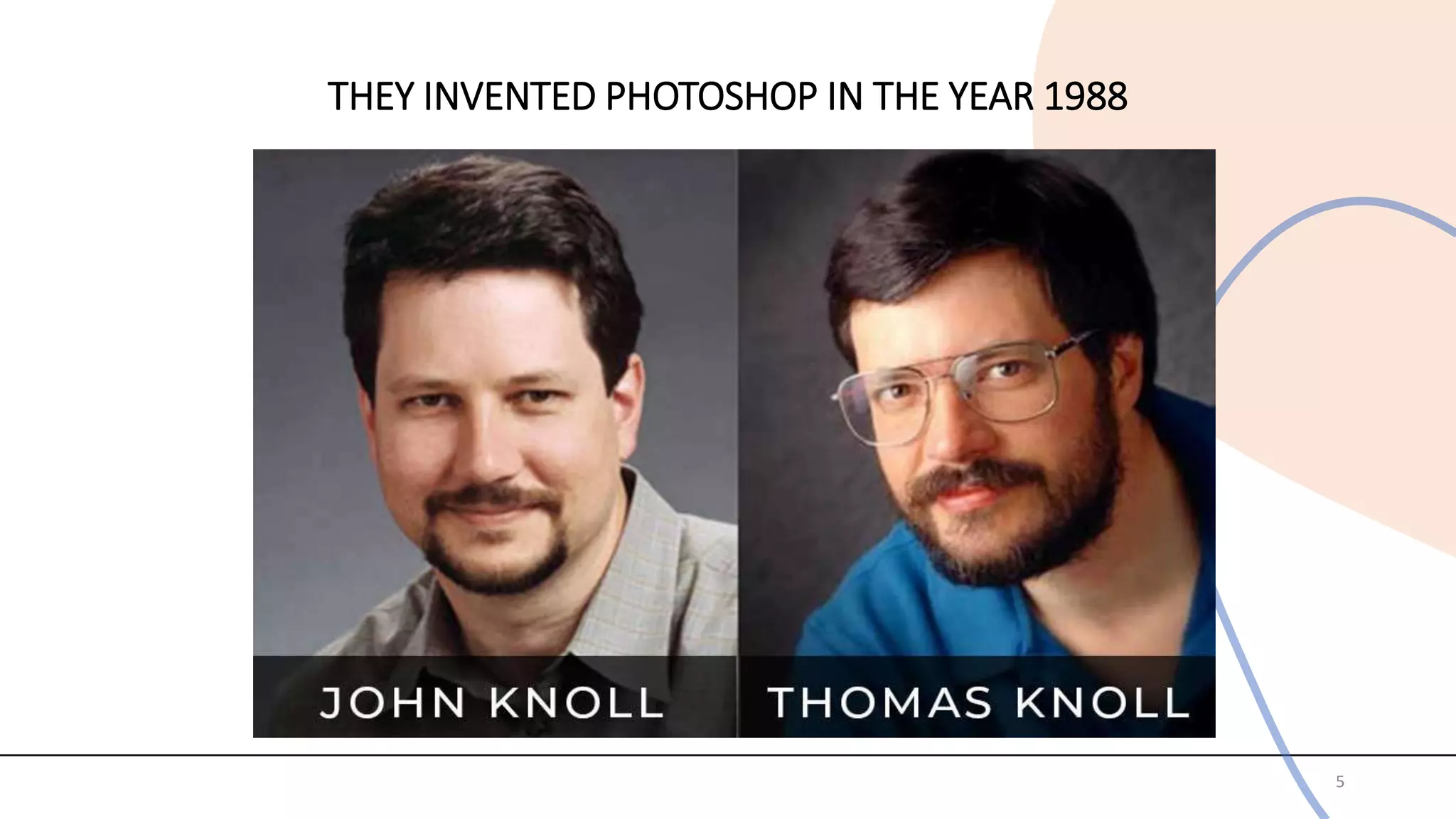
Photoshop was created in 1988 by Thomas and John Knoll. Since then it has
become the de facto industry standard in raster graphics editing such that
the word “Photoshop” has become a verb as in “ to Photoshop an image”
“Photoshopping” and Photoshop contest” though Adobe discourages such
use. It can edit and compose raster images in multiple layers and supports
masks alpha compositing and several color models including RGB,
CMYK,CIELAB, spot color and PSD and PSB file formats which support all
the aforementioned features. In addition to raster graphics, it has limited
abilities to editor render text vector graphics (especially through clipping
path), 3D graphics and video. Photoshop’s features can be expanded by
Photoshop plug-ins. Programs developed and distributed independently of
Photoshop that can run inside it and offer new or enhanced features.
THEY INVENTED PHOTOSHOP IN THE YEAR 1988
5
What is the purpose of a Photoshop ?
Photoshop is a graphics-editing program that is used to create and
manipulate images. The program's versatile nature makes it useful
for a huge range of imaging tasks, and Photoshop is used in fields
as diverse as architecture, astronomy, animation, forensics ,web
design and medicine. Photoshop is a powerful raster based
graphics program produced by the Adobe Corporation. It has long
been Adobe's flagship product, and is widely used for a variety of
project and purposes worldwide. The program has a huge number
of filters, functions and other tools that help the graphics artist
complete his task. In addition, there is a huge support base for
Photoshop, with countless online sites devoted to the program filled
with tips and tutorials. There are also books, online an college
courses and the documentation at Adobe itself. The graphics uses
for Photoshop are almost unlimited.
6
Function of Photoshop:
1.Resizing
Photoshop is often used to resize or crop images. With the image open, the graphics
artist selects "Image" from the menu and clicks "Image" Size." In the dialog that pops
up, he changes the pixel width and height and resolution to what he needs for the
project. He can then click on the "Crop" tool (found in the toolbar) to trim the image to
the exact size needed. This technique is often employed to prepare images for
publication or printing.
2. Photo Restoration
Photographs often become damaged by time, exposure, or just wear and tear. The
tools of Photoshop can often be used to repair some of the damages. First the photo is
scanned into the computer at a high resolution and opened in Photoshop. Then the
damage is evaluated. If there is dust and noise, the "Reduce" noise "Filter" can be
used. If there are spot or blemishes, the "Clone Stamp" tool is used to paint over the
damage, using pixels from an undamaged area. Large damage, such as a missing
section section of building, can sometimes be repaired using the "Vanishing Point“
function.
7
8
3. Website Graphics
A side from its photo editing functions, Photoshop is also often used to create graphics for website
layouts, such as banners or navigation buttons. For example, if the user needs to make a "Home"
button for her page, she can use one of the "Shape" tools set the "Fill" to make the basic shape. Then
"FX" functions, such as "Bevel and Emboss“ or "Drop Shadow," can be applied to give the button
depth. The "Text" tool can be used to add "Home" to the button.
4. Websites
More than just making graphics for websites, Photoshop can also be used to create entire web pages.
The user simply assembles or creates the elements of the page as they would like it to appear. Next
they use the "Slice" tool to divide the image into functional parts, including banners or buttons,
naming each. Then they use the "Save for Web or Devices" function to export this document as a
folder containing the sliced images and an HTML page that they can publish.
5. Animation
Photoshop is also a powerful graphics animation tool. Users need only create their frames as layers in
the program. Then by activating the "Animation" panel and in the timeline menu choosing "Make
Frames from Layers" they have their animation ready to be exported as a GIF.
ADVANTAGES AND DISADVANTAGES OF PHOTOSHOP
ADVANTAGES
Adobe Photoshop is wonderful , It is used to edit the digital image application , It helps you
improve the quality of a photograph, It is the assistant with the artists who rely on Photoshop to
make the artwork , And the students can learn Photoshop in Image Editing classes. When you learn
how to use Photoshop , It can improve your skills, It is possible to clear up the blemishes and the
imperfections in the photos , You can remove and change the backgrounds in the photos.
The images can be altered to fix the faults , The photographs can be given
an professional look when a standard camera is used ,New artwork images can be
created and edited. It is very easy to begin editing the photos , Adobe Photoshop helps
you to reduce the red eye or to whiten the teeth with the click of a button , You can
adjust the skin tones of people in your pictures.
Most of the edits regularly done on the photos can be completed with a single click
,There is no professional training is needed to complete the complex tasks like adjusting skin
tone . You can use Adobe Photoshop to import the videos and the photos into the software
quickly and easily , Everything will be organized in a neat and orderly way on your screen
,when you are deal with hundreds or thousands of photos and videos , It will be easier to find
the ones you need and use them , So , It is easy to handle numerous videos and photos.
9
DISADVANTAGES
Adobe Photoshop is relatively simple to use but it is not a program designed for
the beginners , It is primarily a photo-editing program for the professionals that plan on editing many
photos on a regular basis , There are many different tools that do very different things ,so ,You will
take long time to learn how to use each one correctly.
Adobe Photoshop is not free , It is a proprietary software , meaning its source code isa
secret , Source code is the code in which any computer program is written by the
human programmers .Adobe Photoshop is relatively expensive , When compared with other photo-
editing software , It has so many features and it is thus regarded as the industry standard in
the graphic designing , You will spend much more for Adobe Photoshop , If you do not plan on
editing the photos every day.
Most beginners will not begin to touch the functionality of this program , and they could get
what they need from another program , Many people who are unfamiliar with
editing the photos in Adobe Photoshop, The advanced functionality will be useless for them .There
are many free and lower cost graphics and photo editors , They are available for the casual users and
the enthusiasts who do not need all of the powerful features Photoshop offers.
Adobe Photoshop requires a well-equipped computer , It is a heavy weight program ,and
many of the tools are computationally intensive , It takes up a large space of room on your
computer as well as RAM memory.
10
HOW TO PRODUCE PHOTOSHOP FORMAT
1. First of all, installed photoshop. Then open the application. It will show like the figure below. Put
the background picture first. Tips: background picture must be have large view and have no many
buildings.
11
12
2. Then, click file open ,then choose a picture from our file to upload to photoshop application for
editing. And the picture will out like the figure below. After that, control their size according to our
creativity at button image image size.
3. Third, crop the picture carefully follow their pattern of the building. Click edit copy.
13
4. Paste the crop picture on the first picture before (background picture). Adding some filter according
your own creativity. Repeat the process start from Step 2 until Step 3 with different picture until its
make up many layers in background picture as example as figure below.
14
FOR HEADER
1.Make a new diagram based by blank page. Make sure setup their image at file new
Then, adjust as below:
Width= 1200
Height = 240
Resolution = 72
15
16
2. Add on ‘E Portfolio SBI(B) INTRODUCTION AND COMMUNICATION TECHNOLOGY INBIOLOGY’
on it. Example of finished header.
17
RESULT
• Extra product
18
• HEADER
19
CONCLUSION:
The Photoshop tools mentioned in this article can be a great place to start when creating
composites. They allow you to stretch or compress a scene effectively for your blended imagery,
without introducing visual evidence that major changes have been made to the files. Next
time you're tinkering with the background scenery for a composite image and will take you
through all the elements of this course and improve your knowledge on this subject.
The photoshop itself was really highly recommend that you incorporate nondestructive
techniques into your workflow to make your life easier. You will save time and open up a world of
creative possibilities. Photoshop also known as user-friendly interface and new tools as “re-eye”
which are aimed firmly at the more casual image editor. Adobe photoshop is always number
one highly rated, professional digital image editor, and it is the simple software that everyone
can use to edit any picture to seems nicer.
20
Answer the following questions.
Identification:
1. _______ is an image creation, graphic design and photo editing software developed by Adobe.
2. A function of Photoshop is often used to resize or crop images.
3. A function of Photoshop is often used to repair some of the damages.
4. A function of Photoshop is often used to create graphics for website layouts , such as banners or
navigation buttons.
5. A function of Photoshop is often used to create entire web pages.
6. A function of Photoshop is also a powerful graphics animation tool.
7-8.Who invented/created photoshop?
9. What year was photoshop created?
10-14. Enumerate the five {5} functions of PhotoShop.
15. Is an image creation, graphic design and photo editing software developed by Adobe.
A. Word B. PowerPoint C. Excel D. Photoshop
16-20. Essay What is Photo Shop?
21
THANK YOU FOR LISTENING!
GROUP MEMBERS:
AQUINO, CAMILLE JOYCE ASHLEY D.
AQUINO, KIMBERLY P.
CEREZO, KYLA JANE M.
DE VERA, HILLARY CASSANDRA M.
LAPAZ, RONALYN A.
JOVELLANOS, RUSSEL C.
SORIANO, JOHN CHRIS C.
22

PHOTOSHOP-REPORT-3.pptx

  • 1.
  • 2.
    2 PHOTOSHOP – isan image creation graphics and photo editing software developed by adobe. The software provides many image editing features for pixel-based images raster graphics and vector graphics. Adobe Photoshop was first released in 1988
  • 3.
    3 INTRODUCTION: Photoshop is unlikeother common software interfaces which emulate virtual typewriters or graphing paper. Photoshop creates an artist’s virtual studio/darkroom. When you open the program you see a toolbox on the left with tools you will see to manipulate your images and on the right a white square which is your “canvas” or work area. The gray area surrounding the canvas is not part of your images but only defines its edges why we need to use Photoshop is to get the information includes not only text and numbers but images as well. The expression “a picture is worth a thousand words “ is as true as ever
  • 4.
    4 As the historyof Adobe Photoshop begin with a raster graphics editor developed and published by Adobe System for macOS and windows. Photoshop was created in 1988 by Thomas and John Knoll. Since then it has become the de facto industry standard in raster graphics editing such that the word “Photoshop” has become a verb as in “ to Photoshop an image” “Photoshopping” and Photoshop contest” though Adobe discourages such use. It can edit and compose raster images in multiple layers and supports masks alpha compositing and several color models including RGB, CMYK,CIELAB, spot color and PSD and PSB file formats which support all the aforementioned features. In addition to raster graphics, it has limited abilities to editor render text vector graphics (especially through clipping path), 3D graphics and video. Photoshop’s features can be expanded by Photoshop plug-ins. Programs developed and distributed independently of Photoshop that can run inside it and offer new or enhanced features.
  • 5.
    THEY INVENTED PHOTOSHOPIN THE YEAR 1988 5
  • 6.
    What is thepurpose of a Photoshop ? Photoshop is a graphics-editing program that is used to create and manipulate images. The program's versatile nature makes it useful for a huge range of imaging tasks, and Photoshop is used in fields as diverse as architecture, astronomy, animation, forensics ,web design and medicine. Photoshop is a powerful raster based graphics program produced by the Adobe Corporation. It has long been Adobe's flagship product, and is widely used for a variety of project and purposes worldwide. The program has a huge number of filters, functions and other tools that help the graphics artist complete his task. In addition, there is a huge support base for Photoshop, with countless online sites devoted to the program filled with tips and tutorials. There are also books, online an college courses and the documentation at Adobe itself. The graphics uses for Photoshop are almost unlimited. 6
  • 7.
    Function of Photoshop: 1.Resizing Photoshopis often used to resize or crop images. With the image open, the graphics artist selects "Image" from the menu and clicks "Image" Size." In the dialog that pops up, he changes the pixel width and height and resolution to what he needs for the project. He can then click on the "Crop" tool (found in the toolbar) to trim the image to the exact size needed. This technique is often employed to prepare images for publication or printing. 2. Photo Restoration Photographs often become damaged by time, exposure, or just wear and tear. The tools of Photoshop can often be used to repair some of the damages. First the photo is scanned into the computer at a high resolution and opened in Photoshop. Then the damage is evaluated. If there is dust and noise, the "Reduce" noise "Filter" can be used. If there are spot or blemishes, the "Clone Stamp" tool is used to paint over the damage, using pixels from an undamaged area. Large damage, such as a missing section section of building, can sometimes be repaired using the "Vanishing Point“ function. 7
  • 8.
    8 3. Website Graphics Aside from its photo editing functions, Photoshop is also often used to create graphics for website layouts, such as banners or navigation buttons. For example, if the user needs to make a "Home" button for her page, she can use one of the "Shape" tools set the "Fill" to make the basic shape. Then "FX" functions, such as "Bevel and Emboss“ or "Drop Shadow," can be applied to give the button depth. The "Text" tool can be used to add "Home" to the button. 4. Websites More than just making graphics for websites, Photoshop can also be used to create entire web pages. The user simply assembles or creates the elements of the page as they would like it to appear. Next they use the "Slice" tool to divide the image into functional parts, including banners or buttons, naming each. Then they use the "Save for Web or Devices" function to export this document as a folder containing the sliced images and an HTML page that they can publish. 5. Animation Photoshop is also a powerful graphics animation tool. Users need only create their frames as layers in the program. Then by activating the "Animation" panel and in the timeline menu choosing "Make Frames from Layers" they have their animation ready to be exported as a GIF.
  • 9.
    ADVANTAGES AND DISADVANTAGESOF PHOTOSHOP ADVANTAGES Adobe Photoshop is wonderful , It is used to edit the digital image application , It helps you improve the quality of a photograph, It is the assistant with the artists who rely on Photoshop to make the artwork , And the students can learn Photoshop in Image Editing classes. When you learn how to use Photoshop , It can improve your skills, It is possible to clear up the blemishes and the imperfections in the photos , You can remove and change the backgrounds in the photos. The images can be altered to fix the faults , The photographs can be given an professional look when a standard camera is used ,New artwork images can be created and edited. It is very easy to begin editing the photos , Adobe Photoshop helps you to reduce the red eye or to whiten the teeth with the click of a button , You can adjust the skin tones of people in your pictures. Most of the edits regularly done on the photos can be completed with a single click ,There is no professional training is needed to complete the complex tasks like adjusting skin tone . You can use Adobe Photoshop to import the videos and the photos into the software quickly and easily , Everything will be organized in a neat and orderly way on your screen ,when you are deal with hundreds or thousands of photos and videos , It will be easier to find the ones you need and use them , So , It is easy to handle numerous videos and photos. 9
  • 10.
    DISADVANTAGES Adobe Photoshop isrelatively simple to use but it is not a program designed for the beginners , It is primarily a photo-editing program for the professionals that plan on editing many photos on a regular basis , There are many different tools that do very different things ,so ,You will take long time to learn how to use each one correctly. Adobe Photoshop is not free , It is a proprietary software , meaning its source code isa secret , Source code is the code in which any computer program is written by the human programmers .Adobe Photoshop is relatively expensive , When compared with other photo- editing software , It has so many features and it is thus regarded as the industry standard in the graphic designing , You will spend much more for Adobe Photoshop , If you do not plan on editing the photos every day. Most beginners will not begin to touch the functionality of this program , and they could get what they need from another program , Many people who are unfamiliar with editing the photos in Adobe Photoshop, The advanced functionality will be useless for them .There are many free and lower cost graphics and photo editors , They are available for the casual users and the enthusiasts who do not need all of the powerful features Photoshop offers. Adobe Photoshop requires a well-equipped computer , It is a heavy weight program ,and many of the tools are computationally intensive , It takes up a large space of room on your computer as well as RAM memory. 10
  • 11.
    HOW TO PRODUCEPHOTOSHOP FORMAT 1. First of all, installed photoshop. Then open the application. It will show like the figure below. Put the background picture first. Tips: background picture must be have large view and have no many buildings. 11
  • 12.
    12 2. Then, clickfile open ,then choose a picture from our file to upload to photoshop application for editing. And the picture will out like the figure below. After that, control their size according to our creativity at button image image size.
  • 13.
    3. Third, cropthe picture carefully follow their pattern of the building. Click edit copy. 13
  • 14.
    4. Paste thecrop picture on the first picture before (background picture). Adding some filter according your own creativity. Repeat the process start from Step 2 until Step 3 with different picture until its make up many layers in background picture as example as figure below. 14
  • 15.
    FOR HEADER 1.Make anew diagram based by blank page. Make sure setup their image at file new Then, adjust as below: Width= 1200 Height = 240 Resolution = 72 15
  • 16.
  • 17.
    2. Add on‘E Portfolio SBI(B) INTRODUCTION AND COMMUNICATION TECHNOLOGY INBIOLOGY’ on it. Example of finished header. 17
  • 18.
  • 19.
  • 20.
    CONCLUSION: The Photoshop toolsmentioned in this article can be a great place to start when creating composites. They allow you to stretch or compress a scene effectively for your blended imagery, without introducing visual evidence that major changes have been made to the files. Next time you're tinkering with the background scenery for a composite image and will take you through all the elements of this course and improve your knowledge on this subject. The photoshop itself was really highly recommend that you incorporate nondestructive techniques into your workflow to make your life easier. You will save time and open up a world of creative possibilities. Photoshop also known as user-friendly interface and new tools as “re-eye” which are aimed firmly at the more casual image editor. Adobe photoshop is always number one highly rated, professional digital image editor, and it is the simple software that everyone can use to edit any picture to seems nicer. 20
  • 21.
    Answer the followingquestions. Identification: 1. _______ is an image creation, graphic design and photo editing software developed by Adobe. 2. A function of Photoshop is often used to resize or crop images. 3. A function of Photoshop is often used to repair some of the damages. 4. A function of Photoshop is often used to create graphics for website layouts , such as banners or navigation buttons. 5. A function of Photoshop is often used to create entire web pages. 6. A function of Photoshop is also a powerful graphics animation tool. 7-8.Who invented/created photoshop? 9. What year was photoshop created? 10-14. Enumerate the five {5} functions of PhotoShop. 15. Is an image creation, graphic design and photo editing software developed by Adobe. A. Word B. PowerPoint C. Excel D. Photoshop 16-20. Essay What is Photo Shop? 21
  • 22.
    THANK YOU FORLISTENING! GROUP MEMBERS: AQUINO, CAMILLE JOYCE ASHLEY D. AQUINO, KIMBERLY P. CEREZO, KYLA JANE M. DE VERA, HILLARY CASSANDRA M. LAPAZ, RONALYN A. JOVELLANOS, RUSSEL C. SORIANO, JOHN CHRIS C. 22