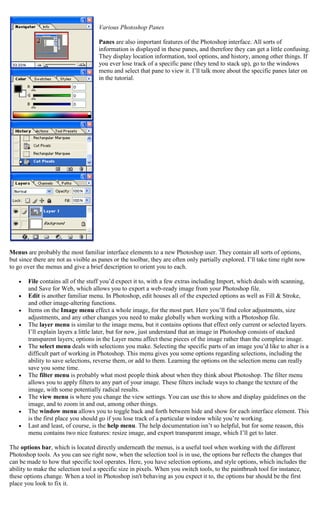
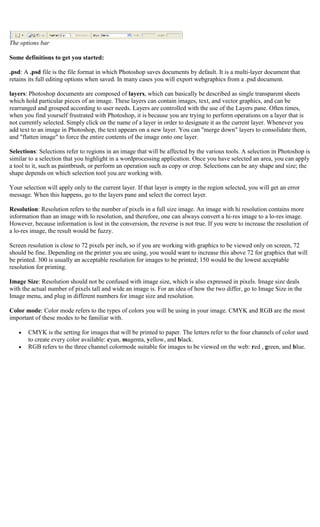
The document provides descriptions of various tools in Photoshop and elements of the Photoshop interface. It describes the functions of selection, navigation, and editing tools. It also outlines the main components of the Photoshop workspace including the toolbar, menus, and panes that display options and history. Various tools are explained including selection tools, painting and erasing tools, and filters. The interface elements such as menus and panes are introduced.
![PHOTOSHOP TOOLS AND THEIR FUNCTIONS
Rectangular Marquee Tool (M)
Use this tool to make selections on your image, in a rectangular shape. This changes the area of your image that is affected by
other tools or actions to be within the defined shape. Holding the [Shift] key while dragging your selection, restricts the shape to
a perfect square. Holding the [Alt] key while dragging sets the center of the rectangle to where your cursor started.
Move Tool (V)
Use this tool to, well, move things. Usually you use it to move a Layer around after it has been placed. Hold the [Shift] key to
limit the movements to vertical/horizontal.
Polygon Lasso Tool (L)
Ok, this should be the Lasso Tool, but I use the Polygon Lasso a lot more often. Use this to draw selections in whatever shape
you would like. To close the selection, either click on the beginning point (you’ll see the cursor change when you’re on it), or just
double-click. When holding the *Ctrl+ key, you’ll see the cursor change, and the next time you click, it will close your selection.
Magic Wand Tool (W)
Use this to select a color range. It will select the block of color, or transparency, based on wherever you click. In the Options Bar
at the top, you can change the Tolerance to make your selections more/less precise.
Crop Tool (C)
The Crop Tool works similarly to the Rectangular Marquee tool (see above if you have no short-term memory). The difference is
when you press the [Enter/Return] key, it crops your image to the size of the box. Any information that was on the outside of
the box is now gone. Not permanently, you can still undo.
Slice Tool (K)
This is used mostly for building websites, or splitting up one image into smaller ones when saving out. It’s kind of an advanced
tool, and since you’re in here for the basics, we’ll kind of skip over it. Kinda makes you mad I made you read all that for nothing,
huh?
Healing Brush Tool (J)
This is a really useful tool. Mildly advanced. You can use this tool to repair scratches and specs and stuff like that on
images. It works like the Brush tool (see below). You choose your cursor size, then holding the [Alt] key, you select a
nice/clean area of your image. Let go of the [Alt] key and paint over the bad area. It basically copies the info from the
first area to the second, in the form of the Brush tool. Only, at the end, it averages the information, so it blends.](https://image.slidesharecdn.com/photoshoptoolsandtheirfunctions-121209030427-phpapp02/85/Photoshop-tools-and-their-functions-1-320.jpg)
![PHOTOSHOP TOOLS AND THEIR FUNCTIONS
Rectangular Marquee Tool (M)
Use this tool to make selections on your image, in a rectangular shape. This changes the area of your image that is affected by
other tools or actions to be within the defined shape. Holding the [Shift] key while dragging your selection, restricts the shape to
a perfect square. Holding the [Alt] key while dragging sets the center of the rectangle to where your cursor started.
Move Tool (V)
Use this tool to, well, move things. Usually you use it to move a Layer around after it has been placed. Hold the [Shift] key to
limit the movements to vertical/horizontal.
Polygon Lasso Tool (L)
Ok, this should be the Lasso Tool, but I use the Polygon Lasso a lot more often. Use this to draw selections in whatever shape
you would like. To close the selection, either click on the beginning point (you’ll see the cursor change when you’re on it), or just
double-click. When holding the *Ctrl+ key, you’ll see the cursor change, and the next time you click, it will close your selection.
Magic Wand Tool (W)
Use this to select a color range. It will select the block of color, or transparency, based on wherever you click. In the Options Bar
at the top, you can change the Tolerance to make your selections more/less precise.
Crop Tool (C)
The Crop Tool works similarly to the Rectangular Marquee tool (see above if you have no short-term memory). The difference is
when you press the [Enter/Return] key, it crops your image to the size of the box. Any information that was on the outside of
the box is now gone. Not permanently, you can still undo.
Slice Tool (K)
This is used mostly for building websites, or splitting up one image into smaller ones when saving out. It’s kind of an advanced
tool, and since you’re in here for the basics, we’ll kind of skip over it. Kinda makes you mad I made you read all that for nothing,
huh?
Healing Brush Tool (J)
This is a really useful tool. Mildly advanced. You can use this tool to repair scratches and specs and stuff like that on
images. It works like the Brush tool (see below). You choose your cursor size, then holding the [Alt] key, you select a
nice/clean area of your image. Let go of the [Alt] key and paint over the bad area. It basically copies the info from the
first area to the second, in the form of the Brush tool. Only, at the end, it averages the information, so it blends.](https://image.slidesharecdn.com/photoshoptoolsandtheirfunctions-121209030427-phpapp02/75/Photoshop-tools-and-their-functions-1-2048.jpg)
![Brush Tool (B)
This is one of the first tools ever. It’s what Photoshop is based off of. Well, not really, but it’s pretty basic. It paints one
your image, in whatever color you have selected, and whatever size you have selected. There’s a lot of options for it,
but this is basic, so you don’t get to learn them.
Clone Stamp Tool (S)
This is very similar to the Healing Brush Tool (see above). You use it the exact same way, except this tool doesn’t
blend at the end. It’s a direct copy of the information from the first selected area to the second. When you learn to use
both of these tools together in perfect harmony, you will be a Photoshop MASTA! Not really, it’s just less irritating.
History Brush Tool (H)
This tool works just like the Brush Tool (see above) except the information that it paints with is from the original state
of your image. If you go Window>History, you can see the History Palette. The History Brush tool paints with the
information from whatever History state is selected.
Eraser Tool (E)
This is the anti-Brush tool. It works like an eraser (duh) and erases whatever information wherever you click and drag
it. If you’re on a Layer, it will erase the information transparent. If you are on the background layer, it erases with
whatever secondary color you have selected.
Gradient Tool (G)
You can use this to make a gradiation of colors. Gradiation doesn’t appear to be a word, but it makes sense anyway. It
creates a blending of your foreground color and background color when you click and drag it. Like a gradient.
Blur Tool (R)
The Blur tool is cool. It makes things blurry. Click and drag to make things blurry. The more you click and drag, the
blurrier things get.
Dodge Tool (O)
This tool isn’t as crappy as the car brand. It’s actually used to lighten whatever area you use it on. As long as it is not
absolute black. Absolute black won’t lighten.
Path Selection Tool (A)
You use this tool when working with paths. Since this is all about the basics, I won’t go into details. It’s related to the
Pen Tool (see below) though.
Horizontal Type Tool (T)
It makes type. Or text. Or whatever you want to call it. You can click a single point, and start typing right away. Or you
can click and drag to make a bounding box of where your text/type goes. There’s a lot of options for the Type Tool.
Just play around, it’s fairly straight-forward.
Pen Tool (P)
I mentioned this tool above. It’s for creating paths, in which you would use the Path Selection Tool to select the path.
Paths can be used in a few different ways, mostly to create clipping paths, or to create selections. You use the tool by
clicking to add a point. If you click and drag, it will change the shape of your path, allowing you to bend and shape the
path for accurate selections and such.
Rectangle Tool (U)
By default it draws a Shape Layer in the form of a rectangle. It fills the rectangle with whatever foreground color you
have selected. It’s pretty complicated, don’t hurt yourself with this one.
Notes Tool (N)
Like post-it notes, but digital. You can use this tool to add small little note boxes to your image. These are useful if
you’re very forgetful or if you’re sharing your Photoshop file with someone else. I’m pretty sure it only works with
.PSD files.
Eyedropper Tool (I)
This tool works by changing your foreground color to whatever color you click on. Holding the [Alt] key will change
your background color.](https://image.slidesharecdn.com/photoshoptoolsandtheirfunctions-121209030427-phpapp02/85/Photoshop-tools-and-their-functions-2-320.jpg)
![Hand Tool (T)
You can really make short work of your job with the Hand Tool. It’s for moving your entire image within a window. So
if you’re zoomed in and your image area is larger than the window, you can use the Hand Tool to navigate around your
image. Just click and drag. You can get to this tool at any time when using any other tool by pressing and holding the
[Spacebar].
Zoom Tool (Z)
Pretty obvious what this tool does. It allows you to zoom into your image. Don’t be dumb, it doesn’t actually change
the size of your image. Hold the [Alt] key to zoom out. Holding the [Shift] key will zoom all of the windows you have
open at the same time. Double-click on the Zoom Tool in the palette to go back to 100% view.
Foreground Color
These are your color boxes. Foreground (in the front) and Background (in the back). Click on either one to bring up the
color select dialog box.
PHOTOSHOP INTERFACE
Elements of the Interface
The Workspace
The Photoshop Toolbar
Perhaps the most important element of the Photoshop interface is the toolbar. It contains a bunch of icons
that represent the different tools Photoshop offers to alter and create images. These include tools for
selecting specific areas of images, changing the colors of the image, stretching, transforming, and erasing
parts of an image, and many more.](https://image.slidesharecdn.com/photoshoptoolsandtheirfunctions-121209030427-phpapp02/85/Photoshop-tools-and-their-functions-3-320.jpg)