Photoshop: Designing Graphics for the Web
What is Photoshop?
Photo retouching, image editing, and color
painting program; graphic design tool
• Create high-quality digital images
• Tools & special effects capabilities
• Manipulate scanned images, slides, & original artwork
• Isolate parts of an image for experimentation &
individual editing
• And lots more…..
Uses of Photoshop
• Art (line drawings, charcoal, color original)
• Photographic
• Restoration
• WWW (GIFS, JPEGS, etc.)
• Montage
• Halftones, Duotones, Tritones, Quadtones
• Color Separations
• Posterizations
• Special Effects
Graphic Limitations
• Connection Speeds
• User Configurations
Display Considerations
• Screen Sizes
• Colors
File Formats
• JPEG – Joint Photographic Experts Group
• GIF – Graphics Interchange Format
• PNG – Portable Network Graphics
JPEG
• Best for photos or continuous tone, full-
color images
• Uses 16 million colors
• Browsers use reasonable approximations
• Work in RGB mode
• Uses lossy compression.
GIF
• Best for solid color images (buttons, logos)
• Uses 256 colors
• Browsers uses 216 colors
• Good compression
PNG (8-bit)
• Best for line art (logos)
• Compresses solid areas of color well and
maintains sharp detail
• Generally, has better compression than GIF
(10-30% smaller)
• If considering saving as GIF, also consider
saving as PNG (8-bit)
• Not supported by older browsers
PNG (24-bit)
• Best for continuous-tone images
• Compresses well, but can be larger than
JPEGs
• If considering saving as JPEG, could also
consider PNG (24-bit)
• Not supported by older browsers
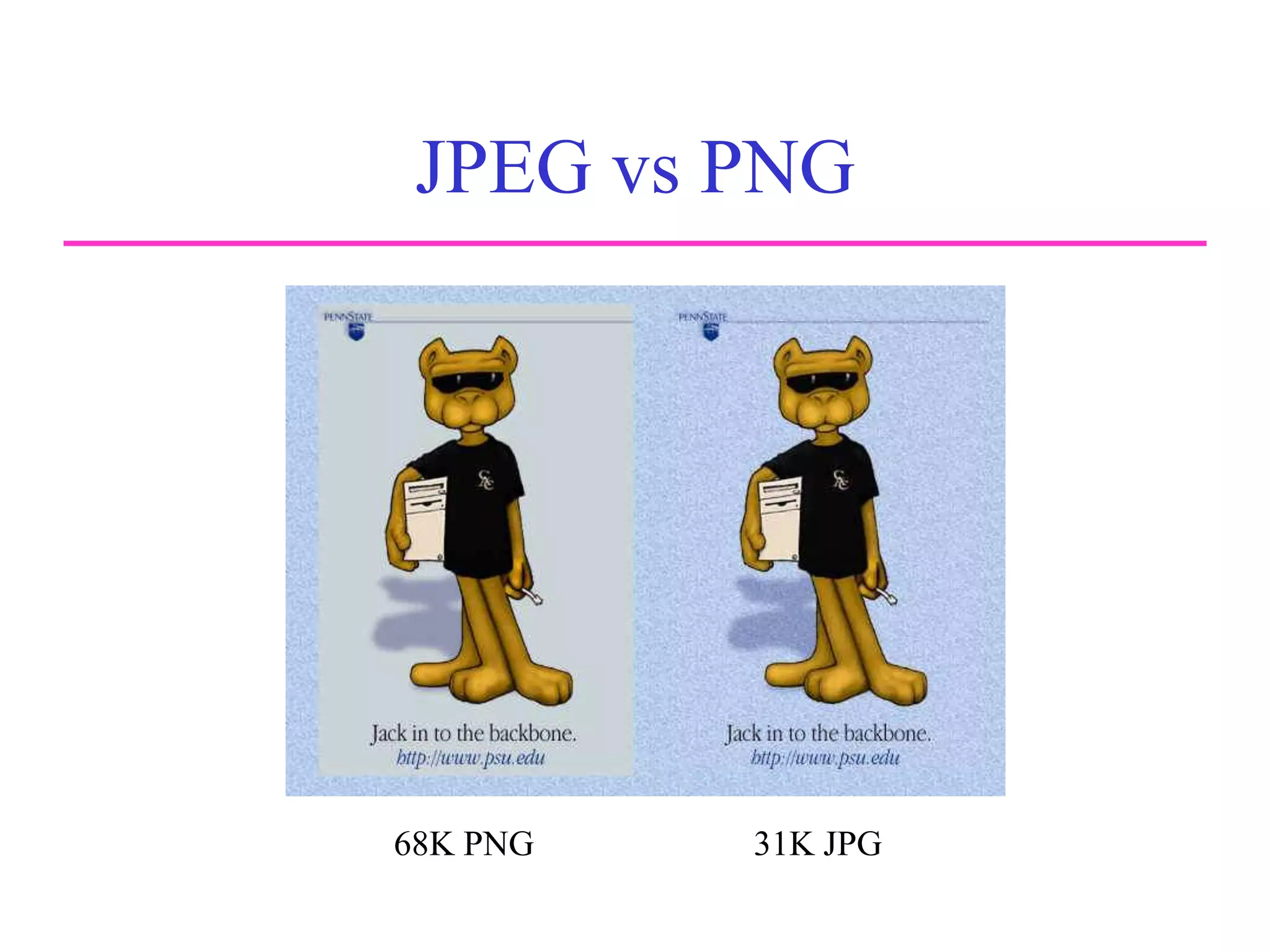
JPEG vs PNG
Comparison
of JPEG and
PNG
68K PNG 31K JPG
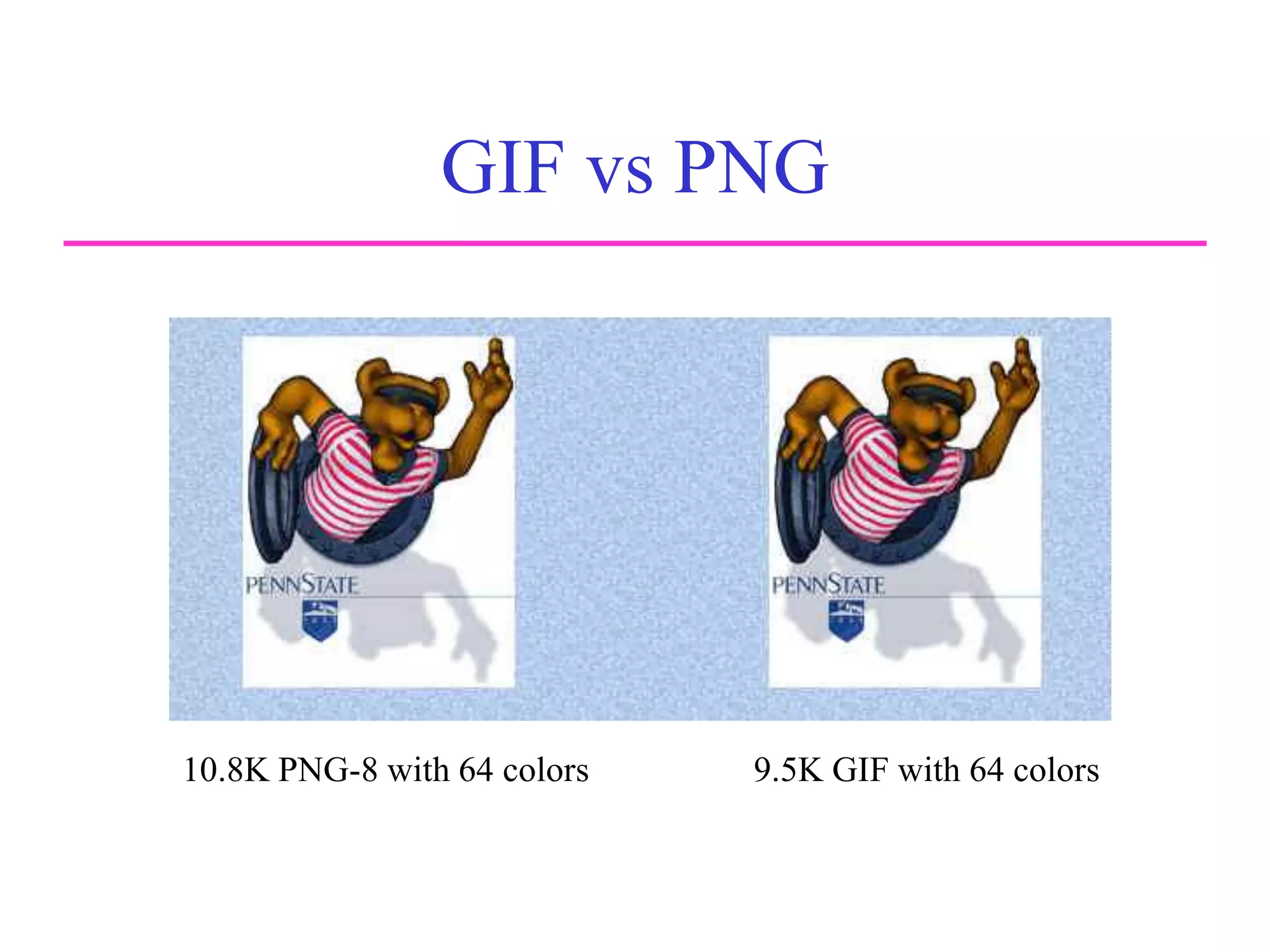
GIF vs PNG
Comparison
of JPEG and
PNG
10.8K PNG-8 with 64 colors 9.5K GIF with 64 colors
Color & Tonal Adjustments
• Histograms
• Navigator Palette
• Gamma Settings
• Curve Controls
• Unsharp Mask Filter

Web Design TOD.ppt

  • 1.
  • 2.
    What is Photoshop? Photoretouching, image editing, and color painting program; graphic design tool • Create high-quality digital images • Tools & special effects capabilities • Manipulate scanned images, slides, & original artwork • Isolate parts of an image for experimentation & individual editing • And lots more…..
  • 3.
    Uses of Photoshop •Art (line drawings, charcoal, color original) • Photographic • Restoration • WWW (GIFS, JPEGS, etc.) • Montage • Halftones, Duotones, Tritones, Quadtones • Color Separations • Posterizations • Special Effects
  • 4.
    Graphic Limitations • ConnectionSpeeds • User Configurations
  • 5.
  • 6.
    File Formats • JPEG– Joint Photographic Experts Group • GIF – Graphics Interchange Format • PNG – Portable Network Graphics
  • 7.
    JPEG • Best forphotos or continuous tone, full- color images • Uses 16 million colors • Browsers use reasonable approximations • Work in RGB mode • Uses lossy compression.
  • 8.
    GIF • Best forsolid color images (buttons, logos) • Uses 256 colors • Browsers uses 216 colors • Good compression
  • 9.
    PNG (8-bit) • Bestfor line art (logos) • Compresses solid areas of color well and maintains sharp detail • Generally, has better compression than GIF (10-30% smaller) • If considering saving as GIF, also consider saving as PNG (8-bit) • Not supported by older browsers
  • 10.
    PNG (24-bit) • Bestfor continuous-tone images • Compresses well, but can be larger than JPEGs • If considering saving as JPEG, could also consider PNG (24-bit) • Not supported by older browsers
  • 11.
    JPEG vs PNG Comparison ofJPEG and PNG 68K PNG 31K JPG
  • 12.
    GIF vs PNG Comparison ofJPEG and PNG 10.8K PNG-8 with 64 colors 9.5K GIF with 64 colors
  • 13.
    Color & TonalAdjustments • Histograms • Navigator Palette • Gamma Settings • Curve Controls • Unsharp Mask Filter