PORTS AND
CONNECTORS
 The point at which a peripheral
  attaches to.
 Communicates with a system unit so
  that the peripheral can send data to or
  receive information from the computer.
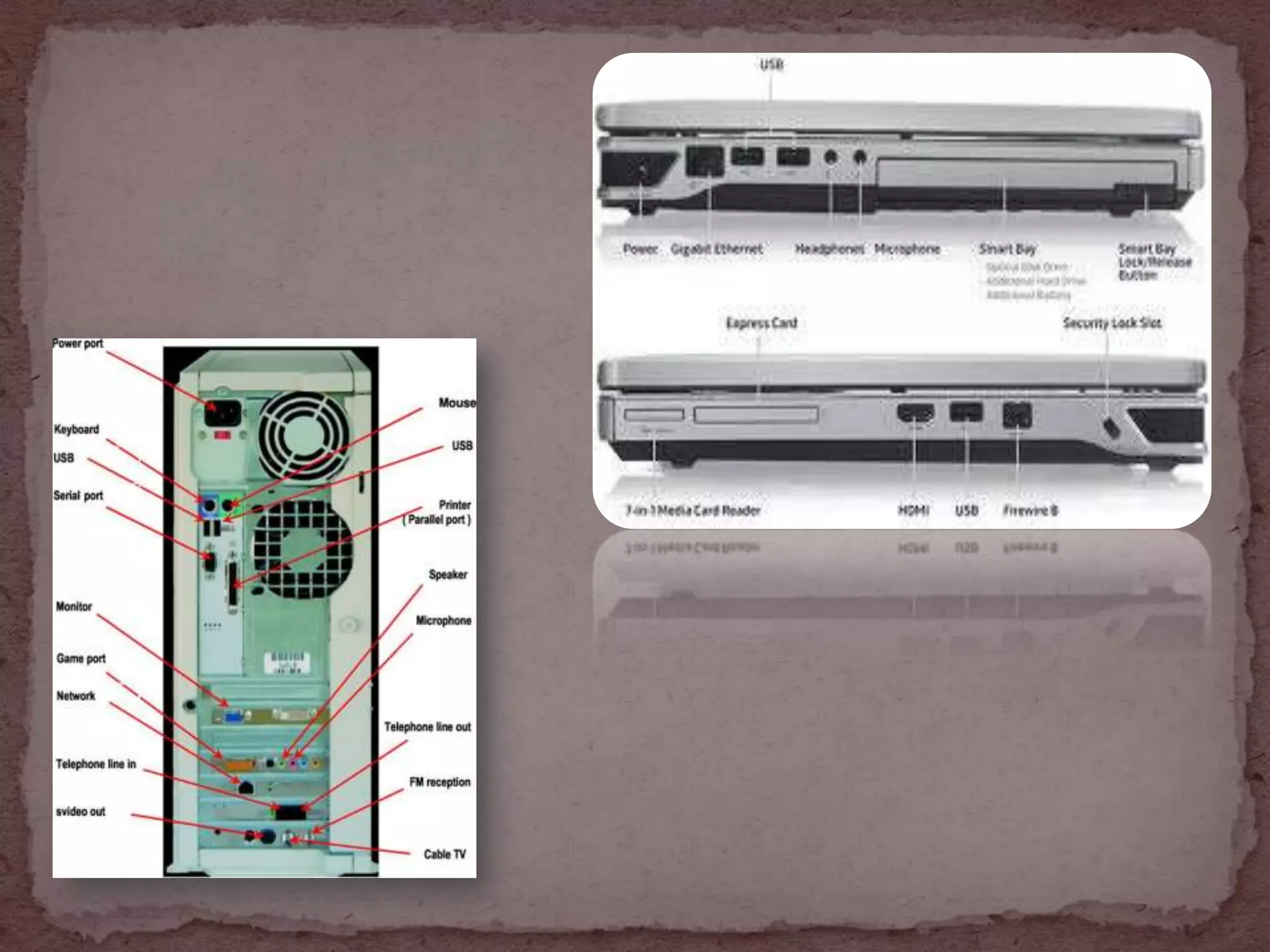
 External devices often attaches by a cable to a port on
  the system unit.
 The term JACK is sometimes is used to identify audio
  and video ports.
 The front and back of system unit on desktop personal
  computer contain many ports.
 The ports of notebook computers including netbook
  and Tablet PCs are on the back , front and sides.
 Joins a cable and a port.
 A connector at one end of the a cable attaches to a port
  on the system unit.
 A connector at the other end of the cable attaches to a
  port on the peripheral.
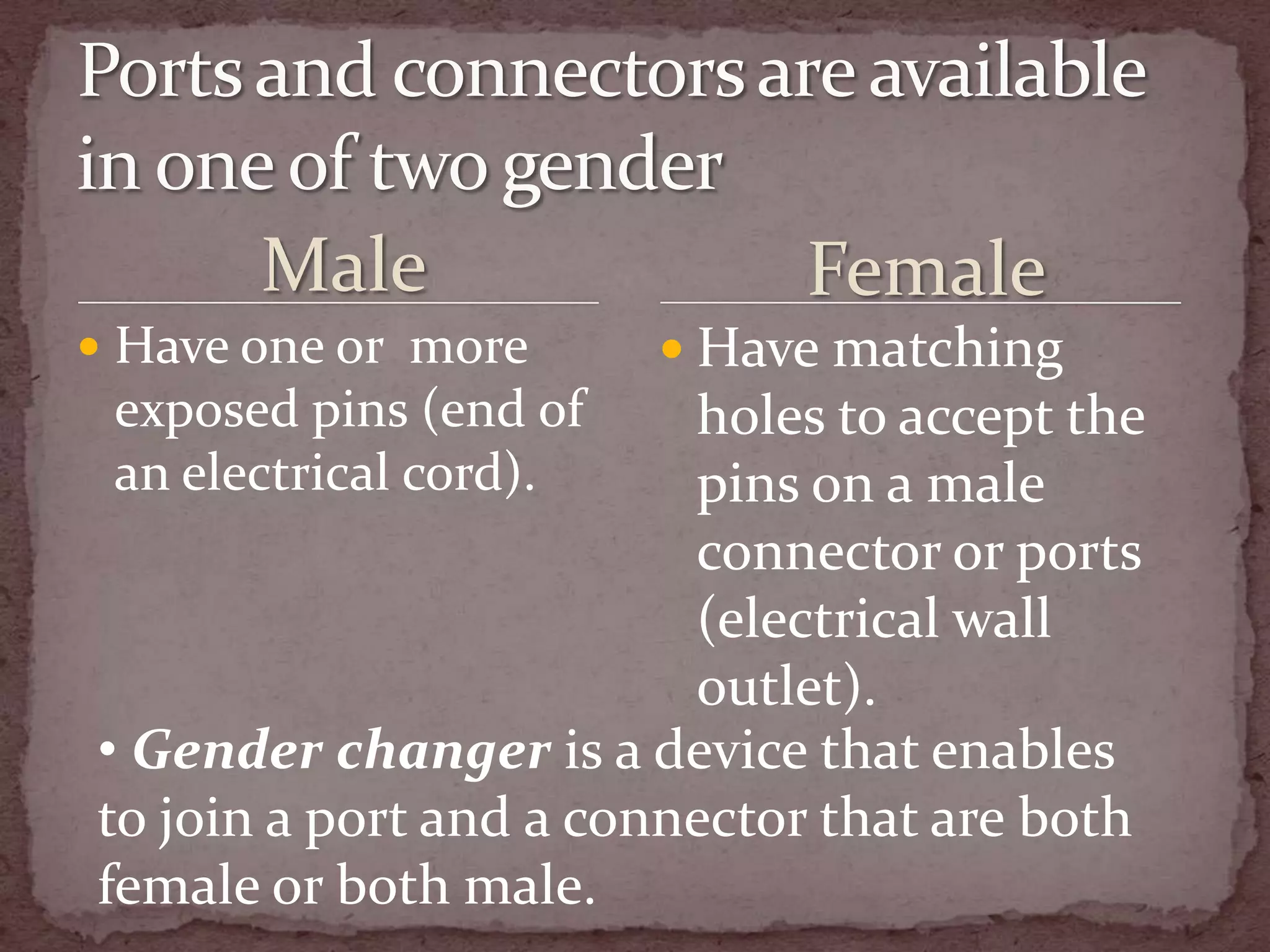
Male                  Female
 Have one or more       Have matching
 exposed pins (end of    holes to accept the
 an electrical cord).    pins on a male
                         connector or ports
                         (electrical wall
                         outlet).
• Gender changer is a device that enables
to join a port and a connector that are both
female or both male.
 Universal serial bus port
 Connect to up 127 different peripherals together with a
    single connector.
   USB 2.0 (Hi-Speed USB) more advanced and faster than
    USB.
   USB 3.0.
   USB 2.0 & USB 3.0 are backward compatible (they
    support older USB devices as well as USB 2.0 & USB 3.0)
   To attach multiple peripherals using a single USB port, can
    use USB Hub.
 A device that plugs in a USB port on the system unit.
 Contains multiple USB ports in which can plug cables from
    USB devices.
   Self-powered or bus-powered
   Self-powered USB hub draws power from an electrical
    outlets whereas bus-powered USB hub draws power from
    USB bus in the computer.
   Wireless USB hub is a receiver plugs into a USB port on the
    computer and it communicates wirelessly with the receiver.
   USB supports hot plugging and Plug and Play (attach
    peripherals while the computer is running)
 IEEE 1394 port
 Connect multiple types of devices that require faster
  data transmission speeds.
 The three latest version (FireWire 800, FireWire 1600
  and FireWire 3200 ) have speeds faster than the
  original FireWire 400.
 Use FireWire hub to attach multiple devices to a single
  FireWire port.
 Supports Plug and Play.
 Bluetooth technology uses radio waves to transmit data
    between two devices.
   Have to be within about 33 feet to each other.
   Contain a small chip that allows them to communicate
    with other Bluetooth-enabled computers or devices.
   Bluetooth headsets allow smart phone users to connect
    their telephone to a headset wirelessly.
   Bluetooth wireless port adapter that will convert an
    existing USB port into a Bluetooth port.
   Bluetooth PC cards and ExpressCard modules (traditional
    notebook computers and Tablets PCs).
   Bluetooth cards (smart phones and PDAs).
 A special high-speed parallel port.
 Allows to attach SCSI peripherals (disk drivers and
  printers).
 SAS (serial-attached SCSI) transmits at mush faster
  speeds than parallel SCSI.
 For small computer system interference can daisy
  chain up to either 7 to 15 devices together.
 External Series Advanced Technology Attachment.
 Allows to connect an external SATA hard disk to a
  computer.
 SATA hard disks are popular because of their fast data
  transmission speeds.
 Connections provide up to 6times faster data
  transmission speeds than external hard disks attached
  to a computer’s USB or FireWire port.
 Infrared Data Association.
 Transmit data via infrared light waves.
 For these wireless device, to transmit signals to a
  computer, both the computer and the device must
  have an IrDA port.
 Align the IrDA port on the device with the IrDA port
  on the computer.
 Example : smart phone, PDA, keyboard, mouse and
  printer.
 Several of these devices use a high-speed IrDA
  port, sometimes called a fast infrared port.
 A type of interface that connects a device to the system
  unit by transmitting data one bit at a time.
 Some modems that connect the system unit to a
  telephone lines use a serial port because the telephone
  line expects the data in a specific frequency.
 Musical Instrument Digital Interface.
 The electronic music industry’s standard that defines
  how devices (sound cards and synthesizers) represent
  sound electronically.
 A special type of serial port that connects the system
  unit to a musical instrument. (electronic keyboard).
 A synthesizers can be a peripheral or a chip, creates
  sound from digital instructions.
 Has the capability of recording sounds that have been
  created by a synthesizer and then processing the
  sounds (the data) to create new sounds.
 A port replicator is an external device that provides
  connections to peripherals through ports built into the
  devices.
 The mobile user accesses peripherals by connecting
  the port replicator to a USB port or a special port on
  the mobile.
 Sometimes the port replicators disable ports on the
  mobile computer to prevent conflicts among the
  devices on the computer and the port replicator.
 An external device that attaches to a mobile computer
  or device, contains a power connection and provides
  connection to peripherals.
 Similar to port replicator, but it has more functionality.
 Usually includes slots for memory cards, optical disc
  drivers, and other devices.
 Users can work with a full-sized keyboard, a
  mouse, and other desktop peripherals from their
  traditional notebook computer, netbook or Tablet PC.

Ports and connectors

  • 1.
  • 3.
     The pointat which a peripheral attaches to.  Communicates with a system unit so that the peripheral can send data to or receive information from the computer.
  • 4.
     External devicesoften attaches by a cable to a port on the system unit.  The term JACK is sometimes is used to identify audio and video ports.  The front and back of system unit on desktop personal computer contain many ports.  The ports of notebook computers including netbook and Tablet PCs are on the back , front and sides.
  • 6.
     Joins acable and a port.  A connector at one end of the a cable attaches to a port on the system unit.  A connector at the other end of the cable attaches to a port on the peripheral.
  • 7.
    Male Female  Have one or more  Have matching exposed pins (end of holes to accept the an electrical cord). pins on a male connector or ports (electrical wall outlet). • Gender changer is a device that enables to join a port and a connector that are both female or both male.
  • 8.
     Universal serialbus port  Connect to up 127 different peripherals together with a single connector.  USB 2.0 (Hi-Speed USB) more advanced and faster than USB.  USB 3.0.  USB 2.0 & USB 3.0 are backward compatible (they support older USB devices as well as USB 2.0 & USB 3.0)  To attach multiple peripherals using a single USB port, can use USB Hub.
  • 9.
     A devicethat plugs in a USB port on the system unit.  Contains multiple USB ports in which can plug cables from USB devices.  Self-powered or bus-powered  Self-powered USB hub draws power from an electrical outlets whereas bus-powered USB hub draws power from USB bus in the computer.  Wireless USB hub is a receiver plugs into a USB port on the computer and it communicates wirelessly with the receiver.  USB supports hot plugging and Plug and Play (attach peripherals while the computer is running)
  • 10.
     IEEE 1394port  Connect multiple types of devices that require faster data transmission speeds.  The three latest version (FireWire 800, FireWire 1600 and FireWire 3200 ) have speeds faster than the original FireWire 400.  Use FireWire hub to attach multiple devices to a single FireWire port.  Supports Plug and Play.
  • 11.
     Bluetooth technologyuses radio waves to transmit data between two devices.  Have to be within about 33 feet to each other.  Contain a small chip that allows them to communicate with other Bluetooth-enabled computers or devices.  Bluetooth headsets allow smart phone users to connect their telephone to a headset wirelessly.  Bluetooth wireless port adapter that will convert an existing USB port into a Bluetooth port.  Bluetooth PC cards and ExpressCard modules (traditional notebook computers and Tablets PCs).  Bluetooth cards (smart phones and PDAs).
  • 13.
     A specialhigh-speed parallel port.  Allows to attach SCSI peripherals (disk drivers and printers).  SAS (serial-attached SCSI) transmits at mush faster speeds than parallel SCSI.  For small computer system interference can daisy chain up to either 7 to 15 devices together.
  • 14.
     External SeriesAdvanced Technology Attachment.  Allows to connect an external SATA hard disk to a computer.  SATA hard disks are popular because of their fast data transmission speeds.  Connections provide up to 6times faster data transmission speeds than external hard disks attached to a computer’s USB or FireWire port.
  • 15.
     Infrared DataAssociation.  Transmit data via infrared light waves.  For these wireless device, to transmit signals to a computer, both the computer and the device must have an IrDA port.  Align the IrDA port on the device with the IrDA port on the computer.  Example : smart phone, PDA, keyboard, mouse and printer.  Several of these devices use a high-speed IrDA port, sometimes called a fast infrared port.
  • 16.
     A typeof interface that connects a device to the system unit by transmitting data one bit at a time.  Some modems that connect the system unit to a telephone lines use a serial port because the telephone line expects the data in a specific frequency.
  • 17.
     Musical InstrumentDigital Interface.  The electronic music industry’s standard that defines how devices (sound cards and synthesizers) represent sound electronically.  A special type of serial port that connects the system unit to a musical instrument. (electronic keyboard).  A synthesizers can be a peripheral or a chip, creates sound from digital instructions.  Has the capability of recording sounds that have been created by a synthesizer and then processing the sounds (the data) to create new sounds.
  • 19.
     A portreplicator is an external device that provides connections to peripherals through ports built into the devices.  The mobile user accesses peripherals by connecting the port replicator to a USB port or a special port on the mobile.  Sometimes the port replicators disable ports on the mobile computer to prevent conflicts among the devices on the computer and the port replicator.
  • 20.
     An externaldevice that attaches to a mobile computer or device, contains a power connection and provides connection to peripherals.  Similar to port replicator, but it has more functionality.  Usually includes slots for memory cards, optical disc drivers, and other devices.  Users can work with a full-sized keyboard, a mouse, and other desktop peripherals from their traditional notebook computer, netbook or Tablet PC.