
An interface on a computer to which you can connect
a device. Personal computers have various types of ports.
Internally, there are several ports for connecting disk
drives, display screens, and keyboards.
Externally, personal computers have ports for
connecting modems, printers, mice, and other peripheral device
. Almost all personal computers come with a serial RS-
232C port or RS-422 port for connecting a modem or
mouse and a parallel port for connecting a printer.
A port has the following characteistic:
External devices are connected to a computer using cables
and ports.
 Ports are slots on the motherboard into which a cable of
external device is plugged in.
Examples of external devices attached via ports are
mouse, keyboard, monitor, microphone, speakers etc.
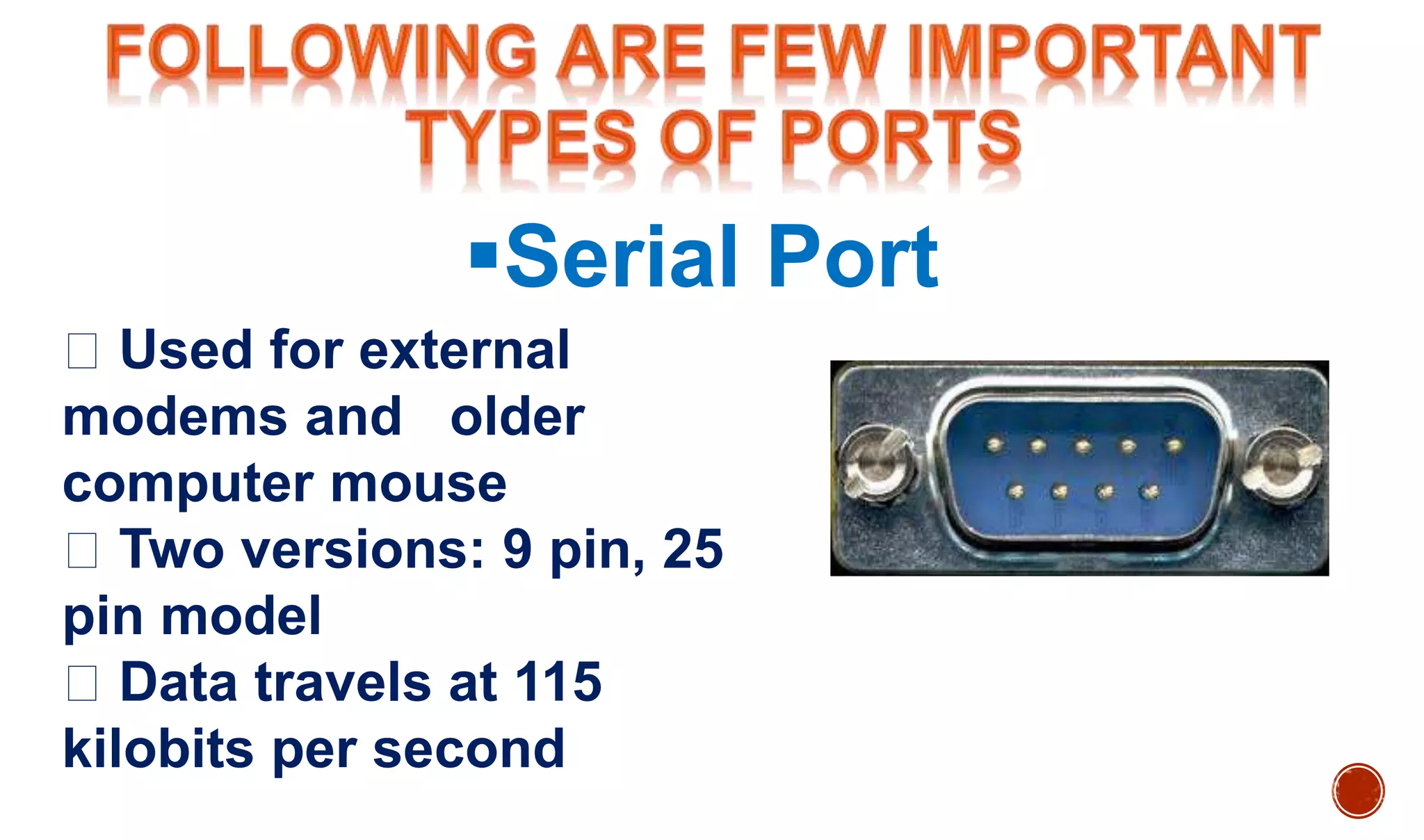
Serial Port
Used for external
modems and older
computer mouse
Two versions: 9 pin, 25
pin model
Data travels at 115
kilobits per second
Used for scanners and
printers
Also called printer port
25 pin model
Also known as IEEE 1284-
compliant Centronics port
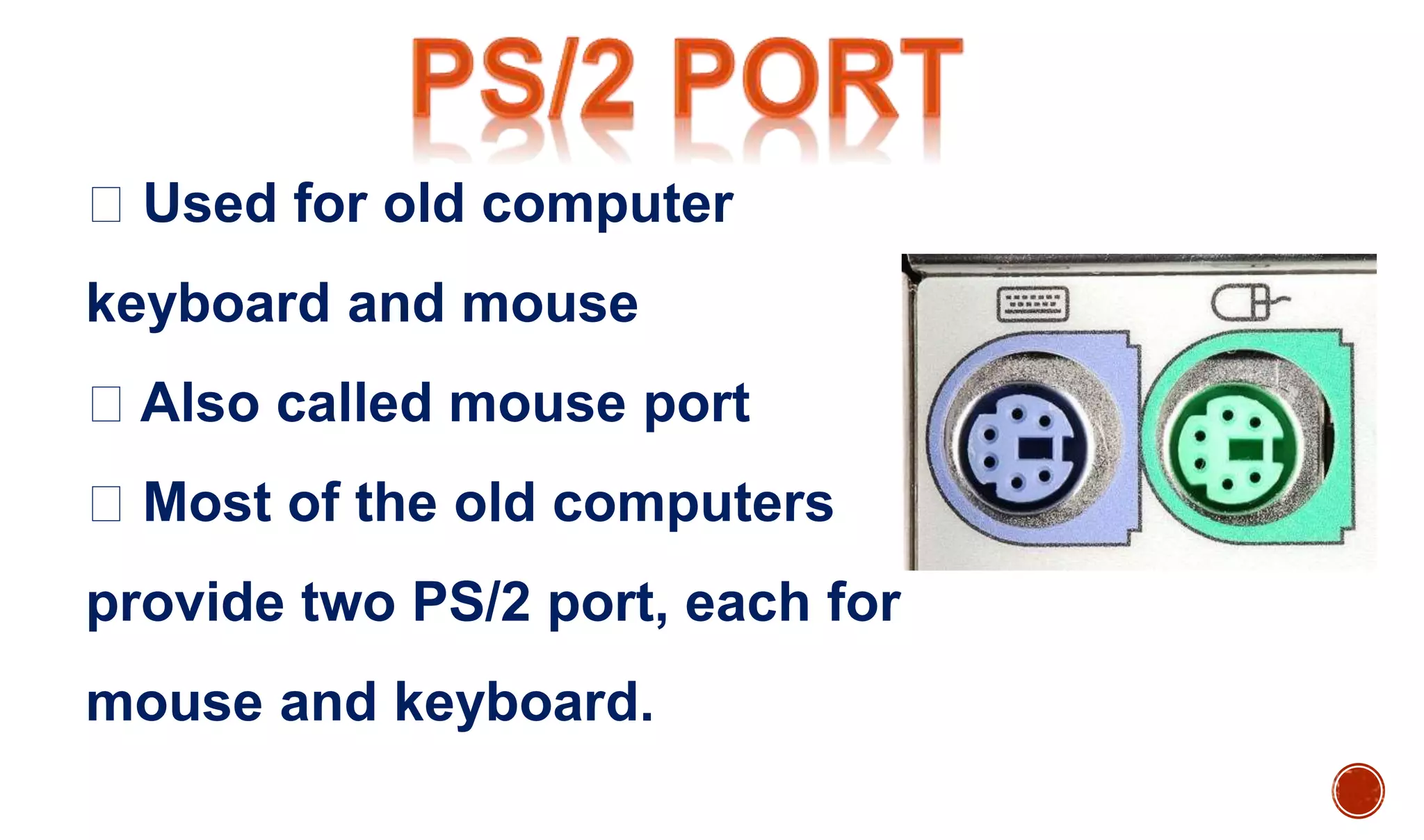
Used for old computer
keyboard and mouse
Also called mouse port
Most of the old computers
provide two PS/2 port, each for
mouse and keyboard.
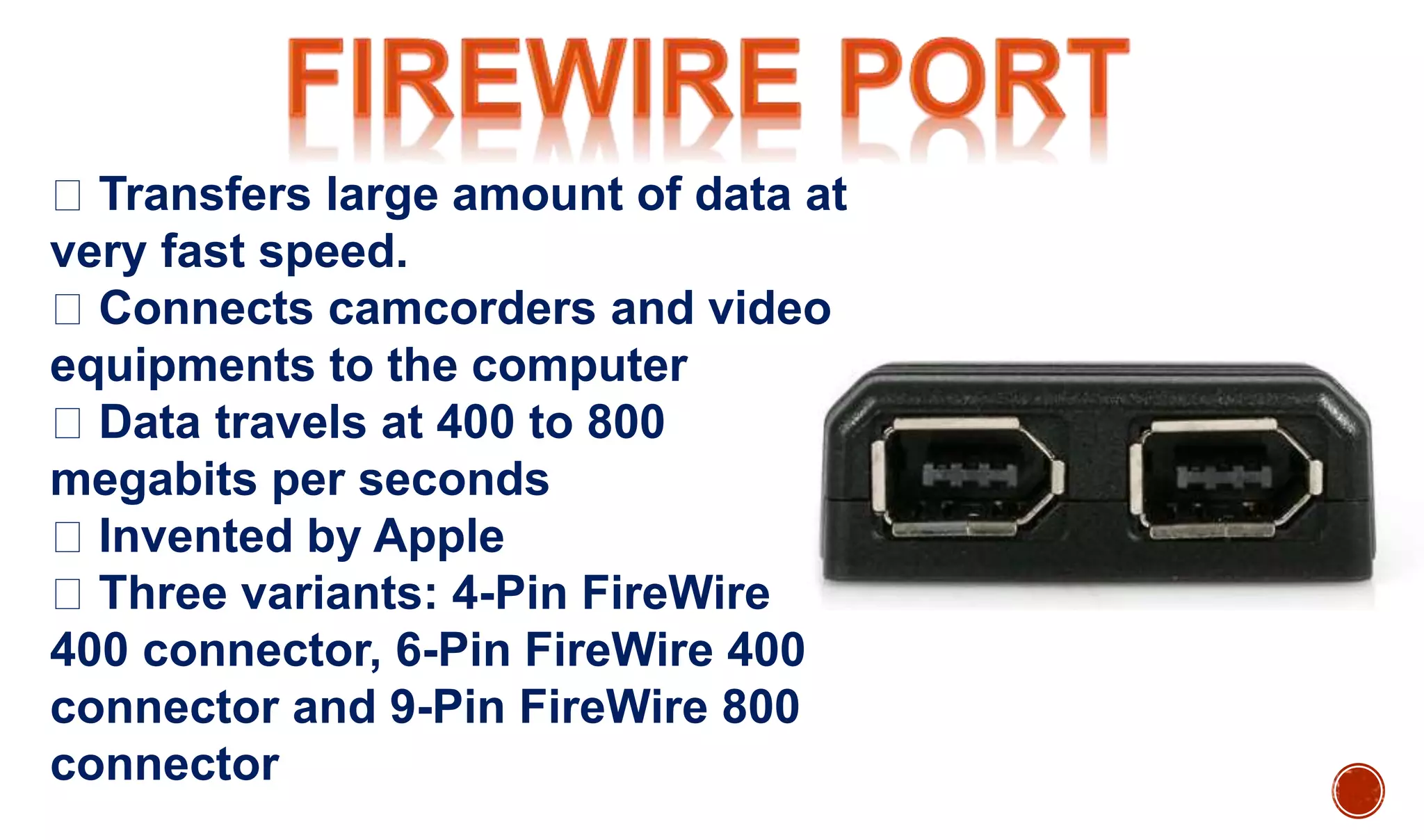
Transfers large amount of data at
very fast speed.
Connects camcorders and video
equipments to the computer
Data travels at 400 to 800
megabits per seconds
Invented by Apple
Three variants: 4-Pin FireWire
400 connector, 6-Pin FireWire 400
connector and 9-Pin FireWire 800
connector
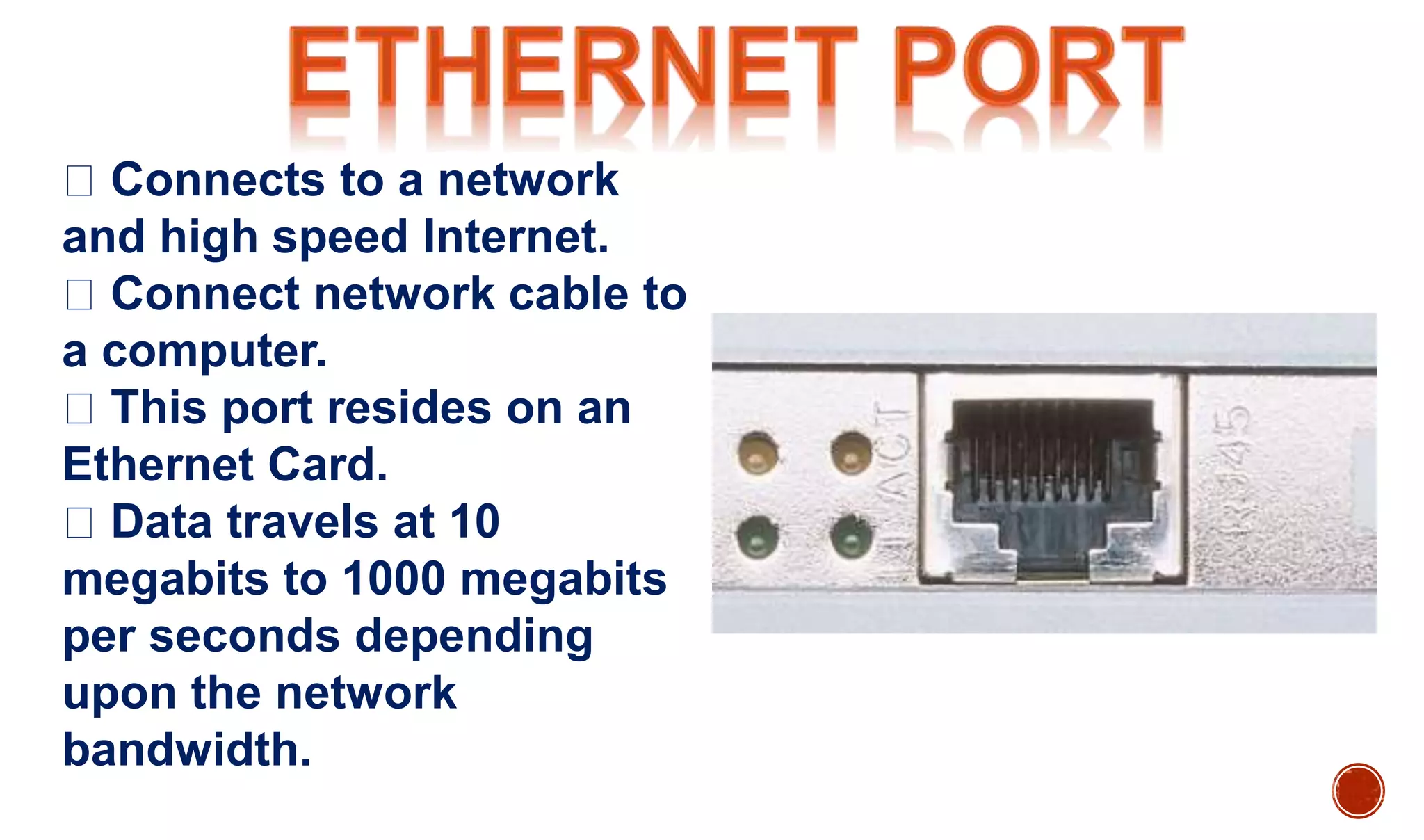
Connects to a network
and high speed Internet.
Connect network cable to
a computer.
This port resides on an
Ethernet Card.
Data travels at 10
megabits to 1000 megabits
per seconds depending
upon the network
bandwidth.
Connect a joystick to a PC
Now replaced by USB.
Connects Flat panel LCD
monitor to the computer's high
end video graphic cards.
Very popular among video
card manufacturers.
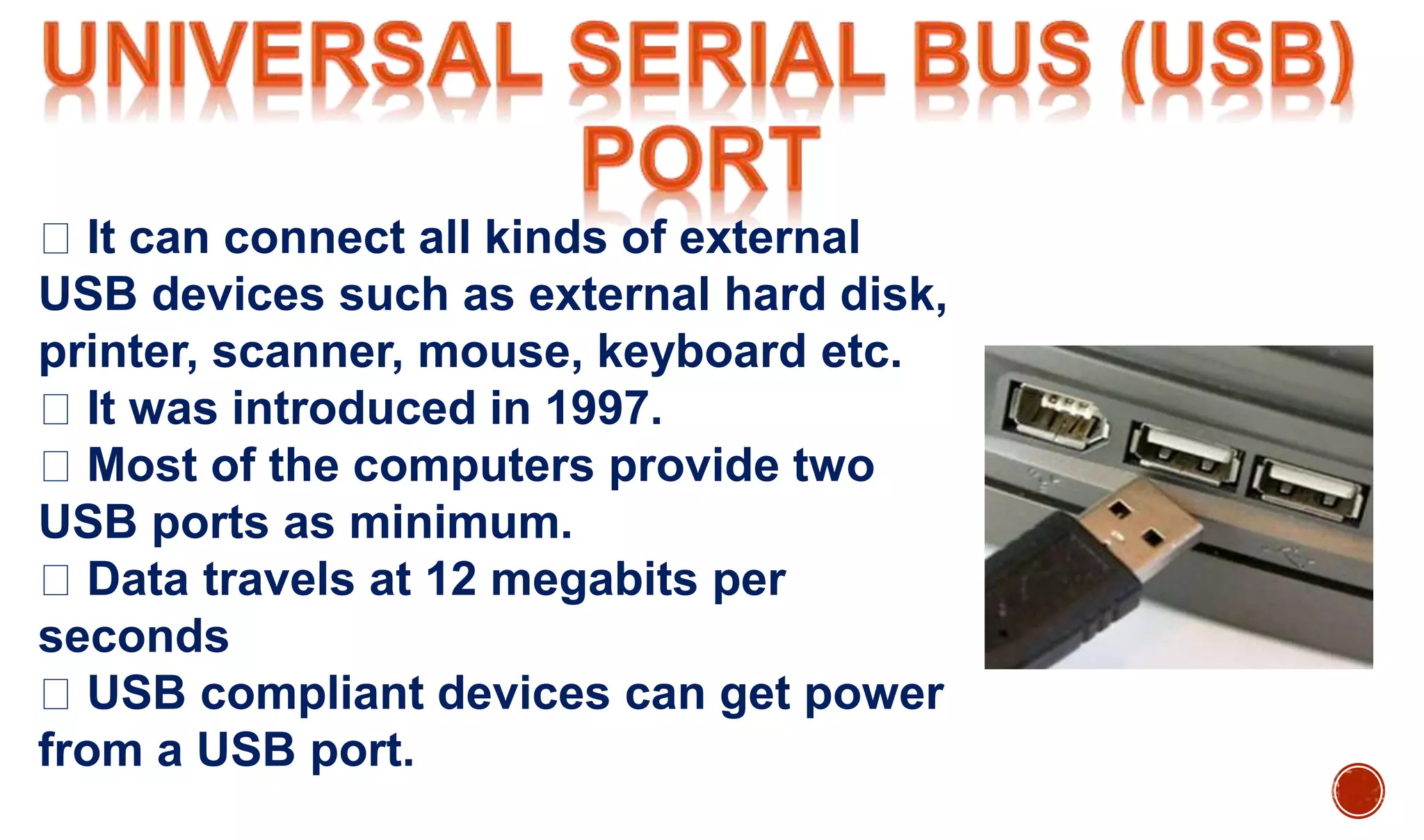
It can connect all kinds of external
USB devices such as external hard disk,
printer, scanner, mouse, keyboard etc.
It was introduced in 1997.
Most of the computers provide two
USB ports as minimum.
Data travels at 12 megabits per
seconds
USB compliant devices can get power
from a USB port.
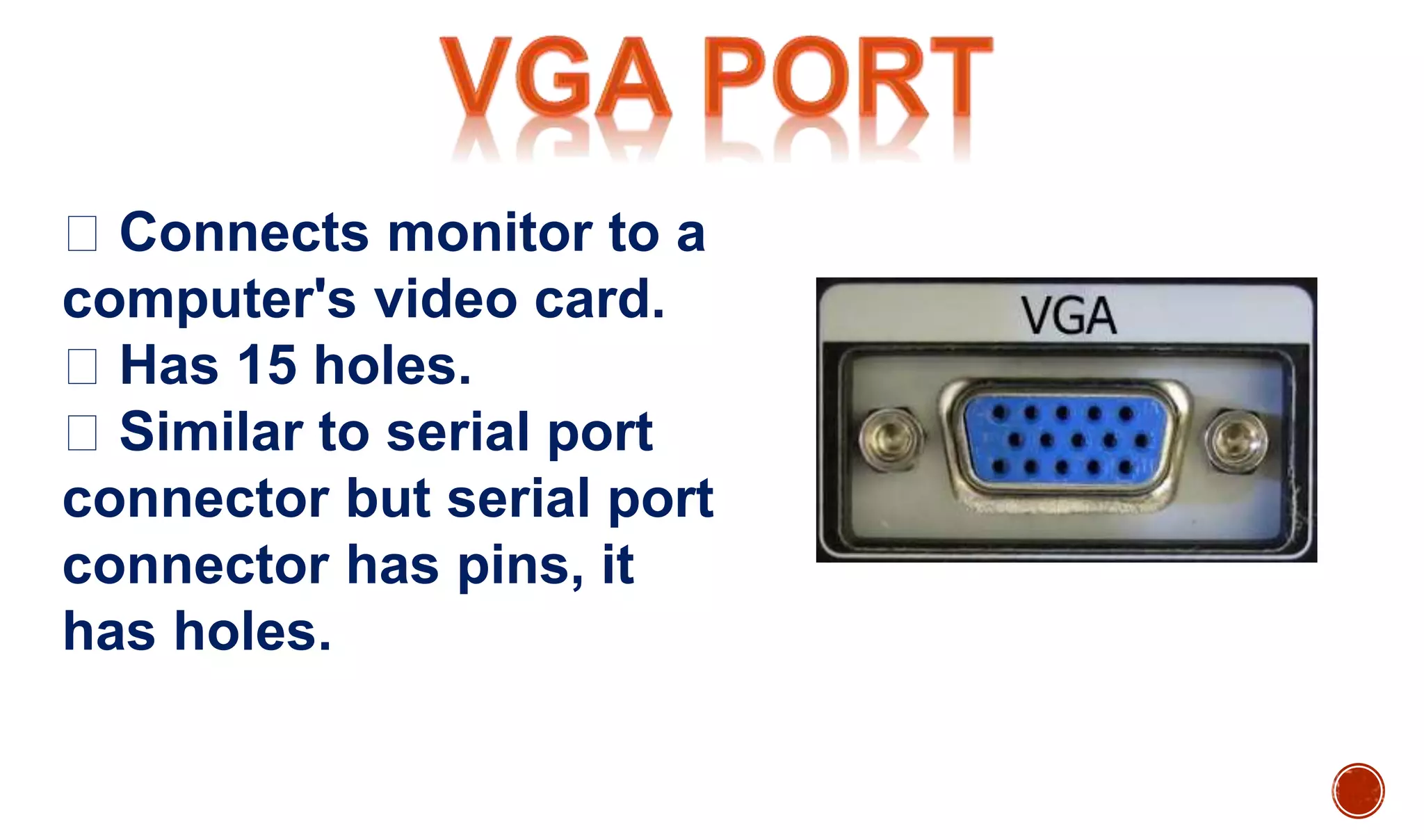
Connects monitor to a
computer's video card.
Has 15 holes.
Similar to serial port
connector but serial port
connector has pins, it
has holes.
Three-pronged plug
Connects to the
computer's power cable
that plugs into a power
bar or wall socket
Connect
microphone, speakers
to sound card of the
computer.
Connects a PC's modem to
the telephone network.
इस picture को थोड़ा गोर से देखे ||
PPT On Ports | Full Concept | Ports In Depth

PPT On Ports | Full Concept | Ports In Depth

  • 2.
    An interface ona computer to which you can connect a device. Personal computers have various types of ports. Internally, there are several ports for connecting disk drives, display screens, and keyboards. Externally, personal computers have ports for connecting modems, printers, mice, and other peripheral device . Almost all personal computers come with a serial RS- 232C port or RS-422 port for connecting a modem or mouse and a parallel port for connecting a printer.
  • 3.
    A port hasthe following characteistic: External devices are connected to a computer using cables and ports.  Ports are slots on the motherboard into which a cable of external device is plugged in. Examples of external devices attached via ports are mouse, keyboard, monitor, microphone, speakers etc.
  • 4.
    Serial Port Used forexternal modems and older computer mouse Two versions: 9 pin, 25 pin model Data travels at 115 kilobits per second
  • 5.
    Used for scannersand printers Also called printer port 25 pin model Also known as IEEE 1284- compliant Centronics port
  • 6.
    Used for oldcomputer keyboard and mouse Also called mouse port Most of the old computers provide two PS/2 port, each for mouse and keyboard.
  • 7.
    Transfers large amountof data at very fast speed. Connects camcorders and video equipments to the computer Data travels at 400 to 800 megabits per seconds Invented by Apple Three variants: 4-Pin FireWire 400 connector, 6-Pin FireWire 400 connector and 9-Pin FireWire 800 connector
  • 8.
    Connects to anetwork and high speed Internet. Connect network cable to a computer. This port resides on an Ethernet Card. Data travels at 10 megabits to 1000 megabits per seconds depending upon the network bandwidth.
  • 9.
    Connect a joystickto a PC Now replaced by USB. Connects Flat panel LCD monitor to the computer's high end video graphic cards. Very popular among video card manufacturers.
  • 10.
    It can connectall kinds of external USB devices such as external hard disk, printer, scanner, mouse, keyboard etc. It was introduced in 1997. Most of the computers provide two USB ports as minimum. Data travels at 12 megabits per seconds USB compliant devices can get power from a USB port.
  • 11.
    Connects monitor toa computer's video card. Has 15 holes. Similar to serial port connector but serial port connector has pins, it has holes.
  • 12.
    Three-pronged plug Connects tothe computer's power cable that plugs into a power bar or wall socket
  • 13.
    Connect microphone, speakers to soundcard of the computer. Connects a PC's modem to the telephone network.
  • 15.
    इस picture कोथोड़ा गोर से देखे ||