Download to read offline


![session_start() function
E.g.
<?php
// Start the session
session_start();
?>
<!DOCTYPE html>
<html>
<body>
<?php
// Set session variables
$_SESSION["favcolor"] = "green";
$_SESSION["favanimal"] = "cat";
echo "Session variables are set.";
?>
</body>
</html>
demo_session1.php](https://image.slidesharecdn.com/phpsessions-220307171428/85/Php-sessions-3-320.jpg)
![Get PHP Session Variable Values
create another page called "demo_session2.php". From this page,you will access the session information
that you will set on the first page ("demo_session1.php").
demo_session2.php
<?php
session_start();
?>
<!DOCTYPE html>
<html>
<body>
<?php
// Echo session variables that were set on previous
page
echo "Favorite color is " . $_SESSION["favcolor"] .
".<br>";
echo "Favorite animal is " . $_SESSION["favanimal"]
. ".";
?>](https://image.slidesharecdn.com/phpsessions-220307171428/85/Php-sessions-4-320.jpg)
![Modify a PHP Session Variable
<?php
session_start();
?>
<!DOCTYPE html>
<html>
<body>
<?php
// to change a session variable, just overwrite it
$_SESSION["favcolor"] = "yellow";
print_r($_SESSION);
?>
</body>
</html>](https://image.slidesharecdn.com/phpsessions-220307171428/85/Php-sessions-5-320.jpg)
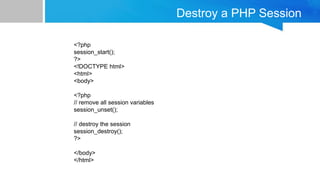

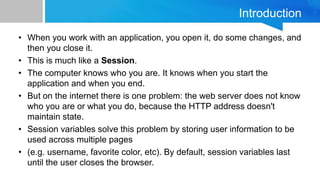
Sessions in PHP allow information to be stored and accessed across multiple pages, solving the problem that HTTP is stateless and web servers do not inherently know who a user is or what they have done. Session variables can be used to store user information like username, preferences, etc. and last until the user closes the browser by default. The session_start() function must be called to start the session and then session variables can be set, accessed, modified, and destroyed through the $_SESSION superglobal array.


