Light ‘em Up
    The Future of Libraries:

                  Stephen Abram, ML
Oregon Library Association Conference
                             Bend, OR
                         April 26, 2012
Change

These slides are available at Stephen’s Lighthouse blog
We Only Get So Many
 Once-in-a-Lifetime
Chances To Do Great
      Things
News Flash
“The Internet and technology have
    now progressed to their infancy”
Lies we tell ourselves

 Libraries are a big market for fiction
 Libraries are closing in large numbers
 Teens don’t read anymore & Boys don’t read
 The education issue is intractable
 We serve everyone
 People want to search
 Free is all-important
 Social institutions don’t need their staff to
 embrace the social tools
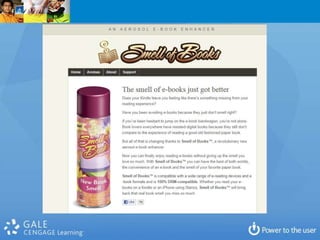
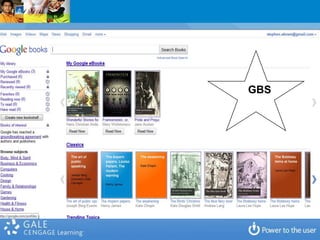
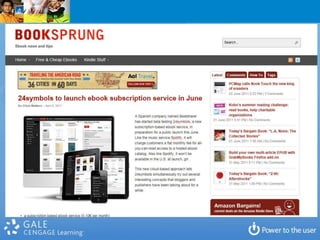
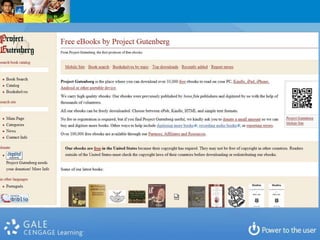
Speaking of e-
 Books...
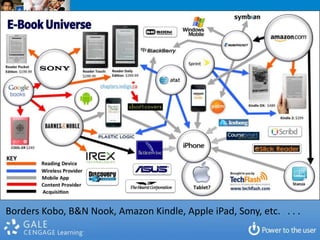
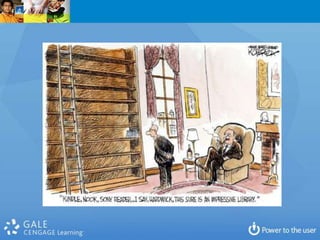
Borders Kobo, B&N Nook, Amazon Kindle, Apple iPad, Sony, etc. . . .
GBS
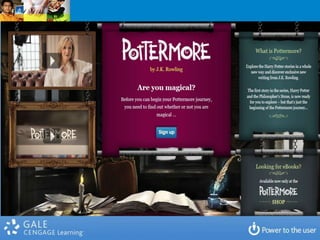
Pottermore
On a limb:
There is no scenario where public
 library circulation will increase.
Can we frame the e-book issue in
libraries so that it can be addressed
              rationally?
Books
Fiction
Non-Fiction
Be More Open to the Users’ Paths -
           Filtering
So how must library
 strategies change?
First:
1. Focus on memberships and audiences
  2. Then focus on penetration though
              engagement
 3. Measure (and communicate) impact
Conclusions Up Front

1.   Prioritize Programs not Collections (align)
2.   Drive ‘Reference’ with Data and Know Your Top Questions
3.   Re-Balance of Physical and Virtual
4.   Invest Time in Demographics & Analytics (Measurements
     not Stats)
5.   Put the newer Technological Tools in Context
6.   Build Recreational Reading Away From Effort and Get Real
     About the eBook Issue
7.   Homework: Deal With It
8.   Transliteracy is a Key Opportunity
9.   Partnerships are everything and essential
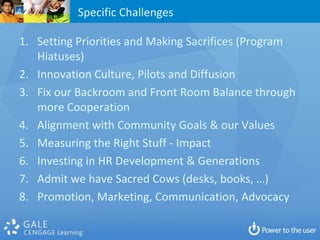
Specific Challenges

1. Setting Priorities and Making Sacrifices (Program
   Hiatuses)
2. Innovation Culture, Pilots and Diffusion
3. Fix our Backroom and Front Room Balance through
   more Cooperation
4. Alignment with Community Goals & our Values
5. Measuring the Right Stuff - Impact
6. Investing in HR Development & Generations
7. Admit we have Sacred Cows (desks, books, …)
8. Promotion, Marketing, Communication, Advocacy
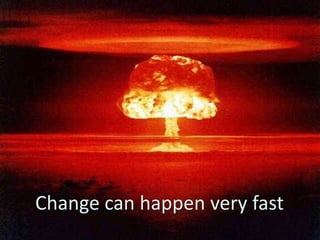
Change can happen very fast
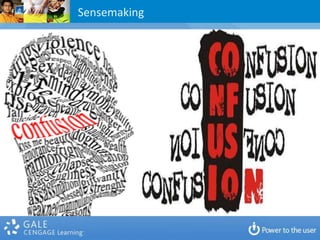
Sensemaking
What is an EXPERIENCE?
               What is a library experience?
What differentiates a library experience from a transaction?
  What differentiates public libraries from Google/Bing?
The Evolution
 of Answers
Why do people ask questions?
Is your library experience conceptually organized around
                  answers and programs?
         Or collections, technology and buildings?
Why do people ask questions?

   Who, What, When, Where
   How & Why
   Data – Information – Knowledge - Behavior
   To Learn or to Know
   To Acquire Information, Clarify, Tune
   To Decide, to Solve, to Choose, to Delay
   To Interview, Delve, Interact, Progress
   To Entertain or Socialize
   To Reduce Fear
   To Help, Aid, Cure, Be a Friend
   To Win A Bet
What are your top 10-20 questions?
What is the service portfolio model
      that goes with those?
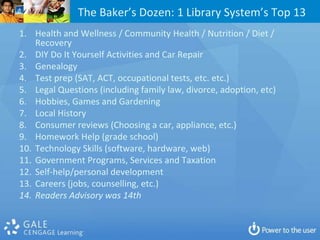
The Baker’s Dozen: 1 Library System’s Top 13
1. Health and Wellness / Community Health / Nutrition / Diet /
    Recovery
2. DIY Do It Yourself Activities and Car Repair
3. Genealogy
4. Test prep (SAT, ACT, occupational tests, etc. etc.)
5. Legal Questions (including family law, divorce, adoption, etc)
6. Hobbies, Games and Gardening
7. Local History
8. Consumer reviews (Choosing a car, appliance, etc.)
9. Homework Help (grade school)
10. Technology Skills (software, hardware, web)
11. Government Programs, Services and Taxation
12. Self-help/personal development
13. Careers (jobs, counselling, etc.)
14. Readers Advisory was 14th
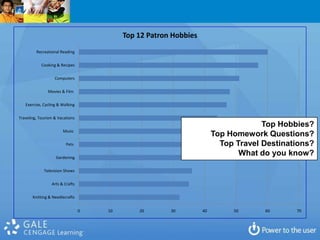
Top 12 Patron Hobbies
         Recreational Reading

            Cooking & Recipes

                   Computers

               Movies & Film

   Exercise, Cycling & Walking

Traveling, Tourism & Vacations
                                                                                    Top Hobbies?
                       Music
                                                                       Top Homework Questions?
                         Pets                                            Top Travel Destinations?
                   Gardening
                                                                              What do you know?

             Television Shows

                 Arts & Crafts

       Knitting & Needlecrafts


                                 0   10       20       30         40        50      60      70
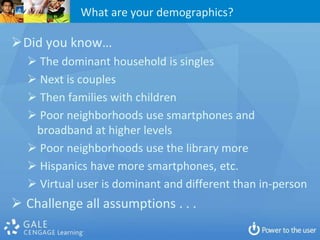
What are your demographics?

Did you know…
   The dominant household is singles
   Next is couples
   Then families with children
   Poor neighborhoods use smartphones and
   broadband at higher levels
   Poor neighborhoods use the library more
   Hispanics have more smartphones, etc.
   Virtual user is dominant and different than in-person
 Challenge all assumptions . . .
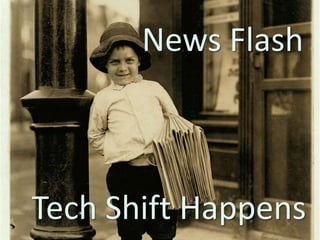
News Flash

       News Flash


Tech Shift Happens
Seth Godin on Decisions (June 8, 2011)
o Which of these are getting in the way?
o   You don't know what to do
o   You don't know how to do it
o   You don't have the authority or the resources to do it
o   You're afraid
o   You believe that money matters most
o   Once you figure out what's getting in the way, it's far
    easier to find the answer (or decide to work on a
    different problem).
o Stuck is a state of mind, and it's curable.
o Turn Excuses into Reasons
Deer in headlamps slide here.
What Are Libraries Really For?


•   Community & Social Glue
•   Learning
•   Discovery
•   Progress
•   Research (Applied and Theoretical)
•   Cultural & Knowledge Custody
•   Economic Impact
What Are Librarians For?

•   Expertise (We ARE Experts!)
•   Relationships
•   Transformation
•   Professional Service (not servant)
•   Vision & Leadership
•   Economic Impact
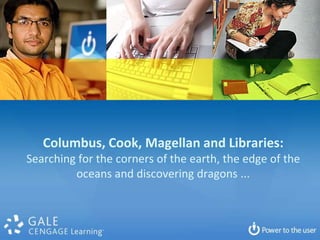
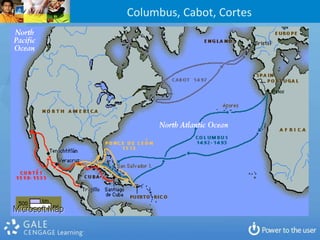
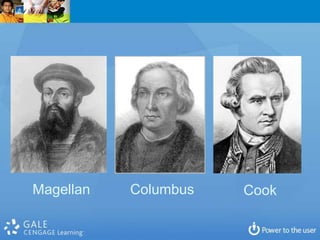
Columbus, Cook, Magellan and Libraries:
Searching for the corners of the earth, the edge of the
         oceans and discovering dragons ...
Columbus, Cabot, Cortes
Magellan   Columbus   Cook
Questions for Libraries Today:

1. Are our priorities right?
2. Are learning, research, discovery changing
   materially and what is actually changing?
3. What is the foundation of future library
   success . . . Books? Meh…
4. What is the role for librarians in the real
   future (that is not an extension of the past)?
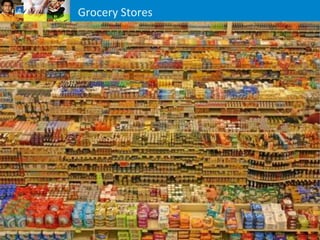
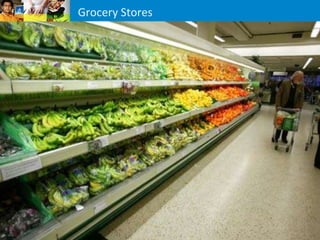
Grocery Stores
Grocery Stores
Grocery Stores
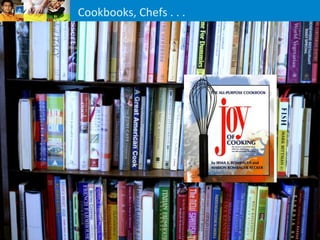
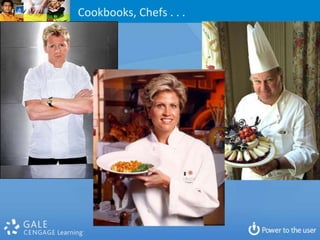
Cookbooks, Chefs . . .
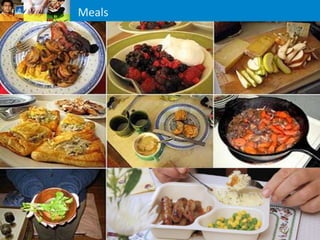
Meals
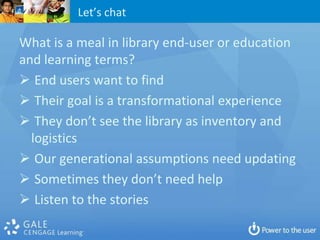
Let’s chat

What is a meal in library end-user or education
and learning terms?
 End users want to find
 Their goal is a transformational experience
 They don’t see the library as inventory and
  logistics
 Our generational assumptions need updating
 Sometimes they don’t need help
 Listen to the stories
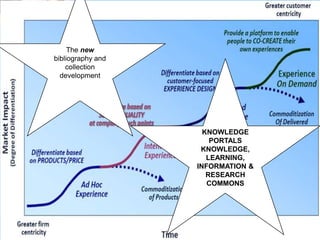
The new
bibliography and
    collection
  development


                     KNOWLEDGE
                       PORTALS
                    KNOWLEDGE,
                      LEARNING,
                   INFORMATION &
                      RESEARCH
                      COMMONS
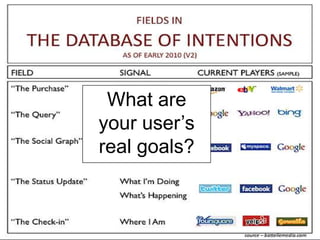
What are
your user’s
real goals?
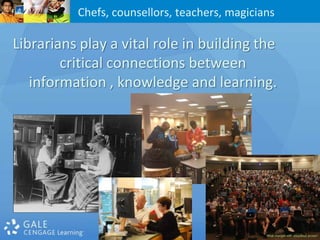
Chefs, counsellors, teachers, magicians

Librarians play a vital role in building the
        critical connections between
   information , knowledge and learning.
Programs
What are the components of a program focus?

 What lifts Libraries beyond our foundations?
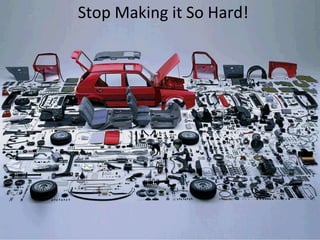
You have the tools.
Stop Making it So Hard!
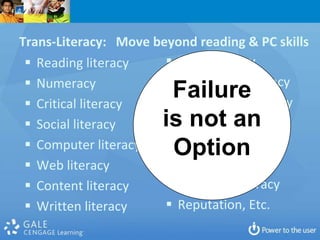
Trans-Literacy: Move beyond reading & PC skills
  Reading literacy     News literacy
  Numeracy             Technology literacy
  Critical literacy
                        Failure
                        Information literacy
  Social literacy     is not an
                         100%
                        Media literacy
  Computer literacy    Adaptive literacy
                        Option
  Web literacy         Research literacy
  Content literacy     Academic literacy
  Written literacy     Reputation, Etc.
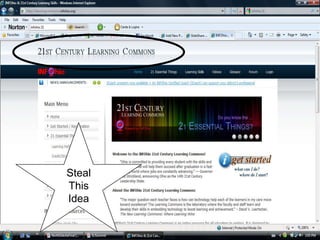
Steal
This
Idea
E-Learning


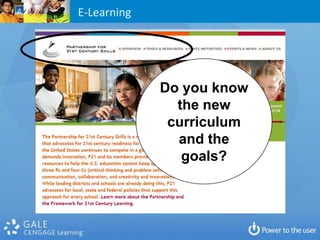
             Do you know
               the new
              curriculum
               and the
                goals?
E-Learning
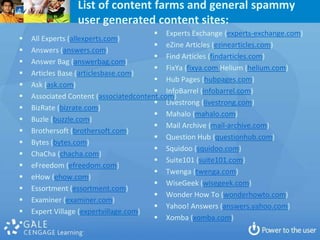
List of content farms and general spammy
                 user generated content sites:
                                         Experts Exchange (experts-exchange.com)
   All Experts (allexperts.com)
                                         eZine Articles (ezinearticles.com)
   Answers (answers.com)
                                         Find Articles (findarticles.com)
   Answer Bag (answerbag.com)
                                         FixYa (fixya.com Helium (helium.com)
   Articles Base (articlesbase.com)
                                         Hub Pages (hubpages.com)
   Ask (ask.com)
                                         InfoBarrel (infobarrel.com)
   Associated Content (associatedcontent.com)
                                         Livestrong (livestrong.com)
   BizRate (bizrate.com)
                                         Mahalo (mahalo.com)
   Buzle (buzzle.com)
                                         Mail Archive (mail-archive.com)
   Brothersoft (brothersoft.com)
                                         Question Hub (questionhub.com)
   Bytes (bytes.com)
                                         Squidoo (squidoo.com)
   ChaCha (chacha.com)
                                         Suite101 (suite101.com)
   eFreedom (efreedom.com)
                                         Twenga (twenga.com)
   eHow (ehow.com)
                                         WiseGeek (wisegeek.com)
   Essortment (essortment.com)
                                         Wonder How To (wonderhowto.com)
   Examiner (examiner.com)
                                         Yahoo! Answers (answers.yahoo.com)
   Expert Village (expertvillage.com)
                                         Xomba (xomba.com)
   )
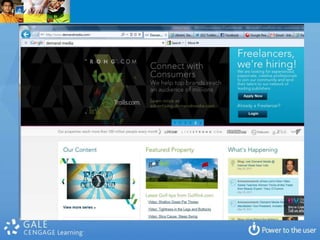
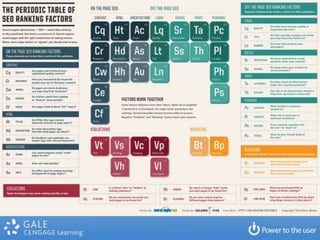
The nasty facts
 about Google &
    Bing and
consumer search:

  SEO / SMO
 Content Farms
Advertiser-driven
  Geotagging
Strategic
Analytics
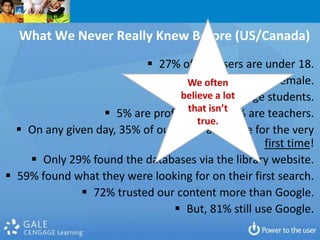
What We Never Really Knew Before (US/Canada)
                            27% of our users are under 18.
                                            
                                   We often 59% are female.
                                 believe a lot
                                   29% are college students.
                                   that isn’t
                   5% are professors and 6% are teachers.
                                      true.
   On any given day, 35% of our users are there for the very
                                                   first time!
     Only 29% found the databases via the library website.
 59% found what they were looking for on their first search.
               72% trusted our content more than Google.
                                 But, 81% still use Google.
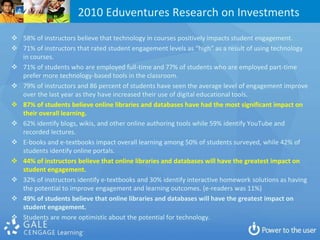
2010 Eduventures Research on Investments
 58% of instructors believe that technology in courses positively impacts student engagement.
 71% of instructors that rated student engagement levels as “high” as a result of using technology
  in courses.
 71% of students who are employed full-time and 77% of students who are employed part-time
  prefer more technology-based tools in the classroom.
 79% of instructors and 86 percent of students have seen the average level of engagement improve
  over the last year as they have increased their use of digital educational tools.
 87% of students believe online libraries and databases have had the most significant impact on

  their overall learning.
 62% identify blogs, wikis, and other online authoring tools while 59% identify YouTube and

  recorded lectures.
 E-books and e-textbooks impact overall learning among 50% of students surveyed, while 42% of
  students identify online portals.

 44% of instructors believe that online libraries and databases will have the greatest impact on
  student engagement.
 32% of instructors identify e-textbooks and 30% identify interactive homework solutions as having
  the potential to improve engagement and learning outcomes. (e-readers was 11%)
 49% of students believe that online libraries and databases will have the greatest impact on
  student engagement.
 Students are more optimistic about the potential for technology.
What do we need to know?

 How do library databases and virtual services
  compare with other web experiences?
 Who are our core virtual users? Are there gaps?
 Does learning happen? How about discovery?
 What are user expectations for true satisfaction?
 How does library search compare to consumer
  search like Google and retail or government?
 How do people find and connect with library virtual
  services?
 Are end users being successful in their POV?
 Are they happy? Will they come back? Tell a friend?
Emboldened Librarians hold the key
So how must library
 strategies change?
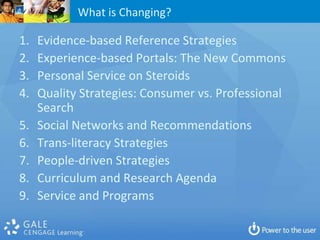
What is Changing?

1.   Evidence-based Reference Strategies
2.   Experience-based Portals: The New Commons
3.   Personal Service on Steroids
4.   Quality Strategies: Consumer vs. Professional
     Search
5.   Social Networks and Recommendations
6.   Trans-literacy Strategies
7.   People-driven Strategies
8.   Curriculum and Research Agenda
9.   Service and Programs
Recommendations

 Strengthen Your Personal Brand
 Reposition the Library and Librarian
 Don’t Tie Yourself directly to Collections or
  Physical Space
 Network with Your Users Socially
 Measure, Don’t Count
 Engage in partnerships
 Know
 Take Risks
Technology Context

   Cloud (SaaS, PaaS, IaaS)
   Laptops and Tablets
   Mobility / Smartphones
   Bandwidth (Wired, WiFi, Whitespace)
   Learning Management Systems
   Streaming video and audio vs. download
   HTML5 and Apps – the battle
   Advertising auction models and ‘product’
   New(ish) Players (Amazon, Apple, G, B&N, Uni’s,
    states/provinces/nations)
Book Challenges

 Format Agnosticism
 Browsers: IE, Chrome, Firefox, Safari
 Devices: Macintosh, PC Desktops & Laptops
 Mobile: Laptops, Tablets (iPad, Fire, etc.)
 Mobile: Smartphones (iPhone, Blackberry,
  Android, Windows, etc.)
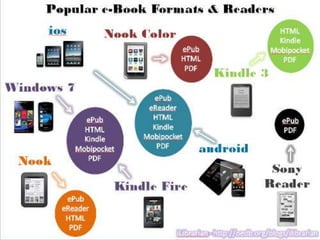
 Container: PDF, ePub, .mobi, Kindle, etc.
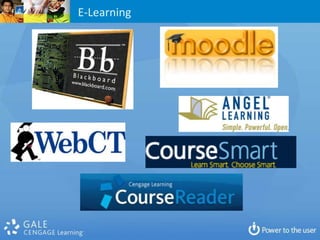
 Learning Management System: Blackboard /
  WebCT, D2L, Moodle, Sakai, etc.
 Purchasing (Amazon, B&N, Chegg, CengageBrain,
  Apple Store, University Textbook Store, etc.)
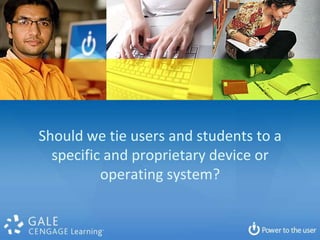
Should we tie users and students to a
  specific and proprietary device or
          operating system?
This era will see a Fundamental
     Reimagining the Book
For the present there will be those who
   resist and the resisters will be the
                majority.
Reimagine Service
Reference and Research
Consider the differences . . .

 Computer Commons
 Mall
 Service Commons
 Information Commons
 Knowledge Commons
 Learning Commons
 Science Commons
 Centre or Central?
 Physical / Virtual Hybrid
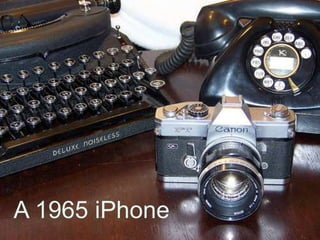
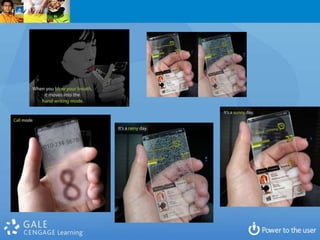
Mobility
A 1965 iPhone
What Would You Attempt If
You Knew You Would Not
         Fail?
A Third Path
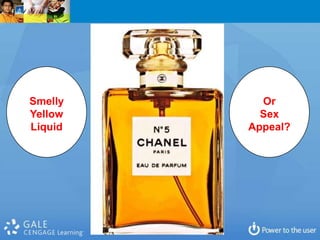
Smelly     Or
Yellow     Sex
Liquid   Appeal?
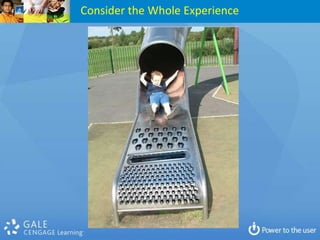
Consider the Whole Experience
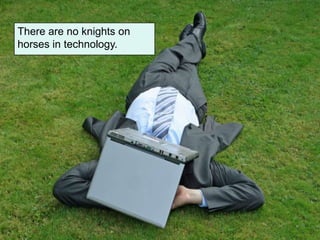
There are no knights on
horses in technology.
‘Reading’ trumps print books . . .
Stephen Abram, MLS, FSLA
VP strategic partnerships and markets
               Cengage Learning (Gale)
                     Cel: 416-669-4855
        stephen.abram@cengage.com
              Stephen’s Lighthouse Blog
       http://stephenslighthouse.com
 Facebook, Pinterest: Stephen Abram
      LinkedIn / Plaxo: Stephen Abram
                     Twitter: @sabram
           SlideShare: StephenAbram1

Orla2012

  • 1.
    Light ‘em Up The Future of Libraries: Stephen Abram, ML Oregon Library Association Conference Bend, OR April 26, 2012
  • 2.
    Change These slides areavailable at Stephen’s Lighthouse blog
  • 3.
    We Only GetSo Many Once-in-a-Lifetime Chances To Do Great Things
  • 4.
    News Flash “The Internetand technology have now progressed to their infancy”
  • 14.
    Lies we tellourselves  Libraries are a big market for fiction  Libraries are closing in large numbers  Teens don’t read anymore & Boys don’t read  The education issue is intractable  We serve everyone  People want to search  Free is all-important  Social institutions don’t need their staff to embrace the social tools
  • 15.
  • 17.
    Borders Kobo, B&NNook, Amazon Kindle, Apple iPad, Sony, etc. . . .
  • 25.
  • 28.
  • 32.
    On a limb: Thereis no scenario where public library circulation will increase.
  • 33.
    Can we framethe e-book issue in libraries so that it can be addressed rationally?
  • 34.
  • 35.
  • 36.
  • 37.
    Be More Opento the Users’ Paths - Filtering
  • 38.
    So how mustlibrary strategies change?
  • 39.
    First: 1. Focus onmemberships and audiences 2. Then focus on penetration though engagement 3. Measure (and communicate) impact
  • 40.
    Conclusions Up Front 1. Prioritize Programs not Collections (align) 2. Drive ‘Reference’ with Data and Know Your Top Questions 3. Re-Balance of Physical and Virtual 4. Invest Time in Demographics & Analytics (Measurements not Stats) 5. Put the newer Technological Tools in Context 6. Build Recreational Reading Away From Effort and Get Real About the eBook Issue 7. Homework: Deal With It 8. Transliteracy is a Key Opportunity 9. Partnerships are everything and essential
  • 41.
    Specific Challenges 1. SettingPriorities and Making Sacrifices (Program Hiatuses) 2. Innovation Culture, Pilots and Diffusion 3. Fix our Backroom and Front Room Balance through more Cooperation 4. Alignment with Community Goals & our Values 5. Measuring the Right Stuff - Impact 6. Investing in HR Development & Generations 7. Admit we have Sacred Cows (desks, books, …) 8. Promotion, Marketing, Communication, Advocacy
  • 42.
  • 43.
  • 44.
    What is anEXPERIENCE? What is a library experience? What differentiates a library experience from a transaction? What differentiates public libraries from Google/Bing?
  • 45.
  • 46.
    Why do peopleask questions? Is your library experience conceptually organized around answers and programs? Or collections, technology and buildings?
  • 47.
    Why do peopleask questions?  Who, What, When, Where  How & Why  Data – Information – Knowledge - Behavior  To Learn or to Know  To Acquire Information, Clarify, Tune  To Decide, to Solve, to Choose, to Delay  To Interview, Delve, Interact, Progress  To Entertain or Socialize  To Reduce Fear  To Help, Aid, Cure, Be a Friend  To Win A Bet
  • 48.
    What are yourtop 10-20 questions? What is the service portfolio model that goes with those?
  • 49.
    The Baker’s Dozen:1 Library System’s Top 13 1. Health and Wellness / Community Health / Nutrition / Diet / Recovery 2. DIY Do It Yourself Activities and Car Repair 3. Genealogy 4. Test prep (SAT, ACT, occupational tests, etc. etc.) 5. Legal Questions (including family law, divorce, adoption, etc) 6. Hobbies, Games and Gardening 7. Local History 8. Consumer reviews (Choosing a car, appliance, etc.) 9. Homework Help (grade school) 10. Technology Skills (software, hardware, web) 11. Government Programs, Services and Taxation 12. Self-help/personal development 13. Careers (jobs, counselling, etc.) 14. Readers Advisory was 14th
  • 50.
    Top 12 PatronHobbies Recreational Reading Cooking & Recipes Computers Movies & Film Exercise, Cycling & Walking Traveling, Tourism & Vacations Top Hobbies? Music Top Homework Questions? Pets Top Travel Destinations? Gardening What do you know? Television Shows Arts & Crafts Knitting & Needlecrafts 0 10 20 30 40 50 60 70
  • 51.
    What are yourdemographics? Did you know…  The dominant household is singles  Next is couples  Then families with children  Poor neighborhoods use smartphones and broadband at higher levels  Poor neighborhoods use the library more  Hispanics have more smartphones, etc.  Virtual user is dominant and different than in-person  Challenge all assumptions . . .
  • 52.
    News Flash News Flash Tech Shift Happens
  • 53.
    Seth Godin onDecisions (June 8, 2011) o Which of these are getting in the way? o You don't know what to do o You don't know how to do it o You don't have the authority or the resources to do it o You're afraid o You believe that money matters most o Once you figure out what's getting in the way, it's far easier to find the answer (or decide to work on a different problem). o Stuck is a state of mind, and it's curable. o Turn Excuses into Reasons
  • 54.
    Deer in headlampsslide here.
  • 55.
    What Are LibrariesReally For? • Community & Social Glue • Learning • Discovery • Progress • Research (Applied and Theoretical) • Cultural & Knowledge Custody • Economic Impact
  • 56.
    What Are LibrariansFor? • Expertise (We ARE Experts!) • Relationships • Transformation • Professional Service (not servant) • Vision & Leadership • Economic Impact
  • 57.
    Columbus, Cook, Magellanand Libraries: Searching for the corners of the earth, the edge of the oceans and discovering dragons ...
  • 58.
  • 59.
    Magellan Columbus Cook
  • 61.
    Questions for LibrariesToday: 1. Are our priorities right? 2. Are learning, research, discovery changing materially and what is actually changing? 3. What is the foundation of future library success . . . Books? Meh… 4. What is the role for librarians in the real future (that is not an extension of the past)?
  • 63.
  • 64.
  • 65.
  • 66.
  • 67.
  • 68.
  • 69.
    Let’s chat What isa meal in library end-user or education and learning terms?  End users want to find  Their goal is a transformational experience  They don’t see the library as inventory and logistics  Our generational assumptions need updating  Sometimes they don’t need help  Listen to the stories
  • 70.
    The new bibliography and collection development KNOWLEDGE PORTALS KNOWLEDGE, LEARNING, INFORMATION & RESEARCH COMMONS
  • 72.
  • 74.
    Chefs, counsellors, teachers,magicians Librarians play a vital role in building the critical connections between information , knowledge and learning.
  • 75.
    Programs What are thecomponents of a program focus? What lifts Libraries beyond our foundations?
  • 76.
  • 77.
  • 79.
    Trans-Literacy: Move beyondreading & PC skills  Reading literacy  News literacy  Numeracy  Technology literacy  Critical literacy Failure  Information literacy  Social literacy is not an 100%  Media literacy  Computer literacy  Adaptive literacy Option  Web literacy  Research literacy  Content literacy  Academic literacy  Written literacy  Reputation, Etc.
  • 81.
  • 82.
    E-Learning Do you know the new curriculum and the goals?
  • 83.
  • 85.
    List of contentfarms and general spammy user generated content sites:  Experts Exchange (experts-exchange.com)  All Experts (allexperts.com)  eZine Articles (ezinearticles.com)  Answers (answers.com)  Find Articles (findarticles.com)  Answer Bag (answerbag.com)  FixYa (fixya.com Helium (helium.com)  Articles Base (articlesbase.com)  Hub Pages (hubpages.com)  Ask (ask.com)  InfoBarrel (infobarrel.com)  Associated Content (associatedcontent.com)  Livestrong (livestrong.com)  BizRate (bizrate.com)  Mahalo (mahalo.com)  Buzle (buzzle.com)  Mail Archive (mail-archive.com)  Brothersoft (brothersoft.com)  Question Hub (questionhub.com)  Bytes (bytes.com)  Squidoo (squidoo.com)  ChaCha (chacha.com)  Suite101 (suite101.com)  eFreedom (efreedom.com)  Twenga (twenga.com)  eHow (ehow.com)  WiseGeek (wisegeek.com)  Essortment (essortment.com)  Wonder How To (wonderhowto.com)  Examiner (examiner.com)  Yahoo! Answers (answers.yahoo.com)  Expert Village (expertvillage.com)  Xomba (xomba.com)  )
  • 89.
    The nasty facts about Google & Bing and consumer search: SEO / SMO Content Farms Advertiser-driven Geotagging
  • 90.
  • 92.
    What We NeverReally Knew Before (US/Canada)  27% of our users are under 18.  We often 59% are female.  believe a lot 29% are college students. that isn’t  5% are professors and 6% are teachers. true.  On any given day, 35% of our users are there for the very first time!  Only 29% found the databases via the library website.  59% found what they were looking for on their first search.  72% trusted our content more than Google.  But, 81% still use Google.
  • 93.
    2010 Eduventures Researchon Investments  58% of instructors believe that technology in courses positively impacts student engagement.  71% of instructors that rated student engagement levels as “high” as a result of using technology in courses.  71% of students who are employed full-time and 77% of students who are employed part-time prefer more technology-based tools in the classroom.  79% of instructors and 86 percent of students have seen the average level of engagement improve over the last year as they have increased their use of digital educational tools.  87% of students believe online libraries and databases have had the most significant impact on their overall learning.  62% identify blogs, wikis, and other online authoring tools while 59% identify YouTube and recorded lectures.  E-books and e-textbooks impact overall learning among 50% of students surveyed, while 42% of students identify online portals.  44% of instructors believe that online libraries and databases will have the greatest impact on student engagement.  32% of instructors identify e-textbooks and 30% identify interactive homework solutions as having the potential to improve engagement and learning outcomes. (e-readers was 11%)  49% of students believe that online libraries and databases will have the greatest impact on student engagement.  Students are more optimistic about the potential for technology.
  • 95.
    What do weneed to know?  How do library databases and virtual services compare with other web experiences?  Who are our core virtual users? Are there gaps?  Does learning happen? How about discovery?  What are user expectations for true satisfaction?  How does library search compare to consumer search like Google and retail or government?  How do people find and connect with library virtual services?  Are end users being successful in their POV?  Are they happy? Will they come back? Tell a friend?
  • 96.
  • 97.
    So how mustlibrary strategies change?
  • 98.
    What is Changing? 1. Evidence-based Reference Strategies 2. Experience-based Portals: The New Commons 3. Personal Service on Steroids 4. Quality Strategies: Consumer vs. Professional Search 5. Social Networks and Recommendations 6. Trans-literacy Strategies 7. People-driven Strategies 8. Curriculum and Research Agenda 9. Service and Programs
  • 99.
    Recommendations  Strengthen YourPersonal Brand  Reposition the Library and Librarian  Don’t Tie Yourself directly to Collections or Physical Space  Network with Your Users Socially  Measure, Don’t Count  Engage in partnerships  Know  Take Risks
  • 100.
    Technology Context  Cloud (SaaS, PaaS, IaaS)  Laptops and Tablets  Mobility / Smartphones  Bandwidth (Wired, WiFi, Whitespace)  Learning Management Systems  Streaming video and audio vs. download  HTML5 and Apps – the battle  Advertising auction models and ‘product’  New(ish) Players (Amazon, Apple, G, B&N, Uni’s, states/provinces/nations)
  • 101.
    Book Challenges  FormatAgnosticism  Browsers: IE, Chrome, Firefox, Safari  Devices: Macintosh, PC Desktops & Laptops  Mobile: Laptops, Tablets (iPad, Fire, etc.)  Mobile: Smartphones (iPhone, Blackberry, Android, Windows, etc.)  Container: PDF, ePub, .mobi, Kindle, etc.  Learning Management System: Blackboard / WebCT, D2L, Moodle, Sakai, etc.  Purchasing (Amazon, B&N, Chegg, CengageBrain, Apple Store, University Textbook Store, etc.)
  • 102.
    Should we tieusers and students to a specific and proprietary device or operating system?
  • 103.
    This era willsee a Fundamental Reimagining the Book For the present there will be those who resist and the resisters will be the majority.
  • 104.
  • 105.
    Consider the differences. . .  Computer Commons  Mall  Service Commons  Information Commons  Knowledge Commons  Learning Commons  Science Commons  Centre or Central?  Physical / Virtual Hybrid
  • 106.
  • 107.
  • 112.
    What Would YouAttempt If You Knew You Would Not Fail?
  • 114.
  • 119.
    Smelly Or Yellow Sex Liquid Appeal?
  • 120.
  • 123.
    There are noknights on horses in technology.
  • 124.
  • 126.
    Stephen Abram, MLS,FSLA VP strategic partnerships and markets Cengage Learning (Gale) Cel: 416-669-4855 stephen.abram@cengage.com Stephen’s Lighthouse Blog http://stephenslighthouse.com Facebook, Pinterest: Stephen Abram LinkedIn / Plaxo: Stephen Abram Twitter: @sabram SlideShare: StephenAbram1