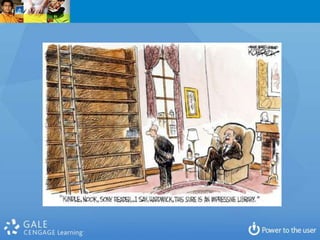
The Big Picture
             Trends beyond Technology in Libraries
                                                           Stephen Abram, MLS
                                                          Phoenix Public Library
                                                                   Dec. 16, 2011
These slides are available at Stephen’s Lighthouse blog
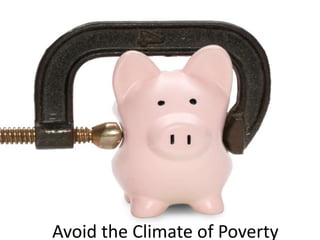
Avoid the Climate of Poverty
Symptoms of Dysfunction

 Terrible advocacy
 Slow and poor response to the e-Book
 challenge
 Generational disrespect and
 misunderstanding
 Workplace friction and avoidance
 Too slow technology adoption
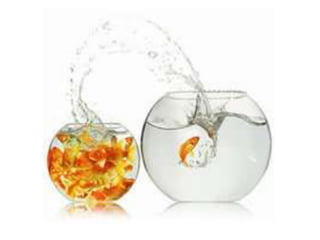
Is there still life in
libraries in a fully web
         world?
                 Yes, but . . .
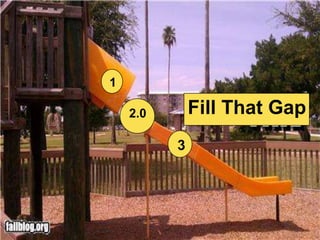
Change: Are libraries
  Future Ready?
1

    2.0       Fill That Gap
          3
What Are Libraries Really For?

•   Community
•   Learning
•   Discovery
•   Progress
•   Research (Applied and Theoretical)
•   Cultural & Knowledge Custody / Conservation
•   Economic Impact
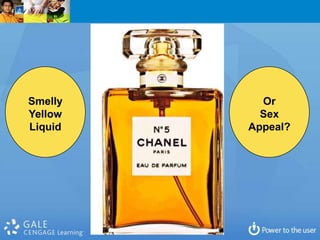
Smelly     Or
Yellow     Sex
Liquid   Appeal?
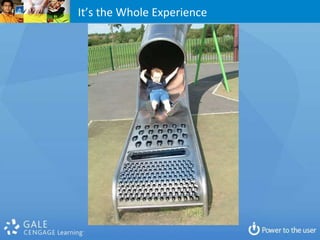
It’s the Whole Experience
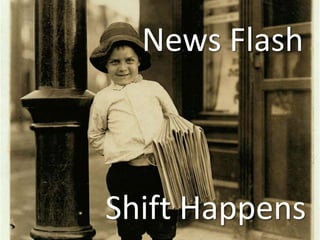
News Flash
“The Internet and technology have
    now progressed to their infancy”
7 Gifts to Libraries, Publishers & Booksellers

1. The book isn’t dead or dying. It is evolving.
2. Our users/customers are improving.
3. Technology is going social and can support social
   acts.
4. The PC isn’t dead, but, again, it’s evolving and more
   mobile.
5. We know more about our customers than ever
   before.
6. Talent, Insight, Community, have social value.
7. Opportunities always exist more in times of change
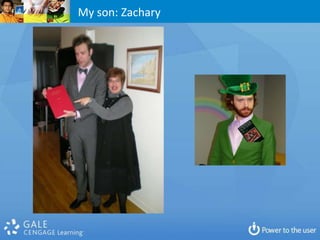
My son: Zachary
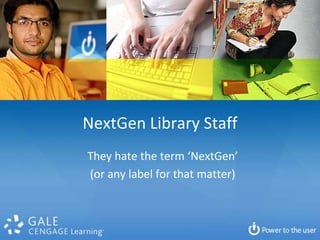
NextGen Library Staff
They hate the term ‘NextGen’
(or any label for that matter)
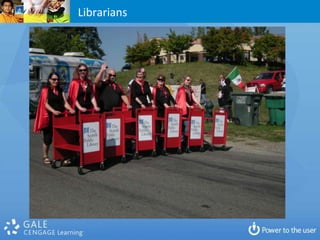
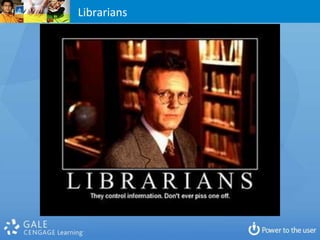
Librarians
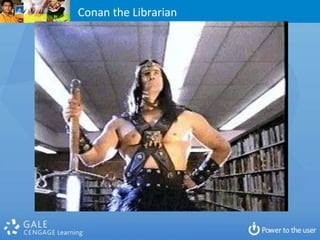
Conan the Librarian
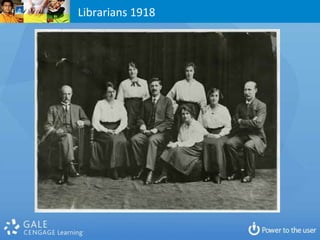
Librarians 1918
Librarians
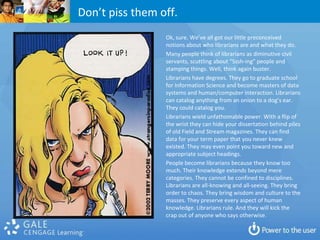
Don’t piss them off.
                 Ok, sure. We’ve all got our little preconceived
                 notions about who librarians are and what they do.
                 Many people think of librarians as diminutive civil
                 servants, scuttling about “Sssh-ing” people and
                 stamping things. Well, think again buster.
                 Librarians have degrees. They go to graduate school
                 for Information Science and become masters of data
                 systems and human/computer interaction. Librarians
                 can catalog anything from an onion to a dog’s ear.
                 They could catalog you.
                 Librarians wield unfathomable power. With a flip of
                 the wrist they can hide your dissertation behind piles
                 of old Field and Stream magazines. They can find
                 data for your term paper that you never knew
                 existed. They may even point you toward new and
                 appropriate subject headings.
                 People become librarians because they know too
                 much. Their knowledge extends beyond mere
                 categories. They cannot be confined to disciplines.
                 Librarians are all-knowing and all-seeing. They bring
                 order to chaos. They bring wisdom and culture to the
                 masses. They preserve every aspect of human
                 knowledge. Librarians rule. And they will kick the
                 crap out of anyone who says otherwise.
Some hints from the research
 Boomer vs GenY
 Don’t use family metaphors
 Offer non-compensation rewards, flexibility
 Involve them in decision-making
 Offer real development opportunities
 Prioritize social media freedom, device
 flexibility, and work mobility over salary
 Listen, both ways – No telling!
 Respect goes a long way. The right to advise
 must be earned
 “I didn’t quite my job because it was too
 hard…I quit my job because it was not the best
 use of my short life.”
 Social Responsibility
 Green
 Involvement Programs (YPO)
 Grapevine . . . Versus Control
 Make room for mistakes
 and you or your kids . . . What did you dream?
Change can happen very fast
What is an EXPERIENCE?
               What is a library experience?
What differentiates a library experience from a transaction?
  What differentiates public libraries from Google/Bing?
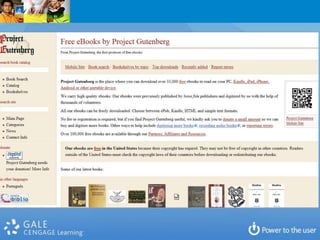
Books are a
Poor Branding
The Book Comet

 Harper Collins fiasco
  Amazon self-published . . . You?
  Amazon “authors”
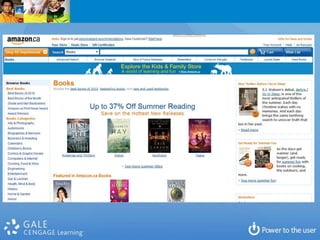
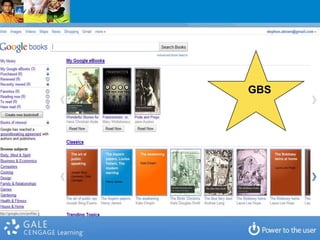
  New Google Bookstore
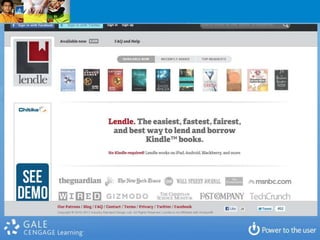
  Amazon Subscriptions and Lending
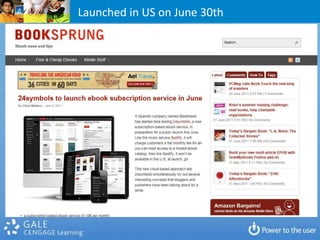
  24Symbols
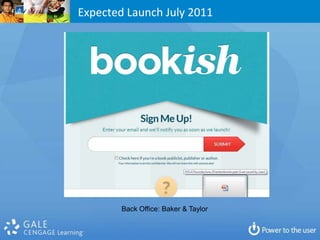
  Bookish
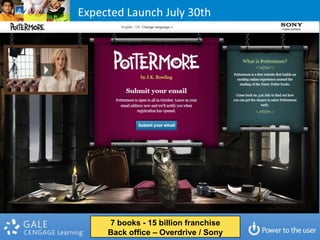
  Pottermore
  Recommendation Engines: Books & Authors, Bibliocommons,
  LibraryThing . . .
 Apple . . . iStore, iBooks
GBS
Launched in US on June 30th
Expected Launch July 2011


        Back Office: Baker & Taylor
Expected Launch July 30th


     7 books - 15 billion franchise
     Back office – Overdrive / Sony
What do libraries have?
LibraryThing
BiblioCommons
ChiliFresh
Etc.
Fiction
Non-Fiction
Reading
What does all this mean?

 The Article level universe
 The Chapter and Paragraph Universe
 eBooks Opportunity: Integrated with Visuals –
  graphics and charts, ‘video’, scored, integrated with
  Sound and Speech, integrated with social web,
  integrated with interaction and not just interactivity
 How would you enhance a book?
 How do Libraries play the game?
Can we frame the e-book issue so
that it can be addressed rationally?
Why do people read?
Why do people read?
1.    To learn
2.    To engage in hearing other’s opinions (to agree or disagree or understand)
3.    To develop more knowledge about myself and develop as a whole person
4.    To be entertained and laugh, to engage and interact
5.    To address boredom and the inexorable progress of time
6.    To research and keep up-to-date
7.    To participate well in civil society (everything from news to voting)
8.    To be informed (and maybe smarter)
9.    To understand others (individually and culturally)
10.   To escape our day-to-day lives
11.   To stimulate the imagination and be inspired or spiritual
12.   To write and communicate better through reading others
13.   To teach
14.   To have something to talk about
15.   To connect with like-minded people
The Evolution
 of Answers
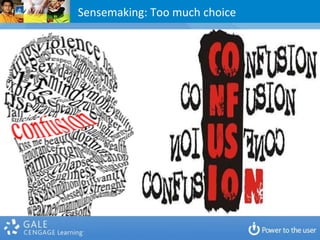
Sensemaking: Too much choice
Why do people ask questions?
Is PPL’s library experience conceptually organized around
                   answers and programs?
                Or collections and buildings?
Gift:
Content Spam
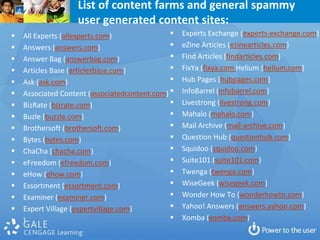
List of content farms and general spammy
                   user generated content sites:
   All Experts (allexperts.com)                  Experts Exchange (experts-exchange.com)
   Answers (answers.com)                         eZine Articles (ezinearticles.com)
   Answer Bag (answerbag.com)                    Find Articles (findarticles.com)
   Articles Base (articlesbase.com)              FixYa (fixya.com Helium (helium.com)
   Ask (ask.com)                                 Hub Pages (hubpages.com)
   Associated Content (associatedcontent.com)    InfoBarrel (infobarrel.com)
   BizRate (bizrate.com)                         Livestrong (livestrong.com)
   Buzle (buzzle.com)                            Mahalo (mahalo.com)
   Brothersoft (brothersoft.com)                 Mail Archive (mail-archive.com)
   Bytes (bytes.com)                             Question Hub (questionhub.com)
   ChaCha (chacha.com)                           Squidoo (squidoo.com)
   eFreedom (efreedom.com)                       Suite101 (suite101.com)
   eHow (ehow.com)                               Twenga (twenga.com)
   Essortment (essortment.com)                   WiseGeek (wisegeek.com)
   Examiner (examiner.com)                       Wonder How To (wonderhowto.com)
   Expert Village (expertvillage.com)            Yahoo! Answers (answers.yahoo.com)
   )                                             Xomba (xomba.com)
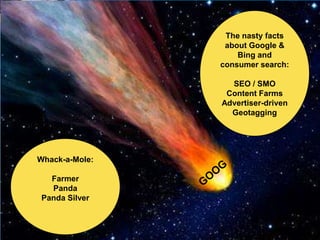
The nasty facts
                 about Google &
                    Bing and
                consumer search:

                  SEO / SMO
                 Content Farms
                Advertiser-driven
                  Geotagging


Whack-a-Mole:

  Farmer
  Panda
Panda Silver
What are your top 10-20 questions?
What is the service portfolio model
      that goes with those?
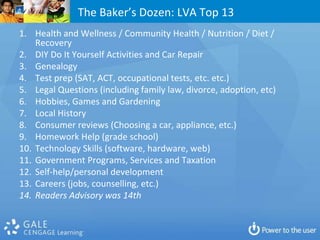
The Baker’s Dozen: LVA Top 13
1. Health and Wellness / Community Health / Nutrition / Diet /
    Recovery
2. DIY Do It Yourself Activities and Car Repair
3. Genealogy
4. Test prep (SAT, ACT, occupational tests, etc. etc.)
5. Legal Questions (including family law, divorce, adoption, etc)
6. Hobbies, Games and Gardening
7. Local History
8. Consumer reviews (Choosing a car, appliance, etc.)
9. Homework Help (grade school)
10. Technology Skills (software, hardware, web)
11. Government Programs, Services and Taxation
12. Self-help/personal development
13. Careers (jobs, counselling, etc.)
14. Readers Advisory was 14th
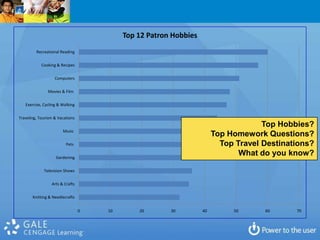
Top 12 Patron Hobbies
         Recreational Reading

            Cooking & Recipes

                   Computers

               Movies & Film

   Exercise, Cycling & Walking

Traveling, Tourism & Vacations
                                                                                    Top Hobbies?
                       Music
                                                                       Top Homework Questions?
                         Pets                                            Top Travel Destinations?
                   Gardening
                                                                              What do you know?

             Television Shows

                 Arts & Crafts

       Knitting & Needlecrafts


                                 0   10       20       30         40        50      60      70
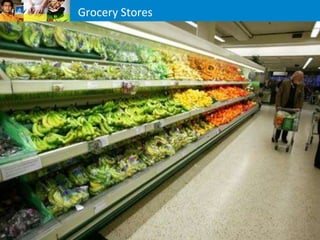
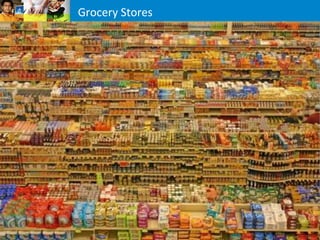
Grocery Stores
Grocery Stores
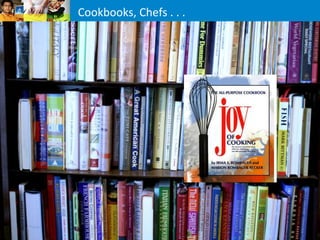
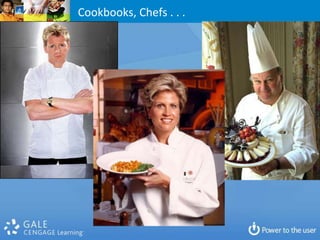
Cookbooks, Chefs . . .
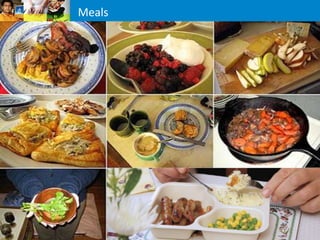
Meals
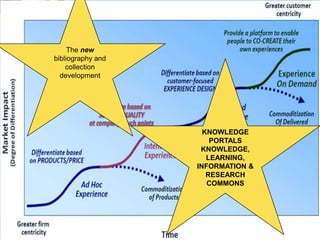
The new
bibliography and
    collection
  development


                     KNOWLEDGE
                       PORTALS
                    KNOWLEDGE,
                      LEARNING,
                   INFORMATION &
                      RESEARCH
                      COMMONS
Driving the Knowledge Portal
alignment with User Behaviour
How would this look?

 Top Reference and Research Questions
 Do you know them? Or do you know retail
  sales numbers or circulation numbers better?
 Role of Encyclopedia
 Shelf Talkers & databases / eBooks
 Being rational about homework role for public
  libraries
 Men users – we’re pretty bad at that.
 The new Senior
Mobility: Where
the Patron Is
Mobility
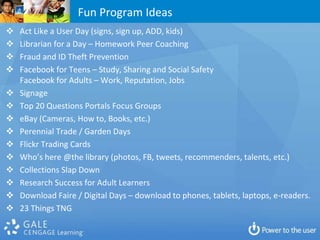
Fun Program Ideas
   Act Like a User Day (signs, sign up, ADD, kids)
   Librarian for a Day – Homework Peer Coaching
   Fraud and ID Theft Prevention
   Facebook for Teens – Study, Sharing and Social Safety
    Facebook for Adults – Work, Reputation, Jobs
   Signage
   Top 20 Questions Portals Focus Groups
   eBay (Cameras, How to, Books, etc.)
   Perennial Trade / Garden Days
   Flickr Trading Cards
   Who’s here @the library (photos, FB, tweets, recommenders, talents, etc.)
   Collections Slap Down
   Research Success for Adult Learners
   Download Faire / Digital Days – download to phones, tablets, laptops, e-readers.
   23 Things TNG
The Value of Libraries Soundbite
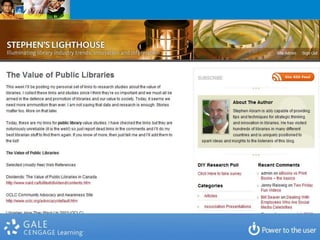
 The Value of Public Libraries
  http://stephenslighthouse.com/2010/04/06/the-value-of-public-
  libraries/
 The Value of School Libraries
  http://stephenslighthouse.com/2010/04/06/the-value-of-school-
  libraries/
 The Value of Academic and College Libraries
  http://stephenslighthouse.com/2010/04/07/value-of-academic-
  and-college-libraries/
 The Value of Special Libraries
  http://stephenslighthouse.com/2010/04/07/value-of-special-
  libraries/
 Library Advocacy: Save the Library Campaigns
  http://stephenslighthouse.com/2010/04/01/save-the-library-
  campaigns/
 Storytelling…
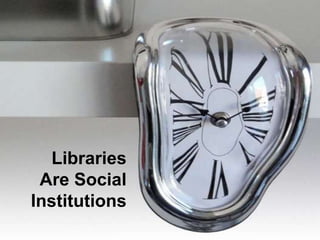
Libraries
 Are Social
Institutions
Summary

 Respect the generations – learn from eachother
 End User Psychographic Centricity
 Focus on the Questions (Needs, CRM)
 Build or Buy Knowledge Portals (Meals)
 Emphasize Content Quality (not books)
 Expand Social Media Programs on Information Literacy
 Advocate and Align with the Listener
 Tell Stories, Have users tell stories
 Strategic Analytics Investment – Measure Impact, ROI
 and Value
 Collaborate vs. socialize
News Flash

  News Flash


Shift Happens
Stephen Abram, MLS, FSLA
             VP strategic partnerships and markets
                            Cengage Learning (Gale)
                                  Cel: 416-669-4855
                     stephen.abram@cengage.com
                           Stephen’s Lighthouse Blog
                    http://stephenslighthouse.com
Facebook, Google+, LinkedIn, Plaxo : Stephen Abram
             FourSquare, Gowalla: Stephen Abram
                  Twitter, Quora, Yelp, etc.: sabram
                        SlideShare: StephenAbram1

Phoenix pl2012

  • 1.
    The Big Picture Trends beyond Technology in Libraries Stephen Abram, MLS Phoenix Public Library Dec. 16, 2011 These slides are available at Stephen’s Lighthouse blog
  • 3.
  • 5.
    Symptoms of Dysfunction Terrible advocacy  Slow and poor response to the e-Book challenge  Generational disrespect and misunderstanding  Workplace friction and avoidance  Too slow technology adoption
  • 7.
    Is there stilllife in libraries in a fully web world? Yes, but . . .
  • 9.
  • 11.
    1 2.0 Fill That Gap 3
  • 16.
    What Are LibrariesReally For? • Community • Learning • Discovery • Progress • Research (Applied and Theoretical) • Cultural & Knowledge Custody / Conservation • Economic Impact
  • 17.
    Smelly Or Yellow Sex Liquid Appeal?
  • 19.
    It’s the WholeExperience
  • 20.
    News Flash “The Internetand technology have now progressed to their infancy”
  • 21.
    7 Gifts toLibraries, Publishers & Booksellers 1. The book isn’t dead or dying. It is evolving. 2. Our users/customers are improving. 3. Technology is going social and can support social acts. 4. The PC isn’t dead, but, again, it’s evolving and more mobile. 5. We know more about our customers than ever before. 6. Talent, Insight, Community, have social value. 7. Opportunities always exist more in times of change
  • 30.
  • 35.
    NextGen Library Staff Theyhate the term ‘NextGen’ (or any label for that matter)
  • 37.
  • 38.
  • 39.
  • 40.
  • 41.
    Don’t piss themoff. Ok, sure. We’ve all got our little preconceived notions about who librarians are and what they do. Many people think of librarians as diminutive civil servants, scuttling about “Sssh-ing” people and stamping things. Well, think again buster. Librarians have degrees. They go to graduate school for Information Science and become masters of data systems and human/computer interaction. Librarians can catalog anything from an onion to a dog’s ear. They could catalog you. Librarians wield unfathomable power. With a flip of the wrist they can hide your dissertation behind piles of old Field and Stream magazines. They can find data for your term paper that you never knew existed. They may even point you toward new and appropriate subject headings. People become librarians because they know too much. Their knowledge extends beyond mere categories. They cannot be confined to disciplines. Librarians are all-knowing and all-seeing. They bring order to chaos. They bring wisdom and culture to the masses. They preserve every aspect of human knowledge. Librarians rule. And they will kick the crap out of anyone who says otherwise.
  • 42.
    Some hints fromthe research  Boomer vs GenY  Don’t use family metaphors  Offer non-compensation rewards, flexibility  Involve them in decision-making  Offer real development opportunities  Prioritize social media freedom, device flexibility, and work mobility over salary  Listen, both ways – No telling!  Respect goes a long way. The right to advise must be earned
  • 43.
     “I didn’tquite my job because it was too hard…I quit my job because it was not the best use of my short life.”  Social Responsibility  Green  Involvement Programs (YPO)  Grapevine . . . Versus Control  Make room for mistakes  and you or your kids . . . What did you dream?
  • 44.
  • 45.
    What is anEXPERIENCE? What is a library experience? What differentiates a library experience from a transaction? What differentiates public libraries from Google/Bing?
  • 46.
  • 47.
    The Book Comet Harper Collins fiasco  Amazon self-published . . . You?  Amazon “authors”  New Google Bookstore  Amazon Subscriptions and Lending  24Symbols  Bookish  Pottermore  Recommendation Engines: Books & Authors, Bibliocommons, LibraryThing . . .  Apple . . . iStore, iBooks
  • 50.
  • 51.
    Launched in USon June 30th
  • 53.
    Expected Launch July2011 Back Office: Baker & Taylor
  • 54.
    Expected Launch July30th 7 books - 15 billion franchise Back office – Overdrive / Sony
  • 55.
    What do librarieshave? LibraryThing BiblioCommons ChiliFresh Etc.
  • 58.
  • 59.
    What does allthis mean?  The Article level universe  The Chapter and Paragraph Universe  eBooks Opportunity: Integrated with Visuals – graphics and charts, ‘video’, scored, integrated with Sound and Speech, integrated with social web, integrated with interaction and not just interactivity  How would you enhance a book?  How do Libraries play the game?
  • 60.
    Can we framethe e-book issue so that it can be addressed rationally?
  • 61.
  • 62.
    Why do peopleread? 1. To learn 2. To engage in hearing other’s opinions (to agree or disagree or understand) 3. To develop more knowledge about myself and develop as a whole person 4. To be entertained and laugh, to engage and interact 5. To address boredom and the inexorable progress of time 6. To research and keep up-to-date 7. To participate well in civil society (everything from news to voting) 8. To be informed (and maybe smarter) 9. To understand others (individually and culturally) 10. To escape our day-to-day lives 11. To stimulate the imagination and be inspired or spiritual 12. To write and communicate better through reading others 13. To teach 14. To have something to talk about 15. To connect with like-minded people
  • 66.
  • 67.
  • 68.
    Why do peopleask questions? Is PPL’s library experience conceptually organized around answers and programs? Or collections and buildings?
  • 69.
  • 71.
    List of contentfarms and general spammy user generated content sites:  All Experts (allexperts.com)  Experts Exchange (experts-exchange.com)  Answers (answers.com)  eZine Articles (ezinearticles.com)  Answer Bag (answerbag.com)  Find Articles (findarticles.com)  Articles Base (articlesbase.com)  FixYa (fixya.com Helium (helium.com)  Ask (ask.com)  Hub Pages (hubpages.com)  Associated Content (associatedcontent.com)  InfoBarrel (infobarrel.com)  BizRate (bizrate.com)  Livestrong (livestrong.com)  Buzle (buzzle.com)  Mahalo (mahalo.com)  Brothersoft (brothersoft.com)  Mail Archive (mail-archive.com)  Bytes (bytes.com)  Question Hub (questionhub.com)  ChaCha (chacha.com)  Squidoo (squidoo.com)  eFreedom (efreedom.com)  Suite101 (suite101.com)  eHow (ehow.com)  Twenga (twenga.com)  Essortment (essortment.com)  WiseGeek (wisegeek.com)  Examiner (examiner.com)  Wonder How To (wonderhowto.com)  Expert Village (expertvillage.com)  Yahoo! Answers (answers.yahoo.com)  )  Xomba (xomba.com)
  • 72.
    The nasty facts about Google & Bing and consumer search: SEO / SMO Content Farms Advertiser-driven Geotagging Whack-a-Mole: Farmer Panda Panda Silver
  • 73.
    What are yourtop 10-20 questions? What is the service portfolio model that goes with those?
  • 74.
    The Baker’s Dozen:LVA Top 13 1. Health and Wellness / Community Health / Nutrition / Diet / Recovery 2. DIY Do It Yourself Activities and Car Repair 3. Genealogy 4. Test prep (SAT, ACT, occupational tests, etc. etc.) 5. Legal Questions (including family law, divorce, adoption, etc) 6. Hobbies, Games and Gardening 7. Local History 8. Consumer reviews (Choosing a car, appliance, etc.) 9. Homework Help (grade school) 10. Technology Skills (software, hardware, web) 11. Government Programs, Services and Taxation 12. Self-help/personal development 13. Careers (jobs, counselling, etc.) 14. Readers Advisory was 14th
  • 75.
    Top 12 PatronHobbies Recreational Reading Cooking & Recipes Computers Movies & Film Exercise, Cycling & Walking Traveling, Tourism & Vacations Top Hobbies? Music Top Homework Questions? Pets Top Travel Destinations? Gardening What do you know? Television Shows Arts & Crafts Knitting & Needlecrafts 0 10 20 30 40 50 60 70
  • 76.
  • 78.
  • 79.
  • 80.
  • 81.
  • 82.
    The new bibliography and collection development KNOWLEDGE PORTALS KNOWLEDGE, LEARNING, INFORMATION & RESEARCH COMMONS
  • 83.
    Driving the KnowledgePortal alignment with User Behaviour
  • 84.
    How would thislook?  Top Reference and Research Questions  Do you know them? Or do you know retail sales numbers or circulation numbers better?  Role of Encyclopedia  Shelf Talkers & databases / eBooks  Being rational about homework role for public libraries  Men users – we’re pretty bad at that.  The new Senior
  • 85.
  • 86.
  • 88.
    Fun Program Ideas  Act Like a User Day (signs, sign up, ADD, kids)  Librarian for a Day – Homework Peer Coaching  Fraud and ID Theft Prevention  Facebook for Teens – Study, Sharing and Social Safety Facebook for Adults – Work, Reputation, Jobs  Signage  Top 20 Questions Portals Focus Groups  eBay (Cameras, How to, Books, etc.)  Perennial Trade / Garden Days  Flickr Trading Cards  Who’s here @the library (photos, FB, tweets, recommenders, talents, etc.)  Collections Slap Down  Research Success for Adult Learners  Download Faire / Digital Days – download to phones, tablets, laptops, e-readers.  23 Things TNG
  • 91.
    The Value ofLibraries Soundbite  The Value of Public Libraries http://stephenslighthouse.com/2010/04/06/the-value-of-public- libraries/  The Value of School Libraries http://stephenslighthouse.com/2010/04/06/the-value-of-school- libraries/  The Value of Academic and College Libraries http://stephenslighthouse.com/2010/04/07/value-of-academic- and-college-libraries/  The Value of Special Libraries http://stephenslighthouse.com/2010/04/07/value-of-special- libraries/  Library Advocacy: Save the Library Campaigns http://stephenslighthouse.com/2010/04/01/save-the-library- campaigns/  Storytelling…
  • 94.
  • 96.
    Summary  Respect thegenerations – learn from eachother  End User Psychographic Centricity  Focus on the Questions (Needs, CRM)  Build or Buy Knowledge Portals (Meals)  Emphasize Content Quality (not books)  Expand Social Media Programs on Information Literacy  Advocate and Align with the Listener  Tell Stories, Have users tell stories  Strategic Analytics Investment – Measure Impact, ROI and Value  Collaborate vs. socialize
  • 97.
    News Flash News Flash Shift Happens
  • 103.
    Stephen Abram, MLS,FSLA VP strategic partnerships and markets Cengage Learning (Gale) Cel: 416-669-4855 stephen.abram@cengage.com Stephen’s Lighthouse Blog http://stephenslighthouse.com Facebook, Google+, LinkedIn, Plaxo : Stephen Abram FourSquare, Gowalla: Stephen Abram Twitter, Quora, Yelp, etc.: sabram SlideShare: StephenAbram1