karunakarbbsr@gmail.comʭ +91 9338661303
ORGANIZATION OF COMPUTERS
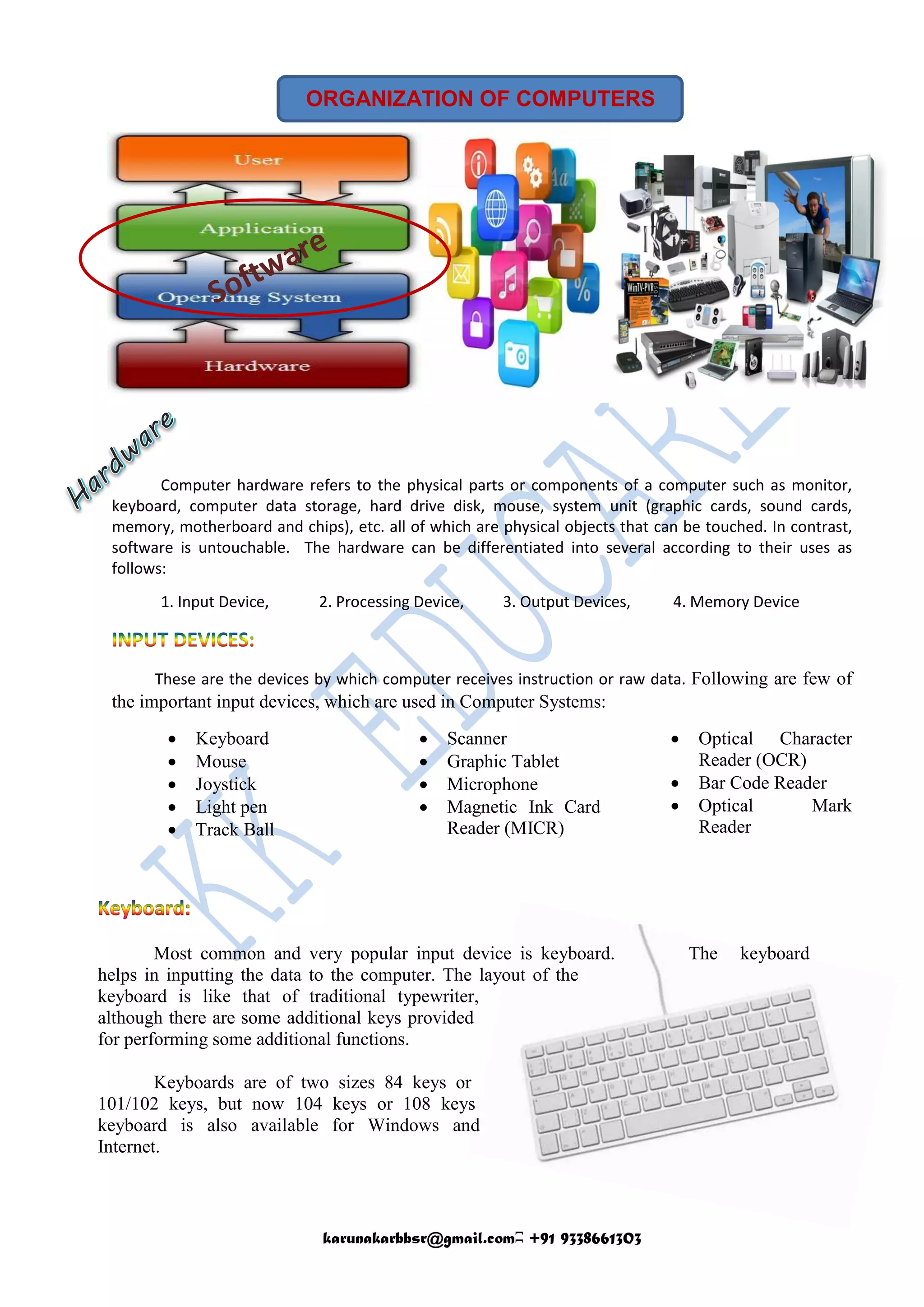
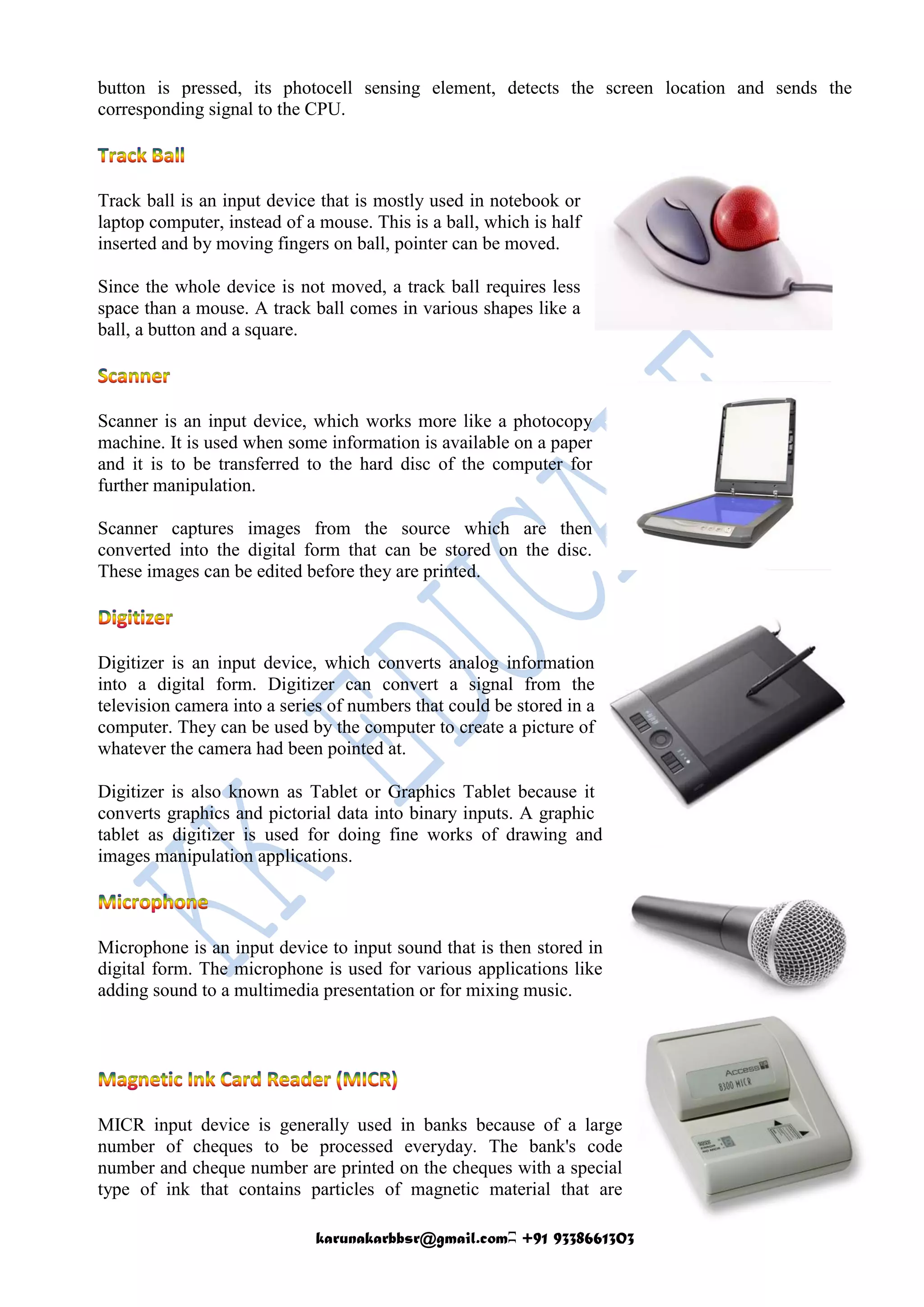
Computer hardware refers to the physical parts or components of a computer such as monitor,
keyboard, computer data storage, hard drive disk, mouse, system unit (graphic cards, sound cards,
memory, motherboard and chips), etc. all of which are physical objects that can be touched. In contrast,
software is untouchable. The hardware can be differentiated into several according to their uses as
follows:
1. Input Device, 2. Processing Device, 3. Output Devices, 4. Memory Device
These are the devices by which computer receives instruction or raw data. Following are few of
the important input devices, which are used in Computer Systems:
 Keyboard
 Mouse
 Joystick
 Light pen
 Track Ball
 Scanner
 Graphic Tablet
 Microphone
 Magnetic Ink Card
Reader (MICR)
 Optical Character
Reader (OCR)
 Bar Code Reader
 Optical Mark
Reader
Most common and very popular input device is keyboard. The keyboard
helps in inputting the data to the computer. The layout of the
keyboard is like that of traditional typewriter,
although there are some additional keys provided
for performing some additional functions.
Keyboards are of two sizes 84 keys or
101/102 keys, but now 104 keys or 108 keys
keyboard is also available for Windows and
Internet.
karunakarbbsr@gmail.comʭ +91 9338661303
The keys are as follows: :
Sr. No. Keys Description
1
Typing
Keys
These keys include the letter keys (A-Z) and digits keys (0-9) which
generally give same layout as that of typewriters.
2
Numeric
Keypad
It is used to enter numeric data or cursor movement. Generally, it consists
of a set of 17 keys that are laid out in the same configuration used by most
adding machine and calculators.
3
Function
Keys
The twelve functions keys are present on the keyboard. These are arranged
in a row along the top of the keyboard. Each function key has unique
meaning and is used for some specific purpose.
4
Control
keys
These keys provide cursor and screen control. It includes four directional
arrow key. Control keys also include Home, End, Insert, Delete, Page Up,
Page Down, Control(Ctrl), Alternate(Alt), Escape(Esc).
5
Special
Purpose
Keys
Keyboard also contains some special purpose keys such as Enter, Shift,
Caps Lock, Num Lock, Space bar, Tab, and Print Screen.
Mouse is most popular Pointing device. It is a very
famous cursor-control device. It is a small palm size box
with a round ball at its base which senses the movement of
mouse and sends corresponding signals to CPU on pressing
the buttons.
Generally, it has two buttons called left and right button and scroll bar
is present at the mid. Mouse can be used to control the position of cursor
on screen, but it cannot be used to enter text into the computer.
Advantages:
 Easy to use
 Not very expensive
 Moves the cursor faster than the arrow keys of keyboard.
Joystick is also a pointing device, which is used to move cursor position
on a monitor screen. It is a stick having a spherical ball at its both lower
and upper ends. The lower spherical ball moves in a socket. The
joystick can be moved in all four directions.
The function of joystick is similar to that of a mouse. It is mainly used
in Computer Aided Designing (CAD) and playing computer games.
Light pen is a pointing device, which is similar to a pen. It is used to
select a displayed menu item or draw pictures on the monitor screen. It
consists of a photocell and an optical system placed in a small
tube.When light pen's tip is moved over the monitor screen and pen
karunakarbbsr@gmail.comʭ +91 9338661303
button is pressed, its photocell sensing element, detects the screen location and sends the
corresponding signal to the CPU.
Track ball is an input device that is mostly used in notebook or
laptop computer, instead of a mouse. This is a ball, which is half
inserted and by moving fingers on ball, pointer can be moved.
Since the whole device is not moved, a track ball requires less
space than a mouse. A track ball comes in various shapes like a
ball, a button and a square.
Scanner is an input device, which works more like a photocopy
machine. It is used when some information is available on a paper
and it is to be transferred to the hard disc of the computer for
further manipulation.
Scanner captures images from the source which are then
converted into the digital form that can be stored on the disc.
These images can be edited before they are printed.
Digitizer is an input device, which converts analog information
into a digital form. Digitizer can convert a signal from the
television camera into a series of numbers that could be stored in a
computer. They can be used by the computer to create a picture of
whatever the camera had been pointed at.
Digitizer is also known as Tablet or Graphics Tablet because it
converts graphics and pictorial data into binary inputs. A graphic
tablet as digitizer is used for doing fine works of drawing and
images manipulation applications.
Microphone is an input device to input sound that is then stored in
digital form. The microphone is used for various applications like
adding sound to a multimedia presentation or for mixing music.
MICR input device is generally used in banks because of a large
number of cheques to be processed everyday. The bank's code
number and cheque number are printed on the cheques with a special
type of ink that contains particles of magnetic material that are
karunakarbbsr@gmail.comʭ +91 9338661303
machine readable.
This reading process is called Magnetic Ink Character
Recognition (MICR). The main advantage of MICR is that it is
fast and less error prone.
OCR is an input device used to read a printed text. OCR scans
text optically character by character, converts them into a
machine readable code and stores the text on the system memory.
Bar Code Reader is a device used for reading bar coded data
(data in form of light and dark lines). Bar coded data is
generally used in labelling goods, numbering the books, etc. It
may be a hand-held scanner or may be embedded in a stationary
scanner.
Bar Code Reader scans a bar code image, converts it into an
alphanumeric value, which is then fed to the computer to which
bar code reader is connected.
OMR is a special type of optical scanner used to
recognize the type of mark made by pen or pencil. It
is used where one out of a few alternatives is to be
selected and marked. It is specially used for
checking the answer sheets of examinations having
multiple choice questions.

Organization of computer

  • 1.
    karunakarbbsr@gmail.comʭ +91 9338661303 ORGANIZATIONOF COMPUTERS Computer hardware refers to the physical parts or components of a computer such as monitor, keyboard, computer data storage, hard drive disk, mouse, system unit (graphic cards, sound cards, memory, motherboard and chips), etc. all of which are physical objects that can be touched. In contrast, software is untouchable. The hardware can be differentiated into several according to their uses as follows: 1. Input Device, 2. Processing Device, 3. Output Devices, 4. Memory Device These are the devices by which computer receives instruction or raw data. Following are few of the important input devices, which are used in Computer Systems:  Keyboard  Mouse  Joystick  Light pen  Track Ball  Scanner  Graphic Tablet  Microphone  Magnetic Ink Card Reader (MICR)  Optical Character Reader (OCR)  Bar Code Reader  Optical Mark Reader Most common and very popular input device is keyboard. The keyboard helps in inputting the data to the computer. The layout of the keyboard is like that of traditional typewriter, although there are some additional keys provided for performing some additional functions. Keyboards are of two sizes 84 keys or 101/102 keys, but now 104 keys or 108 keys keyboard is also available for Windows and Internet.
  • 2.
    karunakarbbsr@gmail.comʭ +91 9338661303 Thekeys are as follows: : Sr. No. Keys Description 1 Typing Keys These keys include the letter keys (A-Z) and digits keys (0-9) which generally give same layout as that of typewriters. 2 Numeric Keypad It is used to enter numeric data or cursor movement. Generally, it consists of a set of 17 keys that are laid out in the same configuration used by most adding machine and calculators. 3 Function Keys The twelve functions keys are present on the keyboard. These are arranged in a row along the top of the keyboard. Each function key has unique meaning and is used for some specific purpose. 4 Control keys These keys provide cursor and screen control. It includes four directional arrow key. Control keys also include Home, End, Insert, Delete, Page Up, Page Down, Control(Ctrl), Alternate(Alt), Escape(Esc). 5 Special Purpose Keys Keyboard also contains some special purpose keys such as Enter, Shift, Caps Lock, Num Lock, Space bar, Tab, and Print Screen. Mouse is most popular Pointing device. It is a very famous cursor-control device. It is a small palm size box with a round ball at its base which senses the movement of mouse and sends corresponding signals to CPU on pressing the buttons. Generally, it has two buttons called left and right button and scroll bar is present at the mid. Mouse can be used to control the position of cursor on screen, but it cannot be used to enter text into the computer. Advantages:  Easy to use  Not very expensive  Moves the cursor faster than the arrow keys of keyboard. Joystick is also a pointing device, which is used to move cursor position on a monitor screen. It is a stick having a spherical ball at its both lower and upper ends. The lower spherical ball moves in a socket. The joystick can be moved in all four directions. The function of joystick is similar to that of a mouse. It is mainly used in Computer Aided Designing (CAD) and playing computer games. Light pen is a pointing device, which is similar to a pen. It is used to select a displayed menu item or draw pictures on the monitor screen. It consists of a photocell and an optical system placed in a small tube.When light pen's tip is moved over the monitor screen and pen
  • 3.
    karunakarbbsr@gmail.comʭ +91 9338661303 buttonis pressed, its photocell sensing element, detects the screen location and sends the corresponding signal to the CPU. Track ball is an input device that is mostly used in notebook or laptop computer, instead of a mouse. This is a ball, which is half inserted and by moving fingers on ball, pointer can be moved. Since the whole device is not moved, a track ball requires less space than a mouse. A track ball comes in various shapes like a ball, a button and a square. Scanner is an input device, which works more like a photocopy machine. It is used when some information is available on a paper and it is to be transferred to the hard disc of the computer for further manipulation. Scanner captures images from the source which are then converted into the digital form that can be stored on the disc. These images can be edited before they are printed. Digitizer is an input device, which converts analog information into a digital form. Digitizer can convert a signal from the television camera into a series of numbers that could be stored in a computer. They can be used by the computer to create a picture of whatever the camera had been pointed at. Digitizer is also known as Tablet or Graphics Tablet because it converts graphics and pictorial data into binary inputs. A graphic tablet as digitizer is used for doing fine works of drawing and images manipulation applications. Microphone is an input device to input sound that is then stored in digital form. The microphone is used for various applications like adding sound to a multimedia presentation or for mixing music. MICR input device is generally used in banks because of a large number of cheques to be processed everyday. The bank's code number and cheque number are printed on the cheques with a special type of ink that contains particles of magnetic material that are
  • 4.
    karunakarbbsr@gmail.comʭ +91 9338661303 machinereadable. This reading process is called Magnetic Ink Character Recognition (MICR). The main advantage of MICR is that it is fast and less error prone. OCR is an input device used to read a printed text. OCR scans text optically character by character, converts them into a machine readable code and stores the text on the system memory. Bar Code Reader is a device used for reading bar coded data (data in form of light and dark lines). Bar coded data is generally used in labelling goods, numbering the books, etc. It may be a hand-held scanner or may be embedded in a stationary scanner. Bar Code Reader scans a bar code image, converts it into an alphanumeric value, which is then fed to the computer to which bar code reader is connected. OMR is a special type of optical scanner used to recognize the type of mark made by pen or pencil. It is used where one out of a few alternatives is to be selected and marked. It is specially used for checking the answer sheets of examinations having multiple choice questions.