2.2.3.1 Input Hardware
Thisunit contains devices with the help of which we enter data into computer. This unit makes
link between user and computer. The input devices translate the human being information into
the form understandable by computer. An input unit of a computer System performs the
following functions:
i. It accepts (or reads) instruction and data from outside world
ii. It converts the instruction and data in computer acceptable form
iii. It supplies the converted instruction and data to the computer system for further
There are two types of data entry into the computer for processing;
a) Keyboard entry
b) Direct entry
a. Keyboard entry
Data is input into the computer through the use of the keyboard, which then translates human
readable letters, numbers and special symbols into machine digital codes.
Once the in the machine readable form the data can be transferred into the computer system
through a process called data input.
The keyboard combines a type writer keyboard with a numeric pad and special symbol.
The numeric Key pad: Enters numbers, arithmetic symbol or control the curser or insertion
point.
Functional keys: Used as shortcuts for specific tasks.
i.e. F1=help, F2=load, F3=menu, F5= Refresh etc depending on the program.
Escape key: cancels a selection or a procedure.
Window key: Displays the start menu.
Space bar: Inserts or enters a blank space between characters
Navigational or arrow keys: controls the cursor or insertion point on the screen.
Toggle keys: keys that turn a feature on and off.
Caps lock- Enables upper-case characters
Num Lock-
Scroll lock-
Combination Keys: performs an action when held down in combination with another key; i.e.
ctrl, alt, shift, tab, etc.
Table 2.2: Description of keys on a keyboard
No. Keys Description
1 Typing Keys These keys include the letter keys (A-Z) and digits keys (0-9)
2.
which generally givesame layout as that of typewriters.
2 Numeric Keypad It is used to enter numeric data or cursor movement. Generally, it
consists of a set of 17 keys that are laid out in the same
configuration used by most adding machine and calculators.
3 Function Keys The twelve functions keys are present on the keyboard. These are
arranged in a row along the top of the keyboard. Each function key
has unique meaning and is used for some specific purpose.
4 Control keys These keys provide cursor and screen control. It includes four
directional arrow key. Control keys also include Home, End,
Insert, Delete, Page Up, Page Down, Control(Ctrl), Alternate(Alt),
Escape(Esc).
5 Special Purpose Keys Keyboard also contains some special purpose keys such as Enter,
Shift, Caps Lock, Num Lock, Space bar, Tab, and Print Screen.
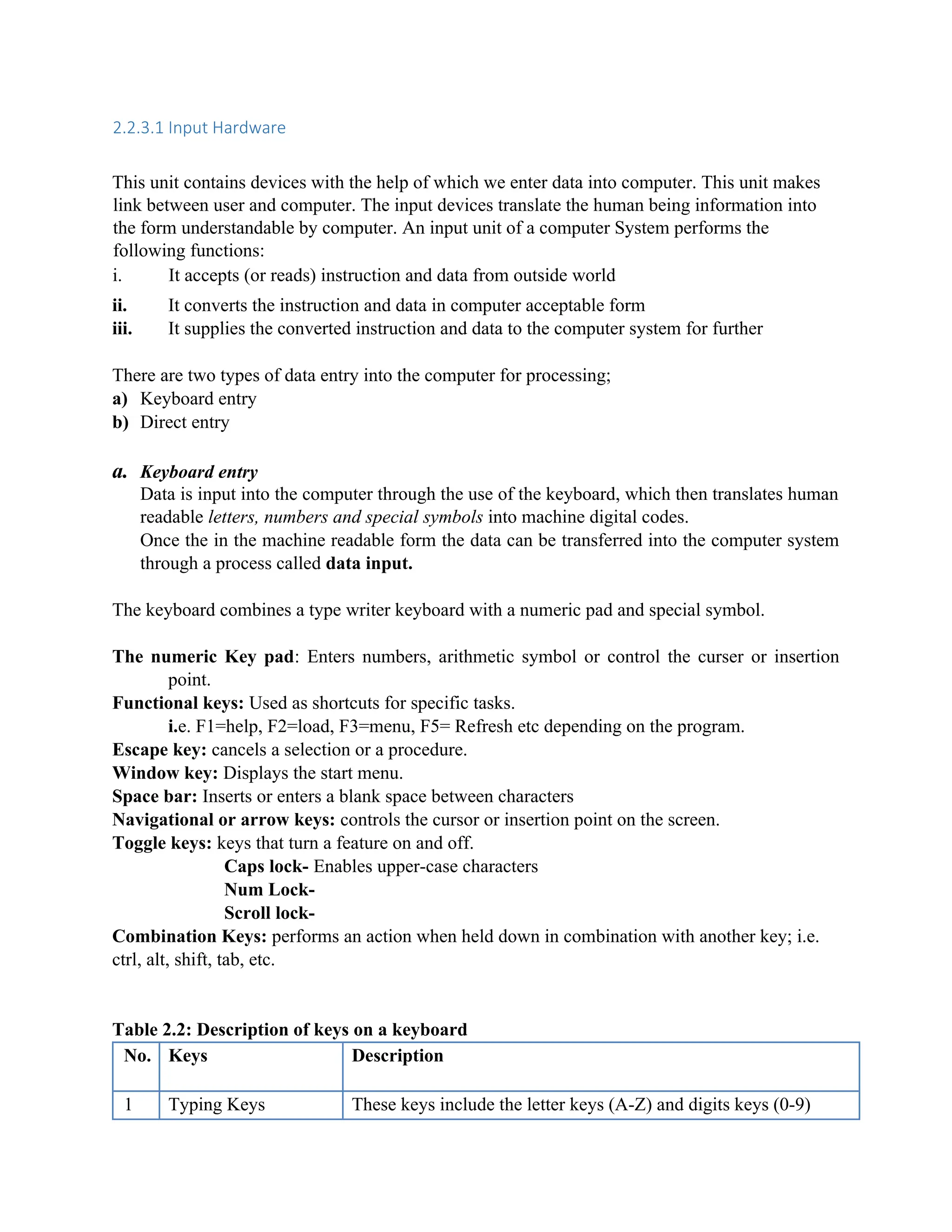
Figure 2.3 Keyboard
b. Direct entry
Machine readable data such as UPC (Universal Product Code) can be input directly into the
computer system without the use of the keyboard. These devices reduce human errors that
occur during keyboard entry.
The devices include:
i. Pointing devices
ii. Scanning devices
iii. Voice input devices
i. Pointing devices: they include Mouse, Touch screen, Light Pen, etc.
3.
Mouse
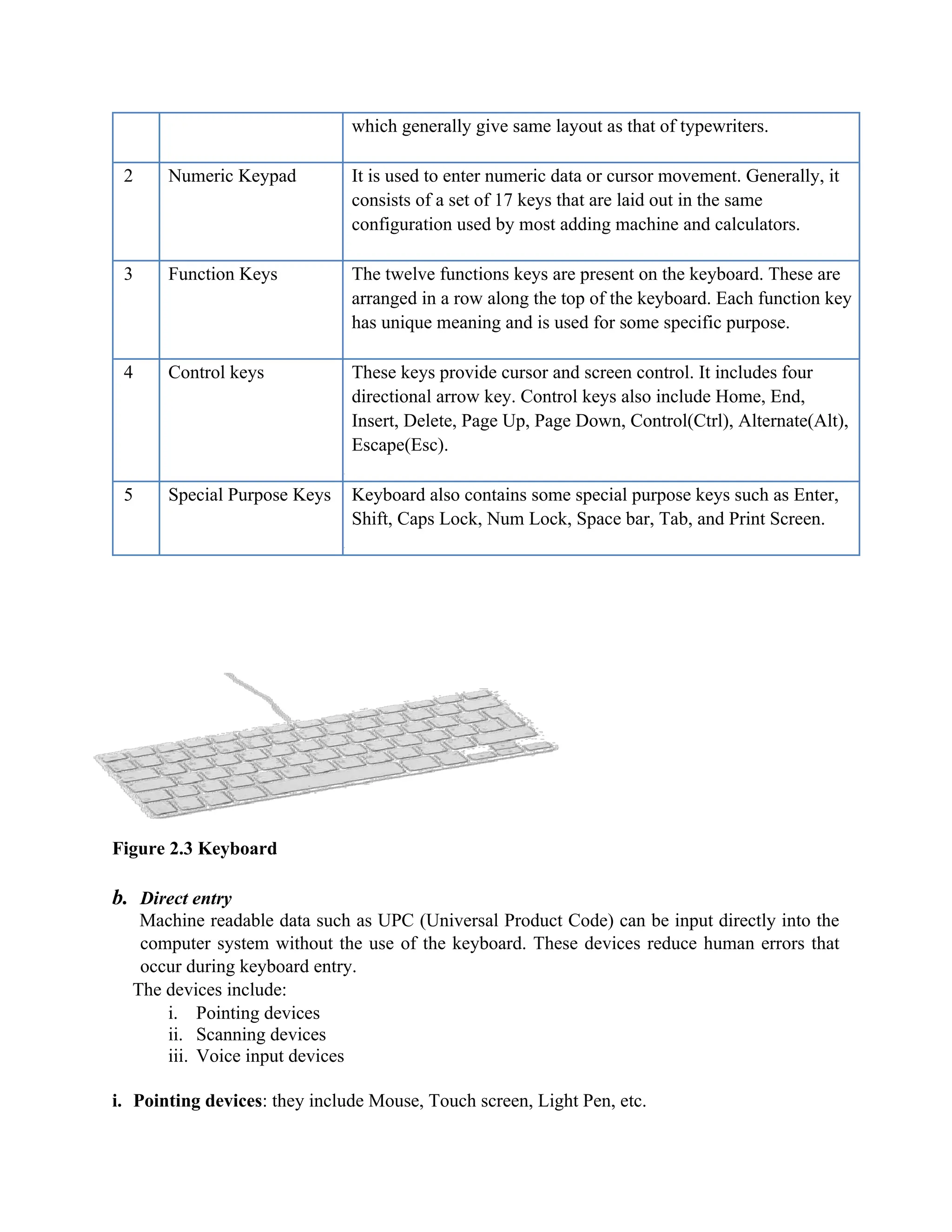
Mouse is mostpopular Pointing device. It is a very famous cursor-control device. It is a small
palm size box with a round ball at its base which senses the movement of mouse and sends
corresponding signals to CPU on pressing the buttons.
Generally, it has two buttons called left and right button and scroll bar is present at the mid.
Mouse can be used to control the position of cursor on screen, but it cannot be used to enter text
into the computer.
Advantages
Easy to use
Not very expensive
Moves the cursor faster than the arrow keys of keyboard.
Figure 2.4: Mouse
Joystick
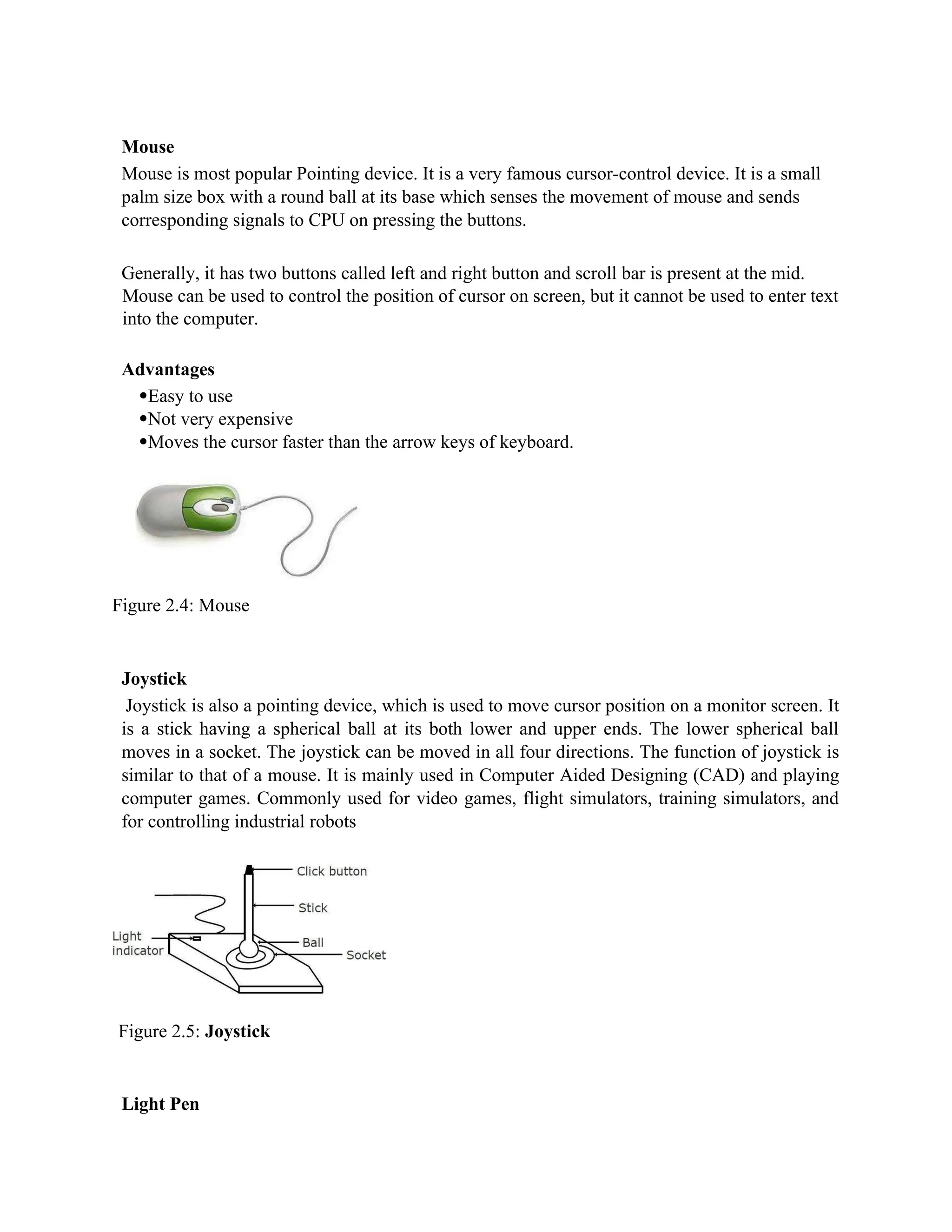
Joystick is also a pointing device, which is used to move cursor position on a monitor screen. It
is a stick having a spherical ball at its both lower and upper ends. The lower spherical ball
moves in a socket. The joystick can be moved in all four directions. The function of joystick is
similar to that of a mouse. It is mainly used in Computer Aided Designing (CAD) and playing
computer games. Commonly used for video games, flight simulators, training simulators, and
for controlling industrial robots
Figure 2.5: Joystick
Light Pen
4.
Light pen isa pointing device, which is similar to a pen. It is used to select a displayed menu
item or draw pictures on the monitor screen. It consists of a photocell and an optical system
placed in a small tube.
When light pen's tip is moved over the monitor screen and pen button is pressed, its photocell
sensing element, detects the screen location and sends the corresponding signal to the CPU.
Figure 2.6: Light Pen
Track Ball
Track ball is an input device that is mostly used in notebook or laptop computer, instead of a
mouse. This is a ball, which is half inserted and by moving fingers on ball, pointer can be
moved.
Since the whole device is not moved, a track ball requires less space than a mouse. A track ball
comes in various shapes like a ball, a button and a square.
Figure 2.7: Track ball
Scanning devices: They are used to input images and characters directly into the computer;
the scanner digitizes the data into machine readable form,
They include;
Scanner
Scanner is an input device, which works more like a photocopy machine. It is used when some
information is available on a paper and it is to be transferred to the hard disc of the computer
for further manipulation.
Scanner captures images from the source which are then converted into the digital form that can
be stored on the disc. These images can be edited before they are printed.
5.
Figure 2.8: Scanner
Digitizer
Digitizeris an input device, which converts analog information into a digital form. Digitizer can
convert a signal from the television camera into a series of numbers that could be stored in a
computer. They can be used by the computer to create a picture of whatever the camera had been
pointed at.
Digitizer is also known as Tablet or Graphics Tablet because it converts graphics and pictorial
data into binary inputs. A graphic tablet as digitizer is used for doing fine works of drawing and
images manipulation applications.
Figure 2.9: Digitizer
Microphone
Microphone is an input device to input sound that is then stored in digital form. The microphone
is used for various applications like adding sound to a multimedia presentation or for mixing
music.
6.
Figure 2.10: Microphone
MagneticInk Card Reader (MICR)
MICR input device is generally used in banks because of the large number of cheques to be
processed daily. The bank's code number and cheque number are printed on the cheques with a
special type of ink that contains particles of magnetic material that are machine readable.
This reading process is called Magnetic Ink Character Recognition (MICR). The main advantage
of MICR is that it is fast and less error prone.
Figure 2.11: Magnetic Ink Card Reader (MICR)
Figure 2.12: MICR Character Set
Optical Character Reader (OCR)
OCR is an input device used to read a printed text. OCR scans text optically character by character,
converts them into a machine readable code and stores the text on the system memory.
7.
Figure 2.13: OpticalCharacter Reader (OCR)
Bar Code Readers
Bar Code Reader is a device used for reading bar coded data (data in form of light and dark
lines). Bar coded data is generally used in labeling goods, numbering the books, etc. It may be a
hand-held scanner or may be embedded in a stationary scanner.
Bar Code Reader scans a bar code image, converts it into an alphanumeric value, which is then
fed to the computer to which bar code reader is connected.
Figure 2.14: Bar Code Reader
Optical Mark Reader (OMR)
OMR is a special type of optical scanner used to recognize the type of mark made by pen or
pencil. It is used where one out of a few alternatives is to be selected and marked. It is specially
used for checking the answer sheets of examinations having multiple choice questions.
Figure 2.15: Optical Mark Reader (OMR)
In summary: the various input devices can be classified as: keying devices, pointing devices,
stylus, voice-recognition devices, and scanning devices
8.
2.2.3.2 Processing Hardware
Thisunit controls the operations of all parts of computer. It does not carry out any actual data
processing operations.
Functions of this unit are:
It is responsible for controlling the transfer of data and instructions among other units of
a computer.
It manages and coordinates all the units of the computer.
It obtains the instructions from the memory, interprets them and directs the operation of
the computer.
It communicates with input/output devices for transfer of data or results from storage.
It does not process or store data.
CPU is considered as the brain of the computer. CPU performs all types of data processing
operations. It stores data, intermediate results and instructions (program). It controls the
operations of all parts of computer
CPU itself has the
following three components
ALU (Arithmetic Logic Unit)
Memory Unit
Control Unit
Figure 2.15: Processor
CPU is considered as the brain of the computer. CPU performs all types of data processing
operations. It stores data, intermediate result and instructions (program). It controls the
operations of all parts of computer.
2.2.3.3 Interconnecting the Units of a Computer
9.
CPU sends data,instructions and information to the components inside the computer as well as to the
peripherals and devices attached to it. Bus is a set of electronic signal pathways that allows information
and signals to travel between components inside or outside of a computer. The different components of
computer, i.e., CPU, I/O unit, and memory unit are connected with each other by a bus. The data,
instructions and the signals are carried between the different components via a bus. The features and
functionality of a bus are as follows:
i. A bus is a set of wires used for interconnection, where each wire can carry one bit of data.
ii. A bus width is defined by the number of wires in the bus.
iii. A computer bus can be divided into two types Internal Bus and External Bus.
The Internal Bus connects components inside the motherboard like, CPU and system memory. It is also
called the System Bus. Figure 2.16 shows interaction between processor and memory.
Figure 2.16: Interaction between processor and memory.
The External Bus connects the different external devices, peripherals, expansion slots, I/O ports and drive
connections to the rest of computer. The external bus allows various devices to be attached to the
computer. It allows for the expansion of computer’s capabilities. It is generally slower than the system
bus. It is also referred to as the Expansion Bus.
A system bus or expansion bus comprise of three kinds of buses - data bus, address bus and control bus.
The interaction of CPU with memory and I/O devices involves all the three buses.
The command to access the memory or the I/O device is carried by the control bus.
The address of I/O device or memory is carried by the address us.
The data to be transferred is carried by the data bus.
10.
2.2.3.4 Output hardware
Outputunit consists of devices with the help of which we get the information from computer.
This unit is a link between computer and users. Output devices translate the computer's output
into the form understandable by users. An output unit of a computer System performs the
following functions:
• It accepts the results produced by the computer, which are
in coded form and hence, cannot be easily understood by
human beings
• It converts theses coded results to human acceptable
(readable) form
• It supplies the converted results to outside world
There are two forms of output:
a) Hardcopy – tangible or touchable output usually in printed form
b) Softcopy output- intangible usually presented as visual or audio form
Following are few of the important output devices, which are used in Computer Systems:
Monitors
Graphic
Plotter
Printer
Softcopy output
Monitors
Monitor commonly called as Visual Display Unit (VDU) is the main output device of a computer. It
forms images from tiny dots, called pixels that are arranged in a rectangular form. The sharpness of the
image depends upon the number of the pixels.
There are two kinds of viewing screen used for monitors:
Cathode-Ray Tube (CRT)
Flat-Panel Display
a) Cathode-Ray Tube (CRT) Monitor
11.
In the CRT,display is made up of small picture elements called pixels for short. The smaller the pixels,
the better the image clarity or resolution. It takes more than one illuminated pixel to form whole
character, such as the letter 'e' in the word help.
A finite number of characters can be displayed on a screen at once. The screen can be divided into a series
of character boxes - fixed location on the screen where a standard character can be placed.
Most screens are capable of displaying 80 characters of data horizontally and 25 lines vertically. There are
some disadvantages of CRT:
Large in Size
High power consumption
Figure 2.17: Cathode-Ray Tube (CRT) Monitor
Flat-Panel Display Monitor
The flat-panel display refers to a class of video devices that have reduced volume, weight and power
requirement compared to the CRT. You can hang them on walls or wear them on your wrists. Current
uses for flat-panel displays include calculators, video games, monitors, laptop computer, graphics display.
The flat-panel display is divided into two categories:
Emissive Displays - The emissive displays are devices that convert electrical energy into light.
Examples are plasma panel and LED (Light-Emitting Diodes).
Non-Emissive Displays - The Non-emissive displays use optical effects to convert sunlight or light
from some other source into graphics patterns. Example is LCD (Liquid-Crystal Device)
12.
Figure 2.18: Flat-PanelDisplay Monitor
Hardcopy output devices
Printer
Printer is the most important output device, which is used to print information on paper.
There are two types of printers:
Impact Printer
Non-Impact Printers
a) Impact Printers
The printers that print the characters by striking against the ribbon and onto the paper, are called
impact printers.
Characteristics of Impact Printers are the following:
i. Very low consumable costs
ii. Impact printers are very noisy
iii. Useful for bulk printing due to low cost
iv. There is physical contact with the paper to produce an image
These printers are of two types:
Character printer
Line printers
i. Character Printers
Character Printers are printers, which print one character at a time.
These are of further two types:
o Dot Matrix Printer (DMP)
o Daisy Wheel
Dot Matrix Printer
In the market, one of the most popular printers is Dot Matrix Printer because of their ease of printing
features and economical price. Each character printed is in form of pattern of Dot's and head consists of a
Matrix of Pins of size (5*7, 7*9, 9*7 or 9*9) which comes out to form a character that is why it is called
Dot Matrix Printer.
Advantages
o Inexpensive
13.
o Widely Used
oOther language characters can be printed
Disadvantages
o Slow Speed
o Poor Quality
Figure 2.19: Dot-Matrix Printer
Daisy Wheel
Head is lying on a wheel and Pins corresponding to
characters are like petals of Daisy (flower name) that is
why it is called Daisy Wheel Printer. These printers are generally used for word-processing in offices
which require a few letters to be sent here and there with very nice quality representation.
Advantages
o More reliable than DMP's
o Better quality
o The fonts of character can be easily changed.
Disadvantages
o Slower than DMP's
o Noisy
o More expensive than DMP's
Figure 2.20: Daisy Wheel
ii. Line Printers
Line printers are printers, which print one
line at a time.
14.
Figure 2.21: LinePrinter
These are of further two types:
o Drum Printer
o Chain Printer
Drum Printer
This printer is like a drum in shape so it called drum printer. The surface of drum is divided into number
of tracks. Total tracks are equal to size of paper, i.e., for a paper width of 132 characters, Drum will have
132 tracks. A character set is embossed on track. The different character sets available in market are 48
character set, 64 and 96 characters set. One rotation of drum prints one line. Drum Printers are fast in
speed and prints between 300 to 2000 lines per minute.
Advantages
Very high speed
Disadvantages
o Very expensive
o Characters fonts cannot be changed
Chain Printer
In this printer, chains of character sets are used so it called Chain Printers. A standard character
set may have 48, 64, 96 characters.
Advantages
o Character fonts can easily be changed.
o Different languages can be used with the same printer.
Disadvantages
o Noisy
15.
o Do nothave the ability to print any shape of characters.
b) Non-impact Printers
The printers that print the characters without striking against the ribbon and onto the paper are
called Non-impact Printers. These printers print a complete page at a time, also called as Page
Printers.
These printers are of two types:
o Laser Printers
o Inkjet Printers
Characteristics of Non-impact Printers:
o Faster than impact printers.
o They are not noisy.
o High quality.
o Support many fonts and different character size.
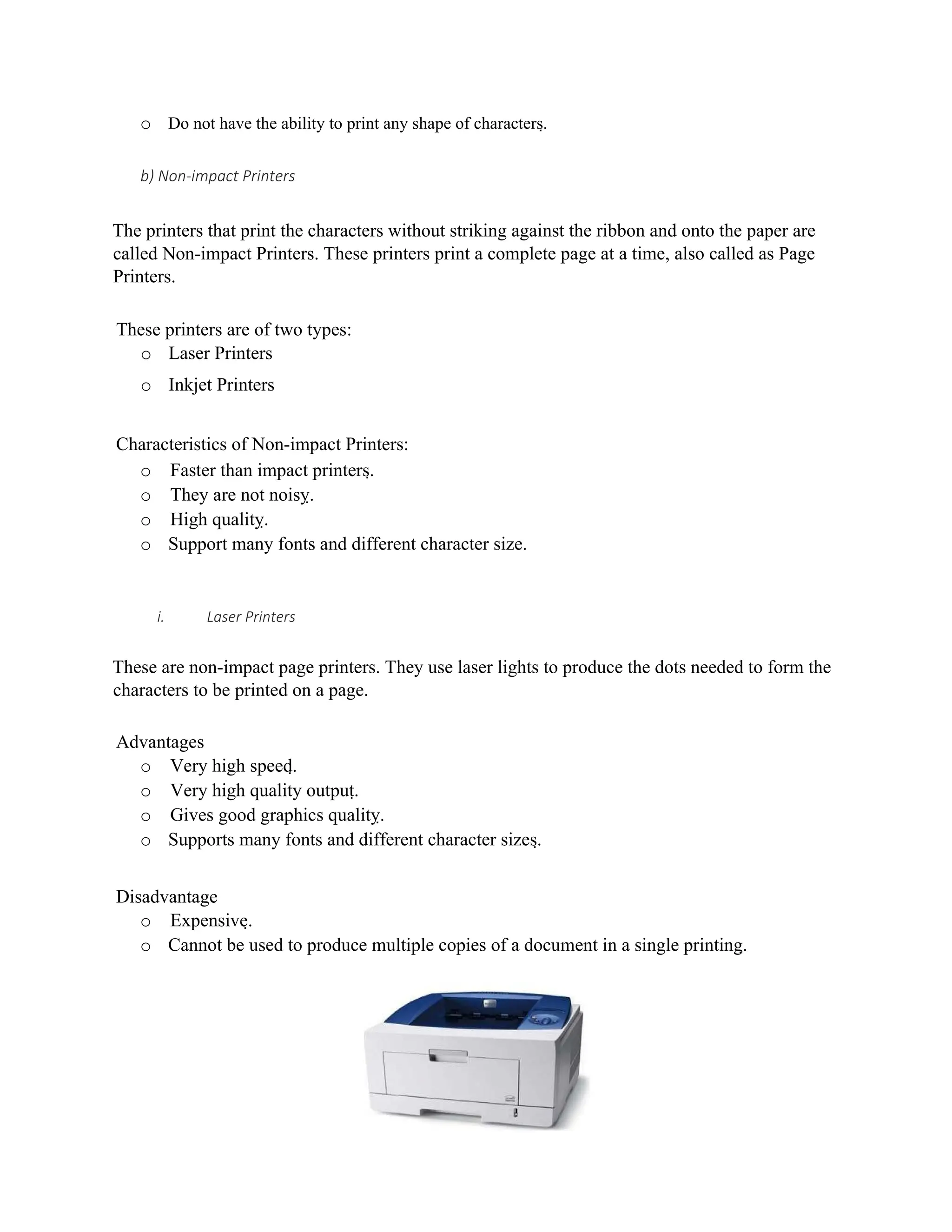
i. Laser Printers
These are non-impact page printers. They use laser lights to produce the dots needed to form the
characters to be printed on a page.
Advantages
o Very high speed.
o Very high quality output.
o Gives good graphics quality.
o Supports many fonts and different character sizes.
Disadvantage
o Expensive.
o Cannot be used to produce multiple copies of a document in a single printing.
16.
Figure 2.22: LaserJet Printer
ii. Inkjet Printers
Inkjet printers are non-impact character printers based on a relatively new technology. They print
characters by spraying small drops of ink onto paper. Inkjet printers produce high quality output
with presentable features.
They make less noise because no hammering is done and these have many styles of printing
modes available. Color printing is also possible. Some models of Inkjet printers can produce
multiple copies of printing also.
Advantages
o High quality printing
o More reliable
Disadvantages
o Expensive as cost per page is high
o Slow as compared to laser printer
Figure 2.23: Ink Jet Printer