WWW
                       Journey through the Internet
Infrastructure


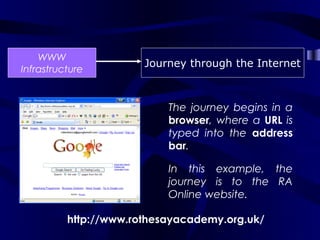
                           The journey begins in a
                           browser, where a URL is
                           typed into the address
                           bar.

                           In this example, the
                           journey is to the RA
                           Online website.

          http://www.rothesayacademy.org.uk/
WWW
                 Journey through the Internet
Infrastructure


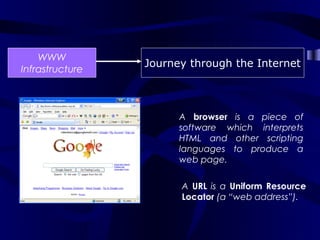
                       A browser is a piece of
                       software which interprets
                       HTML and other scripting
                       languages to produce a
                       web page.


                       A URL is a Uniform Resource
                       Locator (a “web address”).
WWW
                 Journey through the Internet
Infrastructure

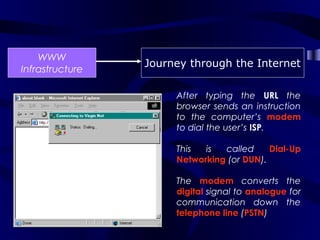
                      After typing the URL the
                      browser sends an instruction
                      to the computer’s modem
                      to dial the user’s ISP.

                      This  is  called     Dial-Up
                      Networking (or DUN).

                      The modem converts the
                      digital signal to analogue for
                      communication down the
                      telephone line (PSTN)
WWW
                 Journey through the Internet
Infrastructure

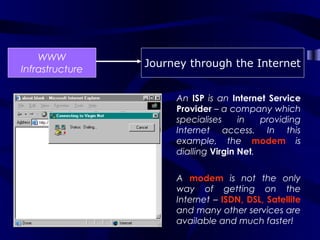
                      An ISP is an Internet Service
                      Provider – a company which
                      specialises     in   providing
                      Internet access. In this
                      example, the modem is
                      dialling Virgin Net.


                      A modem is not the only
                      way of getting on the
                      Internet – ISDN, DSL, Satellite
                      and many other services are
                      available and much faster!
WWW
                 Journey through the Internet
Infrastructure


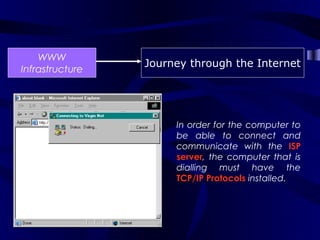
                      In order for the computer to
                      be able to connect and
                      communicate with the ISP
                      server, the computer that is
                      dialling must have the
                      TCP/IP Protocols installed.
WWW
                 Journey through the Internet
Infrastructure


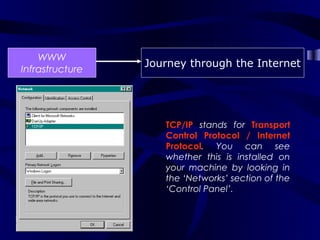
                    TCP/IP stands for Transport
                    Control Protocol / Internet
                    Protocol. You can see
                    whether this is installed on
                    your machine by looking in
                    the ‘Networks’ section of the
                    ‘Control Panel’.
WWW
                 Journey through the Internet
Infrastructure


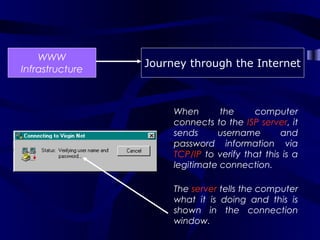
                      When       the     computer
                      connects to the ISP server, it
                      sends     username        and
                      password information via
                      TCP/IP to verify that this is a
                      legitimate connection.

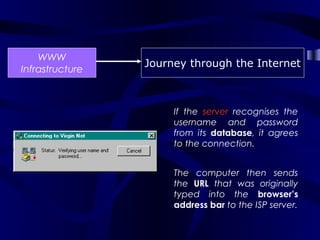
                      The server tells the computer
                      what it is doing and this is
                      shown in the connection
                      window.
WWW
                 Journey through the Internet
Infrastructure


                      If the server recognises the
                      username and password
                      from its database, it agrees
                      to the connection.


                      The computer then sends
                      the URL that was originally
                      typed into the browser’s
                      address bar to the ISP server.
WWW
                 Journey through the Internet
Infrastructure


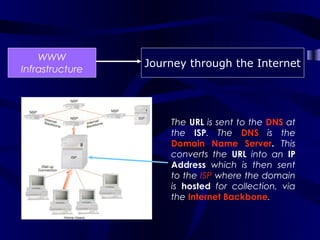
                     The URL is sent to the DNS at
                     the ISP. The DNS is the
                     Domain Name Server. This
                     converts the URL into an IP
                     Address which is then sent
                     to the ISP where the domain
                     is hosted for collection, via
                     the Internet Backbone.
WWW
                 Journey through the Internet
Infrastructure


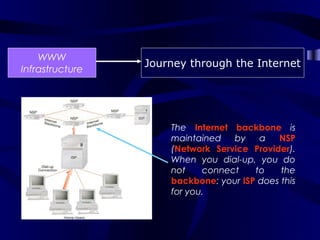
                     The Internet backbone is
                     maintained   by    a   NSP
                     (Network Service Provider).
                     When you dial-up, you do
                     not    connect    to    the
                     backbone: your ISP does this
                     for you.
WWW
                          Journey through the Internet
Infrastructure


Domain Names and IP Addresses:

Fully Qualified Domain Names (FQDNs) - such as
www.rothesayacademy.org.uk are used to help Internet users.
This is because the Internet uses IP Addresses, not domain
names to find web sites and IP Addresses are strings of
numbers, which are difficult to understand.
The DNS (Domain Name Server) knows the IP Addresses of all
registered web sites. It converts the domain names into IP
Addresses and uses this to request a web page from that IP
Address.
WWW
                             Journey through the Internet
Infrastructure


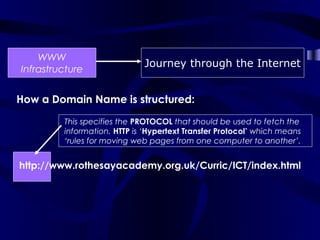
How a Domain Name is structured:

         This specifies the PROTOCOL that should be used to fetch the
         information. HTTP is ‘Hypertext Transfer Protocol’ which means
         ‘rules for moving web pages from one computer to another’.


http://www.rothesayacademy.org.uk/Curric/ICT/index.html
WWW
                              Journey through the Internet
Infrastructure


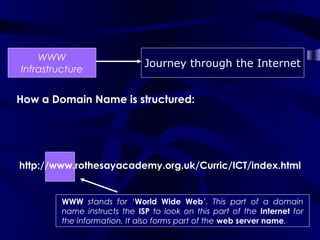
How a Domain Name is structured:


http://www.rothesayacademy.org.uk/Curric/ICT/index.html


         WWW stands for ‘World Wide Web’. This part of a domain
         name instructs the ISP to look on this part of the Internet for
         the information. It also forms part of the web server name.
WWW
                            Journey through the Internet
Infrastructure


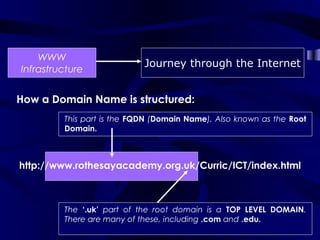
How a Domain Name is structured:
         This part is the FQDN (Domain Name). Also known as the Root
         Domain.


http://www.rothesayacademy.org.uk/Curric/ICT/index.html


         The ‘.uk’ part of the root domain is a TOP LEVEL DOMAIN.
         There are many of these, including .com and .edu.
WWW
                                   Journey through the Internet
 Infrastructure


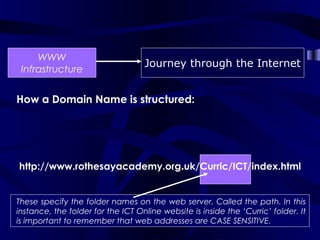
How a Domain Name is structured:


http://www.rothesayacademy.org.uk/Curric/ICT/index.html


These specify the folder names on the web server. Called the path. In this
instance, the folder for the ICT Online website is inside the ‘Curric’ folder. It
is important to remember that web addresses are CASE SENSITIVE.
WWW
                              Journey through the Internet
 Infrastructure


How a Domain Name is structured:

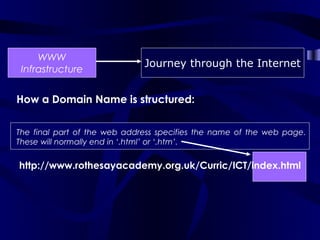
The final part of the web address specifies the name of the web page.
These will normally end in ‘.html’ or ‘.htm’.


http://www.rothesayacademy.org.uk/Curric/ICT/index.html
WWW
                           Journey through the Internet
Infrastructure


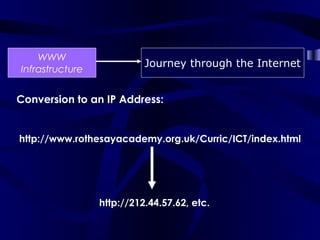
Conversion to an IP Address:


http://www.rothesayacademy.org.uk/Curric/ICT/index.html


                 http://212.44.57.62, etc.
WWW
                 Journey through the Internet
Infrastructure


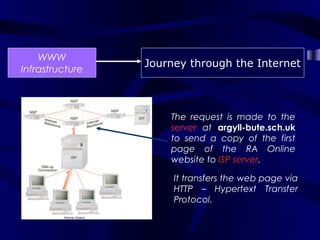
                     The request is made to the
                     server at argyll-bute.sch.uk
                     to send a copy of the first
                     page of the RA Online
                     website to ISP server.

                      It transfers the web page via
                      HTTP – Hypertext Transfer
                      Protocol.
WWW
                 Journey through the Internet
Infrastructure


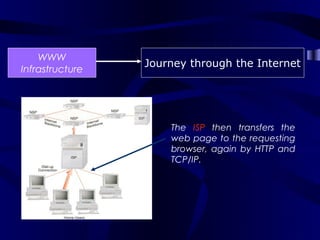
                     The ISP then transfers the
                     web page to the requesting
                     browser, again by HTTP and
                     TCP/IP.
WWW
                 Journey through the Internet
Infrastructure


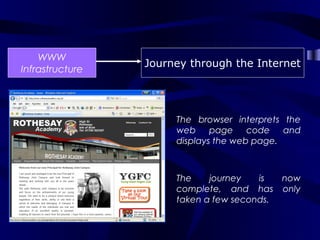
                      The browser interprets the
                      web     page    code   and
                      displays the web page.


                      The    journey   is  now
                      complete, and has only
                      taken a few seconds.

Wan internet

  • 2.
    WWW Journey through the Internet Infrastructure The journey begins in a browser, where a URL is typed into the address bar. In this example, the journey is to the RA Online website. http://www.rothesayacademy.org.uk/
  • 3.
    WWW Journey through the Internet Infrastructure A browser is a piece of software which interprets HTML and other scripting languages to produce a web page. A URL is a Uniform Resource Locator (a “web address”).
  • 4.
    WWW Journey through the Internet Infrastructure After typing the URL the browser sends an instruction to the computer’s modem to dial the user’s ISP. This is called Dial-Up Networking (or DUN). The modem converts the digital signal to analogue for communication down the telephone line (PSTN)
  • 5.
    WWW Journey through the Internet Infrastructure An ISP is an Internet Service Provider – a company which specialises in providing Internet access. In this example, the modem is dialling Virgin Net. A modem is not the only way of getting on the Internet – ISDN, DSL, Satellite and many other services are available and much faster!
  • 6.
    WWW Journey through the Internet Infrastructure In order for the computer to be able to connect and communicate with the ISP server, the computer that is dialling must have the TCP/IP Protocols installed.
  • 7.
    WWW Journey through the Internet Infrastructure TCP/IP stands for Transport Control Protocol / Internet Protocol. You can see whether this is installed on your machine by looking in the ‘Networks’ section of the ‘Control Panel’.
  • 8.
    WWW Journey through the Internet Infrastructure When the computer connects to the ISP server, it sends username and password information via TCP/IP to verify that this is a legitimate connection. The server tells the computer what it is doing and this is shown in the connection window.
  • 9.
    WWW Journey through the Internet Infrastructure If the server recognises the username and password from its database, it agrees to the connection. The computer then sends the URL that was originally typed into the browser’s address bar to the ISP server.
  • 10.
    WWW Journey through the Internet Infrastructure The URL is sent to the DNS at the ISP. The DNS is the Domain Name Server. This converts the URL into an IP Address which is then sent to the ISP where the domain is hosted for collection, via the Internet Backbone.
  • 11.
    WWW Journey through the Internet Infrastructure The Internet backbone is maintained by a NSP (Network Service Provider). When you dial-up, you do not connect to the backbone: your ISP does this for you.
  • 12.
    WWW Journey through the Internet Infrastructure Domain Names and IP Addresses: Fully Qualified Domain Names (FQDNs) - such as www.rothesayacademy.org.uk are used to help Internet users. This is because the Internet uses IP Addresses, not domain names to find web sites and IP Addresses are strings of numbers, which are difficult to understand. The DNS (Domain Name Server) knows the IP Addresses of all registered web sites. It converts the domain names into IP Addresses and uses this to request a web page from that IP Address.
  • 13.
    WWW Journey through the Internet Infrastructure How a Domain Name is structured: This specifies the PROTOCOL that should be used to fetch the information. HTTP is ‘Hypertext Transfer Protocol’ which means ‘rules for moving web pages from one computer to another’. http://www.rothesayacademy.org.uk/Curric/ICT/index.html
  • 14.
    WWW Journey through the Internet Infrastructure How a Domain Name is structured: http://www.rothesayacademy.org.uk/Curric/ICT/index.html WWW stands for ‘World Wide Web’. This part of a domain name instructs the ISP to look on this part of the Internet for the information. It also forms part of the web server name.
  • 15.
    WWW Journey through the Internet Infrastructure How a Domain Name is structured: This part is the FQDN (Domain Name). Also known as the Root Domain. http://www.rothesayacademy.org.uk/Curric/ICT/index.html The ‘.uk’ part of the root domain is a TOP LEVEL DOMAIN. There are many of these, including .com and .edu.
  • 16.
    WWW Journey through the Internet Infrastructure How a Domain Name is structured: http://www.rothesayacademy.org.uk/Curric/ICT/index.html These specify the folder names on the web server. Called the path. In this instance, the folder for the ICT Online website is inside the ‘Curric’ folder. It is important to remember that web addresses are CASE SENSITIVE.
  • 17.
    WWW Journey through the Internet Infrastructure How a Domain Name is structured: The final part of the web address specifies the name of the web page. These will normally end in ‘.html’ or ‘.htm’. http://www.rothesayacademy.org.uk/Curric/ICT/index.html
  • 18.
    WWW Journey through the Internet Infrastructure Conversion to an IP Address: http://www.rothesayacademy.org.uk/Curric/ICT/index.html http://212.44.57.62, etc.
  • 19.
    WWW Journey through the Internet Infrastructure The request is made to the server at argyll-bute.sch.uk to send a copy of the first page of the RA Online website to ISP server. It transfers the web page via HTTP – Hypertext Transfer Protocol.
  • 20.
    WWW Journey through the Internet Infrastructure The ISP then transfers the web page to the requesting browser, again by HTTP and TCP/IP.
  • 21.
    WWW Journey through the Internet Infrastructure The browser interprets the web page code and displays the web page. The journey is now complete, and has only taken a few seconds.