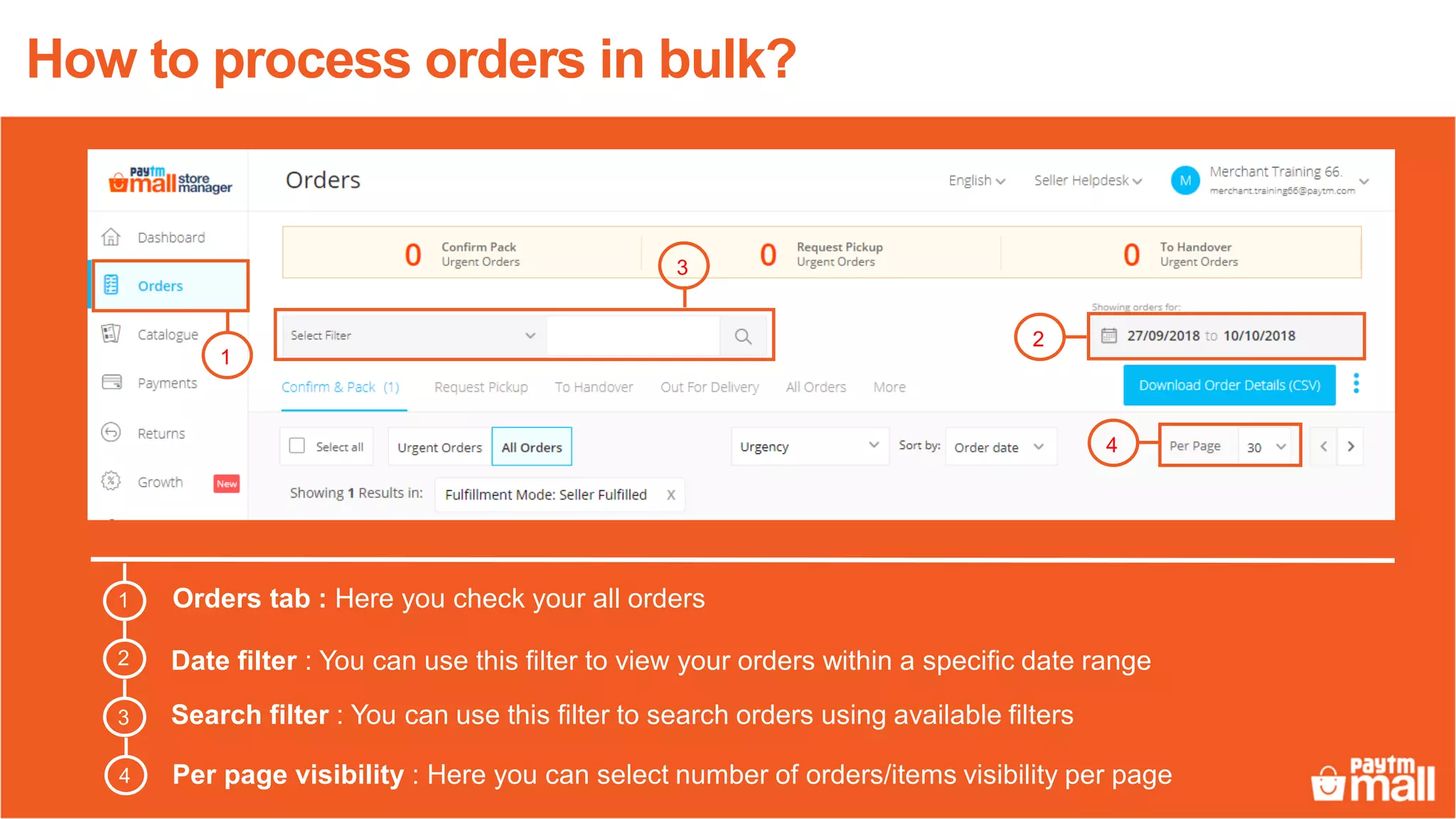
This document provides instructions for processing orders in bulk on the Orders tab of an online marketplace:
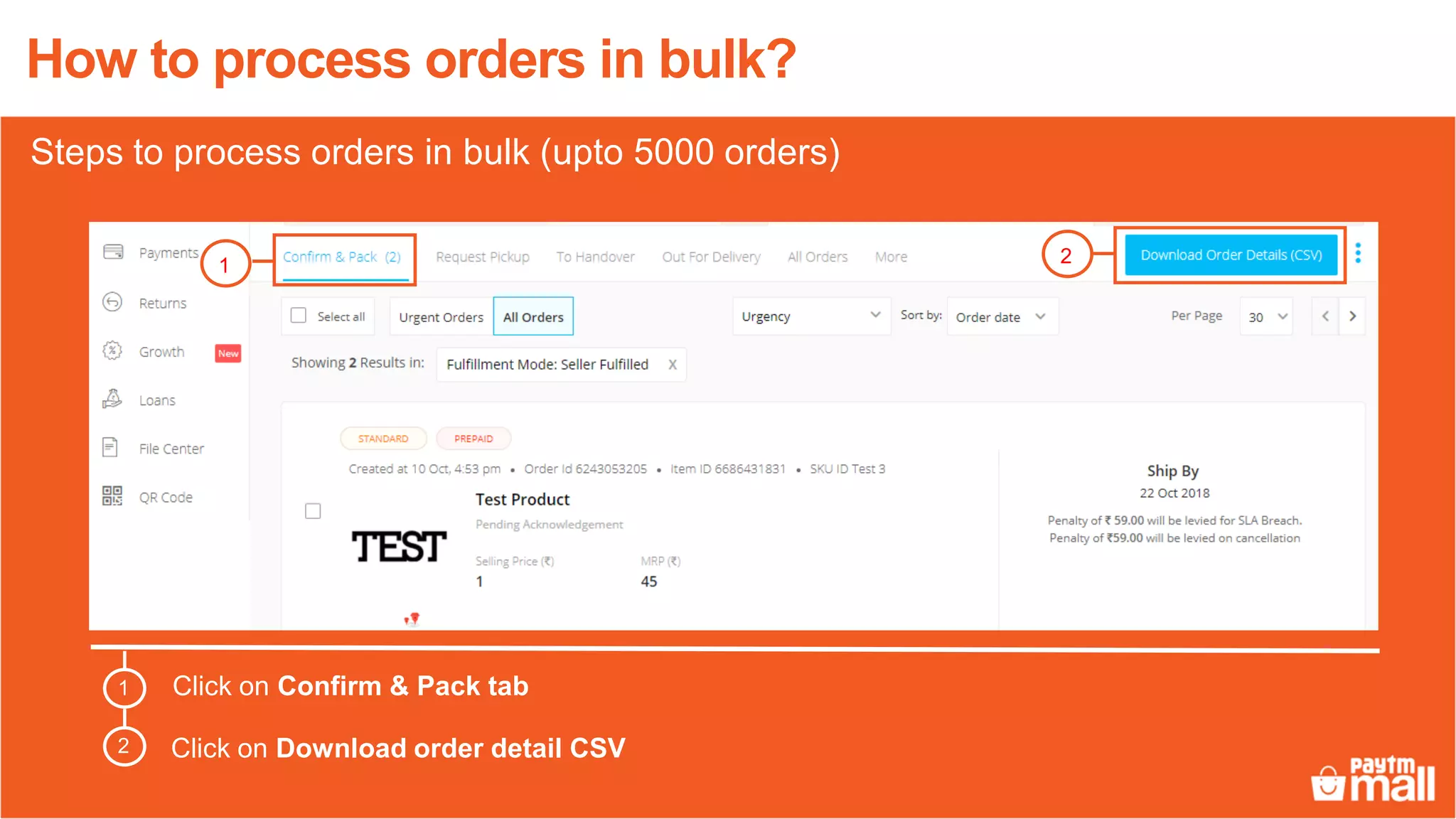
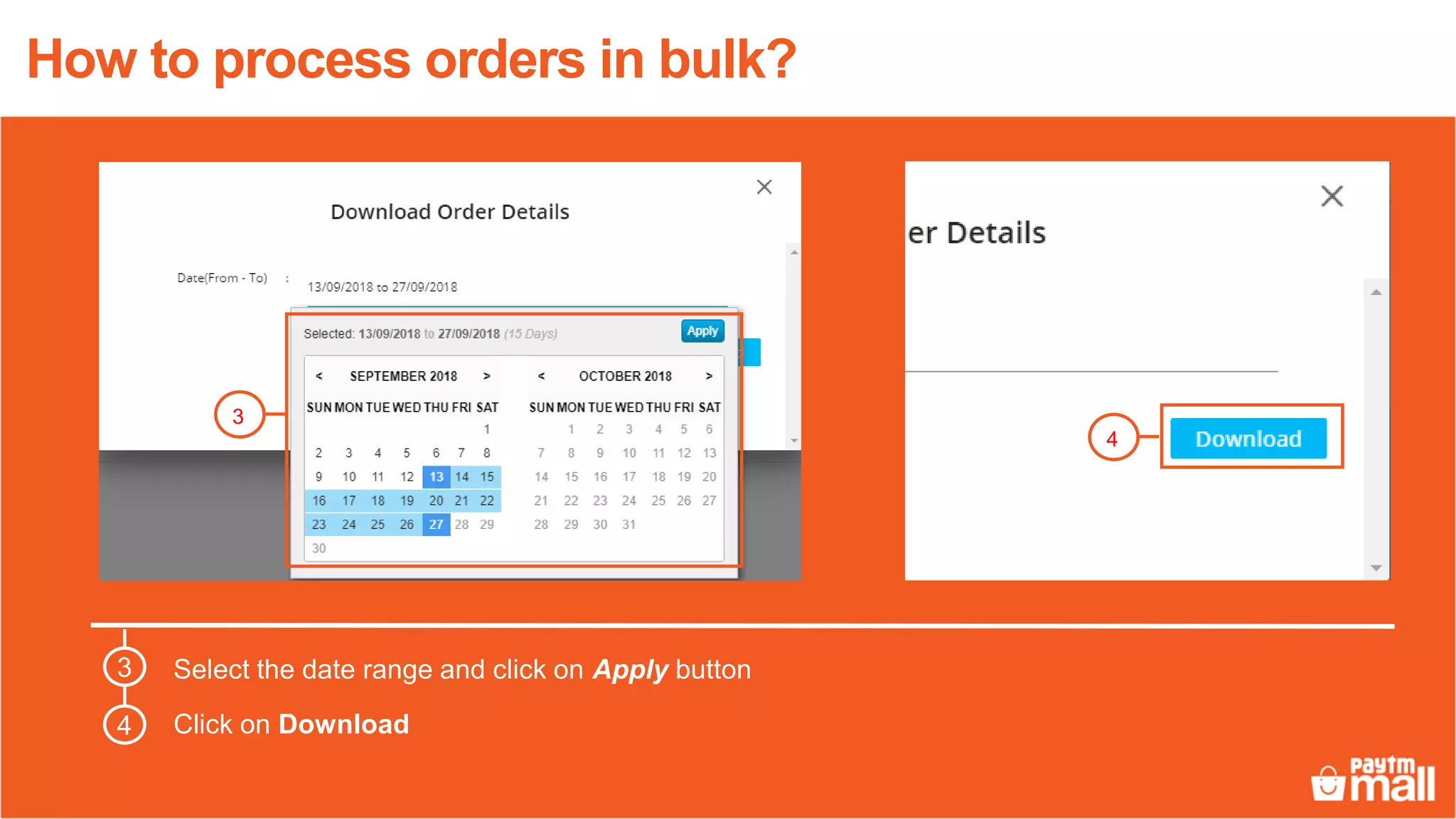
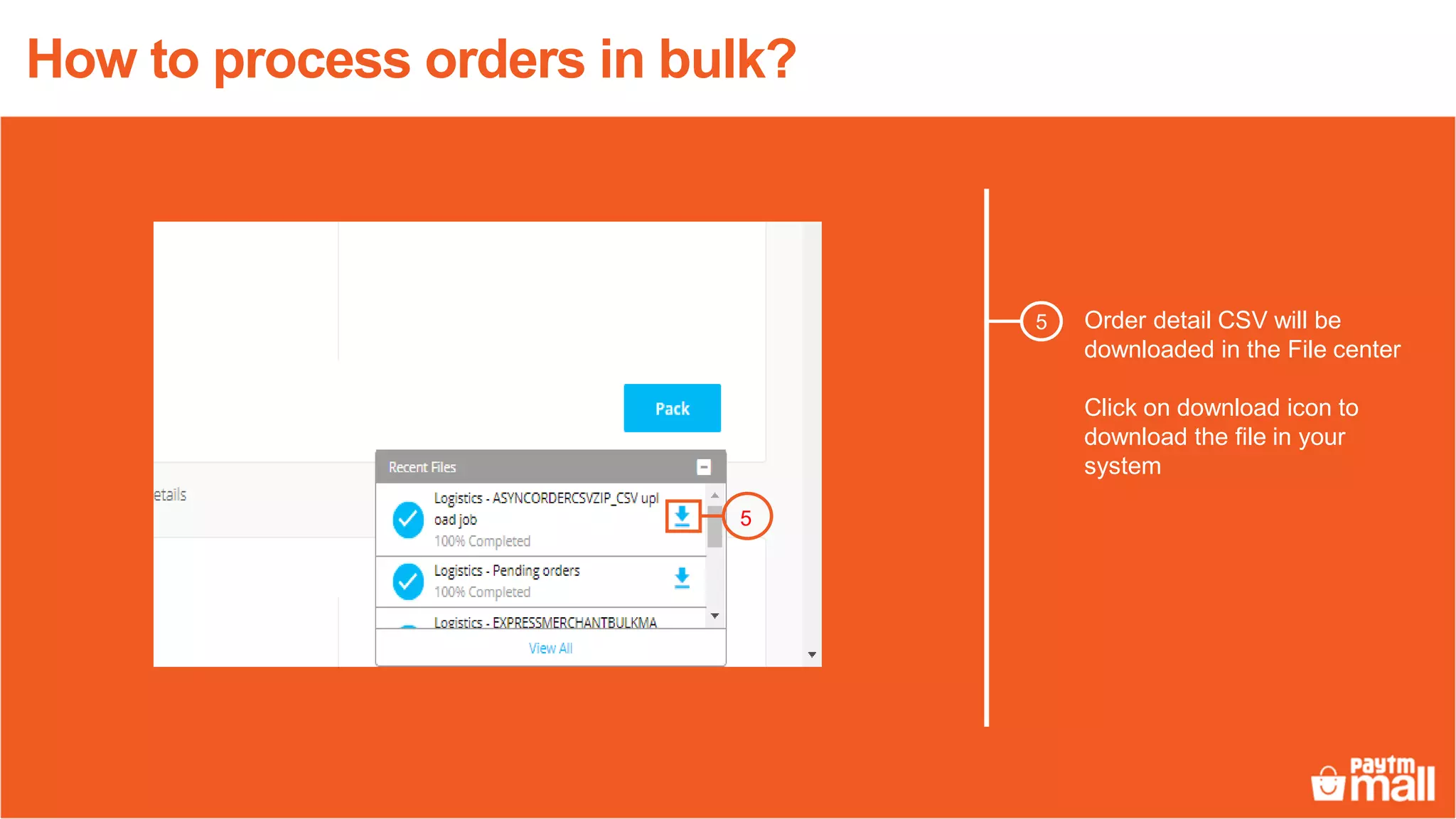
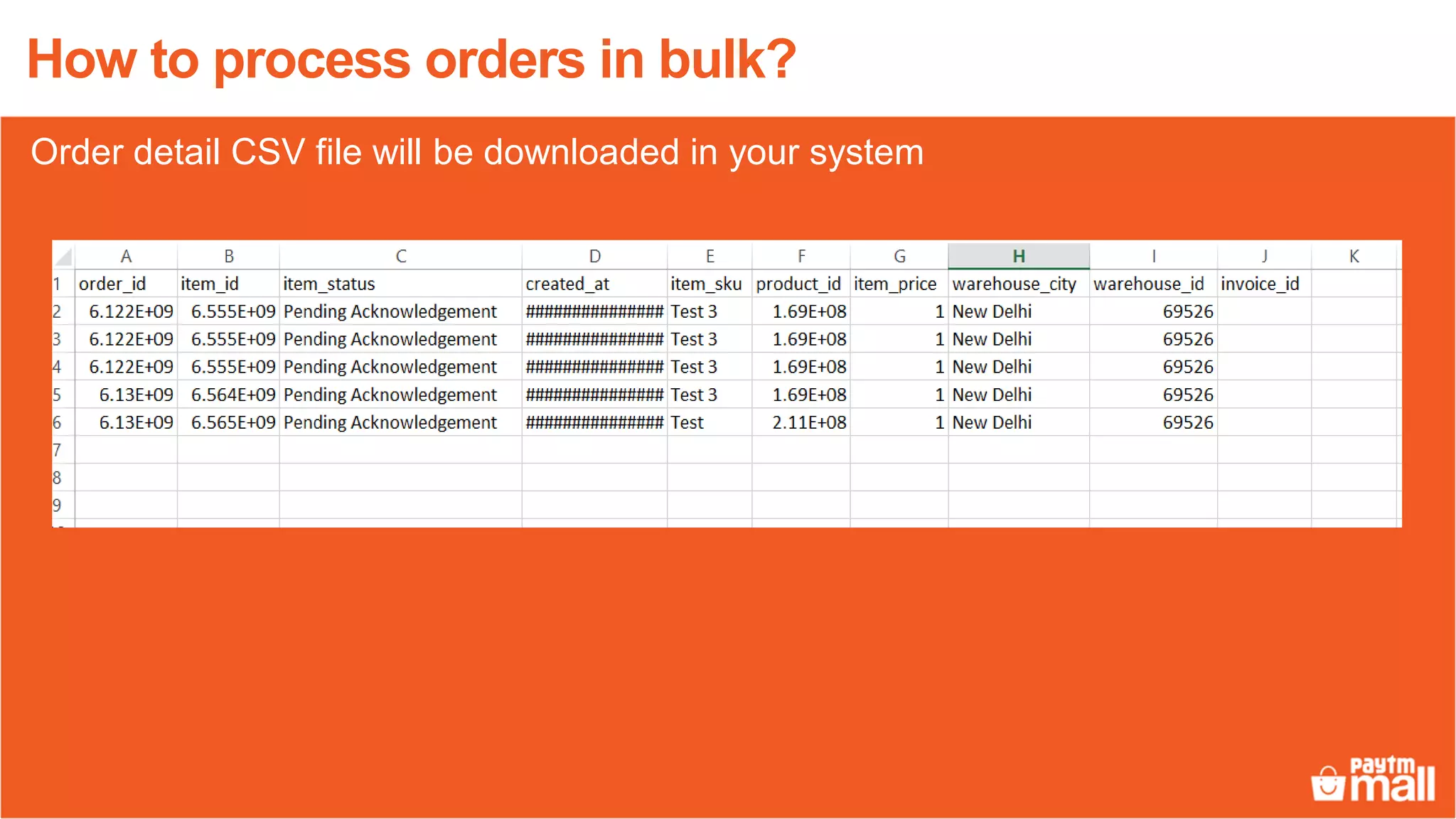
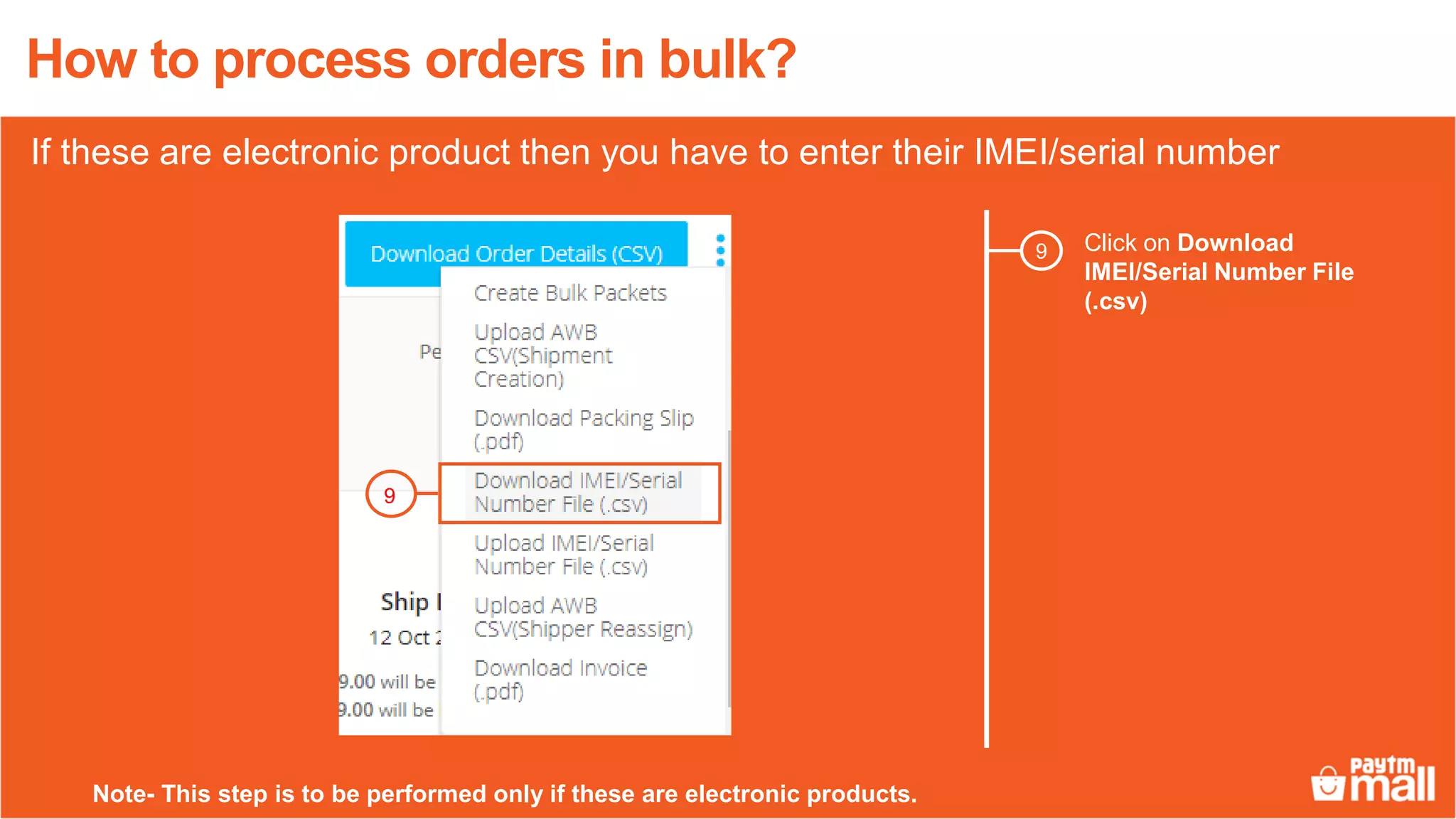
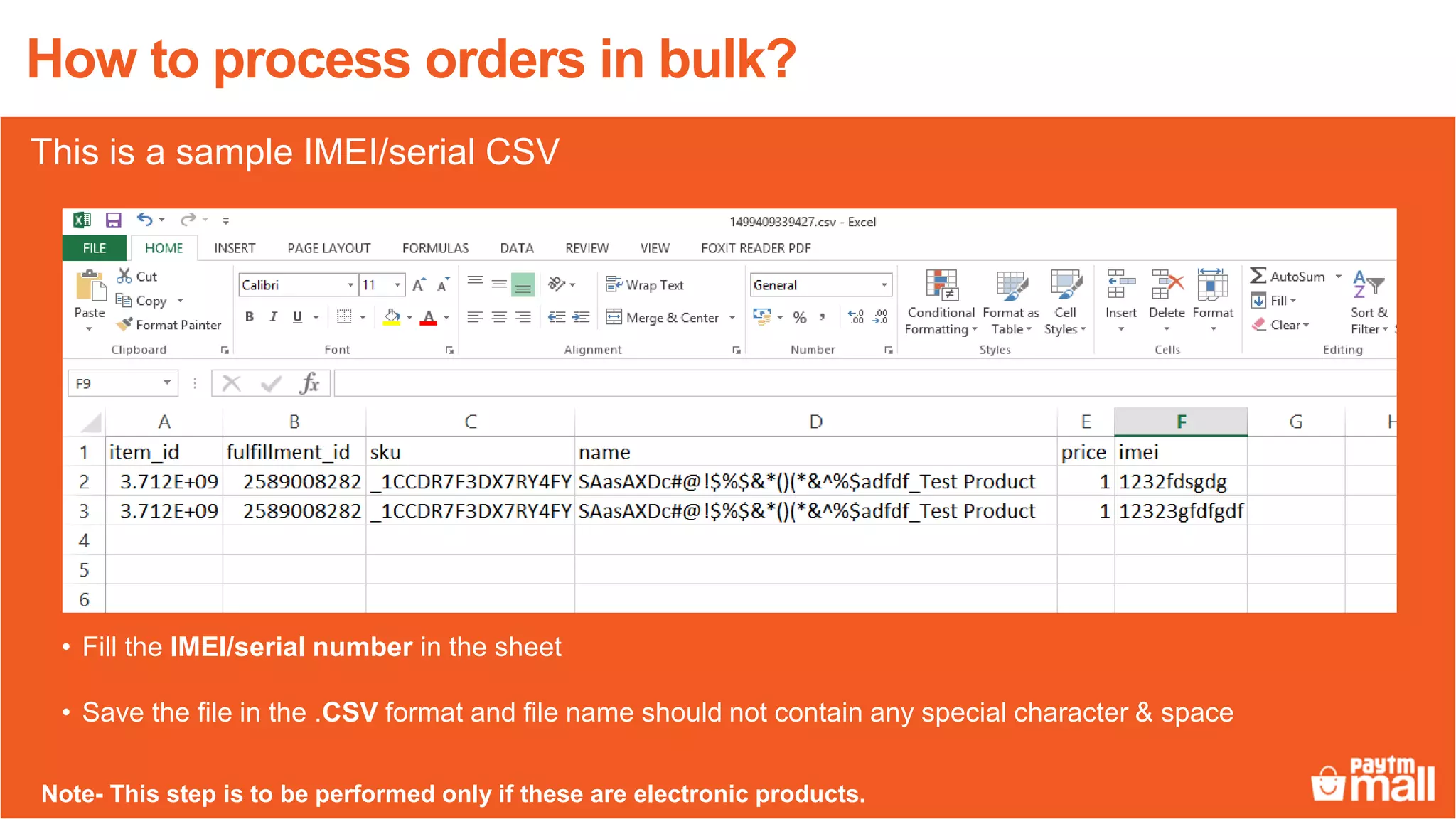
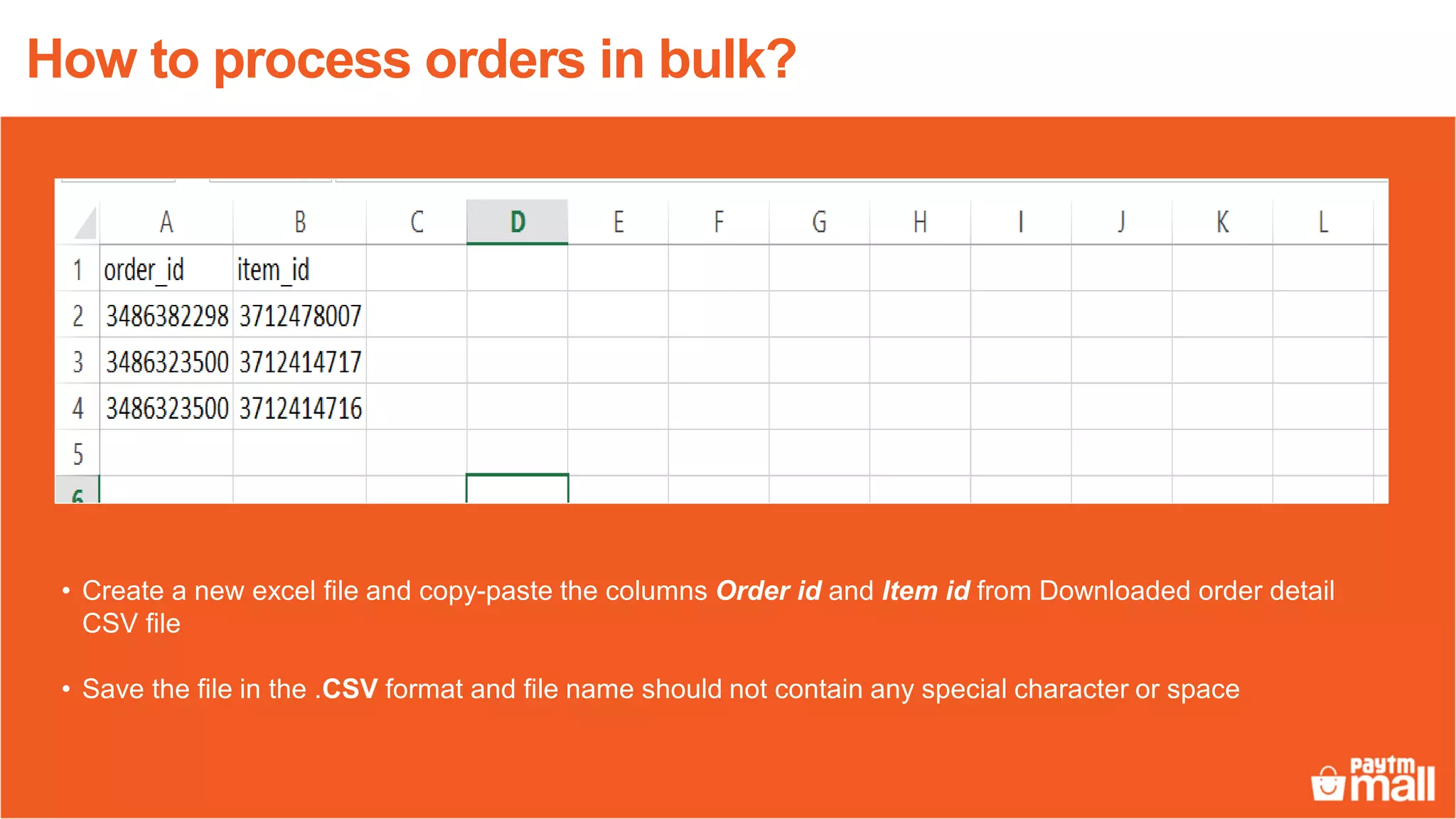
1. Download order detail CSV files containing order IDs and item IDs within a specified date range. For electronic products, also download and fill out a CSV with IMEI/serial numbers.
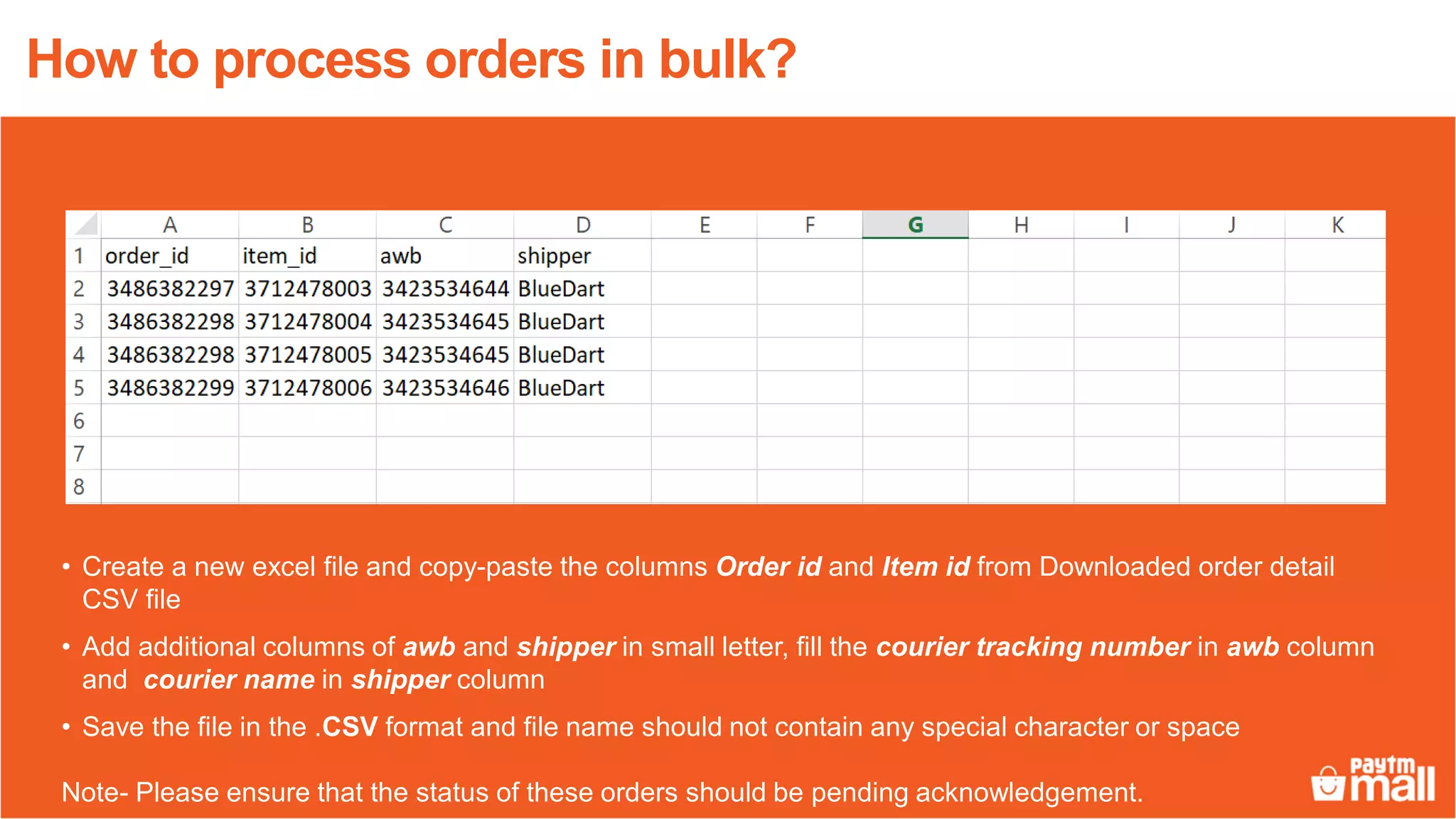
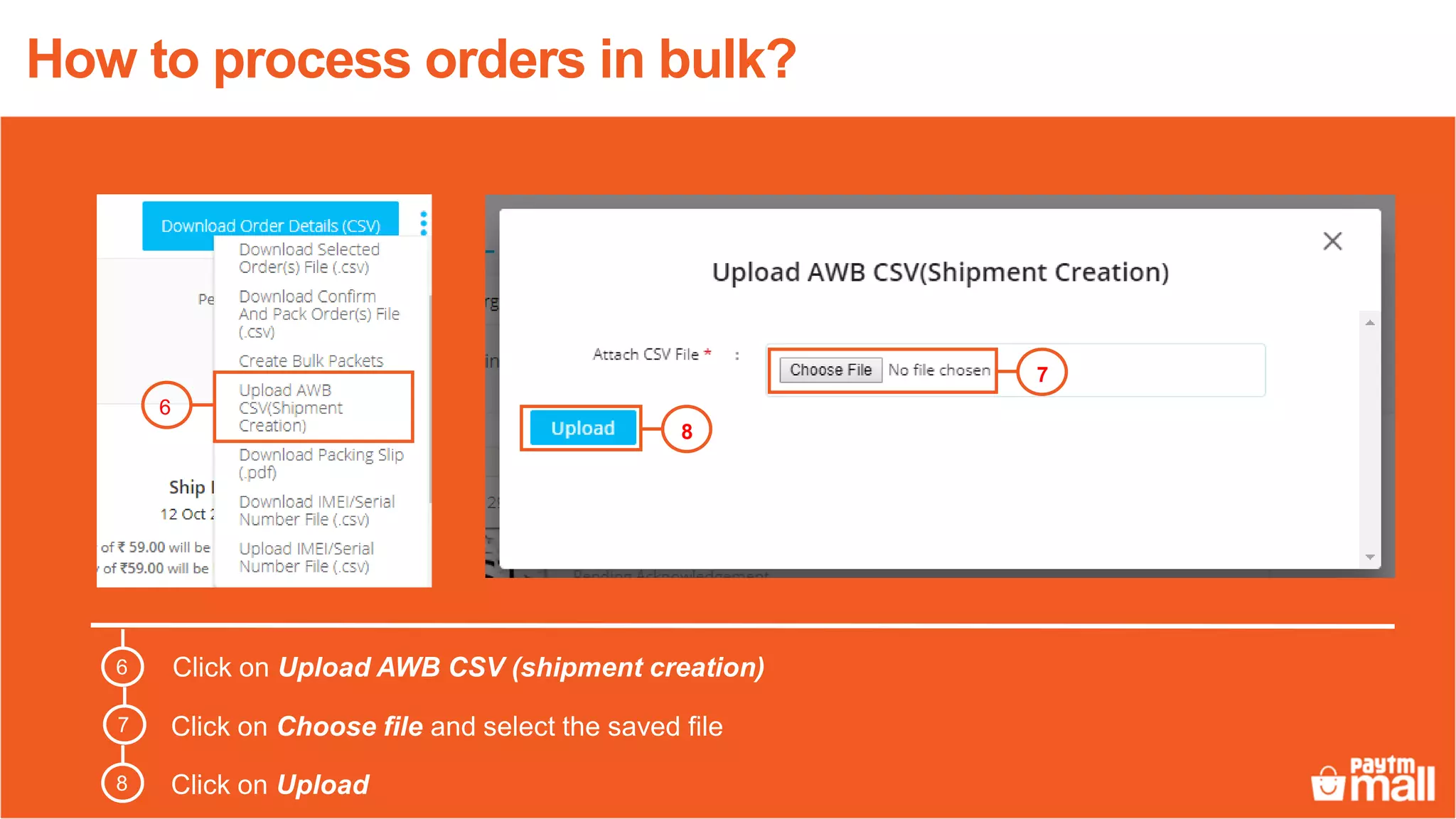
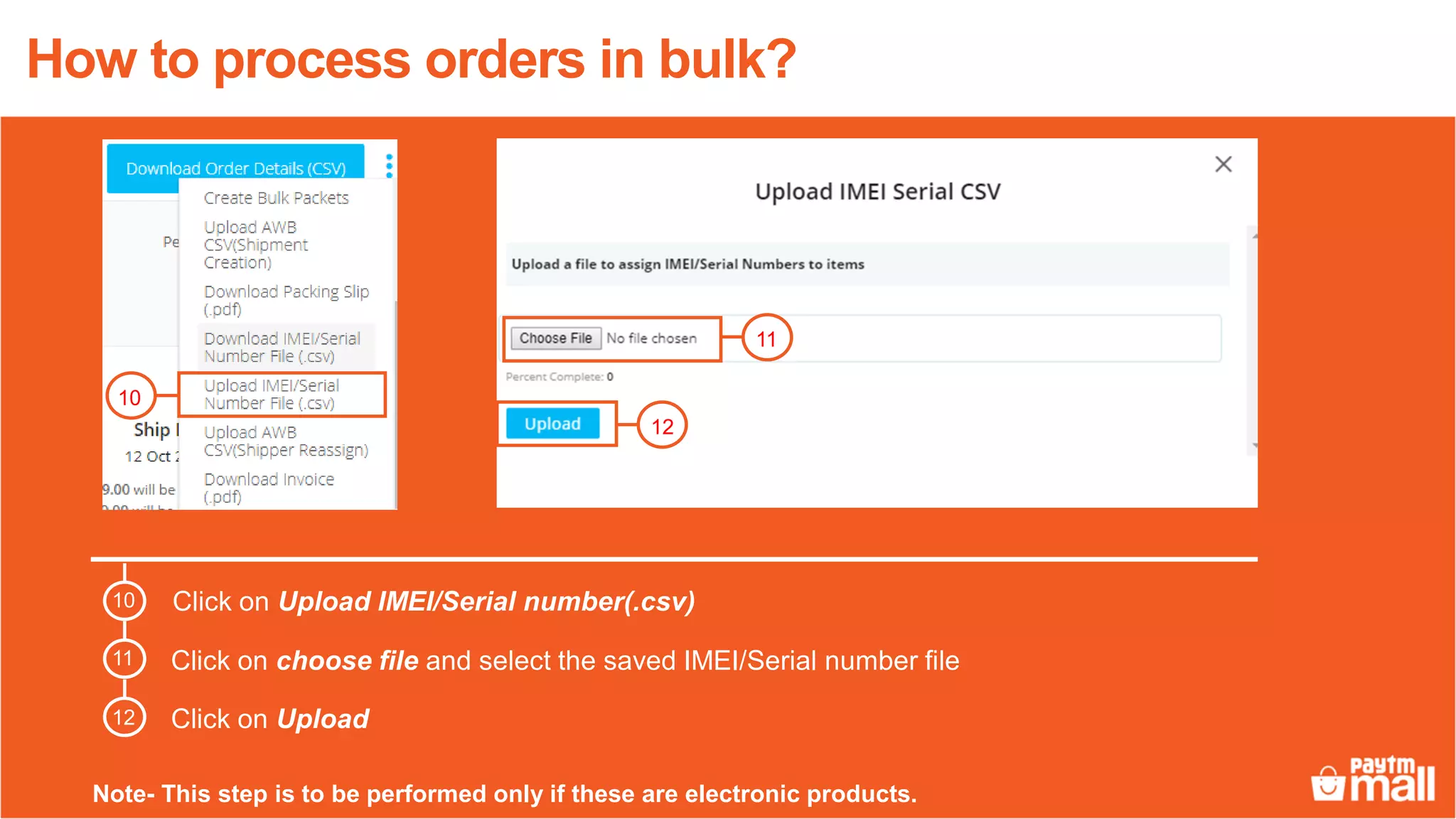
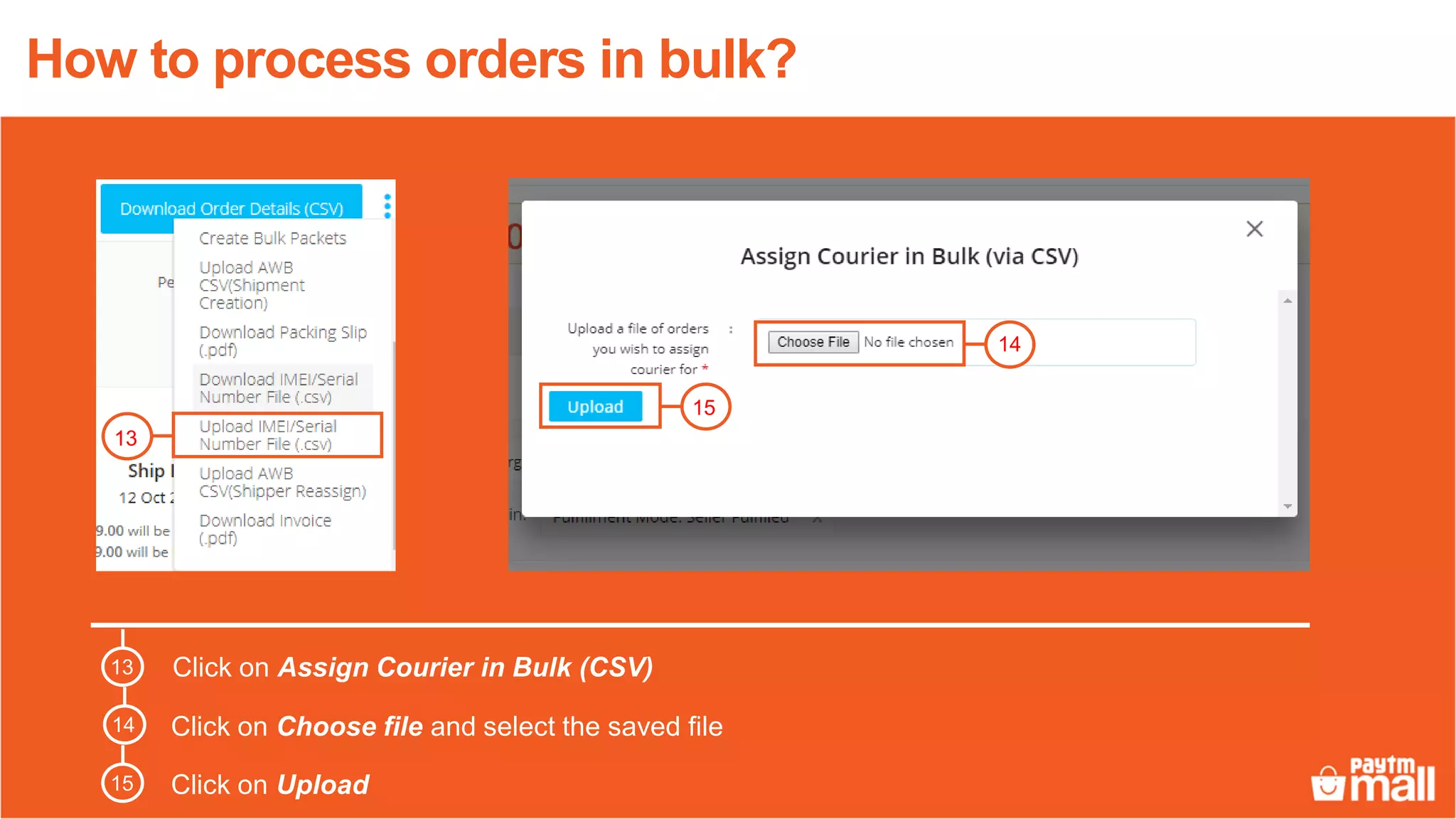
2. Create tracking numbers in a CSV and upload. For electronic products, also upload the IMEI/serial number CSV.
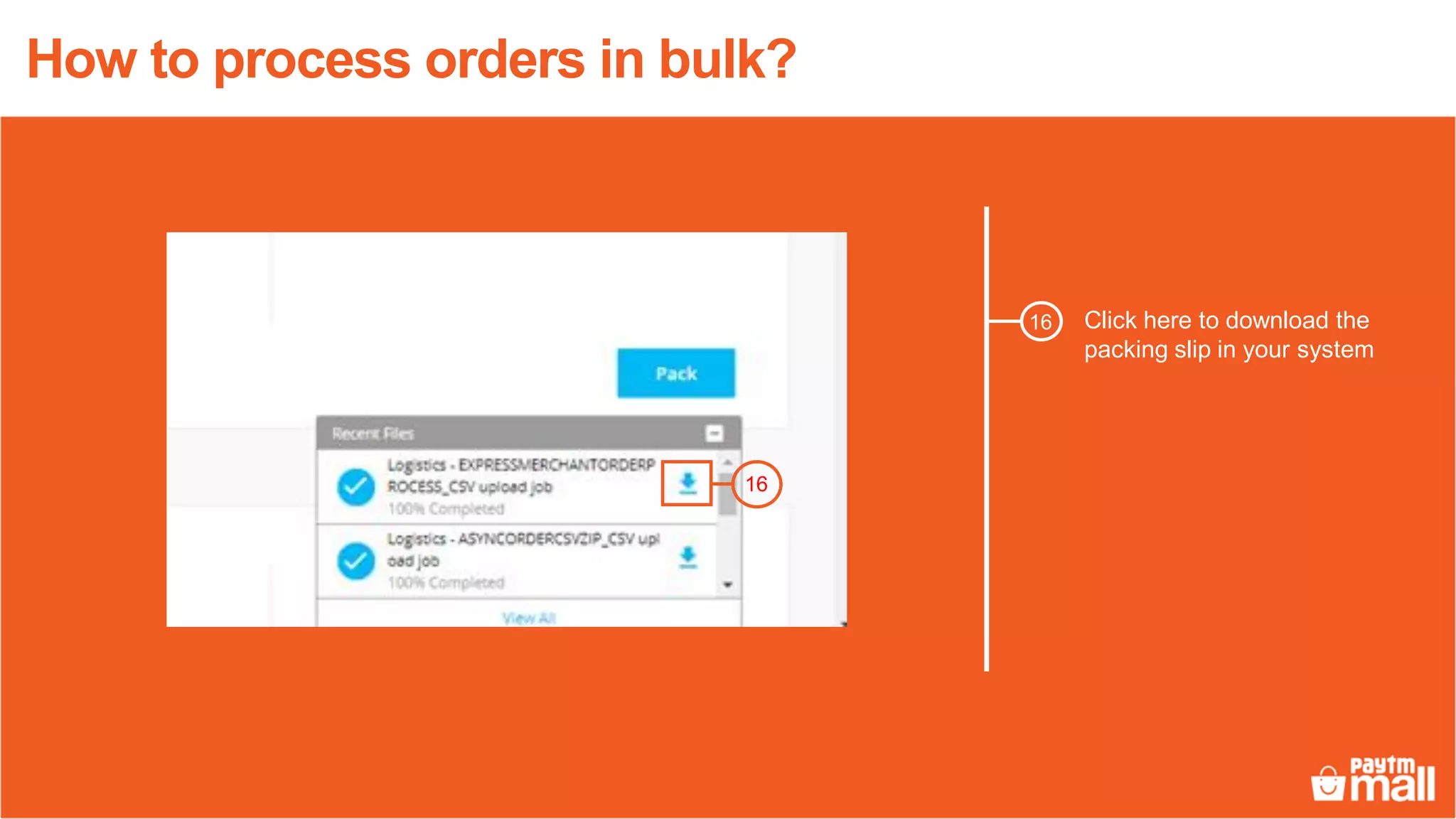
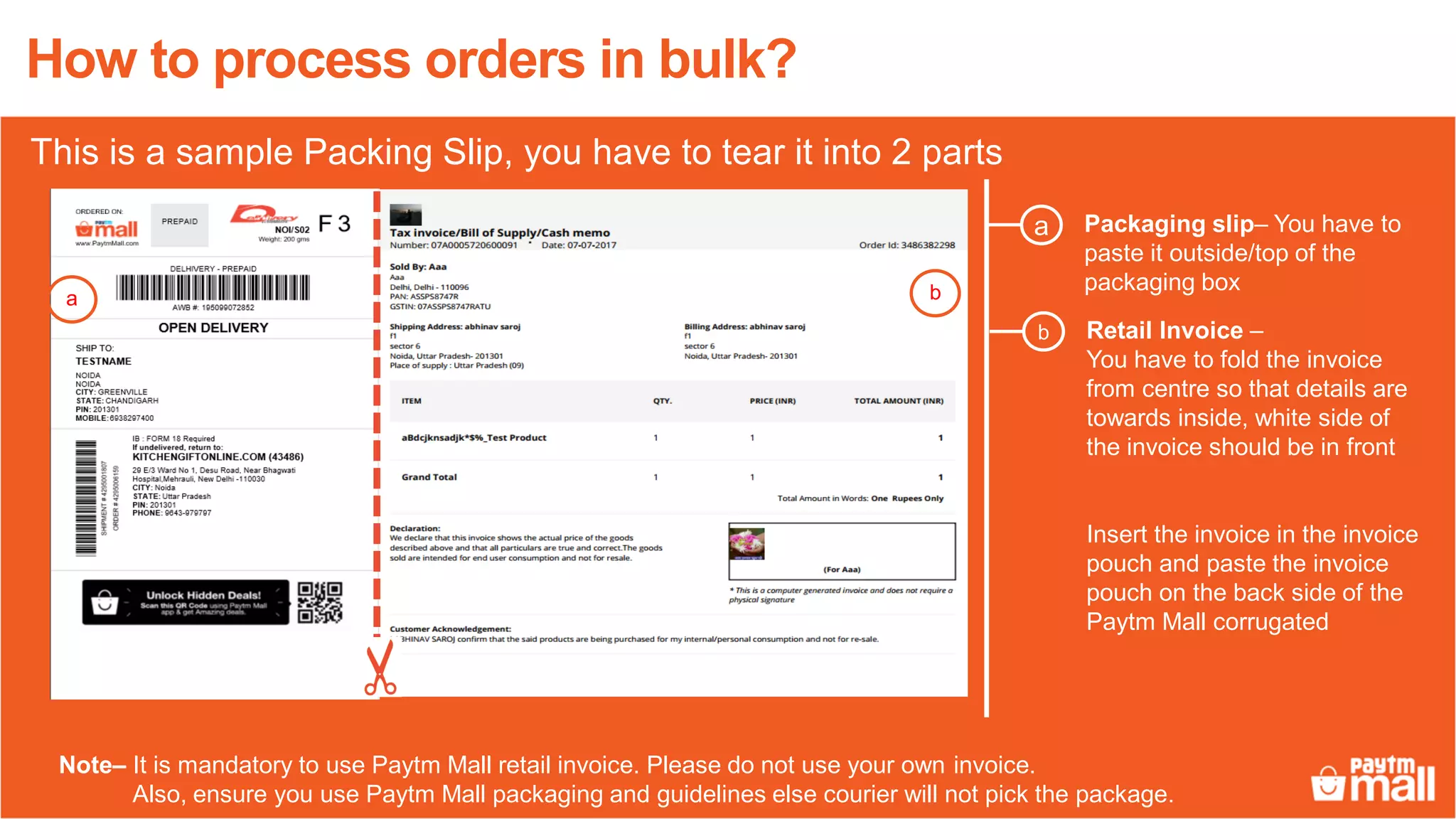
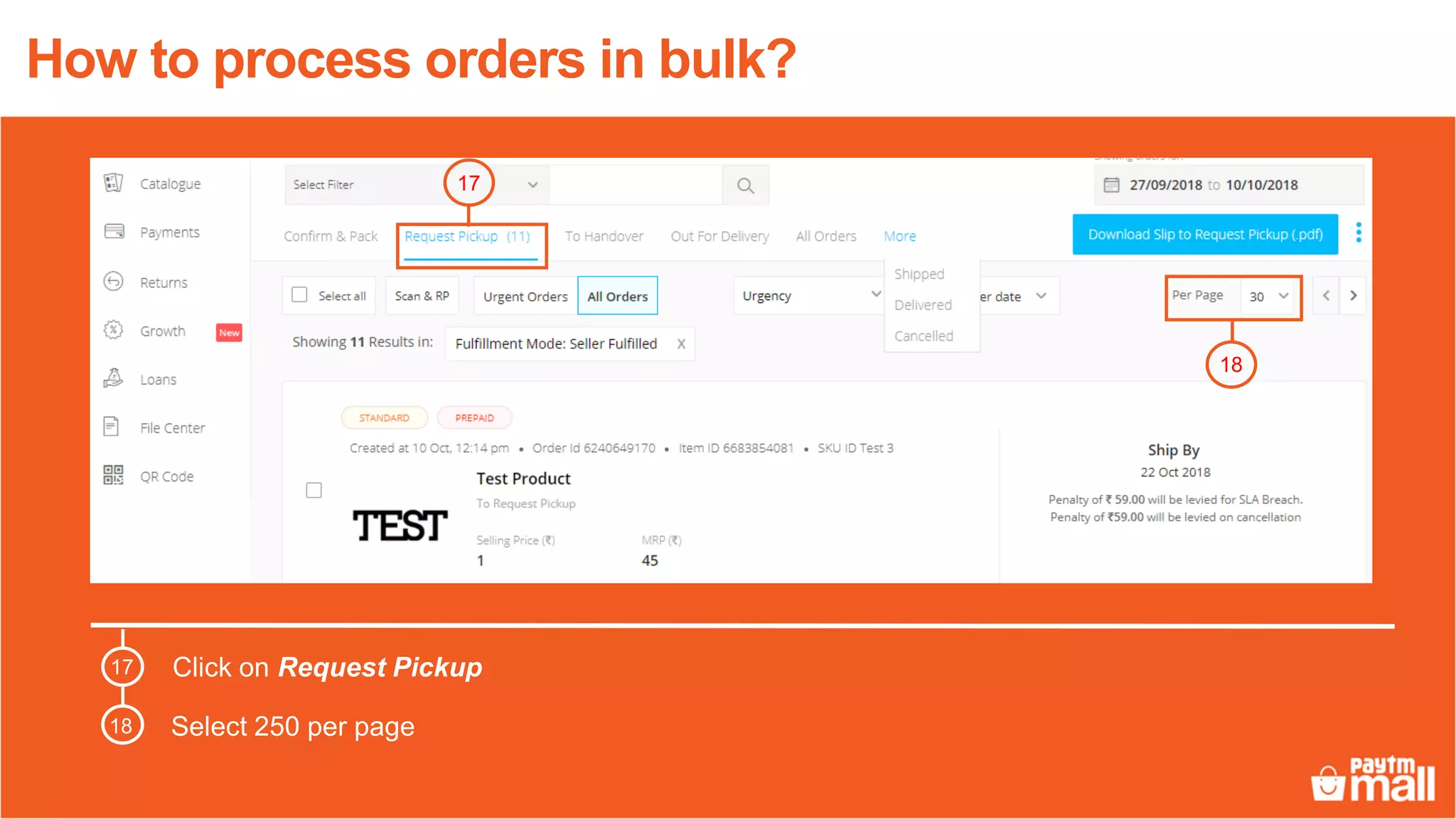
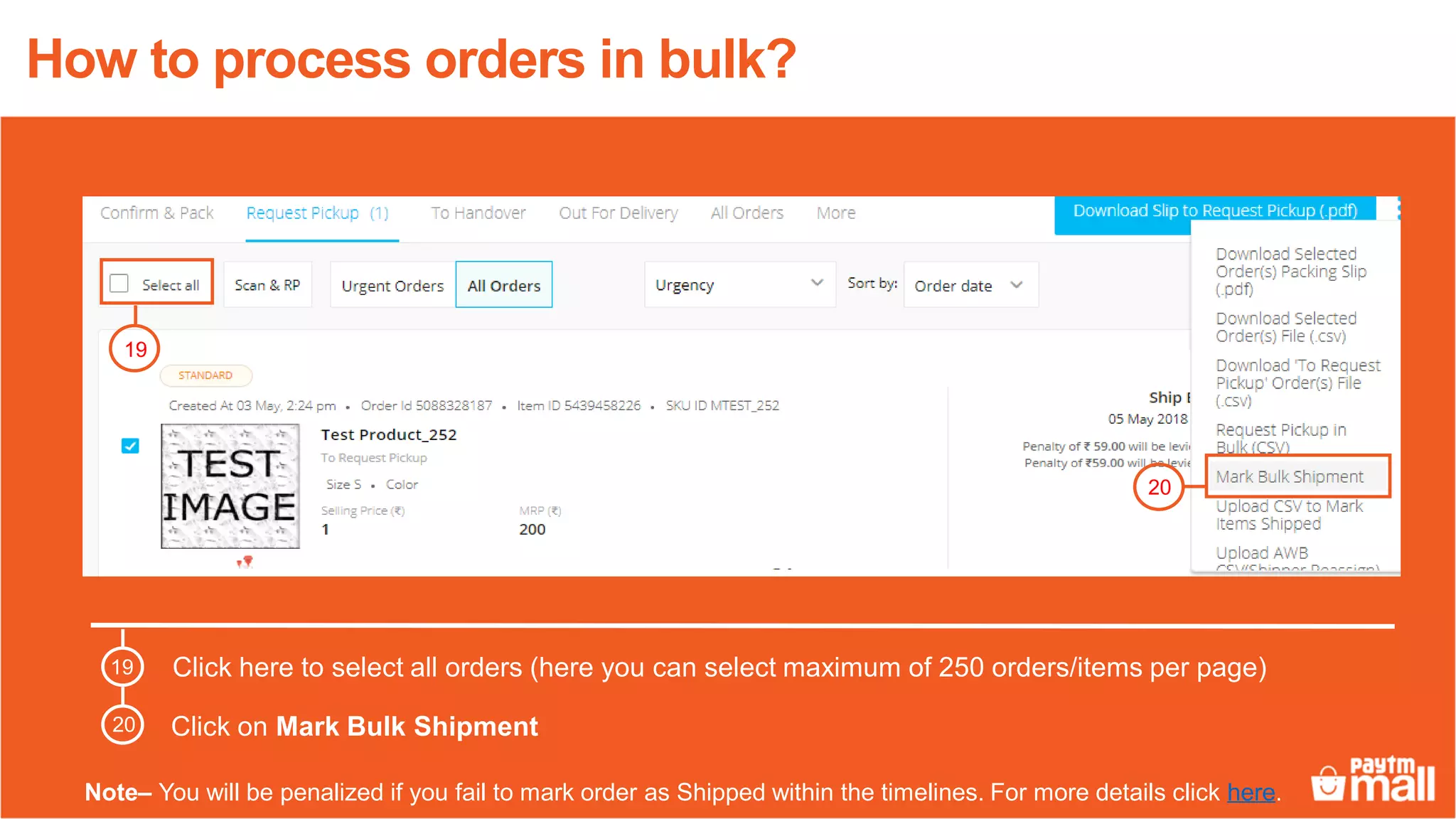
3. Download packing slips and retail invoices, package orders with instructions, and request pickup after marking 250 orders for shipment at a time.