

OPERATING
SYSTEM (os)
OVERVIEW
- Group 1
Operating System
is a program that acts as an interface
between the user and the computer
hardware.
It interacts with application software, device
drivers, and hardware to manage a
computer’s resources.
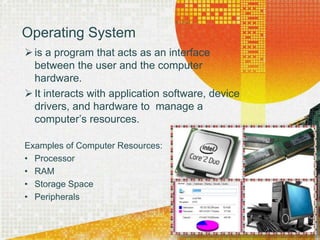
Examples of Computer Resources:
• Processor
• RAM
• Storage Space
• Peripherals
• Processor- a small
hardware that can be
found on the
motherboard.
• Storage Space- refers
to the space in the
memory. Often called
“memory space”
• RAM- a hardware
memory device that
holds temporary data
files from hard drive.
• Peripherals- the
portable device that
helps the system unit
to perform better.
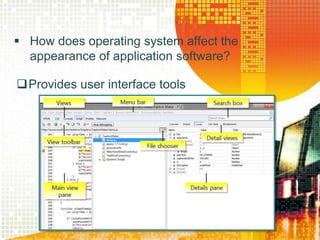
 How does operating system affect the
appearance of application software?
Provides user interface tools
Operating System’s location
 PDA/ Handheld
computers, video
game consoles,
Tablet PC’s,
smartphones
- found or stored in
ROM (Read Only
Memory) of the device
 Personal
computers, Servers,
Mainframe,
Supercomputers,
and workstations
-stored in the hard
disk of the device
 Uses Graphical User Interface
(GUI) concept
• Provides a way to point and click a mouse
to select menu options and manipulate
graphical objects that are displayed on the
screen.
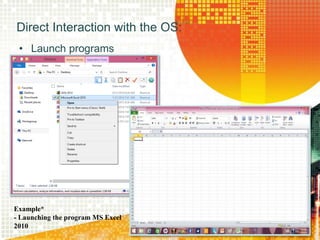
Direct Interaction with the OS:
• Launch programs
Example*
- Launching the program MS Excel
2010
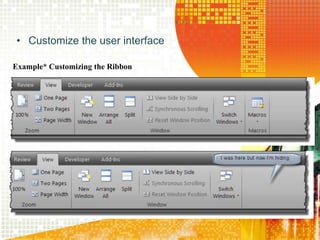
• Customize the user interface
Example* Customizing the Ribbon
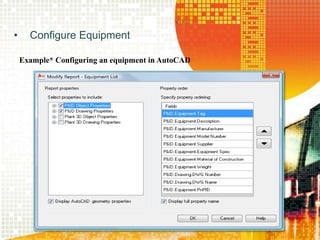
• Configure Equipment
Example* Configuring an equipment in AutoCAD
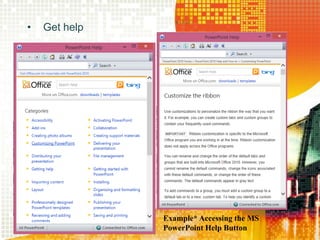
• Get help
Example* Accessing the MS
PowerPoint Help Button
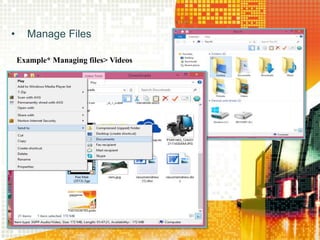
• Manage Files
Example* Managing files> Videos
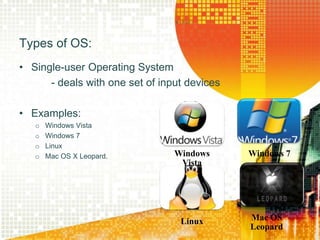
• Single-user Operating System
- deals with one set of input devices
• Examples:
o Windows Vista
o Windows 7
o Linux
o Mac OS X Leopard.
Types of OS:
Windows
Vista
Windows 7
Linux Mac OS
Leopard
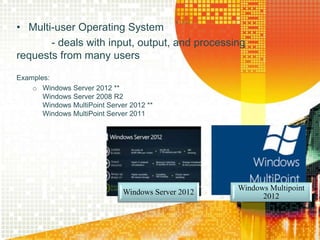
• Multi-user Operating System
- deals with input, output, and processing
requests from many users
Examples:
o Windows Server 2012 **
Windows Server 2008 R2
Windows MultiPoint Server 2012 **
Windows MultiPoint Server 2011
Windows Server 2012
Windows Multipoint
2012
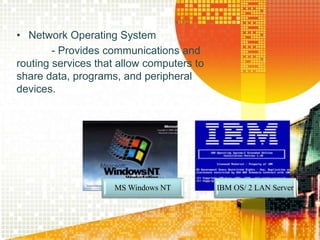
• Network Operating System
- Provides communications and
routing services that allow computers to
share data, programs, and peripheral
devices.
MS Windows NT IBM OS/ 2 LAN Server
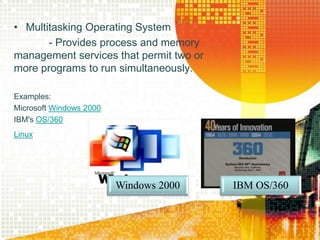
• Multitasking Operating System
- Provides process and memory
management services that permit two or
more programs to run simultaneously.
Examples:
Microsoft Windows 2000
IBM's OS/360
Linux
Windows 2000 IBM OS/360
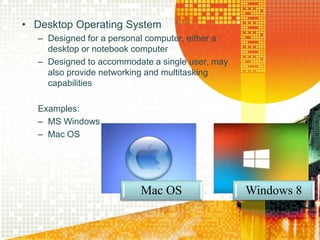
• Desktop Operating System
– Designed for a personal computer, either a
desktop or notebook computer
– Designed to accommodate a single user, may
also provide networking and multitasking
capabilities
Examples:
– MS Windows
– Mac OS
Mac OS Windows 8
Thank You!
😁😁😁😁😁😁

Operating system (os)

  • 1.
  • 2.
    Operating System is aprogram that acts as an interface between the user and the computer hardware. It interacts with application software, device drivers, and hardware to manage a computer’s resources. Examples of Computer Resources: • Processor • RAM • Storage Space • Peripherals
  • 3.
    • Processor- asmall hardware that can be found on the motherboard. • Storage Space- refers to the space in the memory. Often called “memory space” • RAM- a hardware memory device that holds temporary data files from hard drive. • Peripherals- the portable device that helps the system unit to perform better.
  • 4.
     How doesoperating system affect the appearance of application software? Provides user interface tools
  • 5.
    Operating System’s location PDA/ Handheld computers, video game consoles, Tablet PC’s, smartphones - found or stored in ROM (Read Only Memory) of the device  Personal computers, Servers, Mainframe, Supercomputers, and workstations -stored in the hard disk of the device
  • 6.
     Uses GraphicalUser Interface (GUI) concept • Provides a way to point and click a mouse to select menu options and manipulate graphical objects that are displayed on the screen.
  • 7.
    Direct Interaction withthe OS: • Launch programs Example* - Launching the program MS Excel 2010
  • 8.
    • Customize theuser interface Example* Customizing the Ribbon
  • 9.
    • Configure Equipment Example*Configuring an equipment in AutoCAD
  • 10.
    • Get help Example*Accessing the MS PowerPoint Help Button
  • 11.
    • Manage Files Example*Managing files> Videos
  • 12.
    • Single-user OperatingSystem - deals with one set of input devices • Examples: o Windows Vista o Windows 7 o Linux o Mac OS X Leopard. Types of OS: Windows Vista Windows 7 Linux Mac OS Leopard
  • 13.
    • Multi-user OperatingSystem - deals with input, output, and processing requests from many users Examples: o Windows Server 2012 ** Windows Server 2008 R2 Windows MultiPoint Server 2012 ** Windows MultiPoint Server 2011 Windows Server 2012 Windows Multipoint 2012
  • 14.
    • Network OperatingSystem - Provides communications and routing services that allow computers to share data, programs, and peripheral devices. MS Windows NT IBM OS/ 2 LAN Server
  • 15.
    • Multitasking OperatingSystem - Provides process and memory management services that permit two or more programs to run simultaneously. Examples: Microsoft Windows 2000 IBM's OS/360 Linux Windows 2000 IBM OS/360
  • 16.
    • Desktop OperatingSystem – Designed for a personal computer, either a desktop or notebook computer – Designed to accommodate a single user, may also provide networking and multitasking capabilities Examples: – MS Windows – Mac OS Mac OS Windows 8
  • 18.