1 / 50
ONOS
Cluster Experiment
Eueung Mulyana
https://telematika.org/remark/onos3
Intro+Labs | Attribution-ShareAlike CC BY-SA
Outline
Experiment Setup
Target Machines
Management VM
stc* & Manual Tests
2 / 50
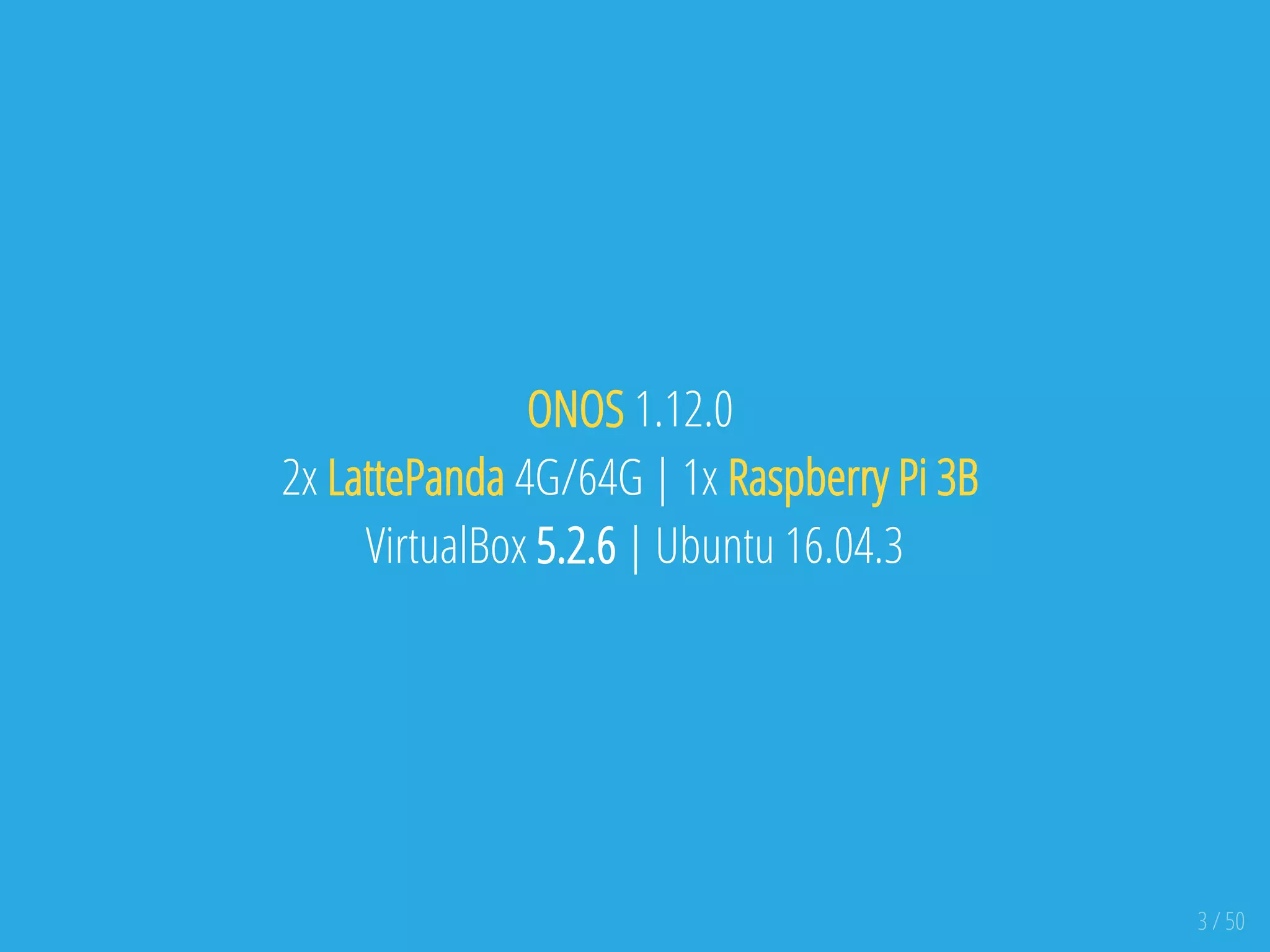
ONOS 1.12.0
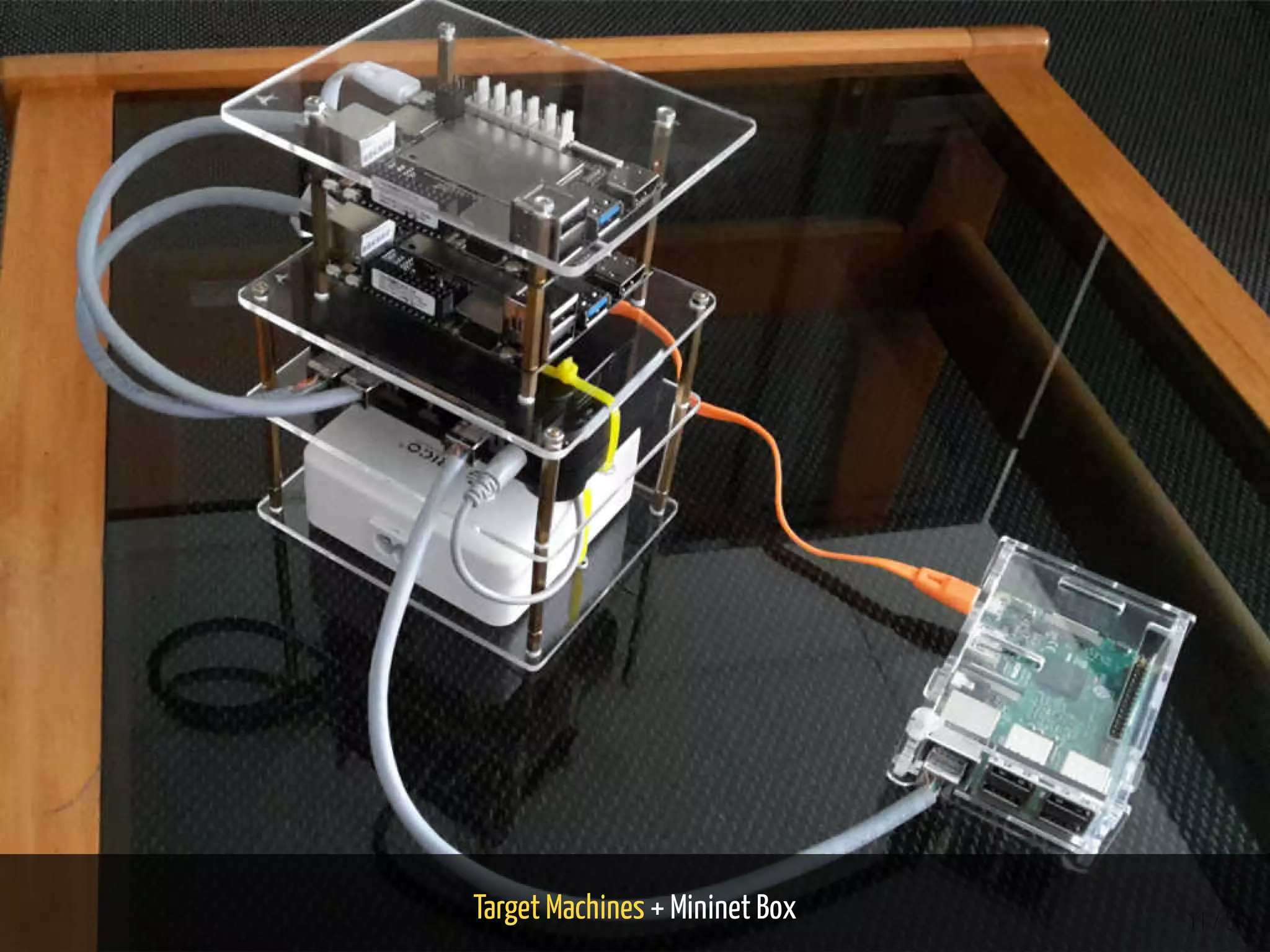
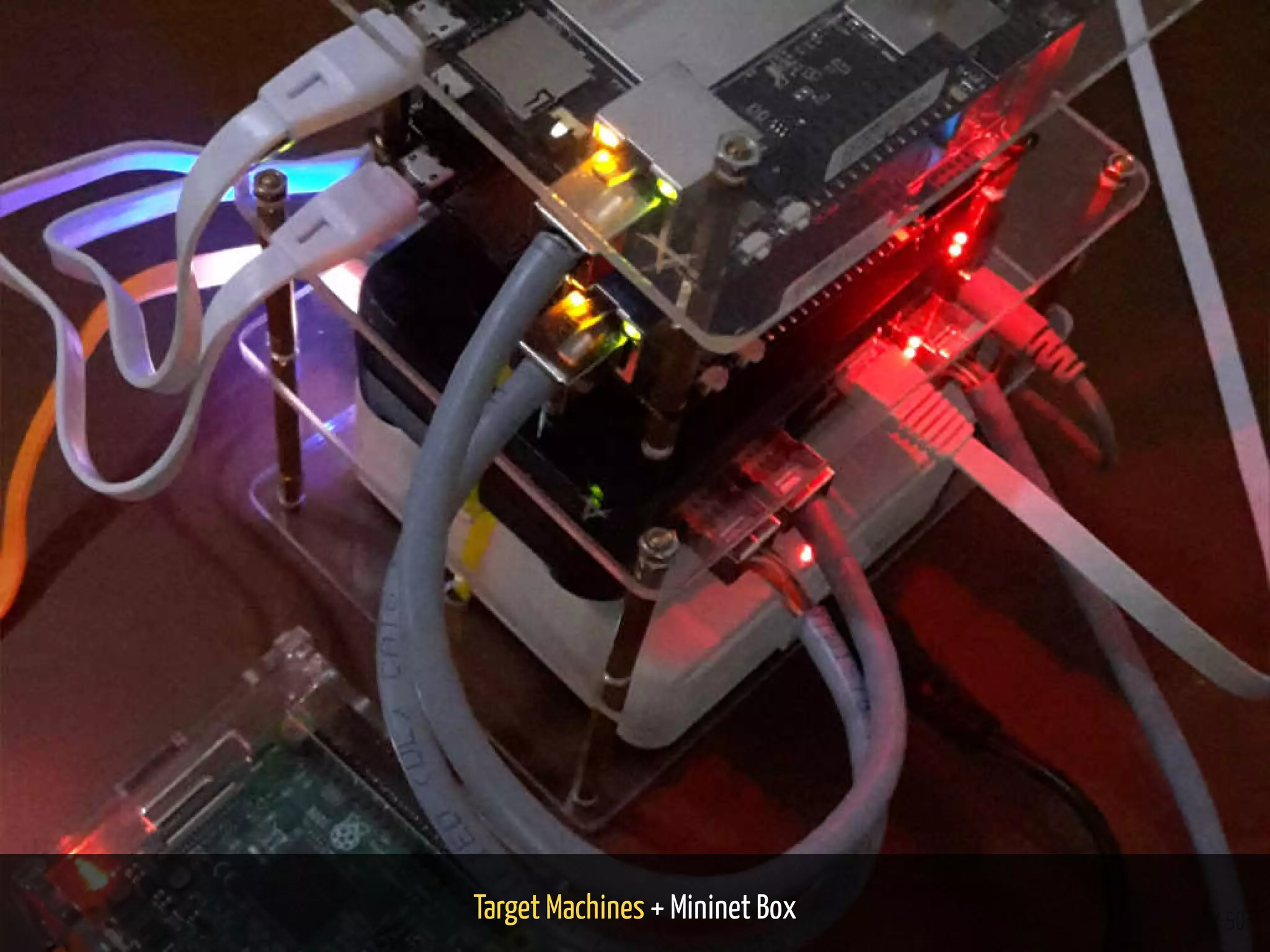
2x LattePanda 4G/64G | 1x Raspberry Pi 3B
VirtualBox 5.2.6 | Ubuntu 16.04.3
3 / 50
Experiment Setup
4 / 50
5 / 50
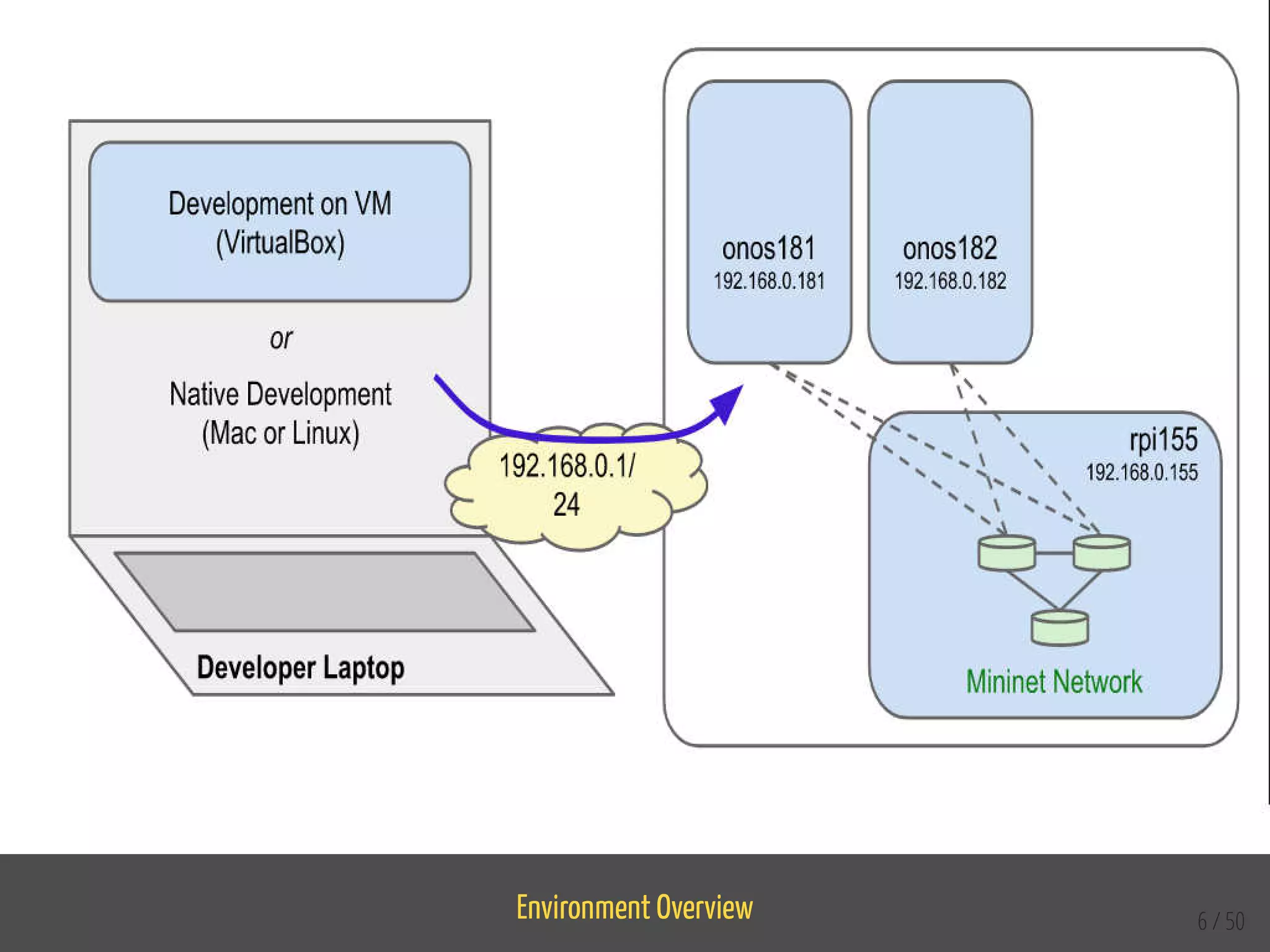
Target Machine: a machine (physical, virtual,
container, ...) where ONOS runs.
Cluster: a set of target machines working
together as a distributed system.
Management Machine: an optional machine
meant for operators, used to deploy and
manage ONOS from a single position on one or
more target machines.
At least one target machine is needed to install and run ONOS. Cluster
allows ONOS to spread the load, being able to better scale and improve
performances.
ONOS can be deployed and managed on a target machine either locally
(from the machine itself), or from a remote machine, called management
machine. The management machine is optional. Ref: [Abstractions and
de nitions]
Environment Overview 6 / 50
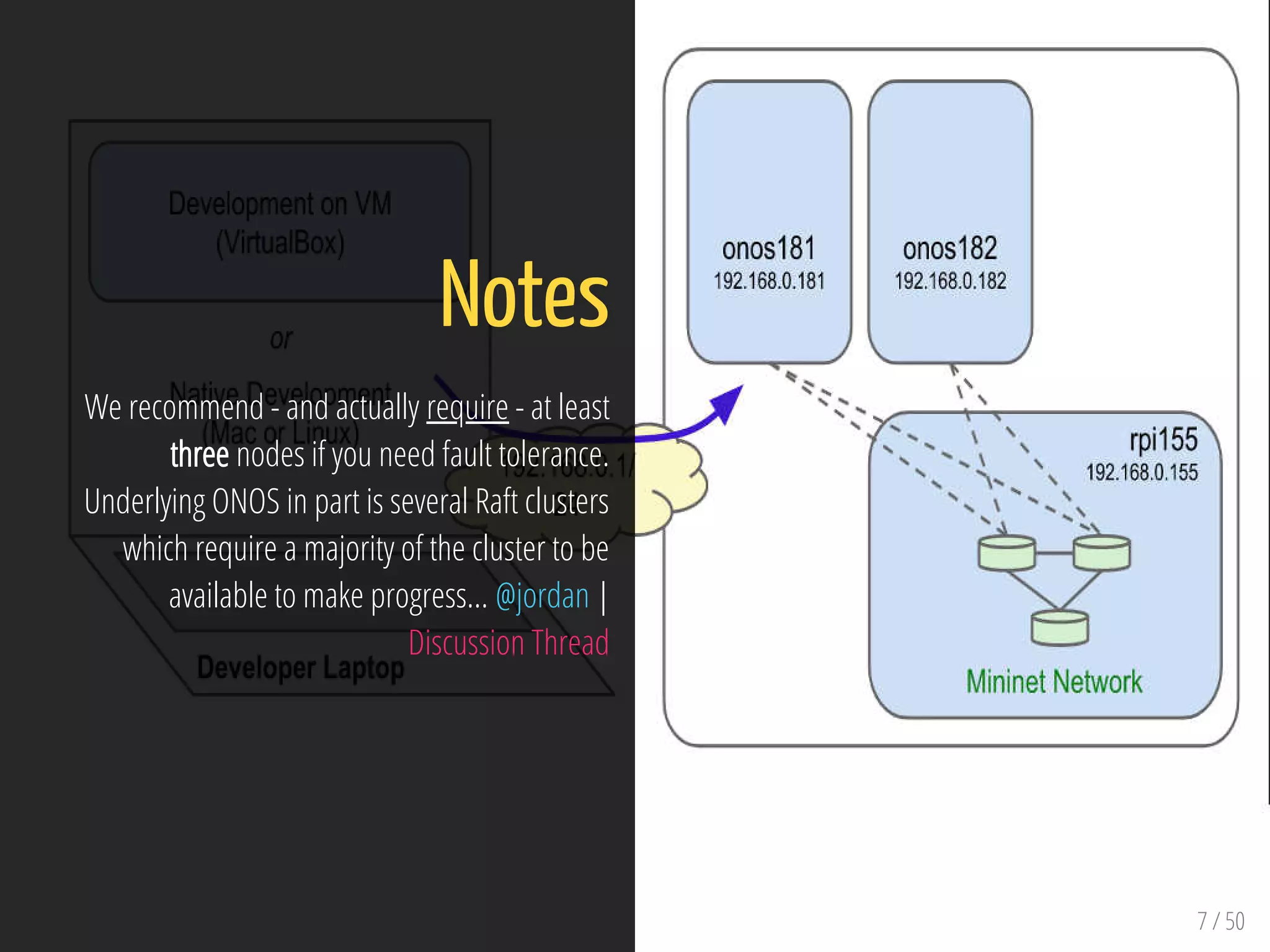
7 / 50
Notes
We recommend - and actually require - at least
three nodes if you need fault tolerance.
Underlying ONOS in part is several Raft clusters
which require a majority of the cluster to be
available to make progress... @jordan |
Discussion Thread
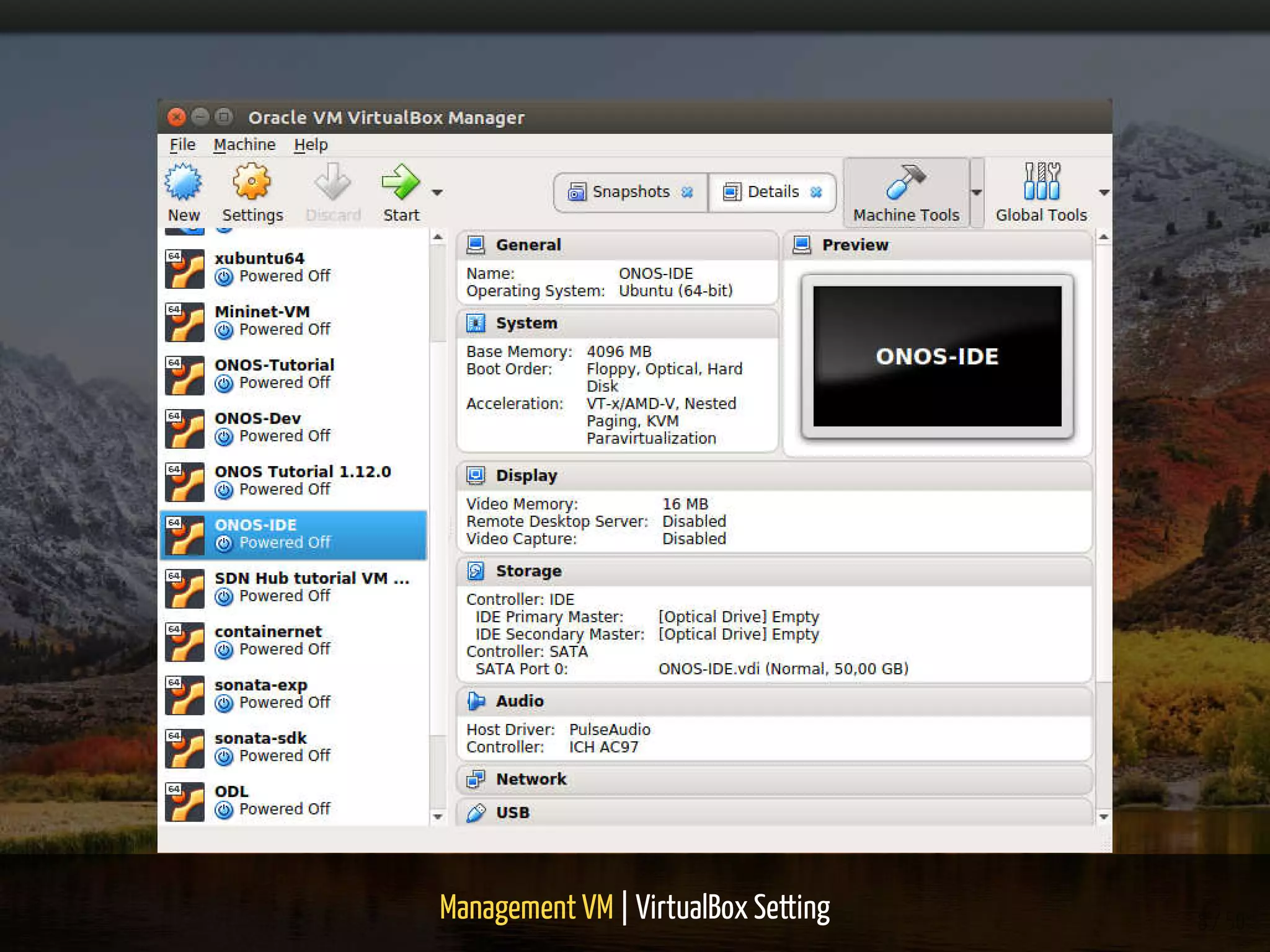
Management VM | VirtualBox Setting 8 / 50
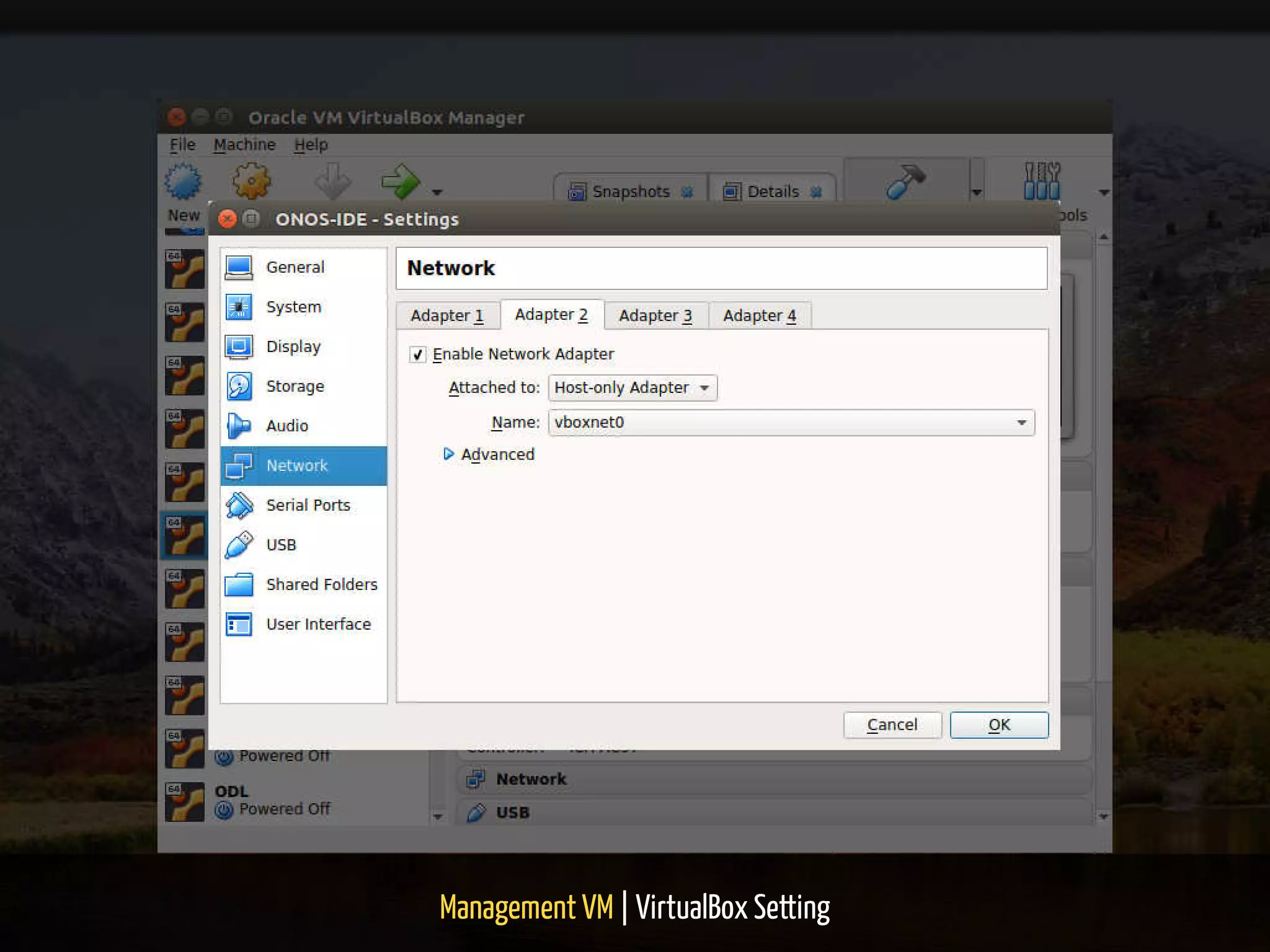
Management VM | VirtualBox Setting 9 / 50
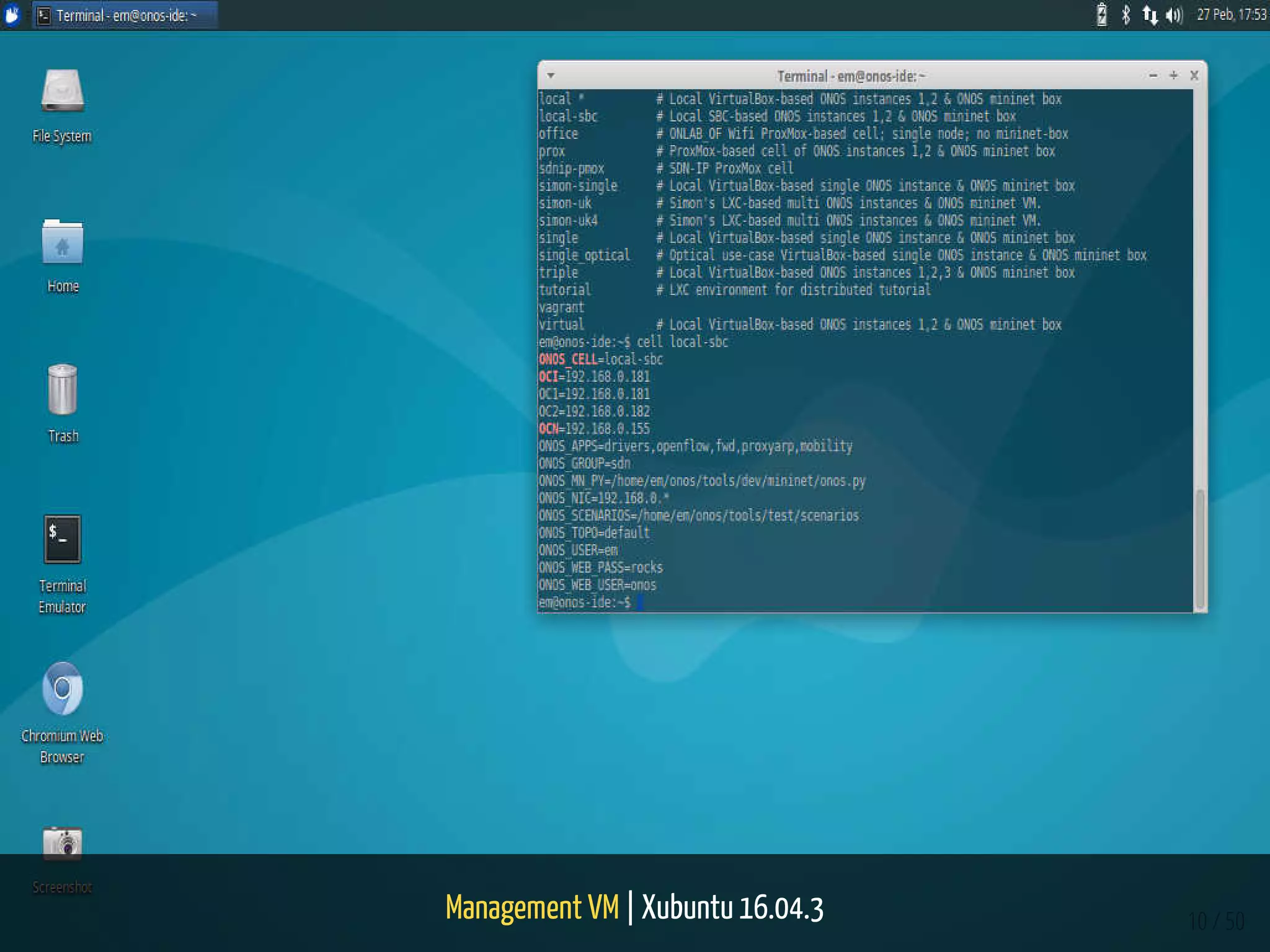
Management VM | Xubuntu 16.04.3 10 / 50
Target Machines + Mininet Box 11 / 50
Target Machines + Mininet Box 12 / 50
Target Machines
13 / 50
14 / 50
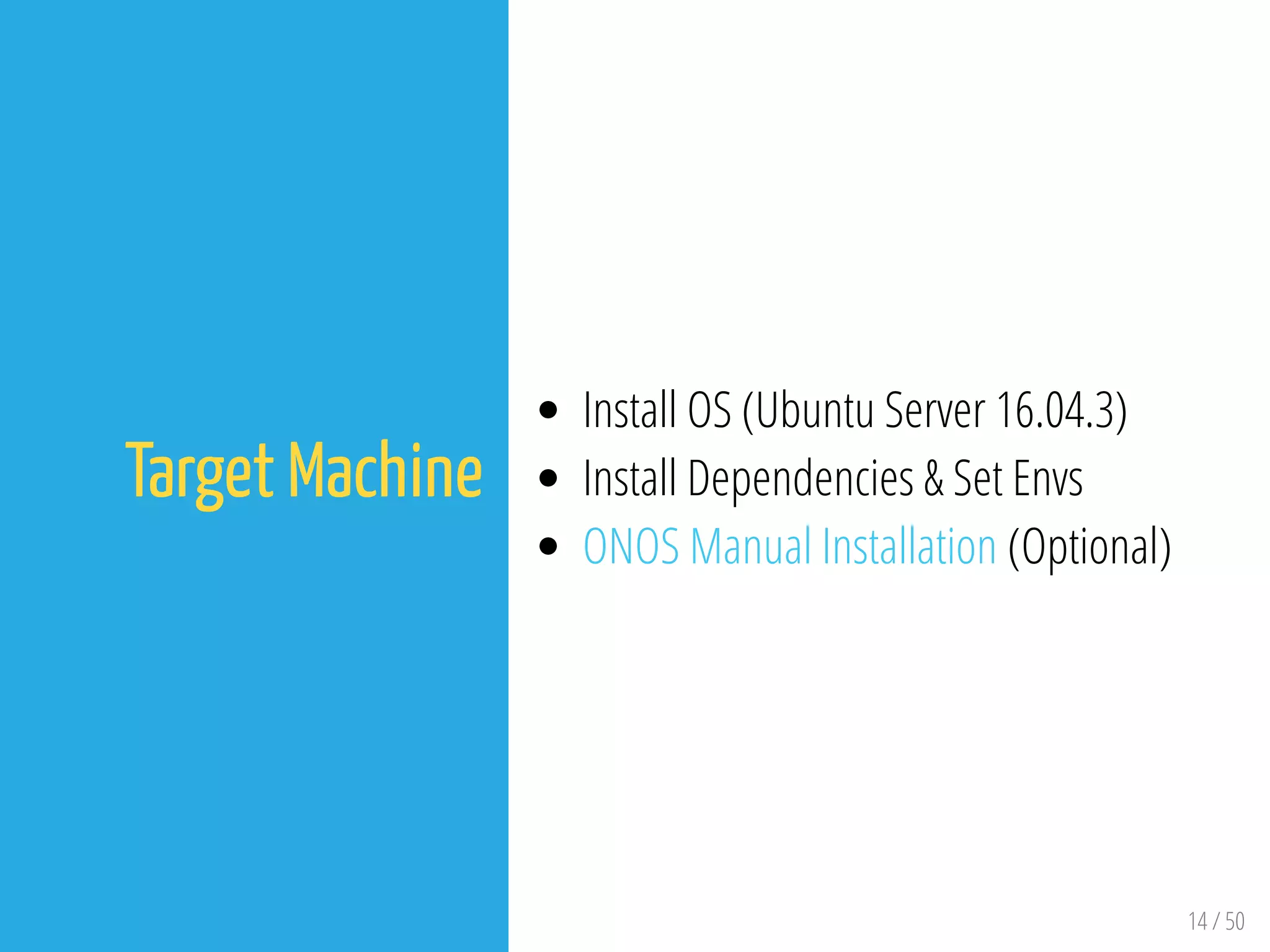
Target Machine
Install OS (Ubuntu Server 16.04.3)
Install Dependencies & Set Envs
ONOS Manual Installation (Optional)
Hardware Speci cs
LattePanda SBC
15 / 50
16 / 50
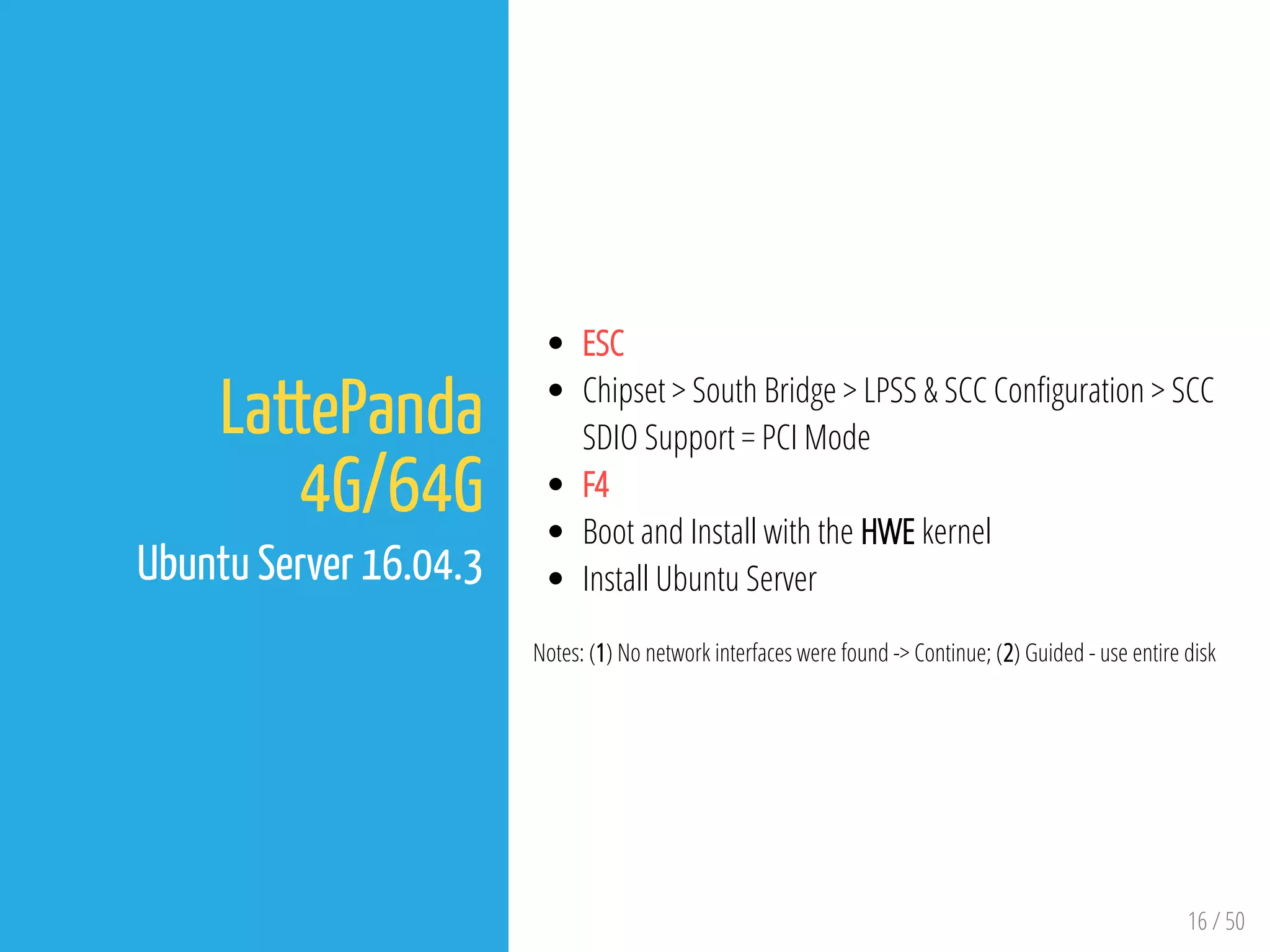
LattePanda
4G/64G
Ubuntu Server 16.04.3
ESC
Chipset > South Bridge > LPSS & SCC Con guration > SCC
SDIO Support = PCI Mode
F4
Boot and Install with the HWE kernel
Install Ubuntu Server
Notes: (1) No network interfaces were found -> Continue; (2) Guided - use entire disk
17 / 50
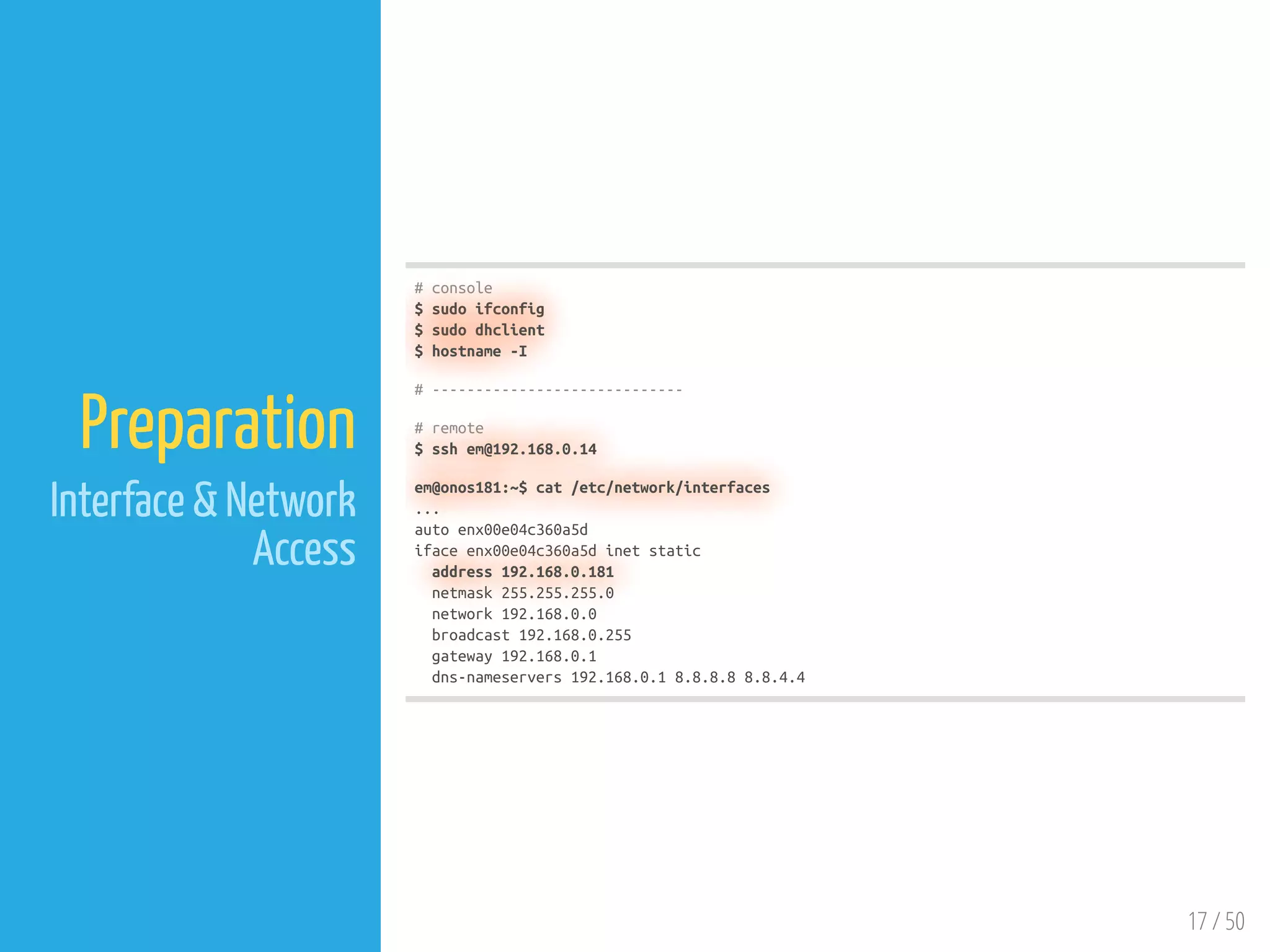
Preparation
Interface & Network
Access
# console
$ sudo ifconfig
$ sudo dhclient
$ hostname -I
# -----------------------------
# remote
$ ssh em@192.168.0.14
em@onos181:~$ cat /etc/network/interfaces
...
auto enx00e04c360a5d
iface enx00e04c360a5d inet static
address 192.168.0.181
netmask 255.255.255.0
network 192.168.0.0
broadcast 192.168.0.255
gateway 192.168.0.1
dns-nameservers 192.168.0.1 8.8.8.8 8.8.4.4
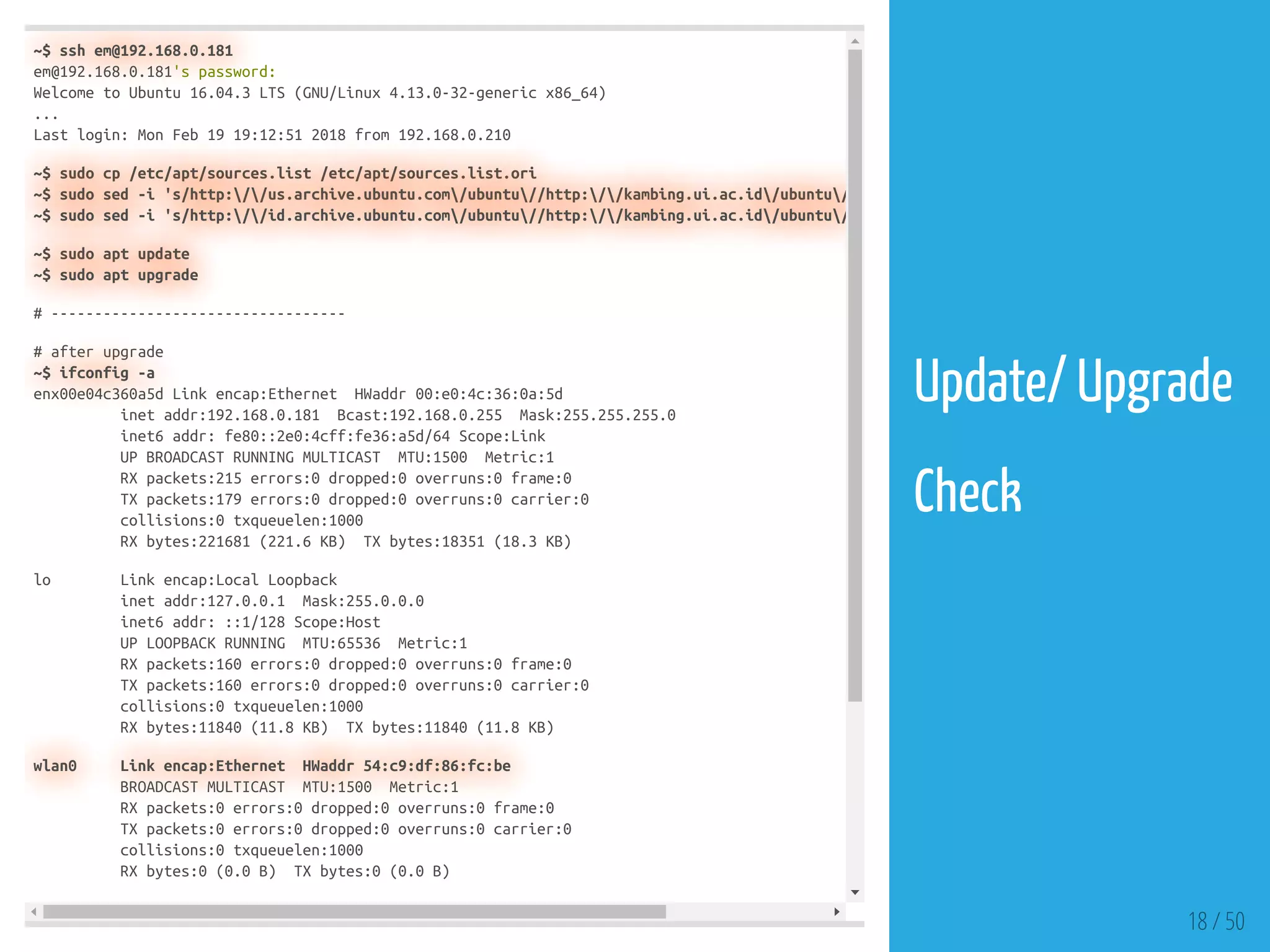
~$ ssh em@192.168.0.181
em@192.168.0.181's password:
Welcome to Ubuntu 16.04.3 LTS (GNU/Linux 4.13.0-32-generic x86_64)
...
Last login: Mon Feb 19 19:12:51 2018 from 192.168.0.210
~$ sudo cp /etc/apt/sources.list /etc/apt/sources.list.ori
~$ sudo sed -i 's/http://us.archive.ubuntu.com/ubuntu//http://kambing.ui.ac.id/ubuntu/
~$ sudo sed -i 's/http://id.archive.ubuntu.com/ubuntu//http://kambing.ui.ac.id/ubuntu/
~$ sudo apt update
~$ sudo apt upgrade
# ----------------------------------
# after upgrade
~$ ifconfig -a
enx00e04c360a5d Link encap:Ethernet HWaddr 00:e0:4c:36:0a:5d
inet addr:192.168.0.181 Bcast:192.168.0.255 Mask:255.255.255.0
inet6 addr: fe80::2e0:4cff:fe36:a5d/64 Scope:Link
UP BROADCAST RUNNING MULTICAST MTU:1500 Metric:1
RX packets:215 errors:0 dropped:0 overruns:0 frame:0
TX packets:179 errors:0 dropped:0 overruns:0 carrier:0
collisions:0 txqueuelen:1000
RX bytes:221681 (221.6 KB) TX bytes:18351 (18.3 KB)
lo Link encap:Local Loopback
inet addr:127.0.0.1 Mask:255.0.0.0
inet6 addr: ::1/128 Scope:Host
UP LOOPBACK RUNNING MTU:65536 Metric:1
RX packets:160 errors:0 dropped:0 overruns:0 frame:0
TX packets:160 errors:0 dropped:0 overruns:0 carrier:0
collisions:0 txqueuelen:1000
RX bytes:11840 (11.8 KB) TX bytes:11840 (11.8 KB)
wlan0 Link encap:Ethernet HWaddr 54:c9:df:86:fc:be
BROADCAST MULTICAST MTU:1500 Metric:1
RX packets:0 errors:0 dropped:0 overruns:0 frame:0
TX packets:0 errors:0 dropped:0 overruns:0 carrier:0
collisions:0 txqueuelen:1000
RX bytes:0 (0.0 B) TX bytes:0 (0.0 B)
18 / 50
Update/ Upgrade
 
Check
Dependencies & Envs
19 / 50
20 / 50
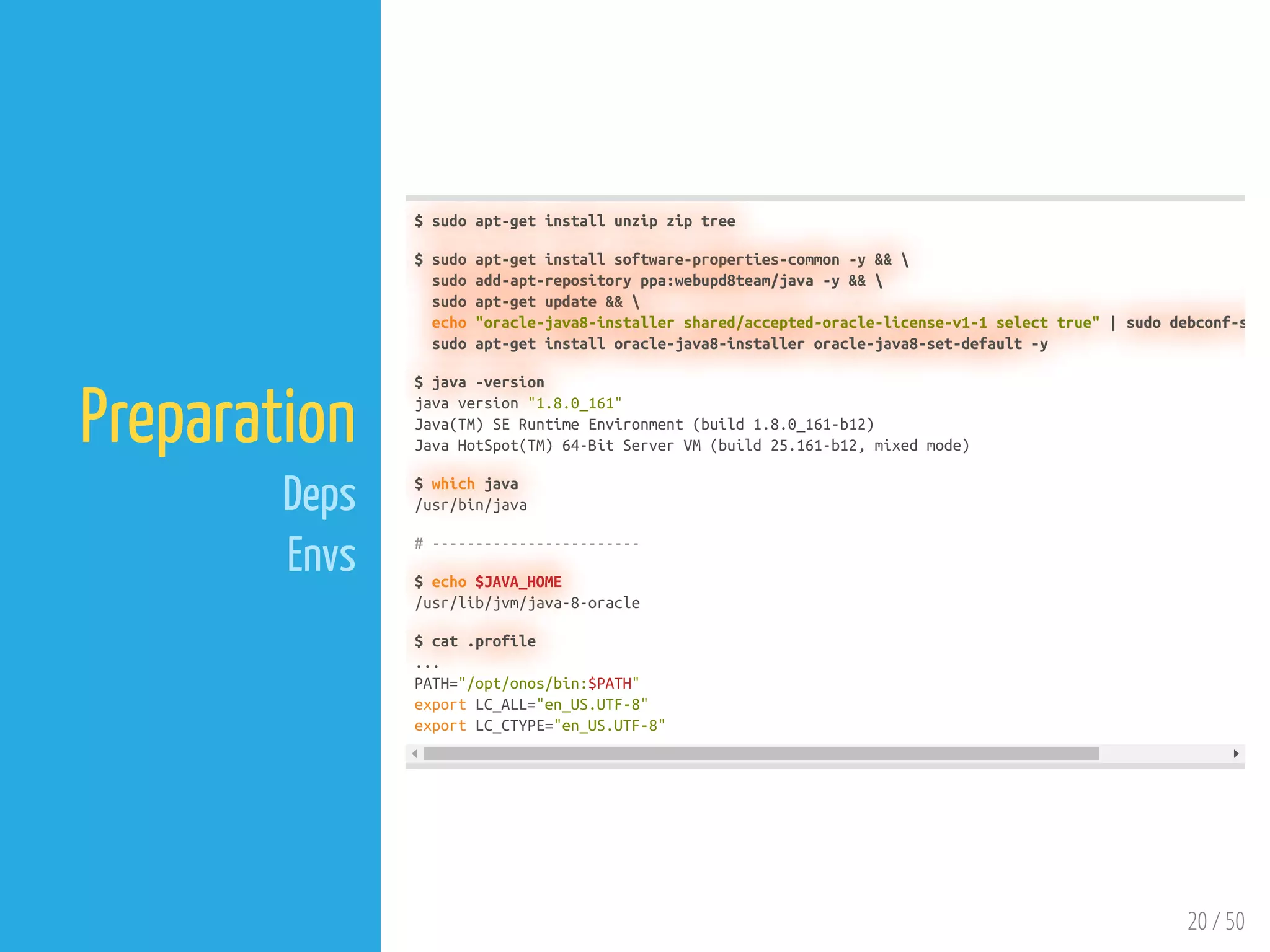
Preparation
Deps
Envs
$ sudo apt-get install unzip zip tree
$ sudo apt-get install software-properties-common -y && 
sudo add-apt-repository ppa:webupd8team/java -y && 
sudo apt-get update && 
echo "oracle-java8-installer shared/accepted-oracle-license-v1-1 select true" | sudo debconf-s
sudo apt-get install oracle-java8-installer oracle-java8-set-default -y
$ java -version
java version "1.8.0_161"
Java(TM) SE Runtime Environment (build 1.8.0_161-b12)
Java HotSpot(TM) 64-Bit Server VM (build 25.161-b12, mixed mode)
$ which java
/usr/bin/java
# ------------------------
$ echo $JAVA_HOME
/usr/lib/jvm/java-8-oracle
$ cat .profile
...
PATH="/opt/onos/bin:$PATH"
export LC_ALL="en_US.UTF-8"
export LC_CTYPE="en_US.UTF-8"
ONOS Manual Installation
21 / 50
# Transfer onos-1.12.0.tar.gz
$ sftp em@192.168.0.181
sftp> put onos-1.12.0.tar.gz
Uploading onos-1.12.0.tar.gz to /home/em/onos-1.12.0.tar.gz
onos-1.12.0.tar.gz 100% 215MB 5.1MB/s 00:42
sftp> quit
# Extract
$ sudo mv onos-1.12.0.tar.gz /opt/
$ cd /opt && sudo tar xzf onos-1.12.0.tar.gz
$ sudo rm -f onos-1.12.0.tar.gz
$ sudo mv onos-1.12.0 onos
# -------------------------------------
# Test
$ /opt/onos/bin/onos-service start
Welcome to Open Network Operating System (ONOS)!
____ _ ______ ____
/ __ / |/ / __ / __/
/ /_/ / / /_/ / 
____/_/|_/____/___/
Documentation: wiki.onosproject.org
Tutorials: tutorials.onosproject.org
Mailing lists: lists.onosproject.org
Come help out! Find out how at: contribute.onosproject.org
Hit '<tab>' for a list of available commands
and '[cmd] --help' for help on a specific command.
Hit '<ctrl-d>' or type 'system:shutdown' or 'logout' to shutdown ONOS.
onos> apps -s -a
Service org.onosproject.app.ApplicationService not found
onos> apps -s -a
+ 18 org.onosproject.drivers 1.12.0 Default Drivers
22 / 50
ONOS Binary
 
Test
23 / 50
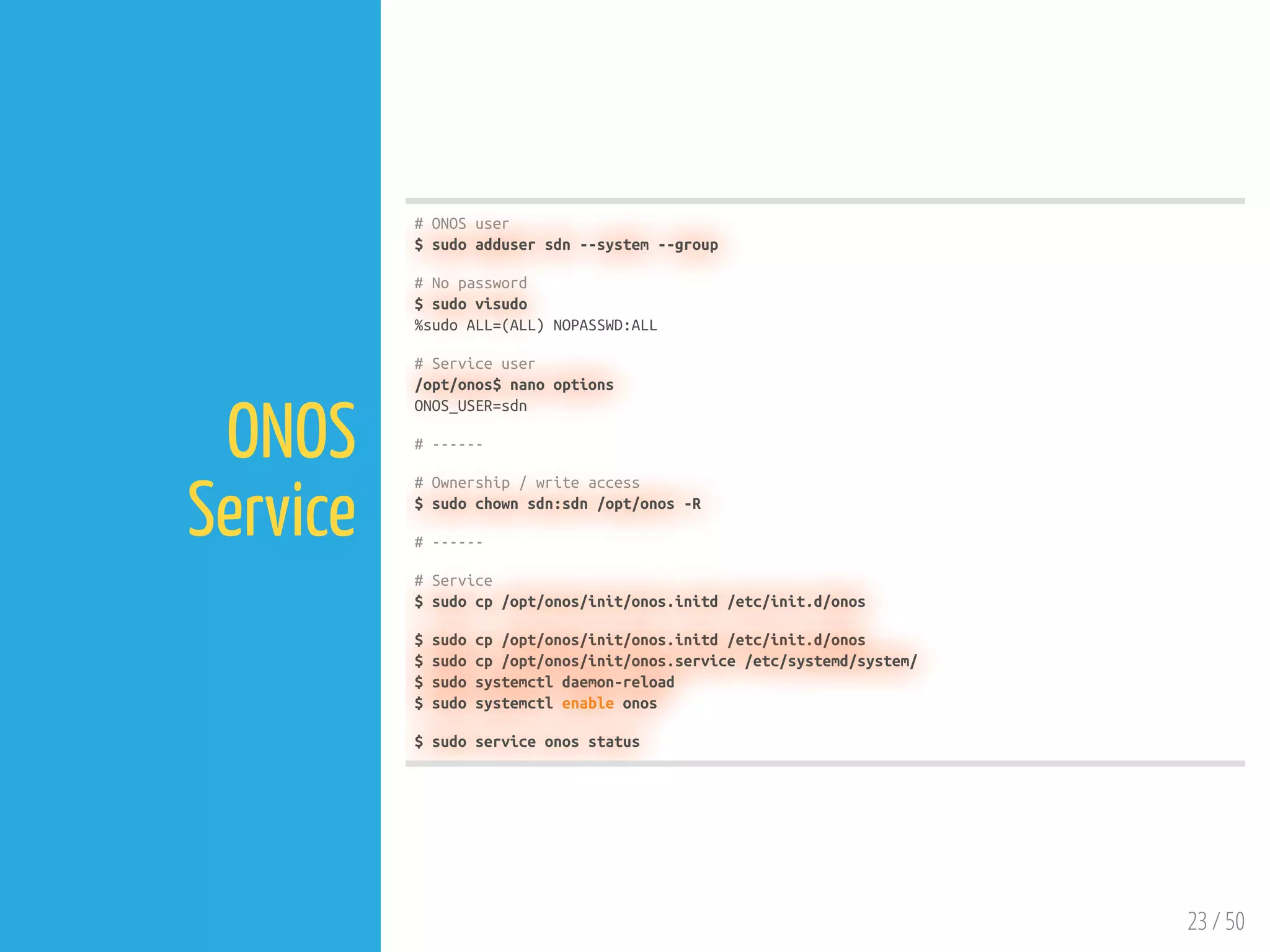
ONOS
Service
# ONOS user
$ sudo adduser sdn --system --group
# No password
$ sudo visudo
%sudo ALL=(ALL) NOPASSWD:ALL
# Service user
/opt/onos$ nano options
ONOS_USER=sdn
# ------
# Ownership / write access
$ sudo chown sdn:sdn /opt/onos -R
# ------
# Service
$ sudo cp /opt/onos/init/onos.initd /etc/init.d/onos
$ sudo cp /opt/onos/init/onos.service /etc/systemd/system/
$ sudo systemctl daemon-reload
$ sudo systemctl enable onos
$ sudo service onos status
em@onos182:~$ onos-user-password em 123
em@onos182:~$ onos-user-password onos rocks
# note: logout from web ui
em@onos182:~$ onos
Password authentication
Password:
Welcome to Open Network Operating System (ONOS)!
____ _ ______ ____
/ __ / |/ / __ / __/
/ /_/ / / /_/ / 
____/_/|_/____/___/
Documentation: wiki.onosproject.org
Tutorials: tutorials.onosproject.org
Mailing lists: lists.onosproject.org
Come help out! Find out how at: contribute.onosproject.org
Hit '<tab>' for a list of available commands
and '[cmd] --help' for help on a specific command.
Hit '<ctrl-d>' or type 'system:shutdown' or 'logout' to shutdown ONOS.
onos> ^D
# -----------------------------
em@onos182:~$ ll /opt/onos/bin
total 64
drwxrwxrwx 2 sdn sdn 4096 Dec 12 05:04 ./
drwxrwxrwx 8 sdn sdn 4096 Feb 25 08:57 ../
-rwxrwxrwx 1 sdn sdn 969 Dec 12 05:04 _check-json*
-rwxrwxrwx 1 sdn sdn 1347 Dec 12 05:04 _find-node*
-rwxrwxrwx 1 sdn sdn 273 Dec 12 05:04 onos*
-rwxrwxrwx 1 sdn sdn 3368 Dec 12 05:04 onos-app*
-rwxrwxrwx 1 sdn sdn 1287 Dec 12 05:04 onos-backup*
-rwxrwxrwx 1 sdn sdn 1960 Dec 12 05:04 onos-cfg*
-rwxrwxrwx 1 sdn sdn 1860 Dec 12 05:04 onos-compile-yang*
-rwxrwxrwx 1 sdn sdn 1310 Dec 12 05:04 onos-form-cluster*
-rwxrwxrwx 1 sdn sdn 197 Dec 12 05:04 onos-jpenable*
-rwxrwxrwx 1 sdn sdn 1961 Dec 12 05:04 onos-netcfg*
-rwxrwxrwx 1 sdn sdn 1073 Dec 12 05:04 onos-restore*
-rwxrwxrwx 1 sdn sdn 2011 Dec 12 05:04 onos-service*
24 / 50
onos-user-
password
 
onos (Local CLI)
 
onos-form-
cluster
Management / Dev VM
25 / 50
26 / 50
Typical
Work ow
1. Make changes to the code
2. Build ONOS with onos-buck buld onos
3. Load the cell settings with cell $YOUR_CELL_NAME
4. Load your topology with topo $YOUR_TOPO_NAME
5. Deploy ONOS target machines with stc setup
6. Deploy the Mininet topology with stc net-setup
Ref: [Cells and ONOS test scripts]
27 / 50
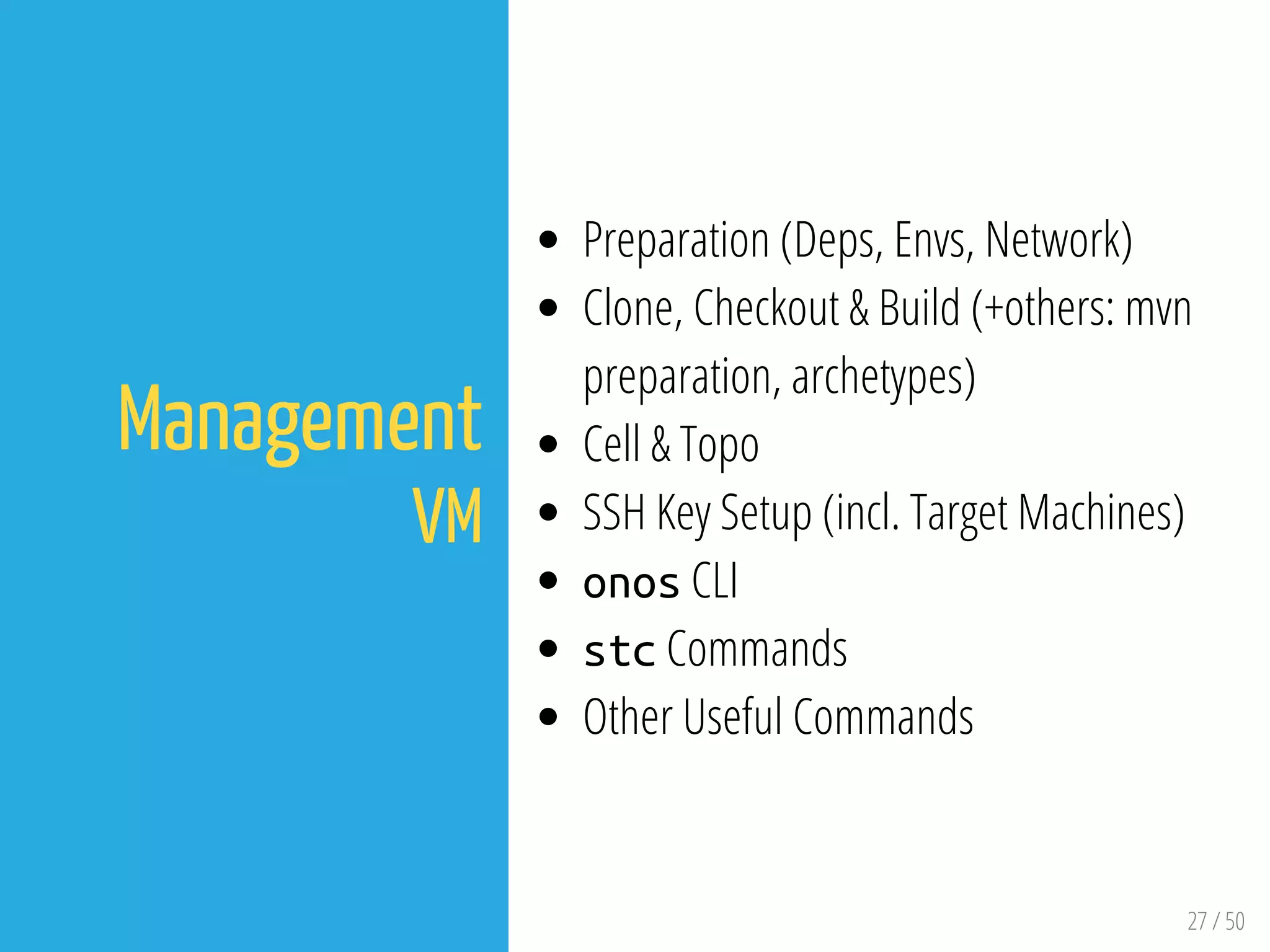
Management
VM
Preparation (Deps, Envs, Network)
Clone, Checkout & Build (+others: mvn
preparation, archetypes)
Cell & Topo
SSH Key Setup (incl. Target Machines)
onos CLI
stc Commands
Other Useful Commands
28 / 50
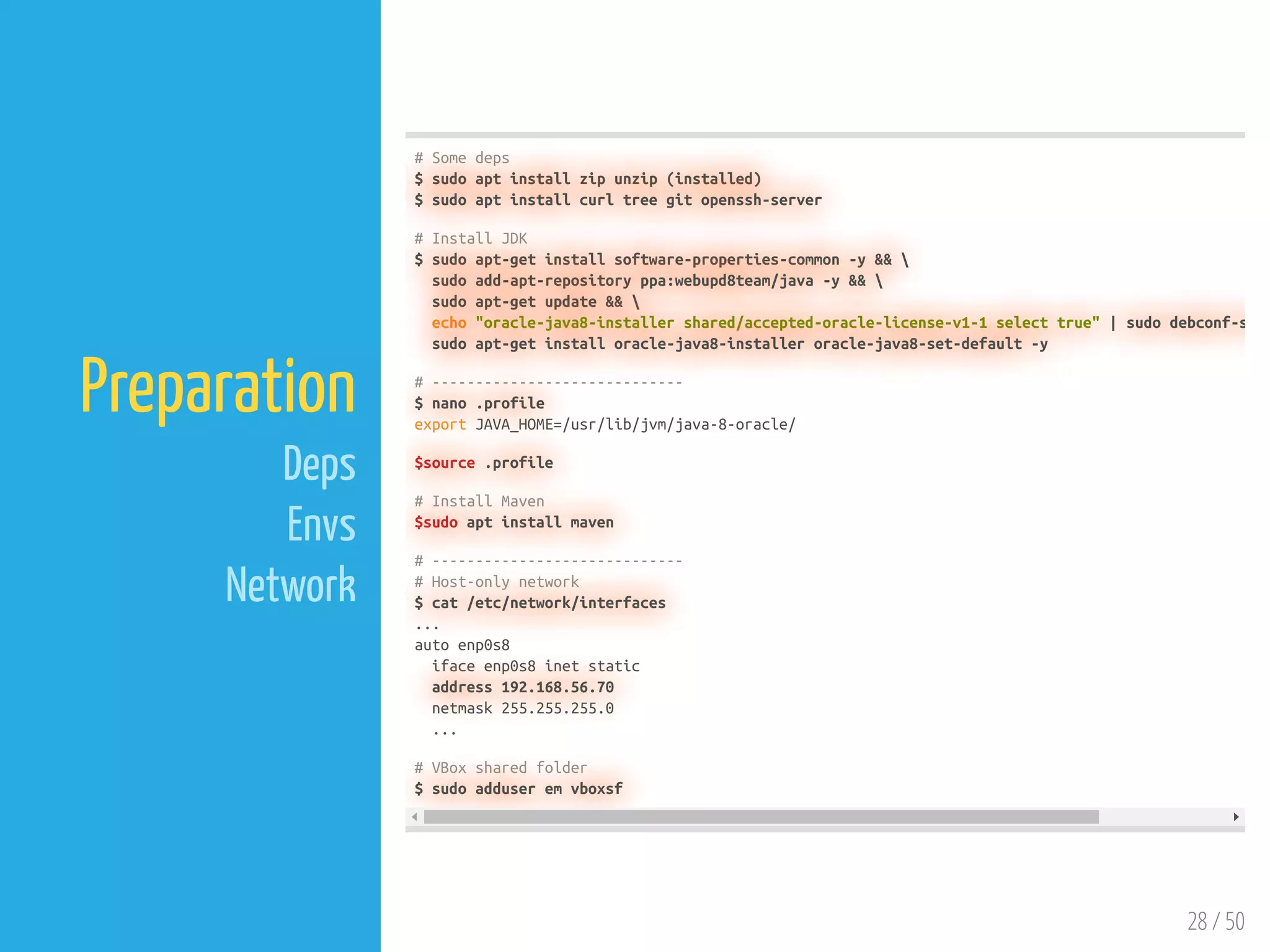
Preparation
Deps
Envs
Network
# Some deps
$ sudo apt install zip unzip (installed)
$ sudo apt install curl tree git openssh-server
# Install JDK
$ sudo apt-get install software-properties-common -y && 
sudo add-apt-repository ppa:webupd8team/java -y && 
sudo apt-get update && 
echo "oracle-java8-installer shared/accepted-oracle-license-v1-1 select true" | sudo debconf-s
sudo apt-get install oracle-java8-installer oracle-java8-set-default -y
# -----------------------------
$ nano .profile
export JAVA_HOME=/usr/lib/jvm/java-8-oracle/
$source .profile
# Install Maven
$sudo apt install maven
# -----------------------------
# Host-only network
$ cat /etc/network/interfaces
...
auto enp0s8
iface enp0s8 inet static
address 192.168.56.70
netmask 255.255.255.0
...
# VBox shared folder
$ sudo adduser em vboxsf
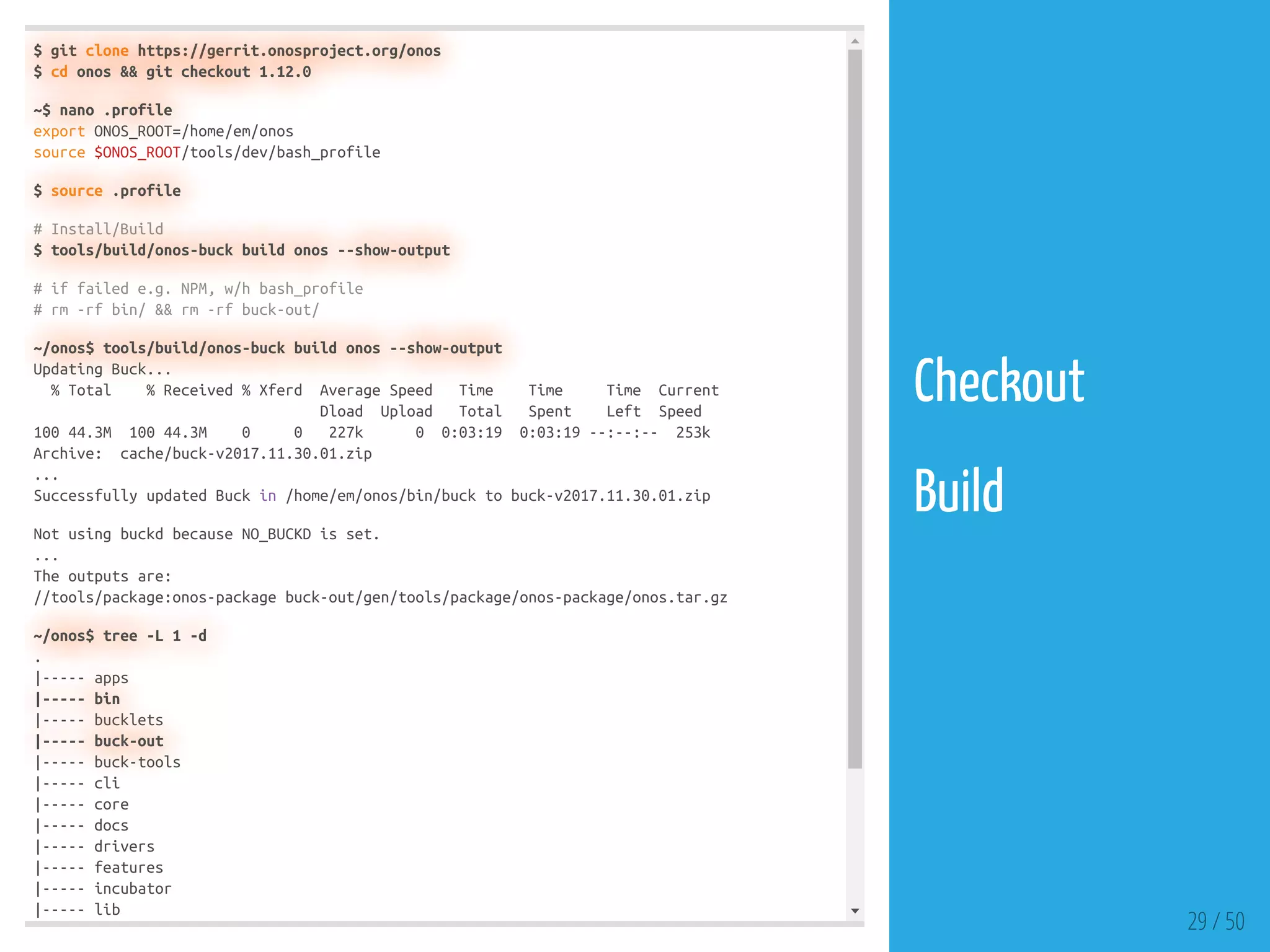
$ git clone https://gerrit.onosproject.org/onos
$ cd onos && git checkout 1.12.0
~$ nano .profile
export ONOS_ROOT=/home/em/onos
source $ONOS_ROOT/tools/dev/bash_profile
$ source .profile
# Install/Build
$ tools/build/onos-buck build onos --show-output
# if failed e.g. NPM, w/h bash_profile
# rm -rf bin/ && rm -rf buck-out/
~/onos$ tools/build/onos-buck build onos --show-output
Updating Buck...
% Total % Received % Xferd Average Speed Time Time Time Current
Dload Upload Total Spent Left Speed
100 44.3M 100 44.3M 0 0 227k 0 0:03:19 0:03:19 --:--:-- 253k
Archive: cache/buck-v2017.11.30.01.zip
...
Successfully updated Buck in /home/em/onos/bin/buck to buck-v2017.11.30.01.zip
Not using buckd because NO_BUCKD is set.
...
The outputs are:
//tools/package:onos-package buck-out/gen/tools/package/onos-package/onos.tar.gz
~/onos$ tree -L 1 -d
.
|----- apps
|----- bin
|----- bucklets
|----- buck-out
|----- buck-tools
|----- cli
|----- core
|----- docs
|----- drivers
|----- features
|----- incubator
|----- lib
29 / 50
Checkout
 
Build
30 / 50
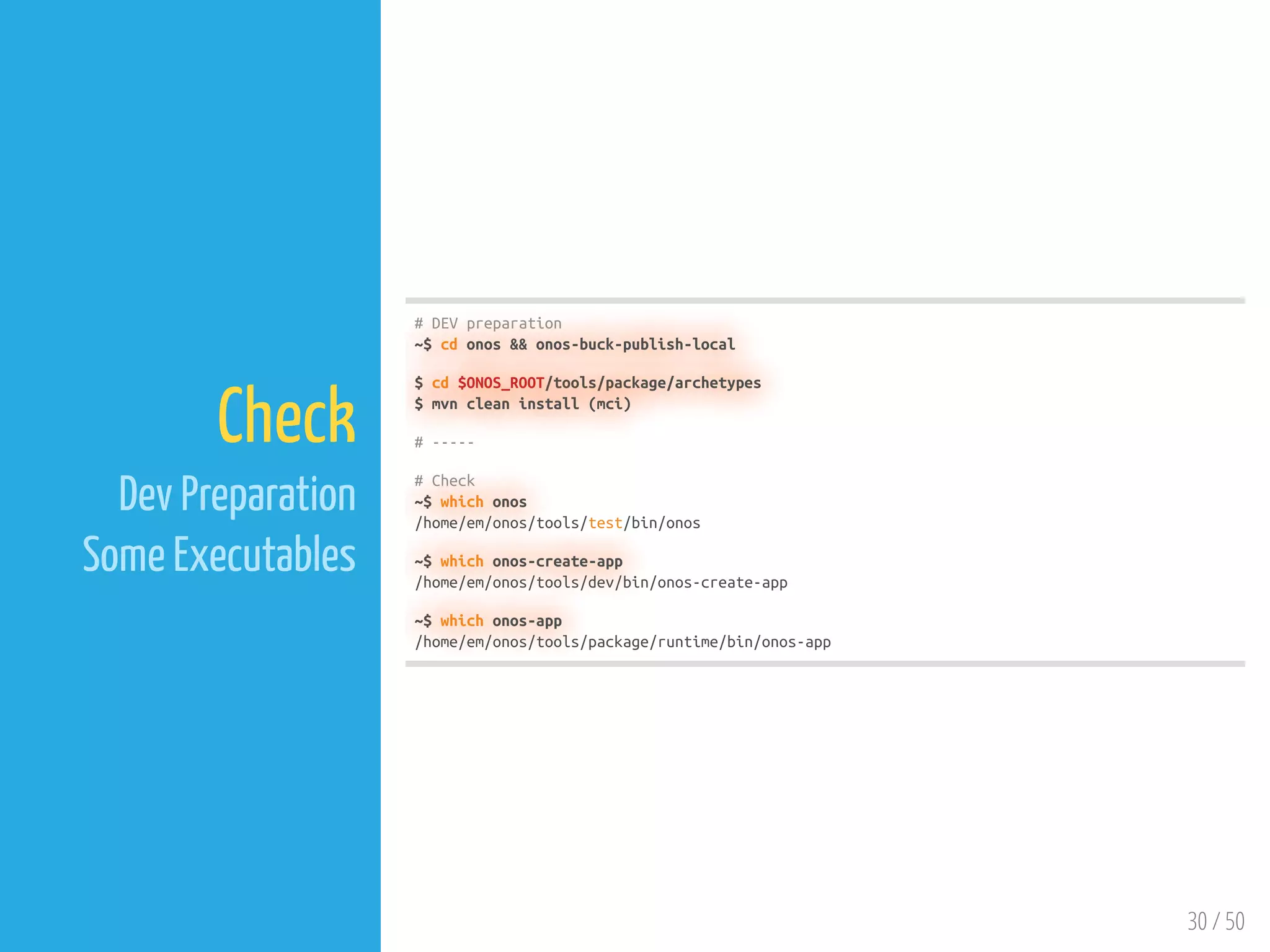
Check
Dev Preparation
Some Executables
# DEV preparation
~$ cd onos && onos-buck-publish-local
$ cd $ONOS_ROOT/tools/package/archetypes
$ mvn clean install (mci)
# -----
# Check
~$ which onos
/home/em/onos/tools/test/bin/onos
~$ which onos-create-app
/home/em/onos/tools/dev/bin/onos-create-app
~$ which onos-app
/home/em/onos/tools/package/runtime/bin/onos-app
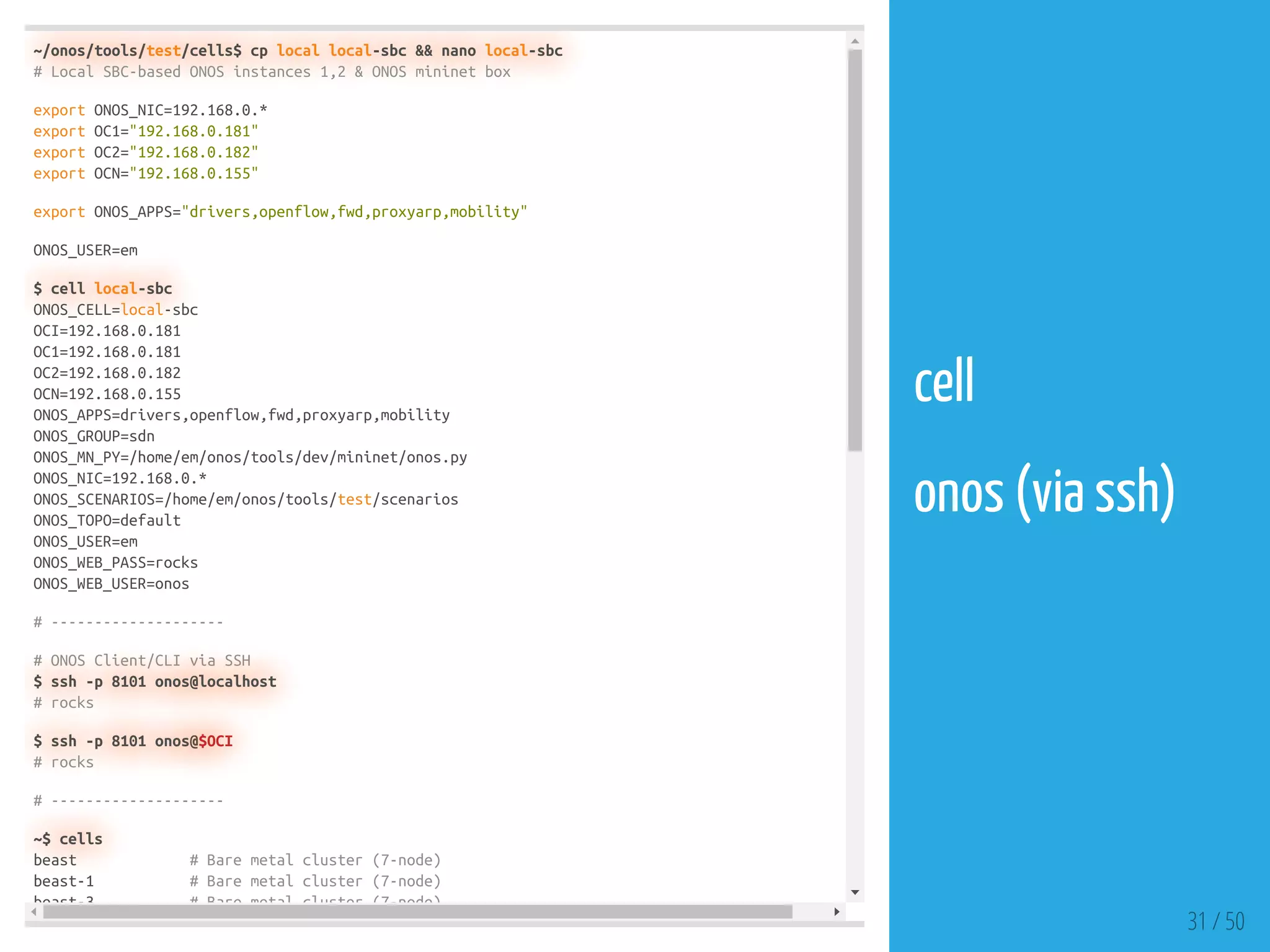
~/onos/tools/test/cells$ cp local local-sbc && nano local-sbc
# Local SBC-based ONOS instances 1,2 & ONOS mininet box
export ONOS_NIC=192.168.0.*
export OC1="192.168.0.181"
export OC2="192.168.0.182"
export OCN="192.168.0.155"
export ONOS_APPS="drivers,openflow,fwd,proxyarp,mobility"
ONOS_USER=em
$ cell local-sbc
ONOS_CELL=local-sbc
OCI=192.168.0.181
OC1=192.168.0.181
OC2=192.168.0.182
OCN=192.168.0.155
ONOS_APPS=drivers,openflow,fwd,proxyarp,mobility
ONOS_GROUP=sdn
ONOS_MN_PY=/home/em/onos/tools/dev/mininet/onos.py
ONOS_NIC=192.168.0.*
ONOS_SCENARIOS=/home/em/onos/tools/test/scenarios
ONOS_TOPO=default
ONOS_USER=em
ONOS_WEB_PASS=rocks
ONOS_WEB_USER=onos
# --------------------
# ONOS Client/CLI via SSH
$ ssh -p 8101 onos@localhost
# rocks
$ ssh -p 8101 onos@$OCI
# rocks
# --------------------
~$ cells
beast # Bare metal cluster (7-node)
beast-1 # Bare metal cluster (7-node)
beast-3 # Bare metal cluster (7-node)
31 / 50
cell
 
onos (via ssh)
em@onos-ide:~$ ssh-keygen -t rsa
Generating public/private rsa key pair.
Enter file in which to save the key (/home/em/.ssh/id_rsa):
Enter passphrase (empty for no passphrase):
Enter same passphrase again:
Your identification has been saved in /home/em/.ssh/id_rsa.
Your public key has been saved in /home/em/.ssh/id_rsa.pub.
The key fingerprint is:
SHA256:x61ayOgkKfOu4Kb1kg6qhzQg1zWtinDbeDRi7XOf8dk em@onos-ide
The key's randomart image is:
+---[RSA 2048]----+
| . |
| o . |
| o . o |
|+ = = . . . |
|o= O o S o . |
| o+ *..o.o . |
|+.=oooo.o+oo |
|+=+= + ooo E |
|B+o++ . . |
+----[SHA256]-----+
# ----------------
# via ssh-copy-id
em@onos-ide:~$ ssh-copy-id em@192.168.0.181
/usr/bin/ssh-copy-id: INFO: Source of key(s) to be installed: "/home/em/.ssh/id_rsa.pub"
/usr/bin/ssh-copy-id: INFO: attempting to log in with the new key(s), to filter out any that a
/usr/bin/ssh-copy-id: INFO: 1 key(s) remain to be installed -- if you are prompted now it is t
em@192.168.0.181's password:
Number of key(s) added: 1
Now try logging into the machine, with: "ssh 'em@192.168.0.181'"
and check to make sure that only the key(s) you wanted were added.
# via onos-push-keys
em@onos-ide:~$ onos-push-keys 192.168.0.182
em@192.168.0.182's password:
em@onos-ide:~$ ONOS_USER=ubuntu onos-push-keys $OCN
ubuntu@192.168.0.155's password:
32 / 50
ssh-keygen
 
onos-push-keys
 
Test
em@onos-ide:~$ onos-secure-ssh
# Host [localhost]:8101 found: line 1
/home/em/.ssh/known_hosts updated.
Original contents retained as /home/em/.ssh/known_hosts.old
usage: onos-user-password user {password|--remove}
ID | State | Web-State | Level | Web-ContextPath | Name
------------------------------------------------------------------------------
157 | Active | Deployed | 80 | /onos/v1 | onos-rest (1.12.0)
159 | Active | Deployed | 80 | /onos/ui | onos-gui (1.12.0)
# Host [localhost]:8101 found: line 1
/home/em/.ssh/known_hosts updated.
Original contents retained as /home/em/.ssh/known_hosts.old
# Host [localhost]:8101 found: line 1
/home/em/.ssh/known_hosts updated.
Original contents retained as /home/em/.ssh/known_hosts.old
usage: onos-user-password user {password|--remove}
ID | State | Web-State | Level | Web-ContextPath | Name
------------------------------------------------------------------------------
157 | Active | Deployed | 80 | /onos/v1 | onos-rest (1.12.0)
159 | Active | Deployed | 80 | /onos/ui | onos-gui (1.12.0)
# Host [localhost]:8101 found: line 1
/home/em/.ssh/known_hosts updated.
Original contents retained as /home/em/.ssh/known_hosts.old
# -----------------------
em@onos-ide:~$ onos
Welcome to Open Network Operating System (ONOS)!
____ _ ______ ____
/ __ / |/ / __ / __/
/ /_/ / / /_/ / 
____/_/|_/____/___/
Documentation: wiki.onosproject.org
Tutorials: tutorials.onosproject.org
Mailing lists: lists.onosproject.org
Come help out! Find out how at: contribute.onosproject.org
Hit ' t b ' f li t f il bl d
33 / 50
onos-secure-ssh
 
onos (CLI)
em@onos-ide:~$ topos
em@onos-ide:~$ topo dual
em@onos-ide:~$ ONOS_USER=ubuntu stc net-setup
2018-02-25 13:32:41 Net-Setup started
2018-02-25 13:32:41 Push-Topos started -- onos-push-topos 192.168.0.155
2018-02-25 13:32:41 Stop-Mininet-If-Needed started -- onos-mininet stop
2018-02-25 13:32:43 Push-Topos completed
2018-02-25 13:32:44 Stop-Mininet-If-Needed completed
2018-02-25 13:32:44 Clean-Mininet-If-Needed started -- onos-mininet cleanup
2018-02-25 13:32:48 Clean-Mininet-If-Needed completed
2018-02-25 13:32:48 Wipe-Out-Data-Before started -- onos-wipe-out
2018-02-25 13:32:54 Wipe-Out-Data-Before completed
2018-02-25 13:32:54 Initial-Summary-Check started -- onos-check-summary 192.168.0.181 [0-9]*
2018-02-25 13:32:55 Initial-Summary-Check completed
2018-02-25 13:32:55 Config-Topo started -- onos-netcfg 192.168.0.181 /home/em/onos/tools/test
2018-02-25 13:32:56 Config-Topo completed
2018-02-25 13:32:56 Start-Mininet started -- onos-mininet start topos/topo dual.py 192.168.0.
2018-02-25 13:37:30 Start-Mininet completed
2018-02-25 13:37:30 Wait-For-Mininet started -- onos-mininet wait 10
2018-02-25 13:37:42 Wait-For-Mininet completed
2018-02-25 13:37:42 ARP-Hosts started -- onos-mininet sendAndExpect gratuitousArp --expect .
2018-02-25 13:37:45 ARP-Hosts completed
2018-02-25 13:37:45 Check-Summary started -- onos-check-summary 192.168.0.181 [0-9]* 2 1 1
2018-02-25 13:38:05 Check-Summary failed
2018-02-25 13:38:05 Balance-Masters started -- onos 192.168.0.181 balance-masters
2018-02-25 13:38:05 Balance-Masters completed
2018-02-25 13:38:05 Check-Flows started -- onos-check-flows 192.168.0.181
2018-02-25 13:38:11 Check-Flows completed
2018-02-25 13:38:11 Net-Setup failed
5:29 Failed! 11 steps succeeded; 2 steps failed; 0 steps skipped
# openflow only
# ONOS_APPS=drivers,openflow,fwd,proxyarp,mobility
34 / 50
topo
 
stc net-setup
em@onos-ide:~$ ONOS_USER=ubuntu onos-mininet attach
[detached from 23035.mininet]
Connection to 192.168.0.155 closed.
# ----------------
# mininet 0.155
$ sudo visudo (no passwd)
$ sudo apt install screen
$ screen -S mininet
# screen -list | screen -r | ctrl+a d | screen -X -S 4122 kill
# ----------------
em@onos-ide:~$ ONOS_USER=ubuntu onos-mininet attach
^a+d
35 / 50
onos-mininet
attach
em@onos-ide:~$ ONOS_USER=ubuntu onos-mininet stop
em@onos-ide:~$ ONOS_USER=ubuntu onos-mininet cleanup
em@onos-ide:~$ onos-wipe-out please
em@onos-ide:~$ onos-netcfg -v $OC1 DELETE
em@onos-ide:~$ onos-netcfg -v $OC2 DELETE
Usage: onos-netcfg [-v] node file|DELETE [url]
# ----------------
# oneliner
$ ONOS_USER=ubuntu onos-mininet stop && ONOS_USER=ubuntu onos-mininet cleanup
$ onos-wipe-out please && onos-netcfg -v $OC1 DELETE && onos-netcfg -v $OC2 DELETE
36 / 50
onos-mininet
stop
 
onos-mininet
cleanup
 
onos-wipe-out
 
onos-netcfg
stc* & Manual Tests
37 / 50
38 / 50
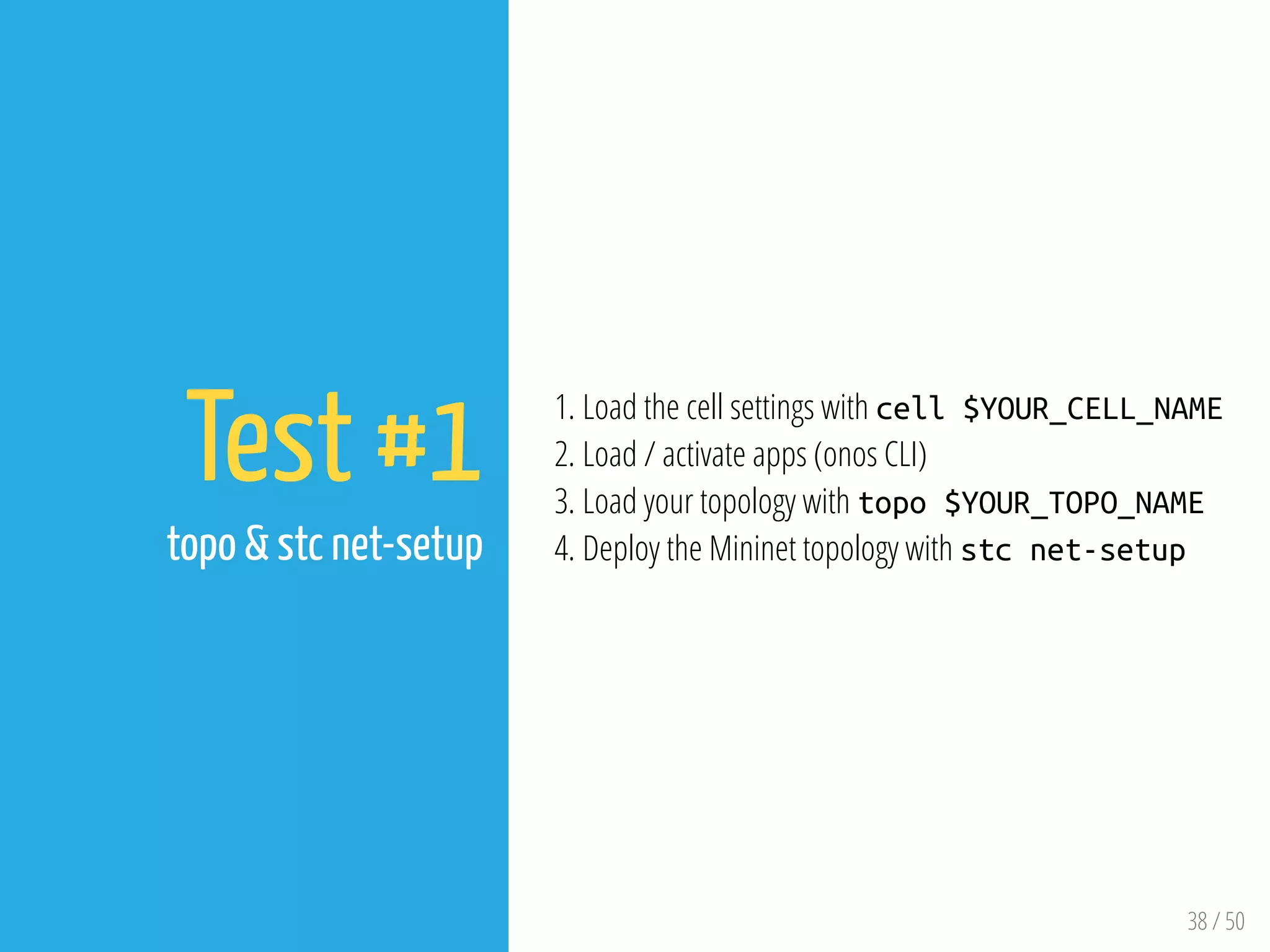
Test #1
topo & stc net-setup
1. Load the cell settings with cell $YOUR_CELL_NAME
2. Load / activate apps (onos CLI)
3. Load your topology with topo $YOUR_TOPO_NAME
4. Deploy the Mininet topology with stc net-setup
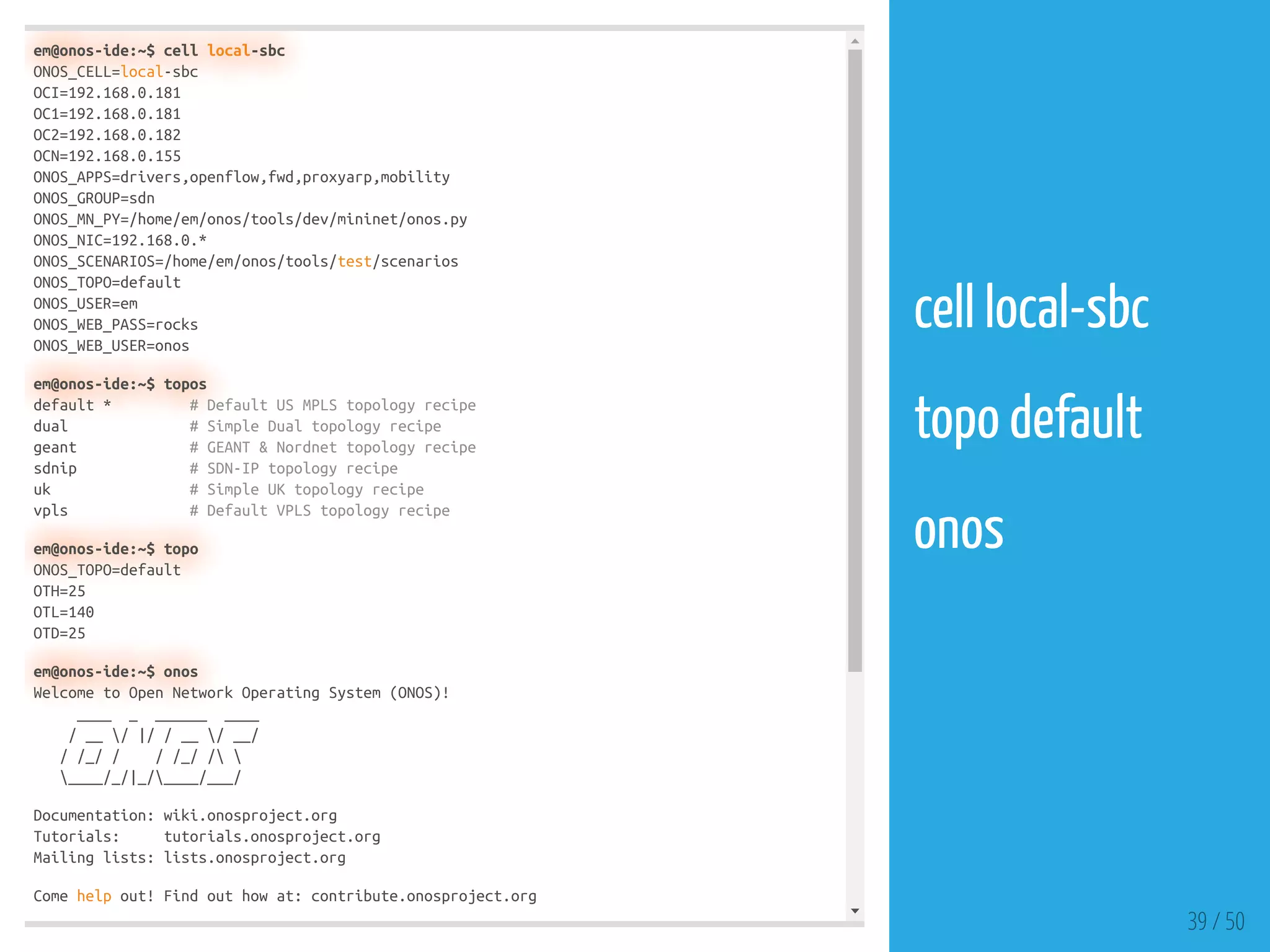
em@onos-ide:~$ cell local-sbc
ONOS_CELL=local-sbc
OCI=192.168.0.181
OC1=192.168.0.181
OC2=192.168.0.182
OCN=192.168.0.155
ONOS_APPS=drivers,openflow,fwd,proxyarp,mobility
ONOS_GROUP=sdn
ONOS_MN_PY=/home/em/onos/tools/dev/mininet/onos.py
ONOS_NIC=192.168.0.*
ONOS_SCENARIOS=/home/em/onos/tools/test/scenarios
ONOS_TOPO=default
ONOS_USER=em
ONOS_WEB_PASS=rocks
ONOS_WEB_USER=onos
em@onos-ide:~$ topos
default * # Default US MPLS topology recipe
dual # Simple Dual topology recipe
geant # GEANT & Nordnet topology recipe
sdnip # SDN-IP topology recipe
uk # Simple UK topology recipe
vpls # Default VPLS topology recipe
em@onos-ide:~$ topo
ONOS_TOPO=default
OTH=25
OTL=140
OTD=25
em@onos-ide:~$ onos
Welcome to Open Network Operating System (ONOS)!
____ _ ______ ____
/ __ / |/ / __ / __/
/ /_/ / / /_/ / 
____/_/|_/____/___/
Documentation: wiki.onosproject.org
Tutorials: tutorials.onosproject.org
Mailing lists: lists.onosproject.org
Come help out! Find out how at: contribute.onosproject.org
39 / 50
cell local-sbc
 
topo default
 
onos
 
em@onos-ide:~$ ONOS_USER=ubuntu stc net-setup
2018-02-27 18:35:37 Net-Setup started
2018-02-27 18:35:37 Push-Topos started -- onos-push-topos 192.168.0.155
2018-02-27 18:35:37 Stop-Mininet-If-Needed started -- onos-mininet stop
2018-02-27 18:35:40 Push-Topos completed
2018-02-27 18:35:42 Stop-Mininet-If-Needed completed
2018-02-27 18:35:42 Clean-Mininet-If-Needed started -- onos-mininet cleanup
2018-02-27 18:35:46 Clean-Mininet-If-Needed completed
2018-02-27 18:35:46 Wipe-Out-Data-Before started -- onos-wipe-out
2018-02-27 18:35:51 Wipe-Out-Data-Before completed
2018-02-27 18:35:51 Initial-Summary-Check started -- onos-check-summary 192.168.0.181 [0-9]*
2018-02-27 18:35:51 Initial-Summary-Check completed
2018-02-27 18:35:51 Config-Topo started -- onos-netcfg 192.168.0.181 /home/em/onos/tools/test
2018-02-27 18:35:53 Config-Topo completed
2018-02-27 18:35:53 Start-Mininet started -- onos-mininet start topos/topo default.py 192.168
2018-02-27 18:35:55 Start-Mininet completed
2018-02-27 18:35:55 Wait-For-Mininet started -- onos-mininet wait 10
2018-02-27 18:36:23 Wait-For-Mininet completed
2018-02-27 18:36:23 ARP-Hosts started -- onos-mininet sendAndExpect gratuitousArp --expect .
2018-02-27 18:36:27 ARP-Hosts completed
2018-02-27 18:36:27 Check-Summary started -- onos-check-summary 192.168.0.181 [0-9]* 25 140 2
2018-02-27 18:36:28 Check-Summary completed
2018-02-27 18:36:28 Balance-Masters started -- onos 192.168.0.181 balance-masters
2018-02-27 18:36:29 Balance-Masters completed
2018-02-27 18:36:29 Check-Flows started -- onos-check-flows 192.168.0.181
2018-02-27 18:36:35 Check-Flows completed
2018-02-27 18:36:35 Net-Setup completed
0:57 Passed! 13 steps succeeded
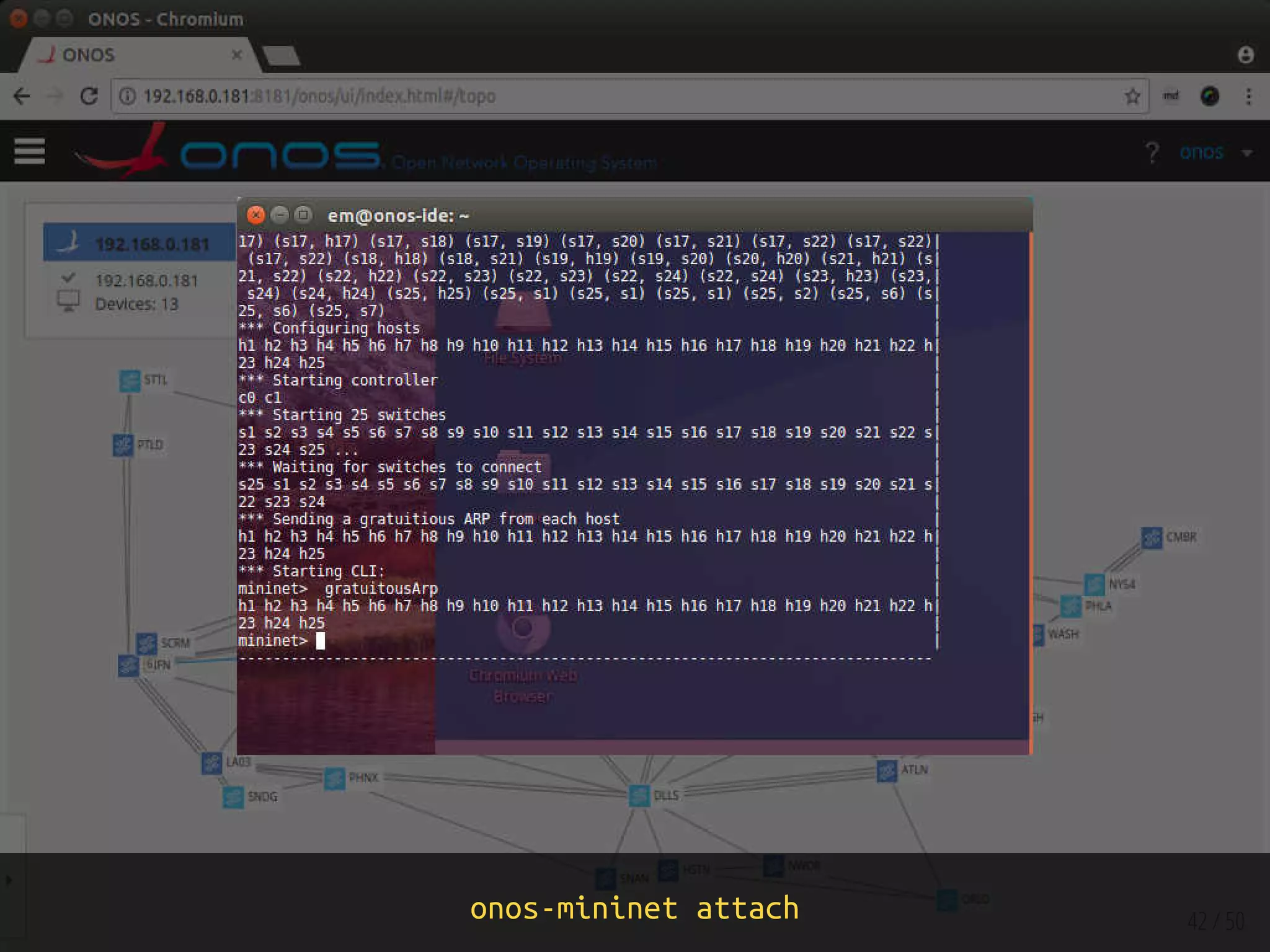
em@onos-ide:~$ ONOS_USER=ubuntu onos-mininet attach
[detached from 2336.mininet]
Connection to 192.168.0.155 closed.
40 / 50
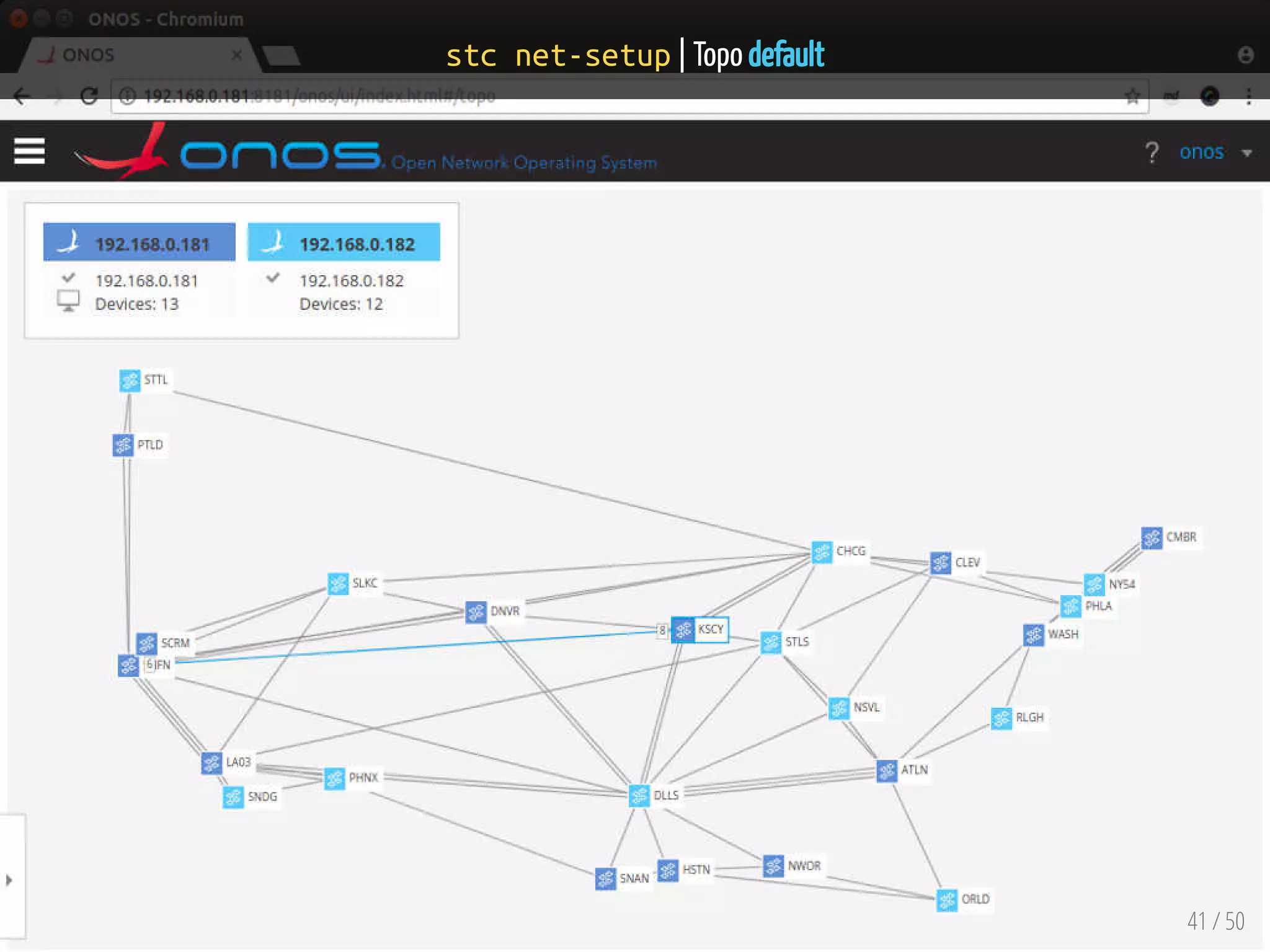
stc net-setup
stc net-setup | Topo default
41 / 50
onos-mininet attach 42 / 50
43 / 50
Test #2
Manual
1. Load the cell settings with cell $YOUR_CELL_NAME
2. Load / activate apps (onos CLI)
3. Run Mininet
4. Connect switches to the ONOS instances
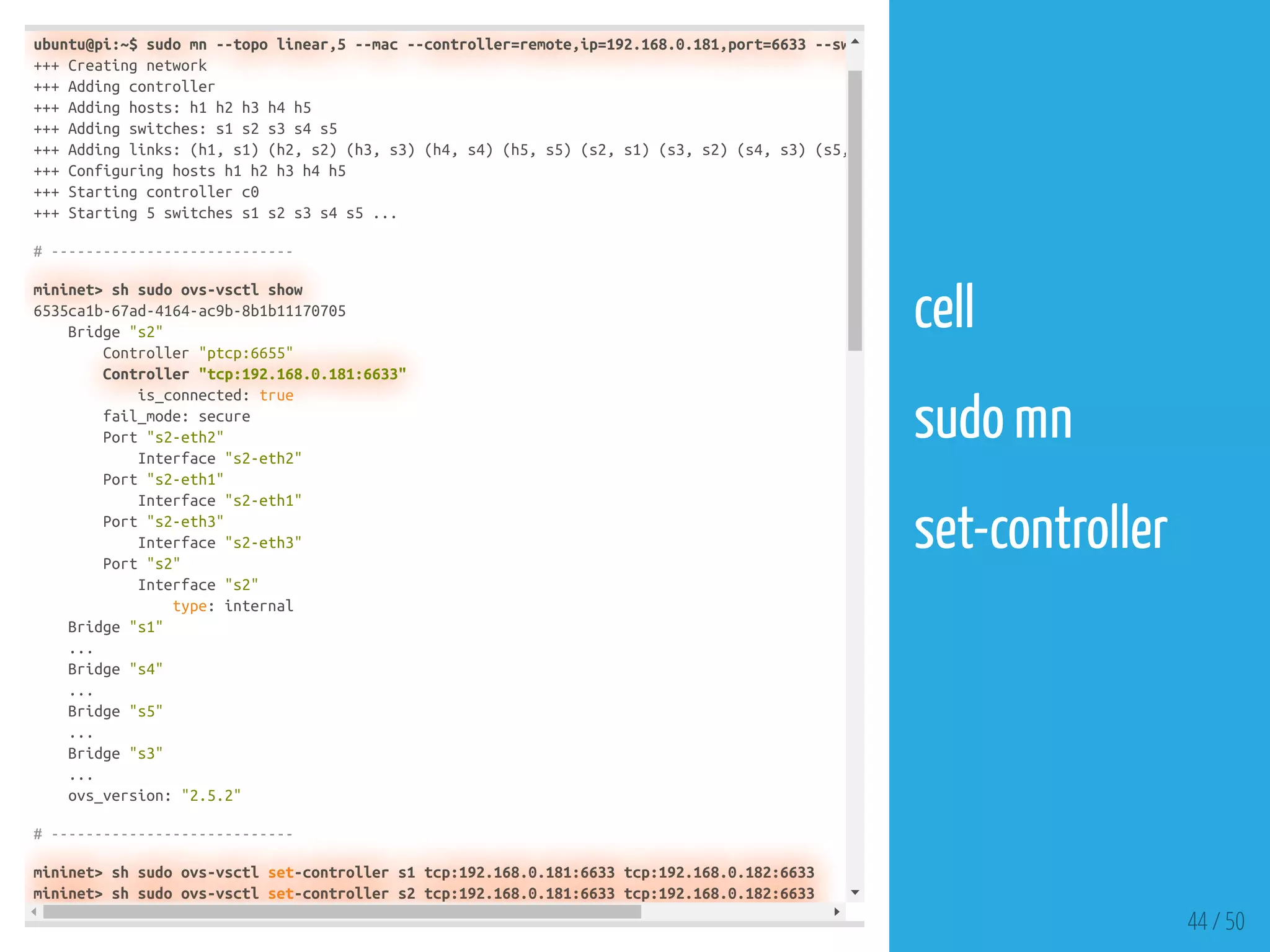
ubuntu@pi:~$ sudo mn --topo linear,5 --mac --controller=remote,ip=192.168.0.181,port=6633 --sw
+++ Creating network
+++ Adding controller
+++ Adding hosts: h1 h2 h3 h4 h5
+++ Adding switches: s1 s2 s3 s4 s5
+++ Adding links: (h1, s1) (h2, s2) (h3, s3) (h4, s4) (h5, s5) (s2, s1) (s3, s2) (s4, s3) (s5,
+++ Configuring hosts h1 h2 h3 h4 h5
+++ Starting controller c0
+++ Starting 5 switches s1 s2 s3 s4 s5 ...
# ----------------------------
mininet> sh sudo ovs-vsctl show
6535ca1b-67ad-4164-ac9b-8b1b11170705
Bridge "s2"
Controller "ptcp:6655"
Controller "tcp:192.168.0.181:6633"
is_connected: true
fail_mode: secure
Port "s2-eth2"
Interface "s2-eth2"
Port "s2-eth1"
Interface "s2-eth1"
Port "s2-eth3"
Interface "s2-eth3"
Port "s2"
Interface "s2"
type: internal
Bridge "s1"
...
Bridge "s4"
...
Bridge "s5"
...
Bridge "s3"
...
ovs_version: "2.5.2"
# ----------------------------
mininet> sh sudo ovs-vsctl set-controller s1 tcp:192.168.0.181:6633 tcp:192.168.0.182:6633
mininet> sh sudo ovs-vsctl set-controller s2 tcp:192.168.0.181:6633 tcp:192.168.0.182:6633
44 / 50
cell
 
sudo mn
 
set-controller
 
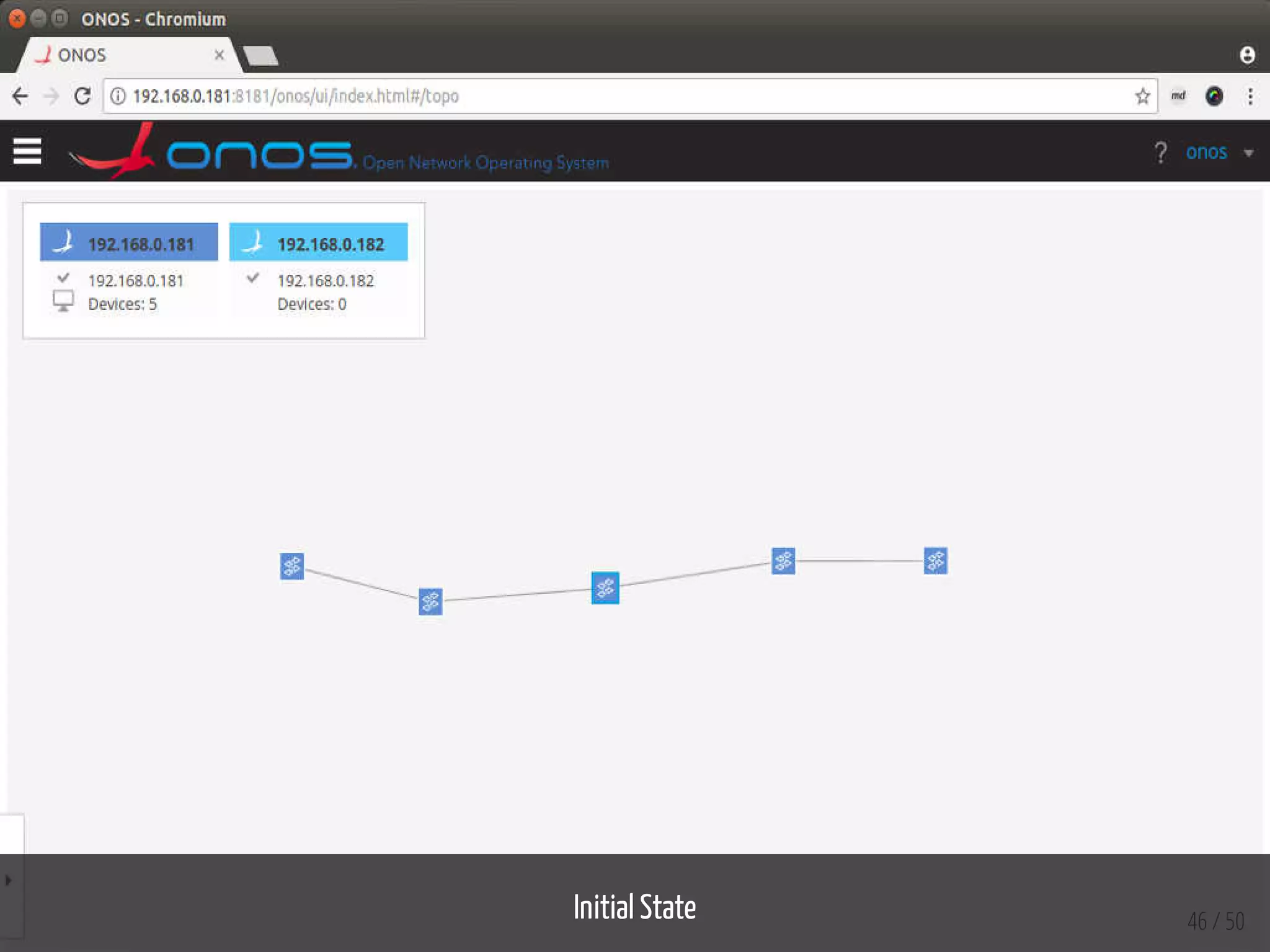
onos> nodes
id=192.168.0.181, address=192.168.0.181:9876, state=READY, version=1.12.0, updated=2m21s ago *
id=192.168.0.182, address=192.168.0.182:9876, state=READY, version=1.12.0, updated=2m13s ago
onos> masters
192.168.0.181: 5 devices
of:0000000000000001
of:0000000000000002
of:0000000000000003
of:0000000000000004
of:0000000000000005
192.168.0.182: 0 devices
onos> roles
of:0000000000000001: master=192.168.0.181, standbys=[ ]
of:0000000000000002: master=192.168.0.181, standbys=[ ]
of:0000000000000003: master=192.168.0.181, standbys=[ ]
of:0000000000000004: master=192.168.0.181, standbys=[ ]
of:0000000000000005: master=192.168.0.181, standbys=[ ]
# ------------------------------
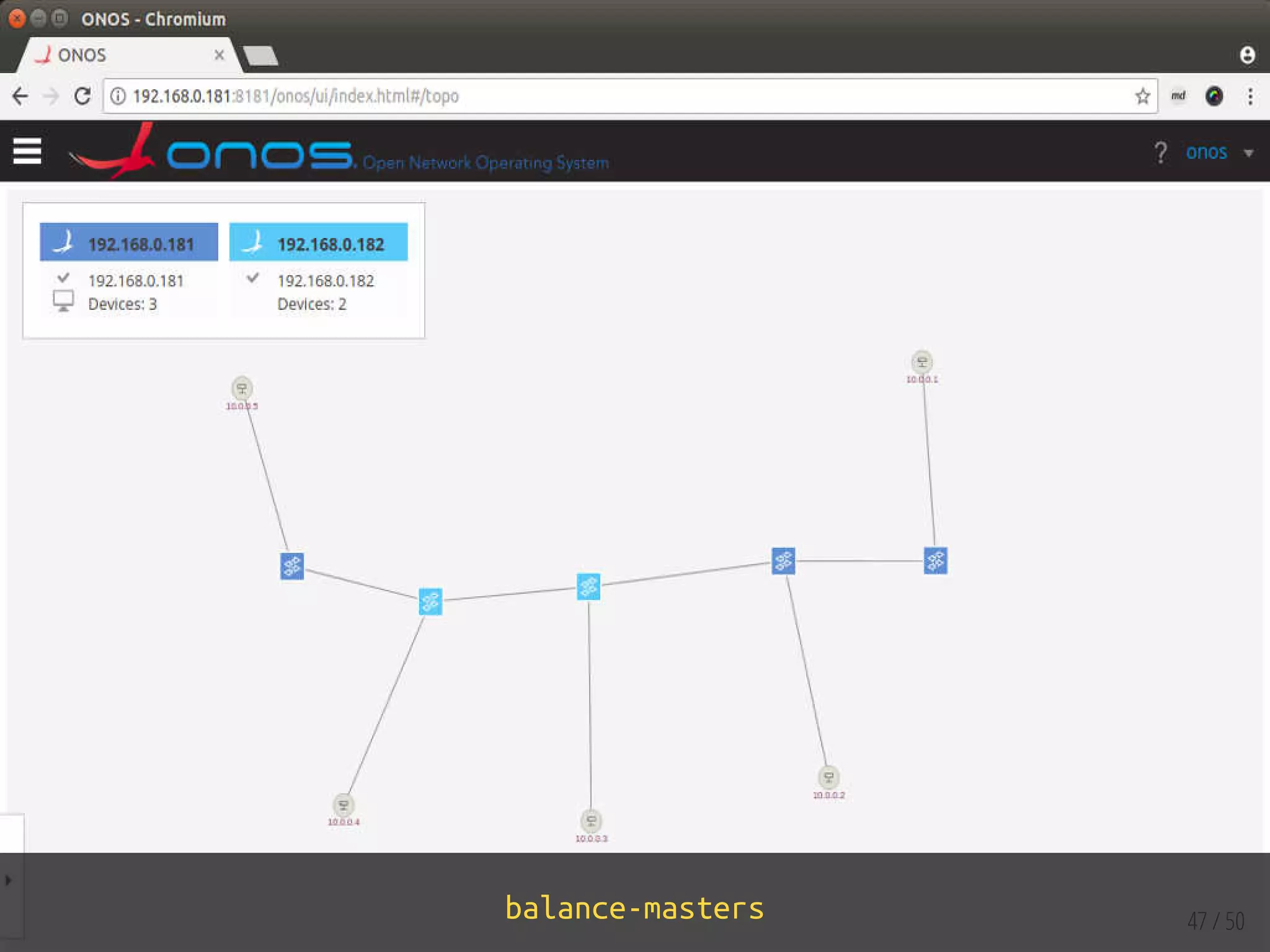
onos> balance-masters
# ------------------------------
onos> masters
192.168.0.181: 3 devices
of:0000000000000001
of:0000000000000002
of:0000000000000005
192.168.0.182: 2 devices
of:0000000000000003
of:0000000000000004
onos> roles
of:0000000000000001: master=192.168.0.181, standbys=[ 192.168.0.182 ]
of:0000000000000002: master=192.168.0.181, standbys=[ 192.168.0.182 ]
of:0000000000000003: master=192.168.0.182, standbys=[ 192.168.0.181 ]
of:0000000000000004: master=192.168.0.182, standbys=[ 192.168.0.181 ]
of:0000000000000005: master=192.168.0.181, standbys=[ 192.168.0.182 ]
45 / 50
balance-masters
Initial State 46 / 50
balance-masters 47 / 50
Refs/Resources
48 / 50
Refs/Resources
1. ONOS - Wiki
2. Cells and ONOS test scripts
3. Appendix A : List of ONOS Utility Scripts (onos-* scripts)
4. bocon13/onos-byon: Build Your Own Network
5. Abstractions and de nitions
6. ONOS Distributed Tutorial - Slides
7. Running ONOS as a service
8. Installing on a single machine
9. Distributed ONOS Tutorial
10. Experimenting with ONOS clustering
49 / 50
50 / 50
ENDEueung Mulyana
https://telematika.org/remark/onos3
Intro+Labs | Attribution-ShareAlike CC BY-SA

ONOS SDN Controller - Clustering Tests & Experiments

  • 1.
    1 / 50 ONOS ClusterExperiment Eueung Mulyana https://telematika.org/remark/onos3 Intro+Labs | Attribution-ShareAlike CC BY-SA
  • 2.
  • 3.
    ONOS 1.12.0 2x LattePanda4G/64G | 1x Raspberry Pi 3B VirtualBox 5.2.6 | Ubuntu 16.04.3 3 / 50
  • 4.
  • 5.
    5 / 50 TargetMachine: a machine (physical, virtual, container, ...) where ONOS runs. Cluster: a set of target machines working together as a distributed system. Management Machine: an optional machine meant for operators, used to deploy and manage ONOS from a single position on one or more target machines. At least one target machine is needed to install and run ONOS. Cluster allows ONOS to spread the load, being able to better scale and improve performances. ONOS can be deployed and managed on a target machine either locally (from the machine itself), or from a remote machine, called management machine. The management machine is optional. Ref: [Abstractions and de nitions]
  • 6.
  • 7.
    7 / 50 Notes Werecommend - and actually require - at least three nodes if you need fault tolerance. Underlying ONOS in part is several Raft clusters which require a majority of the cluster to be available to make progress... @jordan | Discussion Thread
  • 8.
    Management VM |VirtualBox Setting 8 / 50
  • 9.
    Management VM |VirtualBox Setting 9 / 50
  • 10.
    Management VM |Xubuntu 16.04.3 10 / 50
  • 11.
    Target Machines +Mininet Box 11 / 50
  • 12.
    Target Machines +Mininet Box 12 / 50
  • 13.
  • 14.
    14 / 50 TargetMachine Install OS (Ubuntu Server 16.04.3) Install Dependencies & Set Envs ONOS Manual Installation (Optional)
  • 15.
  • 16.
    16 / 50 LattePanda 4G/64G UbuntuServer 16.04.3 ESC Chipset > South Bridge > LPSS & SCC Con guration > SCC SDIO Support = PCI Mode F4 Boot and Install with the HWE kernel Install Ubuntu Server Notes: (1) No network interfaces were found -> Continue; (2) Guided - use entire disk
  • 17.
    17 / 50 Preparation Interface& Network Access # console $ sudo ifconfig $ sudo dhclient $ hostname -I # ----------------------------- # remote $ ssh em@192.168.0.14 em@onos181:~$ cat /etc/network/interfaces ... auto enx00e04c360a5d iface enx00e04c360a5d inet static address 192.168.0.181 netmask 255.255.255.0 network 192.168.0.0 broadcast 192.168.0.255 gateway 192.168.0.1 dns-nameservers 192.168.0.1 8.8.8.8 8.8.4.4
  • 18.
    ~$ ssh em@192.168.0.181 em@192.168.0.181'spassword: Welcome to Ubuntu 16.04.3 LTS (GNU/Linux 4.13.0-32-generic x86_64) ... Last login: Mon Feb 19 19:12:51 2018 from 192.168.0.210 ~$ sudo cp /etc/apt/sources.list /etc/apt/sources.list.ori ~$ sudo sed -i 's/http://us.archive.ubuntu.com/ubuntu//http://kambing.ui.ac.id/ubuntu/ ~$ sudo sed -i 's/http://id.archive.ubuntu.com/ubuntu//http://kambing.ui.ac.id/ubuntu/ ~$ sudo apt update ~$ sudo apt upgrade # ---------------------------------- # after upgrade ~$ ifconfig -a enx00e04c360a5d Link encap:Ethernet HWaddr 00:e0:4c:36:0a:5d inet addr:192.168.0.181 Bcast:192.168.0.255 Mask:255.255.255.0 inet6 addr: fe80::2e0:4cff:fe36:a5d/64 Scope:Link UP BROADCAST RUNNING MULTICAST MTU:1500 Metric:1 RX packets:215 errors:0 dropped:0 overruns:0 frame:0 TX packets:179 errors:0 dropped:0 overruns:0 carrier:0 collisions:0 txqueuelen:1000 RX bytes:221681 (221.6 KB) TX bytes:18351 (18.3 KB) lo Link encap:Local Loopback inet addr:127.0.0.1 Mask:255.0.0.0 inet6 addr: ::1/128 Scope:Host UP LOOPBACK RUNNING MTU:65536 Metric:1 RX packets:160 errors:0 dropped:0 overruns:0 frame:0 TX packets:160 errors:0 dropped:0 overruns:0 carrier:0 collisions:0 txqueuelen:1000 RX bytes:11840 (11.8 KB) TX bytes:11840 (11.8 KB) wlan0 Link encap:Ethernet HWaddr 54:c9:df:86:fc:be BROADCAST MULTICAST MTU:1500 Metric:1 RX packets:0 errors:0 dropped:0 overruns:0 frame:0 TX packets:0 errors:0 dropped:0 overruns:0 carrier:0 collisions:0 txqueuelen:1000 RX bytes:0 (0.0 B) TX bytes:0 (0.0 B) 18 / 50 Update/ Upgrade   Check
  • 19.
  • 20.
    20 / 50 Preparation Deps Envs $sudo apt-get install unzip zip tree $ sudo apt-get install software-properties-common -y && sudo add-apt-repository ppa:webupd8team/java -y && sudo apt-get update && echo "oracle-java8-installer shared/accepted-oracle-license-v1-1 select true" | sudo debconf-s sudo apt-get install oracle-java8-installer oracle-java8-set-default -y $ java -version java version "1.8.0_161" Java(TM) SE Runtime Environment (build 1.8.0_161-b12) Java HotSpot(TM) 64-Bit Server VM (build 25.161-b12, mixed mode) $ which java /usr/bin/java # ------------------------ $ echo $JAVA_HOME /usr/lib/jvm/java-8-oracle $ cat .profile ... PATH="/opt/onos/bin:$PATH" export LC_ALL="en_US.UTF-8" export LC_CTYPE="en_US.UTF-8"
  • 21.
  • 22.
    # Transfer onos-1.12.0.tar.gz $sftp em@192.168.0.181 sftp> put onos-1.12.0.tar.gz Uploading onos-1.12.0.tar.gz to /home/em/onos-1.12.0.tar.gz onos-1.12.0.tar.gz 100% 215MB 5.1MB/s 00:42 sftp> quit # Extract $ sudo mv onos-1.12.0.tar.gz /opt/ $ cd /opt && sudo tar xzf onos-1.12.0.tar.gz $ sudo rm -f onos-1.12.0.tar.gz $ sudo mv onos-1.12.0 onos # ------------------------------------- # Test $ /opt/onos/bin/onos-service start Welcome to Open Network Operating System (ONOS)! ____ _ ______ ____ / __ / |/ / __ / __/ / /_/ / / /_/ / ____/_/|_/____/___/ Documentation: wiki.onosproject.org Tutorials: tutorials.onosproject.org Mailing lists: lists.onosproject.org Come help out! Find out how at: contribute.onosproject.org Hit '<tab>' for a list of available commands and '[cmd] --help' for help on a specific command. Hit '<ctrl-d>' or type 'system:shutdown' or 'logout' to shutdown ONOS. onos> apps -s -a Service org.onosproject.app.ApplicationService not found onos> apps -s -a + 18 org.onosproject.drivers 1.12.0 Default Drivers 22 / 50 ONOS Binary   Test
  • 23.
    23 / 50 ONOS Service #ONOS user $ sudo adduser sdn --system --group # No password $ sudo visudo %sudo ALL=(ALL) NOPASSWD:ALL # Service user /opt/onos$ nano options ONOS_USER=sdn # ------ # Ownership / write access $ sudo chown sdn:sdn /opt/onos -R # ------ # Service $ sudo cp /opt/onos/init/onos.initd /etc/init.d/onos $ sudo cp /opt/onos/init/onos.initd /etc/init.d/onos $ sudo cp /opt/onos/init/onos.service /etc/systemd/system/ $ sudo systemctl daemon-reload $ sudo systemctl enable onos $ sudo service onos status
  • 24.
    em@onos182:~$ onos-user-password em123 em@onos182:~$ onos-user-password onos rocks # note: logout from web ui em@onos182:~$ onos Password authentication Password: Welcome to Open Network Operating System (ONOS)! ____ _ ______ ____ / __ / |/ / __ / __/ / /_/ / / /_/ / ____/_/|_/____/___/ Documentation: wiki.onosproject.org Tutorials: tutorials.onosproject.org Mailing lists: lists.onosproject.org Come help out! Find out how at: contribute.onosproject.org Hit '<tab>' for a list of available commands and '[cmd] --help' for help on a specific command. Hit '<ctrl-d>' or type 'system:shutdown' or 'logout' to shutdown ONOS. onos> ^D # ----------------------------- em@onos182:~$ ll /opt/onos/bin total 64 drwxrwxrwx 2 sdn sdn 4096 Dec 12 05:04 ./ drwxrwxrwx 8 sdn sdn 4096 Feb 25 08:57 ../ -rwxrwxrwx 1 sdn sdn 969 Dec 12 05:04 _check-json* -rwxrwxrwx 1 sdn sdn 1347 Dec 12 05:04 _find-node* -rwxrwxrwx 1 sdn sdn 273 Dec 12 05:04 onos* -rwxrwxrwx 1 sdn sdn 3368 Dec 12 05:04 onos-app* -rwxrwxrwx 1 sdn sdn 1287 Dec 12 05:04 onos-backup* -rwxrwxrwx 1 sdn sdn 1960 Dec 12 05:04 onos-cfg* -rwxrwxrwx 1 sdn sdn 1860 Dec 12 05:04 onos-compile-yang* -rwxrwxrwx 1 sdn sdn 1310 Dec 12 05:04 onos-form-cluster* -rwxrwxrwx 1 sdn sdn 197 Dec 12 05:04 onos-jpenable* -rwxrwxrwx 1 sdn sdn 1961 Dec 12 05:04 onos-netcfg* -rwxrwxrwx 1 sdn sdn 1073 Dec 12 05:04 onos-restore* -rwxrwxrwx 1 sdn sdn 2011 Dec 12 05:04 onos-service* 24 / 50 onos-user- password   onos (Local CLI)   onos-form- cluster
  • 25.
    Management / DevVM 25 / 50
  • 26.
    26 / 50 Typical Workow 1. Make changes to the code 2. Build ONOS with onos-buck buld onos 3. Load the cell settings with cell $YOUR_CELL_NAME 4. Load your topology with topo $YOUR_TOPO_NAME 5. Deploy ONOS target machines with stc setup 6. Deploy the Mininet topology with stc net-setup Ref: [Cells and ONOS test scripts]
  • 27.
    27 / 50 Management VM Preparation(Deps, Envs, Network) Clone, Checkout & Build (+others: mvn preparation, archetypes) Cell & Topo SSH Key Setup (incl. Target Machines) onos CLI stc Commands Other Useful Commands
  • 28.
    28 / 50 Preparation Deps Envs Network #Some deps $ sudo apt install zip unzip (installed) $ sudo apt install curl tree git openssh-server # Install JDK $ sudo apt-get install software-properties-common -y && sudo add-apt-repository ppa:webupd8team/java -y && sudo apt-get update && echo "oracle-java8-installer shared/accepted-oracle-license-v1-1 select true" | sudo debconf-s sudo apt-get install oracle-java8-installer oracle-java8-set-default -y # ----------------------------- $ nano .profile export JAVA_HOME=/usr/lib/jvm/java-8-oracle/ $source .profile # Install Maven $sudo apt install maven # ----------------------------- # Host-only network $ cat /etc/network/interfaces ... auto enp0s8 iface enp0s8 inet static address 192.168.56.70 netmask 255.255.255.0 ... # VBox shared folder $ sudo adduser em vboxsf
  • 29.
    $ git clonehttps://gerrit.onosproject.org/onos $ cd onos && git checkout 1.12.0 ~$ nano .profile export ONOS_ROOT=/home/em/onos source $ONOS_ROOT/tools/dev/bash_profile $ source .profile # Install/Build $ tools/build/onos-buck build onos --show-output # if failed e.g. NPM, w/h bash_profile # rm -rf bin/ && rm -rf buck-out/ ~/onos$ tools/build/onos-buck build onos --show-output Updating Buck... % Total % Received % Xferd Average Speed Time Time Time Current Dload Upload Total Spent Left Speed 100 44.3M 100 44.3M 0 0 227k 0 0:03:19 0:03:19 --:--:-- 253k Archive: cache/buck-v2017.11.30.01.zip ... Successfully updated Buck in /home/em/onos/bin/buck to buck-v2017.11.30.01.zip Not using buckd because NO_BUCKD is set. ... The outputs are: //tools/package:onos-package buck-out/gen/tools/package/onos-package/onos.tar.gz ~/onos$ tree -L 1 -d . |----- apps |----- bin |----- bucklets |----- buck-out |----- buck-tools |----- cli |----- core |----- docs |----- drivers |----- features |----- incubator |----- lib 29 / 50 Checkout   Build
  • 30.
    30 / 50 Check DevPreparation Some Executables # DEV preparation ~$ cd onos && onos-buck-publish-local $ cd $ONOS_ROOT/tools/package/archetypes $ mvn clean install (mci) # ----- # Check ~$ which onos /home/em/onos/tools/test/bin/onos ~$ which onos-create-app /home/em/onos/tools/dev/bin/onos-create-app ~$ which onos-app /home/em/onos/tools/package/runtime/bin/onos-app
  • 31.
    ~/onos/tools/test/cells$ cp locallocal-sbc && nano local-sbc # Local SBC-based ONOS instances 1,2 & ONOS mininet box export ONOS_NIC=192.168.0.* export OC1="192.168.0.181" export OC2="192.168.0.182" export OCN="192.168.0.155" export ONOS_APPS="drivers,openflow,fwd,proxyarp,mobility" ONOS_USER=em $ cell local-sbc ONOS_CELL=local-sbc OCI=192.168.0.181 OC1=192.168.0.181 OC2=192.168.0.182 OCN=192.168.0.155 ONOS_APPS=drivers,openflow,fwd,proxyarp,mobility ONOS_GROUP=sdn ONOS_MN_PY=/home/em/onos/tools/dev/mininet/onos.py ONOS_NIC=192.168.0.* ONOS_SCENARIOS=/home/em/onos/tools/test/scenarios ONOS_TOPO=default ONOS_USER=em ONOS_WEB_PASS=rocks ONOS_WEB_USER=onos # -------------------- # ONOS Client/CLI via SSH $ ssh -p 8101 onos@localhost # rocks $ ssh -p 8101 onos@$OCI # rocks # -------------------- ~$ cells beast # Bare metal cluster (7-node) beast-1 # Bare metal cluster (7-node) beast-3 # Bare metal cluster (7-node) 31 / 50 cell   onos (via ssh)
  • 32.
    em@onos-ide:~$ ssh-keygen -trsa Generating public/private rsa key pair. Enter file in which to save the key (/home/em/.ssh/id_rsa): Enter passphrase (empty for no passphrase): Enter same passphrase again: Your identification has been saved in /home/em/.ssh/id_rsa. Your public key has been saved in /home/em/.ssh/id_rsa.pub. The key fingerprint is: SHA256:x61ayOgkKfOu4Kb1kg6qhzQg1zWtinDbeDRi7XOf8dk em@onos-ide The key's randomart image is: +---[RSA 2048]----+ | . | | o . | | o . o | |+ = = . . . | |o= O o S o . | | o+ *..o.o . | |+.=oooo.o+oo | |+=+= + ooo E | |B+o++ . . | +----[SHA256]-----+ # ---------------- # via ssh-copy-id em@onos-ide:~$ ssh-copy-id em@192.168.0.181 /usr/bin/ssh-copy-id: INFO: Source of key(s) to be installed: "/home/em/.ssh/id_rsa.pub" /usr/bin/ssh-copy-id: INFO: attempting to log in with the new key(s), to filter out any that a /usr/bin/ssh-copy-id: INFO: 1 key(s) remain to be installed -- if you are prompted now it is t em@192.168.0.181's password: Number of key(s) added: 1 Now try logging into the machine, with: "ssh 'em@192.168.0.181'" and check to make sure that only the key(s) you wanted were added. # via onos-push-keys em@onos-ide:~$ onos-push-keys 192.168.0.182 em@192.168.0.182's password: em@onos-ide:~$ ONOS_USER=ubuntu onos-push-keys $OCN ubuntu@192.168.0.155's password: 32 / 50 ssh-keygen   onos-push-keys   Test
  • 33.
    em@onos-ide:~$ onos-secure-ssh # Host[localhost]:8101 found: line 1 /home/em/.ssh/known_hosts updated. Original contents retained as /home/em/.ssh/known_hosts.old usage: onos-user-password user {password|--remove} ID | State | Web-State | Level | Web-ContextPath | Name ------------------------------------------------------------------------------ 157 | Active | Deployed | 80 | /onos/v1 | onos-rest (1.12.0) 159 | Active | Deployed | 80 | /onos/ui | onos-gui (1.12.0) # Host [localhost]:8101 found: line 1 /home/em/.ssh/known_hosts updated. Original contents retained as /home/em/.ssh/known_hosts.old # Host [localhost]:8101 found: line 1 /home/em/.ssh/known_hosts updated. Original contents retained as /home/em/.ssh/known_hosts.old usage: onos-user-password user {password|--remove} ID | State | Web-State | Level | Web-ContextPath | Name ------------------------------------------------------------------------------ 157 | Active | Deployed | 80 | /onos/v1 | onos-rest (1.12.0) 159 | Active | Deployed | 80 | /onos/ui | onos-gui (1.12.0) # Host [localhost]:8101 found: line 1 /home/em/.ssh/known_hosts updated. Original contents retained as /home/em/.ssh/known_hosts.old # ----------------------- em@onos-ide:~$ onos Welcome to Open Network Operating System (ONOS)! ____ _ ______ ____ / __ / |/ / __ / __/ / /_/ / / /_/ / ____/_/|_/____/___/ Documentation: wiki.onosproject.org Tutorials: tutorials.onosproject.org Mailing lists: lists.onosproject.org Come help out! Find out how at: contribute.onosproject.org Hit ' t b ' f li t f il bl d 33 / 50 onos-secure-ssh   onos (CLI)
  • 34.
    em@onos-ide:~$ topos em@onos-ide:~$ topodual em@onos-ide:~$ ONOS_USER=ubuntu stc net-setup 2018-02-25 13:32:41 Net-Setup started 2018-02-25 13:32:41 Push-Topos started -- onos-push-topos 192.168.0.155 2018-02-25 13:32:41 Stop-Mininet-If-Needed started -- onos-mininet stop 2018-02-25 13:32:43 Push-Topos completed 2018-02-25 13:32:44 Stop-Mininet-If-Needed completed 2018-02-25 13:32:44 Clean-Mininet-If-Needed started -- onos-mininet cleanup 2018-02-25 13:32:48 Clean-Mininet-If-Needed completed 2018-02-25 13:32:48 Wipe-Out-Data-Before started -- onos-wipe-out 2018-02-25 13:32:54 Wipe-Out-Data-Before completed 2018-02-25 13:32:54 Initial-Summary-Check started -- onos-check-summary 192.168.0.181 [0-9]* 2018-02-25 13:32:55 Initial-Summary-Check completed 2018-02-25 13:32:55 Config-Topo started -- onos-netcfg 192.168.0.181 /home/em/onos/tools/test 2018-02-25 13:32:56 Config-Topo completed 2018-02-25 13:32:56 Start-Mininet started -- onos-mininet start topos/topo dual.py 192.168.0. 2018-02-25 13:37:30 Start-Mininet completed 2018-02-25 13:37:30 Wait-For-Mininet started -- onos-mininet wait 10 2018-02-25 13:37:42 Wait-For-Mininet completed 2018-02-25 13:37:42 ARP-Hosts started -- onos-mininet sendAndExpect gratuitousArp --expect . 2018-02-25 13:37:45 ARP-Hosts completed 2018-02-25 13:37:45 Check-Summary started -- onos-check-summary 192.168.0.181 [0-9]* 2 1 1 2018-02-25 13:38:05 Check-Summary failed 2018-02-25 13:38:05 Balance-Masters started -- onos 192.168.0.181 balance-masters 2018-02-25 13:38:05 Balance-Masters completed 2018-02-25 13:38:05 Check-Flows started -- onos-check-flows 192.168.0.181 2018-02-25 13:38:11 Check-Flows completed 2018-02-25 13:38:11 Net-Setup failed 5:29 Failed! 11 steps succeeded; 2 steps failed; 0 steps skipped # openflow only # ONOS_APPS=drivers,openflow,fwd,proxyarp,mobility 34 / 50 topo   stc net-setup
  • 35.
    em@onos-ide:~$ ONOS_USER=ubuntu onos-mininetattach [detached from 23035.mininet] Connection to 192.168.0.155 closed. # ---------------- # mininet 0.155 $ sudo visudo (no passwd) $ sudo apt install screen $ screen -S mininet # screen -list | screen -r | ctrl+a d | screen -X -S 4122 kill # ---------------- em@onos-ide:~$ ONOS_USER=ubuntu onos-mininet attach ^a+d 35 / 50 onos-mininet attach
  • 36.
    em@onos-ide:~$ ONOS_USER=ubuntu onos-mininetstop em@onos-ide:~$ ONOS_USER=ubuntu onos-mininet cleanup em@onos-ide:~$ onos-wipe-out please em@onos-ide:~$ onos-netcfg -v $OC1 DELETE em@onos-ide:~$ onos-netcfg -v $OC2 DELETE Usage: onos-netcfg [-v] node file|DELETE [url] # ---------------- # oneliner $ ONOS_USER=ubuntu onos-mininet stop && ONOS_USER=ubuntu onos-mininet cleanup $ onos-wipe-out please && onos-netcfg -v $OC1 DELETE && onos-netcfg -v $OC2 DELETE 36 / 50 onos-mininet stop   onos-mininet cleanup   onos-wipe-out   onos-netcfg
  • 37.
    stc* & ManualTests 37 / 50
  • 38.
    38 / 50 Test#1 topo & stc net-setup 1. Load the cell settings with cell $YOUR_CELL_NAME 2. Load / activate apps (onos CLI) 3. Load your topology with topo $YOUR_TOPO_NAME 4. Deploy the Mininet topology with stc net-setup
  • 39.
    em@onos-ide:~$ cell local-sbc ONOS_CELL=local-sbc OCI=192.168.0.181 OC1=192.168.0.181 OC2=192.168.0.182 OCN=192.168.0.155 ONOS_APPS=drivers,openflow,fwd,proxyarp,mobility ONOS_GROUP=sdn ONOS_MN_PY=/home/em/onos/tools/dev/mininet/onos.py ONOS_NIC=192.168.0.* ONOS_SCENARIOS=/home/em/onos/tools/test/scenarios ONOS_TOPO=default ONOS_USER=em ONOS_WEB_PASS=rocks ONOS_WEB_USER=onos em@onos-ide:~$topos default * # Default US MPLS topology recipe dual # Simple Dual topology recipe geant # GEANT & Nordnet topology recipe sdnip # SDN-IP topology recipe uk # Simple UK topology recipe vpls # Default VPLS topology recipe em@onos-ide:~$ topo ONOS_TOPO=default OTH=25 OTL=140 OTD=25 em@onos-ide:~$ onos Welcome to Open Network Operating System (ONOS)! ____ _ ______ ____ / __ / |/ / __ / __/ / /_/ / / /_/ / ____/_/|_/____/___/ Documentation: wiki.onosproject.org Tutorials: tutorials.onosproject.org Mailing lists: lists.onosproject.org Come help out! Find out how at: contribute.onosproject.org 39 / 50 cell local-sbc   topo default   onos  
  • 40.
    em@onos-ide:~$ ONOS_USER=ubuntu stcnet-setup 2018-02-27 18:35:37 Net-Setup started 2018-02-27 18:35:37 Push-Topos started -- onos-push-topos 192.168.0.155 2018-02-27 18:35:37 Stop-Mininet-If-Needed started -- onos-mininet stop 2018-02-27 18:35:40 Push-Topos completed 2018-02-27 18:35:42 Stop-Mininet-If-Needed completed 2018-02-27 18:35:42 Clean-Mininet-If-Needed started -- onos-mininet cleanup 2018-02-27 18:35:46 Clean-Mininet-If-Needed completed 2018-02-27 18:35:46 Wipe-Out-Data-Before started -- onos-wipe-out 2018-02-27 18:35:51 Wipe-Out-Data-Before completed 2018-02-27 18:35:51 Initial-Summary-Check started -- onos-check-summary 192.168.0.181 [0-9]* 2018-02-27 18:35:51 Initial-Summary-Check completed 2018-02-27 18:35:51 Config-Topo started -- onos-netcfg 192.168.0.181 /home/em/onos/tools/test 2018-02-27 18:35:53 Config-Topo completed 2018-02-27 18:35:53 Start-Mininet started -- onos-mininet start topos/topo default.py 192.168 2018-02-27 18:35:55 Start-Mininet completed 2018-02-27 18:35:55 Wait-For-Mininet started -- onos-mininet wait 10 2018-02-27 18:36:23 Wait-For-Mininet completed 2018-02-27 18:36:23 ARP-Hosts started -- onos-mininet sendAndExpect gratuitousArp --expect . 2018-02-27 18:36:27 ARP-Hosts completed 2018-02-27 18:36:27 Check-Summary started -- onos-check-summary 192.168.0.181 [0-9]* 25 140 2 2018-02-27 18:36:28 Check-Summary completed 2018-02-27 18:36:28 Balance-Masters started -- onos 192.168.0.181 balance-masters 2018-02-27 18:36:29 Balance-Masters completed 2018-02-27 18:36:29 Check-Flows started -- onos-check-flows 192.168.0.181 2018-02-27 18:36:35 Check-Flows completed 2018-02-27 18:36:35 Net-Setup completed 0:57 Passed! 13 steps succeeded em@onos-ide:~$ ONOS_USER=ubuntu onos-mininet attach [detached from 2336.mininet] Connection to 192.168.0.155 closed. 40 / 50 stc net-setup
  • 41.
    stc net-setup |Topo default 41 / 50
  • 42.
  • 43.
    43 / 50 Test#2 Manual 1. Load the cell settings with cell $YOUR_CELL_NAME 2. Load / activate apps (onos CLI) 3. Run Mininet 4. Connect switches to the ONOS instances
  • 44.
    ubuntu@pi:~$ sudo mn--topo linear,5 --mac --controller=remote,ip=192.168.0.181,port=6633 --sw +++ Creating network +++ Adding controller +++ Adding hosts: h1 h2 h3 h4 h5 +++ Adding switches: s1 s2 s3 s4 s5 +++ Adding links: (h1, s1) (h2, s2) (h3, s3) (h4, s4) (h5, s5) (s2, s1) (s3, s2) (s4, s3) (s5, +++ Configuring hosts h1 h2 h3 h4 h5 +++ Starting controller c0 +++ Starting 5 switches s1 s2 s3 s4 s5 ... # ---------------------------- mininet> sh sudo ovs-vsctl show 6535ca1b-67ad-4164-ac9b-8b1b11170705 Bridge "s2" Controller "ptcp:6655" Controller "tcp:192.168.0.181:6633" is_connected: true fail_mode: secure Port "s2-eth2" Interface "s2-eth2" Port "s2-eth1" Interface "s2-eth1" Port "s2-eth3" Interface "s2-eth3" Port "s2" Interface "s2" type: internal Bridge "s1" ... Bridge "s4" ... Bridge "s5" ... Bridge "s3" ... ovs_version: "2.5.2" # ---------------------------- mininet> sh sudo ovs-vsctl set-controller s1 tcp:192.168.0.181:6633 tcp:192.168.0.182:6633 mininet> sh sudo ovs-vsctl set-controller s2 tcp:192.168.0.181:6633 tcp:192.168.0.182:6633 44 / 50 cell   sudo mn   set-controller  
  • 45.
    onos> nodes id=192.168.0.181, address=192.168.0.181:9876,state=READY, version=1.12.0, updated=2m21s ago * id=192.168.0.182, address=192.168.0.182:9876, state=READY, version=1.12.0, updated=2m13s ago onos> masters 192.168.0.181: 5 devices of:0000000000000001 of:0000000000000002 of:0000000000000003 of:0000000000000004 of:0000000000000005 192.168.0.182: 0 devices onos> roles of:0000000000000001: master=192.168.0.181, standbys=[ ] of:0000000000000002: master=192.168.0.181, standbys=[ ] of:0000000000000003: master=192.168.0.181, standbys=[ ] of:0000000000000004: master=192.168.0.181, standbys=[ ] of:0000000000000005: master=192.168.0.181, standbys=[ ] # ------------------------------ onos> balance-masters # ------------------------------ onos> masters 192.168.0.181: 3 devices of:0000000000000001 of:0000000000000002 of:0000000000000005 192.168.0.182: 2 devices of:0000000000000003 of:0000000000000004 onos> roles of:0000000000000001: master=192.168.0.181, standbys=[ 192.168.0.182 ] of:0000000000000002: master=192.168.0.181, standbys=[ 192.168.0.182 ] of:0000000000000003: master=192.168.0.182, standbys=[ 192.168.0.181 ] of:0000000000000004: master=192.168.0.182, standbys=[ 192.168.0.181 ] of:0000000000000005: master=192.168.0.181, standbys=[ 192.168.0.182 ] 45 / 50 balance-masters
  • 46.
  • 47.
  • 48.
  • 49.
    Refs/Resources 1. ONOS -Wiki 2. Cells and ONOS test scripts 3. Appendix A : List of ONOS Utility Scripts (onos-* scripts) 4. bocon13/onos-byon: Build Your Own Network 5. Abstractions and de nitions 6. ONOS Distributed Tutorial - Slides 7. Running ONOS as a service 8. Installing on a single machine 9. Distributed ONOS Tutorial 10. Experimenting with ONOS clustering 49 / 50
  • 50.
    50 / 50 ENDEueungMulyana https://telematika.org/remark/onos3 Intro+Labs | Attribution-ShareAlike CC BY-SA