Network Professional Course Data & Network Security U Nyein Oo COO/Director Myanma Computer Co., Ltd
Part One Computer Virus
Topics to be covered Computer virus Different type of virus Macro virus Worm Trojan horse Hybrids Malware Spam Spyware And  preventing Computer Virus
What is Computer Virus? In 1983, Fred Cohen coined the term “computer virus”, assume a virus was " a program that can 'infect' other programs by modifying them to include a possibly evolved copy of itself .”  Mr. Cohen expanded his definition a year later in his 1984 paper, “A Computer Virus”, noting that “ a virus can spread throughout a computer system or network using the authorizations of every user using it to infect their programs”.
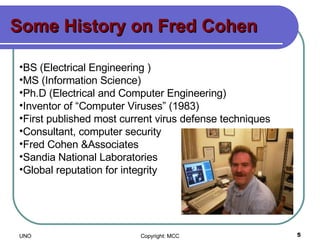
Some History on Fred Cohen BS (Electrical Engineering ) MS (Information Science)  Ph.D (Electrical and Computer Engineering)  Inventor of “Computer Viruses” (1983)  First published most current virus defense techniques  Consultant, computer security  Fred Cohen &Associates  Sandia National Laboratories Global reputation for integrity
Macro virus Macro viruses are a special case of viruses. Instead of infecting software program files directly, macro viruses infect Microsoft Office documents and templates.  They exist because Microsoft has implemented a complete programming language in their Office applications which allows any document to contain software code.
Macro virus (cont:) Macro viruses can be extremely dangerous, since the scripting language built-in to Microsoft Office (called "Visual Basic for Applications") gives the virus full control of the computer, including the ability to run arbitrary software, send e-mail, delete files, or activate some other malicious payload.
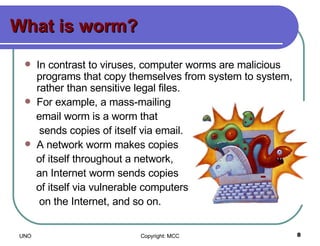
What is worm? In contrast to viruses, computer worms are malicious programs that copy themselves from system to system, rather than sensitive legal files.  For example, a mass-mailing  email worm is a worm that  sends copies of itself via email.  A network worm makes copies of itself throughout a network,  an Internet worm sends copies  of itself via vulnerable computers  on the Internet, and so on.
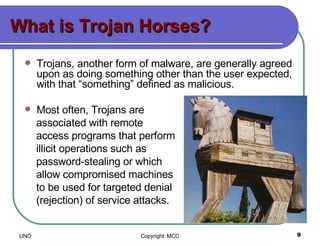
What is Trojan Horses? Trojans, another form of malware, are generally agreed upon as doing something other than the user expected, with that “something” defined as malicious.  Most often, Trojans are  associated with remote  access programs that perform  illicit operations such as  password-stealing or which  allow compromised machines  to be used for targeted denial  (rejection) of service attacks.
Trojan Horses (cont:) One of the more basic forms of a denial of service (DoS) attack involves flooding a target system with so much data, traffic, or commands that it can no longer perform its core functions.  When multiple machines are gathered together to launch such an attack, it is known as a distributed denial of service attack, or DDoS.
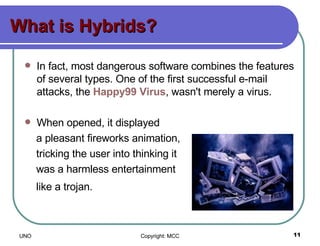
What is Hybrids? In fact, most dangerous software combines the features of several types. One of the first successful e-mail attacks, the  Happy99 Virus , wasn't merely a virus. When opened, it displayed  a pleasant fireworks animation,  tricking the user into thinking it  was a harmless entertainment  like a trojan.
Hybrids (cont:) Then, like a virus, it modified the computer's operating system files and installed software code which would create copies of itself whenever the user sent e-mail.  Finally, like a worm, Happy99 propagated to other computers via e-mail.
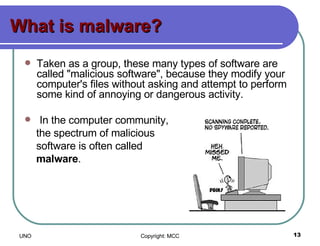
What is malware? Taken as a group, these many types of software are called "malicious software", because they modify your computer's files without asking and attempt to perform some kind of annoying or dangerous activity. In the computer community, the spectrum of malicious  software is often called  malware .
What is SPAM? "Spamming [the sending of unsolicited email] is the scourge of electronic-mail and newsgroups on the Internet.  It can seriously interfere with the operation of public services, to say nothing of the effect it may have on any individual's e-mail mail system. Spammers are, in effect, taking  resources away from users and  service suppliers without  compensation and without  authorization."
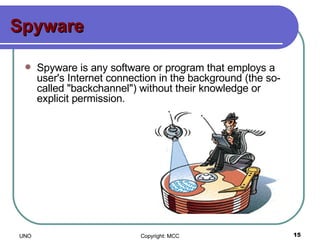
Spyware Spyware is any software or program that employs a user's Internet connection in the background (the so-called "backchannel") without their knowledge or explicit permission.
 
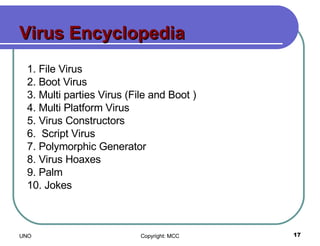
Virus Encyclopedia 1. File Virus 2. Boot Virus 3. Multi parties Virus (File and Boot ) 4. Multi Platform Virus 5. Virus Constructors 6.  Script Virus 7. Polymorphic Generator 8. Virus Hoaxes 9. Palm 10. Jokes
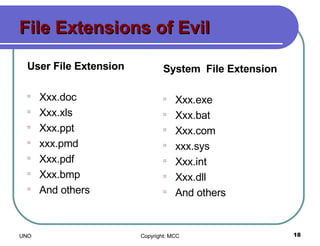
File Extensions of Evil User File Extension Xxx.doc Xxx.xls Xxx.ppt xxx.pmd Xxx.pdf Xxx.bmp And others System  File Extension Xxx.exe Xxx.bat Xxx.com xxx.sys Xxx.int Xxx.dll And others
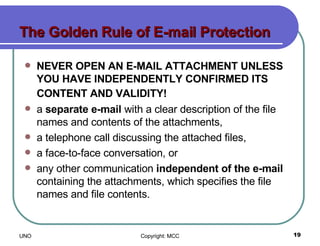
The Golden Rule of E-mail Protection NEVER OPEN AN E-MAIL ATTACHMENT UNLESS YOU HAVE INDEPENDENTLY CONFIRMED ITS CONTENT AND VALIDITY!   a  separate e-mail  with a clear description of the file names and contents of the attachments,  a telephone call discussing the attached files,  a face-to-face conversation, or  any other communication  independent of the e-mail  containing the attachments, which specifies the file names and file contents.
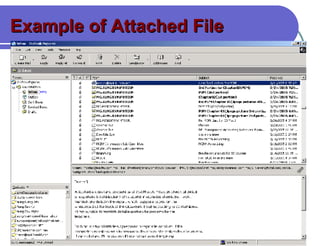
Example of Attached File
Other Ways to Secure Your System  Don't use file and print sharing unless you must If you do use file sharing, use good passwords  Don't allow Windows to open .VBS(vb script)   or .WSF(Windows Script) files Beware software of unknown origin Forged E-mail Addresses Anti-virus Software Malicious Software Documented at Rice To get  More Help To Find Security Patches
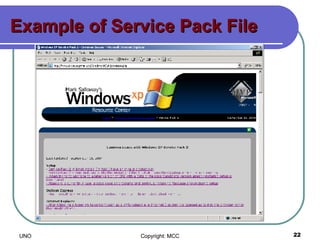
Example of Service Pack File
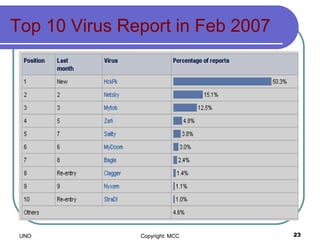
Top ten viruses reported to Sophos in April 2004 Top 10 Virus Report in Feb 2007
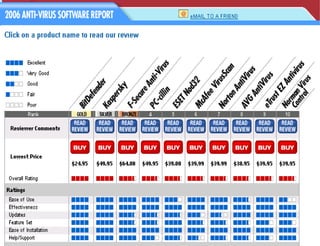
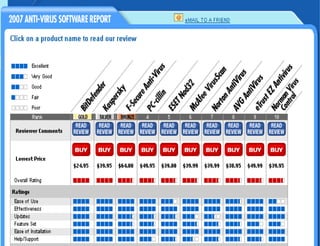
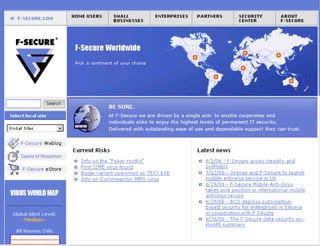
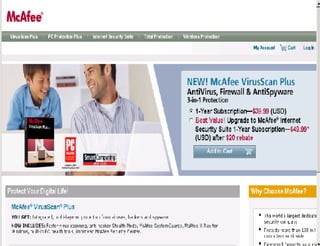
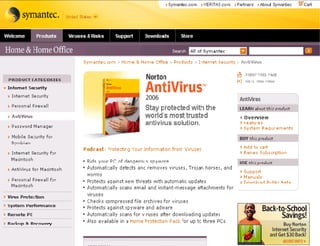
Top Antivirus  Software Nortan Antivirus (  www.symantec.com ) Mcafee Antivirus (  www.macfee.com ) Bitdeffender ( www.bitdeffender.com ) F-Secure ( www.f-secrure.com ) PC-cillin ( www.trendmicro.com ) E-safe…etc


criteria of anti-virus software. Ease of Use  Effective at Identifying Viruses and Worms  Effective at Cleaning or Isolating Infected Files  Activity Reporting  Feature Set (Scanning Capabilities) Ease of Installation and Setup Help Documentation
Main Features of Antivirus Provides complete e-mail virus Protection Eliminates all types of viruses    Easy to use: install and forget  Automatic virus definitions updates    Uses powerful virus scanning engines    Creates detailed scan reports ..etc
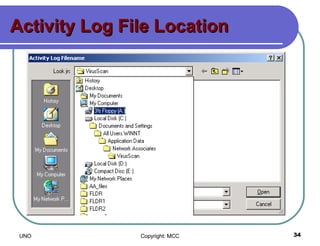
Activity Log File Location
Preventing Computer  Virus Install anti-virus software and keep the virus definitions up to date.  Don't automatically open attachments  Scan all incoming email attachments  Get immediate protection  Update your anti-virus software frequently.  Avoid downloading files you can't be sure are safe  Don't boot from a floppy disk  Don't share floppies  Scan floppies before using them  Use common sense
Useful links Virus Encyclopedia   http:// www.antivirus.com/vinfo/virusencyclo /   Virus pattern downloads   http:// www.antivirus.com/download/pattern.asp   Subscribe to email alerts on Virus   http:// www.antivirus.com/vinfo /   Online virus scanner, Housecall                              http:// housecall.antivirus.com /   Real-time Virus Tracking   http:// wtc.trendmicro.com/wtc /   Mcafee Security http://www.mcafee.com Nortan Antivirus http://symantec.com
Part Two O thers Data Security Issue
Topic to be covered Encryption Firewall Authentication Virtual Private Network (VPN) Digital Certificate Digital Signature Certification Authorities On-Line Security Assistants
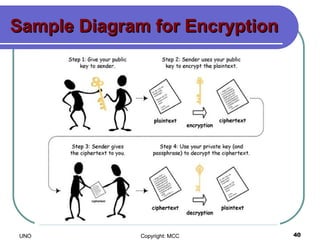
Encryption The translation of data into a secret code. Encryption is the most effective way to achieve data security.  To read an encrypted file, you must have access to a secret key or password that enables you to decrypt it.  Unencrypted data is called plain text; encrypted data is referred to as cipher text.  There are two main types of encryption: asymmetric encryption (also called public-key encryption) and symmetric encryption.
Sample Diagram for Encryption
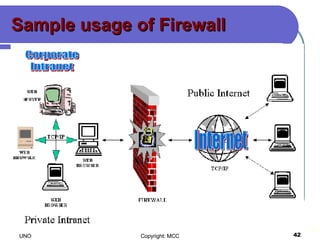
Firewall A combination of hardware and software that secures access to and from the LAN. A firewall blocks unwanted access to the protected network while giving the protected network access to networks outside of the firewall.  An organization will typically install a firewall to give users access to the internet while protecting their internal information.
Sample usage of Firewall
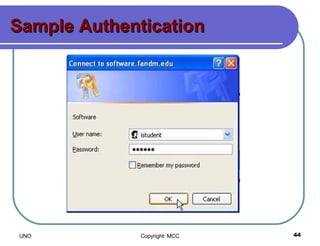
Authentication Determines a user's identity, as well as determining what a user is authorized to access.  The most common form of authentication is user name and password, although this also provides the lowest level of security.  VPNs use digital certificates and digital signatures to more accurately identify the user.
Sample Authentication
Virtual Private Network A virtual private network (VPN) is a private data network that makes use of the public telecommunication infrastructure, maintaining privacy through the use of a  tunneling protocol  and security procedures.  The idea of the VPN is to give the company the same capabilities at much lower cost by using the shared public infrastructure rather than a private one.
Tunneling Protocol A tunneling protocol is a network protocol which encapsulates one protocol or session inside another. Protocol A is encapsulated within protocol B, such that A treats B as though it were a data link layer.  Tunneling is used to get data between administrative domains which use a protocol that is not supported by the internet connecting those domains.
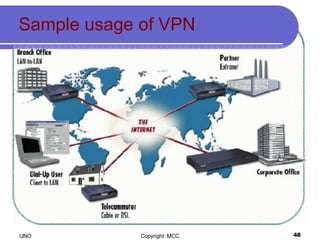
VPNs Scenarios Internet VPN Over the public access Internet Connect remote office across the Internet Connect remote dialup users to their home gateway through ISP: known as VPDN Intranet VPN Within an enterprise or organization that might or might not involve traffic traversing a WAN Extranet VPN Between two or more separate entities that can involve data traversing the Internet or some other WAN
Sample usage of VPN
Why should use VPN? Data confidentiality Encrypt the packets before transmitting across the network Data Integrity Authenticate peers and examine packets ensuring that data has not been altered during transmission Data origin authentication Authenticate the source of data sent Depend on data integrity service Anti-replay Detect and reject replayed packets preventing spoofing and MITM attacks
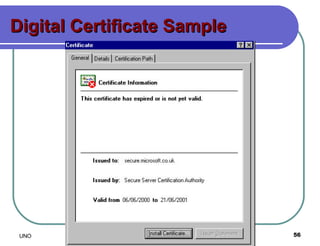
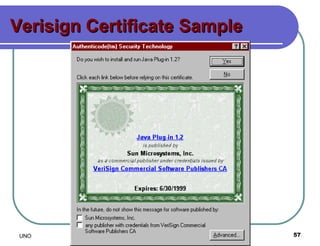
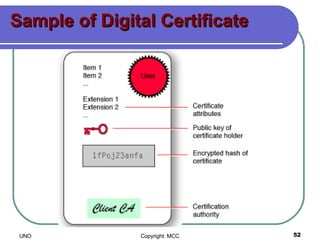
Digital Certificate Electronic counterparts  to driver licenses, passports. Certificates  are the framework for identification information, and bind identities with public keys. They provide a foundation for identification , authentication and non-repudiation. Enable individuals and organizations  to secure business and personal transactions across communication networks.
Types of Certificates Root or Authority certificates These are self signed by the CA that created them  Institutional authority certificates Also called as “campus certificates”  Client certificates These are also known as end-entity  certificates, identity certificates,or personal  certificates. Web server certificates used for secure communications to and from  Web servers
Sample of Digital Certificate
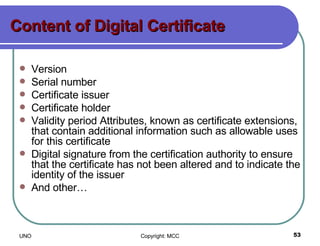
Content of Digital Certificate Version Serial number Certificate issuer Certificate holder Validity period Attributes, known as certificate extensions, that contain additional information such as allowable uses for this certificate Digital signature from the certification authority to ensure that the certificate has not been altered and to indicate the identity of the issuer And other…
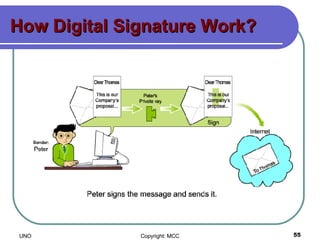
Digital Signature An electronic signature that can be used to authenticate the identity of the sender of a message, or of the signer of a document.  It can also be used to ensure that the original content of the message or document that has been conveyed is unchanged.
How Digital Signature Work?
Digital Certificate Sample
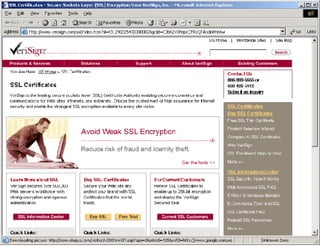
Verisign Certificate Sample
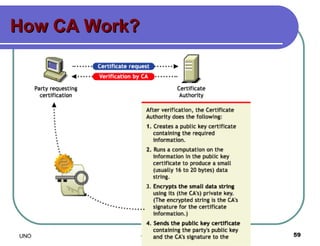
Certification Authority A third party organization which is used to confirm the relationship between a party to the https transaction and that party's public key.  Certification authorities may be widely known and trusted institutions for Internet based transactions; where https is used on companies internal networks, an internal department within the company may fulfill this role.
How CA Work?
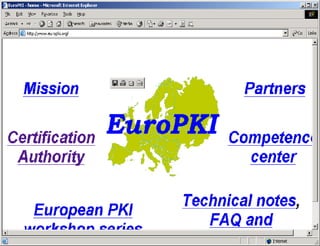
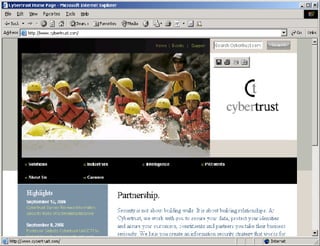
Some Famous CAs Verisign ( www.verisign.com) Europki (www.europki.org) CyberTrust ( www.cybertrust.com) And many more…


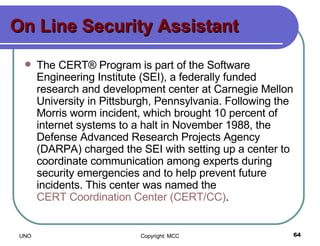
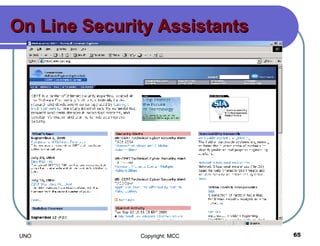
On Line Security Assistant The CERT® Program is part of the Software Engineering Institute (SEI), a federally funded research and development center at Carnegie Mellon University in Pittsburgh, Pennsylvania. Following the Morris worm incident, which brought 10 percent of internet systems to a halt in November 1988, the Defense Advanced Research Projects Agency (DARPA) charged the SEI with setting up a center to coordinate communication among experts during security emergencies and to help prevent future incidents. This center was named the  CERT Coordination Center (CERT/CC) .
On Line Security Assistants
Area of work by CERT Software Assurance Secure Systems Organizational Security Coordinated Response Education and Training
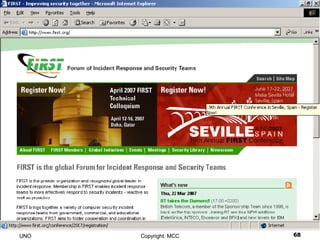
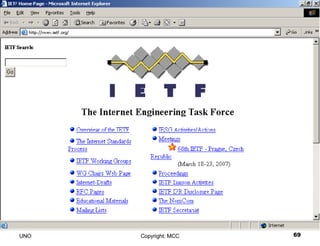
Participation in Organizations Forum of Incident Response and Security Teams (FIRST)  - The CERT/CC was a founding member of FIRST, which is a coalition of individual response teams around the world.  Internet Engineering Task Force (IETF)  - The IETF is an international organization that is instrumental in developing internet standards.  National Security Telecommunications Advisory Committee's Network Security Information Exchange (NSTAC NSIE)  - The NSTAC NSIE works to reduce vulnerabilities in critical infrastructures.
 
 
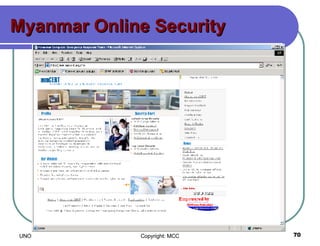
Myanmar Online Security
Thanks You!

Ne Course Part One

  • 1.
    Network Professional CourseData & Network Security U Nyein Oo COO/Director Myanma Computer Co., Ltd
  • 2.
  • 3.
    Topics to becovered Computer virus Different type of virus Macro virus Worm Trojan horse Hybrids Malware Spam Spyware And preventing Computer Virus
  • 4.
    What is ComputerVirus? In 1983, Fred Cohen coined the term “computer virus”, assume a virus was " a program that can 'infect' other programs by modifying them to include a possibly evolved copy of itself .” Mr. Cohen expanded his definition a year later in his 1984 paper, “A Computer Virus”, noting that “ a virus can spread throughout a computer system or network using the authorizations of every user using it to infect their programs”.
  • 5.
    Some History onFred Cohen BS (Electrical Engineering ) MS (Information Science) Ph.D (Electrical and Computer Engineering) Inventor of “Computer Viruses” (1983) First published most current virus defense techniques Consultant, computer security Fred Cohen &Associates Sandia National Laboratories Global reputation for integrity
  • 6.
    Macro virus Macroviruses are a special case of viruses. Instead of infecting software program files directly, macro viruses infect Microsoft Office documents and templates. They exist because Microsoft has implemented a complete programming language in their Office applications which allows any document to contain software code.
  • 7.
    Macro virus (cont:)Macro viruses can be extremely dangerous, since the scripting language built-in to Microsoft Office (called "Visual Basic for Applications") gives the virus full control of the computer, including the ability to run arbitrary software, send e-mail, delete files, or activate some other malicious payload.
  • 8.
    What is worm?In contrast to viruses, computer worms are malicious programs that copy themselves from system to system, rather than sensitive legal files. For example, a mass-mailing email worm is a worm that sends copies of itself via email. A network worm makes copies of itself throughout a network, an Internet worm sends copies of itself via vulnerable computers on the Internet, and so on.
  • 9.
    What is TrojanHorses? Trojans, another form of malware, are generally agreed upon as doing something other than the user expected, with that “something” defined as malicious. Most often, Trojans are associated with remote access programs that perform illicit operations such as password-stealing or which allow compromised machines to be used for targeted denial (rejection) of service attacks.
  • 10.
    Trojan Horses (cont:)One of the more basic forms of a denial of service (DoS) attack involves flooding a target system with so much data, traffic, or commands that it can no longer perform its core functions. When multiple machines are gathered together to launch such an attack, it is known as a distributed denial of service attack, or DDoS.
  • 11.
    What is Hybrids?In fact, most dangerous software combines the features of several types. One of the first successful e-mail attacks, the Happy99 Virus , wasn't merely a virus. When opened, it displayed a pleasant fireworks animation, tricking the user into thinking it was a harmless entertainment like a trojan.
  • 12.
    Hybrids (cont:) Then,like a virus, it modified the computer's operating system files and installed software code which would create copies of itself whenever the user sent e-mail. Finally, like a worm, Happy99 propagated to other computers via e-mail.
  • 13.
    What is malware?Taken as a group, these many types of software are called "malicious software", because they modify your computer's files without asking and attempt to perform some kind of annoying or dangerous activity. In the computer community, the spectrum of malicious software is often called malware .
  • 14.
    What is SPAM?"Spamming [the sending of unsolicited email] is the scourge of electronic-mail and newsgroups on the Internet. It can seriously interfere with the operation of public services, to say nothing of the effect it may have on any individual's e-mail mail system. Spammers are, in effect, taking resources away from users and service suppliers without compensation and without authorization."
  • 15.
    Spyware Spyware isany software or program that employs a user's Internet connection in the background (the so-called "backchannel") without their knowledge or explicit permission.
  • 16.
  • 17.
    Virus Encyclopedia 1.File Virus 2. Boot Virus 3. Multi parties Virus (File and Boot ) 4. Multi Platform Virus 5. Virus Constructors 6. Script Virus 7. Polymorphic Generator 8. Virus Hoaxes 9. Palm 10. Jokes
  • 18.
    File Extensions ofEvil User File Extension Xxx.doc Xxx.xls Xxx.ppt xxx.pmd Xxx.pdf Xxx.bmp And others System File Extension Xxx.exe Xxx.bat Xxx.com xxx.sys Xxx.int Xxx.dll And others
  • 19.
    The Golden Ruleof E-mail Protection NEVER OPEN AN E-MAIL ATTACHMENT UNLESS YOU HAVE INDEPENDENTLY CONFIRMED ITS CONTENT AND VALIDITY! a separate e-mail with a clear description of the file names and contents of the attachments, a telephone call discussing the attached files, a face-to-face conversation, or any other communication independent of the e-mail containing the attachments, which specifies the file names and file contents.
  • 20.
  • 21.
    Other Ways toSecure Your System Don't use file and print sharing unless you must If you do use file sharing, use good passwords Don't allow Windows to open .VBS(vb script) or .WSF(Windows Script) files Beware software of unknown origin Forged E-mail Addresses Anti-virus Software Malicious Software Documented at Rice To get More Help To Find Security Patches
  • 22.
  • 23.
    Top ten virusesreported to Sophos in April 2004 Top 10 Virus Report in Feb 2007
  • 24.
    Top Antivirus Software Nortan Antivirus ( www.symantec.com ) Mcafee Antivirus ( www.macfee.com ) Bitdeffender ( www.bitdeffender.com ) F-Secure ( www.f-secrure.com ) PC-cillin ( www.trendmicro.com ) E-safe…etc
  • 25.
  • 26.
  • 27.
  • 28.
  • 29.
  • 30.
  • 31.
  • 32.
    criteria of anti-virussoftware. Ease of Use Effective at Identifying Viruses and Worms Effective at Cleaning or Isolating Infected Files Activity Reporting Feature Set (Scanning Capabilities) Ease of Installation and Setup Help Documentation
  • 33.
    Main Features ofAntivirus Provides complete e-mail virus Protection Eliminates all types of viruses   Easy to use: install and forget Automatic virus definitions updates   Uses powerful virus scanning engines   Creates detailed scan reports ..etc
  • 34.
  • 35.
    Preventing Computer Virus Install anti-virus software and keep the virus definitions up to date. Don't automatically open attachments Scan all incoming email attachments Get immediate protection Update your anti-virus software frequently. Avoid downloading files you can't be sure are safe Don't boot from a floppy disk Don't share floppies Scan floppies before using them Use common sense
  • 36.
    Useful links VirusEncyclopedia http:// www.antivirus.com/vinfo/virusencyclo / Virus pattern downloads http:// www.antivirus.com/download/pattern.asp Subscribe to email alerts on Virus http:// www.antivirus.com/vinfo / Online virus scanner, Housecall                             http:// housecall.antivirus.com / Real-time Virus Tracking http:// wtc.trendmicro.com/wtc / Mcafee Security http://www.mcafee.com Nortan Antivirus http://symantec.com
  • 37.
    Part Two Others Data Security Issue
  • 38.
    Topic to becovered Encryption Firewall Authentication Virtual Private Network (VPN) Digital Certificate Digital Signature Certification Authorities On-Line Security Assistants
  • 39.
    Encryption The translationof data into a secret code. Encryption is the most effective way to achieve data security. To read an encrypted file, you must have access to a secret key or password that enables you to decrypt it. Unencrypted data is called plain text; encrypted data is referred to as cipher text. There are two main types of encryption: asymmetric encryption (also called public-key encryption) and symmetric encryption.
  • 40.
  • 41.
    Firewall A combinationof hardware and software that secures access to and from the LAN. A firewall blocks unwanted access to the protected network while giving the protected network access to networks outside of the firewall. An organization will typically install a firewall to give users access to the internet while protecting their internal information.
  • 42.
  • 43.
    Authentication Determines auser's identity, as well as determining what a user is authorized to access. The most common form of authentication is user name and password, although this also provides the lowest level of security. VPNs use digital certificates and digital signatures to more accurately identify the user.
  • 44.
  • 45.
    Virtual Private NetworkA virtual private network (VPN) is a private data network that makes use of the public telecommunication infrastructure, maintaining privacy through the use of a tunneling protocol and security procedures. The idea of the VPN is to give the company the same capabilities at much lower cost by using the shared public infrastructure rather than a private one.
  • 46.
    Tunneling Protocol Atunneling protocol is a network protocol which encapsulates one protocol or session inside another. Protocol A is encapsulated within protocol B, such that A treats B as though it were a data link layer. Tunneling is used to get data between administrative domains which use a protocol that is not supported by the internet connecting those domains.
  • 47.
    VPNs Scenarios InternetVPN Over the public access Internet Connect remote office across the Internet Connect remote dialup users to their home gateway through ISP: known as VPDN Intranet VPN Within an enterprise or organization that might or might not involve traffic traversing a WAN Extranet VPN Between two or more separate entities that can involve data traversing the Internet or some other WAN
  • 48.
  • 49.
    Why should useVPN? Data confidentiality Encrypt the packets before transmitting across the network Data Integrity Authenticate peers and examine packets ensuring that data has not been altered during transmission Data origin authentication Authenticate the source of data sent Depend on data integrity service Anti-replay Detect and reject replayed packets preventing spoofing and MITM attacks
  • 50.
    Digital Certificate Electroniccounterparts to driver licenses, passports. Certificates are the framework for identification information, and bind identities with public keys. They provide a foundation for identification , authentication and non-repudiation. Enable individuals and organizations to secure business and personal transactions across communication networks.
  • 51.
    Types of CertificatesRoot or Authority certificates These are self signed by the CA that created them Institutional authority certificates Also called as “campus certificates” Client certificates These are also known as end-entity certificates, identity certificates,or personal certificates. Web server certificates used for secure communications to and from Web servers
  • 52.
    Sample of DigitalCertificate
  • 53.
    Content of DigitalCertificate Version Serial number Certificate issuer Certificate holder Validity period Attributes, known as certificate extensions, that contain additional information such as allowable uses for this certificate Digital signature from the certification authority to ensure that the certificate has not been altered and to indicate the identity of the issuer And other…
  • 54.
    Digital Signature Anelectronic signature that can be used to authenticate the identity of the sender of a message, or of the signer of a document. It can also be used to ensure that the original content of the message or document that has been conveyed is unchanged.
  • 55.
  • 56.
  • 57.
  • 58.
    Certification Authority Athird party organization which is used to confirm the relationship between a party to the https transaction and that party's public key. Certification authorities may be widely known and trusted institutions for Internet based transactions; where https is used on companies internal networks, an internal department within the company may fulfill this role.
  • 59.
  • 60.
    Some Famous CAsVerisign ( www.verisign.com) Europki (www.europki.org) CyberTrust ( www.cybertrust.com) And many more…
  • 61.
  • 62.
  • 63.
  • 64.
    On Line SecurityAssistant The CERT® Program is part of the Software Engineering Institute (SEI), a federally funded research and development center at Carnegie Mellon University in Pittsburgh, Pennsylvania. Following the Morris worm incident, which brought 10 percent of internet systems to a halt in November 1988, the Defense Advanced Research Projects Agency (DARPA) charged the SEI with setting up a center to coordinate communication among experts during security emergencies and to help prevent future incidents. This center was named the CERT Coordination Center (CERT/CC) .
  • 65.
    On Line SecurityAssistants
  • 66.
    Area of workby CERT Software Assurance Secure Systems Organizational Security Coordinated Response Education and Training
  • 67.
    Participation in OrganizationsForum of Incident Response and Security Teams (FIRST) - The CERT/CC was a founding member of FIRST, which is a coalition of individual response teams around the world. Internet Engineering Task Force (IETF) - The IETF is an international organization that is instrumental in developing internet standards. National Security Telecommunications Advisory Committee's Network Security Information Exchange (NSTAC NSIE) - The NSTAC NSIE works to reduce vulnerabilities in critical infrastructures.
  • 68.
  • 69.
  • 70.
  • 71.